-
Saving a DAZ Studio PUSH MODIFIER?
Richard Haseltine said:
Fauvist said:
Richard Haseltine said:
You'd have to export as OBJ and imort as morph. I am surprised there is no option to spawn, as there is with dForms.
Sorry, I don't understand. You mean export the entire Genesis figure that I altered as an OBJ? And import the entire figure as a morph?
Yes
Okay, I went through hell altering the face, and I exported it as an obj, and then imported it as an obj - now how do I turn that imported obj into a morph?
Exporting clothing from Blender to Daz causes seems in mesh after Transfer UtilityIn import dialog you can set how the axes were set in the original file, you probably need to invert one of them.
Wonderland!!!stonefield99 said:
Great set as always...
Having trouble getting this over to Unreal 5 using the bridge. Other Stonemason sets work well.
Anyone have success getting this to bridge over to Unreal? I see some blender images, so I'm asking.
AND... nevermind! LOL
Yes, I tried importing as a "static mesh" instead of my usual habit of exporting as "environment" and it' worked as expected now.
Replacing the water and steam elements now and going to have a look. Going to go back to the Stonemason sets I've tried to import before and see if imorting as Static Mesh instead of Envronments will show similar results.Is it possible to bake face Bone rig animation to shape key animation with diffeo?Thanks
I will have to try that tomorrow, do we still import mimic etc. via the “import action” button.
I seem to remember it being “greyed out”after I unbound and detached/deleted the Daz rig
at any rate this is a very exciting time for Blender animators!!
particularly those of us who have invested in ARP.
Sagan: A DAZ Studio to Blender Alembic ExporterCan you tell me how to import my alympic into the blender with hair I haven't been able to get the hair I got the scalp but no hair I was using dforce hairSagan: A DAZ Studio to Blender Alembic ExporterTheMysteryIsThePoint said:
Dzzzman said:
I installed the plugin but I still don't understand how to export as an alembic,, i dont feel like anything changed in my menus
That's my fault. You'll find it buried under Windows|Workspace|Customize, and then under Miscellaneous in the hierarchy on the left. You can then move it to where ever you want in the hierarchy on the right, say under "Export" in Main Menu Bar|File on the Menus tab.
I am just tired of hunting GUI issues that have nothing to do with actual Alembic exporting.
Can you tell me how to import my alympic into the blender with hair I haven't been able to get the hair I got the scalp but no hair I was using dforce hair
Sagan: A DAZ Studio to Blender Alembic ExporterTheMysteryIsThePoint said:Dzzzman said:
I installed the plugin but I still don't understand how to export as an alembic,, i dont feel like anything changed in my menus
That's my fault. You'll find it buried under Windows|Workspace|Customize, and then under Miscellaneous in the hierarchy on the left. You can then move it to where ever you want in the hierarchy on the right, say under "Export" in Main Menu Bar|File on the Menus tab.
I am just tired of hunting GUI issues that have nothing to do with actual Alembic exporting.
Can you tell me how to import my alympic into the blender with hair I haven't been able to get the hair I got the scalp but no hair I was using dforce hair
Sagan: A DAZ Studio to Blender Alembic ExporterTheMysteryIsThePoint said:Dzzzman said:
I installed the plugin but I still don't understand how to export as an alembic,, i dont feel like anything changed in my menus
That's my fault. You'll find it buried under Windows|Workspace|Customize, and then under Miscellaneous in the hierarchy on the left. You can then move it to where ever you want in the hierarchy on the right, say under "Export" in Main Menu Bar|File on the Menus tab.
I am just tired of hunting GUI issues that have nothing to do with actual Alembic exporting.
Can you tell me how to import my alympic into the blender with hair I haven't been able to get the hair I got the scalp but no hair I was using dforce hair
Ambient Occlusion for PBR texturesI am trying to import my AO texture on to a staircase that I textured on Substance and I was wondering what would be the best substitute in Daz3d to place the AO?
Anyone interested in importing camera-tracking data to DAZ Studio? [Commercial]I'm "interested", but I'd be sold if it was a two way street.
At present Daz is in it's own realm camera-wise. Specifically, what Daz needs is a means to export it's own camera data out to agnostic format that can be imported w/ subpixel accuracy into anything that accepts FBX.
But to be abe to import or convert as well? Can you imagine what that would mean to an UltraScenery scene?
CARRARA CHALLENGE #64: Old egypt..... WIPYet One More Freebie - Egyptian Collared Dress for G2F
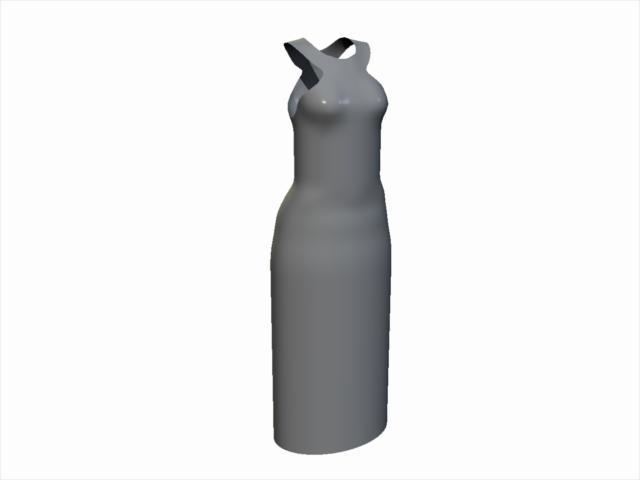
Same issue - the shader texture maps are missing. This is just a static prop dress that fits the default G2F. You can use VWD on it as is. If so, I recommend 'nailing' the collar in place. You could also import it into that free plugin, Daz Studio, and use the transfer utility to make it a conforming figure. You could even use Carrara's softbody physics.
See attched zip file in next post with the music pic.
 Export Blender morph to Daz (when not in A pose)
I'm wondering if it's actually the difference in Blender's orientation which is messing with things. In summary I:
- pose the figure in Daz and save the posepreset.duf
Image removed
- send the figure to Blender using the official bridge and scult a bump on the head. Notice here how Blender has fiddled with the rotation/orientation of the figure, which might be the problem

- export from blender as a .obj, and import to Daz as a morph with the posepreset.duf provided

- apply this morph in Daz which successfully applies the bump at 100%, but the character is pulled into a different 'flipped' orientation/position as a result of the morph being applied. This means pose controls no longer work, for example changing the neck 'bend' will morph the character into a giraffe
Image removed
I'm trying to find a solution which prevents the pose controls etc from breaking, which probably wouldn't occur if Blender hadn't shuffled the orientation/rotation of the figure. The alternative of course would be to get the character back into the Daz default 'A' pose in blender (with the bump) so that it can be imported as a simple morph.
The reason I need to first pose the character in order to apply the morph, is because I'm actually using softbody physics in Blender (which rely on the pose).
Pose unimportedI use DazStudio 4.20 017, Blender 3.3, Dzblender bridge2022.2.18.42
When I try to import a posed figure, the pose is not or not completely imported.
I keep skeletal mesh, export morphs is unticked.
I suppose there's something I'm doing wrong somewhere.
When I try to apply a pose from the Daz Library to the figure, I receive an error message in Python.
I'm totally new to Blender.
I Also tried to install Diffeo before the official bridge, there are maybe some interferences with "residues" I forgot to delete.
Could somebody give me a hint ?
Thanks a lot
pJCM do not work in unityHi everyone! I created a shirt to which I applied two pJCM the CollarUp_55_L and R.
In Daz it works fine but when I import it into Unity it doesn't work, whether I'm exporting the morphs or not.
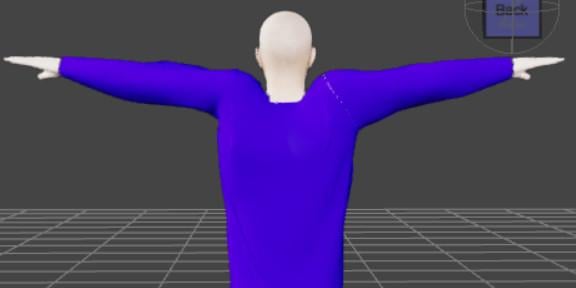
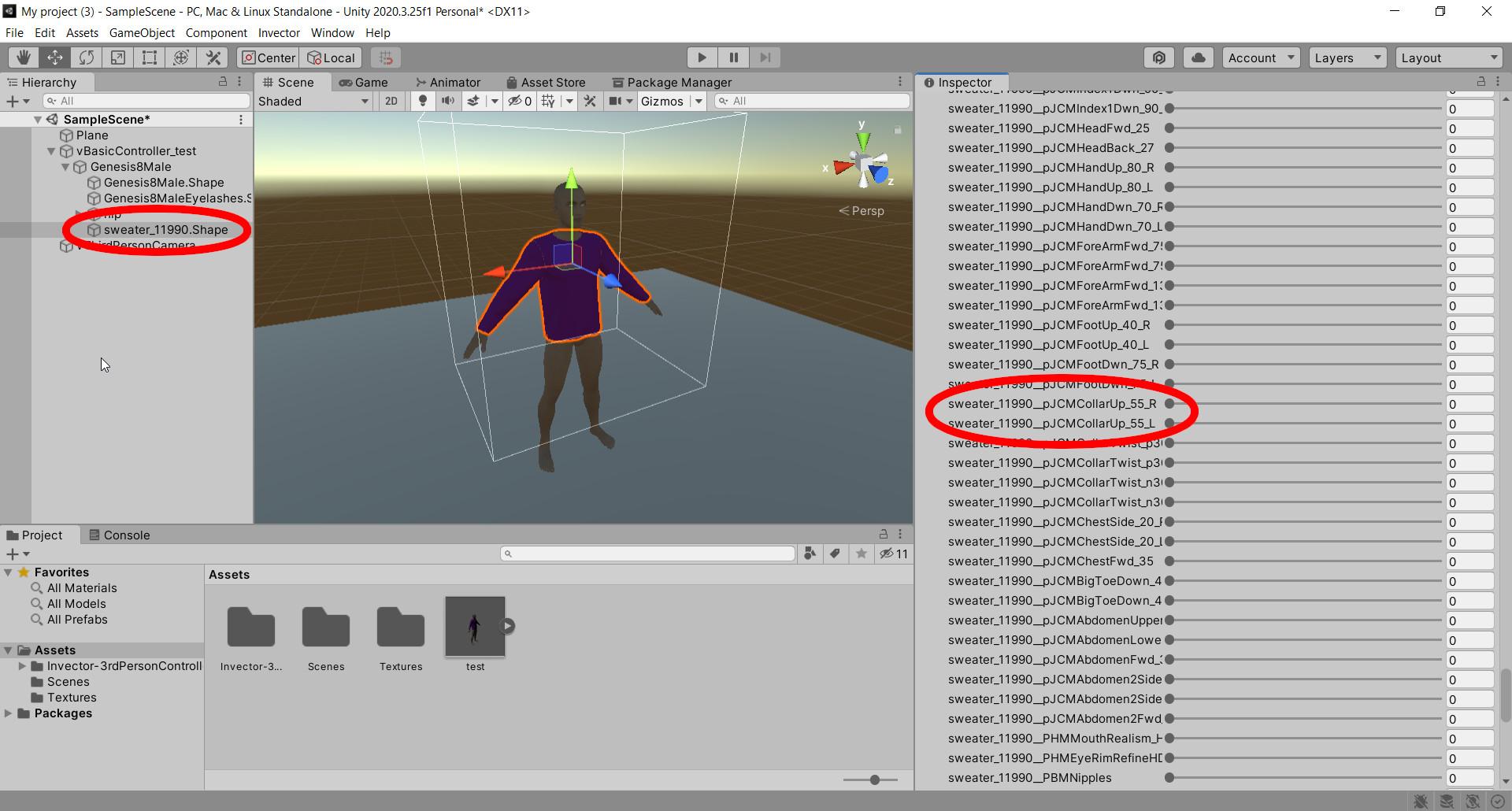
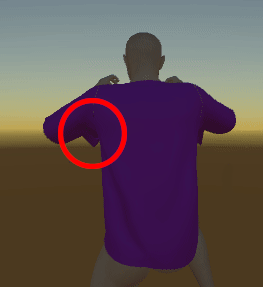
Here i uploaded i gif for see it in animation unity
I tried to do the same experiment using daz native basic wear and in unity it works too.
So I think the problem is in my shirt.
Could it be because I only created two pJCMs or maybe there could be more?
Thank you
Export Blender morph to Daz (when not in A pose)Thanks. Unfortunately even with reverse deformations set to 'yes' and the pose exported to blender included in the settings, applying the morph still warps the character into that pose.
It feels like getting the character back into the A pose would be easier on the Blender side, but unfortunately the 'Import pose' button in the Daz to Blender bridge simply moves the character a little but, rather than applying the pose.
Exporting clothing from Blender to Daz causes seems in mesh after Transfer UtilityIm new to blender but i have a lot of experience with Daz Studio. Im trying to get a clothing set (obj File) from Blender into Daz Studio. I import it, use transfer utility to G8.1 Male and then the mesh has seems in it. Initially i dont recall having this problem but now suddenly its a thing and its like ive gone ten steps back and cannot figure it out. Can anyone please help. I should mention im using a game asset. This is entirely for personal use. Link to the Blender file provided. https://drive.google.com/file/d/1MGkrK0Q6UOz00Ulw_L9dkdLboRH0JiAp/view?usp=sharing Thanks in advance for any assistance.
Rhino to Daz Studio – surfaces and nodesThis question might be better in ‘3rd party software’ but there are only specific sections and not one for Rhino
Anyone here use Rhino to make or modify models?
The problem I have, if I have a Rhino model with several different objects (poly mesh) and I export those as obj and import them to Daz Studio, they are all one object so no convenient way to apply different shaders
Is there a setting in Rhino or Daz that I am missing?
We need to talkwolf359 said:
wsterdan said:
wolf359 said:
Speaking of lipsyncing,
The newest commit of Diffeo has added the ability to bake animated morphs to animated shape key frames!!.

Giving us the ability to use Daz Mimic basic, Anilip2 ,Iphone,MOHO.dat files on our Daz genesis figures in Blender AFTER re-rigging the body with autorig pro.
So no more struggling with the ARP face rig
just import your facial animation from your preferred Daz native method, or use the built in Diffeo MOHO importer along with the free Autolipsyncotizer app.
Exciting times !!
That's very good news. I just used DAZ's 32-bit Mimic to lip synch just over 10 minutes of audio (58 voice tracks) saving each one as a partial Pose Preset (it took 85 minutes), allowing me to apply them as partial poses in 64-bit D|S to any Genesis 3 figures (I've done the same with DAZ 8 earlier this month).It works beautifully applying them to characters without changing any of the characters' other animation, so two people walking side-by-side can now have a conversaiton without breakig stride.
Thanks for the update! Haven't started moving to Blender yet, but knowing this is done really makes things look a little brighter.
Just be aware that diffeo is only for the windows version of Blender.
Ah, right, foiled again!
Thanks!
Questions about G9So with this new model coming out, I must ask are we with all the stuff purchased for 8/8.1and older, will vendors be giving us free mods for our purchases to continue using their stuff, is DAZ going to issue a new update to encorporate this profile so there are no explosions when trying to use it, and will they be updating the add-ons like Daz to Blender import export before this G9 arrives?
I mean, 8.1 just came out not too long ago so I personally was surprised when G9 was announced.
Sorry, but I like so many of us, have a ginormous db and have sank quite a sum into DAZ Studio. I'm not sure I want to be nickle and dimed for things already purchased. My meager paycheck just can't support it.
Yes, I know, you don't have to buy it but that doesn't mean I can't ask.
Saving a DAZ Studio PUSH MODIFIER?Fauvist said:
Richard Haseltine said:
You'd have to export as OBJ and imort as morph. I am surprised there is no option to spawn, as there is with dForms.
Sorry, I don't understand. You mean export the entire Genesis figure that I altered as an OBJ? And import the entire figure as a morph?
Yes
Daz 3D is part of

Connect
DAZ Productions, Inc.
7533 S Center View Ct #4664
West Jordan, UT 84084Licensing Agreement | Terms of Service | Privacy Policy | EULA
© 2026 Daz Productions Inc. All Rights Reserved.