-
Does anybody know about Aeon Soul character?
She's called Alice, and she's not available for sale.
There was a version for Victoria 4 available long ago, but no version for Genesis figures was ever released.
How to make renders in blender look as good as IRAY using diffeo?You seem to miss the makeup overlay, it works fine here with Victoria 9. Be sure your render engine is set to cycles, also check the blender console for any error. If the issue is not fixed let me know what figure she is so I may be able to give a look. As for the hair they need to be converted as a separate step.
https://bitbucket.org/Diffeomorphic/import_daz/wiki/Features/Hair Tools
Released : V3D FilaToon Converter, Manager and Tools (Commercial)OK, I updated the conversion script this morning :
Due to an eye conversion issue on the eyes of Generation 4 figures (Victoria 4, Michael 4, etc..), the surface "7_EyeSurface" is now also considered as set as transparent when the option : “Usual Semi Transparent Human Eyes are set as transparent” is checked (default behavior). This should help a lot with the Victoria and Michael 4 family eyes issues.
A new conversion option, UNchecked by default, with allow you to transfer the cutout opacity value from the original shader to the final shader. This was made compatible for the following original shaders : (a) any shader using “Cutout Opacity” property to control the opacity, (b) “Daz Studio Default”, “omHumanSurface”, “omSimpleSurface”, “AoA_Subsurface”, “omUberSurface”, “Daz Studio Glossy Plastic/Metal/Matte”, “Daz Studio Plastic/Metal/Skin”, “Daz Studio Toon Glossy Plastic/Metal”, “Daz Studio Toon Metal/Plastic/ Skin”, using their “Opacity Strength” Control. For other initial Shaders, Cutout Opacity is set to 1 in the final Filatoon Shader.
The function to restore the original Opacity values acts before the function to maintain eyes semi transparent surfaces at 0 opacity, to be able to keep the required eyes surfaces transparent, and acts before the Glass Options too (so that it does not interfere with your other choices).
I'd like to have some tests before submitting the update, @Artini, @barbult, would you like to check if the new version is OK with what you wanted to solve and does not bring any other issue?I'm especially interested in knowing if I should keep the option unchecked by default or if I should change it checked by default. I'm afraid it could cause more issue than solutions if I check it by default...
Victoria 4.2 No ShowI just reinstalled DS Studio along with Victoria 4.2. Or should I say without Victoria 4.2. Can't find her anywhere. I even downloaded her straight to my desktop, unzipped her and pointed Studio directly towards her. Nada.. But she's not there.. The file structure is intact and the Geometrie files are there. And even the CR2 files are ther. But not in DS Studio!
**Nevermind.. found it under the Poser Format....Really BIG river with waterfall?nonesuch00 said:
That is an interesting ideal but that closest I've seen in the DAZ Store are a couple of products with a large falls emptying into a large pond essentially, but not Niagra, Cumberland, Godafoss, or Victoria Falls sort of water volume.
Yeah, the context is that for a fantasy world I need to create a city (think Venice) in the middle of an enormous river, located at the top of a towering waterfall, with a long bridge leading out to the city from shore. I'm looking to DIY it myself from scratch because I can't find anything even close to the epic scale of the river that I could kitcbash into what I need by cobbling together other sets. There are no large rivers period, really, and not even a lake or bay that I could fake out with the right perspective.
Due to time constraints, I wish there was something more out of the box though LOL. Looks like I'm going to need to learn some new skills.
Really BIG river with waterfall?That is an interesting ideal but that closest I've seen in the DAZ Store are a couple of products with a large falls emptying into a large pond essentially, but not Niagra, Cumberland, Godafoss, or Victoria Falls sort of water volume.
Released : V3D FilaToon Converter, Manager and Tools (Commercial)Thanks for the tips, @V3Digitimes
Yes, storing transmaps and restoring them after the conversion solved the problem with eyelashes,
Using different materials for Victoria 4.2 solved problem with the eyes.
I have used https://www.daz3d.com/lr-s-bianca-for-v4 an that works well.
As I understand there is no way to change the look of the eyes to be more toon, unless one use toonish original eyes.
Probably that applies to the hair, as well.
I also do not convert the scalp in the hair - it always looks bad after conversion.
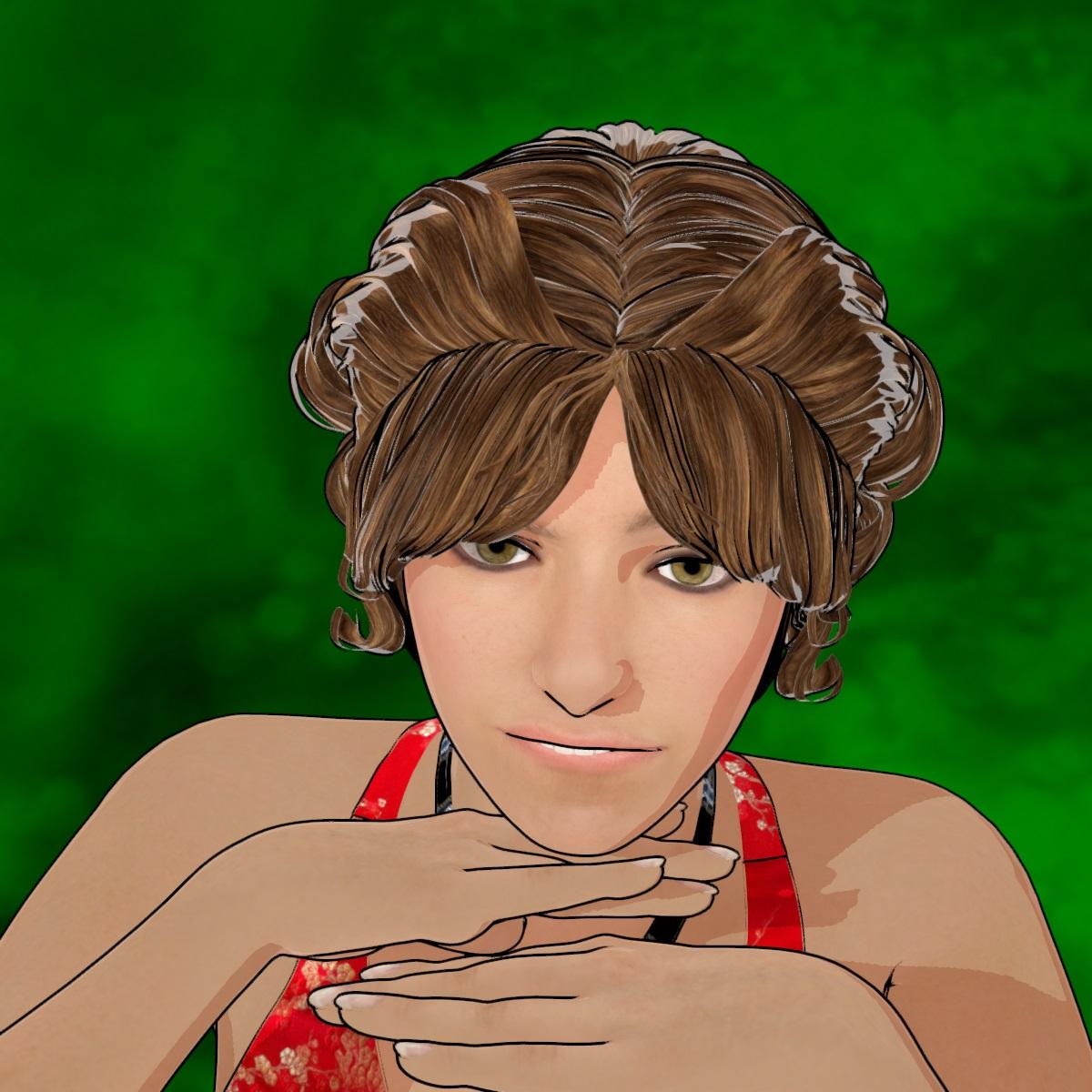 Released : V3D FilaToon Converter, Manager and Tools (Commercial)
Lol thanks for your many share Artini :) I love the mood of your renders :)
edit : @Artini :
--> OK I'll have a look at the eyes issue on Generation 4 (Victoria/Michael 4), there is probably a specificity I did not see, but this should normally be pretty easy to fix! (I "skipped" Generation 4 during the test stage because in my memory, it was exactly like Genesis in term of surfaces)...
--> For the eyelashes : have you tried to "Store Trans Maps" before conversion, "Restore Trans Maps" after Conversion, and then adjust EyeLashes with the opacity tools included.
@Barbult :
OK thanks for all the inputs.
I had a brief look. Indeed, the opacity at 1 is actually embedded in the shaders (General, Hair, Constant, Metallic) provided by Daz.On the short term (on your side) there is a 2 or 3 minutes solution, using the "Create Custom Conversion Preset", to replace the shader currently used for conversion (Skin/General probably) on your problematic surfaces by the "Filatoon - Base" base shader located in the Default Resources Daz Package, category Shaders, which preserves opacity values and does not add outlines. In order to go faster to create your custom preset :
- find "FilaToon-Base" in your content Library (Daz Default Content/Shaders/Filament in Smart Content), right click the thumb and make "browse to file location"
- in your windows explorer, copy the folder path of your shader.
- Launch the Custom Preset Creator and (for General For instance if your surfaces are processed as General), click the corresponding button, and paste the folder path you just copied, and select the FilaToon-Base shader and accept.
- Save your new Preset and Close the Custom preset Creator. YOU ONLY HAVE to do it once, since after that you can reuse your preset as often as you want :)
- Launch the converter and immediately click on Load A Shader Conversion Preset (below the 3 buttons). You can check on the dedicated tab (with the path) that the new shader is now the one you chose
- Load the preset you saved and make the conversion.
I just tried on several 0 opacity objects, this way they remain with a 0 opacity, and use FilaToon Base Shader. (Note that this procedure does not add outlines on these nodes so you can use the outline add utility if you need it).On my side I'm going to try to implement a better solution (more straight forward) but I don't know which one to chose. I cannot do this tomorrow because I have some family I haven't seen for a while coming to visit me, but on monday I'll have a look :
- either if I can include the Opacity VALUE in the "Store trans Maps" text file and if I can easily add a "Restore Opacity Values" in the "Restore or Remove Trans Maps" script (I'm not sure how I can rewrite the reload to properly use either the maps or the values)
- OR I can include as an option the "keep Cutout Opacity Values" directly in the conversion script (this should be doable, but may slow down a bit the conversion, and I would like to be sure it does not add issue with semi transparent surfaces).Going to bed now, I'll do my best to answer tomorrow if there are still more questions, but tomorrow is an heavy day for me where I will be less available than usually (come on it does not happen often!).
Released : V3D FilaToon Converter, Manager and Tools (Commercial)Victoria 4.2 after conversion. Also noted eyelashes look solid black.
 Really BIG river with waterfall?
I've been looking for an epically enormous river with a huge waterfall, think Victoria Falls or Niagara Falls. Haven't been able to find anything. Any ideas? :-)
Limited Time Freebies Discussion ThreadGuess what? It's January 10 and we have a load of new freebies! Some good stuff here. I have some if it, and some of it is original Genesis. Even so... Very happy! Perhaps you will be, too.
https://www.daz3d.com/bbq-grill-collection
https://www.daz3d.com/calvin-for-v4
https://www.daz3d.com/fw-chara-hd-for-genesis-3-female
https://www.daz3d.com/end-of-innocence-laced
https://www.daz3d.com/dandelion-hair
https://www.daz3d.com/terranaturals-volume-1-desert
https://www.daz3d.com/monique-6-hd-add-on
https://www.daz3d.com/textures-for-reptilian-6-hd
https://www.daz3d.com/Horror-movie-patient-for-genesis
https://www.daz3d.com/metal-madness
https://www.daz3d.com/young-teens-5-justin
https://www.daz3d.com/niara-for-victoria-5
Plus the 4 eternal G9 Kin items.
An Attempt of a "Limited Time Freebie" Message Only Email Alert Thread Part 2New biweekly freebies are up https://www.daz3d.com/free-3d-models
- Niara for Victoria 5
- Young Teens 5 Justin
- Metal Madness
- Horror Movie Patient for Genesis
- Textures for Reptilian 6 HD
- Monique 6 HD Add-On
- Dandelion Hair
- End of Innocence - Laced
- FW Chara HD for Genesis 3 Female
- Calvin for V4
- BBQ Grill Collection
- TerraNaturals Volume1 - Desert
- Kin Hair for Genesis 9
- Kin Poses for Genesis 9
- EG Kin for Genesis 9
- dForce Angie Cuffed Jeans Outfit for Genesis 9
Content Directory for 4.23I've been testing some things on the new install and nothing but more problems. At first I thought it was some issue with dazconnect and its DRM-style features. I obtained a new character from the DAZ3D shop, and had the DIM installer install it itself. So I load up the genesis 9 base character, and attempt to load the shape of the new character, and...nothing. not even an error, just a quick flicker of a tiny window, and nothing. So I attempt to load the entire character as a new figure...which results in a base G9 model being loaded with the new character's materials, but not the shape. There are also figures in the My DAZ3D Library folder, but the entire character is called ACTOR, and the morph is labeled SHAPE (in the thumbnails). They did the same thing. I remember way back in Victoria 4.2, that after the base figure was loaded, you had to load morphs right away.
The postgreSQL was installed via DIM installer. I re-installed it twice, and seems to be working because Login is greyed out un the connect tab. So I was able to "update" the metadata and the database manager/install offline files
To keep things simple, I'll upload a log file using only files installed by DIM, on the same drive DAZ 4.23 is on.
Here's exactly what I did from the beginning of the log file.
1. Shut down DAZ studio
2. Open Daz Studio
3. Loaded Genesis 9 full-body actor character obtained from DAZ Shop (G9 base loaded, w/ new materials but no new shape)
4. Loaded Genesis 9 base character
5. With G9 selected in scene hierarchy window (top right), attempted to load full-body shape of new DAZ shop character (shape and material was not applied/loaded)
6. loaded one of the pre-made G9 Characters (loaded just fine)
7. Left DAZ studio running with 3 characters in scene.
I'd like to solve this problem first, it's pretty important, because these are supposed to be official/certified/1st party/compatible products.
Render your buys! Use buys from the current month and the previous month of salesjoanna said:
Blue
New items: MB Allyne for Genesis 9 Feminine, https://www.daz3d.com/alo-elysianna-hair-for-genesis-9-8-and-81-female, and https://www.daz3d.com/vellus-horizon-20-for-genesis-9. Other items in the gallery.
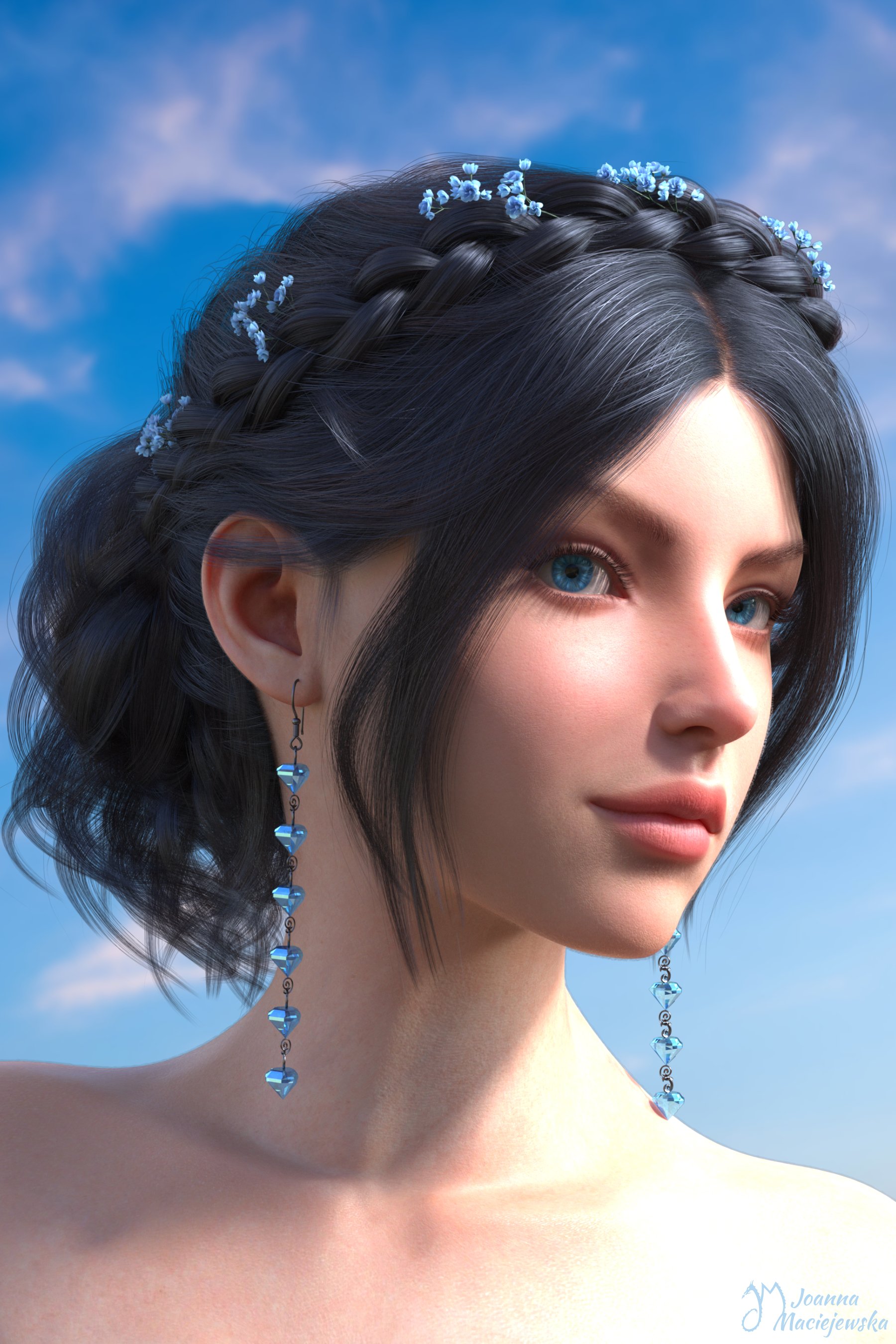
It's a really beautiful portrait and I like the use of blue

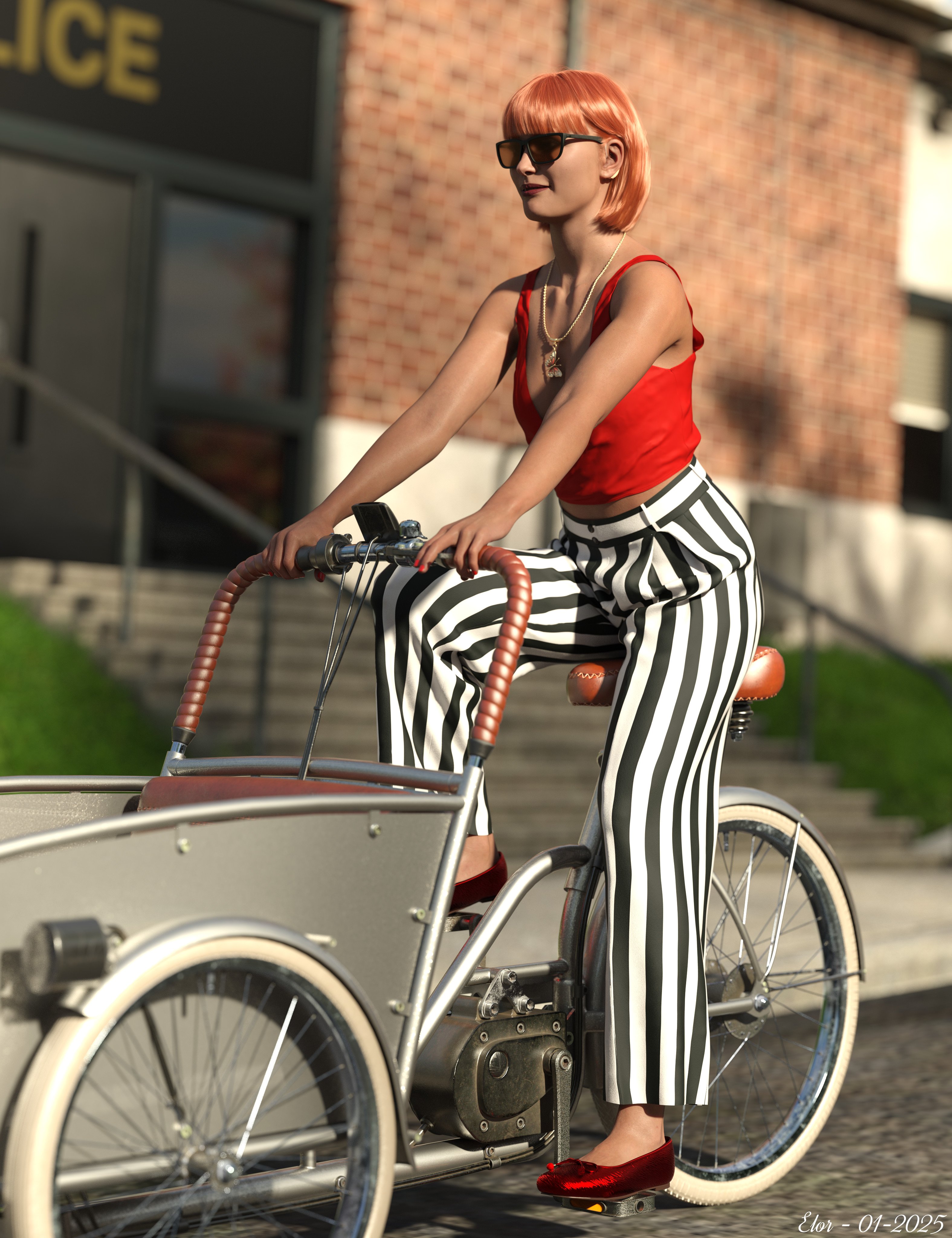
A portrait (technically a smart content's icon) using the Electric Bucket Bike and FK dForce Charmed Soul Jewelry Set Genesis 9, 8, and 8.1 Female. Other items in the gallery: 'Victoria 8.1 - Portrait on Bike' (a rather uninspired name, but I didn't really have a story on the back of my mind while creating the scene, outside of wanting a nice icon for Victoria's pose's freebie):
 Is AI killing the 3D star?
JoeQuick said:
Most the time I want the output to be something that feels fundamentally the same as the original. Here I pushed things a bit farther. We have a reimagining of the K4 Alien Force (Kids 4 was a figure from the same generation as Victoria 4, pre genesis, back when Poser was actually the dominant bit of software).
Then we've got a couple of my other personal faves from over the years, the Genesis 8 Snowman and Genesis 8 Dragon Hatchling.
I loved that Hatchling version more than Drago himself.
Though, really, there was something to be said for that old Alien Force. I think they were made over the course of about a single snow day off from school. Imagine a time when you could just bang out some interesting head shapes in zbrush, throw a procedural texture made in the poser materials room on it, have no end of fun cranking out endless promos and call it a day (This particular example was a Visual Style render from Daz Studio, though).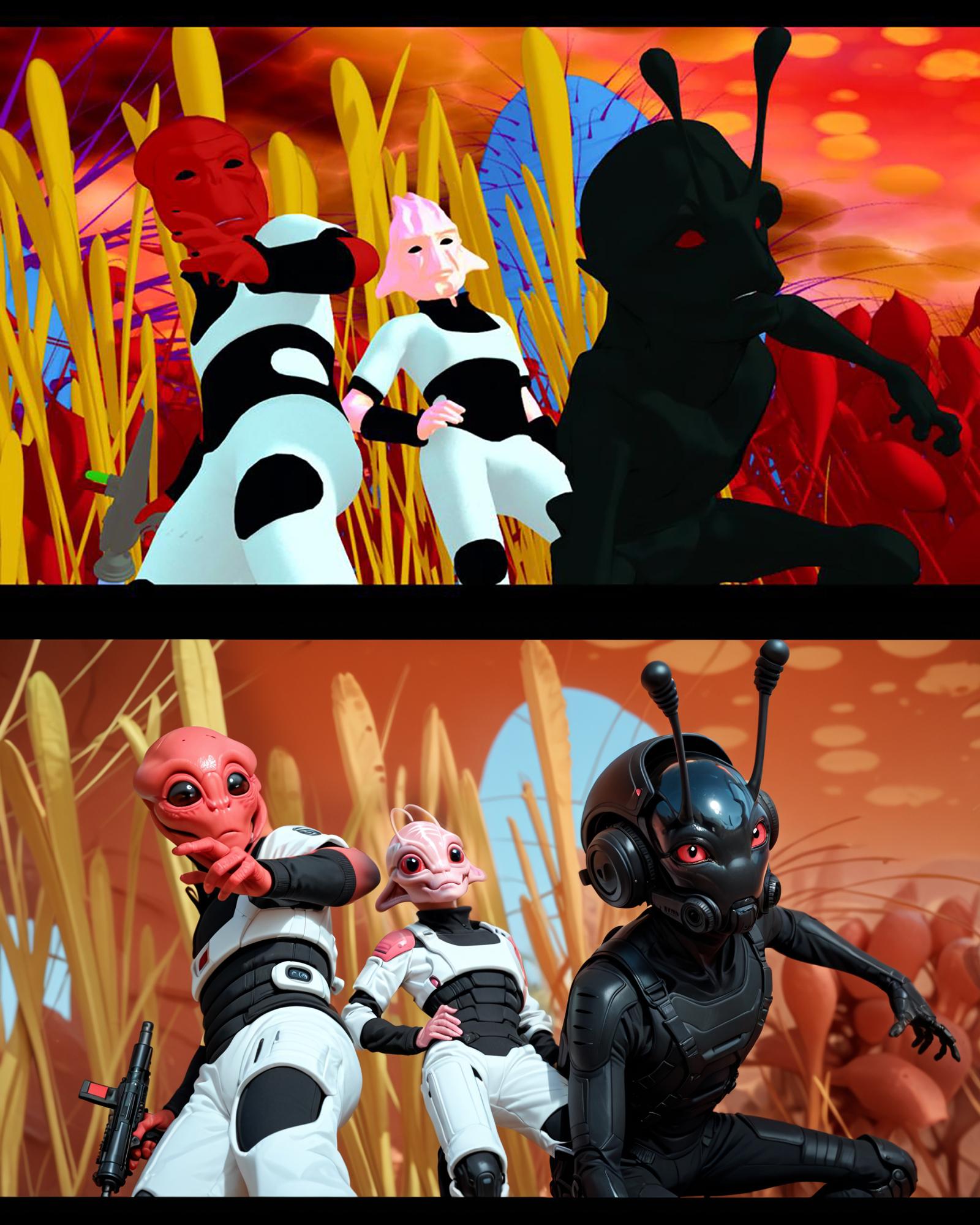

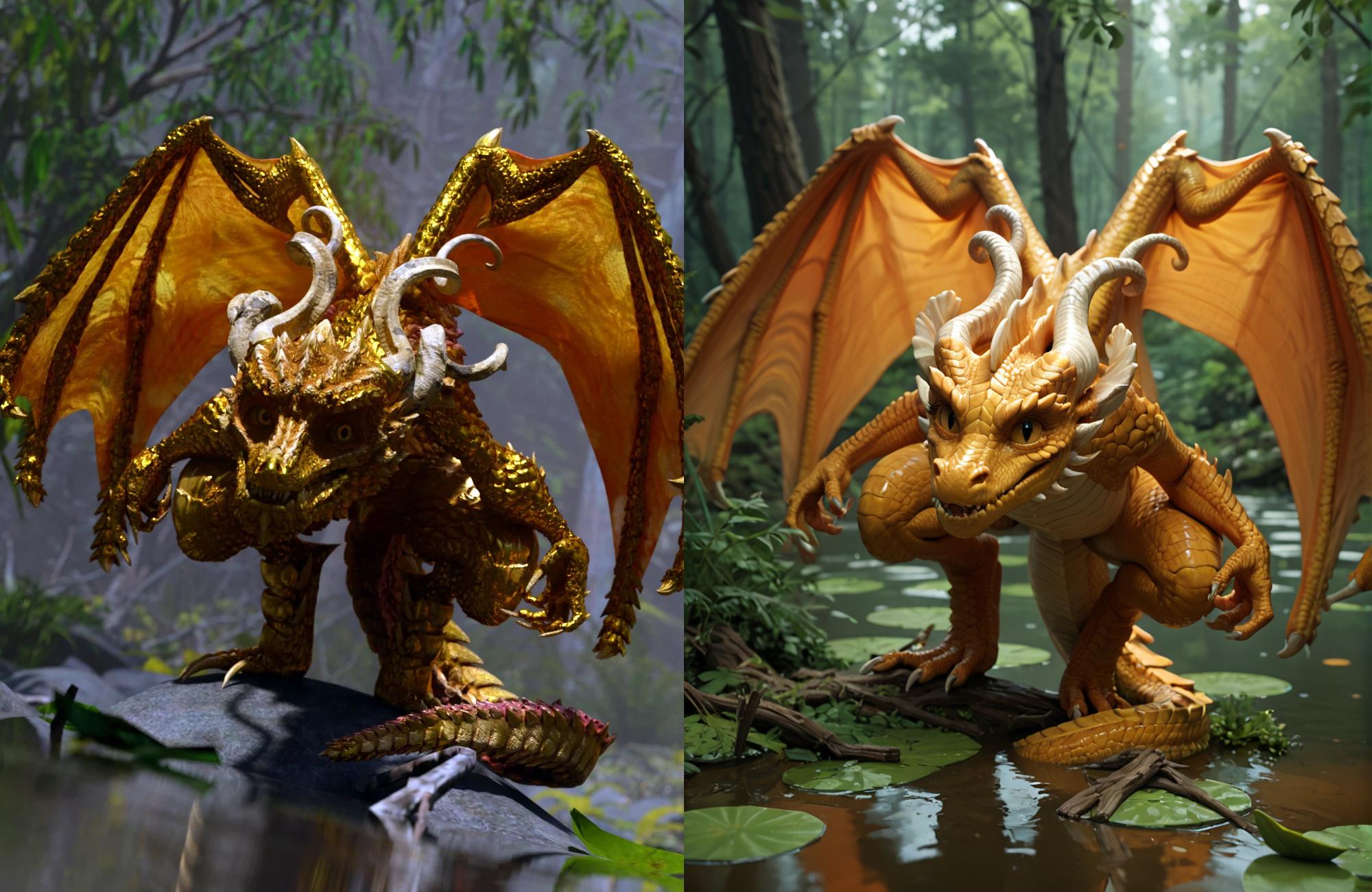
Those are awesome refinements.
Electric Bucket Bike's Pose for Victoria 8.1 & Genesis 3, 8 & 9Hello,
The pose is the one created for Victoria 8.1, for the render #CarryGiftsOlympics.

I used it as a base and converted/adjusted it for Genesis 3, 8 and 9, with both genders for all generations and Genesis 9 Base as well.
I didn’t have the time to adjust the poses for Genesis 9 Anime, but the included manual has a couple of tips on how to make these changes yourself should you use a pose with a shape with small or big differences compared to the eight supported shapes.
All pose files are standard pose files: I thought about raising the bike’s seat instead of lowering taller character’s hip but it would have required either providing a pose for the bike for each supported shape required seat's adjustment or hierarchical poses. In the end, I chose the easiest solution.
The freebie’s name in Smart content is using a plural on ‘Poses’ to future proof the name and make it, I think, easier to update it, should I find new ideas for a pose with the bucket bike.
Warning As far as I can tell, the forum will change the name of the zip file attached to this message: DIM is picky about how a file should be named and will not recognise the randomly generated name created by the forum as a valid name so will not try to open the archive.
To avoid that problem, rename the downloaded archive to:
ELOR00000005-01_ElectricBucketBikesPosesforVictoria81Genesis389.zip
If you’re using a Mac, Safari may have extracted the archive automatically. If it’s the case, you need to compress it because DIM will only work with a zip archive. It’s possible to disable automatic extraction but I don’t remember how (I disabled it years ago…).
What’s included:
- One pose, available for Victoria 8.1 and Genesis 3, 8 & 9 base shapes.
- A manual with a couple of advice on how to install the freebie and how to use it.
- Metadata and all files needed by DIM to install them, almost as if it was a product sold by Daz.
What’s allowed:
In short non-commercial and commercial renders. More information in the manual.
If there is any problem (either related to the pose files themselves or a mistake in the manual, including a spelling mistake), feel free to report them here.
genesis 9 smooth anatomy/crotchcrosswind said:
Well, the mesh in crotch area on G9 is denser than G8, so G9 can easily show you some "details" there. There may be no easier way to "smooth" it but further cranking up SubD Level (no matter in Viewport or for Render...), e.g. to Level 4 ~ 5.
If you want to smooth it (no matter on characters' Body Morph and/or Corrective Morphs with such Pose...) by sculpting in external applications, it won't work either as users don't have HD plugin to import morphs with SubD...Sculpted morphs with Base Resolution won't help...
Especially, when the mesh layout is not supporting anatomy, by not having edge loops.
G9's mesh design seems to have been gone through an automatic remesher app.
So you have quad shaped polygons, with overlapping edges, when joints are moved, which of course leads to render artefacts.
G8 has amuch supirior mesh design, that works at basic resolution.
Thank you for pointing this out, for this is one of the main reasons, I won't jump on the G9 train.
Like good old Victoria 4, G9 is great for portraits and even expressions (BTW: V4 has been horrible with expressions),
but sucks at everything else.Is AI killing the 3D star?Most the time I want the output to be something that feels fundamentally the same as the original. Here I pushed things a bit farther. We have a reimagining of the K4 Alien Force (Kids 4 was a figure from the same generation as Victoria 4, pre genesis, back when Poser was actually the dominant bit of software).
Then we've got a couple of my other personal faves from over the years, the Genesis 8 Snowman and Genesis 8 Dragon Hatchling.
I loved that Hatchling version more than Drago himself.
Though, really, there was something to be said for that old Alien Force. I think they were made over the course of about a single snow day off from school. Imagine a time when you could just bang out some interesting head shapes in zbrush, throw a procedural texture made in the poser materials room on it, have no end of fun cranking out endless promos and call it a day (This particular example was a Visual Style render from Daz Studio, though).Can I use Walter 9 to make a sweet grandma of a character?Oso3D said:
Not to toot my own horn (toot toot!):
Oso Elder HD for Genesis 9 | Daz 3D
Some really neat blends with other characters; I especially like the blend with Victoria 9.
G9 shapes not loading correctlyHi all,
using DAZ again after a 6 months hiatus, I've noticed that my G9 characters are not loading their shapes as they used to, that is their body shapes (aside from generic dials like height, hip width etc.) all look quite similar.
Doesn't matter whether it's HID's Nora and Ariel or DAZ's Victoria. I'm 100% sure that those characters all had a very distinct shape before. Also there's no difference whether I load the character file from Smart Content or load the generic G9 model and apply the body shape manually from the content folder.
Log looks fine, no errors there while loading.Any ideas ?
Daz 3D is part of

Connect
DAZ Productions, Inc.
7533 S Center View Ct #4664
West Jordan, UT 84084Licensing Agreement | Terms of Service | Privacy Policy | EULA
© 2026 Daz Productions Inc. All Rights Reserved.