-
Copying Bones from Genesis 8 Figure to OBJ import
Maybe I have this wrong. I don't know. What I really want to create is a morph. I think I must be importing something wrong or the way I exported it from blender was the issue. I purposely used the Gen 8 character but when I create the morph it only succeeds in make the base gen 8 character bigger (scales it up) but doesn't change anything. Here's the .obj file. Does anyone else have any success with it?
Diffeomorphic - Animation not quite the same in Blender and DAZJames said:
Hemmm for what particular reason, the same pose preset
applied to 3 different figures, resulting 3 different posing variants?
Because proper, RELIABLE animation retargeting requires complete rig characterization profiles to be established in the animation application that is doing the retargeting.
Like iclone, Daz studio is a specific character ecosystem that also has various sub sets of specific characters within it G1,2,3,8,9.
I use both Autodesk Maya and Reallusion Iclone.
To RELIABLY transfer animation data from one ecosystem to the other, there is typically a “Characterization” process via manual bone name matching or by loading an existing profile for that character rig.
This,of course excludes the various Daz studio native pose and/or animation conversion” scripts because they are stil essentially working within the Daz Character eco system and only have to account for the differences between the Daz native figure generations.
The free Blender pipeline tool ,from Reallusion, imports FBX figures from Reallusion Character creator into blender , converts them to Blender rigify rigs and has a dedicated retargeter for applying Reallusion ecosystem motion libraries to the rigify rig in blender via constraints & baking.We all love and appreciate the incredible tool set that Diffeo brings to Blender/DS users.

However I am frankly having difficulty seeing how it is possible to get truly complex and accurate animation retargeted to a Daz genesis figure back over in Daz studio, without some manner of bone matching characterization process the way it is done in iclone,or Autodesk Maya/MOBU or even MIXAMO
Even the excellent retargeter ,in Blender’s paid Auto rig pro addon ,has built-in profiles
for most of the industry standard rigs ,including Daz Genesis
and any biped, not already in the profile list ,can be manually bone mapped and saved as new profile for that particular rig type.
(See attached pic)And Blender and Maya both have separate dedicated Game engine character animation exporter tools to assure proper fidelity with the Character controller systems of the specific engine such as UE5 or unity.
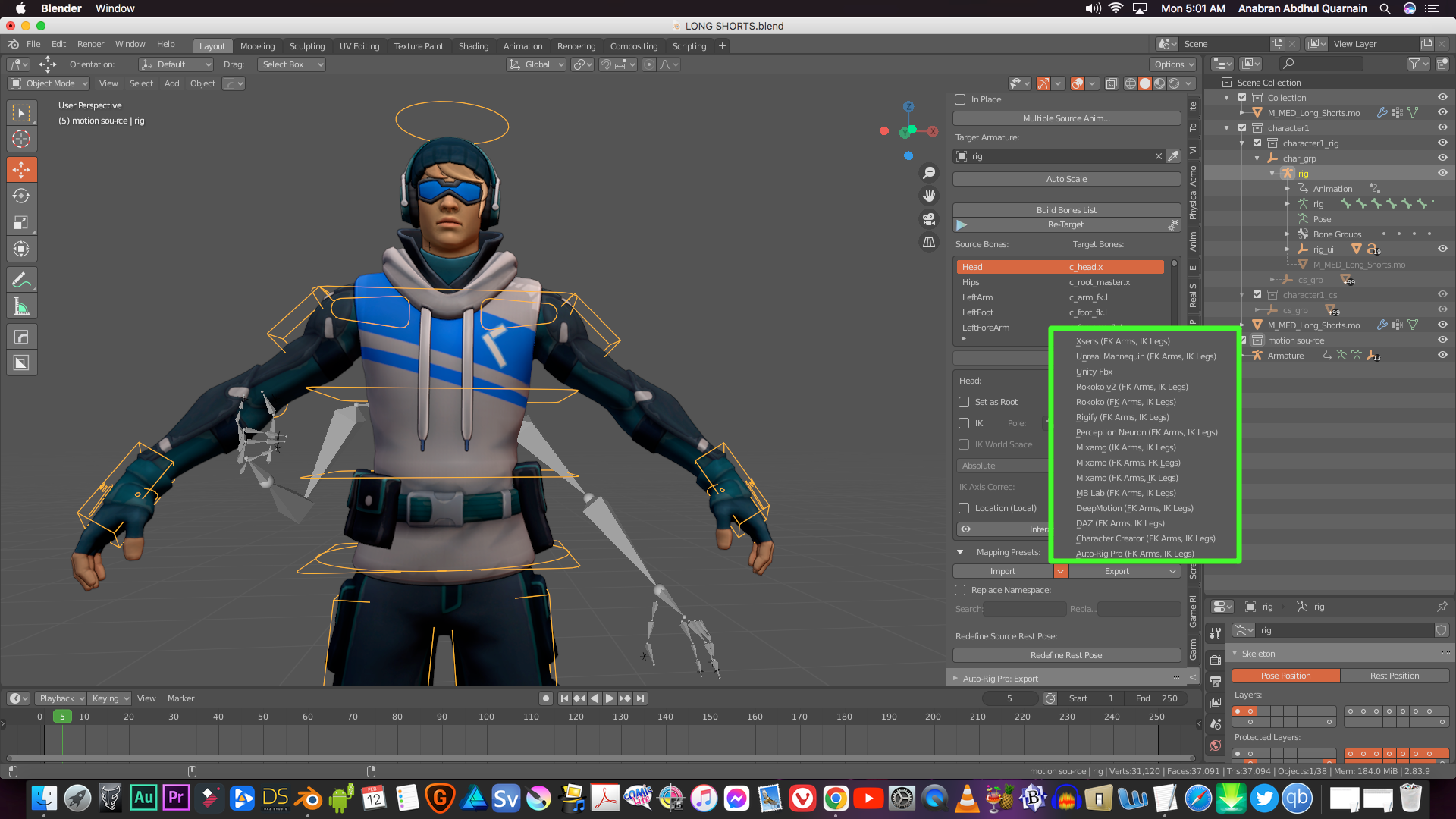
I would be very curious to see a video sample of some really complex Character animation
(Martial Arts KATA or gymnastics)
created on an MHX or “simple IK “ Diffeo rig in blender and exported back to Daz studio
with the fidelity I get with Iclone or Mixamo to Daz studio after a proper characterization and retarget and export to bespoke BVH or FBX.Video link ..anyone??

Let's appreciate/discuss today's new releases - ongoing threadainm.sloinneadh said:
I'm a sucker for characters with their own thing going on, so I like the look of Herlinda's head shape: https://www.daz3d.com/mb-herlinda-hd-for-genesis-9
Going on my wishlist and will probably buy her sooner rather than later. For my own workflow, I've been creating a weight-mapped morph system similar to Meta Mixer, but using existing morphs rather than needing special variants of them. Characters like Herlinda work very well with weight-mapped morphing because you can mix in more of them before reaching a "won't change anything" state. At least, I suspect she'll work well - haven't bought her yet!
Is Magic Brush a new artist? I don't see many products under that name. I picked up Anda recently. I haven't tried her yet, but Herlinda and her appear encouraging.
Here's a render of Herlinda.
 The New Adventure Outfit (Resolved)
I was going to say Blender bridge, smoothing brush, send back as morph
glad you found a solution
I apparently own this outfit too
 Ribs Morph
Hi again, I checked out Lexi and just wanted to say that there's no separate HD body morph.( so you can't easily use that for other characters) The figure is very detailed, and very well done IMO, but it's so detailed that it's not very versatile (IMO). To retain the rib morphs, the body has to be dialed up to the point where it's very much that unique character. I did manage to change it considerably, but there were areas in the pectorals, for instance, that had creases that could not be removed. The only way to remove them was to dial back the body morph to the point where the rib morphs were no longer visable. So the "RIB QUEST" continues.
 P.S. But we all have different paths, so maybe Lexi is just what you were looking for, and you can mix it nicely with some other characters. / peaceCopying Bones from Genesis 8 Figure to OBJ import
felis said:
If you are creating a character, you shouldn't use transfer rigging. For that you should morph loader pro, as you want it as a morph of the base character.
Transfer rigging is usually for clothing or similar, where you want the object to have the same rigging as the character.
If you want it as a stand alone character, you could use transfer rigging to get the same bone structure, but transfer rigging is based on a donor, and if the target is significantly different from the source your rigging will be off.
Wow! Maybe that's what I'm doing wrong. Thank you again.
Figure-Specific Morph Not Applying CorrectlyWhen creating a morph for a morphed figure, in morp loader pro you must after you have loaded the file, click the arrow (triangle) to expand, and then set Reverse Deformations to Yes.
Figure-Specific Morph Not Applying CorrectlyI'm trying to apply a morph for a shirt I created so I can dial the shape it more accurately to my figure.
I modeled the original shirt based on the Default G9 figure, imported it into DS, and applied it to my character. This is what it looks like:

It's not bad, but there's a few issues IE the ribbons on the arms are distorted, and it doesn't quite fit the way I want it to on the figure. So I exported the figure from DS and loaded it into Blender, then tweaked the model to the shape I wanted. This is what things look like in Blender:

I export this to OBJ, and then use Morph Loader Pro to apply the morph to the shirt model in DS. However, when I go to actually turn the morph on, it looks like this:

So while it fixes the sleeve length, the ribbons remain distorted, it's making the waist and neck to narrow so now they're clipping into the model, and the hips are much too wide. Is there a step I'm missing, here? Is there a different setting I should be using with the Transfer Utility (I kept the second dropdowns for both the source and target as Default) or Morph Loader?
Copying Bones from Genesis 8 Figure to OBJ importkarlsfriend_f7ccaca9e2 said:
felis said:
I am using transfer rigging frequently without issues.
What are you trying to to, and what is your process?
I created a character in Blender. I built it based on the Genesis 8 Character. I exported it as an OBJ file from Blender. Maybe I'm doing it wrong. I've followed a couple of tutorials but I must be doing it wrong.
I load a base genesis 8 character. Then I imported my obj file. I tried to use the transfer program. but it didn't do anything.
I'm pretty sure I did it wrong, but I don't know.
When you say you're building a character based on G8, do you mean you built a 3D model and want to make it a morph for G8. I think more infomation would be very useful here.
Face Transfer 2Another creation made with Face Transfer 2 on Genesis 9 rendered in super environment of:
https://www.daz3d.com/pin-up-boxes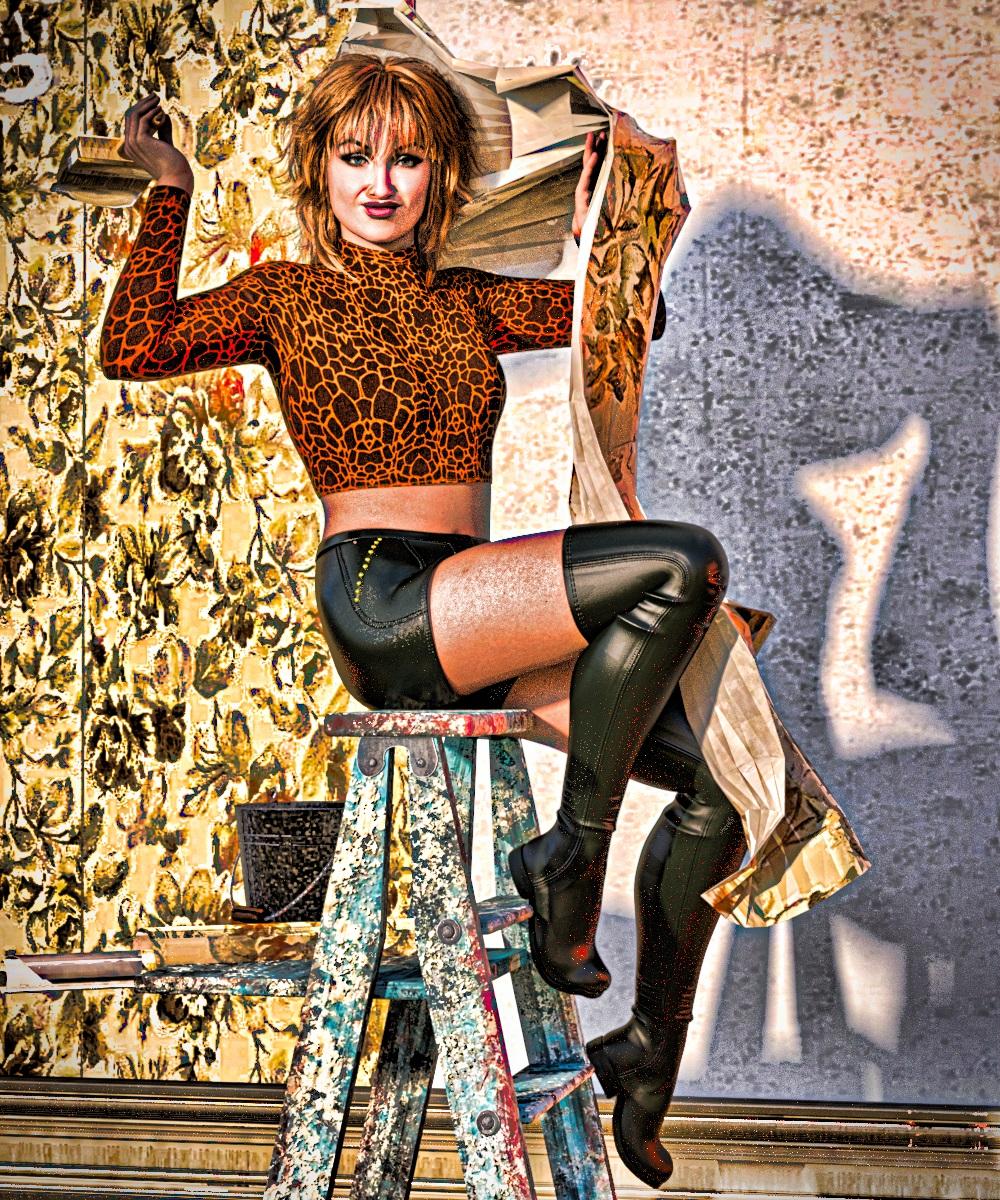 [Released] RSSY Hair Converter from Genesis 3 to Genesis 9 [Commercial]
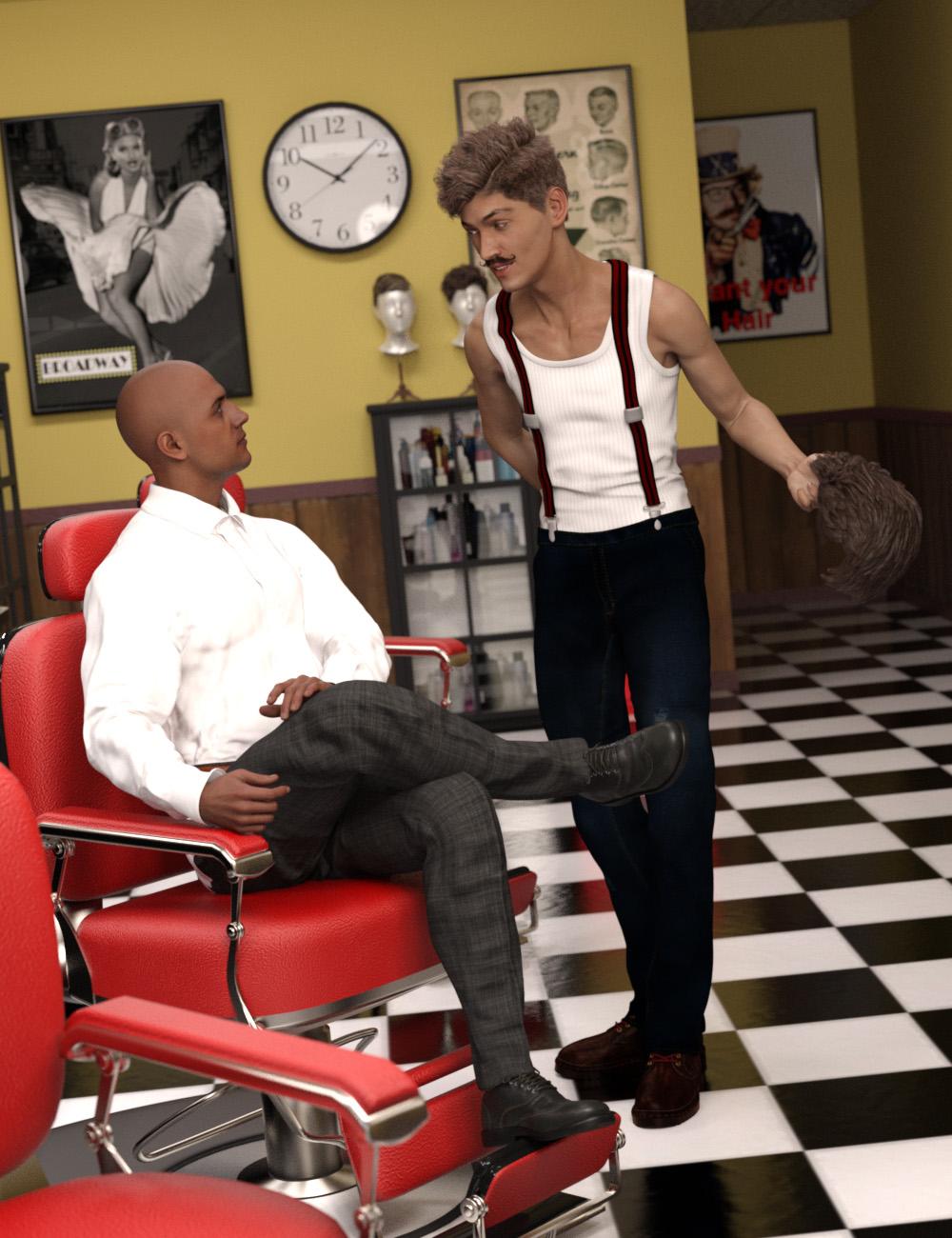 Finally, use your favorite Genesis 3 Hair without limitations on your Genesis 9 characters! Automatically convert almost your entire library of Hair items using the new Hair Converter from Genesis 3 Female to Genesis 9 or the Hair Converter from Genesis 3 Male to Genesis 9! The Hair Converter scripts provide batch execution for automatically converting your Genesis 3 Hair to Genesis 9 Hair in your library. Easily select the hair items in your library, select an output directory, and execute the script. Even better, icons and categories are copied from your original Genesis 3 hair to the new Genesis 9 hair items.
 Your new Genesis 9 hair is completely Smart Content aware! They will show up when you select a Genesis 9 character. Plus, all materials shown in Smart Content for your Genesis 3 item will show for your converted Genesis 9 item.
- Convert Genesis 3 Hair, including multi-part hair such as wearables, for use by Genesis 9 characters.
- Adds new movement bones to converted hair, adding functionality the original products lacked (may not work with all dForce hair)
- Copies icons from Genesis 3 hair to Genesis 9 hair for a professional look
- Copies Smart Content Products! Converted hair will be organized into similar products as the original items. The converted product mirrors the original hair items' products, organizing multiple converted items into one converted product and even using the product image from the original products.
- Converted Hair are Smart Content enabled! All materials shown in Smart Content for your Genesis 3 item will show for your converted Genesis 9 item.
- Automatically convert your entire library of hair with one operation!
Items without metadata can be converted but will not show up in Smart Content. They may also need to be converted using a Force Convert Item(s) button.
The script may not be able to convert all hair items without issues. Mid and high-level ponytails that were originally moved with bones will lose that functionality during the conversion process. In addition, though beards can be converted by the script, because of limitations in the conversion process, open mouth expressions can possibly tear on the facial hair.
The script adds rigged bones to hairs on conversion, but cannot do this with hairs where the entire hair was grown from a cap with dForce (there isn’t enough actual geometry to work with, because dForce strands can’t be seen as geometry by Transfer Utility). It WILL work with hairs like many AprilYSH hairs that have dForce but also have geometry.
Copying Bones from Genesis 8 Figure to OBJ importIf you are creating a character, you shouldn't use transfer rigging. For that you should morph loader pro, as you want it as a morph of the base character.
Transfer rigging is usually for clothing or similar, where you want the object to have the same rigging as the character.
If you want it as a stand alone character, you could use transfer rigging to get the same bone structure, but transfer rigging is based on a donor, and if the target is significantly different from the source your rigging will be off.
Copying Bones from Genesis 8 Figure to OBJ importScreenshot your settings in the Transfer Utility dialogue.
Copying Bones from Genesis 8 Figure to OBJ importfelis said:
I am using transfer rigging frequently without issues.
What are you trying to to, and what is your process?
I created a character in Blender. I built it based on the Genesis 8 Character. I exported it as an OBJ file from Blender. Maybe I'm doing it wrong. I've followed a couple of tutorials but I must be doing it wrong.
I load a base genesis 8 character. Then I imported my obj file. I tried to use the transfer program. but it didn't do anything.
I'm pretty sure I did it wrong, but I don't know.
Basic Morph Settings Import/Export One More Time?Based on the image it doesn't look like a scale issue.
How does it look if you just activate the morph slightly?
It does look like an issue with vertex order, but I can't see how it should come.
(Neweat cersion of blender have changed the obj exporter, so vertex order is no longer an option (it is always on).)
Basic Morph Settings Import/Export One More Time?Hi,
From Blender, export at scale 1 (not 100)
In morph loader, select use From "Cinema 4d (i unit = 1m)
Should then work OK.
Copying Bones from Genesis 8 Figure to OBJ importI am using transfer rigging frequently without issues.
What are you trying to to, and what is your process?
Face Transfer 2OK, I've gathered a few items so I can share my initial attempts at creating a dial. I'm using Dial Fusion 9 in this example; I already created the dials for two of my Face Transfer 2 characters - the ones I used in the image above of the two women.

Here, I have loaded a stock G9 figure into the scene and applied one of the two shapes from the previous example to 100%. The younger woman is "NPC 159" from my collection of NPC faces, hence her dial name. I just set the main DF-Test-159 dial to 100% and the Body and Head versions followed, but I could twiddle with them independently.

Here I'm showing all of the shapes actually involved with this dial. It's also taking into account the FTS2 "Face Transfer Shapes" main fix, and the Base Feminine settings that were on the original Face Transfer figure that I used to create the dial. Had I gone to the trouble of creating a "real" character, with other morphs, those too would've been saved. One of these days, I'll get back to doing that - that was the real point of my adventures in Daz, after all.
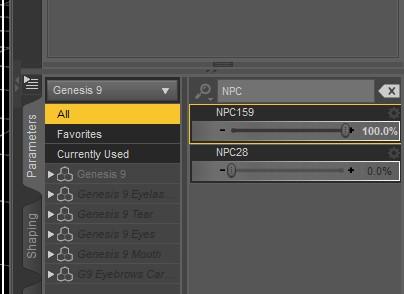
The other "Currently used" item you might have noticed was the NPC159 dial. I am not done testing and thinking about this. Here, I prove that of the dozens of "NPC" characters I have created and used since FT2 came out, there are only two "NPC" dials - corresponding to the two that I used Dial Fusion to create dials for. It appears that Dial Fusion creates and saves an actual dial for the Face Transfer shape. That catches my eye because all that time I spent creating characters with the original Face Transfer, I would save the figure as a Scene Subset so I could load it to use in scenes with other characters, which basically works but I'd often run into naggy Daz errors doing it. Just to note, if you load a stock G9 figure and only use this dial, it doesn't look like the finished figure - you have to apply the Base Masculine/Feminine and Shapes (if you used Face Transfer Shapes) before the shape looks like the original direct-from-FT2 figure.
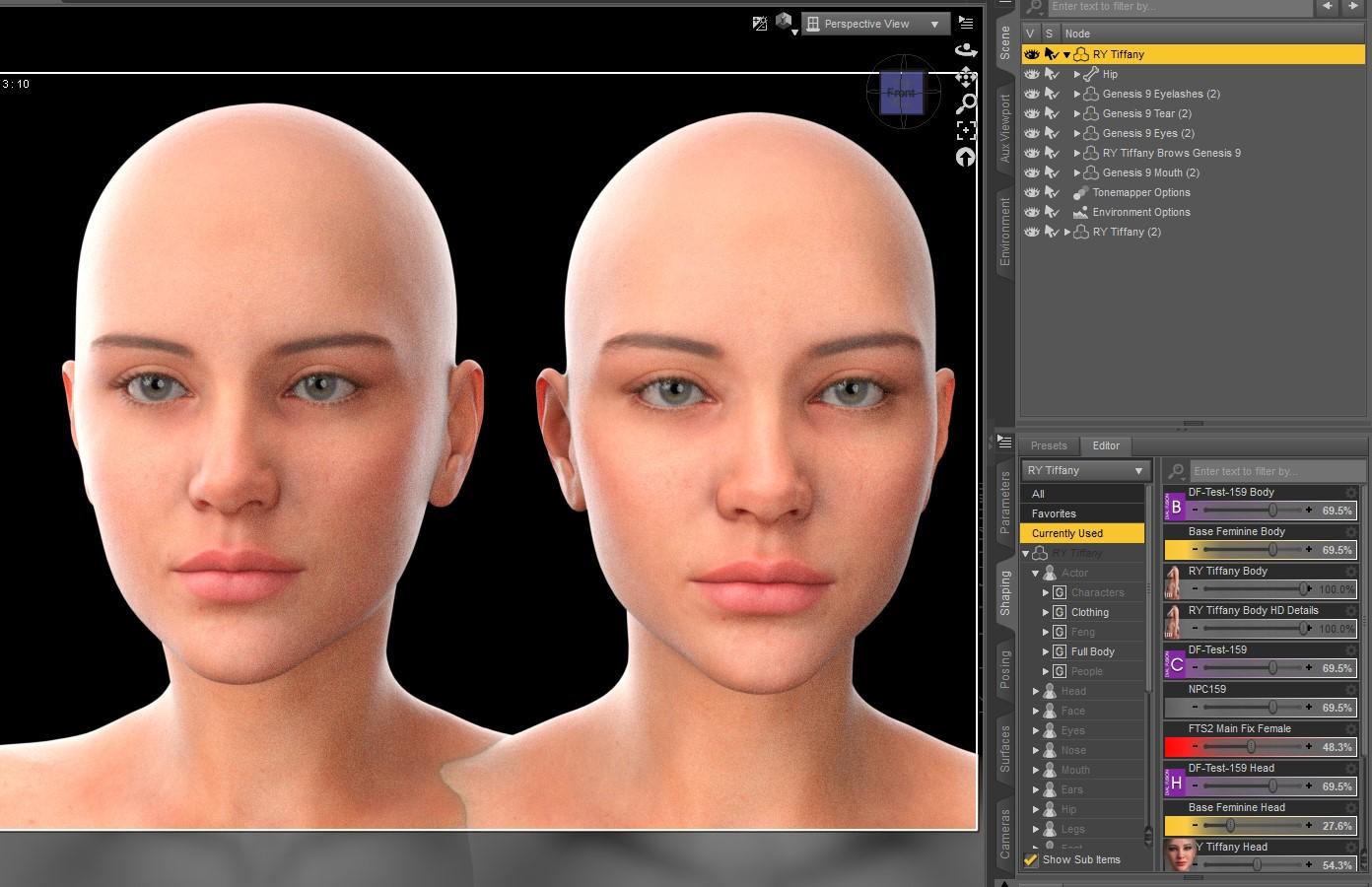
The other interesting functionality that this adds is that if you're into this sort of thing, now you can use FT2 shapes to modify characters, like RY Tiffany here (an untouched original is on the right). I wouldn't have thought of doing this but my recent experiments with Walter 9, using my shapes converted from the original Face Transfer with ManFriday's G8 -> G9 converter, were successful enough that it gave me the idea to try. I normally buy characters to make use of their textures and shapes ...
Copying Bones from Genesis 8 Figure to OBJ importI tried importing it as a morph but I'm not sure what I'm doing wrong. It only make the character bigger or smaller when I try to adjust it. In the past I copied the bones from the base male to the obj file. Stupidly, I did not save the steps to do it.
Any help would be appreciated. I've tried using the transfer utility and it doesn't seem to be working.
Thank you so much to the community for all your help!
Manual scaling gone when loading obj in MLP and in saved shaping presetHi all, For various reasons, I've exported a dial spun and manually scaled (everything but the head and extremities) character as an obj, with the default Daz options. If I load it into a scene just as a regular obj, it looks identical to the original heavily morphed, and manually heavily scaled figure. But if I successfully load it into a fresh base figure using morph loader pro (with the Daz defaults) at 100%, at least some of the manual scaling will be missing, everything else is okay. The characters in question are shorter than the base, and, I'm finding that if I scale up the whole character so that the shoulders are about the same height as the base, the manual scaling is, somehow, preserved. This same issue (and approximate fix) is also there when saving the same characters as a shaping preset. This seems like a D/S error. Is there an explanation of what's wrong with this picture? (so to speak)
 thanks very much! / peace
Daz 3D is part of

Connect
DAZ Productions, Inc.
7533 S Center View Ct #4664
West Jordan, UT 84084Licensing Agreement | Terms of Service | Privacy Policy | EULA
© 2026 Daz Productions Inc. All Rights Reserved.













