-
Moving Morphs from Centuar 8 to Centuar7
Seems like you could apply the morphs to the figure, then export just the geograft and import them as morphs on the G7 geograft, since as far as I know they're identical. I believe it's possible to spawn the morph controller on G3, or move it after creation. I've done similar things in the past. I'll play around with it tomorrow.
Having Trouble Rendering Hair Amara Braids in CyclesI went back and read the instructions again and realized I had not copied the scripts into Daz and did not do the export to Blender step and so it wasn't loading the .dbz file.
Everything is setup and working now.
Are there any articles or anything I can read about how you got to these conversions? Is it just converting the programming or something more based on artistic decisions? The reason I ask is because it’s interesting to see how drastically different the import results are between the DazToBlender, DazForBlender and Diffeomorphic and how the nodes are setup.
Thanks again.
Texture traces when I change material in BlenderSorry I can't reproduce the issue, here everything works fine without seams. Are your render settings good enough ? Try with full global illumination. Or try rendering with the cpu to see if it's the card drivers that go nuts.
- import the figure
- delete all materials
- create a new material and set transmission = 1
Exporting Strandbase obj in scene files -- SolVed :-)Gordig said:
I export as OBJ without touching the tesselation (I think) so that I can import the hair splines into C4D. The female's hair in this video is built off of a modified version of dForce Fierce Tales hair.
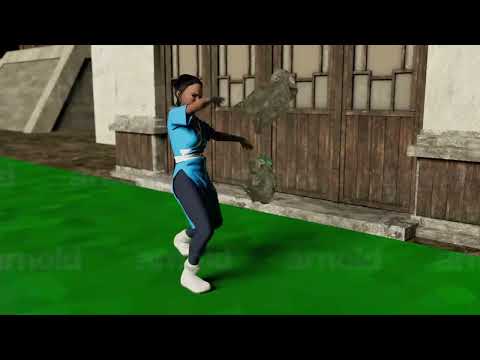
Nicely done :-)
Having Trouble Rendering Hair Amara Braids in CyclesYou have to load your preset in daz studio and save the scene. Then diffeomorphic will import the scene, not the character preset.
Exporting Strandbase obj in scene files -- SolVed :-)I export as OBJ without touching the tesselation (I think) so that I can import the hair splines into C4D. The female's hair in this video is built off of a modified version of dForce Fierce Tales hair.
How to restore or backup Categories?NorthOf45 said:
So DIM knows CMS is running, but does Studio, and does it see anything? Content Type comes from the metadata in the database (see attached)
ETA: Sorry, I saw "DIM" and stopped there. Obviously Studio sees the database. Do you see the Content Type on the assets?
Oh yes, now I know what you mean : yes, I see the content type.
How to restore or backup Categories?So DIM knows CMS is running, but does Studio, and does it see anything? Content Type comes from the metadata in the database (see attached)
ETA: Sorry, I saw "DIM" and stopped there. Obviously Studio sees the database. Do you see the Content Type on the assets?
Control rig on UE5if i recall, "Zero Root Rotation on Import" at the DazToUnreal plugin settings breaks this rig.
there another rig included named "Genesis8ControlRig" try it instead
How to restore or backup Categories?NorthOf45 said:
Okay, so in your Content Library folders, do you see the Content Type flashes in the upper right corner of the asset's icon (Prop, Material(s), Actor, etc.)? If not, maybe your CMS isn't actually running. I have had that happen a couple of times while installing new products, and was perplexed when none of the assets had any metadata. Studio did not complain of a failed connection, it just wasn't running. Turn it on in DIM or in Studio (Content Library tab, right-click or use the context (hamburger) menu -> Start CMS).
Not sure what you mean by "Content Type flashes" but when I open DIM it knows what's been installed, and there are multiple iterations of PostgreSQL Server running in Processes. If I open the Smart Content tab and select "Stop CMS" from the menu, all the content there disappears, then reappears when I click "Start CMS".
How to restore or backup Categories?mikethe3dguy said:
NorthOf45 said:
Exactly what did you do to correct the PostgreSQL CMS problem? Is it possible that you created a new, different database?
No one in the technical forums seemed to have any idea how to help me. Postgre was not connecting and my custom Category tree was gone. But then I tried to open a Windows command prompt for some reason (don't recall)... and it didn't open! I even went into the System32 folder and double-clicked the cmd executable directly... nothing. That's when I realized something more than just a DS problem was going on. I ran Malware Bytes, which found next to nothing. Finally I reset back to a Windows restore point from 2-3 weeks ago. That corrected the command prompt problem and the postgre connection started working, but my custom Categories were still missing.
Okay, so in your Content Library folders, do you see the Content Type flashes in the upper right corner of the asset's icon (Prop, Material(s), Actor, etc.)? If not, maybe your CMS isn't actually running. I have had that happen a couple of times while installing new products, and was perplexed when none of the assets had any metadata. Studio did not complain of a failed connection, it just wasn't running. Turn it on in DIM or in Studio (Content Library tab, right-click or use the context (hamburger) menu -> Start CMS).
Need help fitting/transferring an obj fileInside Daz Studio you can try to apply a smothing modifier, and set it to collide with the green object.
Or you can add a push modifier and weightpant where you want the mesh to be pushed out.
Or outside Daz Studio, you can take it into a modeller, e.g. blender, and adjust the clothing, and then either import it as a morph to the existing clothing or as a new object.
Texture traces when I change material in BlenderI've tried your file but I got the same result. What do you mean by "Import it with single principled"?
The thing is I delete all materials and create new simple one but those texture marks still appears even though they are deleted. I'm definitely missing something, I'm trying to explain it with screenshots.
Padone said:
I don't know what you're doing with your materials, but here is an example that you can study it works fine. Import it with single principled to get the principled version in blender. It's a "glossy" G8F.
Merging Geograph from Daz character with DiffeomorphicAre you retargeting so you can use the character in a game environment in UE5? Just wondering. I am baking the animations in blender and exporting to Unreal for rendering. Using Unreal for cinematic rendering means I don't have to worry about retargeting skeletons or anything like that. I was just curious, trying to learn the DAZ->Blender->Unreal workflow.
In case you haven't seen this yet, you can use Unreal Metahuman eyes in your DAZ character. Add them in DAZ, import into Blender and Diffeomorphic will treat them just like the original DAZ eyes. Morphs work and everything!
Armor deformation with transfer utilityHi everyone! I'm making an armor. When I import it, I use the transfer utility to apply it to the genesis. But maybe it's not the best choice, because it handles it for me as if it were a soft dress, while it is a rigid armor instead. For example, the area around the shoulder should not stretch or change in size. How can I do? thank you.
Need help fitting/transferring an obj fileI gather the clothing is in the T pose, so it's for G3M??
Load G3M and import that .obj file ... it "has to be" landing exactly where it should be. If it isn't, fix that first. Export out fixed size, then import that back in.
Then load G8M and leave it at the default A pose. Skip your step 2.
Run transfer utility G8M is donor, clothing .obj is target. G8M is clone -- select the T to A pose G3M [or whatever I called it]. Clothing leave as is.
After that has run, IF I'm remembering the steps correctly, that should now be on G8M default pose A, now forget the weights stuff, just apply whichever shader you wanted on the clothing [or not], but select the clothing and save it as a figure/prop file. Then delete it from the scene, select G8M and load that newly saved clothing file. It should be loading in place and hopefully fitted to G8M. If it isn't fit to, right-click on the clothing and apply the fit to option. CLOUD FLARE, DOING NOW A SAVE FILE AND MAYBE THIS POSTS AND MAYBE IT DOESN'T. I DO WISH THEY'D FIX THIS FORUM SOFTWARE.
'nite.
Having Trouble Rendering Hair Amara Braids in CyclesI gave it another try and did get Diffeomorphic installed on the Mac. In Daz I saved the character as a Character Preset, but when I import the file into Blender it does not load the character morps, tear shape, eyelashes or hair ... it seems to just load the default Genesis 8 female character with the custom characters skin maps applied.
Do you have an idea of something I'm missing?
How to restore or backup Categories?mikethe3dguy said:
NorthOf45 said:
Do you have any Default categories? Those are created from the metadata in the product packages when you install them. Did you create your Custom Categories mixed in with the Default, or in a separate tree? Go to a content library folder with assets (not just subfolders) and edit the metadata. It should show which categories each asset belongs to, default and custom, among other things.
The Default categories are there. Most of the folders are empty, but not all. Was never sure what use that whole section was. I'm assuming it would be useful if content creators were diligent in how they categorize their products.
Most are empty? Not a good sign. Those categories are assigned by DAZ, who are 100% responsible for the metadata, not the product's creator(s).
I created a sub-category just called "Content" under the Categories folder, and everything was in there. So a separate tree. I definitely did not mix it into the Default tree. Are you saying that if my custom categories still exist, then the "edit metadata" (Content DB Editor) view should show them, for products I copied there? Unless I'm misunderstanding you?
You did not misunderstand. Whatever you had placed in the custom categories would show.
How to restore or backup Categories?NorthOf45 said:
Do you have any Default categories? Those are created from the metadata in the product packages when you install them. Did you create your Custom Categories mixed in with the Default, or in a separate tree? Go to a content library folder with assets (not just subfolders) and edit the metadata. It should show which categories each asset belongs to, default and custom, among other things.
The Default categories are there. Most of the folders are empty, but not all. Was never sure what use that whole section was. I'm assuming it would be useful if content creators were diligent in how they categorize their products.
I created a sub-category just called "Content" under the Categories folder, and everything was in there. So a separate tree. I definitely did not mix it into the Default tree. Are you saying that if my custom categories still exist, then the "edit metadata" (Content DB Editor) view should show them, for products I copied there? Unless I'm misunderstanding you?
How to restore or backup Categories?mikethe3dguy said:
SofaCitizen said:
To backup the current categories hit the little hamburger icon in the top right of Smart Content, Hit Content DB Maintenance, Select Export UserData and click Accept. That should write out a file to the /Runtime/Support folder of your primary Library.
How did you manage to fix your Database but not restore your custom categories tho? Surely if you wiped the database your Smart Content would be completely empty but if you brought it back up intact your custom changes should still be there?
I don't use Smart Content, haven't ever used it. I'm talking about the categories in the normal Content Library.
Do you have any Default categories? Those are created from the metadata in the product packages when you install them. Did you create your Custom Categories mixed in with the Default, or in a separate tree? Go to a content library folder with assets (not just subfolders) and edit the metadata. It should show which categories each asset belongs to, default and custom, among other things.
Daz 3D is part of

Connect
DAZ Productions, Inc.
7533 S Center View Ct #4664
West Jordan, UT 84084Licensing Agreement | Terms of Service | Privacy Policy | EULA
© 2026 Daz Productions Inc. All Rights Reserved.