-
installing victoria 4.2 into poser 13
Richard Haseltine said:
WandW said:
If you install with DIM, it initializes them automagically.
Not my recollection, but of course if you use DS and install everything you will get PowerLoader which will do the job.
Yes, using the DIM sets everything in M4 and V4 so that it works perfectly in Poser 13. I did it last summer when I set up my new laptop and I've had zero issues with either figure, nor with any morph packages. Everything works exactly like I expect it to.
"SY Essential Creature Morphs Genesis 9"Richard Haseltine said:
What happens if you try to load one of the attachments into an empty scene?
Ah, they are not the attachments for the shapes (which are morphs on the figur that you set using sliders), rather they are Geoemtry Shells used to apply materials. For example, if you apply the "Attachment" for the deer hooves it adds an overlay to the toenails, but you still need to aply the SY Deer Hooves morph (Actor>Legs>Base>Creature in the Parameters pane for example).
Released: Auto Rigging Pipeline [Commercial]Auto Rigger Pipeline - Feature List
- Import a single OBJ file or batch import all OBJ files from a selected folder in a single run.
- Includes seven source application scale presets for DAZ/Maya, Carrara, XSI, Silo, Blender, 3DS Max/C4D, and Bryce/Poser to ensure geometry imports at the correct size regardless of the originating application.
- Includes five built-in figure profiles for Genesis 9, Genesis 8 Female, Genesis 8.1 Female, Genesis 8 Male, and Genesis 8.1 Male, along with automatic projection template directory resolution and a free-entry field for custom figure labels.
- Automatic platform detection for Windows and macOS correctly resolves content library paths and path separators without user intervention.
- Per-item projection template assignment uses a browsable drop-down populated live from the selected templates folder, while remembering and pre-selecting the last-used template for subsequent items during the session.
- Full Transfer Utility rigging via DzTransferUtility transfers bindings, morphs, face groups, and region groups while automatically setting the source figure as the primary scene selection to avoid Transfer Utility warnings.
- Post-transfer node re-resolution automatically refreshes rigged nodes by label after doTransfer replaces the original DzNode with a new DzFigure.
- Automatically deletes unweighted bones after rigging to keep rigs clean and store ready.
- The Optional Daz Smoothing Modifier application is available per node.
- Optional Sub-D subdivision modifier support includes selectable render subdivision levels from 1 to 4.
- Pipeline stages, including Import, Rig, Delete Unweighted Bones, Smoothing, and Sub-D, can all be toggled independently so any combination of steps can be run or skipped without editing the script.
- Features a wizard-style multi-page dialog with a branded dark interface that guides users through Import, Rig, and Bones and Modifiers pages with clearly labeled controls and inline status feedback.
- An integrated Import button allows importing directly during the Rig setup page, so results can be verified before committing to rigging.
- All pipeline settings are automatically saved to a JSON file next to the script and restored on the next launch, with forward-compatible merging to preserve existing saved values when future versions introduce new settings.
- Comprehensive console logging includes a consistent [Pipeline] tag on all messages for easy filtering in the DAZ Studio log.
- Critical and non-critical failure handling is implemented throughout the pipeline. Missing source figures or zero imported nodes stop the process immediately, while individual node failures generate warnings and allow processing to continue for the remaining nodes.
- The script follows full linter compliance standards, including IIFE encapsulation, Hungarian notation, g_-prefixed globals, style constants, camelCase functions, tab indentation, structured section separators, and extensive try/catch coverage.
A very important note: This does not do auto weight mapping/jcms etc.
Released: DAZ 2 RizomUV [Commercial]DS2RizomUV - Feature List
DS2RizomUV is a one-click bridge between DAZ Studio and RizomUV, allowing you to send any mesh from your scene directly into RizomUV for UV editing, then seamlessly reimport the updated UVs without losing your materials, morphs, pose, or Sub-D settings.
Core Workflow
- One-click export sends your selected object to RizomUV instantly with no manual file management required.
- Automatic OBJ handoff exports your mesh, generates the required RizomUV load script, and launches RizomUV automatically in a single operation.
- Live file monitoring detects updated files after saving in RizomUV and prompts you to accept the UV changes before import.
- Confirm or cancel at re-import with a simple Accept or Cancel dialog that lets you approve or discard UV updates before any changes are applied to your scene.
Scene State Protection
- Before export, the script captures and neutralizes scene state to ensure the exported mesh is clean and accurate. All settings are fully restored after the UV update or immediately if you cancel.
- Morph and shape zeroing memorizes and zeroes figure morphs before export, then restores them afterward. This ensures the exported mesh always reflects the base geometry regardless of active morphs.
- Pose zeroing memorizes and zeroes figure poses before export, then restores them after re-import.
- Sub-D level preservation captures both viewport and render Sub-D levels, then temporarily switches the mesh to base resolution for export. Original settings are restored automatically afterward.
- Cancel-safe restore immediately restores morphs, poses, and Sub-D settings if you decline the UV update.
Material Preservation
- Deep material backup duplicates all materials on the selected object before geometry updates, preserving shader graphs, texture maps, and ERC links.
- Accurate material restoration restores materials to matching surfaces by name, with index fallback when needed.
- No material loss ensures that only geometry data is updated, preserving original surface assignments and shader setups.
Parented Figure Support
- The Figure is parented option allows the script to memorize and zero the parent figure pose when clothing or props are attached to another figure, preventing export offset issues.
- Graceful fallback warns the user if no parent figure is detected while continuing safely without parent pose handling.
- Cross-platform support stores settings and temporary files in platform-appropriate locations on both Windows and macOS.
Export Quality
- Clean OBJ export exports meshes at base resolution with UV coordinates, geometry groups, and material assignments intact using the DAZ Studio 1 unit = 1 cm preset for correct RizomUV scale.
- UV coordinate passthrough imports geometry groups along with full UV and position data into RizomUV, with UV normalization enabled for optimal workspace results.
"SY Essential Creature Morphs Genesis 9"I installed [SY Essential Creature Morphs Genesis 9] this product and IM finds it in Daz Studio, but the head morph is missing and none of the attachments load to my Genesis 9 figure. I have searched every place I can think of where they might have an add-on other than the product page..no luck.
Genesis 9 body proportion slider brokenOpened a file I had been working on featuring a Genesis 9 character, and suddenly the Body Proportion slider (/Base Proportion/body_bs_ProportionHeight.dsf, base Daz morph) stopped working correctly. It seems to have been given the properties of the Body Mass slider for some reason. I looked in the log but didn't find antything that looked relevant. It appears to be only this property on Genesis 9 that didn't have any problems yesterday, but does today. Anyone know what this might be? Thanks.
edit: never mind, it was a directory issue
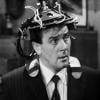
A View Through The MirrorThanks 3DiO, I'll look at replacing the texture,and probably change the morph. I created him specifically to resemble the character from Thunderball, so changing him sort of feels like going backwards, but i understand why it's not allowed. There's not a 'Bond' theme to my story, but I like to base characters on people from Film or TV, I find it's easier to use a 'real' person as the foundation for a character, the way they speak, their expressions, even the way they move, rather than starting from a blank slate.
I really liked Denholm Elliott in the TV adaption of Charles Dickens 'The Signalman' , possibly because it combines the supernatural and railways.
Not really important but can someone explain this?TimberWolf said:
It's happening because the character you recently purchased has not been coded/set up correctly. This is fixable yourself if you know what you're doing but I would suggest contacting support (if it's a Daz store character) or the vendor at the store you bought it from if it's not. I'm assuming this is unwanted morphs you're talking about - search for the solution in the forums if you want to fix it yourself as it's been a bugbear for aeons - but as a short-term fix you should be able to dial the unwanted additions out by turning on hidden properties in your parameters pane.
If this is the case it is not just your old character that will be affected - it will be *every* character you load.
You'd think vendors would have figured this out by now!
The OP just said "loaded" they didnt say there was a morph active or that there were any issues/problems.
Looking for a character like thisSo I ran a chat and this is what it came up with,
Attribute Himari Morph for Genesis 8 Female
$10.95•Renderosity
200 Plus Head and Face Morphs for Genesis 8 Female
$23.95•DAZ 3D
Face and Body Morph Kit for Genesis 8 Female
$19.95•DAZ 3D
Face Morphs Collection for Genesis 8 Female
$18.95•DAZ 3D
Chiaki Morph for Genesis 8 Female
$10.95•Renderosity
Best use Base character Detailed customization Anime realism blending Stylized realism refinement Semi-anime starting face Anime eye support High Very High High Medium High Realistic skin compatibility High High High Very High High Best for custom blending Medium Very High High High Medium Beginner friendly High Medium Medium Medium High Closest to your image Very High High High Medium-High High The strongest workflow for your target image would probably be:
- Himari or Chiaki as base
- 200+ Head Morphs layered on top
- Face & Body Morph Kit for eye shaping
- fantasy morph refinements
- cinematic Unreal/iray lighting
That combination gets extremely close t
HD Add-On's should be default / Free + Price DiscussionSome of the Daz core figures are very nice figures. They often come bundled with other items and sometimes showcase new features. Some of the PA figures are also very nice, may have a lot of extras, and frequently include an HD morph. Both Daz and PA figures often appear at attractive prices; and I have plenty of both. That said, I think Emmy is an attractive figure. I've no idea when I'd get her; but under the right conditions, she could go in the cart. That's true of many, many figures, though.
 [Going momentarily blank] morph loader V4
I have literally imported obj morphs in morph loader hundreds of times on V4
am trying to transfer a G2F character
but now I get
Loading morph Bijou...
No deltas for morph, skipping node.
Created morph successfully.t works if I convert her to weightmapping but that is useless
sadly my PC with Poser7 died or I would just use that
what step have I forgotten
UltraScenery - new(er) territory [Commercial]Some plug-ins create output that can be used in a newer version, and so do not really need to be updated. An example is GenX, which we know will never be updated since the creator has sadly passed. It converts morphs between character versions, but there is no reason at all to run it in the same version of DS as you are using to compose and render the scene. Convert the morph using DS 4.x, then load up the target base in DS 6 and use it from there. Plug-ins that help compose the scene will need moving, and if that can not be done, then you will need to hunt round for similar plug-ins/scripts, or find another solution.
AI in DAZ studio what makes sense what are the fears?I really can't see those frontline "artists vs AI". For one month now, I'm playing with a local image generating AI. AI doesn't have any creativity on its own. Zero. Of cause you can teach to do things this way and that way but AI even can't see a thing. If AI isn't able to draw a bridge, it's not because AI hasn't seen a bridge. May have seen a million bridge and still not knowing what it is. But beforehand - AI can't see like mankind sees things. And then - in philosophy you call it a "term" or a "meaning", AI isn't capable to learn meanings and transfer those meanings on visible objects, extend meanings, narrow meanings. You must teach a hundred objects for one term and still AI will know only those 100 objects for this term and make combinations of those 100 objects. But learning by meaning is a different approach. There is this french book, "The Little Prince" by Antoine de Saint Exupéry. At the beginning a boy is drawing a constrictor that has eaten an elephant but everyone can only see a hat and the boy is disappointed and says adults have no imagination. In human learning imagination is important but AI don't have it. So not to confuse "associative thinking" with "combinatorics". Of cause combinatorics will learn to paint like an artist. And still has no understanding to create something meaningfull. Of cause we can look at it and see meaning. But it's what we made up - the viewer. AI is mirroring us and we are so vain to believe the one in the mirror is super smart. Its not. It's just moving as we move.
AI is used by artists and artists are those people who get much more out of AI-Tools than me because they train their AI to their ideas and visions. AI in the hands of an artist is a different tool than AI in the hands of idiots. And that's the reason AI won't change a thing about artistry.
Commissioning a Head MorphAt some point in the near future, I'd like to commission a custom head morph, but first I want to make sure I save enough money to afford it before I approach anyone for this. How much should I expect to pay for a Genesis 9 head morph, if I offer reference images? I'd want a morph specifically made for me only. And could anyone recommend some excellent creators?
Thanks.
HD Add-On's should be default / Free + Price DiscussionI also agree with @WendyLuvsCats . That said, historically, HD add-ons have been extra-cost items for Daz core figures. I also see that HD add-ons have been showing up a lot in QG and OS as low-tier items. At the $.99/$1.99 price point, I have no qualm with buying them, especially when I really like the character or when the character gains a lot from the HD morph. At this moment, with a membership, you can get both https://www.daz3d.com/nida-8 and https://www.daz3d.com/nida-8-hd-add-on for $1.98. That's not really breaking the bank and I think Nida's HD add-on definitely enhances the look of the character.
Sagan: A DAZ Studio to Blender Alembic ExporterAlembic doesn't transfer the materials, just the material slots.
There was no point in implementing some sort of materials converter when Thomas and Padone had already done so in Diffeomorphic, and far better than I would have done. But you can do an import with Diffeomorphic, tell it to alphabetixe the material slots but not to remove duplicate materials, and then easilt copy the materials from the diffeo import to the Sagan import. Or ask your favorite LLM to write a script to do it.
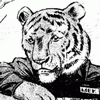
G8 Cat-like muzzle without ears/etc + sabertooth?The first version of the nose is done (I'm doing one like the cartoon/big cats and one based on house cats). I have to add another morph for the muzzle for when it's partially dialed in. Here's the morphs so far, plus Grune and the royal guards that I'm using as models.
Morph projection issue (SOLVED)How to force an attached figure to follow the host character morph.
I have lashes as a conforming figure, but they don't follow the morph of my character.
Usually you can find the morph greyed out as a generated morph in the exact same hirachy in the conformed figure, but not with lashes.
why is it happening and how can I fix this?
EDIT:
Appears, that when creating morphs with the D-former tool, the conforming figure don't follow the host morph, unless you do a by hand projection and click the correct icon.need help with posing 3rd party content with custom morphs appliedtheeldstars said:
and i dont understand why this custom morph affects the item like this, the custom morph is created for g9 figure itself, not the tongue. this issue seems suspicious too cuz other FBM morphs dont affect lickalicious like this. and when i scroll it back to 0% it breaks the mesh in another wrong way. So simply scrolling down doestn seem to be the answer
this is just auto projected morph it is fine as mentioned above.
Can anyone recognise daz character or morph ...Does anyone know what DAZ character/morph was used for these renders
Daz 3D is part of

Connect
DAZ Productions, Inc.
7533 S Center View Ct #4664
West Jordan, UT 84084Licensing Agreement | Terms of Service | Privacy Policy | EULA
© 2026 Daz Productions Inc. All Rights Reserved.