-
Genesis 9 clothing questions & answers
What I would do in this case (there are other ways for sure but this would be my workflow) - dial up the G8 clone on G9, load the dress but don't fit the dress to a figure, just have it in the same space as your G9 with the G8 clone dialed so you can see where the legs are.
Select the thighs on the dress, move them inwards and turn on smoothing to get rid of any crunching. Export that as a base res obj.
Then follow the steps in the video using G9 with G8 Female as your base, import the dress obj, use the transfer utility with dress loose template - dial up the base G9 and turn on smoothing, then export that.
Now you can import the dress onto the base G9 and use transfer utility for the loose dress again.
So basically following the steps above will take your G8 dress, fix the legs, then take the G8 Female shape down to G9 base and then using the template you will get the best fit :)
Using Blender to import file into DazI am not sure where this really belongs, so thought I would start here, since I have Blender.
There is a product over on Turbosquid, that I would really like to get, but it's spendy (not the main point), but I have some (rather a lot) questions on Blender for this item
1. What is the best format to import something into Blender? FBX seems to work really well, what about other formats?
2. Can I delete certain parts from the imported file and save to a new file? For example, let's say there is a plant I don't want in the scene, can I delete it (without deleting the whole file), and save as new?
3. Manipulating doors. In Daz and Poser, some doors can open/close, is there a way to make this possible using Blender, and still be able to export into Daz
4. If all the above is possible, is there a way to export it into Daz where it's a figure, where I can hide, add/remove stuff?
As I stated before there is a product I really would like to get, but if I can't do much with Blender to get it to work the way I want, then I can't see getting itJeepers, Creepers... I gave G8 G9's peepers.Two other examples with everyone's fan favorite, Maxx.
The simplified instructions are as follows. Please note, you may have to individually scale the eyeballs manually for certain figures. This is just my first go at it, so I can't say these scales are 100% spot on, but works well enough to share.
- Load G9 and a G8M
- On G8M, turn off visibility on the left and right eye joint so they are hidden.
- Delete mouth, eyelashes, and tears
- Make sure hidden properties is checked and visible.
- Dial in the g8m clone under Hidden->Clones
- Make the g9 figure invisible and then select the g9 eyes and set resolution to base
- Select the left eye joint and scale the left eye joint to 125%, set y translate to -2.65 and X translate to .13
- repeat with right eye joint but make the X translate -.13
- At this point, I would eyeball how good the g9 eyes look on the g8 figure as they should be roughly the same height and size. These numbers are just my first couple of tests and what I found to be close.
- Export the g9 eyes with all setting at default and scale at 100%
- import the eyes with default and scale at 100%
- Asset transfer g8m to g9 eyes obj, leave all on default settings.
- Then hide the g8 body and select the new g9 eyes and go to geometry editor
- User the lasso tool and circle the left eye ball to high light all left eye geometry then assign to the lEye face group. Repeat the same for the right side assigning it the rEye face group.
- Under surfaces, remove the "_" in all the surface names and replace with " "
- Under the g9 eyeball, expand the joints and then select the left eye, now change the to the node weight map brush. Select general weight and paint the entire left eye red.
- Now select the right eyeball joint and repeat.
- With the new "g9 eyeball" prop selected, go to edit -> object -> geometry -> Convert to Subd
- You will need to do one last thing. On the original genesis 9 eye props. Select either the left or right eye surface and then in a folder in your content tree where you want this to live, do a "save shader preset" and save the eye surface (just one) as a g9 shader.
- Finally, in the same content tree folder, do a "save material preset" and then save the eyemoisture surfaces. Do not save the eye left or right one.
- At this point you can save this out as a prop.
Genesis 9 we are back in the game Carrara usersRepetition. Simple dress by extending mesh of the TShirt.
Same workflow. Import to Studio, transfer utility to support asset conforming figure, convert to blended, save as character asset,
Note - when I tried to use Studio's template for dress in the transfer utility it caused Studio to crash. Not a Carrara issue though. Transfer utility worked fine not using any template.
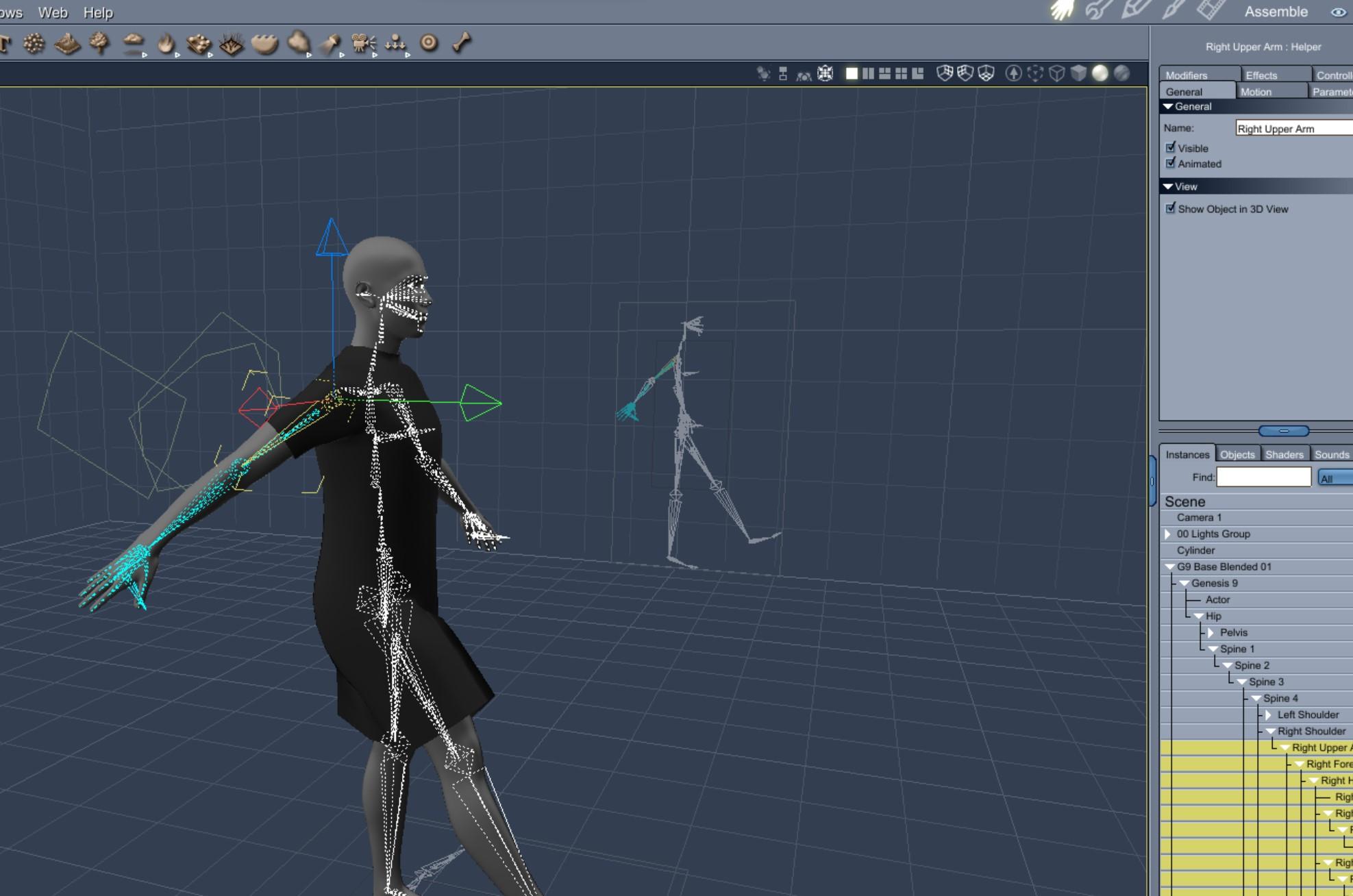 Daz Studio Pro BETA - version 4.21.0.5! (*UPDATED*)
johndoe_36eb90b0 said:
@Richard Haseltine
Is there any indication that FBX importer will be fixed? As it is now, it seems that it can't import anything more complex than a cube.
It is totally impossible to import figures from Maya 2022, rigged or not (you don't even get to choose to skip the rigging so you can at least have the object with textures).
Every attempt ends up with heavily distorted mesh.
Unfortunately FBX is not that precise a format - there are mutliple versions, and not every implementation behaves in the same way. As far as I know Daz Studio will handle FBX from Motion Builder, files exported from other applciations are less certain. Still, it is an area that is receiving attention.
Can't create clones of and for g9Catherine3678ab said:
Really, all I did with Hexagon was use it as a method to get the object renamed and sent right back into D/S.
You can just export the .obj [no groups] out of D/S, rename the file, import that back into D/S using Morph Loader Pro and make the morph. I like using Hexagon because it tends to be more dummy proof for me ;-)
I just tried the tutorial, using G9 when it said G8 and the other way around and I can't proceed past one step as there is no hidden clone for G9 on G8, so this is not possible for me. If someone makes a tutorial for G9 clone to G8 for use G9 clothes on G8 I will try it, othewise I will have to hope that someone will sell such a clone at some point. I'm thinking of skipping G9 altogeter, try convert my character to G9 when it becomes possible just to test, but from what I see and hear, not sure if I remember correctly but I read she has less material zones, less bones in her face, and I see for myself people making artworks w spaghetti arms, weird elbow and wrist bending and I think to myself: in what world is this a step forward?? Not for me. So when the converter for characters G8 to G9, and skin converters come I will buy it and test, but most likely I will stay on G8.1 and buy all the stuff that will be released for converting G9 stuff, all kinds, to G8.1. And hope for a better G10 w proper backwards to G8.1 also compability. And a seperate female base.
Daz Studio Pro BETA - version 4.21.0.5! (*UPDATED*)@Richard Haseltine
Is there any indication that FBX importer will be fixed? As it is now, it seems that it can't import anything more complex than a cube.
It is totally impossible to import figures from Maya 2022, rigged or not (you don't even get to choose to skip the rigging so you can at least have the object with textures).
Every attempt ends up with heavily distorted mesh.
Daz to Unreal Bridge Issue: No materials mapped / Body UVs mergedHi @catmaster,
Do you know if there is any tutorial explaining how to import the textures from diffeomorphic to unreal? I'm trying to do the same you have but my knowledge in blender is little (and texturing in general...)
Low fps HDRPHello, I've been experimenting with importing Genesis 8 figures to Unity. Previously I was using the standard render pipeline, which had good fps, but the figures looked way off (most notably hair).
They look much better in HDRP, but with a basically blank scene (plane terrain + light), and one figure, my fps drops like a rock (from 144+ to 20-30), and i have a 3070. Am I messing something up in the import process?Diffeomorphic DAZ Importer version 1.6.0 releasedI think teeth mesh are defformed by subdivide modifer. I mean when you import model and use default subdiive modifer that comes with import it makes teeth so smooth and lose their shape.Porlby because of Catmull-Clark option in subdivide. So idk what can be done with teeths..
edit: I tried to separate teeth mesh from main mesh and it looks fine I gues.
Bringing a Shape from G8 over to G9 - TutorialYou're quite welcome.
.......................
For those seriously not into using a modeller, one can export .obj files from D/S [no groups], rename them if/when necessary, and then import them back into D/S via the Morph Loader Pro [if making morphs].
.........................
ALSO -- this is so neat -- making "clothing" out of any of the Genesis clan members, shaped how you please [this has nothing to do with this tutorial per sa] ... and they will load FAST, like under 2 seconds maybe ... give them "actor" bones ... and then these can be posed too.
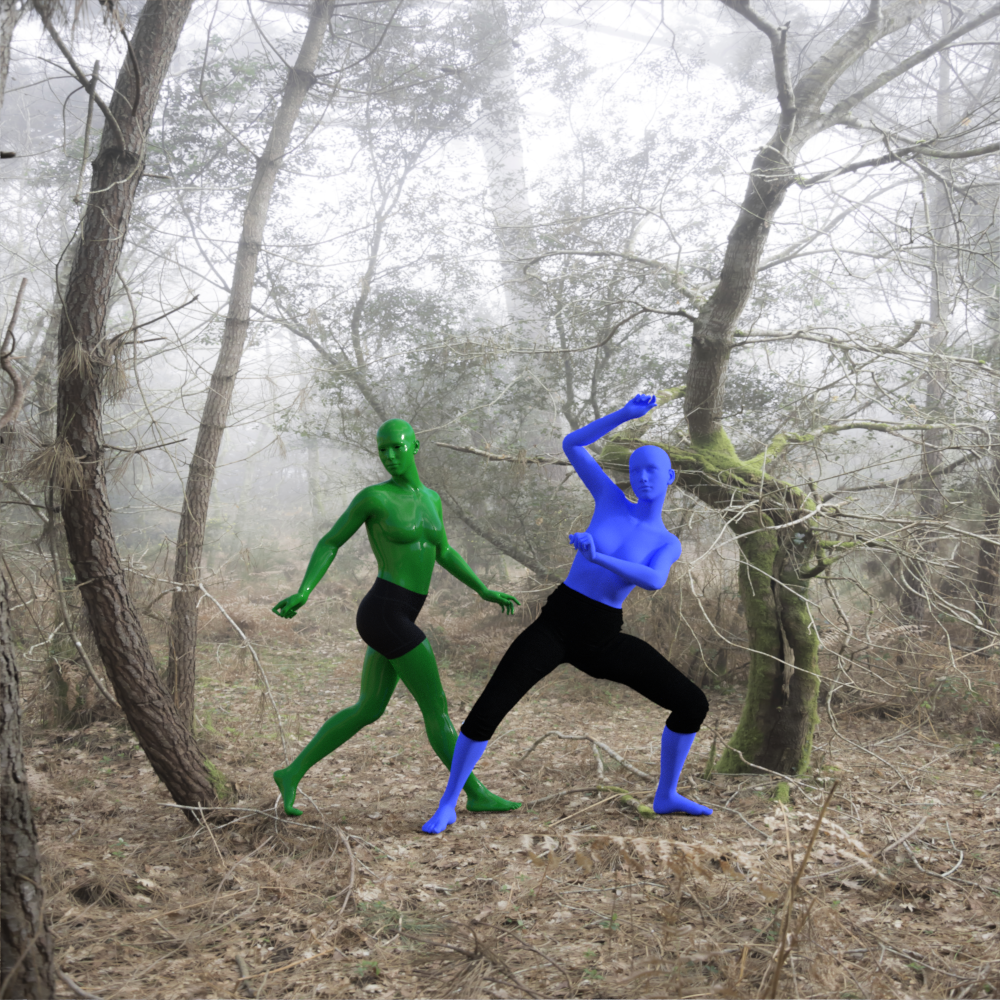 Can't create clones of and for g9
Really, all I did with Hexagon was use it as a method to get the object renamed and sent right back into D/S.
You can just export the .obj [no groups] out of D/S, rename the file, import that back into D/S using Morph Loader Pro and make the morph. I like using Hexagon because it tends to be more dummy proof for me ;-)
Create morphs for Daz with Forger or Nomad Sculpt (IOS) is it possible?Has anyone done this in Nomad successfully lately? I tried following the directions in the forum link shared, and I'm getting a Geometry does not match error. I'm using the latest version of DS and I tried both G8 and G9. I exported both figures at the base resolutions and deleted the eyelashes for G8. I imported into Nomad with Keep Topology checked, made no changes, and then exported it as an obj. I just get errors when I brought it back into Daz.
I have no issues doing the same in Blender. I was able to successfully import both figures into Blender, make a small change, and export back into DS with no errors and made my morph. I'm not sure what I'm doing wrong in Nomad. Would like to know if anyone has successfully made any morphs inside Nomad and brought them back into DS.
importing higher subd meshes as morphs for G9 (and older) figuresHello everyone,
If I export G9 base resolution mesh to Blender, do some sculpting, I can then reimport back into Daz as a morph no problem, everything works fine, works with unmorped base figure, or male/female morphs the same.
But I want to work in more detail on the figure, exporting higher subd to Blender is not a problem, it does export from Daz and import into Blender ok, but trying to get back into Daz I get the "Geometry did not match".
I tried googling a solution for this, but couldn't find a solution, though I did see a few hints that Daz by design doesn't permit this, just wanted to confirm if this is the case? The rumour was that some special in house tool is being used to do this sort of thing?
G8F/M Pose Transfer to G9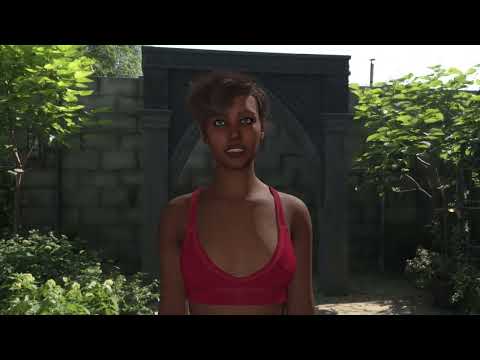
video
yeah not many animation options for Genesis 3 onwards in DAZ anyway unless premade
like Gofigure's AniBlocks
can sort of use ones imported on Genesis 1 with footslide issues on 3 and 8
or unless you own MotionBuilder as the BVH import is terrible
this figure nothing worked
I am guessing GoFigue, Bonetech, Reisermocap etc all use MoBu
Need help with making custom morphs using 3d-scan modelsHello everyone! I'm using 3d-scan models and Wrap 4D to make some realistic poses and morphs, basically everything works pretty well. but when I do adjust rig to shape, my morph is broken. please help me to find out which of the following steps I did wrong or what else I may forgot
1: I load the 3d scan obj into daz studio, pose g8f according to the scan's posture.(for more accurately posing, I set all nodes limits off and use some morphs to change the bone scale such as shoulder width or limb length...)save the rusult as a pose and shaping preset, then export g8f as obj
2: import g8f obj and the 3d scan obj into wrap 4d, try my best to wrap g8f onto the scan, save the geometry(obj) after it's done.
3: load default g8f in daz studio, select all nodes and turn limits off, apply the pose and shaping preset, then load the wraped geometry as morph using morph loader pro( set overwrite existing: deltas only,reverse deformations:yes).
4: apply the morph to g8f and it looks amazing, other head morphs and expression dials also work properly. the only problem is the rigging has not been adjusted to fit the shape, but if I do adjust rig to shape. it will distort my shape to fit the rig, instead of adjust rig to fit the shape.
ps: in step 1, if I didn't pose the figure before export it to wrap, then in step 3, I will not apply pose but directly load the morph and apply it. after adjust rig to shape, seems like this time the rigging are perfactly fitting the shape but the bone nodes have no transforms or rotation informations, so if I make a key animation from default T pose to my morph's pose, the figure's limb will be distorted during animation. wardrobe or accessories and facial expressions are broken even more.
I also tried to load 2 figure, one with pose applied before load the morph(as step 1-3, rigging incorrectly), another without pose but only load the morph(rigging correctly), then use transfor rigging try to transfor one to another, but that ended up with a totall mess.
I took some screen shots, please check them out. any help will be greatly appreciated!
Blender → DAZSo... In addition to DAZ, I also started exploring Blender + Blenderkit a bit. Despite the fact that I do not have much experience, it is quite easy to create, for example, a bedroom that looks really good. But the problem is that if I try to get my creation into DAZ as an OBJ or FBX file, I run into nothing but problems.
1. If I import something as an OBJ, everything is white. Each object is essentially textureless.
2. As an FBX file - everything in DAZ "explodes" and remains without textures.
I get the point that those textures probably don't transfer. I have watched many videos and read articles about how to insert each texture through the "Surface" tab, but for some reason it is not possible either. A couple of people also wrote on this forum to open the OBJ file with NotePad and you can probably get to the textures because the path to them is written there. But the data probably doesn't even come from my PC.
So is there any solution to this problem? In simplicity - to get a bedroom that I will create in DAZ as I created it in Blender. Thanks for the answers
Genesis 9 clothing questions & answersbarbult said:
@Mada, in tip 3 about draping on templates in MD, do you mean we should make avatars from those templates? How do we bring it back into DS to fit the base G9? Do we have to follow the procedure in Josh Darling's video that you linked? Thanks for all the help you are giving us amateurs.
The shirt looks great :)
You export the template as an obj and import it into MD as an avatar, then drape against it. Then export the garment as an obj to bring into DS and use transfer utility as before. If you're draping against the male or female morph dialed up in the template then you will use the same method as in the video to get the base shape (using G9 of course, not the template).I've messed up so bad I don't even know what I've done.barbult said:
From your comments above, I believe your Daz Studio installation on drive G is the one launched from your desktop icon, and it is working. It is the installation that was done by Daz Central. Drive G is the one you want to use. So all that is very good news. Correct me if I got any of this wrong.
No, I think you're absolutely right! It really looks like the entirely external Install A is funtional! That's exactly how I want it, if I can keep it like this.

1) Are you confident that your external drive always mounts as drive G? Does it ever mount with any other drive letter?
Yes, I'm about 99% sure I've never seen any external device connected to this computer show up as anything but G. Then again, every single external device I have takes the G: slot, but since I only ever connect one at the time that's probably fine?
Some people have problems with using an external drive for Daz Studio, because the drive letter would change from time to time. The content Directory Manager is being told to look at G. If your same external drive mounts to a different drive letter in Windows, Daz Studio won't be able to find your content. Since your desktop icon for Daz Studio also points to drive G, if the drive letter changes, that could explain why sometimes you can't launch Daz Studio from that desktop icon. A drive letter issue could be the root of some of your mysterious intermittent problems. I believe there is a way to ensure that it always mounts as drive G, but I need to research that.
Back when I had the second icon, and an .exe in B that connected to it, I could not see the content installed in the A system when I launched it. Maybe I just didn't looks closely enough, but it looked like it only had access to the "custom" folders I'd connected to it. A has access to both its own content (that DC installed) and the folders that used to belong to B. But, since A seems to be functioning on its own, I really don't need to keep anything on the F: drive at all, do I? Can't I just move what's left in those folders into the corresponding folders in the A installation?
2) Your Content Directory Manager is telling Daz Studio to look for content on drive F and drive G. You want all of your content on G because you need F for other things. So we need to correct the Content Directory Manager paths. I like to be conservative and as safe as possible, so first we will create a backup content set that we can just restore if necessary. This does not back up your content files!
That's fine. I have a whole second external drive full of back-up files already.
It only backs up the list of places where Daz Studio looks for content.
- Launch Daz Studio from the icon on your desktop.
- Open the Content Directory Manager again (directions above on October 19 if you forgot how to open it)
- In the Content Directory Manager window, at the top, you will see "Content Sets". Right now you have only one content set which is named "Current Directories". We are going to make a copy of that set as a backup before we change it.
- Click on "Current Directories" to select it.
- Once you have selected "Current Directories, the Copy button on the left side becomes active.
- Click the Copy button.
- A new set will be created called "Current Directories Copy".
- Click the Accept button. The Content Directory Manager window will close.
- Open the Content Directory Manager again.
- Verify that the original "Current Directories" is still the active one (it has the highlighted dot beside it) and there is a new content set named "Current Directories Copy" that has an empty (not highlighted) dot next to it.
- Now, if our attempt to fix the paths where Daz Studio looks, is unsuccessful, you can go back to what you had in the Content Directory Manager before.

Got it!
3) In your first message, you mentioned that install B on the F drive was completely empty. If that is accurate, then those Content Directory Manager entries for paths on the F drive aren't contributing anything useful, and we can remove them from "Current Directories".
I was going to ask if I couldn't do that.
We probably need to be a little careful about the Daz Connect Data path. If you ever logged in to Daz Studio, I would expect to find files in the F drive folder listed for the Daz Connect Data. Even if you never installed anything inside Daz Studio, if you are logged in, Daz Studio automatically downloads metadata files. They are small. but they are configured to go on your F drive right now. If you use Daz Central for content installation, there is no need to log in to your Daz account from inside Daz Studio. If you are set up to automatically log in, we should change that to avoid other troubles.
I don't have automatic log-in. OK, the Daz Connect Data can stay. So now I just toss out all the paths to old F: that's not the DCD?
Missing Product Icons in Smart ContentIt should be a metadata update that will affect everyone, once installed.
Daz 3D is part of

Connect
DAZ Productions, Inc.
7533 S Center View Ct #4664
West Jordan, UT 84084Licensing Agreement | Terms of Service | Privacy Policy | EULA
© 2026 Daz Productions Inc. All Rights Reserved.