-
Why G9 is not good for blender (or any other 3d app)
Padone said:
@gerster None of your points are a solution to the issues I reported. You can't do HD morphs for daz studio unless you're a PA. You can actually already import HD shapes and morphs in blender via the addon by Xin, though it requires extensive manual work, but HD figures are much heavier and do not fit animation. With G9 you can't avoid HD.
My suggestions from my former post were to reduce the expensive manual work with the Xin addon. I never use "pure HD figures" in Blender because of the heavy mesh.
The solution is to use the Xin addon, but I would like to have a more manageable workflow here.
And yes, while it's true that you can't import HD morphs as non-PA into DAZ, you can still do displacement maps, which is enough for many use cases.Why G9 is not good for blender (or any other 3d app)@gerster None of your points are a solution to the issues I reported. You can't do HD morphs for daz studio unless you're a PA. You can actually already import HD shapes and morphs in blender via the addon by Xin, though it requires extensive manual work, but HD figures are much heavier and do not fit animation. With G9 you can't avoid HD.
Why G9 is not good for blender (or any other 3d app)Padone said:
And here it comes G9. The new genesis differs from G3 G8 because it is designed differently. If we look at the wireframe we see the topology is very simple and it relies on HD morphs for any body detail. As for diffeomorphic, this means you are forced to use the HD import to get the G9 figure in blender, that of course also means the G9 figure will take more cpu and gpu resources so we need a more powerful hardware.
Apart that, we normal users can't do HD morphs, only PAs can, so forget of using blender or other apps to do morphs for G9. That is, with the daz morph loader we are limited to the base mesh, so G9 will not allow us to sculpt detailed morphs.
To me as a daz user G9 is a big step back from G3 G8, in that it is HD based so it strongly limits what we can do. Unless DAZ decides to release the HD toolkit to anyone, that could be a viable solution for G9.
While I will stay with G8.1 for a while, I like G9 so far.
The main issue is that Blender does not allow Multi Res morphs. If we had that in Blender, all the problems with G9 would be gone, and we could use G9 in Blender like in DAZ.
When I switch at a future point to G9, I will still use the base mesh and do HD via displacement maps baked by the XI addon.
Maybe this would be an excellent opportunity to integrate the XI addon into Diffeo?
Thinking of features like:
- Add a button that bakes all morphs that have HD instead of letting us select and collect these morphs manually
- Add a button to bake all displacement maps for expressions
- Add/remove displacement maps automatically if morphs and expressions are detailed in/outAlistair Gen8M - 90% Skin Trans broken75% skin translucency works fine.
90% fails with unexpected character. I've highlighted in red. Please Fix.
---------------------------
2022-10-30 15:01:30.936 [INFO] :: Prepare asset load (merge): /People/Genesis 8 Male/Characters/Alistair/Alistair Iray/Alistair Skin Translucency 75�uf
2022-10-30 15:01:30.936 [INFO] :: Locking viewport redraw...
2022-10-30 15:01:30.936 [INFO] :: Viewport redraw locked.
2022-10-30 15:01:31.092 [INFO] :: Native format content directories: 2
2022-10-30 15:01:31.092 [INFO] :: Poser format content directories: 3
2022-10-30 15:01:31.092 [INFO] :: Other import format content directories: 0
2022-10-30 15:01:31.092 [INFO] :: Begin asset load (merge): /People/Genesis 8 Male/Characters/Alistair/Alistair Iray/Alistair Skin Translucency 75�uf
2022-10-30 15:01:31.093 [INFO] :: Determining missing assets...
2022-10-30 15:01:31.093 [INFO] :: Setting textures...
2022-10-30 15:01:31.093 [INFO] :: Applying animations...
2022-10-30 15:01:31.094 [INFO] :: Setting up follow targets...
2022-10-30 15:01:31.094 [INFO] :: Finished asset load (merge): 0m 0.2s - /People/Genesis 8 Male/Characters/Alistair/Alistair Iray/Alistair Skin Translucency 75�uf
2022-10-30 15:01:31.391 [INFO] :: Unlocking viewport redraw...
2022-10-30 15:01:31.391 [INFO] :: Viewport redraw unlocked.
2022-10-30 15:01:33.137 [INFO] :: Prepare asset load (merge): /People/Genesis 8 Male/Characters/Alistair/Alistair Iray/Alistair Skin Translucency 90�uf
2022-10-30 15:01:33.137 [INFO] :: Locking viewport redraw...
2022-10-30 15:01:33.137 [INFO] :: Viewport redraw locked.
2022-10-30 15:01:33.290 [INFO] :: Native format content directories: 2
2022-10-30 15:01:33.290 [INFO] :: Poser format content directories: 3
2022-10-30 15:01:33.290 [INFO] :: Other import format content directories: 0
2022-10-30 15:01:33.290 [INFO] :: Begin asset load (merge): /People/Genesis 8 Male/Characters/Alistair/Alistair Iray/Alistair Skin Translucency 90�uf
2022-10-30 15:01:33.291 [INFO] :: Json Parser (69,2): Unexpected Character
2022-10-30 15:01:33.291 [INFO] :: Error loading asset: G:/DAZ 2021/Applications/Data/DAZ 3D/My DAZ 3D Library/People/Genesis 8 Male/Characters/Alistair/Alistair Iray/Alistair Skin Translucency 90%.duf
2022-10-30 15:01:33.291 [INFO] :: Operation failed
2022-10-30 15:01:33.538 [INFO] :: Unlocking viewport redraw...
2022-10-30 15:01:33.538 [INFO] :: Viewport redraw unlocked.
Bringing a Shape from G8 over to G9 - Tutorial
Thanks!Catherine3678ab said:CHWT said:
Catherine3678ab said:
You're quite welcome.
.......................
For those seriously not into using a modeller, one can export .obj files from D/S [no groups], rename them if/when necessary, and then import them back into D/S via the Morph Loader Pro [if making morphs].
.........................
ALSO -- this is so neat -- making "clothing" out of any of the Genesis clan members, shaped how you please [this has nothing to do with this tutorial per sa] ... and they will load FAST, like under 2 seconds maybe ... give them "actor" bones ... and then these can be posed too.
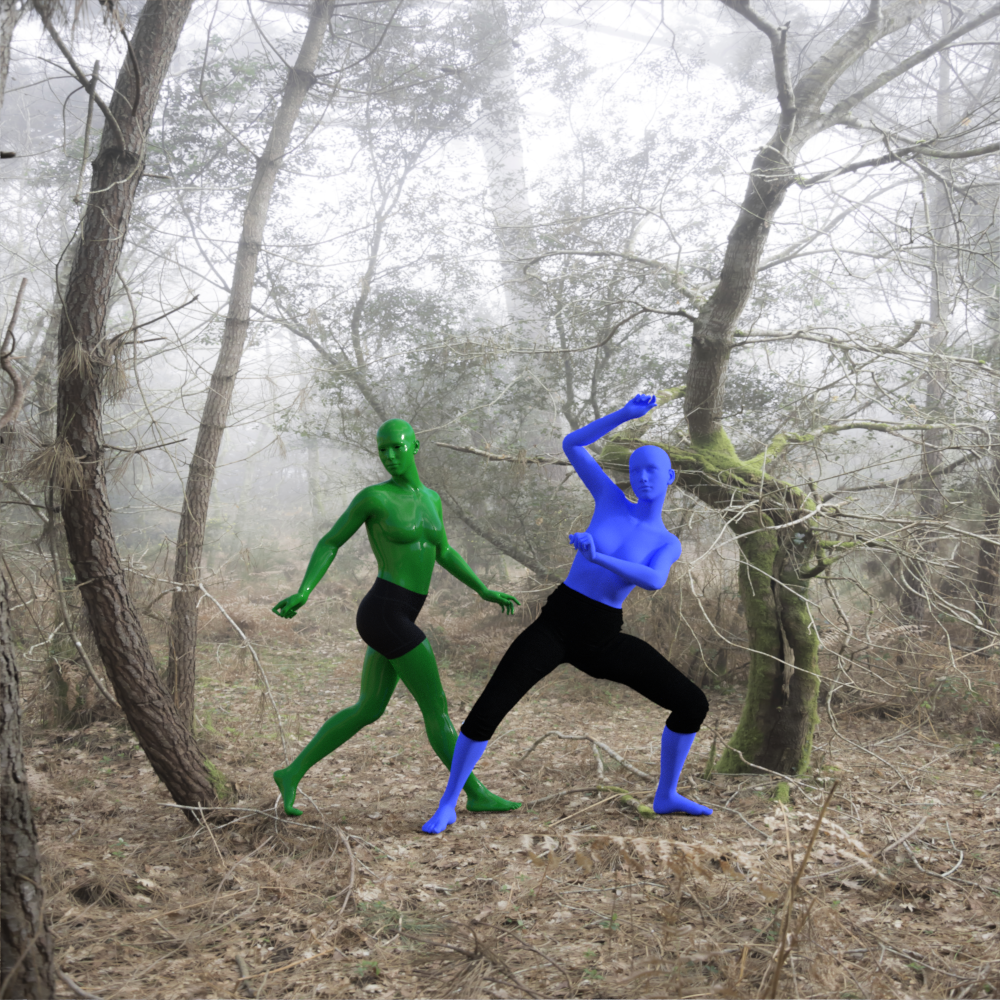 When I use Morph Loader, should I check or uncheck "change orientation"?
After years of not knowing better, somebody finally mentioned in a thread that they knew I read, that no we should not be changing orientation. So uncheck that box.
Bringing a Shape from G8 over to G9 - TutorialCHWT said:
Catherine3678ab said:
You're quite welcome.
.......................
For those seriously not into using a modeller, one can export .obj files from D/S [no groups], rename them if/when necessary, and then import them back into D/S via the Morph Loader Pro [if making morphs].
.........................
ALSO -- this is so neat -- making "clothing" out of any of the Genesis clan members, shaped how you please [this has nothing to do with this tutorial per sa] ... and they will load FAST, like under 2 seconds maybe ... give them "actor" bones ... and then these can be posed too.
When I use Morph Loader, should I check or uncheck "change orientation"?After years of not knowing better, somebody finally mentioned in a thread that they knew I read, that no we should not be changing orientation. So uncheck that box.
New Release: Bringing Daz figures To Life in UE5About the cloud service there needs to be some data protection as we don't want the store bought characters being downloaded by unauthorized users or bots, because the EULAs of Daz store and Renderotica, Renderosity etc. state that users have to secure and encrypt the bought assets to make sure they can't be extracted or redistributed.
Blender or other equivalent is often used as asset processing hub to integrate different resources with Diffeomorphic to import from Daz and using Blender asset library, also there are plugins like Animation Layers, AutoRig Pro, Quick Rig, Uefy etc. which are equivalent to Maya and MotionBuilder. These pugins often have their own FBX exporters to send to game engines but their exporters can't export other rigs they don't support. For FBX files the Blender's build-in FBX exporter is the preferred method.
It'd be nice if the FBX from the DTL system can be exported to UE5 from Blender, with correct bone axes for the physics assets e.g. the constraints angular limits have the local bone X axis as primary bone axis which is perpendicular to twist motion. It doesn't need to match the mannequin's axes, attached image showing the Daz character FBX exported from Blender with correct bone axes.
The baked JCMs are not as useful as realtime application of JCMs, it's a lazy method to skip modifying the nodes in UE5 for G8 skeleton. The realtime application from the DTL system is the best if it can provide asset components or engine plugins to easily integrate with exsiting projects.
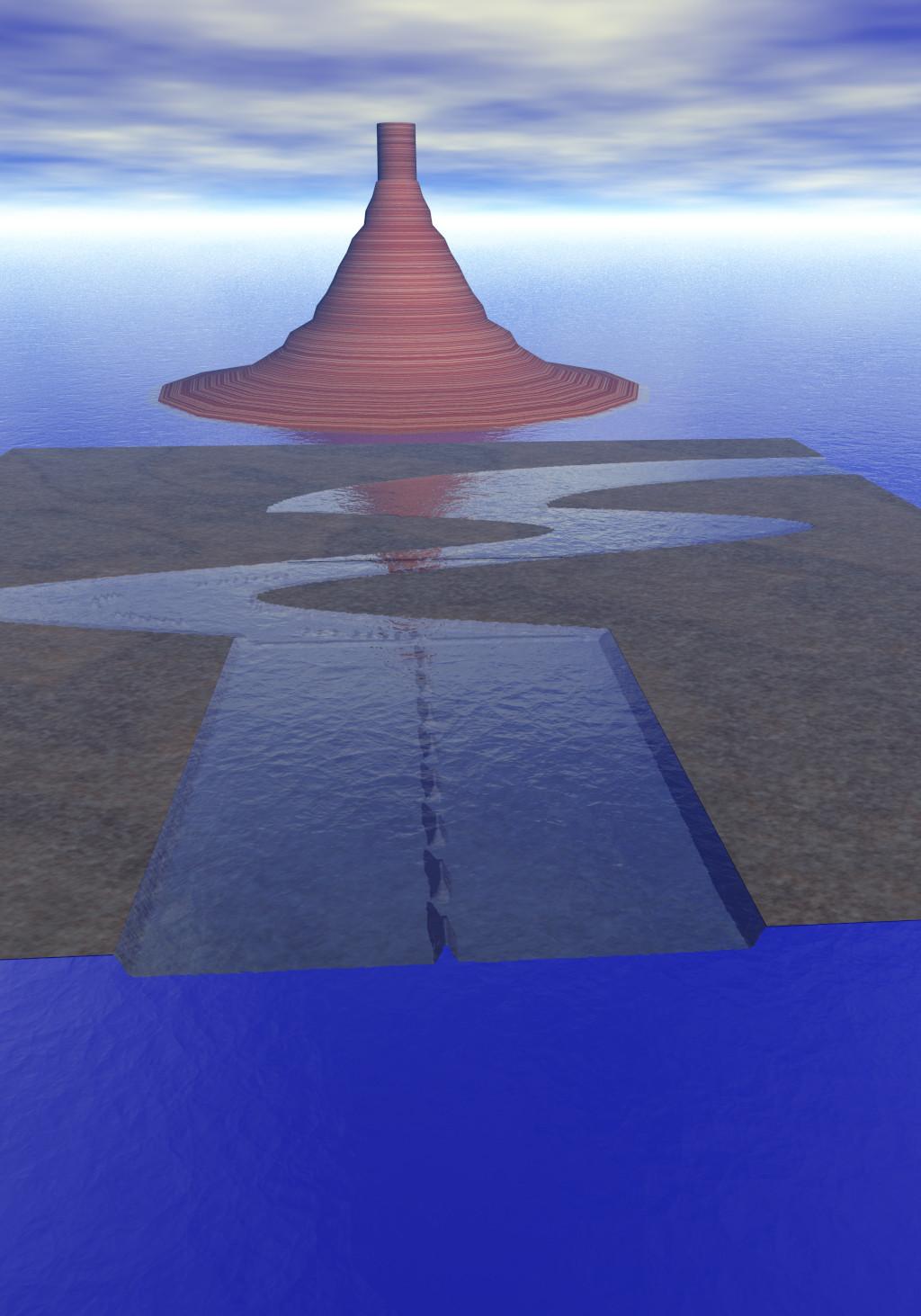
Show Us Your Bryce Renders Part 12trying out import heightmaps made of program writing .bmp's
 Scenes created before latest versions crash program
felis said:
Have you tried to look in your log Help > Troubleshooting > View Log File, to see if there are any information that could spread light on the issue?
And is it only old scenes that crashes DS, i.e. you can create a new scene (with similar content) that renders fine?
Yup. It's the weirdest thing. I can pretty much import the same (saved) figures and the scene renders fine.
But when I try to open an older saved scene, it IRAY previews fine but rendering just quits the program with no warning. (I've taken a look at the logs and I see no error just before it quits). But i'm no expert.I'd blame driver updates but that would affect new scenes too. So it must be a program / compatibility issue. Tried resaving old scene. Same thing, quit on render.
Why G9 is not good for blender (or any other 3d app)@Padone
To be fair,
I only look at any 3D figure eco system through the lense of its level of compatibility with my primary Delivery environment
(formerly Maxon C4D,now Blender)And its ability to access multiple external character motion Data sources for body and face.
The reason I effectively skipped
Genesis 3 and stuck with G2 for so long, was because by the time my external animation retargeting system(Iclone 3DXchange)had actually become fully compatible with the new twist bone rig of G3 ..G8 was here and I was Migrating to Blender where I had access to the Rokkoko retargeter as well as the CC3 figures fully animated in blenderNow however, ARP has turned Blender into a universal character system for body animation from nearly any motion source.
(like Motionbuilder)
and the animated shapekey version of Diffeo ,has made facial& lipsync, a settled matter for me as well.As for Genesis 9 specifically, this seems like what some might call a “fan service” release.
That being a figure truly for the Primary core Daz studio user base who typically renders close up stills portraits/pinups with Iray INSIDE Daz studio..not in Unreal engine, Unity Maya ,C4D or Blender.
The focus on high definition eye & brows is great for that purpose
and looks really good!!
it’s new rigging breaks ALL currently existing compatibility with Character animation data,
(unless you replace the rig in an external app as I did for the above video).
For those people who still animate& render figures inside Daz studio G9 sets them back to Zero.
And even for those of us ,who export ,animate and render in other programs and replace the rigging,
G9’s heavier geometry, 8K maps, and total divestment from any ability to import data from Daz mimic,anilip2 iphone face mojo into our external app , makes this figure generation quite moot, for now at least.Bringing a Shape from G8 over to G9 - Tutorial
When I use Morph Loader, should I check or uncheck "change orientation"?Catherine3678ab said:You're quite welcome.
.......................
For those seriously not into using a modeller, one can export .obj files from D/S [no groups], rename them if/when necessary, and then import them back into D/S via the Morph Loader Pro [if making morphs].
.........................
ALSO -- this is so neat -- making "clothing" out of any of the Genesis clan members, shaped how you please [this has nothing to do with this tutorial per sa] ... and they will load FAST, like under 2 seconds maybe ... give them "actor" bones ... and then these can be posed too.
Why G9 is not good for blender (or any other 3d app)And here it comes G9. The new genesis differs from G3 G8 because it is designed differently. If we look at the wireframe we see the topology is very simple and it relies on HD morphs for any body detail. As for diffeomorphic, this means you are forced to use the HD import to get the G9 figure in blender, that of course also means the G9 figure will take more cpu and gpu resources so we need a more powerful hardware.
Apart that, we normal users can't do HD morphs, only PAs can, so forget of using blender or other apps to do morphs for G9. That is, with the daz morph loader we are limited to the base mesh, so G9 will not allow us to sculpt detailed morphs.
To me as a daz user G9 is a big step back from G3 G8, in that it is HD based so it strongly limits what we can do. Unless DAZ decides to release the HD toolkit to anyone, that could be a viable solution for G9.
Daz to Blender Bridgecatmaster said:
Why use the DazToBlender bridge when you can use Diffeomorphic to perfectly import whole scenes into Blender with correct morphs and poses.
With Diffeomorphic I almost alway have problems with the clothing. Especially when there are more than one layer of garments. Like a vest and a skirt over a blouse over a braw and panties. The layers get mixed up and you see the braw or blouse over the vest, etc. Sometimes even the skin at some places.
I thought that the bridge would be better but I see that it is not. Probably even worst.
Daz Can't Find My Bryce to exportTo find Bryce what directory should it be or how do I configure the path? I am using Bryce to import assets from other applications (mainly .3ds), optimizing the textures (mats in Bryce lingo) then exporting them to Daz as an .obj file. I have a collection of cars (each slightly different scale) and I wanted to import the ranger SUV and the ladybug VW model so I can scale them correctly. As an aside, when importing Bryce into Daz via .obj import, scaling the object to 15% of the original imported size seems to be the most accurate to match the scale in Daz. My issue is the cars from various sources are all slightly different in scale (a Camero I have is wider than a tractor-trailer.) and I want to import into Bryce an actual Daz model along with a Daz figure to use as a reference point to create a uniform scale I can adjust the models i wish to export. Thanks!
Making GeoGrafts use parent material. [Kinda solved - grafts were not the issue]I am trying to make a geograft inherit the material definitions of the parent figure, but can’t get it working with Genesis 8. Using the parent material is useful for adding extra mesh details, like bellybutton for G9, so that's the example here. G8 and G3 gets an extra bellybutton, as they allready have one :
I do this:
- Export Genesis to Blender, collapse UV tiles
- Select relevant faces from torso front delete the rest
- Edit model to make a bellybutton
- UV map the newly created faces to fit with the graft edge faces
- Import into Daz
- Transfer wizard, no parenting
- Select graft faces
- Select hidden faces
- Fit graft to none
- Fit graft to Genesis
I save them as with the following options – as far as I can see, these are identical:

This technique generally works, so I can find the correct materials in smart content and apply the relevant figure's base material to the grafts for G3 and G9. For G8 shows the G8F materials in smart content, but applying one doesn’t work:

Weirdly, when I apply a material to the G8 graft, it changes the material of the host G8 figure instead. It seems something is pointing the wrong way, but I cannot figure out what’s going on. I’ve tried this several times now, with exactly the same results.
I kinda got it working once, but then I could only use the G8 material from the starter essentials. Unfortunately I tried fixing that and then it stopped working completely and I could not recreate it ☹
I'm starting to think there may be an issue with my database. Is there any way I can revert all G8 info til defaults?
I've attached a ZIP of the G3F and G8F meshes if anybody wants to give it a shot. They are in Blender scale so need to be imported at 5000% scale (axis conversion is just X-Y-Z)
Cannot select clothing or any items from library despite them being there , Please helpHello everyone , I'm currently trying to make a small renpy game lets just leave the details at that and so i got to daz 3D i don't have a powerhouse but an decent 1080ti which does most of the rendering fine , i got the assets id need for the game be it clothing , poses and etc but when i tried to apply an pose this is what it gave me. I am quite new here so i do not really know what im doing wrong here so here is the screenshots of what it looks like the attachment ive added.
Now it told me to read the log file and i've captured it from the moment i applied the blue vanilla pre installed clothing , strangely enough some of the things work but some don't , kindly help please here is the log text -
2022-10-29 19:05:09.892 [INFO] :: Start following: Genesis 8 Female << Basic Wear Tank Top
2022-10-29 19:05:09.893 [INFO] :: Following started: Genesis 8 Female << Basic Wear Tank Top
2022-10-29 19:05:09.893 [INFO] :: Connect base morphs: Genesis 8 Female << Basic Wear Tank Top
2022-10-29 19:05:09.901 [INFO] :: Creating morph projection map: Genesis 8 Female << Basic Wear Tank Top
2022-10-29 19:05:09.901 [INFO] :: Base morphs connected: Genesis 8 Female << Basic Wear Tank Top
2022-10-29 19:05:09.902 [INFO] :: Creating morph projection map: Genesis 8 Female << Basic Wear Tank Top
2022-10-29 19:05:09.902 [INFO] :: Finished asset load (merge): 0m 0.421s - /People/Genesis 8 Female/Clothing/Basic Wear/Basic Wear Tank Top.duf
2022-10-29 19:05:09.960 [INFO] :: Unlocking viewport redraw...
2022-10-29 19:05:09.960 [INFO] :: Viewport redraw unlocked.
2022-10-29 19:05:10.135 [INFO] :: Loaded image: 05_Tank_Base_Color.jpg
2022-10-29 19:05:10.171 [INFO] :: Processing morph projection queue: Genesis 8 Female << Basic Wear Tank Top
2022-10-29 19:05:10.174 [INFO] :: Morph projection queue processed: Genesis 8 Female << Basic Wear Tank Top
2022-10-29 19:05:12.859 [INFO] :: Prepare asset load (merge): /People/Genesis 8 Female/Clothing/Basic Wear/Basic Wear Shorts.duf
2022-10-29 19:05:12.859 [INFO] :: Locking viewport redraw...
2022-10-29 19:05:12.859 [INFO] :: Viewport redraw locked.
2022-10-29 19:05:12.903 [INFO] :: Native format content directories: 3
2022-10-29 19:05:12.903 [INFO] :: Poser format content directories: 3
2022-10-29 19:05:12.903 [INFO] :: Other import format content directories: 0
2022-10-29 19:05:12.904 [INFO] :: Begin asset load (merge): /People/Genesis 8 Female/Clothing/Basic Wear/Basic Wear Shorts.duf
2022-10-29 19:05:12.907 [INFO] :: Determining missing assets...
2022-10-29 19:05:12.971 [INFO] :: Setting textures...
2022-10-29 19:05:12.975 [INFO] :: Scanning for addons...
2022-10-29 19:05:13.215 [INFO] :: Cache update required: /data/Bobbie25/Basic Wear/B25BWShorts.cache.dsf
2022-10-29 19:05:13.217 [INFO] :: Cache update started: /data/Bobbie25/Basic Wear/B25BWShorts.cache.dsf
2022-10-29 19:05:13.219 [INFO] :: Cache update finished: /data/Bobbie25/Basic Wear/B25BWShorts.cache.dsf
2022-10-29 19:05:13.219 [INFO] :: Creating node geometry...
2022-10-29 19:05:13.221 [INFO] :: Creating UV sets...
2022-10-29 19:05:13.221 [INFO] :: Creating materials...
2022-10-29 19:05:13.241 [INFO] :: Resolving legacy figures...
2022-10-29 19:05:13.241 [INFO] :: Preparing modifiers...
2022-10-29 19:05:13.241 [INFO] :: Creating modifiers...
2022-10-29 19:05:13.282 [INFO] :: Creating sum stage formulas...
2022-10-29 19:05:13.282 [INFO] :: Creating multiply stage formulas...
2022-10-29 19:05:13.282 [INFO] :: Finalizing modifiers...
2022-10-29 19:05:13.282 [INFO] :: Finalizing channels...
2022-10-29 19:05:13.282 [INFO] :: Finalizing materials...
2022-10-29 19:05:13.282 [INFO] :: Sorting property groups...
2022-10-29 19:05:13.282 [INFO] :: Setting up follow targets...
2022-10-29 19:05:13.282 [INFO] :: Start following: Genesis 8 Female << Basic Wear Shorts
2022-10-29 19:05:13.283 [INFO] :: Following started: Genesis 8 Female << Basic Wear Shorts
2022-10-29 19:05:13.283 [INFO] :: Connect base morphs: Genesis 8 Female << Basic Wear Shorts
2022-10-29 19:05:13.290 [INFO] :: Creating morph projection map: Genesis 8 Female << Basic Wear Shorts
2022-10-29 19:05:13.290 [INFO] :: Base morphs connected: Genesis 8 Female << Basic Wear Shorts
2022-10-29 19:05:13.291 [INFO] :: Creating morph projection map: Genesis 8 Female << Basic Wear Shorts
2022-10-29 19:05:13.291 [INFO] :: Finished asset load (merge): 0m 0.387s - /People/Genesis 8 Female/Clothing/Basic Wear/Basic Wear Shorts.duf
2022-10-29 19:05:13.349 [INFO] :: Unlocking viewport redraw...
2022-10-29 19:05:13.349 [INFO] :: Viewport redraw unlocked.
2022-10-29 19:05:13.449 [INFO] :: Processing morph projection queue: Genesis 8 Female << Basic Wear Shorts
2022-10-29 19:05:13.452 [INFO] :: Morph projection queue processed: Genesis 8 Female << Basic Wear Shorts
2022-10-29 19:05:13.636 [INFO] :: Loaded image: 05_BoyShorts_Base_Color.jpg
2022-10-29 19:05:33.547 [INFO] :: Prepare asset load (merge): /People/Genesis 8 Female/Poses/Z Sweet Fashion Poses/01 Full Body/Z SWFA Full 01 G8 Female Standing Mirror.duf
2022-10-29 19:05:33.547 [INFO] :: Locking viewport redraw...
2022-10-29 19:05:33.547 [INFO] :: Viewport redraw locked.
2022-10-29 19:05:33.589 [INFO] :: Native format content directories: 3
2022-10-29 19:05:33.589 [INFO] :: Poser format content directories: 3
2022-10-29 19:05:33.589 [INFO] :: Other import format content directories: 0
2022-10-29 19:05:33.589 [INFO] :: Begin asset load (merge): /People/Genesis 8 Female/Poses/Z Sweet Fashion Poses/01 Full Body/Z SWFA Full 01 G8 Female Standing Mirror.duf
2022-10-29 19:05:33.590 [INFO] :: Determining missing assets...
2022-10-29 19:05:33.591 [WARNING] :: Invalid node selection for "preset_pose" type.
2022-10-29 19:05:33.591 [INFO] :: Error loading asset: C:/Daz 3D/Applications/Data/DAZ 3D/My DAZ 3D Library/People/Genesis 8 Female/Poses/Z Sweet Fashion Poses/01 Full Body/Z SWFA Full 01 G8 Female Standing Mirror.duf
2022-10-29 19:05:33.591 [INFO] :: Operation failed
2022-10-29 19:05:33.638 [INFO] :: Unlocking viewport redraw...
2022-10-29 19:05:33.638 [INFO] :: Viewport redraw unlocked.
2022-10-29 19:05:40.488 [INFO] :: Prepare asset load (merge): /People/Genesis 8 Female/Poses/Z Sweet Fashion Poses/01 Full Body/Z SWFA Full 02 G8 Female Standing Mirror.duf
2022-10-29 19:05:40.488 [INFO] :: Locking viewport redraw...
2022-10-29 19:05:40.488 [INFO] :: Viewport redraw locked.
2022-10-29 19:05:40.531 [INFO] :: Native format content directories: 3
2022-10-29 19:05:40.532 [INFO] :: Poser format content directories: 3
2022-10-29 19:05:40.532 [INFO] :: Other import format content directories: 0
2022-10-29 19:05:40.532 [INFO] :: Begin asset load (merge): /People/Genesis 8 Female/Poses/Z Sweet Fashion Poses/01 Full Body/Z SWFA Full 02 G8 Female Standing Mirror.duf
2022-10-29 19:05:40.533 [INFO] :: Determining missing assets...
2022-10-29 19:05:40.534 [WARNING] :: Invalid node selection for "preset_pose" type.
2022-10-29 19:05:40.534 [INFO] :: Error loading asset: C:/Daz 3D/Applications/Data/DAZ 3D/My DAZ 3D Library/People/Genesis 8 Female/Poses/Z Sweet Fashion Poses/01 Full Body/Z SWFA Full 02 G8 Female Standing Mirror.duf
2022-10-29 19:05:40.534 [INFO] :: Operation failed
2022-10-29 19:05:40.583 [INFO] :: Unlocking viewport redraw...
2022-10-29 19:05:40.584 [INFO] :: Viewport redraw unlocked.
Genesis 8 to genesis 9 v8 to v9 shape morph and/textures converters?Gordig said:
The most obvious solution is to fix your OBJ export and/or import settings. You already figured out the scale, but make sure that Y is set to vertical for both import and export. If you import something that is oriented wrong and fix it with rotations, you need to bake the rotations before trying to use Morph Loader or Transfer Utility.
Thanks Gordig - indeed the Y and Z axis were inverted for some reason. Now it works!
Genesis 8 to genesis 9 v8 to v9 shape morph and/textures converters?The most obvious solution is to fix your OBJ export and/or import settings. You already figured out the scale, but make sure that Y is set to vertical for both import and export. If you import something that is oriented wrong and fix it with rotations, you need to bake the rotations before trying to use Morph Loader or Transfer Utility.
Daz Studio Pro 4.22(.0.x) - NVIDIA IrayIray 2022.0.1, build 359000.3383
Known Issues and Restrictions
- Material Definition Language (MDL)
- Adding an environment function to a link unit (via method mi::neuraylib::ILink_unit::add_environment()) is currently broken for all backends and will result in a wrong code. As a work-around, please generate environment functions as single code (i.e. do not add it to any link unit)
Added and Changed Features
- General
- Updated general libraries:
- FreeImage-3.19.x-r1903-OpenEXR-3.1.5-libTIFF-4.4.0-361926 (fixes problems/crashes with huge TIFF metadata TIFFTAG_RICHTIFFIPTC)
- Updated general libraries:
- Material Definition Language (MDL)
- Added compiler context option "mdl next": Setting this option will enable preliminary features from the upcoming MDL 1.8 Version, especially:
- Full utf8 identifiers in MDL.
- Lifted restriction on scene access functions: The name of a scene data can be now any expression of type uniform string.
- Added compiler context option "mdl next": Setting this option will enable preliminary features from the upcoming MDL 1.8 Version, especially:
Fixed Bugs
- General
- Fixed failed worker renderings with error invalid parameters (nvbugs 3759010).
- Iray Photoreal
- Fixed a CPU crash with guided sampling enabled (nvbugs 3758281).
- Fixed some issues with guided sampling in combination with the caustic sampler or SSS.
- Optimized fiber rendering performance on Turing and above (1.1x to 1.7x, at the price of a bit more memory).
- Fixed/Unify ambient occlusion rays to be able to hit invisible-to-primary-rays geometry on all GPU/CPU configurations.
- Iray Interactive
- Fixed slight precision problems with Oren-Nayar BSDFs (nvbugs 3777916).
- Material Definition Language (MDL)
- Fixed error message regarding wrong array type issued two times.
- Speed up material compilation: Instantiation of a material instance is now faster due to less database queries and lesser reference counted operations.
- Fixed module inliner handling of relative resource paths.
- Fixed libbsdf handling of Fresnel factors. (OM-52209)
Daz Studio Pro 4.22(.0.x) - NVIDIA IrayIray 2022.0.0, build 359000.2512
Known Issues and Restrictions
- The minimum NVIDIA driver version in order to support the new CUDA and OptiX features is R510 U6 (Windows 512.78). Note that the R515 driver series unfortunately features a performance regression that only affects Iray 2022.0.0. So when using R515 drivers, only drivers 516.93 (Windows) and up feature the necessary performance fix (nvbugs 3707149 and related to 3678591).
- On macOS/x86 SSSE3 enabled CPUs are now the new minimum requirement.
- Removed support for the already deprecated portal lights in Iray Photoreal. It is now suggested to use the new guided sampling and/or the improved caustic sampler instead.
- FreeImage is now deprecated, due to its missing source code maintenance. It will be replaced by the now also included OpenImageIO plugin. Please test this evaluation build and let us know if this new plugin features regressions compared to FreeImage, or worse performance.
Added and Changed Features
- General
- Updated general libraries:
- OpenSSL 1.1.1q
- FreeImage-3.19.x-r1903-OpenEXR-3.1.5-libTIFF-4.4.0-360897
- FFmpeg-lgpl-4.4.2-360169
- OpenEXR 3.1.5
- Embree-3.13.2-359470 (with a custom patch for the crashes seen in nvbugs 3643565)
- AxF 1.9.0 (now supports all platforms)
- IndeX Direct 359000.2512 (fixes an issue with empty VDBs, nvbugs 3720395)
- OpenImageIO 2.4.1.2 (for evaluation purposes)
- Updated general libraries:
- Iray Photoreal & Iray Interactive
- Added support for df::thin_film modifier for glossy BSDFs that feature mode df::scatter_reflect_transmit (OM-52209).
- Material Definition Language (MDL)
- Added contribution instructions and a Contributor License Agreement (CLA) form to the open source release.
- Added support for df::thin_film modifier for glossy BSDFs that feature mode df::scatter_reflect_transmit or df::specular_bsdf (OM-52209).
- Improved distilling of bsdf color-mixes.
- Fixed serialization failures when serializing optimized modules with removed unused functions.
Fixed Bugs
- General
- Issue a fatal error in case the default/fallback-material could not be created (related to nvbugs 3707629).
- Improve contour detection/stability of Toon postprocess (nvbugs 3724232).
- Iray Photoreal & Iray Interactive
- Improved inside-projector-geometry test, which avoids unstable behavior for planes where one coordinate is zero (nvbugs 3621214).
- Iray Photoreal
- Fixed artifacts visible in the environment/dome when using the caustic sampler.
- Fixed a potential crash when using guided sampling.
- Fixed missing backplate when switching from AUX to the result buffer.
- Fixed potential errors and crashes when returning too early from cancel_render, i.e. while the postprocessing was actually still running. This is now synchronous as intended.
- Improved performance for certain cutout opacity cases when using the caustic sampler (nvbugs 3710624).
- Fixed a discrepancy between evaluation and sampling of thin-walled glossy surfaces.
- Fixed crash for certain multi-/overlapping emissive volume data setups and instancing being turned on.
- Fixed regression on RTX/Turing-and-up cards with fiber rendering (restore originals fiber endcap behavior) (nvbugs 3699759).
- Improved scene error handling (e.g. reject invalid camera transforms before rendering, add a safeguard to reject picking) (related to nvbugs 3692956).
- Fixed disappearing backplate by correctly clamping inverse tonemapped backplate color to zero.
- Fixed a rare issue with render calls being falsely rejected in network rendering mode.
- Optimized linking-phase pre-processing stage if no JIT MDL materials found.
- Improved efficiency of rendering emissive volumes dramatically for complicated setups.
- Fixed missing contributions (i.e. too dark) within uniform emissive volumes.
- Fixed crash when using df::microfacet_ggx_smith_bsdf.
- Improved preprocessing speed for multiregion/material objects (nvbugs 3705800).
- Iray Interactive
- Fixed a crash when going out of GPU memory (nvbugs 3600421).
- Material Definition Language (MDL)
- Fixed loss of tint for specular BSDF (MDL-870).
- Fixed handling of MDL cast operators in the SDK.
- Fixed missing struct constructors of re-exported structure types.
- Fixed handling of the uniform modifier in the MDL module builder that caused correct graph constructions to fail.
- Fixed generation of pattern including thin film.
- Fixed typos and descriptions in support definitions.mdl.
- MI exporter
- Added support for custom attributes on textures/volumes to exporter.
- Avoid exporting (ignored on import) face statements.
Daz 3D is part of

Connect
DAZ Productions, Inc.
7533 S Center View Ct #4664
West Jordan, UT 84084Licensing Agreement | Terms of Service | Privacy Policy | EULA
© 2026 Daz Productions Inc. All Rights Reserved.