-
[Released] Character Converter from Genesis 3 Female to Genesis 8 Female(Now Conv JCMs) [Commercial]
I tried to convert the lydiahd character (https://www.daz3d.com/lydia-hd-for-victoria-7) and it looks pretty good with one exception.
There is a "seam" visible on the right arm but strangely not on the left.
Is there a way to correct that?
any native american daz charactersSee also this post for some suggestions: https://www.daz3d.com/forums/discussion/comment/5158156/#Comment_5158156
I picked up Tennessee straight away and have big plans for him. The mix-value with other characters is worth far more than the cost of this character.
Who says there are no native figures for Genensis 8??! (Hint: Search "Native" on the DAZ website.)
https://www.daz3d.com/sequoia-for-genesis-8-female
https://www.daz3d.com/qx-chooli-for-eva-8
https://www.daz3d.com/phx-ohanzi-for-genesis-8-male
https://www.daz3d.com/ej-ethnic-male-beauty-for-genesis-8-male
https://www.daz3d.com/hp-uki-for-genesis-8-female
https://www.daz3d.com/nuka-for-genesis-8-female
https://www.daz3d.com/ej-ethnic-beauties-for-genesis-8-female-s
https://www.daz3d.com/ultimate-make-up-tribal-for-genesis-8-female
And don't forget these, they are Genesis 3 and can be converted, but at least they ar not Michael 4 or Vickie 4!
https://www.daz3d.com/anicinabe-for-genesis-3-female
https://www.daz3d.com/anna-hd-for-victoria-7
https://www.daz3d.com/anicinabe-for-genesis-3-male
https://www.daz3d.com/awan-hd-for-michael-7Older:
https://www.daz3d.com/fwsa-wachiwi-and-aiyana-bundle
https://www.daz3d.com/wachiwi-s-finery-for-genesis-2-female-s
https://www.daz3d.com/western-gear[ITALIANO] Aiuto con Daz!Salve, da dove si puossono scaricare Michael e Victoria?
Grazie.
Michael and Victoria are not free products. The base Genesis figures, which are free, are part of the Daz Studio downloads.
--------------
Michael e Victoria non sono prodotti gratuiti. Le figure di base di Genesis, che sono gratuite, fanno parte dei download di Daz Studio.
[ITALIANO] Aiuto con Daz!Salve, da dove si puossono scaricare Michael e Victoria?
Grazie.
The return of Genesis 1?Late to the party, but I do want to mention a couple things about Genesis 1, which I still use most of the time (when I don't use Genesis 1 it's usually because I don't feel like transferring a Mil4 or even Mil3 character. I rarely use G2 or G3, and I was surprised recently to see how much content I had for them.)
The major races in my stories have much less sexual dimorphism than humans. When you''re working with a female character that is 6 foot, 250 pounds, with the same muscle mass as a male, male poses often work better than female ones.
When Genesis came out I thought I was going to stick with V4 and M4, but I discovered that just with free morphs that were available in the first few months of Genesis' debut I could easily create realistic 250 pound muscular females that looked better with half an hour of work than I'd ever gotten with months of work using practically every V4 morph pack available.
Genesis 1 males have a lot more clothing options than most male figures get, and Genesis 1 females have a much higher percentage of non-skimpy clothing than most female figures.
I really hated Victoria 6. Most of the G2F figures seemed so intent on showing off the great body details they had that they looked anorexic to me. It wasn't until Olympia 6 that I started buying some G2F items.
April 2020 - Daz 3D New User Challenge - Open Render ChallengeChallenge - Beginner Open Render.
Title - Spring Flirt
Software Used - DAZ Studio 4.12 Pro, Clip Studio Paint EX 1.6.2, GIMP 2.10.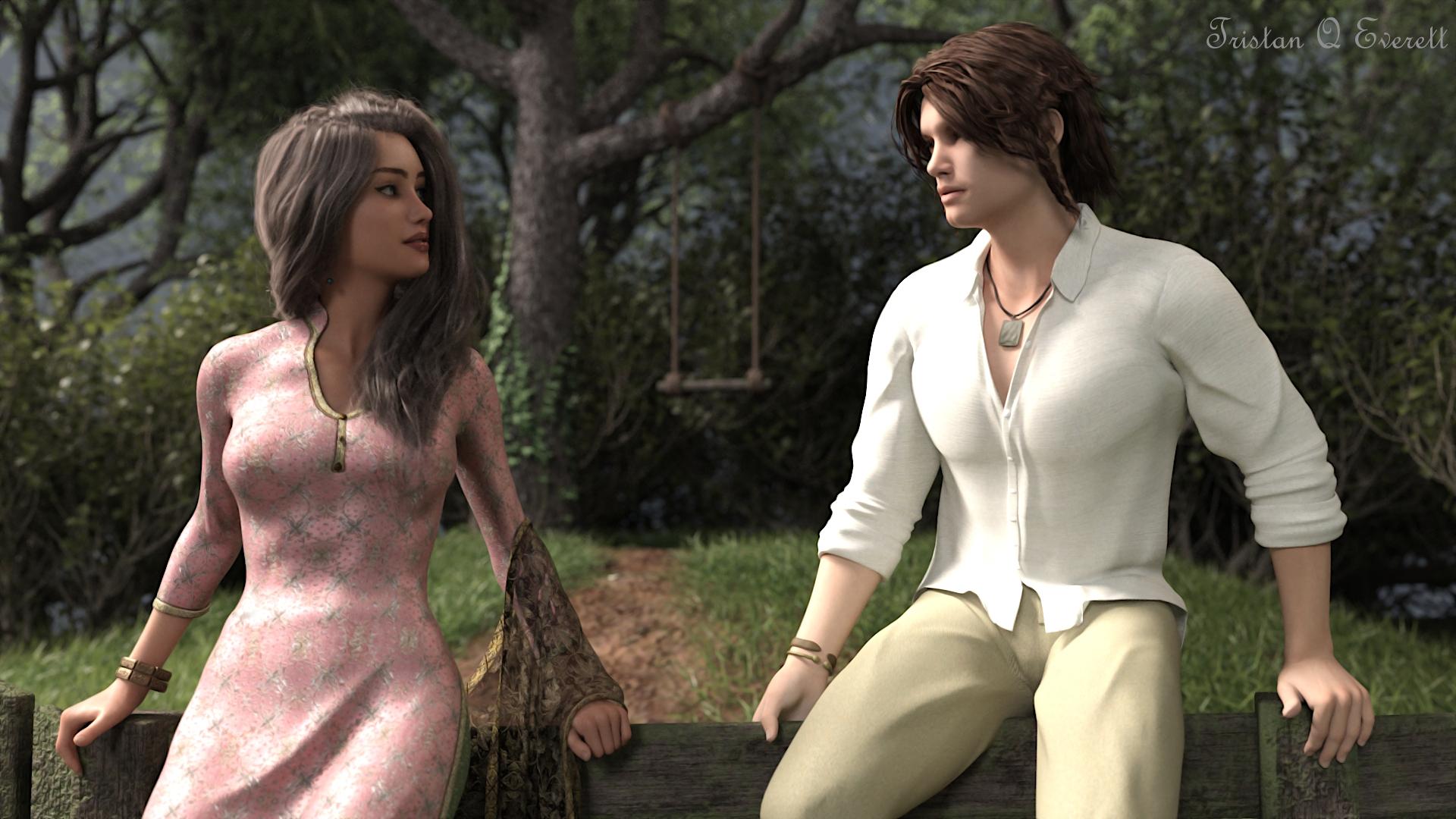
Note: I used an HDRI as the main source of light with Increased intensity and The HDRI had a mesh light integrated on it which works like a "3 point light system". The poses were also based on preset I owned but I had to further improvise on them to get the look I wanted. I had to do very little work on this render with the exception of dforce which was really troublesome and made me redo poses again and again. Since there wasn't much challenge here I think this falls under Beginner render. Thank You! @Linwelly for the Awesome Title.
Challenge - Intermediate Open Render.
Title - Appalling Dawn
Software Used - DAZ Studio 4.12 Pro, Clip Studio Paint EX 1.6.2, GIMP 2.10.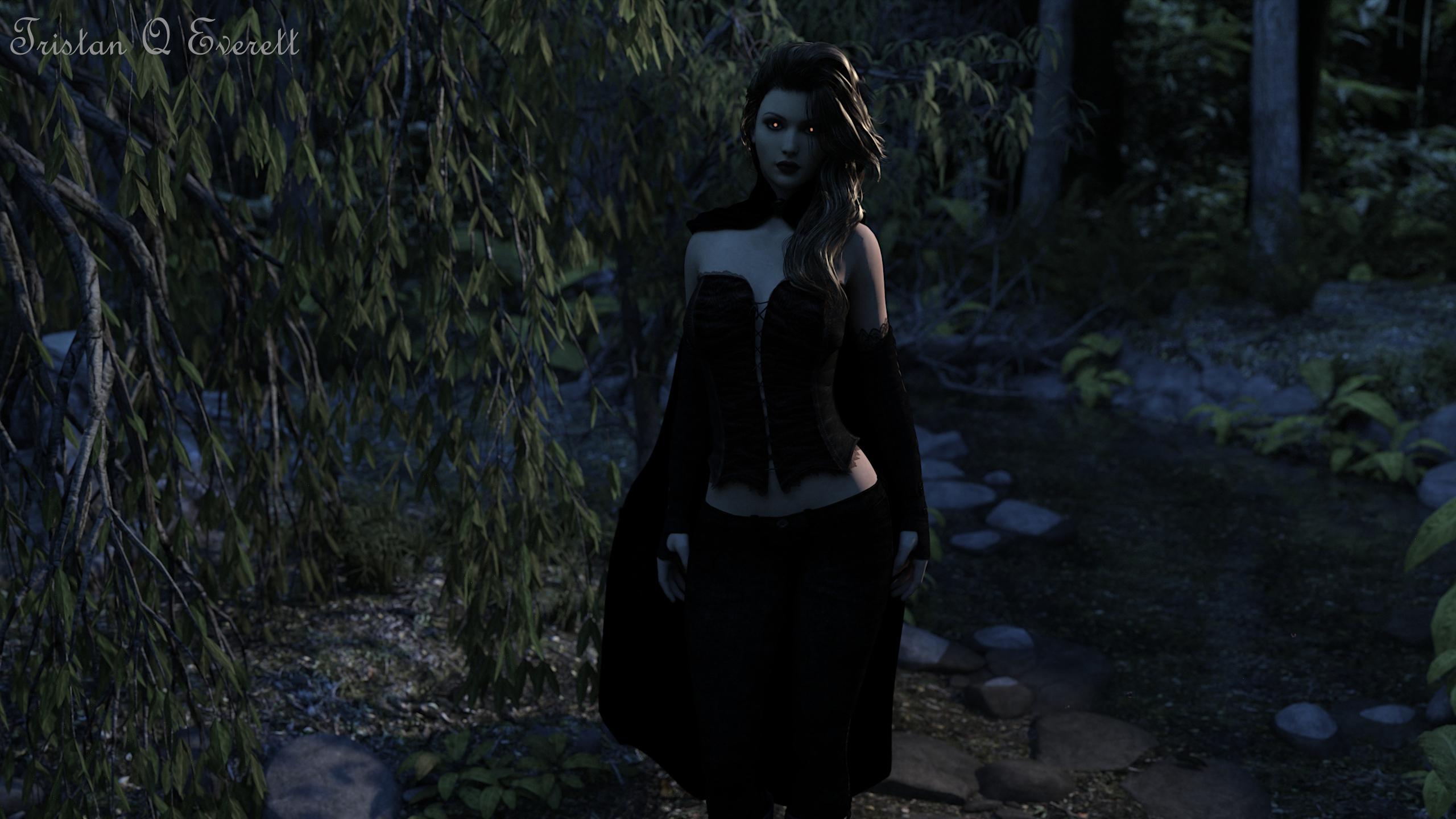
Note: Lately I had started to grow interested in Genesis and Victoria 4 models since they are cheap and there is a lot of content so I wanted to try them and after some fiddling, I really loved how this Genesis model turned out. After that, I loaded this environment which fitted The eerie mood nicely. Moving on, I placed a mesh light, Fixed the glossiness of Genesis hair, and changed Render setting under the environment tab. Soon I ended up creating this really nice dawn look with just Environment settings. Next, all I had to do was give the model some cool looking clothing and Emissive Eyes and there we have our vampire encounter in the dawn. Run! She Bites! Since I learned about environment settings and used it instead of HDRI's, I feel like this goes as Intermediate.
Challenge - Beginner Open Render.
Title - Festive Night
Software Used - DAZ Studio 4.12 Pro, Clip Studio Paint EX 1.6.2, GIMP 2.10.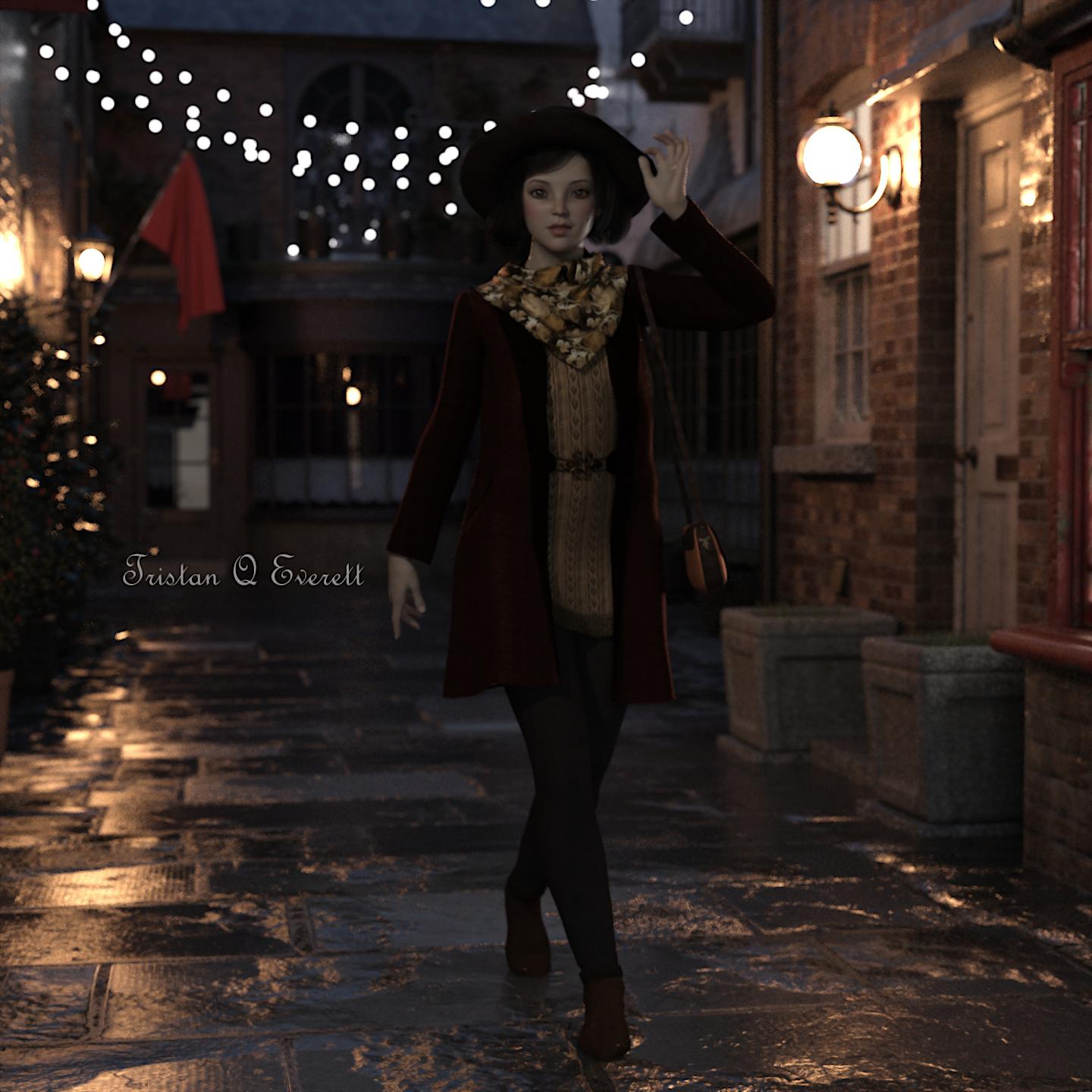
Note: "Old Shambles" Environment is great. I wanted to do a render on this from a long time. I simply loaded a model and put on some nice looking clothing. A pose preset and a bit of adjustment There was a light preset already included in "Old Shambles Product" but it was not good enough and It only lit a bit of the Old Shambles. I had to put a couple of mesh lights around the model to get a nice look and I also used Environment Settings again to fill the lack of light and fill in a nice winter early morning look. I didn't do anything Exceptional here so I feel like this goes in Beginner.
Challenge - Intermediate Open Render.
Title - Moonlight Descent
Software Used - DAZ Studio 4.12 Pro, Clip Studio Paint EX 1.6.2, GIMP 2.10.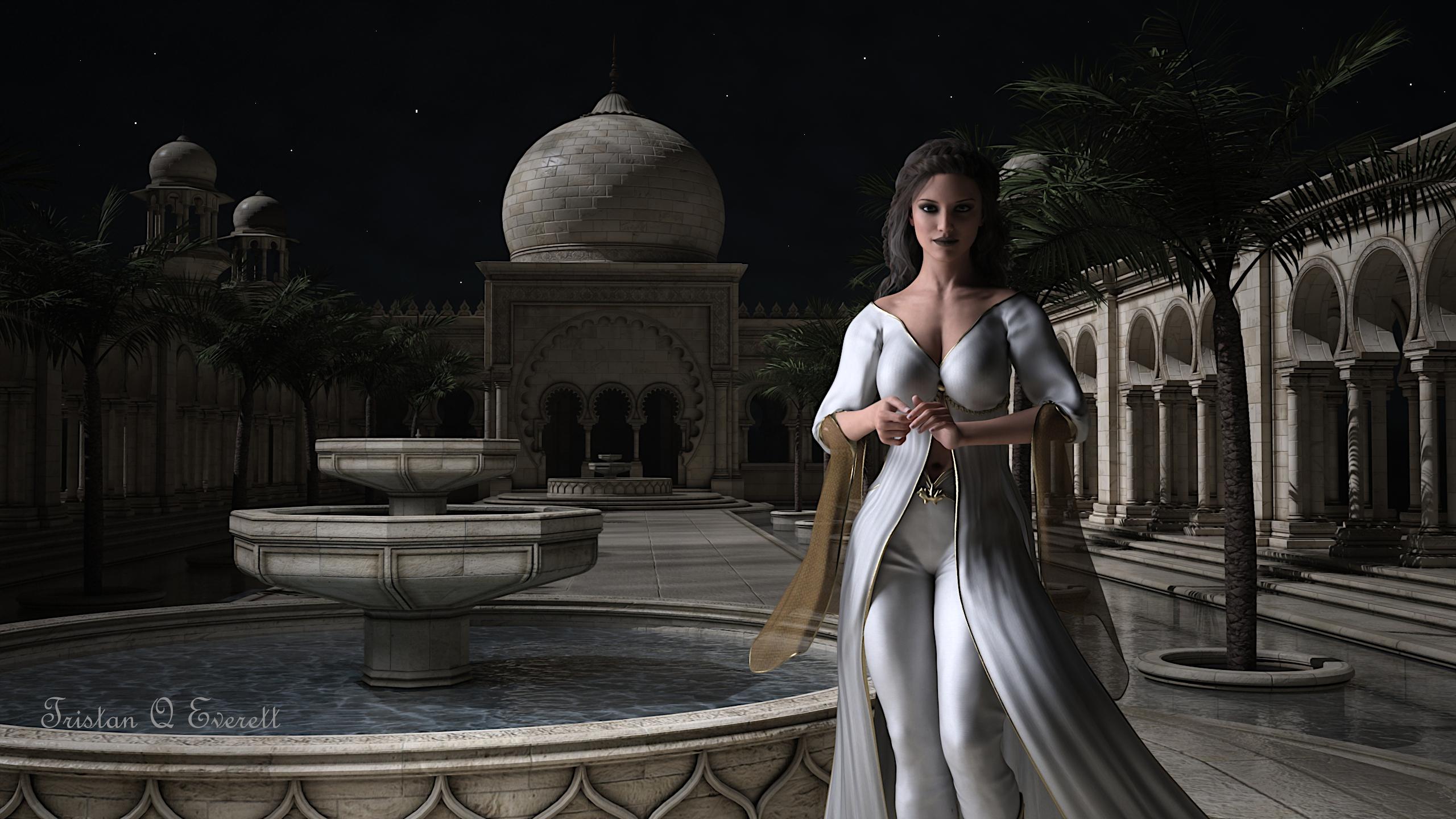
Note: This one was very interesting. I wanted to try Genesis 3 after Genesis experiment and now I love all of the Genesis Generation models. I started by going through my prop and environment products then Genesis 3 and Genesis Outfits. Once I had everything ready. I experimented a lot with Environment settings, Tone mapping, HDRI's, and Atmocam2 for this render. In the end, I used a Distant light with 8500 temperature to get the moonlight effect. Then Mesh lights with the same temperature to light the figure, Atmocam to make skies look Cloudy. I rendered it after everything looked amazing until I noticed that mesh lights were creating soft shadows and distant light was creating Hard Shadows and made the model looked Look Unnatural with double shadows. Then I thought about using only a single mesh light that used the exact same direction of distant light and eliminated double shadows. Voila! I managed to get the perfect lighting and with no double shadows. I am still a little distracted by soft shadows in the Water Fountain Which is caused by Mesh light affecting that area but I am too lazy to render it 3rd Time. I could Fix it with spot rendering The water-fountain again with Mesh Lights disabled and overlap that in GIMP but I think its too much trouble. XD I have done lots of rendering and I need a break. Since I did lots of work in this render I think it falls in Intermediate. I only added Stars with a normal 1-pixel size brush through GIMP, There isn't any postwork in any of the renders with the exception of Noise filter and Sharpness.
Thanks, Everyone for all the help!
Opening and loading the character correctly in daz3d studioThe open character looks like the basic one with a slightly modified look
Were any of the characters you bought named in the form "<name1> For <name2> 8"? The current generation of DAZ characters are built on the base male and female Genesis 8 figures, which you get free with DAZ|Studio.
There are other "base character" items in the store with the generation number in the name; e.g. the first bases for the current generation are named Victoria 8 and Michael 8. These base characters are used in turn as a starting point for more characters in the store, e.g. Justus for Darius 8, which is a Genesis 8 character that also requires the Darius 8 base character.
The morph for Justus only contains the differences between Darius 8 and the final character. If you don't have Darius 8, what you get will be the Justus morph laid directly on the bare Genesis 8 figure. Everything else will work, you just won't get the character looking exactly like the pictures on the store page.
If the character name only says "for Genesis 8", then it includes the whole morph in one go, you don't need any other base character.
Novica & Forum Members Tips & Product Reviews Pt 13A character study for a project I'm starting.
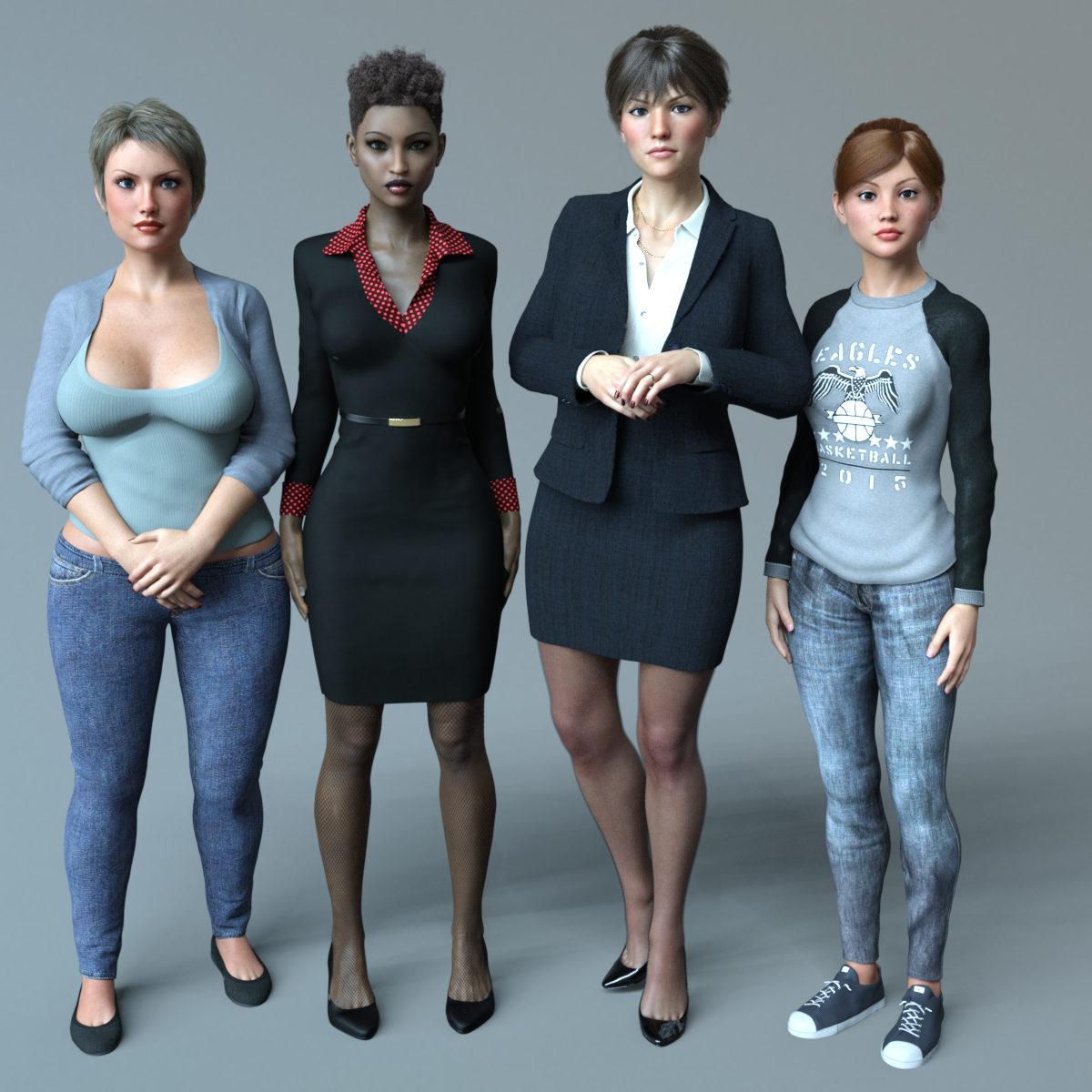
The second woman from the left is FWSA Safa HD pretty much straight out of the box, wearing the 9 to 5 Dress Outfit with some minor tweaking. The other three are all Freja skins (Mikaela, Alfhild and Sara left-to-right) but their shapes and outfits are kitbashed together from innumerable products. I've had a lot of fun digging through my runtime mixing and matching items, it helps me understand why it takes my girlfriend so long to get ready sometimes!
Poses are mostly from Stand Tall for Monique 7, which is great for general standing-around-not-posing-for-the-camera stuff. Lighting is from iRadiance Light Probes 4.
Auto Face Enhancer [Commercial]Hello,
is there a way to make the AFE have the same skin of the rest of the body ? I mean the color otherwise there is like a border with the change of color near the neck ...
I'm sorry if it's just been asked, the forum is pretty long...
thank you
Yes. You can select the AFE attachment and load the same texture file you applied to the figure.
Or if you've made some skin texture adjustments, (or as with my install of Victoria 8 it is a hierachical materials preset)...
Open the surfaces tab, select the Face, Lips, Ears, and Torso of your G8 (Ctrl+Click to select more than one item)
Right click over the adjustment sliders, and copy selected surface(s).
Select the same Face, Lips, Ears, and Torso of the AFE attachment.
Right click over the adjustment sliders. this time paste to selected suface(s).
1-select g8f figure save materials (all=faster)
2-select AFE attachment and assign the material to.
What was your first DAZ purchase, and how long ago?11/6/2007: PC Monthly Membership, followed by "Victoria's Changing Ponytail Collection" (for Victoria 1/2).
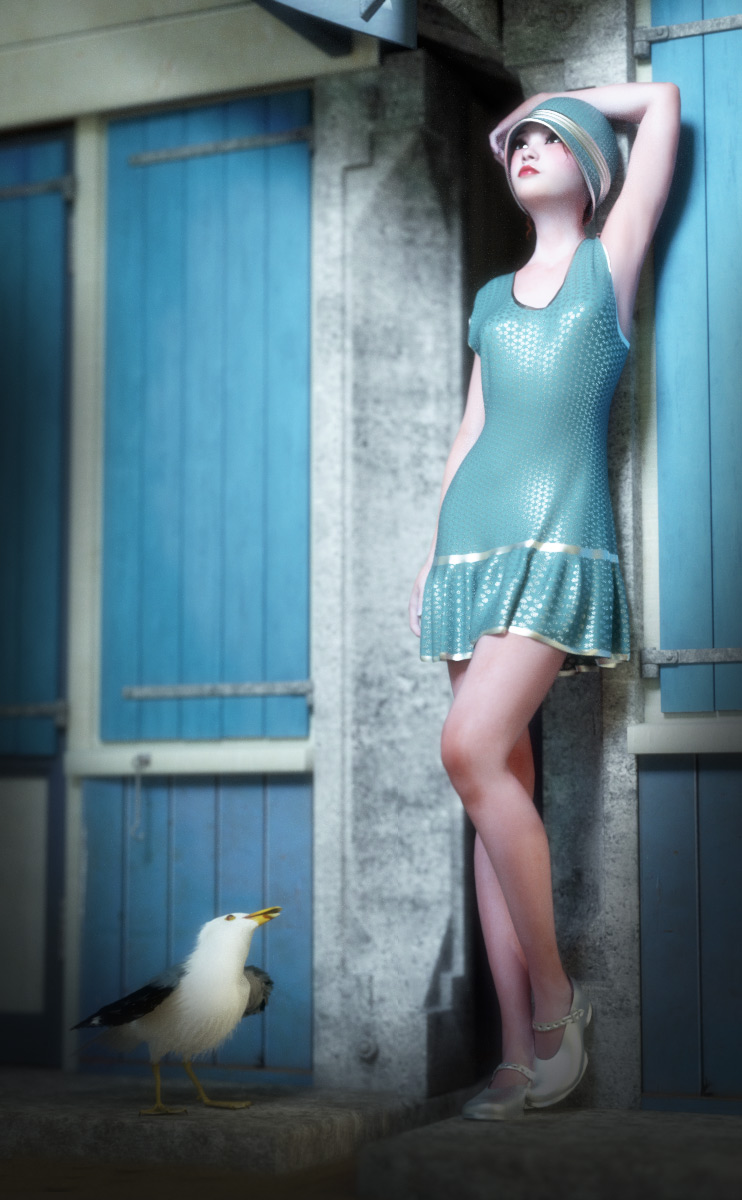
1920s Women's Clothes WantedThank you all for the great responses :)
A lot of these I can certainly use, especially the 20s style flapper dresses.
It doesn't matter that a lot of them are for V4 - I have her and I am not aiming for photorealism, the end result will be highly stylised and more non photorealistic.
@Wilmap, I would be interested, I think I have all the Victoria and Genesis models I have bought over the years.
Thanks again everyone :)
Victoria 8 Makeup Does Not ExportI guess there's a known issue that when you change Victoria 8's makeup in Daz, her face looks the same in the editor and the makeup is only visible in the render (discussed here https://www.daz3d.com/forums/discussion/176111/victoria-8-makeup-not-changing).
However, I think this might be related to another issue which is more than just an inconvenience. When I export the basic Victoria 8 character as an FBX, the makeup does not get exported with the other textures. So I end up with a character with no eyebrows.
I have "Collect textures to folder" set in my export settings and I can see that when I export a character based on V8, like Elizabeth, I get a texture for the base face (FWSAElizabethFace_1001.jpg) as well as a .tif of that, and then also the makeup (FWSAElizabethFaceMU01_1001.jpg) and lips (FWSAElizabethFaceLips03_1001.jpg). With base V8 I just get the face jpg, which lacks eyebrows.
It's only a minor inconvenience that Victoria 8 makeup only shows up in the render, but if it doesn't export that makes the character unusable. Does anyone have any insight into what might be causing this? Hopefully one of these seemingly related V8 makeup issues can shine light on the other, and I hope there's some workaround that will let me retrieve the face texture for V8. Thanks.
Ladies AND Laddies of Mousso appreciation thread@Thyranq really nice render of Antonella HD, she is still in my wishlist jail, but I think she might be making a jail break soon. @MelanieL great image of Bellerose, she is one of my favorites. A lot of really great renders showing off Mousso's ladies. @ANGELREAPER1972 seems like Asher is stuck up in a tree. First the gator and now T-Rex, that guy can't seem to catch a break.
So here is a shot of Mysti lounging after another day full of conveference calls while she is working from home. As you can see, none of the calls were video calls, so she was able to dress more casually. I guess it was casual Friday for her.
Assets used:
Set Design: Sweet Wood Bedroom
Hair: Textured Bob Hair for Genesis 8 and 3 Female(s)
Wardrobe: Shorts dForce Clothing Set 02 for Genesis 8 Female(s), Bra Hongyu's Dream Lace 3 for Victoria 7
 Auto Face Enhancer [Commercial]
Hello,
is there a way to make the AFE have the same skin of the rest of the body ? I mean the color otherwise there is like a border with the change of color near the neck ...
I'm sorry if it's just been asked, the forum is pretty long...
thank you
Yes. You can select the AFE attachment and load the same texture file you applied to the figure.
Or if you've made some skin texture adjustments, (or as with my install of Victoria 8 it is a hierachical materials preset)...
Open the surfaces tab, select the Face, Lips, Ears, and Torso of your G8 (Ctrl+Click to select more than one item)
Right click over the adjustment sliders, and copy selected surface(s).
Select the same Face, Lips, Ears, and Torso of the AFE attachment.
Right click over the adjustment sliders. this time paste to selected suface(s).
Thank you very much!
perfect ! Very kind and precise, thanks
 1920s Women's Clothes Wanted
This is a really gorgeous render @ScorpioThis is one of my favs but as @JOdel has mentioned it's V4 so might be difficult to convert without one of Riversofts excellent pieces of kit... https://www.daz3d.com/glad-rags-for-victoria-4
I wouldn't bother converting it I'd just parent it and dforce it;' its what I did here using a Poser dynamic made for Dawn.
Auto Face Enhancer [Commercial]Hello,
is there a way to make the AFE have the same skin of the rest of the body ? I mean the color otherwise there is like a border with the change of color near the neck ...
I'm sorry if it's just been asked, the forum is pretty long...
thank you
Yes. You can select the AFE attachment and load the same texture file you applied to the figure.
Or if you've made some skin texture adjustments, (or as with my install of Victoria 8 it is a hierachical materials preset)...
Open the surfaces tab, select the Face, Lips, Ears, and Torso of your G8 (Ctrl+Click to select more than one item)
Right click over the adjustment sliders, and copy selected surface(s).
Select the same Face, Lips, Ears, and Torso of the AFE attachment.
Right click over the adjustment sliders. this time paste to selected suface(s).
1920s Women's Clothes WantedThis is one of my favs but as @JOdel has mentioned it's V4 so might be difficult to convert without one of Riversofts excellent pieces of kit... https://www.daz3d.com/glad-rags-for-victoria-4
I wouldn't bother converting it I'd just parent it and dforce it;' its what I did here using a Poser dynamic made for Dawn.
1920s Women's Clothes WantedThis is one of my favs but as @JOdel has mentioned it's V4 so might be difficult to convert without one of Riversofts excellent pieces of kit... https://www.daz3d.com/glad-rags-for-victoria-4
New Bluejaunte character alert - Ensley HD
Ensley done growed up.
That was fast.
That's what she said.
What's interesting is that this PA has their own characters that they could have used for these promos but they used this one. I believe they were trying to make a point. <.<
Shoulders!
Also, I have said this before but I am not sure if BJ was around, the bluejaunte gloss maps are very versatile and absolutely do work on with other skin textures. Almost universally. I have been preaching this for a while now, and hopefully I have converted a few non believers along the way. Believe in these textures people! There are people who use them with their own textures to make unique tones. I have baked a set to match the male UV, and I have used them some, too. This is Victoria 8 with Nadya gloss maps. She still looks like Victoria, but you can see how the gloss maps are working with the light. If you look at the chin, you should be able to recognize your texture, but it blends in nicely.
 Glitches with Aiko 3 character
Ok, after further experiments i have an idea what happened.
-
I now think that my mistake was that i injected morphs after i loaded Aiko. However, i should have not done that!The thing is, when you load Aiko 3 (not LE or blank, full one), it already has aiko 3 morphs loaded with it! So after loading Aiko 3, i must not go to aiko morphs library folder and inject morphs, but instead go straightly to injection of desirable character for Aiko 3.
-
So i think, what happens, is that i load aiko morphs TWICE, so it causes such problems.
Of course i make this mistake because i get used to how Victoria 4 works - with V4/A4 you always inject morphs (plus plus, aiko4 etc.).
While it looks like that with previous generation, it's already loading with figure.
-
Or maybe it's just how Aiko 3 works, haven't tested Michael 3/Victoria 3/Stephanie 3 for same situations.

It's just Aiko (maybe Hiro also) that have their morphs preloaded.
Daz 3D is part of

Connect
DAZ Productions, Inc.
7533 S Center View Ct #4664
West Jordan, UT 84084Licensing Agreement | Terms of Service | Privacy Policy | EULA
© 2026 Daz Productions Inc. All Rights Reserved.