-
Valentino 8 Is here!
At this point, I think the big question is just how many more Core figures/ProBundles going to make for G8? Valentino is the 68th G8 core so far, which means that there have been more G8 base figures than for all of the previous Genesis products combined.
I'm guessing maybe 3 more, and hopefully one of those is Cat 8, we can hope. Victoria's Bday is coming in June. We might be seeing Genesis 9 very soon. We are already at 3 years for Gen 8 cycle. Which I think is one of the longest between Generations.
Generation 4, (Victoria 4/4.2 and Michael 4,) was in the seven year range, based on the info in the readmes. I'm sure someone who was around back then can be more exact. Three years would definitely be the longest of any Genesis generations. Like many others, I don't want to see G9 until there are some definitive changes to the tech, like soft body physics. A new generation for the sake of releasing a new generation does not appeal to me. Or my wallet.
I totally agree. I'm willing to switch generations if the improvements are worth it, and what improvements I will get by a new generation. Otherwise I won't bother until the likes of Riversoft or Zev0 create character converters when I can port my characters to G9.Agreed.I want Daz to let the tech "breathe" a little. Pro 8 characters are looking better all the time. Gen 4 characters are STILL being created and are STILL showing improvement after all this time.It's exciting to imagine what artists will be able to create with a Gen 8 tech that is allowed to mature.Yeah, I admit, I have a loathing-on for pirates. But, I did buy it. I like the characters and skins. I think there is a slight Spanish look to some of the characters which I like. Although the skin resemebles a character I have seen before.
Valentino 8 Is here!
Agreed. I want Daz to let the tech "breathe" a little. Pro 8 characters are looking better all the time. Gen 4 characters are STILL being created and are STILL showing improvement after all this time. It's exciting to imagine what artists will be able to create with a Gen 8 tech that is allowed to mature.At this point, I think the big question is just how many more Core figures/ProBundles going to make for G8? Valentino is the 68th G8 core so far, which means that there have been more G8 base figures than for all of the previous Genesis products combined.
I'm guessing maybe 3 more, and hopefully one of those is Cat 8, we can hope. Victoria's Bday is coming in June. We might be seeing Genesis 9 very soon. We are already at 3 years for Gen 8 cycle. Which I think is one of the longest between Generations.
Generation 4, (Victoria 4/4.2 and Michael 4,) was in the seven year range, based on the info in the readmes. I'm sure someone who was around back then can be more exact. Three years would definitely be the longest of any Genesis generations. Like many others, I don't want to see G9 until there are some definitive changes to the tech, like soft body physics. A new generation for the sake of releasing a new generation does not appeal to me. Or my wallet.
I totally agree. I'm willing to switch generations if the improvements are worth it, and what improvements I will get by a new generation. Otherwise I won't bother until the likes of Riversoft or Zev0 create character converters when I can port my characters to G9.Auto Face Enhancer [Commercial]I have Zbrush, but I'm just a beginner. Is there a tutorial you could recommend to show how to do this? Or would you be able to do a quick tutorial?
+1 on quick tutorial. Just record your screen while doing those adjustments add some basic commentary and upload to youtube. That of course would be super helpful.
Here's a quick video then. https://youtu.be/5Dm0cc0FtDA I have no mic so no commentary unfortunately. Sorry.
So step 1, Load your G8 Character, delete any attchmets, hair/eyelashes/brows/anatomical elements etc. Add any morphs you want included. I use D.Masters Auto Shape Enhancer and Zevos Skin Crease Controller so have included both. (this would also be a good time to set a material preset if you havn't already) Set mesh resolution base resolution and open the figures mouth to 50% (following D.Masters recommendation below) and export as on OBJ using Daz default settings.
Step 2, Add AFE attachment so it follows the shape of your charcter. Loads of mesh artifacts as the higher res AFE is following the base resolution of G8. Turn off the visiblity of G8, set the resolution of AFE to 0 and export as OBJ, again using Daz default settings. (DO NOT CLOSE HER MOUTH)
Step 3, In Zbrush import the G8 obj you saved first. Open the 'Geometry tab in the tools menu and click 'Divide' 2 times to get SubD level 3. Open the subdivision tool tab and click copy.
Step 4, import the AFE OBJ.
Step 5, In the subtool tab click paste. The G8 mesh should be visible in the layer below the AFE mesh.
Step 6, Scroll down the Subtool tab and open the 'Project' tool. I used the settings in the video, not sure if they are the best, but the worked ok enough for me, Click 'ProjectAll'
Step 7, In the subtool tab, turn off the visibility of the G8 subtool and inspect the resulting AFE Mesh. If you encounter any issues with the ears or eye sockets defroming, CTRL-Z and adjust the Project settings by making SMALL adjustments to the Distance/Mean/PABlur sliders until you are happy.
Step 8, Export AFE mesh as OBJ.
Step 9, Back in DAZ, select AFE, Edit>Figure>Morph Loader Pro. Select the AFE mesh you've just exportd from ZBrush. In the advanced options set Reverse Deformations to 'Yes' and Accept.
Step 10, In the properties tab, select Morphs and dial the morph in to see how it works.
Step 11, (optional) Click the properties gear icon and open the Parameter Settings tab. Set the minimum limit to zero, change the morph location. I used Actor>People.
Step 12, File>Save as>Support Assets>Morph Assets. Expand the selction tree until you find your new morph, and tick the check box to save the morph to AFE so you can dial it in manually whenever needed.
Step 13, Add meterials and enjoy.
I know it's a while now, but I've followed your video to its full and at the end when I use Morph Loader Pro and apply it, it keeps saying "No deltas for morph, skipping node" and not showing the morph tab for me. Am I doing something wrong? Note that I am using a custom model I've made in DAZ through the morphs I've bought instead of a dedicated model like a Victoria 8 for example.
Valentino 8 Is here!
I totally agree. I'm willing to switch generations if the improvements are worth it, and what improvements I will get by a new generation. Otherwise I won't bother until the likes of Riversoft or Zev0 create character converters when I can port my characters to G9.At this point, I think the big question is just how many more Core figures/ProBundles going to make for G8? Valentino is the 68th G8 core so far, which means that there have been more G8 base figures than for all of the previous Genesis products combined.
I'm guessing maybe 3 more, and hopefully one of those is Cat 8, we can hope. Victoria's Bday is coming in June. We might be seeing Genesis 9 very soon. We are already at 3 years for Gen 8 cycle. Which I think is one of the longest between Generations.
Generation 4, (Victoria 4/4.2 and Michael 4,) was in the seven year range, based on the info in the readmes. I'm sure someone who was around back then can be more exact. Three years would definitely be the longest of any Genesis generations. Like many others, I don't want to see G9 until there are some definitive changes to the tech, like soft body physics. A new generation for the sake of releasing a new generation does not appeal to me. Or my wallet.
Valentino 8 Is here!At this point, I think the big question is just how many more Core figures/ProBundles going to make for G8? Valentino is the 68th G8 core so far, which means that there have been more G8 base figures than for all of the previous Genesis products combined.
I'm guessing maybe 3 more, and hopefully one of those is Cat 8, we can hope. Victoria's Bday is coming in June. We might be seeing Genesis 9 very soon. We are already at 3 years for Gen 8 cycle. Which I think is one of the longest between Generations.
Like many others, I don't want to see G9 until there are some definitive changes to the tech, like soft body physics. A new generation for the sake of releasing a new generation does not appeal to me. Or my wallet.
One of those many others. For G9 to be worth the trouble, it will need to have MAJOR improvements, like, as mention soft-body physics, gender-specific rigging, improvements to expressions, better bends, etc. If those improvements are big enough they may break backward compatibility, and that's a lot to ask users to literally buy into. If they're not worth it, there's no point in bothering at all.
Valentino 8 Is here!At this point, I think the big question is just how many more Core figures/ProBundles going to make for G8? Valentino is the 68th G8 core so far, which means that there have been more G8 base figures than for all of the previous Genesis products combined.
I'm guessing maybe 3 more, and hopefully one of those is Cat 8, we can hope. Victoria's Bday is coming in June. We might be seeing Genesis 9 very soon. We are already at 3 years for Gen 8 cycle. Which I think is one of the longest between Generations.
Generation 4, (Victoria 4/4.2 and Michael 4,) was in the seven year range, based on the info in the readmes. I'm sure someone who was around back then can be more exact. Three years would definitely be the longest of any Genesis generations. Like many others, I don't want to see G9 until there are some definitive changes to the tech, like soft body physics. A new generation for the sake of releasing a new generation does not appeal to me. Or my wallet.
I think V4.2 came out in December of 2006, that is when I bought her around her release. It's been so many years, I can't recall when 4.0 was released.
My invoices show that I bought V4.0 and her pro bundle on December 8, 2006, and that would have probably been within a day of release. I think the reason the dates are so unclear is that it was offered to select customers first and the formal announcement came a few days later. V4.1 was just a few months later in April 2007 and V4.2 didn't come out until February of 2008.
Valentino 8 Is here!Generation 4, (Victoria 4/4.2 and Michael 4,) was in the seven year range, based on the info in the readmes. I'm sure someone who was around back then can be more exact. Three years would definitely be the longest of any Genesis generations. Like many others, I don't want to see G9 until there are some definitive changes to the tech, like soft body physics. A new generation for the sake of releasing a new generation does not appeal to me. Or my wallet.
Yep, same sentiment lol. I usually wait like a year to adopt the new one anyways, wait until there is enough usable people, various ages, clothes, hair etc to be used for my needs.
Valentino 8 Is here!At this point, I think the big question is just how many more Core figures/ProBundles going to make for G8? Valentino is the 68th G8 core so far, which means that there have been more G8 base figures than for all of the previous Genesis products combined.
I'm guessing maybe 3 more, and hopefully one of those is Cat 8, we can hope. Victoria's Bday is coming in June. We might be seeing Genesis 9 very soon. We are already at 3 years for Gen 8 cycle. Which I think is one of the longest between Generations.
Generation 4, (Victoria 4/4.2 and Michael 4,) was in the seven year range, based on the info in the readmes. I'm sure someone who was around back then can be more exact. Three years would definitely be the longest of any Genesis generations. Like many others, I don't want to see G9 until there are some definitive changes to the tech, like soft body physics. A new generation for the sake of releasing a new generation does not appeal to me. Or my wallet.
I think V4.2 came out in December of 2006, that is when I bought her around her release. It's been so many years, I can't recall when 4.0 was released.
I'm sure Daz has been working on Gen 9 the last 3+ years. Hopefully some of your ideas will be part of it.
Valentino 8 Is here!At this point, I think the big question is just how many more Core figures/ProBundles going to make for G8? Valentino is the 68th G8 core so far, which means that there have been more G8 base figures than for all of the previous Genesis products combined.
I'm guessing maybe 3 more, and hopefully one of those is Cat 8, we can hope. Victoria's Bday is coming in June. We might be seeing Genesis 9 very soon. We are already at 3 years for Gen 8 cycle. Which I think is one of the longest between Generations.
Generation 4, (Victoria 4/4.2 and Michael 4,) was in the seven year range, based on the info in the readmes. I'm sure someone who was around back then can be more exact. Three years would definitely be the longest of any Genesis generations. Like many others, I don't want to see G9 until there are some definitive changes to the tech, like soft body physics. A new generation for the sake of releasing a new generation does not appeal to me. Or my wallet.
Valentino 8 Is here!At this point, I think the big question is just how many more Core figures/ProBundles going to make for G8? Valentino is the 68th G8 core so far, which means that there have been more G8 base figures than for all of the previous Genesis products combined.
I'm guessing maybe 3 more, and hopefully one of those is Cat 8, we can hope. Victoria's Bday is coming in June. We might be seeing Genesis 9 very soon. We are already at 3 years for Gen 8 cycle. Which I think is one of the longest between Generations.
Eyelashes are fixed (not animated) on Collada .dae walk animation exportEyelashes are fixed (not animated) on Collada .dae walk animation export
Please check bellow:
https://gyazo.com/1a6f9772a11e5ccdeab0c31c29b0b627Figure: Victoria 8
Tried all possible .dae settings: merged bones, no morphs, with morphs, etc
Really appreciate any help! : )
Which Genesis generation puts smallest load on processor and memory?There are two things that drive up memory, geometry and textures. It is true that newer models like Genesis 3 and 8 actually have slightly less geometry than say Victoria 4, though HD morphs can increase that a lot. So just don't use the HD morphs then.
HD morphs don't in themselves change the mesh resolution - DS/Iray uses the Render division parameter (or the displacement SubD value from the model's surfaces if greater) to dtermine how much mesh Iray handles, HD morphs and displacement potentially move the vertices of that divided mesh from their creation location.
But textures have grown wildly since the days of Victoria 3 and 4. Many textures are often 4096 x 4096, but some characters might have a few 8192 x 8192 size textures. Some textures might be saved in giant tiff files, I have seen single textures for a normal map that are 80+ MB in size. Not many do that, but many characters have a lot more textures than the old days, too. There are a lot of different surface options for Iray, and you might have 5 or 6 textures for every surface. Many use at least 4.
All of these textures add up real fast when they are large.
But it doesn't have to be that way. You can resize and compress textures to save memory. There are even several products all dedicated to optimizing scenes to use less memory.
So while new models generally do use a lot more memory, it is possible to optimize them down quite a bit. How much you save depends on just how much you want to do and how far you take the compression. If you make a texture 1024 x 1024 and compress it even more, you will probably notice the drop in quality. But maybe if this character is far away from the camera you might not notice. Its all variable on what you do.
Which Genesis generation puts smallest load on processor and memory?There are two things that drive up memory, geometry and textures. It is true that newer models like Genesis 3 and 8 actually have slightly less geometry than say Victoria 4, though HD morphs can increase that a lot. So just don't use the HD morphs then.
But textures have grown wildly since the days of Victoria 3 and 4. Many textures are often 4096 x 4096, but some characters might have a few 8192 x 8192 size textures. Some textures might be saved in giant tiff files, I have seen single textures for a normal map that are 80+ MB in size. Not many do that, but many characters have a lot more textures than the old days, too. There are a lot of different surface options for Iray, and you might have 5 or 6 textures for every surface. Many use at least 4.
All of these textures add up real fast when they are large.
But it doesn't have to be that way. You can resize and compress textures to save memory. There are even several products all dedicated to optimizing scenes to use less memory.
So while new models generally do use a lot more memory, it is possible to optimize them down quite a bit. How much you save depends on just how much you want to do and how far you take the compression. If you make a texture 1024 x 1024 and compress it even more, you will probably notice the drop in quality. But maybe if this character is far away from the camera you might not notice. Its all variable on what you do.
Large tiff files should not make any difference to the resources used by Daz Studio, since any graphic files read in will be converted into an internal format used by the program. Big tiff files do however waste a lot of disk space, and personally I would prefer it if PAs avoided that format.
Create New Character From Morphs QuestionOh and i have a follow up question. Say i created this new character by applying morphs to Victoria 8. Can i create a single Morph/Shape-Slider so that i can apply this shape (the altered Vicotira 8 Shape) to the Genesis 8 Base Figure. So that i dont have to load Victoria 8 first and then apply the slider but do that with the Genesis Base Figure? I hope you know what i mean. Thanks
Create New Character From Morphs QuestionHello everyone,
How can i save a figure that i applied a variety of morphs on as a new base character? What i mean is this: I load Victoria 8, i apply about 30 different morphs. Now i want to save this character in a way so that if i load the figure, it has the shape i created with the morphs BUT the sliders are all zero. So essentially like all the characters i can buy on DAZ, they have different shapes but only one Dial to apply its shape (Like the Victoria 8 Body and Head sliders). How do i do that?
Thanks
ISO Figure in Cold Weather Outfit promos?Can anyone help me identify the figure used in the Cold Weather Outfit promos? I know the hair is Viola Braid, but haven't been able to find the figure yet. Thanks in advance!
https://www.daz3d.com/cold-weather-outfit-for-genesis-8-female-s
Looks like Victoria 8.
Which Genesis generation puts smallest load on processor and memory?There are two things that drive up memory, geometry and textures. It is true that newer models like Genesis 3 and 8 actually have slightly less geometry than say Victoria 4, though HD morphs can increase that a lot. So just don't use the HD morphs then.
But textures have grown wildly since the days of Victoria 3 and 4. Many textures are often 4096 x 4096, but some characters might have a few 8192 x 8192 size textures. Some textures might be saved in giant tiff files, I have seen single textures for a normal map that are 80+ MB in size. Not many do that, but many characters have a lot more textures than the old days, too. There are a lot of different surface options for Iray, and you might have 5 or 6 textures for every surface. Many use at least 4.
All of these textures add up real fast when they are large.
But it doesn't have to be that way. You can resize and compress textures to save memory. There are even several products all dedicated to optimizing scenes to use less memory.
So while new models generally do use a lot more memory, it is possible to optimize them down quite a bit. How much you save depends on just how much you want to do and how far you take the compression. If you make a texture 1024 x 1024 and compress it even more, you will probably notice the drop in quality. But maybe if this character is far away from the camera you might not notice. Its all variable on what you do.
Help aligning sleeve tattoo - Gen3/8 femaleIs the tattoo a jpg or a png file? If it's a PNG you could use the Layered Image Editor to place it on the torso and arm individually and use the movement/scaling dials in the LIE to fit it.
I did find a tutorial from L'Adair on using the Map Transfer in studio to go from Genesis 3 to 8 you should be able to just swap in Genesis 2 for the Genesis 3 references and be good.
There are also a couple of products from Cayman Studios in the store that will automatically transfer the Genesis 2 skins to Genesis 8 if you don't want to go through a ton of work:
Legacy UVs for Genesis 8: Genesis 2 Female
Legacy UVs for Genesis 8: Victoria 6
As a side note I do own most of Cayman's UV transfer sets and they are all really well done.Hope this helps!
ElliWhich Genesis generation puts smallest load on processor and memory?Poly count is only one part. Skin texture is another. G8 is by far the heaviest, as G8 uses (by default) chromatic SSS. You could have two same exact G8 base characters...put a chromatic skin on one (say...CJ8's skin for example) and then a mono skin on the other (say...Victoria 7's skin for example)...and the mono skin character will render out much faster. The size and amount of texture maps used are the same...but chromatic SSS is way heavier due to the way it utilizes scattered light.
Vyusur Janna etc in CarraraMay the Fourth be with you - Attack of the Clones
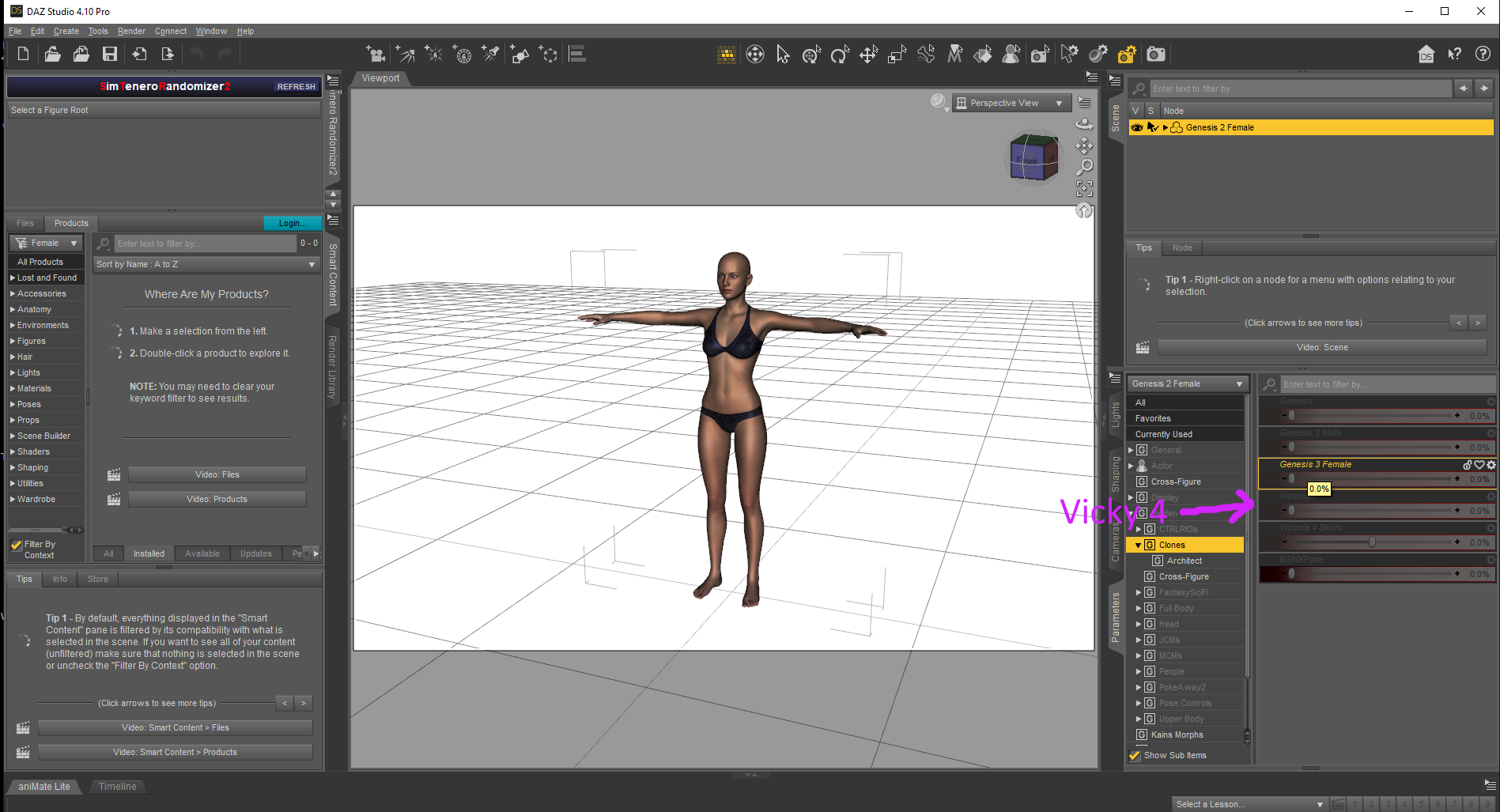
I often use that Carrara Plugin that they have to give away to convert clothing using clones !
Genesis 3 Female for Genesis 2 Female(s) - https://www.daz3d.com/genesis-3-female-for-genesis-2-female-s
Genesis 3 Male for Genesis 2 Male(s) - https://www.daz3d.com/genesis-3-male-for-genesis-2-male-s
Wear Them All - Autofitting Clones and Clothing Smoothers for Genesis 3 Female(s) - https://www.daz3d.com/wear-them-all-autofitting-clones-and-clothing-smoothers-for-genesis-3-female-s
Wear Them All - Autofitting Clones and Clothing Smoothers for Genesis 3 Male(s) - https://www.daz3d.com/wear-them-all-autofitting-clones-and-clothing-smoothers-for-genesis-3-male-s
Victoria 4 for Genesis 2 Female - https://www.daz3d.com/victoria-4-for-genesis-2-female
Not clones but in DAZ Studio you can morph away
Generation 4 Legacy Shapes for Genesis 2 Female(s) - https://www.daz3d.com/generation-4-legacy-shapes-for-genesis-2-female
Generation 4 Legacy Shapes for Genesis 2 Male(s) - https://www.daz3d.com/generation-4-legacy-shapes-for-genesis-2-male
Daz 3D is part of

Connect
DAZ Productions, Inc.
7533 S Center View Ct #4664
West Jordan, UT 84084Licensing Agreement | Terms of Service | Privacy Policy | EULA
© 2026 Daz Productions Inc. All Rights Reserved.