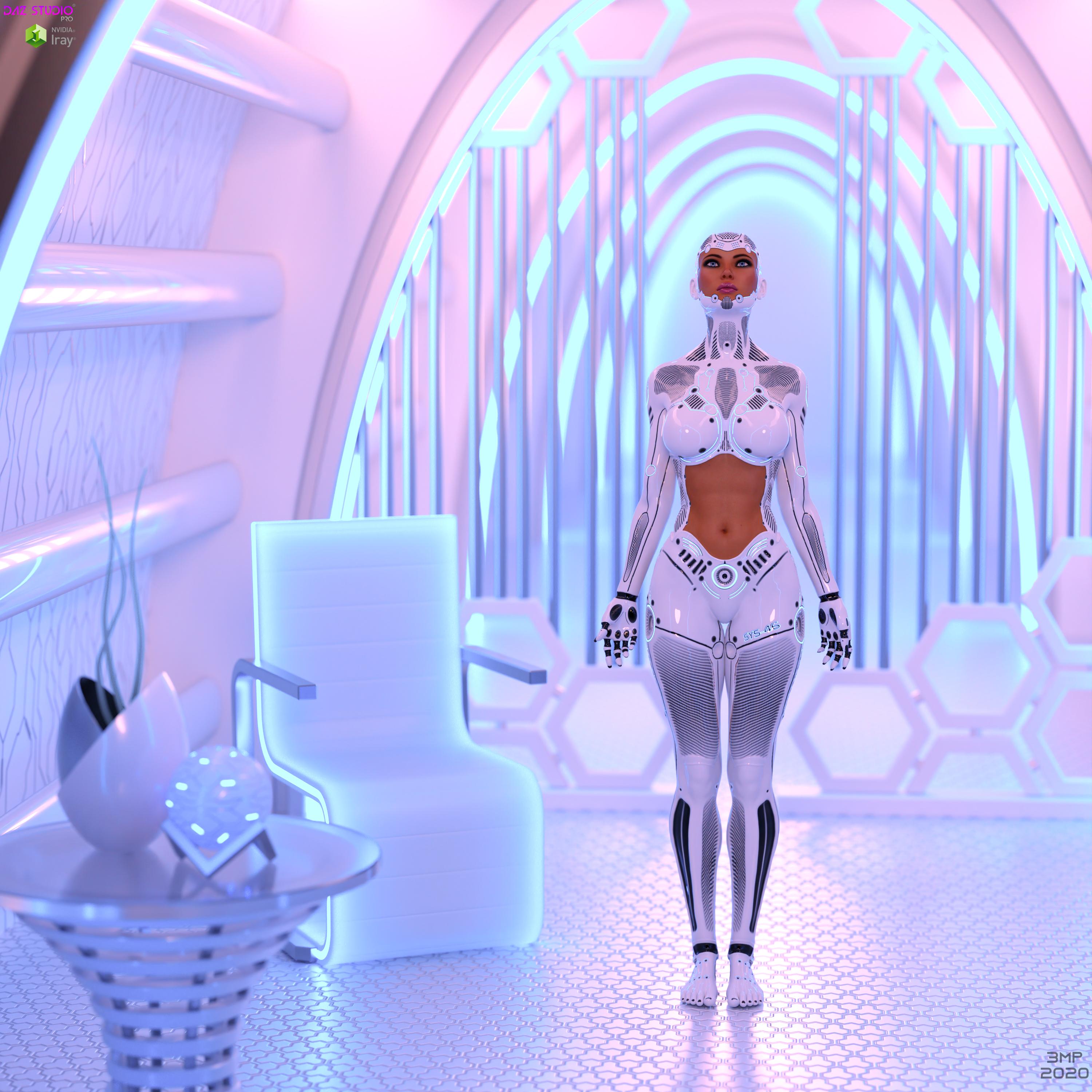
-
Genesis 8 takes forever to load...
Ok just to clearify. The Genesis8 [\Data\Daz 3D\Genesis 8\[Gender]\Morphs\] Morph Folder was changed to Morphs Backup. From there I just made a new empty folder called Morphs in the same directory.
In the Morphs Back up folder I grabbed 10 folders and added them back to the empty Morph folders until I found my duplicate formula errors folders. Solving my Duplicate Errors problem. I had only 200 folders to add back, at 10 at a time it didn't really take that long. Except for the Creeping load time G8 Starter took to load as more folders were added back. Everytime 10 folders were added I started G8 starter to see if the error popped up. When it popped up in a folder of 10 I just removed those 10 and added 1 folder at a time till I found the problem. Then I added all the rest and the error popped up again that's how I found the second troublemaker.
When all were done I moved all the morph folders (except Daz 3D folder) back to the morph backup folder and loaded my custom characters.
My custom G8 characters when I load them and morphs are missing for them I just go back into the Morphs Backup folder and add them as needed. The error popup tells me which folder is needed as the character is loaded. Not a problem there.
Thanks for the info on Briallen HD for Alexandra 8 but I'm not going to bother reinstalling it because I have to remove characters I don't use to speed up my G8 loading times so I'm not even bothering with her.
I use Configurtion Manager Trace Log Tool from microsoft. Here an example of G8 loading error I get and have no clue how to fix.
2020-07-05 09:40:47.297 WARNING: ..\..\..\..\..\src\sdksource\fileinput\dzassetdaz.cpp(6681): Could not find target property for formula: Genesis8Female:/data/DAZ%203D/Genesis%208/Female/Morphs/DAZ%203D/Victoria%207/FBMVictoria7.dsf#FBMVictoria7_v1?value in file : /data/DAZ%203D/Genesis%208/Female/Morphs/Xameva_and_Meipe/XandM_UltimateBreastMorphs/XandM_V7_ShoulderCor2_R.dsf
I know it's XanM Ultimate Breast Morphs but this is suppose to be a Genesis 3 item why is is coming up as an error for Genesis 8 I have no clue. I also see the Auto Face Enhancer coming up as an error so I removed it from my Daz. I liked AFE but I didn't use it often so I'm not going to bother with it right now.
Just did a new experiment. I took one of my Genesis 3 characters and saved a pose. Then I took my genesis 8 character and loaded the genesis 3 pose, it took less then 1 minute to load the pose.
I took one of my saved Genesis 8 pose and loaded it onto a Genesis 3 character took less than one second to load. The same pose took 6 minutes to load on the Genesis 8 character.
So now I know I ain't crazy. There's something going wrong here?? My Genesis 8 loads Genesis 3 poses that I save fast, not as fast as when the Genesis 3 loads the pose but 50 times faster than loading it's Genesis 8 pose.
There's some kind of issue with saving Genesis 8 poses and using them on Genesis 8 characters.
When you save a pose it saves all the morphs that are activated during the last save. Try loading the pose and then saving it again, this may solve the problem. My old characters that I created before I started moving morphs come up with errors when first loaded. I just save them again and they are good. As for the drive issue, I think the usb might be the problem. Are both of the usb ports 3.0?
@RD2ART this isn't an issue of missing morphs. This is the problem that made me start this thread in the first place. The morphs aren't missing the Pose for Genesis 8 just take dirt long to load when I use a saved pose on a Genesis 8 character.
The Steps that I did before were I find a pose in Smart Content I apply it to Genesis 8 which takes a few seconds to load. Then I save the Pose in the Presets folder in a pose directory I made there. If I then go load that pose on to Genesis 8 again it take a S#IT long time to load the pose sometimes as long as 45mins. But if I load it on a Genesis 3 character it take 2 seconds. If I save a Genesis 3 Pose the same way and load it on a Genesis 8 it loads in less than a minute or two. If I use the same Genesis 8 pose on a Genesis 3 character it loads in seconds.
The Problem has to do with Genesis 8 "Saved" Pose on Genesis 8 characters after it's saved.
@brvsn I don't really want to use my Favorites menu for poses because I save lots of poses and I can imagine my menu when over 200 poses I like is saved there. Also I don't think there's a preview to see what the poses look like. Also I can't groups poses to each individual character I use for specified poses, and so on and so on. See where I'm going...
I use Favorites for things like Pose Resets and Bone Transfers from different generations ie: Genesis 3 pose for Genesis 8 transfer etc. and Other important utilities that I might need to use everyday. Can't use favorites for anything else.
I would report more but I saw there was an update to Daz Studio in DIM and when I installed it, it installed in a different directory than my old version so I have to uninstall my Daz and reinstall it back into my old directory. Stupid program....
"There's Always Another Sale™" (Report sales issue here.)FE decoration backgrounds are indeed not available in the store anymore.
Jepe's Art Deco statuettes are still there though:
https://www.daz3d.com/jepes-art-deco-statuettes-ii-for-victoria-8
https://www.daz3d.com/jepes-art-deco-statuettes-for-victoria-8
"There's Always Another Sale™" (Report sales issue here.)A little over a week ago (June 26) I had put Rarestone's FE Decoration Background Vol 2, FE Decoration Background Vol 1 on a cart spreadsheet to get later- and now it is nowhere to be found. What happened? Am I having computer problems or are they MIA? Also I was looking for Jepe's Jepe's Art Deco Statuettes III for Victoria 8, but noticed that Jepe's Art Deco Statuettes II & Art Deco Statuettes I are gone - did one and two get combined to the Statuettes 3?
After 20+ years...I've encountered one huge problem with the search function in DIM. You can't search for all Genesis products. It will only find items with the word "Genesis" in the name. I've worked around it by searching for "5, 6, 7, 8," This will catch Victoria 5, Michael 6, etc. Unfortunately you also get anything with that number in the name.
there's a default filter however.. can't say if it works for you.. It's "Filter by Name ---> Daz 3D Figures" - all main generations are there..
Oh my goodness, I didn't know of this function! Clicking the little spyglass icon opens up a ton of search parameters! Very cool - thank you!
Inserting the usual rant about the complete lack of decent documentation for DAZ products here - rant, rant! snort! ##@^%!!!!!!!!!!!!!!!
Okay, I'm done.
 Novica & Forum Members Tips & Product Reviews Pt 13
@memcneil70 Thanks for showing those. Here's BD Roula (V8), who also had "bad" teeth but I used the Subsurface Workshop natural wax again. That's Rose Hair (G3F / G8F) I'm not linking it as not showing much of the outfit, but that's Adventure Outfit (if you like the gloves)
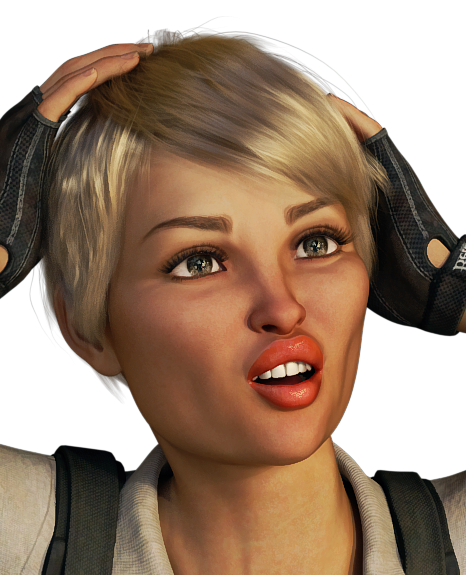 Show Us Your Iray Renders. Part VII[Released] RSSY Clothing Converter from Generation 4 to Genesis 3 [Commercial]
First, sorry for my english level. I'm trying to convert moroccan dreams (michael 4 and victoria 4) and i got only errors. Thanks for your help.
14:34:46 GMT+0200 (Hora de verano romance): WARNING: Forcing Conversion of Clothing Items
14:34:46 GMT+0200 (Hora de verano romance): Executing Script
14:34:46 GMT+0200 (Hora de verano romance): Selecting Preset: D:/DAZ3D/My DAZ 3D Library/Runtime/Libraries/Character/MoroccanDreams/M4MrDDjelaba.cr2
14:34:46 GMT+0200 (Hora de verano romance): Input Filename does not have "clothing" in its path: D:/DAZ3D/My DAZ 3D Library/Runtime/Libraries/Character/MoroccanDreams/M4MrDDjelaba.cr2
14:34:46 GMT+0200 (Hora de verano romance): Input Filename does not have "accessories" in its path: D:/DAZ3D/My DAZ 3D Library/Runtime/Libraries/Character/MoroccanDreams/M4MrDDjelaba.cr2
14:34:46 GMT+0200 (Hora de verano romance): Found alternate root directory "Character"
14:34:46 GMT+0200 (Hora de verano romance): Converting clothing from D:/DAZ3D/My DAZ 3D Library/Runtime/Libraries/Character/MoroccanDreams/M4MrDDjelaba.cr2 to D:/DAZ3D/My DAZ 3D Library/People/Genesis 3 Male/Clothing/M4toG3/MorrocanDreams/MoroccanDreams/M4MrDDjelaba.duf
14:34:51 GMT+0200 (Hora de verano romance): Could not set conversion morph
14:34:52 GMT+0200 (Hora de verano romance): Execution Cancelled.
14:34:52 GMT+0200 (Hora de verano romance): Execution Complete.
LGBTQ* content appreciation thread!The promos for the transgender shapes really highlight the absurdity of society's double standard about showing breasts.
Well, we could ask Daz to implement the no-no for showing male breasts, just to be "equal" of course. It would start a whole new line of clothing for male characters. Victoria's Public Carnal Knowledge brings us Chesterton Bras for the brahs! A through FFS cups for the feminine man and A through FFS pectangles for the masculine man!
Indeed, it is absurd how we choose the quixotic over the pragmatic.
[Released] Character Converter from Genesis 3 Female to Genesis 8 Female(Now Conv JCMs) [Commercial]Ack! Somehow this testing changed the default load-out for G3F. Now every character I open comes with Taurette dialed in.
I am having this same problem, except they will open dialed in to whatever character I last converted.
Any fix for this?
I never heard back from @thistledownsname. I do not have Taurette. My guess is that converting Taurette creates a generically named morph that is pulled in. I would check what morphs were created when converting Taurette and try deleting them ALL first (to see if it is truly something that happened because of using the character converter) and then moving them back in one-by-one to find the problem morph.
Thank you for getting back to me.
Im sorry I did not mention that I was not using Taurette. I have tried it with Bethany 7, Victoria 7, Karen 7, and Adele for Genesis 3 Female as well as some Rendo characters.
I have tried deleting the morphs, and the first character converted works fine,Bbut then the next convrsions will load with the previous character`s morphs.
Hmmm. I would need to see a log of the first and second conversion. Also, are you using the latest? A new version came out last month.
Thank you again for your reply.
I think I may have the latest version as I purchased and installed on June 26th, just a few days ago.
I also think that I may have figured it out. After the conversion process, I was just closing the script without saving.
Now after clicking on the save button after conversion, they all seem to load with the correct morphs.
The only problem I have now is what some folks are experiencing with the eyes being distorted in shape with some characters.
Thanks again for your reply.
Were you using the Custom Scene Character conversion script? If so, yes, you need to save the character. The MORPHS have been saved, but the custom character will not be without you saving it explicitly.
No I did not get to using the Custom Scene Character conversion script yet. At this time, I don`t think i`ll need to use it. I was just using standard character conversion.
Im happy that it`s working and serving my needs.
Thank you
Great! You're welcome!
[Released] Character Converter from Genesis 3 Female to Genesis 8 Female(Now Conv JCMs) [Commercial]Ack! Somehow this testing changed the default load-out for G3F. Now every character I open comes with Taurette dialed in.
I am having this same problem, except they will open dialed in to whatever character I last converted.
Any fix for this?
I never heard back from @thistledownsname. I do not have Taurette. My guess is that converting Taurette creates a generically named morph that is pulled in. I would check what morphs were created when converting Taurette and try deleting them ALL first (to see if it is truly something that happened because of using the character converter) and then moving them back in one-by-one to find the problem morph.
Thank you for getting back to me.
Im sorry I did not mention that I was not using Taurette. I have tried it with Bethany 7, Victoria 7, Karen 7, and Adele for Genesis 3 Female as well as some Rendo characters.
I have tried deleting the morphs, and the first character converted works fine,Bbut then the next convrsions will load with the previous character`s morphs.
Hmmm. I would need to see a log of the first and second conversion. Also, are you using the latest? A new version came out last month.
Thank you again for your reply.
I think I may have the latest version as I purchased and installed on June 26th, just a few days ago.
I also think that I may have figured it out. After the conversion process, I was just closing the script without saving.
Now after clicking on the save button after conversion, they all seem to load with the correct morphs.
The only problem I have now is what some folks are experiencing with the eyes being distorted in shape with some characters.
Thanks again for your reply.
Were you using the Custom Scene Character conversion script? If so, yes, you need to save the character. The MORPHS have been saved, but the custom character will not be without you saving it explicitly.
No I did not get to using the Custom Scene Character conversion script yet. At this time, I don`t think i`ll need to use it. I was just using standard character conversion.
Im happy that it`s working and serving my needs.
Thank you
Transgender morphsI was wondering, if there is anything at all for G2F (Victoria 6) in particular, so that I can create masculine features. After looking through other threads, it seems that it would be possible with either V5 or M5, is that true?
I've been stuck with Victoria 4 for a few years, but hoping to move on with subsequent base models and create unique lgbt characters.
Thanks.
A little behind, just checkingHello, its been a while since I've been on here, about a few years.
Until recently, I was seeing what the situation is, with DSON importer and Poser (I have version 10), with regards to using Genesis figures, especially the Victoria base figures.
So anyway, am I right in thinking that I can use G3 content only on Daz Studio (I have 4.9), with the DSON importer add on in the program? Plus anything up to G2 with Poser?
Thanks.
Pose presents ruin the body completelyHi,
I have been tweaking the face of gen 8 female on Blender, export/import was successful and works fine. Then I tried to do the same for the body, it ruins the body when assigning poses. But for the body, I did this before exporting the obj - So what I had done is export base res. Victoria 8 body (no eyelashes), worked on it on Blender and imported on Daz. The morph loader worked fine. But poses morphed it.
Then I thought ok, maybe I'll export victoria 8 body base res., won't edit it nor open it in blender, just export and quick import back and see what happens. Morph loader worked fine, but again, when assigning poses, it twists the hands and fingers into weird tentacles. Is there something I'm missing when exporting the obj? I'm attaching the pictures.
Thanks so much!
Novica & Forum Members Tips & Product Reviews Pt 13I'm having internet issues, my computer is just freezing up over and over again, not able to handle more than a couple programs running at a time :( I already had the internet company reset the modum last week so pretty sure it's on their end again. But I did BD London (V8) with L'Adairs SubSurface wax shader, and tweaked just a little. MUCH better than the dirty teeth she comes with. Thanks everyone for showing the ones you have, and testing them.
Another thing annoying me- in the Content Library, some of the files are BD (whatever) and some are BD_(whatever) so they aren't in alphabetical order. I'm having to use my product library to try and do the B's. And there's one in the characters avatars labeled BD (whatever) and it's not the product name, it's just (whatever) for Another Character. (Just checked, it was Lois for Kala 8 but it's BD Lois in the avatars for Characters. Aaargh.
I think that was Apex Hair. I had to shut down the studio as the save just wasn't taking.
 [Released] Character Converter from Genesis 3 Female to Genesis 8 Female(Now Conv JCMs) [Commercial]
Ack! Somehow this testing changed the default load-out for G3F. Now every character I open comes with Taurette dialed in.
I am having this same problem, except they will open dialed in to whatever character I last converted.
Any fix for this?
I never heard back from @thistledownsname. I do not have Taurette. My guess is that converting Taurette creates a generically named morph that is pulled in. I would check what morphs were created when converting Taurette and try deleting them ALL first (to see if it is truly something that happened because of using the character converter) and then moving them back in one-by-one to find the problem morph.
Thank you for getting back to me.
Im sorry I did not mention that I was not using Taurette. I have tried it with Bethany 7, Victoria 7, Karen 7, and Adele for Genesis 3 Female as well as some Rendo characters.
I have tried deleting the morphs, and the first character converted works fine,Bbut then the next convrsions will load with the previous character`s morphs.
Hmmm. I would need to see a log of the first and second conversion. Also, are you using the latest? A new version came out last month.
Thank you again for your reply.
I think I may have the latest version as I purchased and installed on June 26th, just a few days ago.
I also think that I may have figured it out. After the conversion process, I was just closing the script without saving.
Now after clicking on the save button after conversion, they all seem to load with the correct morphs.
The only problem I have now is what some folks are experiencing with the eyes being distorted in shape with some characters.
Thanks again for your reply.
Were you using the Custom Scene Character conversion script? If so, yes, you need to save the character. The MORPHS have been saved, but the custom character will not be without you saving it explicitly.
[Released] Character Converter from Genesis 3 Female to Genesis 8 Female(Now Conv JCMs) [Commercial]Ack! Somehow this testing changed the default load-out for G3F. Now every character I open comes with Taurette dialed in.
I am having this same problem, except they will open dialed in to whatever character I last converted.
Any fix for this?
I never heard back from @thistledownsname. I do not have Taurette. My guess is that converting Taurette creates a generically named morph that is pulled in. I would check what morphs were created when converting Taurette and try deleting them ALL first (to see if it is truly something that happened because of using the character converter) and then moving them back in one-by-one to find the problem morph.
Thank you for getting back to me.
Im sorry I did not mention that I was not using Taurette. I have tried it with Bethany 7, Victoria 7, Karen 7, and Adele for Genesis 3 Female as well as some Rendo characters.
I have tried deleting the morphs, and the first character converted works fine,Bbut then the next convrsions will load with the previous character`s morphs.
Hmmm. I would need to see a log of the first and second conversion. Also, are you using the latest? A new version came out last month.
Thank you again for your reply.
I think I may have the latest version as I purchased and installed on June 26th, just a few days ago.
I also think that I may have figured it out. After the conversion process, I was just closing the script without saving.
Now after clicking on the save button after conversion, they all seem to load with the correct morphs.
The only problem I have now is what some folks are experiencing with the eyes being distorted in shape with some characters.
Thanks again for your reply.
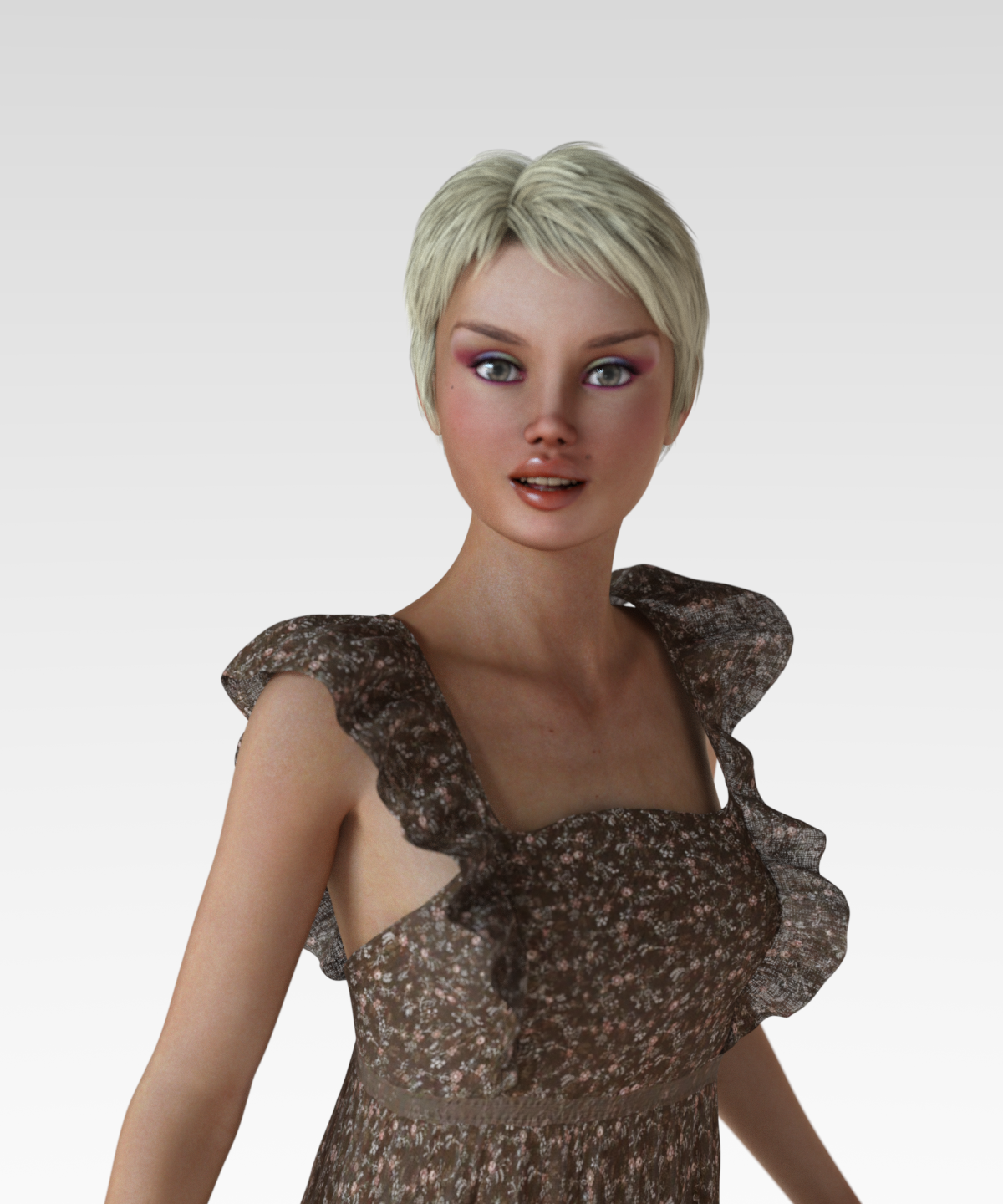
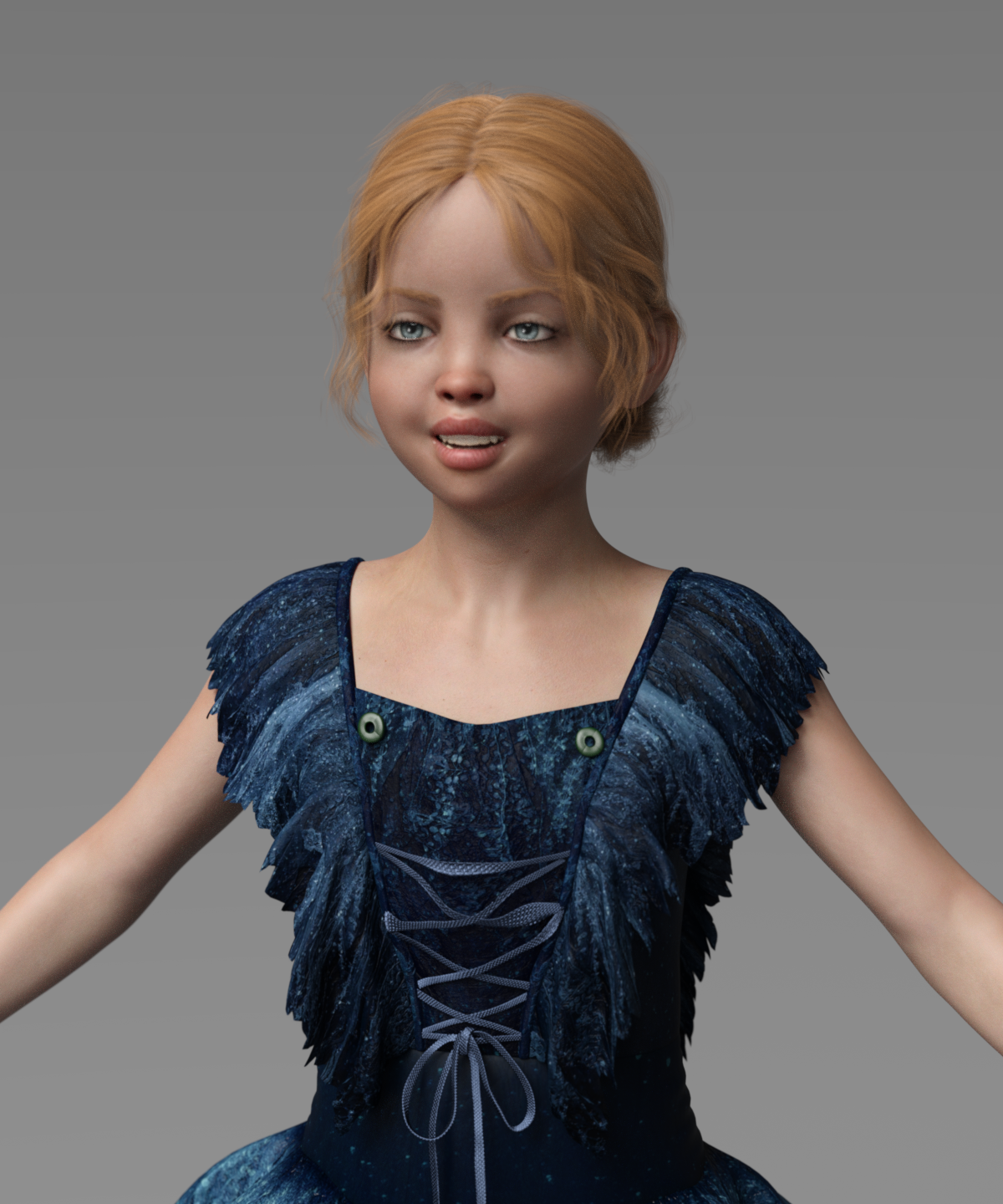
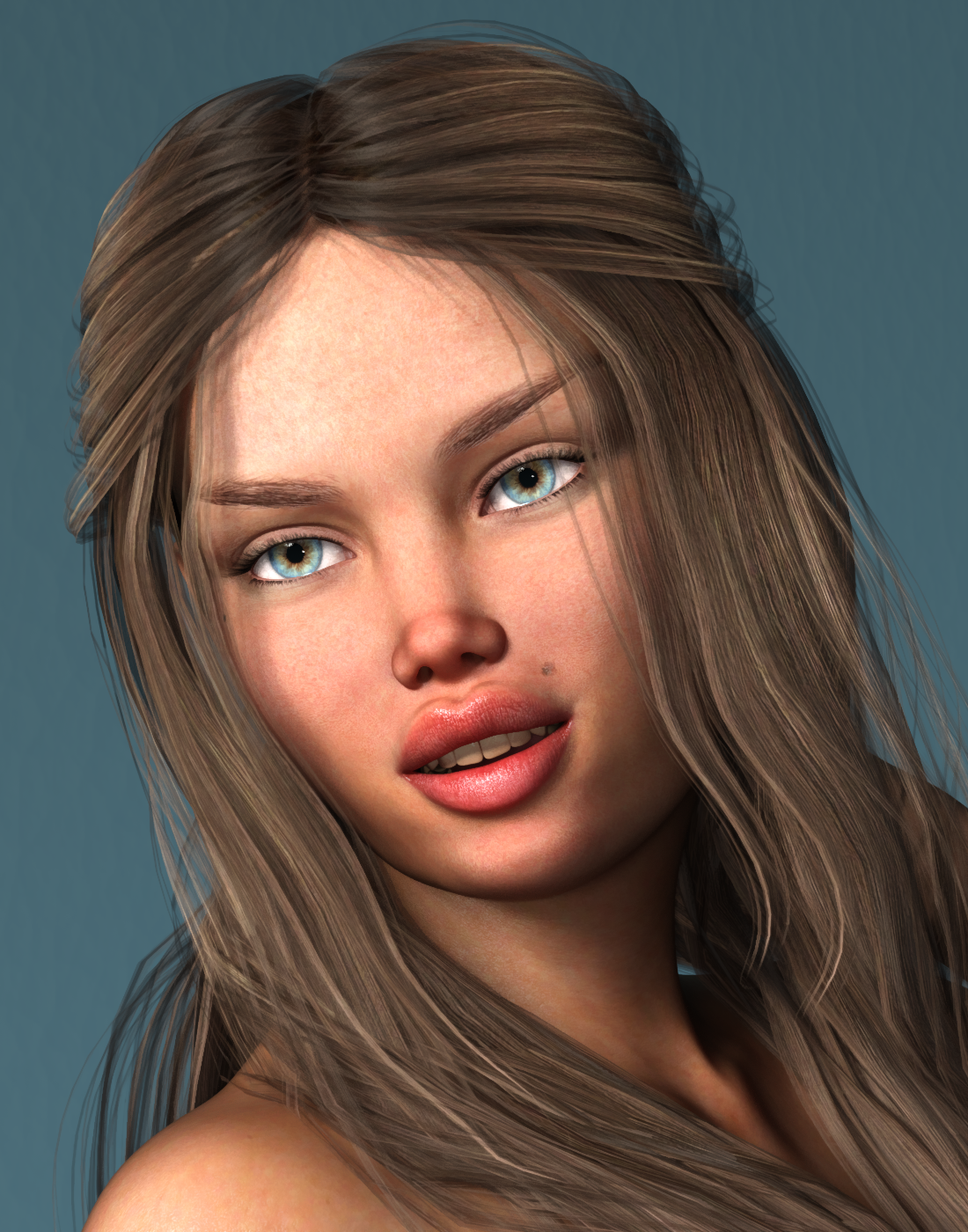
Novica & Forum Members Tips & Product Reviews Pt 13So here are the first four characters:
BD Bronte for The Girl 8 - yellow teeth
BD Corsen for Victoria 8 - teeth okay
BD Jayde for Teen Josie 8 - teeth okay
BD Willow for G8F - too white, solid (I didn't dig into this, but I tried 3 or 4 eye colors and only the default one appears in the render, no change.)I did not try to adjust the teeth color. I did my best to pose them to be visible. A child with a big smile is a scary thing.
Mary
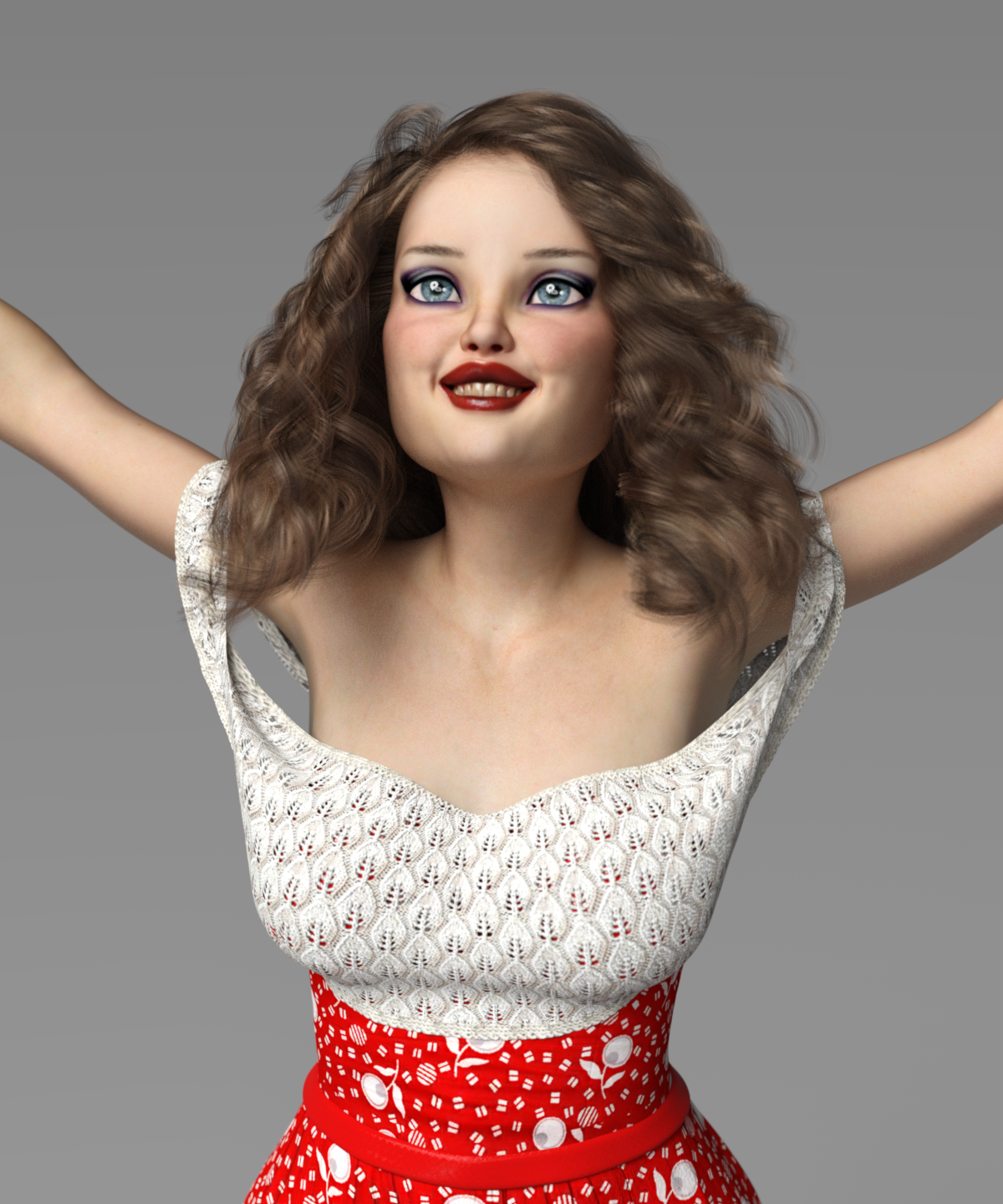
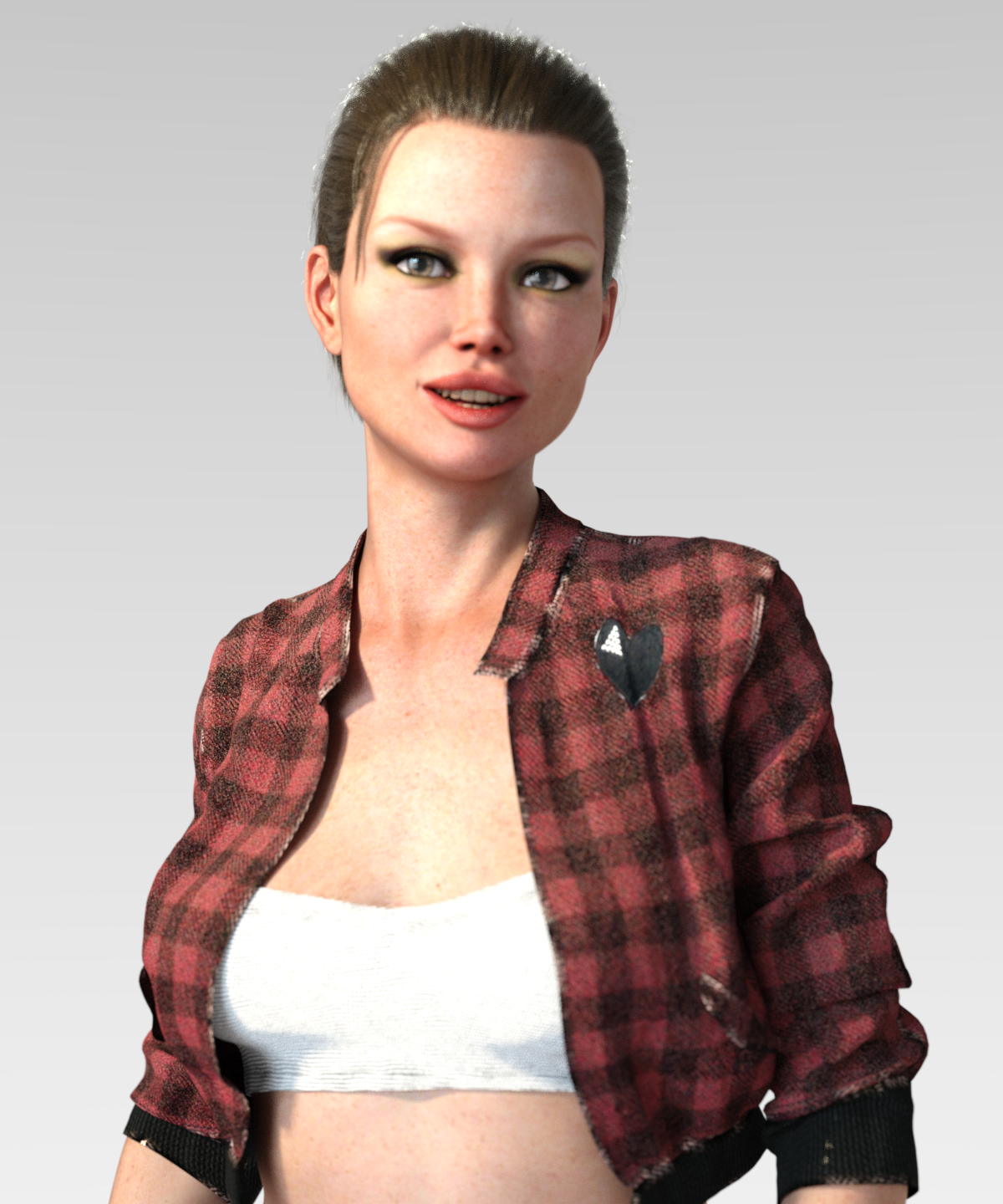
 Novica & Forum Members Tips & Product Reviews Pt 13
I am finding the BD gals have horrid teeth. I've tested under multiple lights. Even changing things to white doesn't seem to have much impact. (Original surface settings are greens and blues!) How do you substitute in someone else's teeth?
Take a look at Jaiyana's teeth (also a BD gal) and Lenore. Also shown is Jayde.
Jaiyana is with whitening and changes in multiple surfaces. They still look yukky.
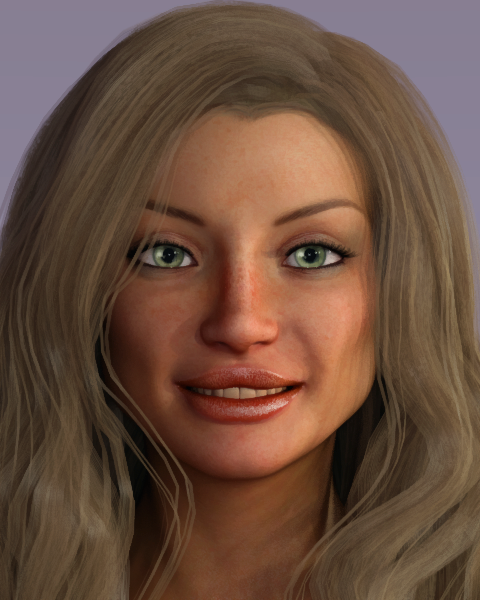
There are no words for Lenore. Can someone double check her to see if my studio just loaded something wrong? This is the default materials. I did it three times, from scratch, different lighting. And these are lights I use all the time, it's NOT the lights.
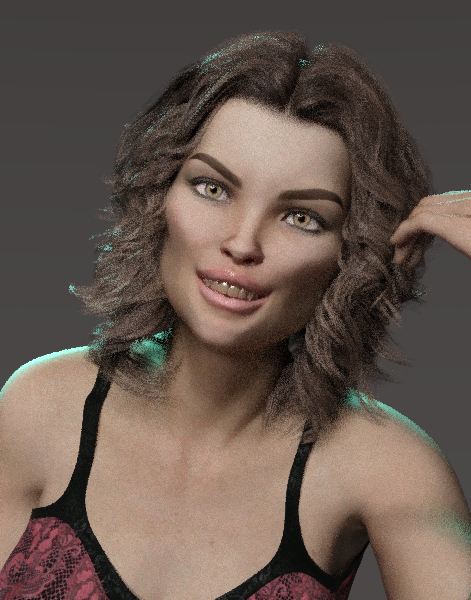
I lightened Jayde's too but they weren't as bad IIRC.
 [Released] Character Converter from Genesis 3 Female to Genesis 8 Female(Now Conv JCMs) [Commercial]
Ack! Somehow this testing changed the default load-out for G3F. Now every character I open comes with Taurette dialed in.
I am having this same problem, except they will open dialed in to whatever character I last converted.
Any fix for this?
I never heard back from @thistledownsname. I do not have Taurette. My guess is that converting Taurette creates a generically named morph that is pulled in. I would check what morphs were created when converting Taurette and try deleting them ALL first (to see if it is truly something that happened because of using the character converter) and then moving them back in one-by-one to find the problem morph.
Thank you for getting back to me.
Im sorry I did not mention that I was not using Taurette. I have tried it with Bethany 7, Victoria 7, Karen 7, and Adele for Genesis 3 Female as well as some Rendo characters.
I have tried deleting the morphs, and the first character converted works fine,Bbut then the next convrsions will load with the previous character`s morphs.
Hmmm. I would need to see a log of the first and second conversion. Also, are you using the latest? A new version came out last month.
[Released] Character Converter from Genesis 3 Female to Genesis 8 Female(Now Conv JCMs) [Commercial]Ack! Somehow this testing changed the default load-out for G3F. Now every character I open comes with Taurette dialed in.
I am having this same problem, except they will open dialed in to whatever character I last converted.
Any fix for this?
I never heard back from @thistledownsname. I do not have Taurette. My guess is that converting Taurette creates a generically named morph that is pulled in. I would check what morphs were created when converting Taurette and try deleting them ALL first (to see if it is truly something that happened because of using the character converter) and then moving them back in one-by-one to find the problem morph.
Thank you for getting back to me.
Im sorry I did not mention that I was not using Taurette. I have tried it with Bethany 7, Victoria 7, Karen 7, and Adele for Genesis 3 Female as well as some Rendo characters.
I have tried deleting the morphs, and the first character converted works fine,Bbut then the next convrsions will load with the previous character`s morphs.
Daz 3D is part of

Connect
DAZ Productions, Inc.
7533 S Center View Ct #4664
West Jordan, UT 84084Licensing Agreement | Terms of Service | Privacy Policy | EULA
© 2026 Daz Productions Inc. All Rights Reserved.