-
Best way to manage Meta-data + Thumbnails? (Generic Thumbnails?)
The King's Magister Outfit, Black Long Dress Outfit, the Iconic Style Outfit also were missing their individual thumbnails. Soiree Styles for Verse Clothing Sets, I had to copy from the metadata name for the thumbnail to work, it is one where it looked like the hyphen was extra long in the .dsx file or something. But there have been many individual items and characters that have been released where there has been a difference in the name of the .jpg from the .dsx file that keeps it from working or the .jpg is missing or is ignored.
I don't bother to submit reports to Daz on these, there are just too many of them. And I am used to creating them for the older files which often don't have them either.
LogTemp: Warning: DazToUnreal: ERROR: Unable to parse DTUDTU FIle content:
{
"DTU Version" : 4,
"Asset Name" : "Genesis8Male",
"Import Name" : "Genesis8Male",
"Asset Type" : "Animation",
"Use Experimental Animation Transfer" : false,
"Asset Id" : "Genesis8Male",
"Content Type" : "Actor/Character",
"FBX File" : "/Users/liuyu/Documents/DazToUnreal/Genesis8Male/Genesis8Male.fbx",
"Base FBX File" : "/Users/liuyu/Documents/DazToUnreal/Genesis8Male/Genesis8Male_base.fbx",
"HD FBX File" : "/Users/liuyu/Documents/DazToUnreal/Genesis8Male/Genesis8Male_HD.fbx",
"Import Folder" : "/Users/liuyu/Documents/DazToUnreal/Genesis8Male/",
"Product Name" : "",
"Product Component Name" : "",
"Materials" : [
{
"Version" : 4,
"Asset Name" : "Genesis8Male",
"Asset Label" : "Genesis 8 Male",
"Material Name" : "Face",
"Material Type" : "Iray Uber",
"Value" : "Actor/Character",
"Properties" : [
{
"Name" : "Asset Type",
"Label" : "Asset Type",
"Value" : "Actor/Character",
"Data Type" : "String",
"Texture" : ""
},
{
"Name" : "UV Set",
"Label" : "UV Set",
"Value" : 0,
"Data Type" : "Double",
"Texture" : ""
},
{
"Name" : "Smooth On",
"Label" : "Smooth",
"Value" : 1,
"Data Type" : "Double",
"Texture" : ""
},
{
"Name" : "Smooth Angle",
"Label" : "Angle",
"Value" : 89.9,
"Data Type" : "Double",
"Texture" : ""
},
{
"Name" : "Line Preview Color",
"Label" : "Line Preview Color",
"Value" : "#000000",
"Data Type" : "Color",
"Texture" : ""
},
{
"Name" : "Line Start Width",
"Label" : "Line Start Width (mm)",
"Value" : 0.1,
"Data Type" : "Double",
"Texture" : ""
},
{
"Name" : "Line End Width",
"Label" : "Line End Width (mm)",
"Value" : 0.1,
"Data Type" : "Double",
"Texture" : ""
},
......
A problemI haven't had such bug because I don't use DTU to import characters into UE5 because it messes the bones and animations. The games that used Daz characters all use some Blender plugins to modify them before importing into game engines. I knew this when modding games and peeped into the methods they used.
DTU is best used to collect textures to UE5, the IrayUberSkinMaterial and IrayUberParameters can be improved to use with both G8 and G8.1 textures and give decent results, add the detail normal maps to mix with normal maps, and correctly mask the subsurface color if using the subsurface shading model.
Poses are not reflected correctly in Daz to BlenderExcuse me for the question.
I'm using Daz to Blender, but when I import from Daz to Blender, the figure's hands become long like an alien. The shoulder width is also not properly reproduced.
Is there a problem with the pose setting on the Daz side?
Anyone know a solution?Best /quickest way to duplicate old Daz install in new (Windows) machine...?Hi there! You can transfer your assets from an old machine to a new machine easy enough.
On your old one, go to Smart Content -> Content DB Maintenance and export your metadata (to save any category customisations you may have made). This will export an extra file in your primary Product Library.
Then copy your Daz Studio Base directory(ies) to your new machine in their entirity and add the copied base directory as a base directory on the new install. Then go back into Smart Content -> Content DB Maintenance on the new install and check "Process Metadata" and "Import Metadata" - this will then scan through all your base directories and read the config files. In the next dialog it is safe to leave everything checked and then click the button to start the import. Depending on your hardware and amount of assets this will take several minutes.
When that is finished you should have all your old assets on your new install. In DIM if you update the config to include the new base directory it should now also show that everything is installed on the next re-launch.
EDIT: Just re-read and noticed that you wanted to use an external drive instead of copying the files directly to the new computer. The process is the same anyway tho as the shared drive will just be the base directory that you add to the new copy of Daz Studio and DIM.
Best way to manage Meta-data + Thumbnails? (Generic Thumbnails?)Not sure but I had to make my own thumbnails and install them. I now have a folder in Google Docs to transfer thumbnails between my computers because it is easy to make them on my Win 10 computer with Paint, but a nightmare on the Apple computer. There are a lot of those broken up wardrobe and sets that came out that way. Drives me nuts.
I bring up Runtime/Support and copy the name of the .dse file to name the image. But I have found for a few problamatic ones, I need to go into D|S, and find open the metadata and copy data there, to get the correct file name for the image. Especially if there is an accent mark or something.
And one new male outfit, is just missing the last 's' on the name.
(This is off the top of my head as I sit at the computer without D|S on it.)
Diffeomorphic 1.6.2 and Gen 9 HDWhen I try to import a HD export into blender with version 1.6.2.
I only imports the base mesh and a HD mesh, no tetxures no addon such as hair etc.
If import a standard export the texture and hair import with it.
I'm confused and my of set up wrong.
Here's the error message and screen shot.
My Daz Library is on an external drive (E:/My DAZ 3D Library)
Any help would be great
CheersHey, guys, I want to ask you some questions about dazRichard Haseltine said:
To repeat, there is no Daz Studio 4.2 - version numbers are not decimal numbers, the full version is four integers separated by dots. I don't know what you are doing to want to merge a figure, and I don't recall that command's ever being available.
Which is being changed by the wrapping? If you make the imported, base resolution, no add-ons Genesis 8 figure have the same shape as the Blender model then you can export it as OBJ and load it through Edit>Figure>Morph Loader Pro - this requires having the option to preserve vertex order set in Blender on import and export, and you need to make sure you are using the same preset in the Daz Studio export and import dialogues. This will give you a morph that will make the rigged Genesis 8 figure match the Blender item's shape, though you will probably then need to use Edit>Figure>Rigging>Adjust Rigging To Shape to get good posing.
Alternatively, if you are making the shape of the Blender figure match the shape of the Genesis 8 figure then you could import the OBJ of the Blender figure and use Edit>Object>Transfer Utility, set the Source figure to Genesis 8, set the Target to the imported OBJ, and click Accept to get a version of the Blender figure that posed like Genesis 8. That would then be likely to need a lot of adjustments and morphs to make it usable, and because it used the Genesis 8 rigging it could not be shared as a stand-alone figure (the Transfer Utility is there for creating add-on like clothes).
ok thank you
(SOLVED) Filament (PBR) doesn't work or somethingWell, I wanted to try the option "Filament (PBR)" in the Viewport and when I select it, the figure that I import into the scene turns all gray. I have seen some videos and I see that this does not happen to others.
What could be the problem?
I attach images of the problem, btwThanks for the attention.
EDIT: If anyone is experiencing this same error, try turning the "Hardware Anti-Aliasing" option to "Off". That was the solution for me.
I attached image of the solution, btw.Powerage Vintage Projector??? QC failinception8 said:
maikdecker said:
inception8 said:
I have no idea what product you're specifically describing but maybe that's liberty gone too far perhaps. I dunno.However the Vikings did travel around alot did they not. I'm almost certain they made it to the Mediterranean which is or was a hub. You can find lots of things in a hub. And that's how I easily explained how a Japanese sword made it's way into a Viking village. Ya know making stuff up is fun because it might be true. But I will tell you what makes me cringe is one of the 'Vikings' in the 13th Warrior with the stupid 'celtic knot' tattoo across his nose. Now that is an example of Hollywood.
I made that "example" up, to not single out any real product and shame any PA. I thought when using something as abstruse as possible it would be obvious that is wasn't a real product. Alas, by your explanation it seems that people might even manage to find some "explanation" for utterly impossible things. The vikings really had trade relations with the far east, by Byzantium. Alas, that wasn't an "easy way" to import stuff from Japan to Scandinavia. And considering the differences of fighting style from Japan and northern Europe, they wouldn't have been much inclined to use such an unusual weapon. So making up a plot to see such a weapon find it's way into the hands of a viking to wield it borders "Highlander" territory... so yeah, pure Hollywood.. as about 90% of the "Viking" stuff offered in Dazland.
You can't blame me for trying. Also just because someone has a sword doesn't mean they used it. A collectable or perhaps a gift. And it's not to say that someone even just one person can't learn how to use a weapon outside of their own culture while also living amongst other cultures. Look what happens when Vikings then became the Normans. Changes everything when you understand that it happened. The Normans were firstly former Vikings who were then exposed to Western Europe who then beat the Anglo-Saxons. Norman castles were then everywhere. I don't think Viking culture was as taboo as other cultures.
A different family of Normans also conquered Sicily and the Kingdom of Naples
Prop Creation in 3DS Max - Best Practicesvectorinus said:
First you create some object in any 3d application. Then export it to obj format. Launch Daz Studio and import this object into the program. Details (for Blender) here:
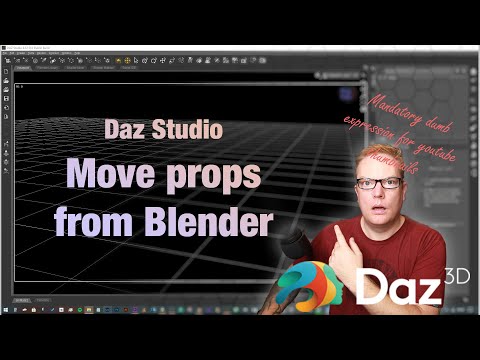
Your prop is in the Daz Studio now. Morphs for it are created in the same 3D application (the object is morphed by the tools of your program). Then the morphed object is also exported to obj file.
But now you don't import the object into Daz Studio as usual. You have to transfer it using the Morph Loader Pro plugin (with your prop active in the scene, of course). Details at the end of this video:
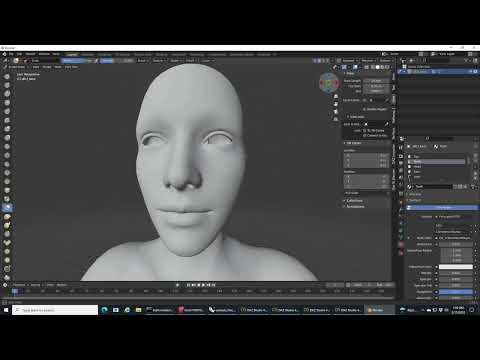
Thanks, I have already seen those videos, and they were helpful. I am more looking for modeling best practices for models to be exported to DAZ. All quads, or tris OK? I'm curious, as when I try to make changes to models in DS I frequently run across what I thought was undesirable, namely lots of really long, skinny tris. None of the tutorials I have been able to find address this question.
Powerage Vintage Projector??? QC failmaikdecker said:
inception8 said:
I have no idea what product you're specifically describing but maybe that's liberty gone too far perhaps. I dunno.However the Vikings did travel around alot did they not. I'm almost certain they made it to the Mediterranean which is or was a hub. You can find lots of things in a hub. And that's how I easily explained how a Japanese sword made it's way into a Viking village. Ya know making stuff up is fun because it might be true. But I will tell you what makes me cringe is one of the 'Vikings' in the 13th Warrior with the stupid 'celtic knot' tattoo across his nose. Now that is an example of Hollywood.
I made that "example" up, to not single out any real product and shame any PA. I thought when using something as abstruse as possible it would be obvious that is wasn't a real product. Alas, by your explanation it seems that people might even manage to find some "explanation" for utterly impossible things. The vikings really had trade relations with the far east, by Byzantium. Alas, that wasn't an "easy way" to import stuff from Japan to Scandinavia. And considering the differences of fighting style from Japan and northern Europe, they wouldn't have been much inclined to use such an unusual weapon. So making up a plot to see such a weapon find it's way into the hands of a viking to wield it borders "Highlander" territory... so yeah, pure Hollywood.. as about 90% of the "Viking" stuff offered in Dazland.
You can't blame me for trying. Also just because someone has a sword doesn't mean they used it. A collectable or perhaps a gift. And it's not to say that someone even just one person can't learn how to use a weapon outside of their own culture while also living amongst other cultures. Look what happens when Vikings then became the Normans. Changes everything when you understand that it happened. The Normans were firstly former Vikings who were then exposed to Western Europe who then beat the Anglo-Saxons. Norman castles were then everywhere. I don't think Viking culture was as taboo as other cultures.
Powerage Vintage Projector??? QC failinception8 said:
I have no idea what product you're specifically describing but maybe that's liberty gone too far perhaps. I dunno.However the Vikings did travel around alot did they not. I'm almost certain they made it to the Mediterranean which is or was a hub. You can find lots of things in a hub. And that's how I easily explained how a Japanese sword made it's way into a Viking village. Ya know making stuff up is fun because it might be true. But I will tell you what makes me cringe is one of the 'Vikings' in the 13th Warrior with the stupid 'celtic knot' tattoo across his nose. Now that is an example of Hollywood.
I made that "example" up, to not single out any real product and shame any PA. I thought when using something as abstruse as possible it would be obvious that is wasn't a real product. Alas, by your explanation it seems that people might even manage to find some "explanation" for utterly impossible things. The vikings really had trade relations with the far east, by Byzantium. Alas, that wasn't an "easy way" to import stuff from Japan to Scandinavia. And considering the differences of fighting style from Japan and northern Europe, they wouldn't have been much inclined to use such an unusual weapon. So making up a plot to see such a weapon find it's way into the hands of a viking to wield it borders "Highlander" territory... so yeah, pure Hollywood.. as about 90% of the "Viking" stuff offered in Dazland.
inception8 said:
You mean like the bargain bin. It's probably older content. Doesn't mean it's not useful. I have a bunch of older content I sold to Daz that's about that price now maybe. I don't care it's old. Your choice man. Good for you. Good to have rules if you think it's necessary.No, I mean I got burned by buying new stuff from some PAs that turned out flawed. Which I did not return, as it would have usually would have broken a good deal connected with it, so I would have returned other, not flawed items without being able to get them again for the same - usually reduced - price. Instead the PA's other products were more closely looked when thinking about buying them, which, when they turned also flawed, ended in those PAs ending on a personal "not even for $ 1.99 worth it, and often even not for free" list. Because of their flawed state they were not useful for me.
Copy/paste blend shapesI spent days and days on this and I gave up. I bought the rokoko face app just to find out I was unable to get it working. I simply import the mocap data into DAZ and add a facial animation with FaceMojo. Daz and Rokoko, a true nightmare fuel.
Hey, guys, I want to ask you some questions about dazTo repeat, there is no Daz Studio 4.2 - version numbers are not decimal numbers, the full version is four integers separated by dots. I don't know what you are doing to want to merge a figure, and I don't recall that command's ever being available.
Which is being changed by the wrapping? If you make the imported, base resolution, no add-ons Genesis 8 figure have the same shape as the Blender model then you can export it as OBJ and load it through Edit>Figure>Morph Loader Pro - this requires having the option to preserve vertex order set in Blender on import and export, and you need to make sure you are using the same preset in the Daz Studio export and import dialogues. This will give you a morph that will make the rigged Genesis 8 figure match the Blender item's shape, though you will probably then need to use Edit>Figure>Rigging>Adjust Rigging To Shape to get good posing.
Alternatively, if you are making the shape of the Blender figure match the shape of the Genesis 8 figure then you could import the OBJ of the Blender figure and use Edit>Object>Transfer Utility, set the Source figure to Genesis 8, set the Target to the imported OBJ, and click Accept to get a version of the Blender figure that posed like Genesis 8. That would then be likely to need a lot of adjustments and morphs to make it usable, and because it used the Genesis 8 rigging it could not be shared as a stand-alone figure (the Transfer Utility is there for creating add-on like clothes).
Possible Diffeomorphic issue to submit?Now using the stable 1.6.2 version of diffeomorphic, OTT zola hair and G9 and the hair is still turning in to a million seperate meshes when i convert it. Also tried with a g9 hair (curly updo i think) and the same thing happens. I feel like ive tried every variation of settings but maybe im missing something.
Is anyone having the same issue and if not could you run me through your order of operation with hair and diffeomorphic. At the moment i am:
1. Easy import without checking "convert hair" as it never seemed to do work so ive always done it manualy.
2. Seperate the hair from the cap
3. Make sure human is the cap and hair is the hair
4. Click make hair and enter the settings ive always used, Sheet, Seperate loose parts, Resize hair to 40, Multi materials, children set to 6
used to work every time, now with G9 i get the 5863 meshes.
Any help would be much appericated.
Using Bryce to make HDRI files[Can I use Bryce to make HDRI files] The title pretty much sums all of it up.
I have made a lot of great backgrounds in byrce.
Is there a way I can import them into a 360 enviriment dome in Daz Studio.
I do prefer to do touch up work in gimp.
Need help with reinstalling filesThe Smart Content gets its info from the metadata in the Runtime/Support folder, which should be intact with your content. You can Re-Import the metadata from the Content DB Maintenance panel to re-create your database, which was also most likely on your C: drive.
How do you install? If with DIM/Daz Central, and if you still have the original zips, you can re-install to re-build the Manifest Archive. DIM uses that to determine what has been installed, and usefull info like Show Installed files.
The greyed-out icons in Smart Content are from Connect, which cannot find any metadata (or is it the manifests?), but DO NOT try to download through Connect if you install with DIM. Crossing the beams, and all that. In fact, there is no reason to log in from Studio if you do not use Connect, so disable that in Preferences.
Diomede's Notepad, Sketchpad, and Chilling PadImport Add-On Mesh to Match the New Garment Wearable Preset
I cleared Daz Studio and started with a new empty scene.
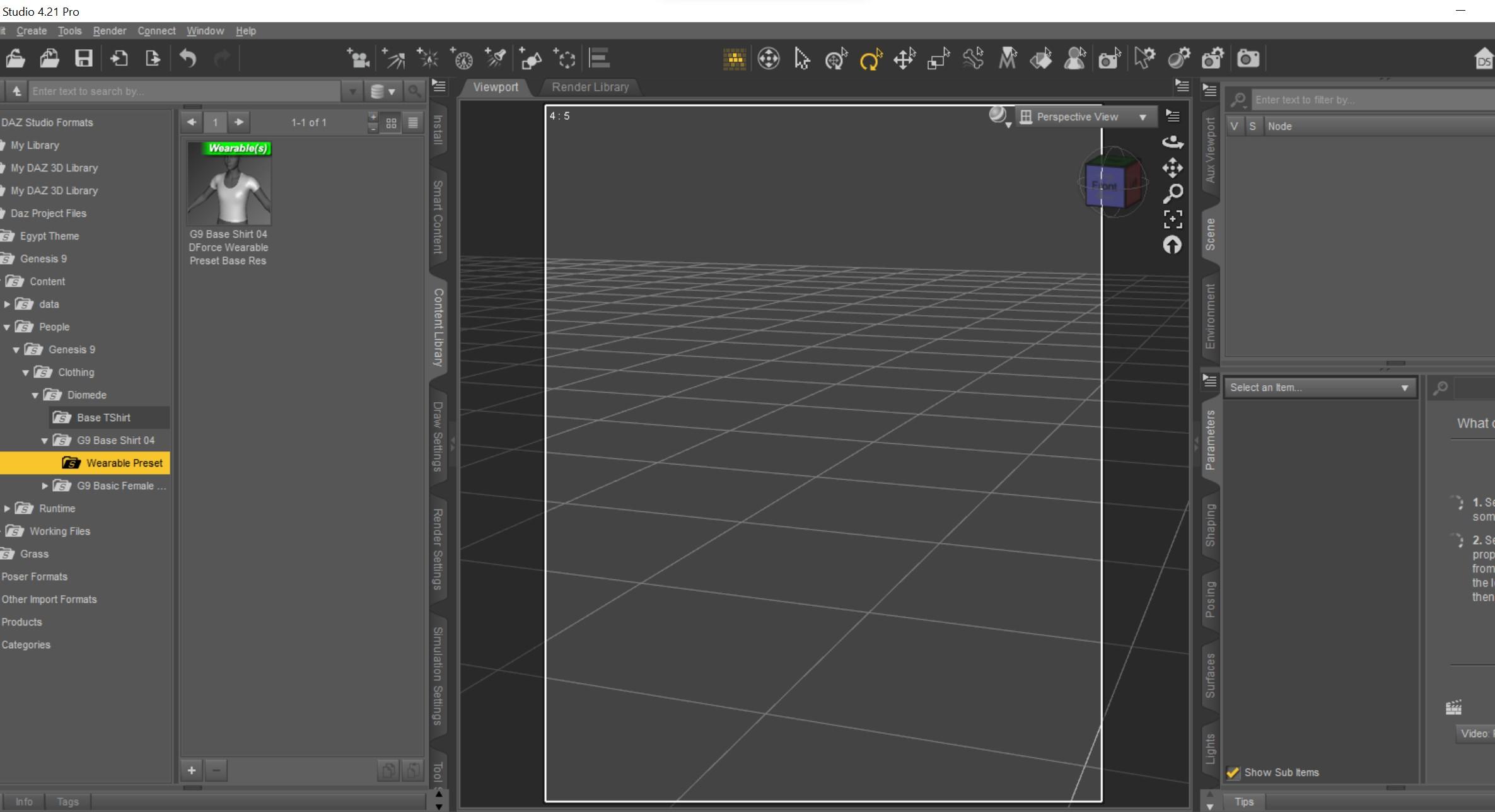
Load the saved wearable preset shirt without any Genesis 9 in the scene.
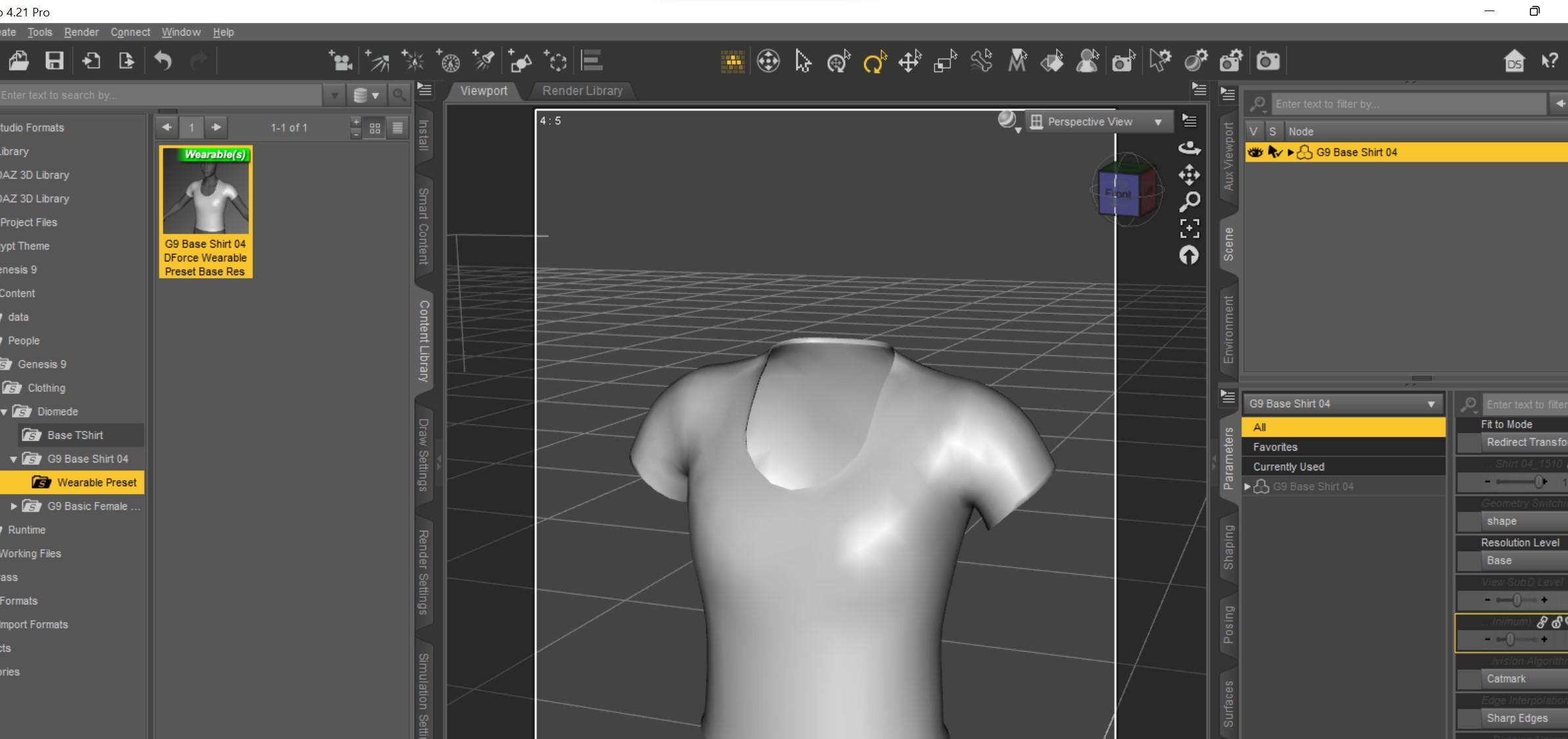
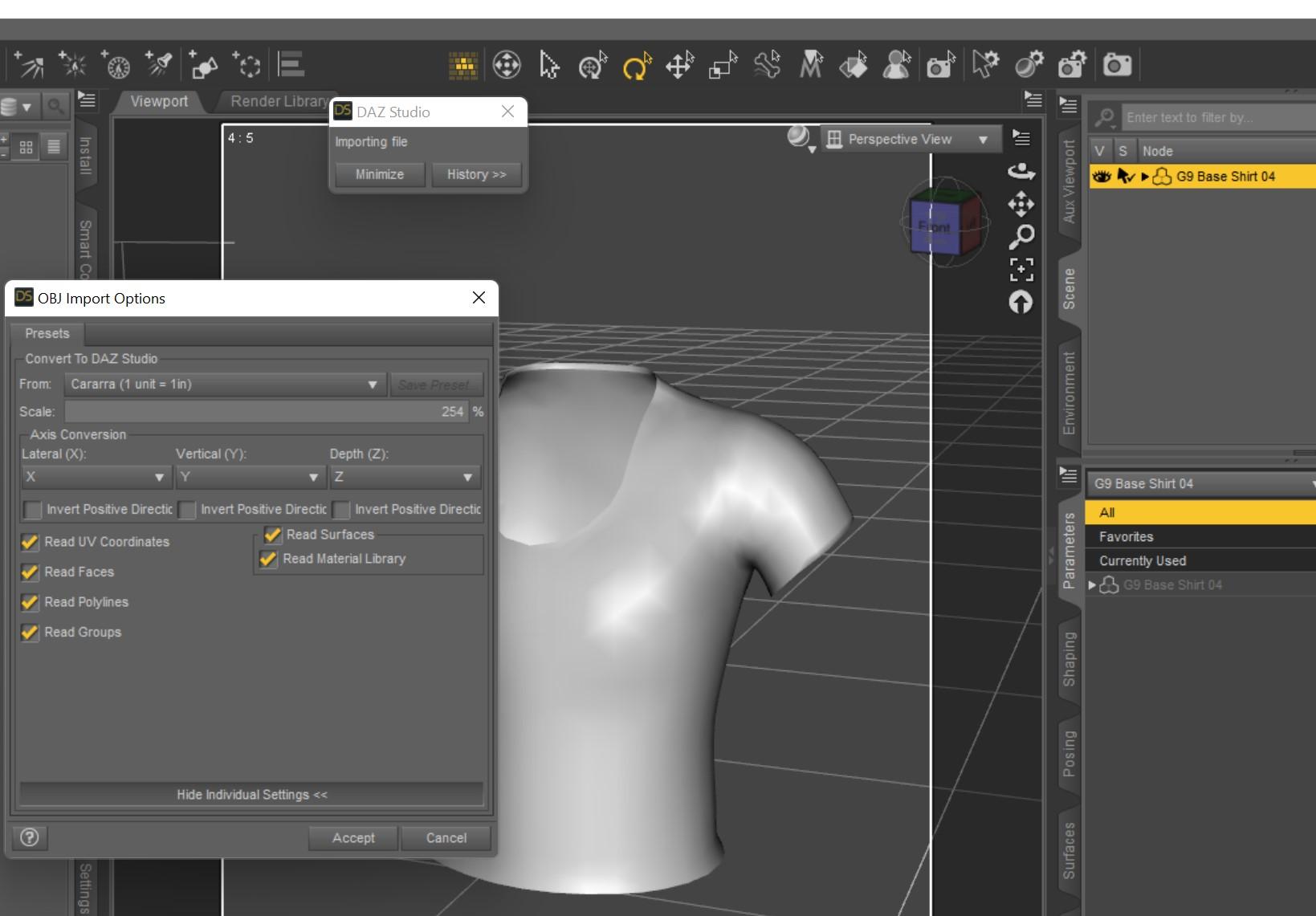
Use the import dialogue to bring in the mesh of the OBJ for the add-on bridges.
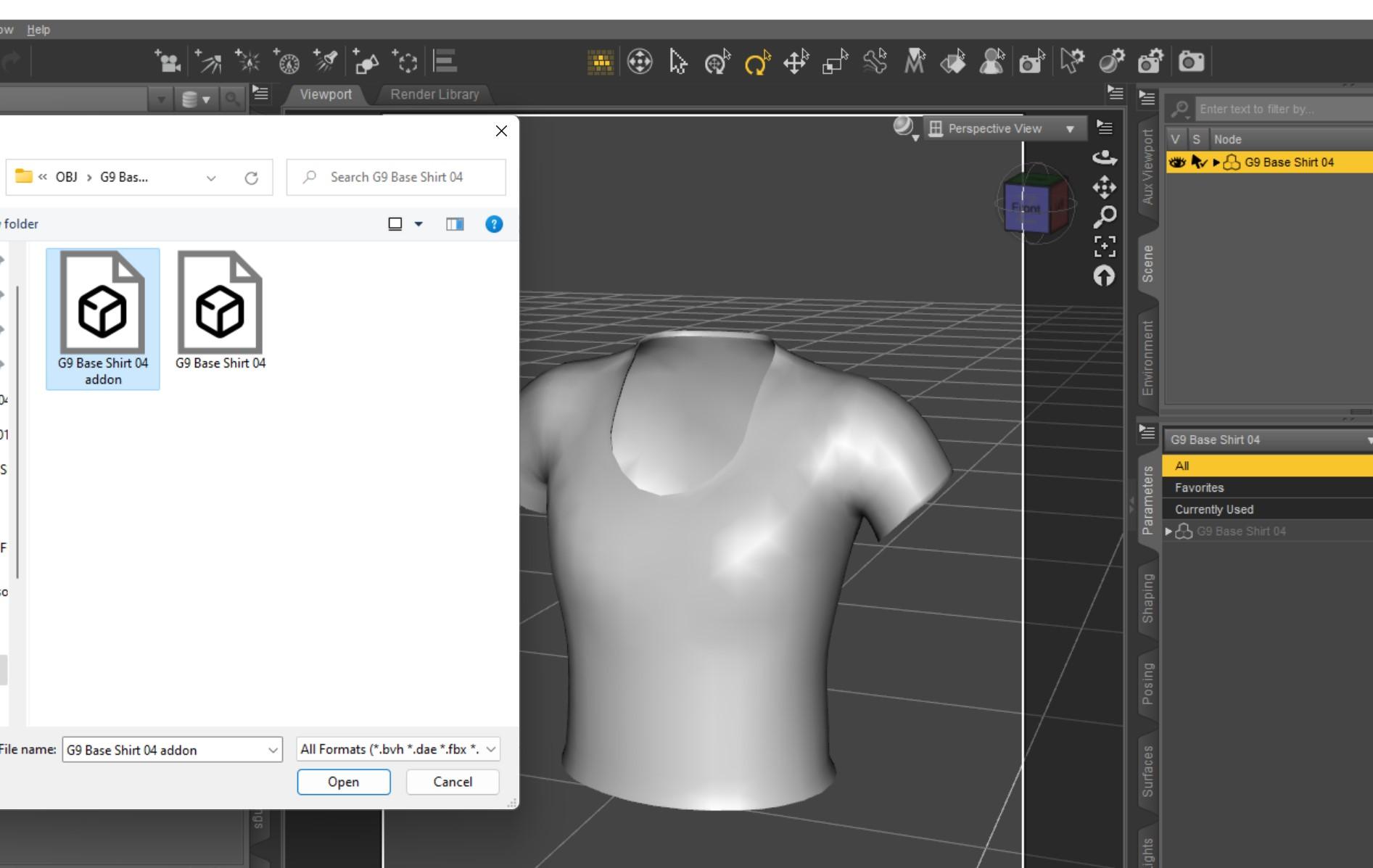
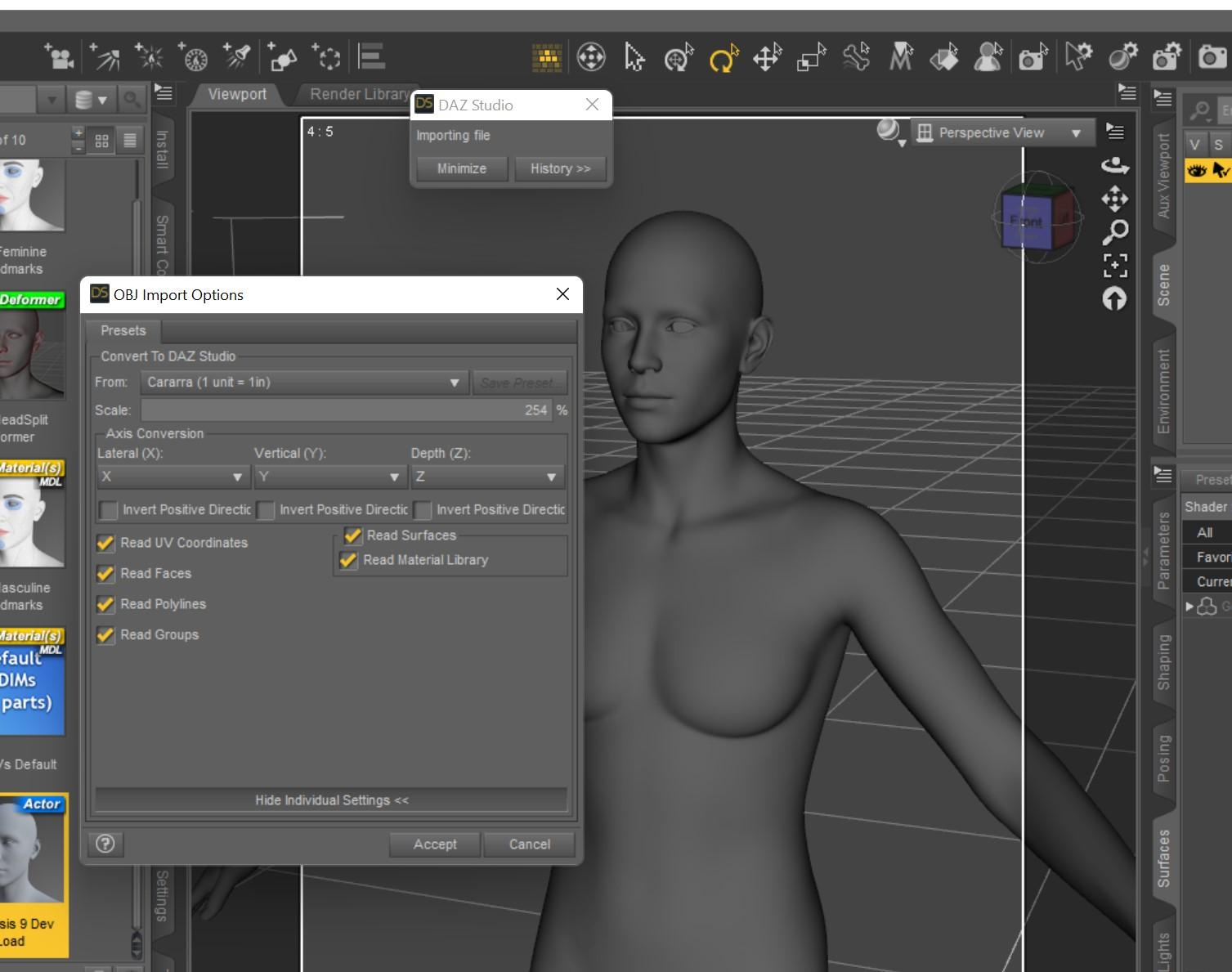
In this example again I use the Carrara preset in the import dialogue. Just be consistent.
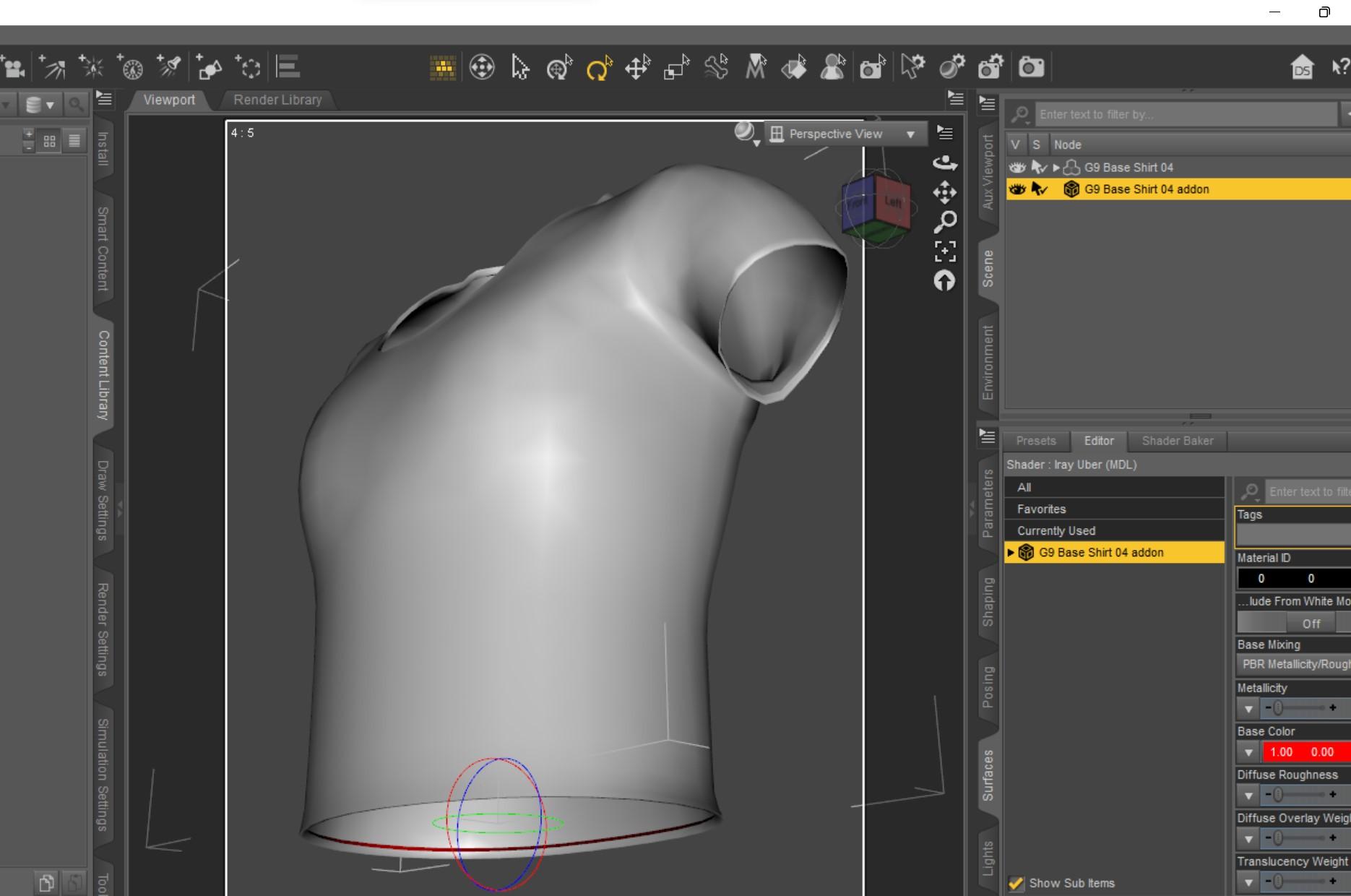
I used the surface tab to make the add on mesh red but it was still hard to confirm the import was a good fit.
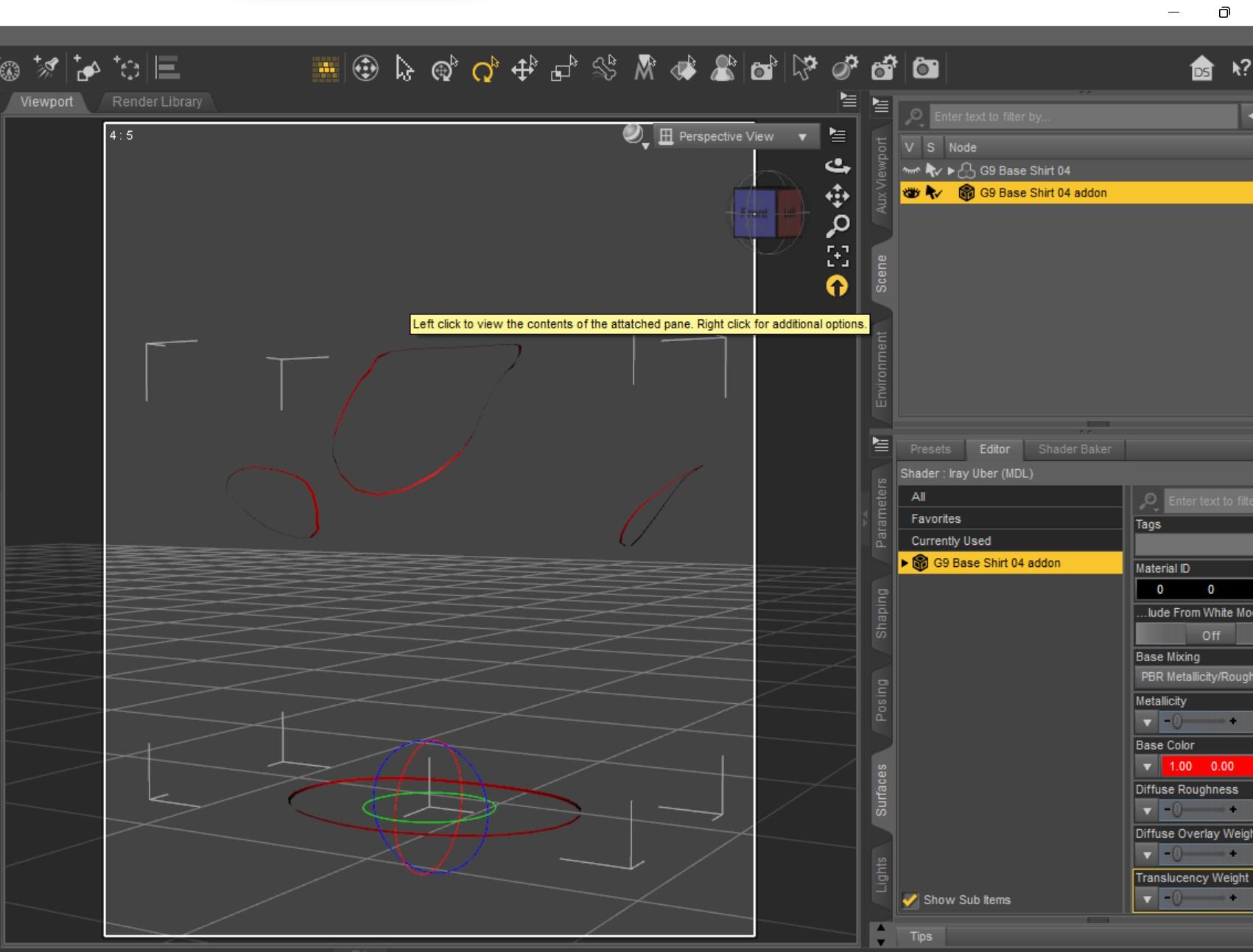
So I temporarily turned off the visibility of the shirt to check the add-on mesh. The bridges appear to have loaded where they should. Again, I have not done smoothing. Be consistent.
 Diomede's Notepad, Sketchpad, and Chilling Pad
In Daz Studio - Import and Rig the Main Garment Mesh, Not the Add-On
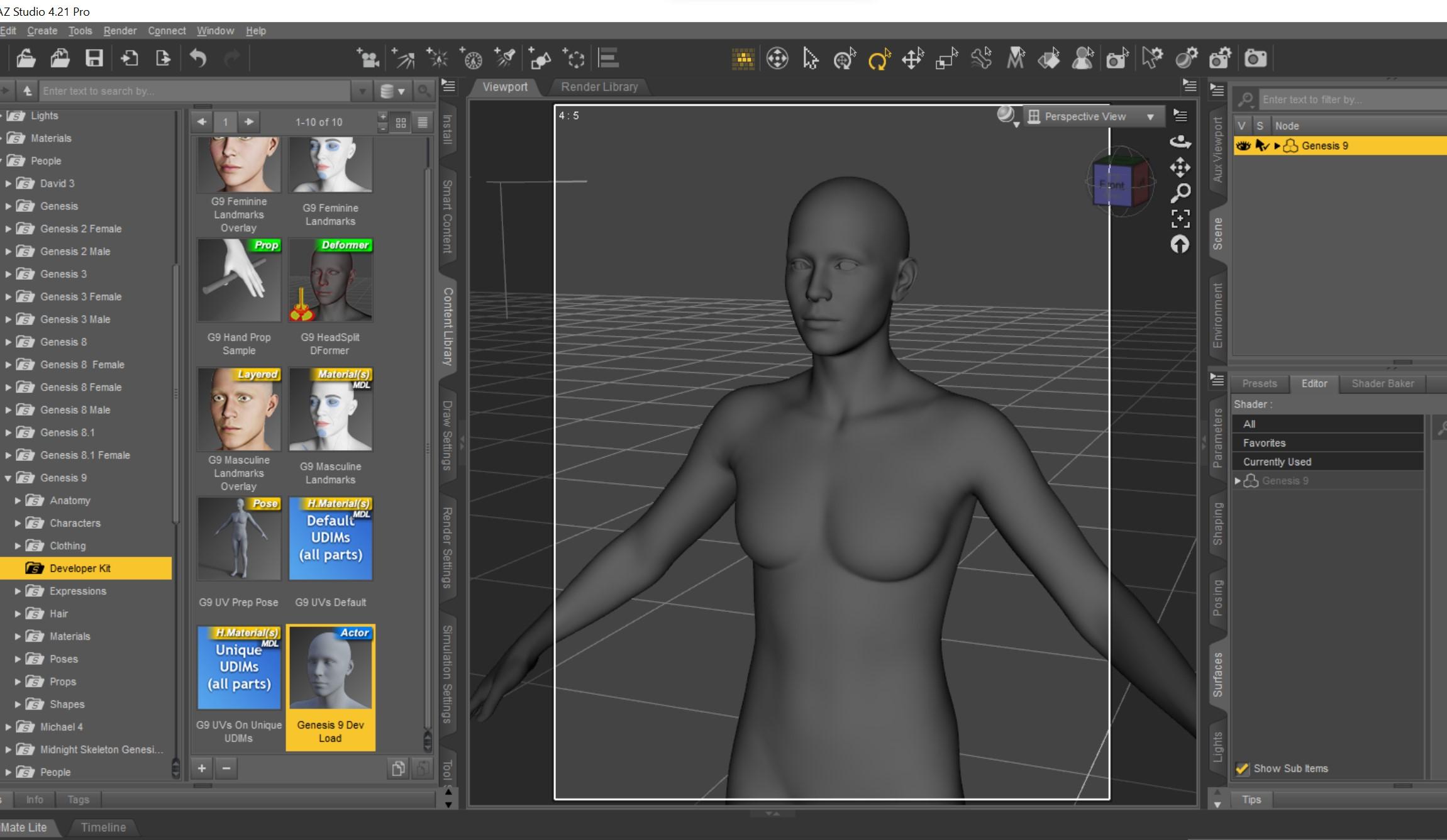
Load the Genesis 9 Development Figure. In this example, I modeled to the base shape, so that is what I load.
Import the main garment mesh. I saved out of Carrara in Daz Studiofull scene, so in the import dialogue of Daz Studio I choose the Carrara preset. Just be consistent.
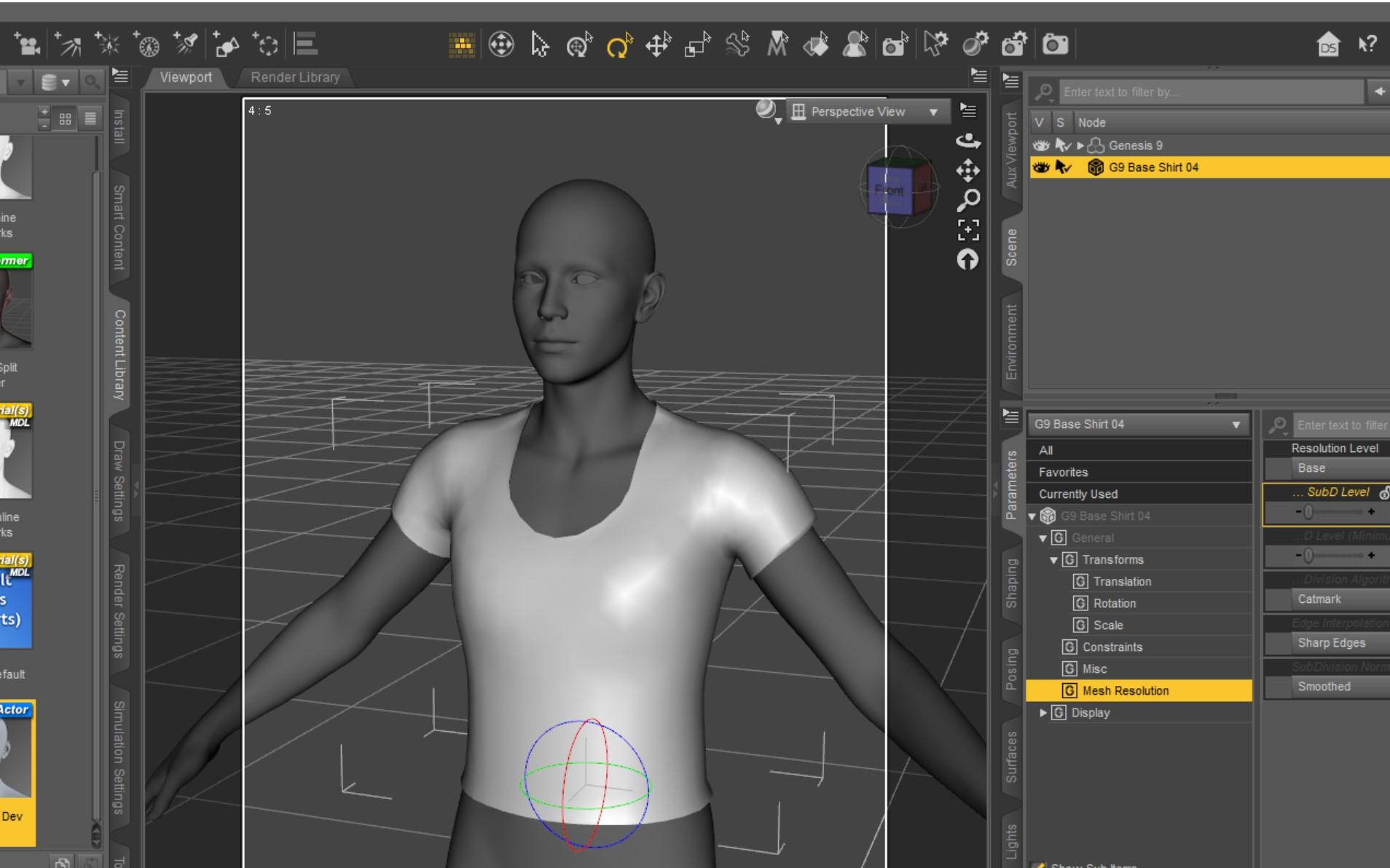
Confirm the main garment appears to fit and is at base resolution (in my example).
Daz 3D is part of

Connect
DAZ Productions, Inc.
7533 S Center View Ct #4664
West Jordan, UT 84084Licensing Agreement | Terms of Service | Privacy Policy | EULA
© 2026 Daz Productions Inc. All Rights Reserved.