-
refreshing third party content
That's just it I never had this issue until after I installed the Victoria 4 and Michael 4 body suits. Before that all of my third party content worked normally and showed up correctly.
Let's appreciate/discuss today's new releases - more ongoinger threadbarbult said:
Artini said:
There is a new https://www.daz3d.com/1-click-anime
Just wonder, how it manages the eyes with different expressions and poses of the body.
Oh, that's a good question, @Artini. Do the eyes close properly? How well do they work with different head morphs? What about dilate and other eye morphs?
Here's an example of Victoria 9 with 50% Base Anime Feminine and adjusted eyes applied through the script, then Eye Blink slider set to 100%.
Obviously it is impossible to support every head morph, pose, expression etc without some manual adjustments required. As per the description on the store page:
Depending on the morphs or poses used, some manual adjustment may still be necessary - there will be mixed results with characters that are already stylized and/or have exaggerated facial features, because the eye sockets tend to be less spherical and the eyes won't fit properly.
Was there a particular dilate morph you had in mind? Pupil dilation should have no effect as it won't change the size of the eye itself.
EDIT: also just to add that body poses shouldn't cause any problems unless they make changes to the eye bones, which of course they shouldn't. Expressions that affect the eye position/where they're looking may need tweaking because the increased size of the eyeball required (so that there are no unrealistic gaps on the inner and outer corners), means that the eye bones X position has to be adjusted slightly to centrally align the eyeballs in the eye sockets.
I usually select the eyeballs and use the pose tool sphere (located in the top-left corner of the viewport) to change where the eyes are looking, even before I created this product so it doesn't just apply to this product only.
If you do notice any pokethrough when using certain morphs, poses or expressions, you can run the relevant anime script again to reposition the eyes, just in case the eye bones are adjusted again as part of the applied content.
make girl sex symbol, how?thanks cheajuan, i got the breasts and thighs done, but i can't find a way to give victoria a bubble butt.?
make girl sex symbol, how?I wrote a story and this girl is a sex symbol for the guys involved. i thought boosting the volumptuous setting would get it done, but it hasn't. I want her to look like my dream sexy girl when I was 16. So she must have round full breasts and rich thighs that do not have a gap between. This character, made from Victoria 9, does not. I'm not sure what to do now. Any help please?
don
refreshing third party contentSo after installing the Victoria 4 body suit and the Micheal 4 body suit I now have to go through my entire library and refresh every bit of content i had from the other stores that sell daz products. and yes i have tried a mass refreash on the main folder even reinstalled several products and i still have to manually refresh each item even the material folders and the icons in them. I've included screen shots of before and after I refresh an item.
The Sky is Falling Complaint ThreadSilverGirl said:
Victoria Naked Over An Air Vent With A Cookie?

This is why OT threads are the best.
Anybody recognize this character (Girl from Rita Hair)I gave a shot to create her and I think it came out okay. Not perfect, but it this version didn't take a lot of time. This one is a combination of Artemis and CJ's Mercia. She has Artemis's skin. In case you're curious, the morph percentages: 62% Base Feminine and Artemis and 38.6% Mercia. I didn't realize until I checked that changing the slider for Artemis also did the Base Feminine, so when I just changed Base Feminine to 100%, the lips became larger, but face a little smaller, so this result was the better of the two.
Sadly I don't have the hair, but this one is FeSoul's Alysa Hair. Funny enough, FeSoul almost always uses the G9 Daz Original models for the promo images. Never a question about who they are! In that one, it's Victoria and then an unmorphed G9 female.
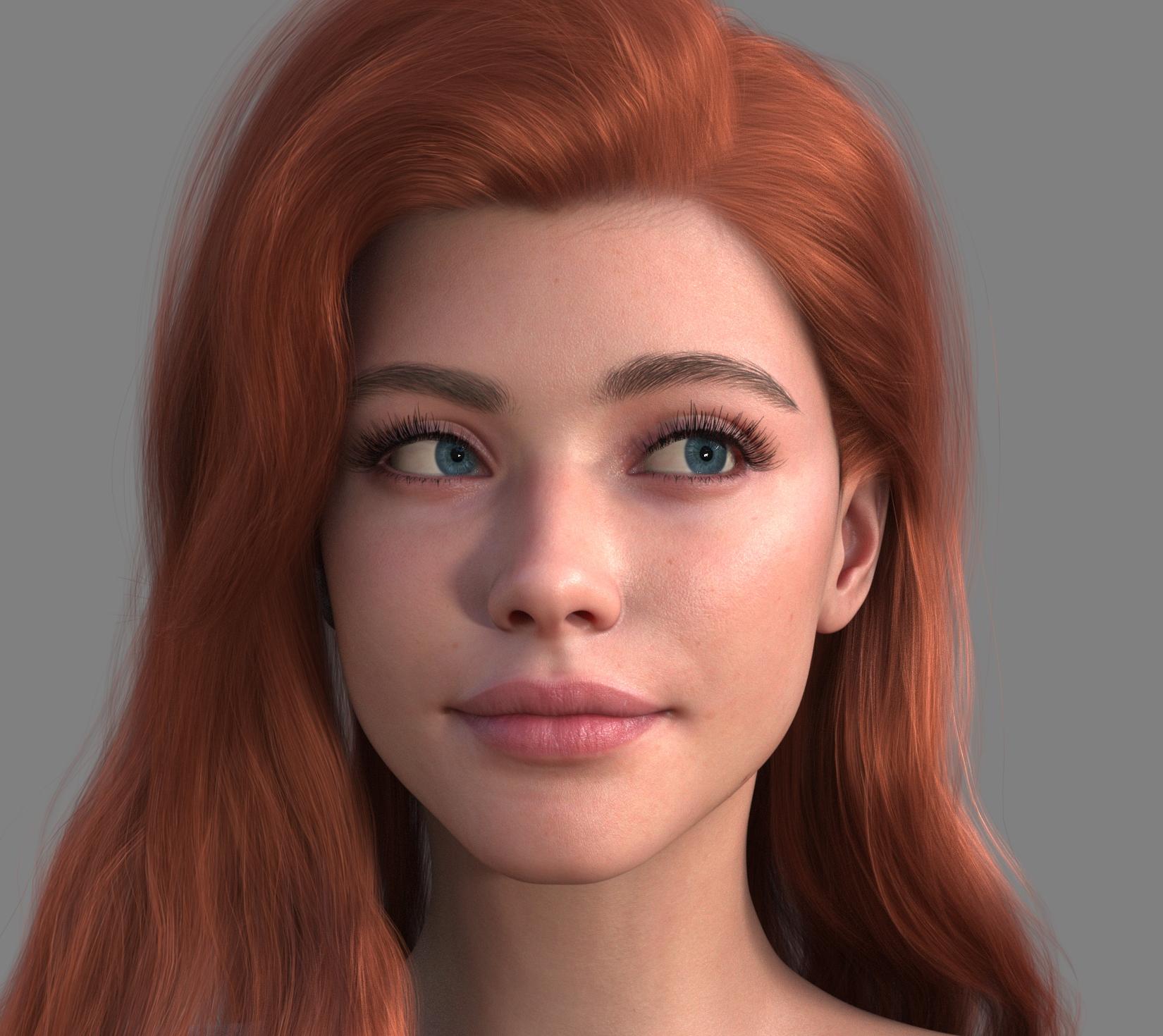 The Sky is Falling Complaint Thread
kyoto kid said:
SilverGirl said:
NylonGirl said:
SilverGirl said:
We generally keep it at 68 here, but we tend to bump it up after somebody gets out of the shower so they can blow-dry over the heater vent. Preferably with some hot chocolate and cookies. :)
I don't know why I've never thought of that before... Maybe tonight I'll try standing naked and wet over an air vent with hot chocolate and cookies. I'd better skip the cookies. I don't want to get crumbs in the air vent.
Victoria Naked Over An Air Vent With A Cookie?
...don't give me any ideas.
I've been neglecting this thread for far too long.
The Sky is Falling Complaint ThreadSilverGirl said:
NylonGirl said:
SilverGirl said:
We generally keep it at 68 here, but we tend to bump it up after somebody gets out of the shower so they can blow-dry over the heater vent. Preferably with some hot chocolate and cookies. :)
I don't know why I've never thought of that before... Maybe tonight I'll try standing naked and wet over an air vent with hot chocolate and cookies. I'd better skip the cookies. I don't want to get crumbs in the air vent.
Victoria Naked Over An Air Vent With A Cookie?
...don't give me any ideas.
The Sky is Falling Complaint ThreadNylonGirl said:
SilverGirl said:
We generally keep it at 68 here, but we tend to bump it up after somebody gets out of the shower so they can blow-dry over the heater vent. Preferably with some hot chocolate and cookies. :)
I don't know why I've never thought of that before... Maybe tonight I'll try standing naked and wet over an air vent with hot chocolate and cookies. I'd better skip the cookies. I don't want to get crumbs in the air vent.
Victoria Naked Over An Air Vent With A Cookie?
Render your buys! ALL TIME ChallengesMatt_Castle said:
I'm working with a scripter to get it fully automated with the end goal of turning it into a product. It would be an extremely tedious process to do completely manually. (It's still kind of tedious even at its partially automated stage as it is).
End goal is support for G8 and G9 figures, with clothing from G3 or later. G2 support isn't unthinkable, but it adds more technical challenges and I'm not sure how much demand there would be for it.
It seems nice, I hope you'll be able to made it available one day.
I'm dipping my toes in doing it manually and I'm a the stage when every discovery lead to tens of unknows, so an automated way would be great :)
barbult said:
There is a nice Weekly Freebie for G3M at Daz this week, that autofits nicely to G9. https://www.daz3d.com/outlander-monk-outfit-for-genesis-3-male-s

Nice render and nice bouquet: where did you get it ? :)
I have a new render too, but with far too many items never used before to list them so here four I like among them:
- https://www.daz3d.com/dforce-midsummer-outfit-for-genesis-8-females
- https://www.daz3d.com/city-bus (I especially like the RATP colour scheme, even if I would not have called it French mats but I digress: it was perfect for a scene in Paris)
- https://www.daz3d.com/victoria-9-hd-masculine-add-on , looking good wearing a suit.
- https://www.daz3d.com/stylish-and-natural-photography-poses-for-genesis-8-81-and-9-females because the crossed arms pose looked exactly like what I wanted and better than I could get by myself.
Maybe it's not completly in the perfect mood for Valentine Day, but honestly, what better gift someone can make to parents of young kids than taking care of them for a couple of days, allowing parents to recharge their battery and have time just for themselves

Even if you disagree, you're old enough to have discover what Vick 9's youngest niece is now discovering, life's not always fair even if I hope it's treating you as fairly as possible.
So, yes, 'It's not fair… I want to help you turn the bike too, Uncle Vic': short story and items used on the gallery.
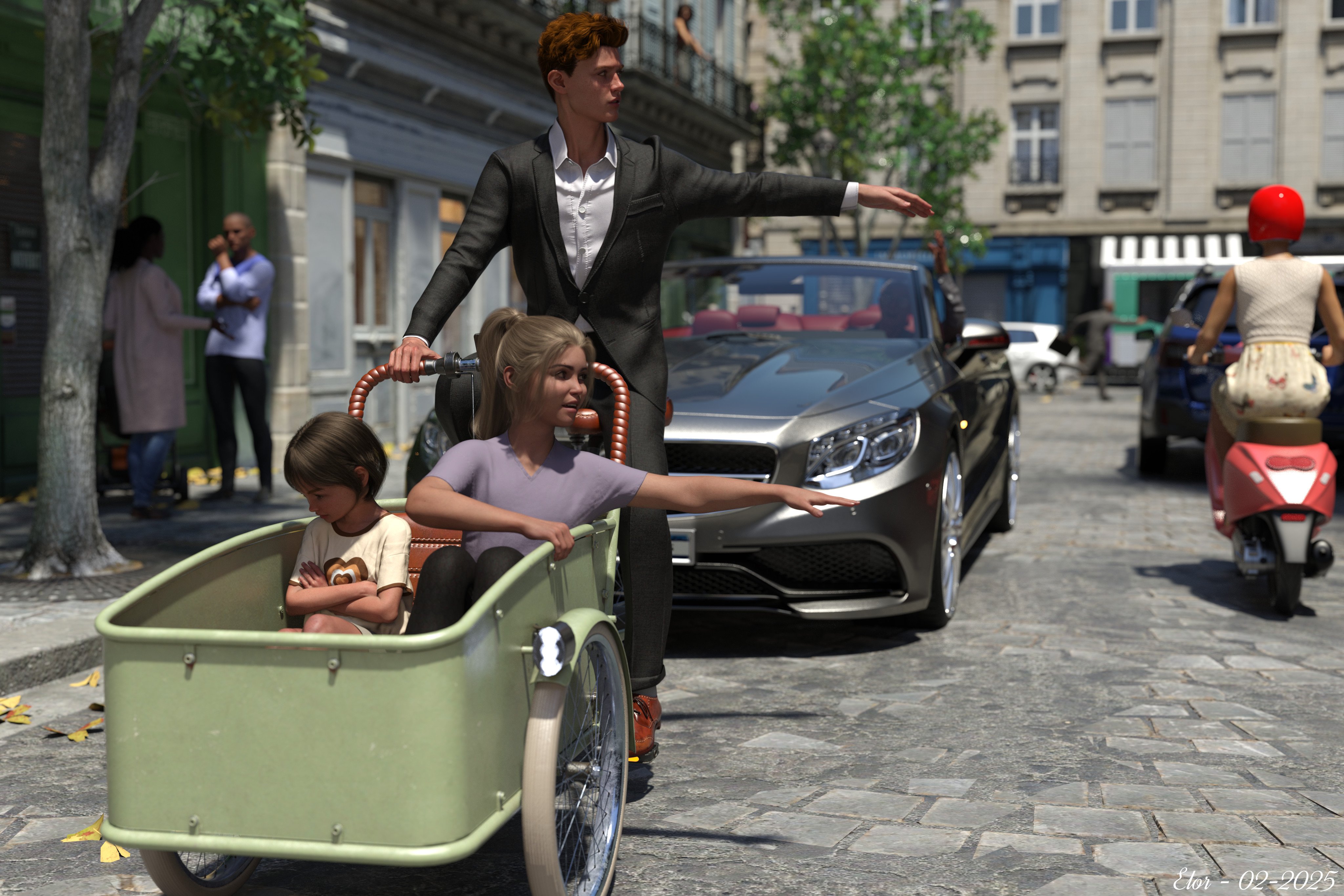
(I have one regret with this render: I didn't find a way to get better light on the road ragging driver, at least one that felt not too artificial but he's not that important: in a couple of seconds, he will out of the main characters' life and will be yelling at someone else anyway
).Released : V3D FilaToon Converter, Manager and Tools (Commercial)Just to be sure that I understand well what happens. When you turn, on the main figure, the outline which was "off" to "on". As soon as you do this, the genitalia, which were properly converted, go white. If you revert, then this is fine, so finally you cannot have both figure and genitalia with an outline. Is that correct. My first proposal would be to unparent the genitalia from the figure to see if it changes something.
I will have a look but I cannot test right now, but just in case I don't manage to replicate :
- what generation? Male or female? (edit : just tested with Victoria 8 and her Genitalia and I don't have the issue). Are they "classical" genitalia (I mean Daz ones)?
Show Us Your Bryce Renders Part 13NGartplay - thank you.
The building is Alchemy Chasm with the Al-Khimia texture, up in the dome a radial. In the centre Victoria 3 RR LE with the Fairy outfit lit by four radials, and near by two Songbird. Ambient light by an HDRI from Landscapes under Fantastic Skies. The shadow pattern in the foreground by the sun shining through a window. This is also a remake from a Bryce 5.01 render from almost 20 years ago (Nov 2005).
 AIUTO...CHI CONOSCE L’ITALIANO? PARTE QUATTORDICIGente ho seguito questo vecchio tutorial, https://www.daz3d.com/forums/discussion/24093/transferring-morphs-from-genesis-to-g2m-g2f-and-from-g2m-g2f-to-genesis-now-with-clones/p1 È devo dire che funziona bene con i Genesis, nasce il problema con Victoria 4. Con Victoria sono riuscito a trasferire i morphs preiniettati, ma non riesco a trasferire quelli di terze parti. Potete suggerirmi qualcosa?Can't found this Character
Hi, Here are the dial values of the character in the main promo of Elias Hair: Base Anime Masculine at 5% - Base Masculine at 30 % - CJ Aeon 9 at 20 % - Victoria 9 Masculine 10 % - CJ Mercia at 30 % - Joan 9 at 15 % - Kiri 9 at 3,9 %
The long, slightly bumpy nose was custom made using "Genesis 9 Head Shapes".
Skin textures are from Olympia 9.
Happy blending!
Released : V3D FilaToon Converter, Manager and Tools (Commercial)V3Digitimes said:
The update is not tested yet by Daz, but is "ready to test" on their side. Once successfully tested, you will find the update in the store the same day or the day after. The details of the update are still the same as the ones mentioned before:
January 2025 Converter Update to 1.1 :
- Now the Victoria 4 Generation Eyes Surfaces are all converted properly
- You can now optionally keep the exact original "Cutout Opacity" or "Opacity Strength" value during the conversion process. Note that it is not always recommended, this is why this option is unchecked by defaut
- You can now optionally switch your render engine to "Viewport" during conversion, preventing you to accidentally launch an Iray render. Set as checked by default. This option is applied ONLY if you make a conversion (not for LUT or MatCap application).All additional checkable options can be saved as preferences whenever you want.
For those interested, it looks like this update got pushed out (I noticed it in my DIM updates).
--ms
Show Us Your Bryce Renders Part 13In front of the camera the EWL (extreme wide-angle lens) from Lenses and Filters and covers 190° in the diagonal. The building is Alchemy Chasm, on the podium Victoria 3 RR LE and below two ps_ch102_Troll. The rays are Frozencry's Streaming Rays (free at bryce5.com, Materials p3). Lighting by two Spotlights and ten Radials. This is a remake from a Bryce 5.01 render from almost 20 years ago (Nov 2005).
 ALO Phoenicia Hair Character
Hi, Thanks for posting!
It’s definitely more convenient to write the values in one post than to answer multiple site messages on DAZ and Rendo.
Here are the dial values for Phoenicia hair main promo girl:
Ally 9 at 15%
MSO Marley at 30%
Mira 9 at 25%
Victoria 9 at 35%
The skin textures are from Jennie 9.
The eye texture is "G9 Iris 10 Dirty Blue" from the Genesis 9 Starter Essentials Expansion.
The light used is "DTLP6 - Light Probe 12 - Direct" from "iRadiance - Light Probe HDR Lighting for Iray - Expansion 5", with Dome Rotation set to 147.016 and Environment Intensity at 3.
Happy Rendering!more....Wacky Modelling ~ In Carrara ~WendyLuvsCatz said:
Spooky
too hot for me to post
you all likely drenched as well
(the rains never come here)
nope... it's great weather here.. 28c and sunny
up north in Queensland they is flooding and down south in Victoria they is burning...
and here am I stuck in the middle..
 Help me find this figure! What figure was used for this prop?
Elor said:
Or simply link the product directly: https://www.daz3d.com/alo-kymatia-hair-for-genesis-9-8-and-81-female
@Akhelloos may answer this question, in previous similar questions, the answer was that models were a blend of a couple of characters.
Hi, the main promo girl in Kymatia hair is a blend indeed :)
Here are the dial values:
Angela 9 at 40%
Calypso 9 Human at 10 %
Josie 9 at 20 %
Kiri 9 at 10 %
TMA Olivia Full at 20 %
Victoria 9 at 10 %
Skin textures are from Laura G9 (G9Feminine04), with Translucency Weight reduced from 0.85 to 0.65
Eye textures are from Olympia 9
Have fun blending!Daz 3D is part of

Connect
DAZ Productions, Inc.
7533 S Center View Ct #4664
West Jordan, UT 84084Licensing Agreement | Terms of Service | Privacy Policy | EULA
© 2026 Daz Productions Inc. All Rights Reserved.