-
Conversion Crisis
kyoto kid said:
/..one conversion tool I picked up on near the end of the PA sale was RSSY's Clothing Converter from Genesis 9 to Genesis 8. It includes scripts to convert to both G8 genders
As I mentioned in another thread sadly there is no hair transfer utility. Not sure if there will be one as even manually parenting hair is hit or miss as from what I understand, strand based hair often does not always parent well without a cap.
Probably the most powerful combination of utilities is Generation X2 plus XTransfer as I can transfer morphs not only from Gen4 but G1 and 2 to G8 via XTransfer. these two have been indispensable for custom character design.
Right now I have next to nothing for 8 and 9, but at least after reading a lot 8 makes more sense to me. I tried hair on 9 and finally for a couple of pieces I ended up fitting it myself and then parenting it and using it that way.
Hands in PocketsAs long as the pockets have their dedicated geometry, as others said, it'll be very easy to make them opened by using Mesh Grabber / Geo-Sculptor or Blender, then create morphs as you wish ~ (ss1)
But if the pants' geometry is just a single piece with no dedicated polygons for the pockets, i.e. pockets are just texturized..., geo-grafting or rigging with a cut geometry via Transfer Utiliy will very much depend on the pants' topology as well as the shape / position of a pocket ~ In most of the case, I don't think it's easy to make them ~~ (ss2)
Hands in PocketsIn image 2 you can see that the pocket is slightly opened, so the pants must have a morph to do that. And then they essentilly use the smooth modifier to get the hand fully into the pocket, by moving it closer to the torso.
And they have listed which products they have used in promos.
Hands in PocketsI've bought Aeon Soul's Man of Substance poses as there are lots of slouching about which is unusual and something I find difficult to make work (quite easy in real life). And hands in pockets! The promo shows a pocket being opened. My question is, how do you do this if there isn't already a morph provided by the vendor of the trousers?
Conversion Crisis/..one conversion tool I picked up on near the end of the PA sale was RSSY's Clothing Converter from Genesis 9 to Genesis 8. It includes scripts to convert to both G8 genders
As I mentioned in another thread sadly there is no hair transfer utility. Not sure if there will be one as even manually parenting hair is hit or miss as from what I understand, strand based hair often does not always parent well without a cap.
Probably the most powerful combination of utilities is Generation X2 plus XTransfer as I can transfer morphs not only from Gen4 but G1 and 2 to G8 via XTransfer. these two have been indispensable for custom character design.
Daz Studio Premiere questionsLeana said:
Daz Studio Premier is regular DS with a bunch of extra plugins. The base program is the same, but having a premier subscription activates the plugins. The requirement it introduces is that you need to login from DS regularly so that DS can check your membership status, so your computer needs to be able to access the internet.
Regarding the premier plugins, most of them are a reworked version of plugins by ManFriday which were available as standalone previously, with little changes from their previous versions: Shape Transfer (figure converter), Pose Converter, Render Queue, Simulation Manager (dForce Companion). Geometry Sculptor is what was initially planned as Mesh Grabber 4.
The various premier plugins already have a version for DS2025 alpha, except Geometry Sculptor which is still in the works.
Geometry Sculptor has been available for DS 2025 for a while now, though it was a few versions later to appear than the others.
My G8 scientists need lab coatsAndrew_C said:
If you are using a G8 figure most G3 clothes will work much better if you use the hack to change the base figure/scene ID & rigging than by using autofitting. Have you tried that? Heres a video by SickleYield about it.
I finally got a chance to respond. Thank you and also to @SickleYield for this tip! It's tremendously better behaved than Autofit, and monumentally less fussy than the body transplant.
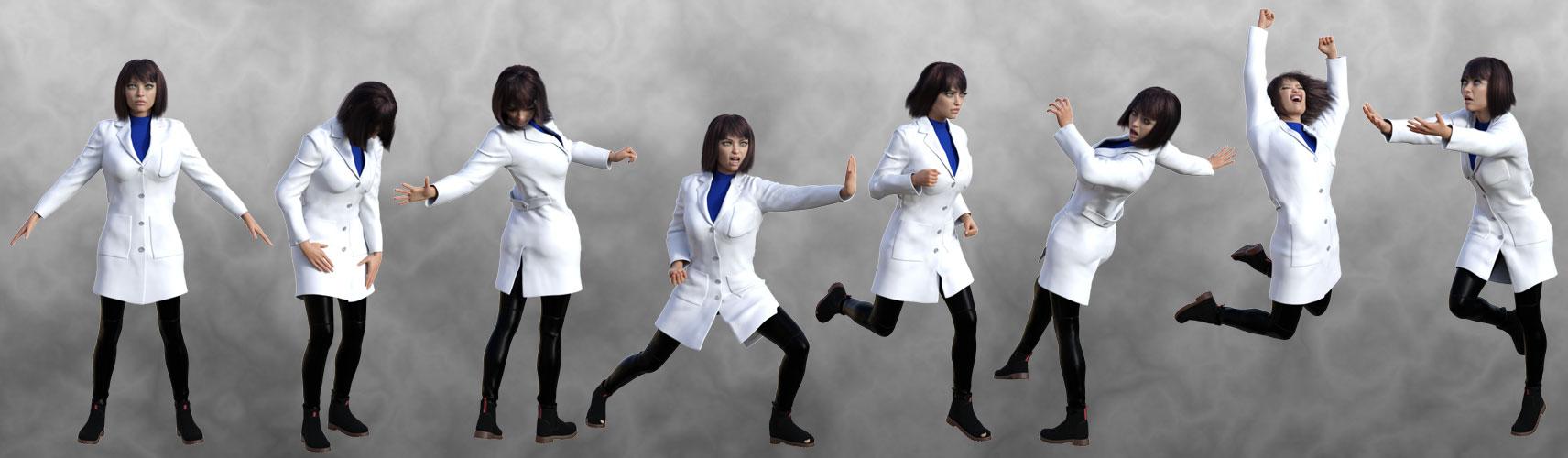
My heroine's back story includes the reason she's rather generously endowed, but the morph creates an under-bust crease in the fabric. Distributing her proportions among several morphs has reduced the effect considerably, and the only other issue is that the hem sags a bit in the front. Neither issue is considered serious, and since her adventure frequently finds her in her lab, this tip will save me much labor. I anticipate more freedom in wardrobe sharing between G3 and G8.
If another coat created for G8F is released, I'm still interested. My scientist's closet holds more than just the one. Thanks for reading. God bless you all.
[Edited for images.]
Hallelujah!
DiscipleDaz Studio Premiere questionsDaz Studio Premier is regular DS with a bunch of extra plugins. The base program is the same, but having a premier subscription activates the plugins. The requirement it introduces is that you need to login from DS regularly so that DS can check your membership status, so your computer needs to be able to access the internet.
Regarding the premier plugins, most of them are a reworked version of plugins by ManFriday which were available as standalone previously, with little changes from their previous versions: Shape Transfer (figure converter), Pose Converter, Render Queue, Simulation Manager (dForce Companion). Geometry Sculptor is what was initially planned as Mesh Grabber 4.
The various premier plugins already have a version for DS2025 alpha, except Geometry Sculptor which is still in the works.
Unity to DS Import?For me it is possibility to transfer most of the maps from Unity to Daz Studio automatically.
I have tried the direct transfer from Unity to Daz Studio via FBX, but only basic color maps
are transferred to iray shader.
Does anyone know of a 'Mia Kirshner' morph preferably for G8?As above does anyone know of a morph, or even better a character lookalike for Mia Kirshner preferably for G8F,
I started work on this stage about ten years ago and just found it on an old drive. I've added some plants but not sure if they are the correct type for tropical. It would be great to have a Mia to put on it ( dressed of course ).
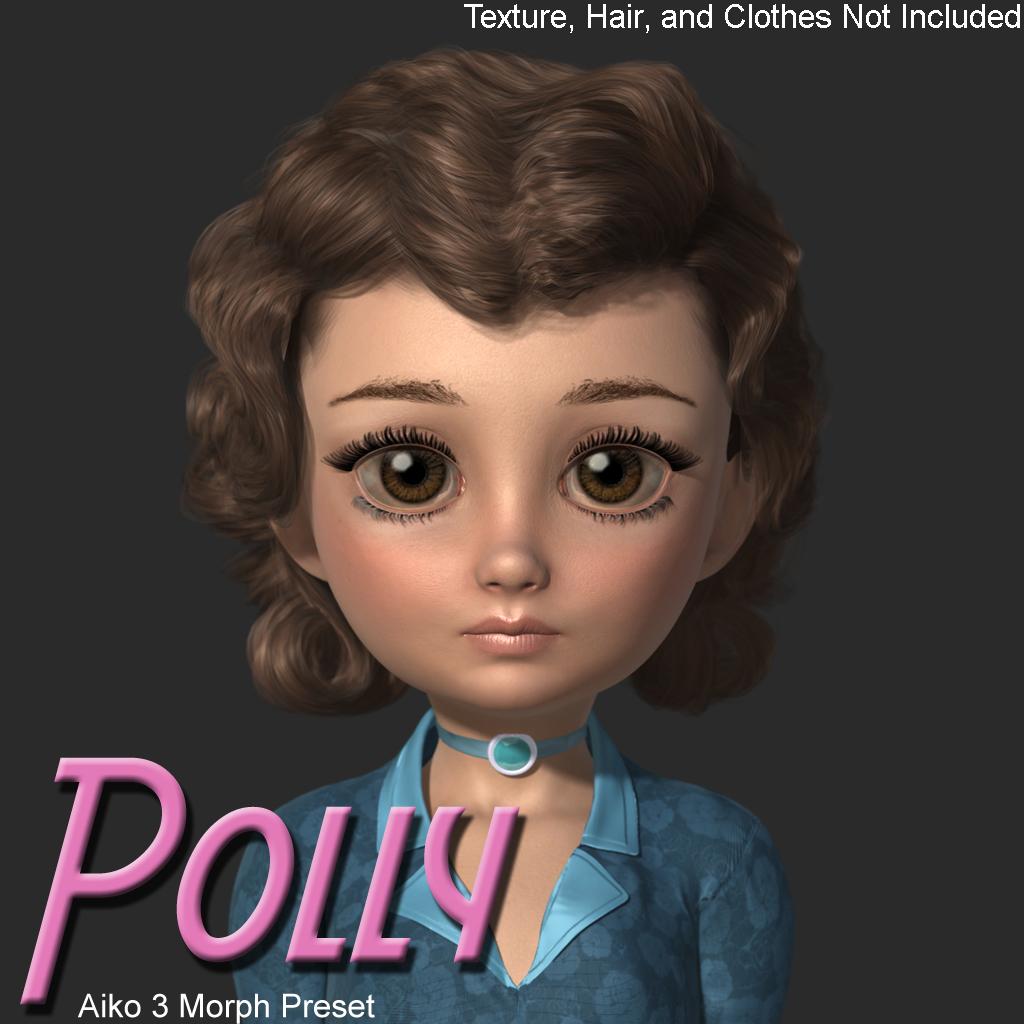
Looking for Character: Little body, big eyes, little button nose, little mouthEthin said:
https://www.daz3d.com/forums/discussion/746646/polly-morph-preset-for-a3
Thanks for the character, she's really cute!
Genesis 9 Beard on a Genesis 8 MalePinkspectre said:
It seems it is CW_Michael for Genesis 8 Male, I had about 10% of that body morph on my character, I turned it down to 0% and my character now is normal height and the beard fits them. I tested another Body that altered the height, Hans 8.1, and the beard scaled correctly staying attached.
Yea right ~ some bodymorph may bring the issue so that's why we need to fix FBM on the wearables...but that'll require more effort.
Anyway, if you want to change character's height, better use some proportional morph, e.g. Height.
Genesis 9 Beard on a Genesis 8 MaleIt seems it is CW_Michael for Genesis 8 Male, I had about 10% of that body morph on my character, I turned it down to 0% and my character now is normal height and the beard fits them. I tested another Body that altered the height, Hans 8.1, and the beard scaled correctly staying attached.
Conversion Crisiswhispers65 said:
Gordig said:
I use G8.1 as the base for nearly all my characters. You can use G3, G8 or G8.1 textures, G8 or G8.1 morphs (also G3 with XTransfer), and G3 clothes generally work well with the scene ID trick. If you familiarize yourself with Map Transfer, you can mix and match figures and textures made for different UVs as well.
I really need to look into the differences between G8 and G8.1. I dont' get it. I put Xtransfer on my wish list. :)
The actual difference is that Genesis 8.1 splits the back of the head and the torso into two surfaces, they are one in Genesis 8, and has an alternative UV maping to take advantage of that (giving more detail to the back of the head). 8.1 also has a different system for expressions, using the FACS that isa vailable as an add on for 8, and to avoid confusion it blocks the Genesis 8 expressions (but this can be unblocked). 8.1 characters also introduced the PBRSkin shader, but that can be used on anything.
Conversion CrisisGordig said:
I use G8.1 as the base for nearly all my characters. You can use G3, G8 or G8.1 textures, G8 or G8.1 morphs (also G3 with XTransfer), and G3 clothes generally work well with the scene ID trick. If you familiarize yourself with Map Transfer, you can mix and match figures and textures made for different UVs as well.
I really need to look into the differences between G8 and G8.1. I dont' get it. I put Xtransfer on my wish list. :)
Conversion CrisisI use G8.1 as the base for nearly all my characters. You can use G3, G8 or G8.1 textures, G8 or G8.1 morphs (also G3 with XTransfer), and G3 clothes generally work well with the scene ID trick. If you familiarize yourself with Map Transfer, you can mix and match figures and textures made for different UVs as well.
The futile search for Genesis 9 Male clothesRon Knights said:
The books went into great detail about how men's police and fire uniforms do NOT work for women. The proportions are wrong.
[...]
So I won't even consider "unisex" clothes.
Sorry, but I find this reasoning incredibly flawed.
Real world clothing and clothing in Daz Studio are not analogous. Daz Studio clothing does not come in pre-made sizes where you then have to try to find the best size for your characters to try to squeeze into, Daz Studio clothing (mostly) automatically resizes and reshapes itself to fit the character it's put on.
Proportion differences between figures is exactly what morph following exists to address. Differences in the actual styling of men's and women's clothing is potentially a valid objection (although given that many outfits are not meticulously realistically modelled anyway, it's arguable if such gender inaccuracies are actually significant), but any user of DS has to accept that the way the program and content handle clothing fits is inherently unrealistic. In the real world, a 28B bra doesn't magically turn into a 40F bra when a different woman puts it on.
If cross-fitting a uniform is unacceptably inaccurate to you because men and women are different sizes, then by any reasonable interpretation the entire way that DS puts clothes on figures should be too. If those are the standards you're demanding, then I don't see that there is any way that Daz and vendors could expect to meet your expectations without a complete paradigm shift in the way that clothing is handled in the program.
Carter 9 - Likenesses are getting better and better...Georgehaze said:
I'm curious about his add on....
Anybody know what facial hair is being used? It doesn't seem to be part of the Bundle or Add-On pack.
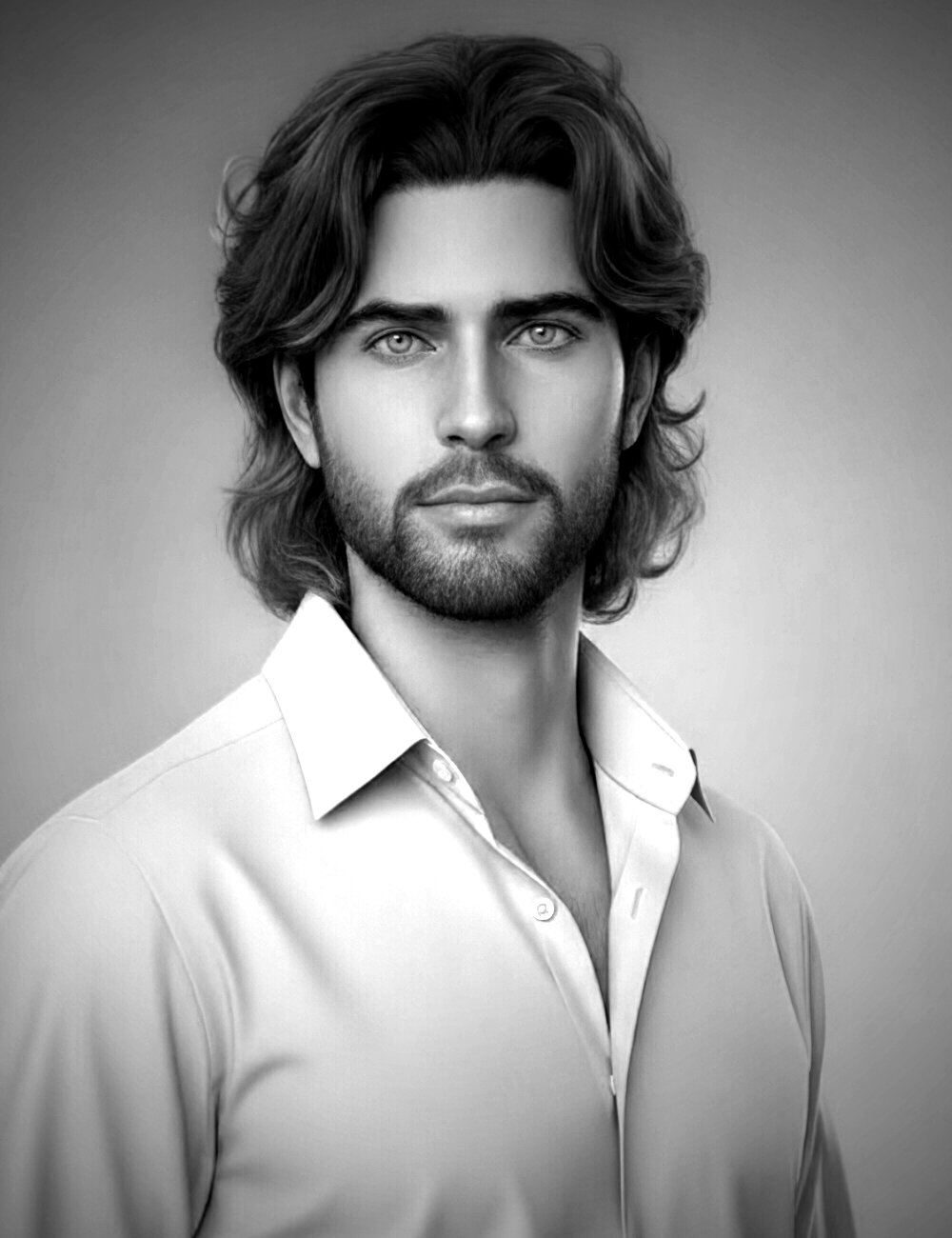
Not only does the hair blow me away (Neftis is amazing!) .... but holy moley this has got to be one of the best looking male characters I have EVER seen. I realize Neftis probably did a custom morph, but if this is what Carter is capable of, straight in the cart the packs go!
(Too bad I can't get the REAL version LOL)
Daz 3D is part of

Connect
DAZ Productions, Inc.
7533 S Center View Ct #4664
West Jordan, UT 84084Licensing Agreement | Terms of Service | Privacy Policy | EULA
© 2026 Daz Productions Inc. All Rights Reserved.