-
G3 Skirt MResource
Just made it to test Dynamic Cloth on- so here we are. Its a basic unrigged skirt shape resource for re-use. You could run the transfer utility on it or whatever you like
http://www.digi-dotz.com/index.php/free-poses/daz-clothes/100-g3-skirt-resource-daz-studio

 Hair on G1 Keeps applying unwanted morphs from Genesis' Ears
If the ears are their own morph, you can click the gear on the morph for parameters and unclick the autofollow. Not sure about morphs where they are not separate.
Hair on G1 Keeps applying unwanted morphs from Genesis' EarsHi, if you can not find auto-followed morph, see "parameter tab option menu", then check on "show hidden properties."
(r-click the tab, it usually show you option menu of the tab, or click small square bar around the pane (top right corner))
auto followed morphs are atuo set as hidden properties. then you need to change option of parameter tab to see them.
after that select hair root, then select "cullently used" (because, if the morphs are not categorized as Actor,, atuo followed morphs are not be shown
as "Actor" cagetories too.) it will show you all morphs currently applied on the hair.
then,, if the Ear shapes are included in one morph,, (eg you have FBMelf morph it can change ear and Fullbody and Face by only one morph,,)
about this case,, unfortunately,, you can not remove only about Ear morphs effect from hair.,, but I think,, you make actor with individual Ear morphs,
then you may easy remove the autofollowed ear morphs without remove Actor Full body morphs I think

if it wrok not well,, please show yourh parameter tab, with "show hidden morphs" option.
And if you feel,, some morphs (eg Elf Ear, Cat Ear etc,,,) of genesis,(or Actor Figure)
need not auto-follow,, you can change setting of each morph (property) by property setting.
click small gear icon of the parameter,, then remove check mark of "auto-follow" , and overwrite the morph (carefully)
after that, all hair not auto follow the morph, when it fit to Actor. (you may need re-load the hair)
Hair on G1 Keeps applying unwanted morphs from Genesis' EarsSo a lotttt of my characters have pointed ears and positioned variously. When a hair is put on Genesis (one made for Genesis) it will fit itself nicely but will also apply the ear morphs, resulting in very messed up looking hair around the ears. I *know* there's a way to tell it not to, but for the life of me I cannot figure it out. I thought I could go under the Parameters for the hair, go to Actor, find the Genesis morph and dial it to zero. But it doesn't seem to be there anymore, and I've tested five different Genesis hairs for this. Can someone plesde help me out? I cannot use any hair I have for my current character :(
How to Custom Pose Hair, Having Problems with PlacementIs there a way that you can custrom pose hair? The problem I am having is that the hair bangs are going into the shoulder and none of the morph setting seem to take it out. I was wondering if there is way to manually pose that bang so it goes over the shoulders.
February, 2016 New User 3D Art Contest “Lighting” (WIP Thread)Dracorn's Adventures in Morphing:
OK so I tried Deformers to pose the coat, but they are symmetrical (or I have no idea what I'm doing), and when I tried to spread the coat open one way, the other side just followed.
So, next step was Hexagon. I had picked it up a long time ago but never got around to using it. So after going through a few YouTube tutorials, I loaded the Pirate coat, goofed up, cussed at it, then finally found that the Tweak Tool with Soft Selection worked best for me. This won't be a morph I will reuse, as it is designed for the Captain's extreme pose.
I saved the Captain out as a scene subset, and when I sent the coat back to Daz Studio, the morph automatically loaded into his coat. Back and forth between Hexagon and Daz Studio because I need the fully morphed and posed Captain to see what I'm doing and I can't bring in a morphed character into Hexagon.
Here's a so-far pic of the completed morph on the left side. I'm pretty darn proud of myself since this is the first time I've ever used Hexagon.
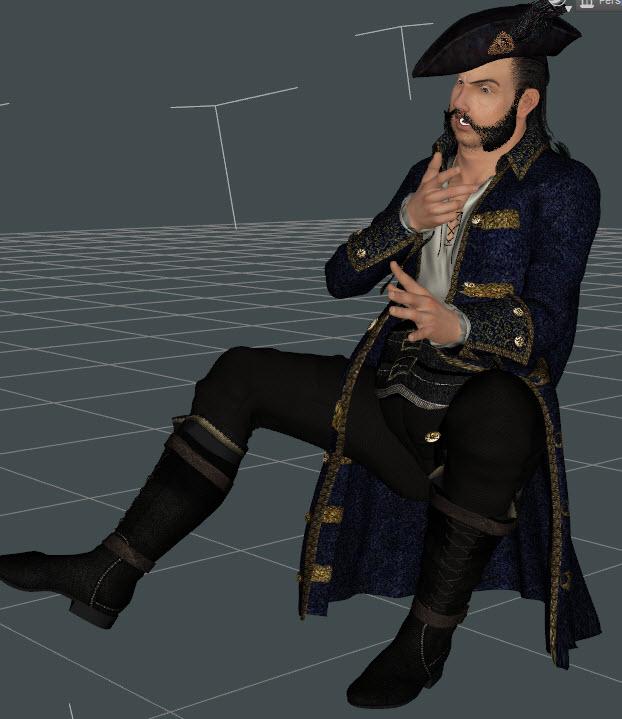
You will notice a floating button. The buttons didn't automatically move with the coat morph. So I'm thinking that all I need to do now is move the buttons. Tweak Tool again, then playing around and found the rotate tool... except when I try to rotate the button, the whole coat rotates as one unit. Darned if I can find a way to disassociate the buttons from the coat so I can rotate them. I can move them individually, but... g.r.r.r.r.r.
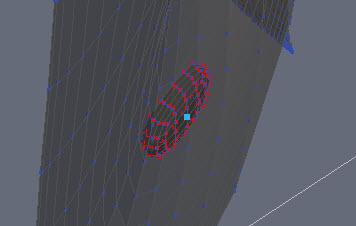
OK so I asked the question in the Hexagon thread. The adventures of Dracorn trying to rotate the buttons will be continued...
Hello everyone,
Nice morph ;)
I think you need a separate button and coat ... with hexagon, since you seem to begin to master;).
Copy the button and create a new object by pasting.
For you to see what will be the easiest ... reveir in DAZ with coat and button or just send button ... and you aparentera the mantle in DAZ.
This is what seems to me the simplest.
But it is surprising that the D-dormer act on both sides ... you had may be poorly settle the action sphere.Can't isolate an object to rotate itYou will find the Scene Tree Pane on the right hand side of the Hexagon, Under the Properties Pane. It can get hidden, so if you cannot see it click on the little blue arrow. If it is turned off then tick the box in Window Menu (tick all the top section, you will probably need them in time).
I think you'll find the buttons are seperate objects, if that is the case I do not think its posible to morph the coat, Patience (a fellow Hex user) will hopefully pop in and tell you if there is a work around.
February, 2016 New User 3D Art Contest “Lighting” (WIP Thread)Dracorn's Adventures in Morphing:
OK so I tried Deformers to pose the coat, but they are symmetrical (or I have no idea what I'm doing), and when I tried to spread the coat open one way, the other side just followed.
So, next step was Hexagon. I had picked it up a long time ago but never got around to using it. So after going through a few YouTube tutorials, I loaded the Pirate coat, goofed up, cussed at it, then finally found that the Tweak Tool with Soft Selection worked best for me. This won't be a morph I will reuse, as it is designed for the Captain's extreme pose.
I saved the Captain out as a scene subset, and when I sent the coat back to Daz Studio, the morph automatically loaded into his coat. Back and forth between Hexagon and Daz Studio because I need the fully morphed and posed Captain to see what I'm doing and I can't bring in a morphed character into Hexagon.
Here's a so-far pic of the completed morph on the left side. I'm pretty darn proud of myself since this is the first time I've ever used Hexagon.
You will notice a floating button. The buttons didn't automatically move with the coat morph. So I'm thinking that all I need to do now is move the buttons. Tweak Tool again, then playing around and found the rotate tool... except when I try to rotate the button, the whole coat rotates as one unit. Darned if I can find a way to disassociate the buttons from the coat so I can rotate them. I can move them individually, but... g.r.r.r.r.r.
OK so I asked the question in the Hexagon thread. The adventures of Dracorn trying to rotate the buttons will be continued...
I am not sure if this will help with your button issue Dracorn but the Geometry Editor Tool might come in handy. There is a tutorial thread here.
Or perhaps this tutorial on the Poly Group Editor might be more appropriate.
This isn't something I have tried so I am not sure which is more appropriate or if even either of them will help you move those buttons.
Thanks for the links. Even though these links may not work for my problem, they are very useful information, thank you.
I can't even select the buttons within Daz Studio, so this may be a Hexagon only issue. I have a question on the Hexagon thread and am hoping for a solution there. I wanted to work it out in Hexagon, because now that I know how to create morphs for clothing, I will be using this more often. Who knows, the solution may need to come from a combination of Daz Studio and Hexagon!
My Renders, Now I can go to bedNevada
G3F with some morph dials
after getting a moment on the new machine, not so easy playing on the old, but it's the only one I can use for DS Till I figure a way getting it installed on the new
meant to post this last night
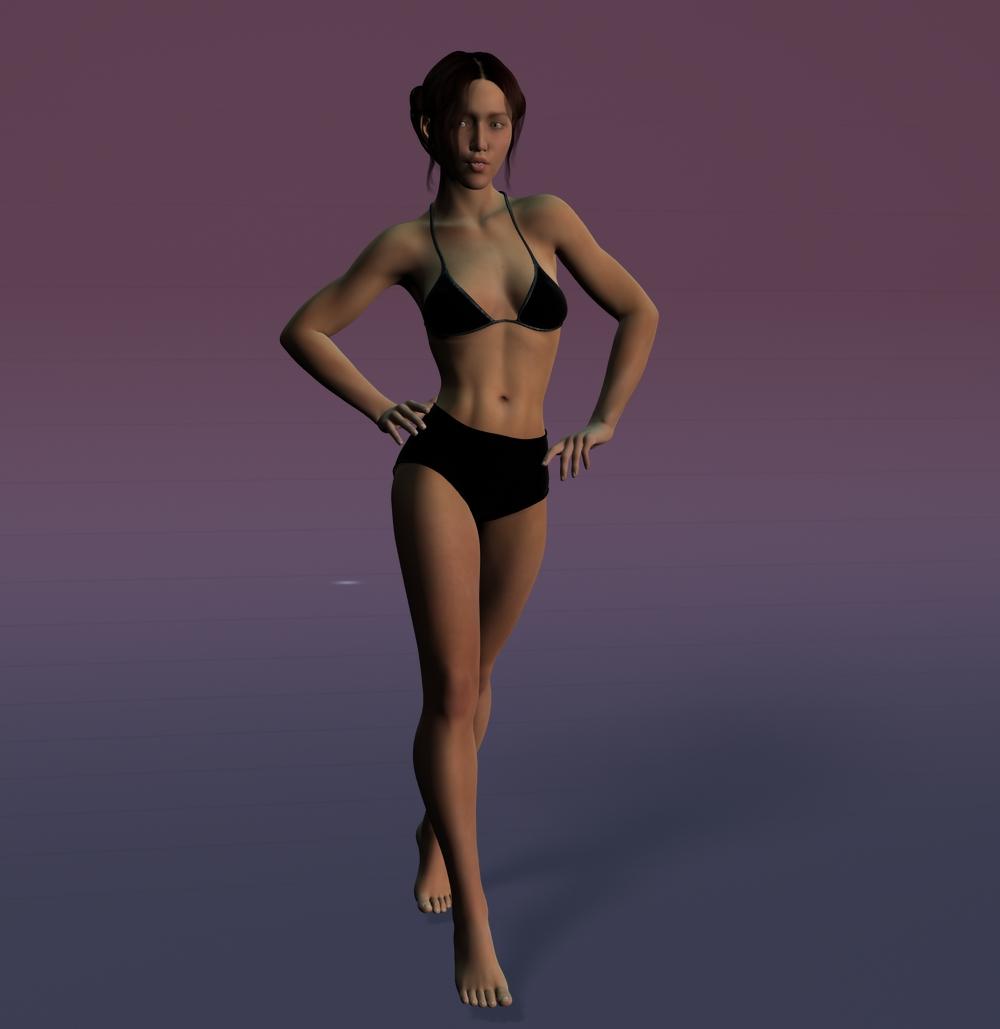
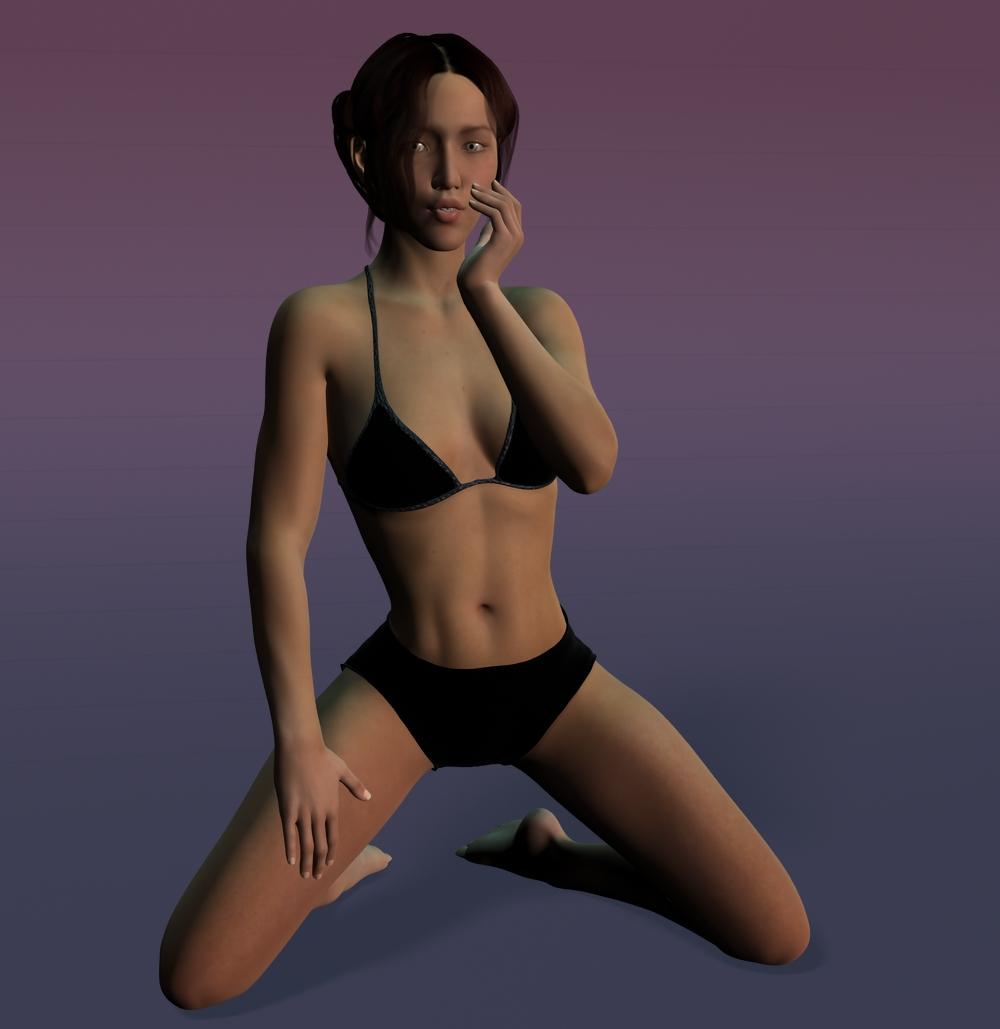 Celebrity Look-a-Likes for 3D figures Part 2
Don't know if these sets have been brought out yet, but Werts and Mogadeet did some fine celebrity heads before they went AWOL. JoeQuick's got some, too, though most of his are based on comics rather than actors.
- http://www.sharecg.com/v/41628/Poser/werts-Movie-Stars
- http://www.sharecg.com/v/34481/browse/11/Poser/The-Many-Faces-of-Moggadeet
- http://www.sharecg.com/v/48429/related/11/Poser/M3-Character-Morphs
There're also some celeb heads for Apollo Max at his download page, if you want, and Trekkiegrrrl.dk has an Alan Rickman (Severus Snape) morph for Maximus as well.
How to make some corrections for imported clothes from DazStudio?Hi. Welcome aboard. In order to help more effectlvely, I would need some more details.
Which figure is the base figure? What morphs and clothes are you using? Are the morphs and clothes part of package, or did you make them yourself? When you say imported the final figure from Daz Studio 4.8, how did you save it out of Studio? As a straight DUF file? As a one big scene subset? Or the figure as a character preset and the clothes as separate wearable presets? Other? What adjustments are you trying to make? Further morph character face/body? Fix poke through? Etc.
Meanwhile, here is a thread that documents my progress in getting genesis and genesis2 figures to work in Carrara.
It took me a while to get used to genesis-type figures. Personally, I have gotten to the point where I prefer to use genesis and genesis 2 over V4/M4, but that varies among Carrara users.
UV set invalid (V4.2) - SOLVEDThank you both. . .
Richard. . . Originally, yes I had changed the texture image that the UV uses, but i have just retried using all original textures from v4. . . still get the same error message though...
Caymam. . . I dont know how to see the vertex count in Daz, However I have loaded the Original V4 into blender and then the morphed obj. . . and blender says both have the same number of vertices (67,619). The morph would also not load if the vertex count was different?
Infact just to test things, I have just loaded an original, unchanged by me, packaged V4 into Daz... exported into Blender... created a basic morph... scaled the UVs larger for the altered area... then Exported the UV image... and Exported model as obj file.
I then imported the morph to the original packaged V4 in Daz (The morph works fine). . . Tried loading new UVset, but still getting the same error message.
I have now exported almost twenty obj files (all of the same morph) from blender using different 'Export options' (although all have been wavefront obj's as this is how it has always worked on other objects).... In Daz I have tried Loading the UVs from each of these via...
1 - Edit > Object > Geometry > Load UV Set
and
2 - Edit > Figure > Geometry > Load UV Set
All get the same error message. . . and its getting VERY frustrating
Pete
UV set invalid (V4.2) - SOLVEDDid you change any of the surface assignments? That is, move one or more polygons from one texture area to another? I don't know if that would break the compatibility, but it might - and it wouldn't affect morph loading which would be consistent with what you are getting.
February, 2016 New User 3D Art Contest “Lighting” (WIP Thread)Dracorn's Adventures in Morphing:
OK so I tried Deformers to pose the coat, but they are symmetrical (or I have no idea what I'm doing), and when I tried to spread the coat open one way, the other side just followed.
So, next step was Hexagon. I had picked it up a long time ago but never got around to using it. So after going through a few YouTube tutorials, I loaded the Pirate coat, goofed up, cussed at it, then finally found that the Tweak Tool with Soft Selection worked best for me. This won't be a morph I will reuse, as it is designed for the Captain's extreme pose.
I saved the Captain out as a scene subset, and when I sent the coat back to Daz Studio, the morph automatically loaded into his coat. Back and forth between Hexagon and Daz Studio because I need the fully morphed and posed Captain to see what I'm doing and I can't bring in a morphed character into Hexagon.
Here's a so-far pic of the completed morph on the left side. I'm pretty darn proud of myself since this is the first time I've ever used Hexagon.
You will notice a floating button. The buttons didn't automatically move with the coat morph. So I'm thinking that all I need to do now is move the buttons. Tweak Tool again, then playing around and found the rotate tool... except when I try to rotate the button, the whole coat rotates as one unit. Darned if I can find a way to disassociate the buttons from the coat so I can rotate them. I can move them individually, but... g.r.r.r.r.r.
OK so I asked the question in the Hexagon thread. The adventures of Dracorn trying to rotate the buttons will be continued...
I am not sure if this will help with your button issue Dracorn but the Geometry Editor Tool might come in handy. There is a tutorial thread here.
Or perhaps this tutorial on the Poly Group Editor might be more appropriate.
This isn't something I have tried so I am not sure which is more appropriate or if even either of them will help you move those buttons.
Gianni 7Does Ragnar require the Gianni 7 UV map or can you use it on G3M? I'm not all that thrilled with the Gianni 7 bundle content and I'm not going to buy the base for one texture set.
Ragnar uses the base G2M UV maps. If you get Ragnar without buying Gianni 7, you can still use him. He just won't have the same shape as the promos.
I didn't have Gianni 7, so I bought Ragnar and the base Gianni 7 figure at the same time. With the current, (soon to disappear,) sale, I got Gianni for under $16. (None of the clothing items that came with the bundles appealed to me. I prefer more contemporary, everyday kind of clothing.) So it worked out well for me.
Thank you for the information. While the morph is nice, I was more interested in the texture.
I thought that might be the case. However, I didn't want to neglect to mention the current sale, in case you or anyone else reading the thread today might think to grab both with the sale going on.
Anyway, here's one of the Ragnar skin options, as well as eyes, applied to Leo 7...
 DUF vs DSF, nothing to identify which is which...
AFAIK, DSF are the geometry and morph files, DUF are user-interfacing files for presets and such. So you wouldn't want to delete either.
February, 2016 New User 3D Art Contest “Lighting” (WIP Thread)Dracorn's Adventures in Morphing:
OK so I tried Deformers to pose the coat, but they are symmetrical (or I have no idea what I'm doing), and when I tried to spread the coat open one way, the other side just followed.
So, next step was Hexagon. I had picked it up a long time ago but never got around to using it. So after going through a few YouTube tutorials, I loaded the Pirate coat, goofed up, cussed at it, then finally found that the Tweak Tool with Soft Selection worked best for me. This won't be a morph I will reuse, as it is designed for the Captain's extreme pose.
I saved the Captain out as a scene subset, and when I sent the coat back to Daz Studio, the morph automatically loaded into his coat. Back and forth between Hexagon and Daz Studio because I need the fully morphed and posed Captain to see what I'm doing and I can't bring in a morphed character into Hexagon.
Here's a so-far pic of the completed morph on the left side. I'm pretty darn proud of myself since this is the first time I've ever used Hexagon.
You will notice a floating button. The buttons didn't automatically move with the coat morph. So I'm thinking that all I need to do now is move the buttons. Tweak Tool again, then playing around and found the rotate tool... except when I try to rotate the button, the whole coat rotates as one unit. Darned if I can find a way to disassociate the buttons from the coat so I can rotate them. I can move them individually, but... g.r.r.r.r.r.
OK so I asked the question in the Hexagon thread. The adventures of Dracorn trying to rotate the buttons will be continued...
Can't isolate an object to rotate itI just started using Hexagon today to create a morph for the Pirate Coat for G2M. I've got the shape for one side the way I want using Tweak with soft selection. Now I have to move the buttons. I am able to select the individual button using the Tweak tool and move it, but I can't rotate it.
I was able to activate the rotate tool, but it rotates the entire coat. I figured out the pivot point, but again it only rotates the whole coat.
My problem is that I am unable to isolate the button from the coat. The only way I know how to select the button is using the Tweak tool with soft selection. I tried the extract tool, but that doesn't work.
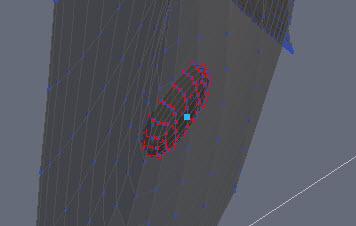
First pic shows the buttons that need to be moved.

Second pic shows the button at the wrong angle.
 TUTORIAL - Applying Shaders by RKane_1 (as stolen blatantly from Jaderail)
Thanks for the brilliantly simple explanation - brilliant in the sense that the author spared us extraneous jibberish to stroke his own ego - something that irks the hell out of me. The idea is basically simple: transfer the required steps to complete the process as directly & succinctly as possible. It's an art form and that is what makes this a shining example of how not to take on the persona of a retarded instructor. Kudos for editorial rights.
Michael and Friends Appreciation Association [Lots of images, please.]Love all the renders by the way...
@L'Adair , really like your image of Ragnar...looked at getting it but was put off by having to buy Gianni first as I don't already have it. Wishlisted for now...
Here's Dusk in Iray, It's his asian morph with 25% of Faery Lights Takeo morph dialed in.
Daz 3D is part of

Connect
DAZ Productions, Inc.
7533 S Center View Ct #4664
West Jordan, UT 84084Licensing Agreement | Terms of Service | Privacy Policy | EULA
© 2026 Daz Productions Inc. All Rights Reserved.