-
Marahzen's Musings on Creating Characters (and other matters)
Meanwhile, like lots of other Daz users, I was busy exploring G9. There had been so many truly great bundle discounts on the G9 characters, that despite never planning to use the characters for anything, I had practically all of the basic human* G9 main releases. [*Not to be ... well ... some sort of "ist", all of my story WIPs involve physically ordinary people in ordinary worlds, so I have no need for - or interest in - non-realistic humans and animals. That's why there's almost no presence of toons, anime, mythical creatures, monsters, aliens, gods and demons, elves and their fantasy brethren, etc, in my stuff.]
A look through my gallery shows a handful of renders that are just simply G9 characters around that time; they were something new to be tested like all the other new stuff, and sometimes something came out that I liked. But my main priority was getting my characters onto a G9 figure, and when I first broke through with success in that regard, it was thanks to the information here:
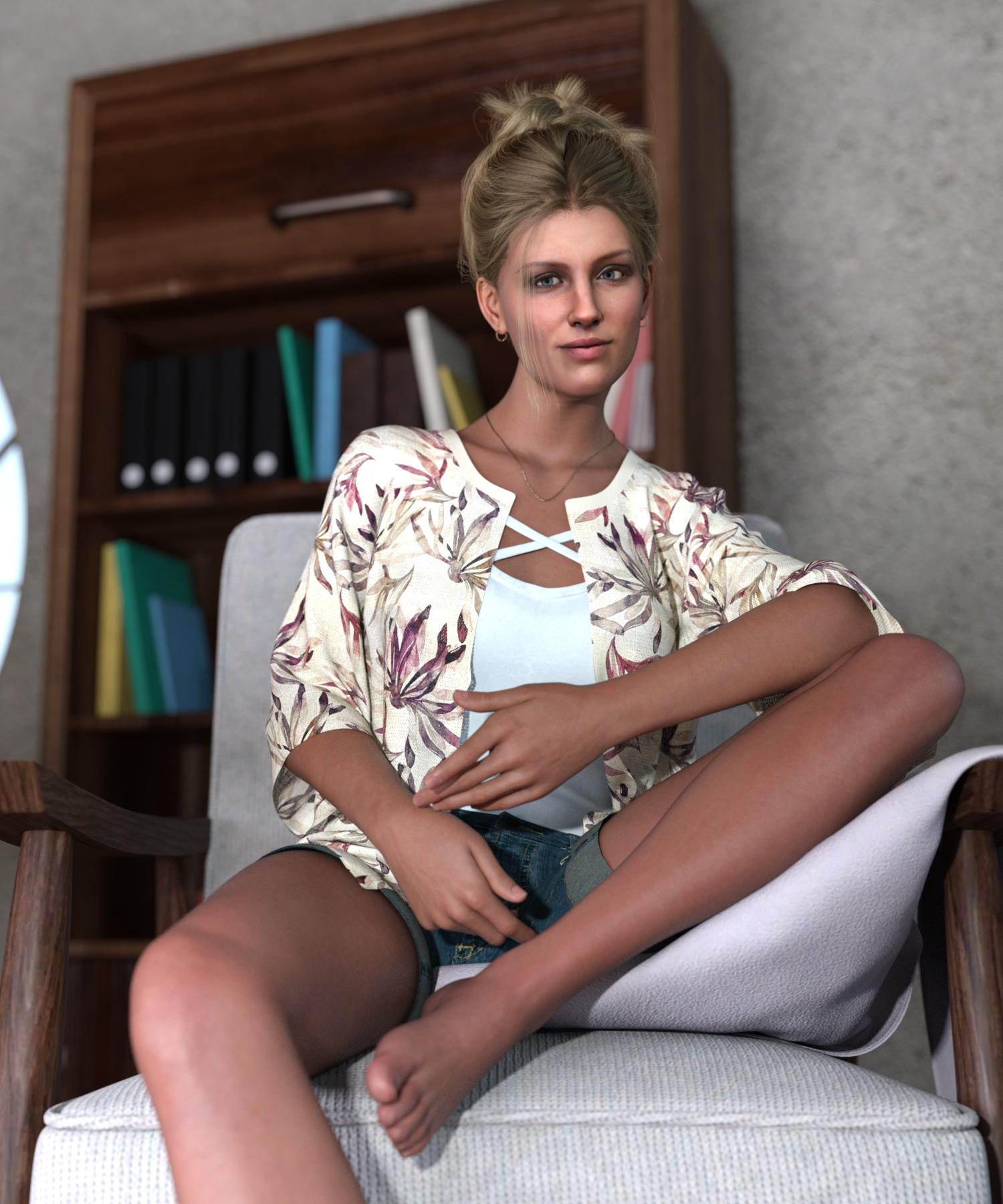
There's a bunch of steps involved, but it can be done. She was my first converted character:
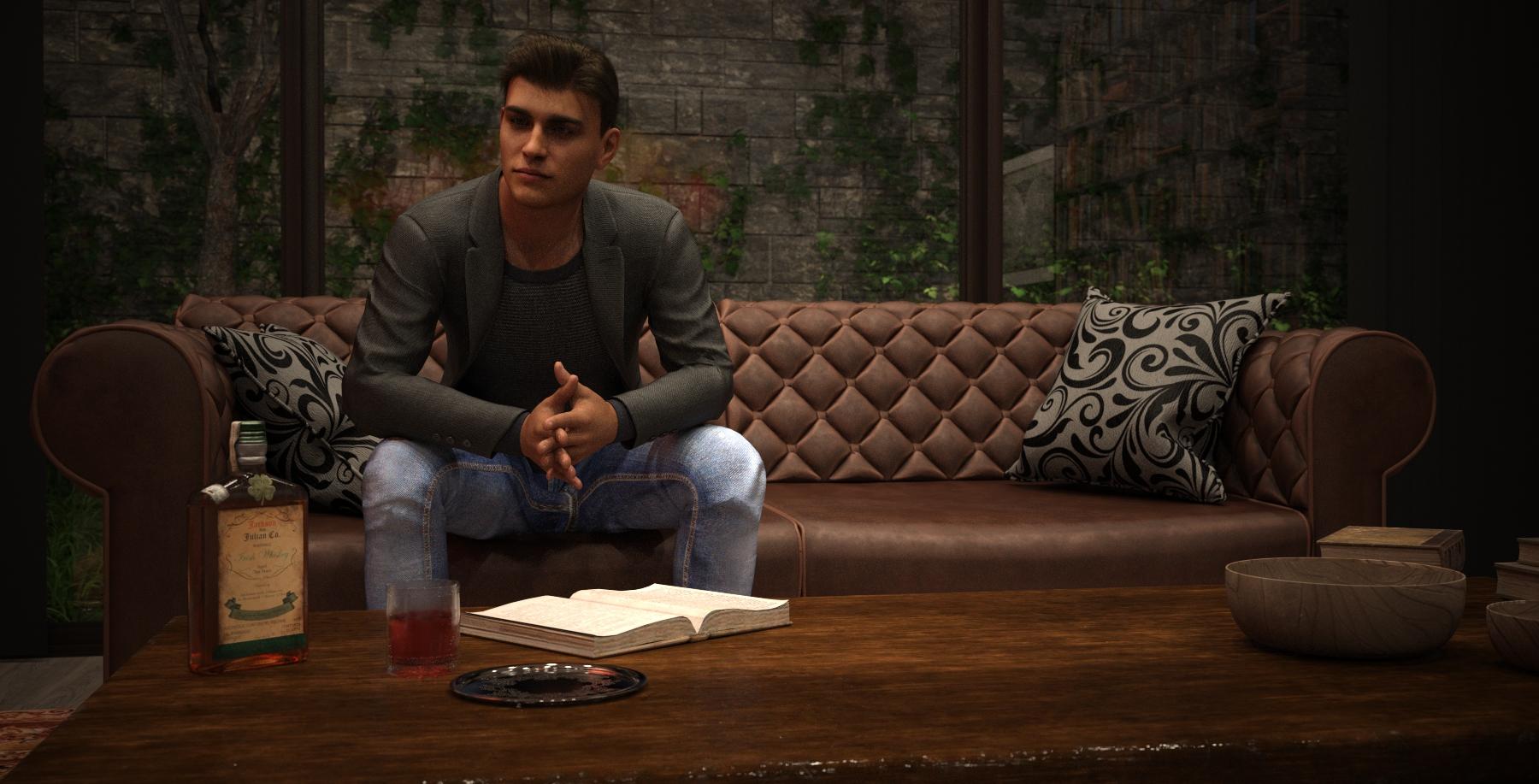
And then this guy, who is based on the same source image as the guy in the bathroom up in the last post.
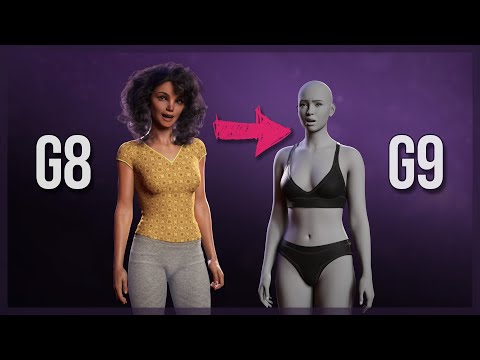
When the RSSY G8/G9 converter came out, I had a working manual process so I thought, I can just do it manually. By the time that ManFriday's Figure Converter for G9 came out a bit later, my response was, "Yes, please." I was ready to try a utility:
https://www.daz3d.com/figure-converter-for-genesis-9
It was vastly quicker and easier than doing it manually.
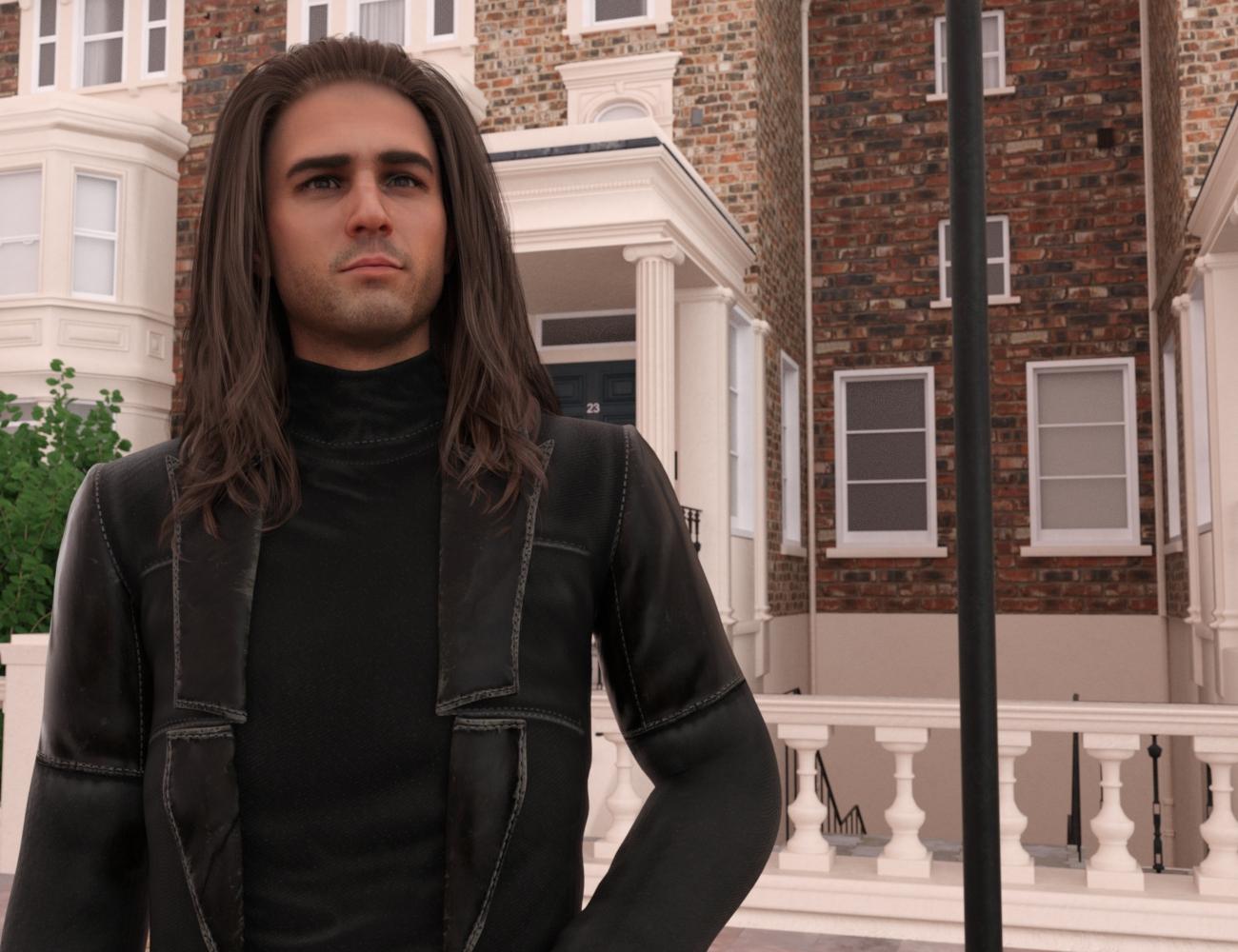
This was one of my first G9s created using this utilty.
Within a short period of time, everything I needed came together. Having sufficiently convinced myself that I could reasonably use FaceGen textures on my Face Transfer shapes, I went ahead and updated to the new FaceGen that does G9. And that was how I started creating my "Franken" characters. They were Face Transfer shapes converted to G9 with the ManFriday converter, with textures provided by FaceGen, run on the same source image and exported straight to G9.
Another handy thing I picked up around the same time was Dial Fusion for G9:
https://www.daz3d.com/dial-fusion-genesis-9-edition
I would then immediately create a dial for my newly converted G9 shape and save it, then load a fresh stock G9 figure, dial the shape, apply the textures and ... voila, G9 insta-people.
This was where the final step of using store-bought texture underpinnings - that tactic that also crept into my G8 characters later in the year - came into play. The technique I had been using in the first few months of the year was specific to Iray Uber, and meant for G8/G8.1. There was a moment sometime along the way when I realized that I could just apply the mat for one of the many store-bought characters I'd accumulated when buying all those bundles, and then go back and replace the base with the texture file created by FaceGen.
Yeah, eventually I plan to go back to creating my own translucencies, bumps/normals, etc, just as I plan to analyze what settings go into skins that work best with my process and create my own. But through the latter months of 2023, when I was streamlining all of this, it made usable test characters.
Transfer utility problems, zbrush gozHello,
Suddenly having issues with transfer utility, where i will send a model to zbrush, sculpt on top then use transfer utility to fit it to the model to pose it, this was never intened to be perfect but would help me see how armor fit models. This never not worked, pretty flawlessly actually, would fit where i wanted easy. I havent used daz in 6mo came back upgraded to 4.22 and now transfer utility is not working like before. I do everything the same and when i hit okay on transfer utility, i cannot select the figure AND its not fit to the model. The only thing i can select is the clothing piece. Universal select tool is on and theres nothing unselectable in scene view. Ive tried a mix of things and cannot figure it out, will post pics of work flow
Ive tried different models, on normals bases everything and nothing is sticking. Also did a reinstall and nada
This isnt about weight painting as i have never needed that before. these are the settings that have ALWAYS worked in the past
thanks for help in advanceDiva's Desire Jewelry Crunched UpIt is the autogenerated projection morph.
With the necklace selected, you can in parameters enable show hidden, and then click currently used. There will the be a morph named something with Tara, and you can try to dial it down.
A better solution is to take the necklace into a modeller and correct it. But that is more complicated.
Alternatively, don't fit it the Kara, but just parent to the neck. Might need some corrective translations.
How do you use Daz3D products and AI together? My two centslinvanchene said:
My hope is that in a few years we can use all the licensed 3D models as input for generative AI.
This would be a huge help to create consitent characters from different angles.
###
For now I have been using Daz Studio to render out different types of images for img2img workflows with ComfyUI.
Some examples:
Face Swap
I made a template scene in Daz Studio that creates portrait renders of licensed Daz characters without hair.
Those renders are then used as source in Stable Diffusion to replace just the face of a character.
This works similar to the Face Transfer option of Daz Studio.
For research purposes I created a workflow to generate and save two versions of each image.
One with a face generated by a Stable Diffusion checkpoint and one with a licensed Daz Character.
Workflow example:

Result with Joan 9 HD High Elf Add-On:

Poses
I setup a scene with one or two Genesis 9 default characters in Daz Studio.
It seems sufficient to render the image in White Mode.

That pose render can be used as input for different ComfyUI ControlNet nodes.
Result with Xola 9 HD:

Canny is a way to create a line art version when you want to capture more details for the pose. (example attached)
OpenPose is an option if you are just interested in the pose and want Stable Diffusion to have more freedom. (example attached)
Clothing
I did some experiments with rendering out images of clothing from Daz Studio.
With IP-Adapter you can then use them as img2img source.
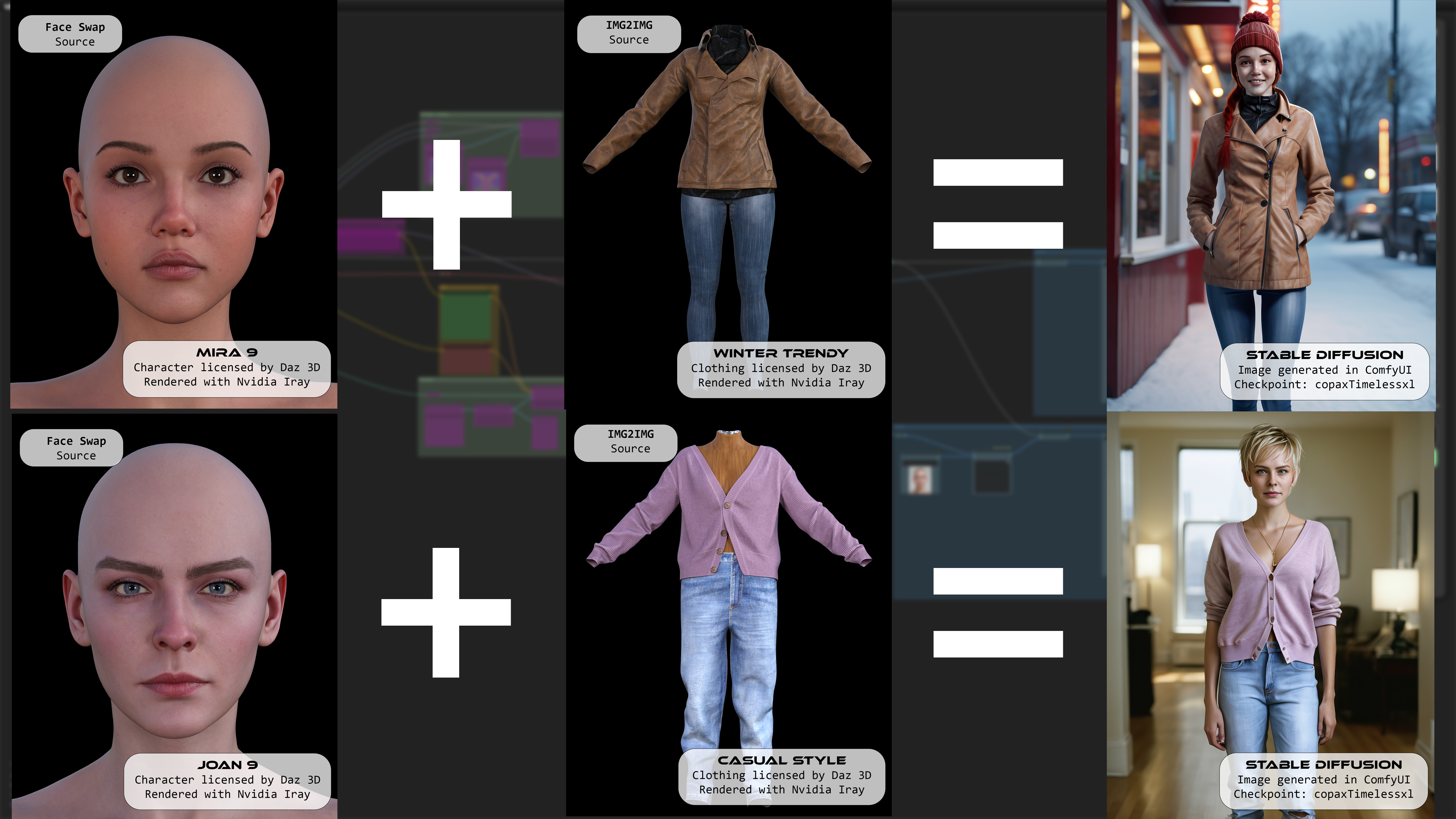
Some of those workflows require the characters to face the viewer to work properly.
As soon as the head is turned to the side the faces become distorted or the clothing gets a more different look.
###
Daz AI Studio could now provide an alternative option for those challenges.
Guess we will have to test what happens when we stack LoRA of characters, hair and clothing together when those features become available as inputs...
Profile shot generated in Daz AI Studio:
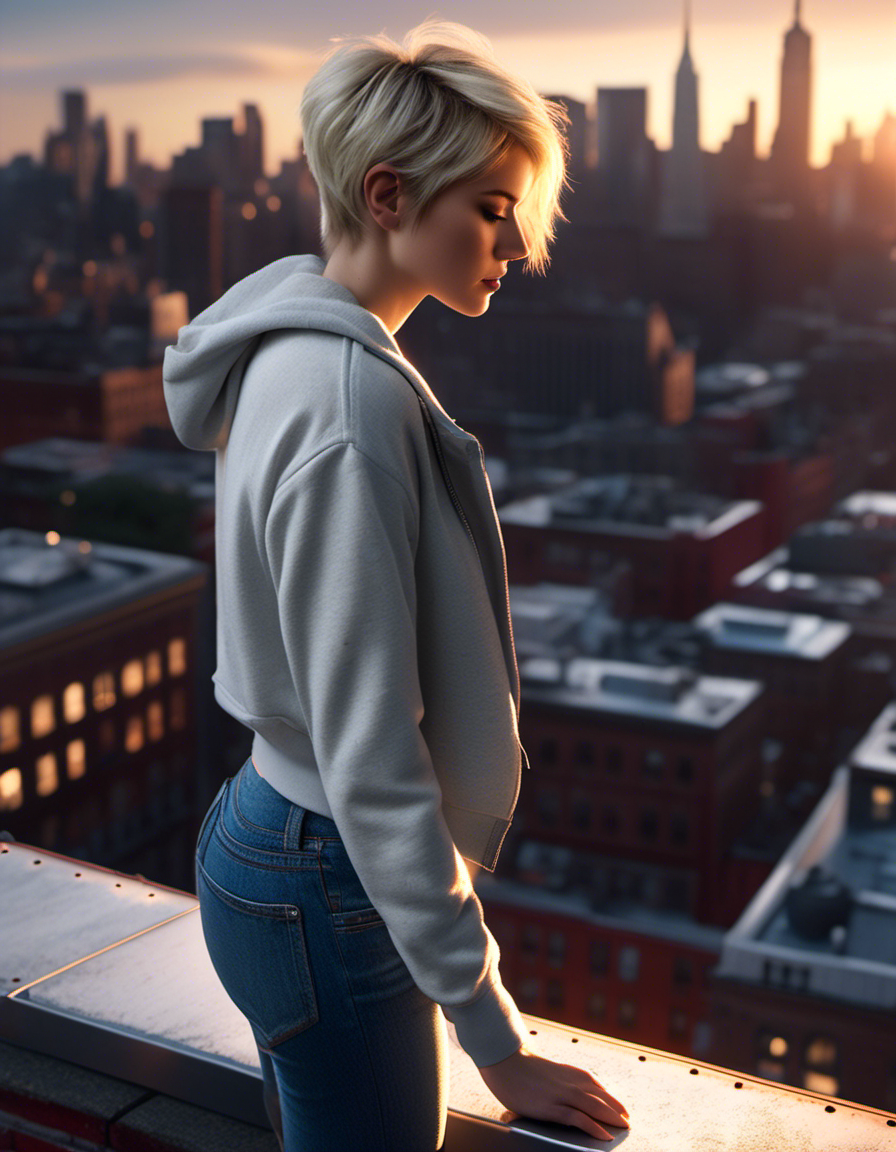
Some additional examples are attached:
this is the most interesting thing I read today so far :-)
How do you use Daz3D products and AI together? My two centsMy hope is that in a few years we can use all the licensed 3D models as input for generative AI.
This would be a huge help to create consitent characters from different angles.
###
For now I have been using Daz Studio to render out different types of images for img2img workflows with ComfyUI.
Some examples:
Face Swap
I made a template scene in Daz Studio that creates portrait renders of licensed Daz characters without hair.
Those renders are then used as source in Stable Diffusion to replace just the face of a character.
This works similar to the Face Transfer option of Daz Studio.
For research purposes I created a workflow to generate and save two versions of each image.
One with a face generated by a Stable Diffusion checkpoint and one with a licensed Daz Character.
Workflow example:
Result with Joan 9 HD High Elf Add-On:
Poses
I setup a scene with one or two Genesis 9 default characters in Daz Studio.
It seems sufficient to render the image in White Mode.
That pose render can be used as input for different ComfyUI ControlNet nodes.
Result with Xola 9 HD:
Canny is a way to create a line art version when you want to capture more details for the pose. (example attached)
OpenPose is an option if you are just interested in the pose and want Stable Diffusion to have more freedom. (example attached)
Clothing
I did some experiments with rendering out images of clothing from Daz Studio.
With IP-Adapter you can then use them as img2img source.
Some of those workflows require the characters to face the viewer to work properly.
As soon as the head is turned to the side the faces become distorted or the clothing gets a more different look.
###
Daz AI Studio could now provide an alternative option for those challenges.
Guess we will have to test what happens when we stack LoRA of characters, hair and clothing together when those features become available as inputs...
Profile shot generated in Daz AI Studio:
Some additional examples are attached:
Getting on the 9 train, or notYou can make substantial changes to how G9 bends with just sculpting. But it can only be taken so far before problems arise. Moving mesh has consequences.
Masterstroke is correct, if you want the movements of your character to conform to your ideal, custom JCMs/CBSs will be needed.
The morph in the image below uses no CBSs beyond default G9. All changes were sculpted in Blender.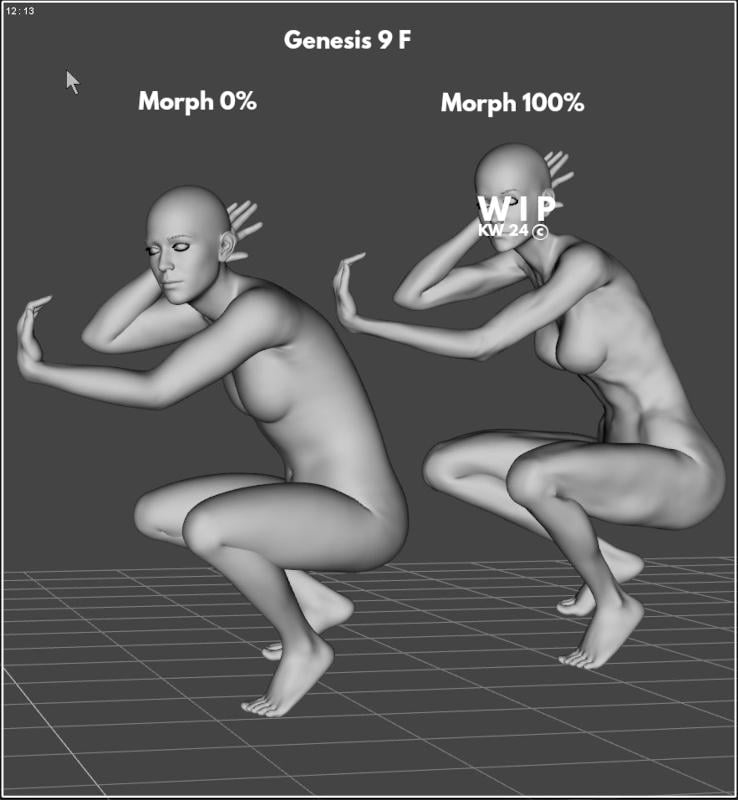 Transfer Utility creating "webbed" texture?
The Transfer Utility projects weights into the new item based on which body part theya re closest too - in this case some of the sleeves received weight for the Torso bones. You need to fix this with the Node Weightmap Brush tool, painting the arm bone influence into the edgs of the sleeve.
Hanako 9 !!Thanks for the response, CHWT. I thought they might be, so I did take a look earlier. The tail seems like it fits... but I am not so sure about the ears. The stuff I have seen for Kiko 8.1 (although, I may have overlooked an option/morph), seems like it is set more on the side of the head, and angles more out to the side... while these ones appear to be a bit higher and pointing more upward. The fur on Kiko's generally seems to be fuzz, with some longer hair pointing in, while these ones have the longer hair on the outside point of the ear pointing upward.
Transfer Utility creating "webbed" texture?So this always happens whenever I try to transfer utillity for any clothing that has the arms near the body.
Genesis 9 does not load in defaultThank you so much PerttiA, found it! turns out it wasnt one of my morphs, it was Luciano by Matari 3D the one causing problems
PerttiA said:
For the purpose of figuring out the morph that has it's default value set at non-zero value, select "Show hidden parameters" and zero the figure.
Once you have zeroed the figure, check the "Currently used" list - The problem morph should have it's value "0" shown in white.Hanako 9 !!
Yeah if I will eventually get her it will be because of the skin.Georgehaze said:CHWT said:
https://www.daz3d.com/hanako-9
Her texture is really nice. Looks like a teenage girl with really good skin. Her arms look a bit short though?
For those who haven't heard of the name Hanako, may I invite you to search on the web about her role in Japanese folklore.
It is a bid odd...
Still, one could always apply just the head morph to any other body morph and walk away happy.
Hanako 9 !!CHWT said:
https://www.daz3d.com/hanako-9
Her texture is really nice. Looks like a teenage girl with really good skin. Her arms look a bit short though?
For those who haven't heard of the name Hanako, may I invite you to search on the web about her role in Japanese folklore.
It is a bid odd...
Still, one could always apply just the head morph to any other body morph and walk away happy.
Genesis 9 does not load in defaultFor the purpose of figuring out the morph that has it's default value set at non-zero value, select "Show hidden parameters" and zero the figure.
Once you have zeroed the figure, check the "Currently used" list - The problem morph should have it's value "0" shown in white.Genesis 9 does not load in defaultI have been playing around with morph creation and I think I might have done something wrong since
now everytime I load g9, it loads with morphs applied.
I followed 5 different tutorials on figure reset with no luck
it is not a morph I created since I uninstalled them, but rather something else since all the morphs dialed are from the base proportion folder of genesis 9 essentials in the data folder.
I tried unistalling and reinstalling genesis 9 essentials also with no luck.
any help would be greatly appreciatedthese are some of the tutorials I followed
https://www.daz3d.com/forums/discussion/comment/8277756/
Marahzen's Musings on Creating Characters (and other matters)That series of examples was just whipped up yesterday, since there was never a real-life moment in which I methodically worked from beginning to end with one example. It was more organic than that. In fact, there wasn't really a true straight line from one process to another, as I kept circling back and retrying old things even as I was testing newer ones.
There were better renders along the way. Here are a few of my favorite G8.1 Face Transfer-based insta-people images from 2023 - my year of wandering and product testing. The earliest ones - the bathroom scene and the girl on the horse - used Face Transfer textures and the later ones, aside from the young mother, use FaceGen textures.
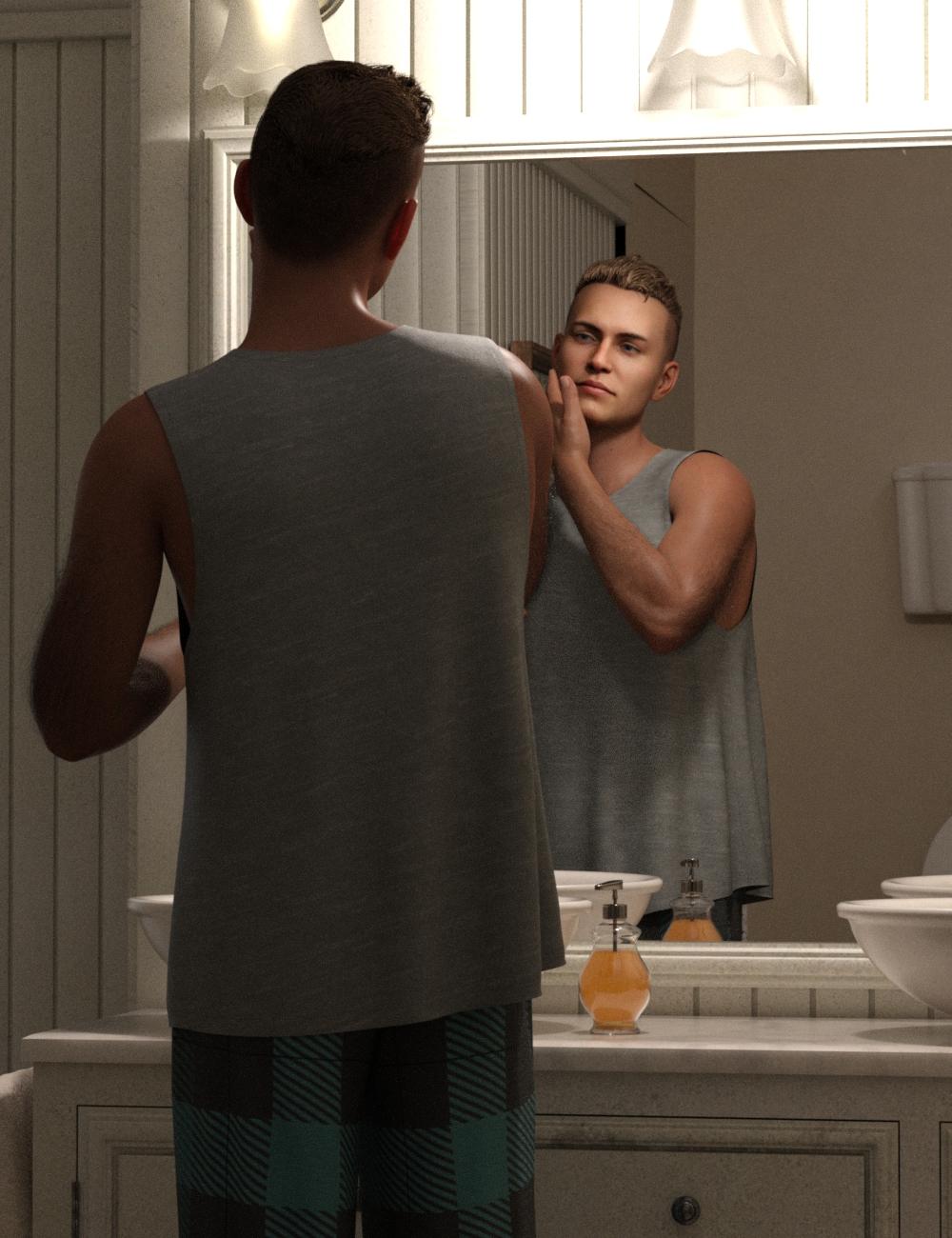
This character is really elusive to capture as a 3D character. This version of him is not especially recognizeable, but I still like the render itself.
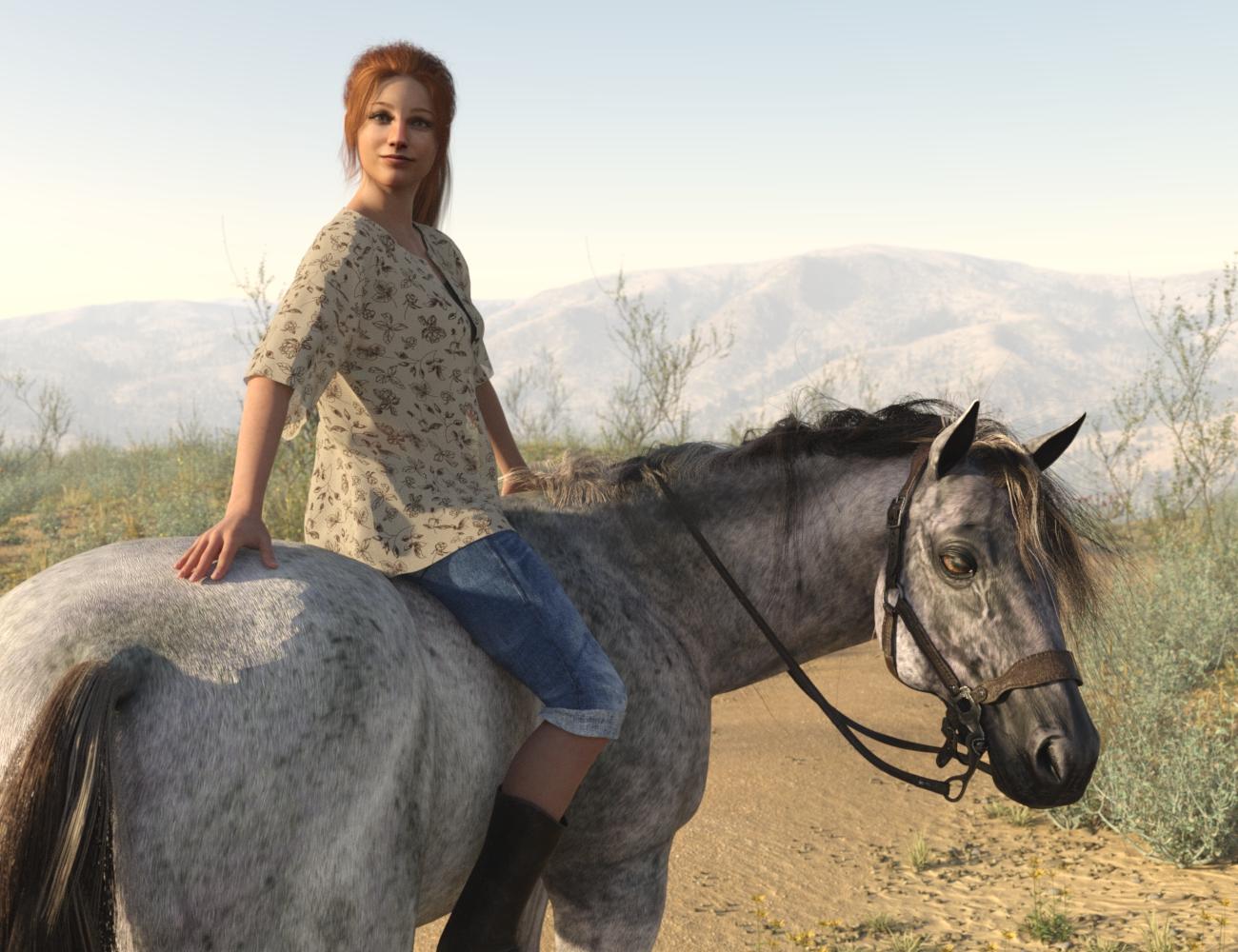
Under Sun-Sky lighting conditions - important for me, since a lot of my story takes place outside.
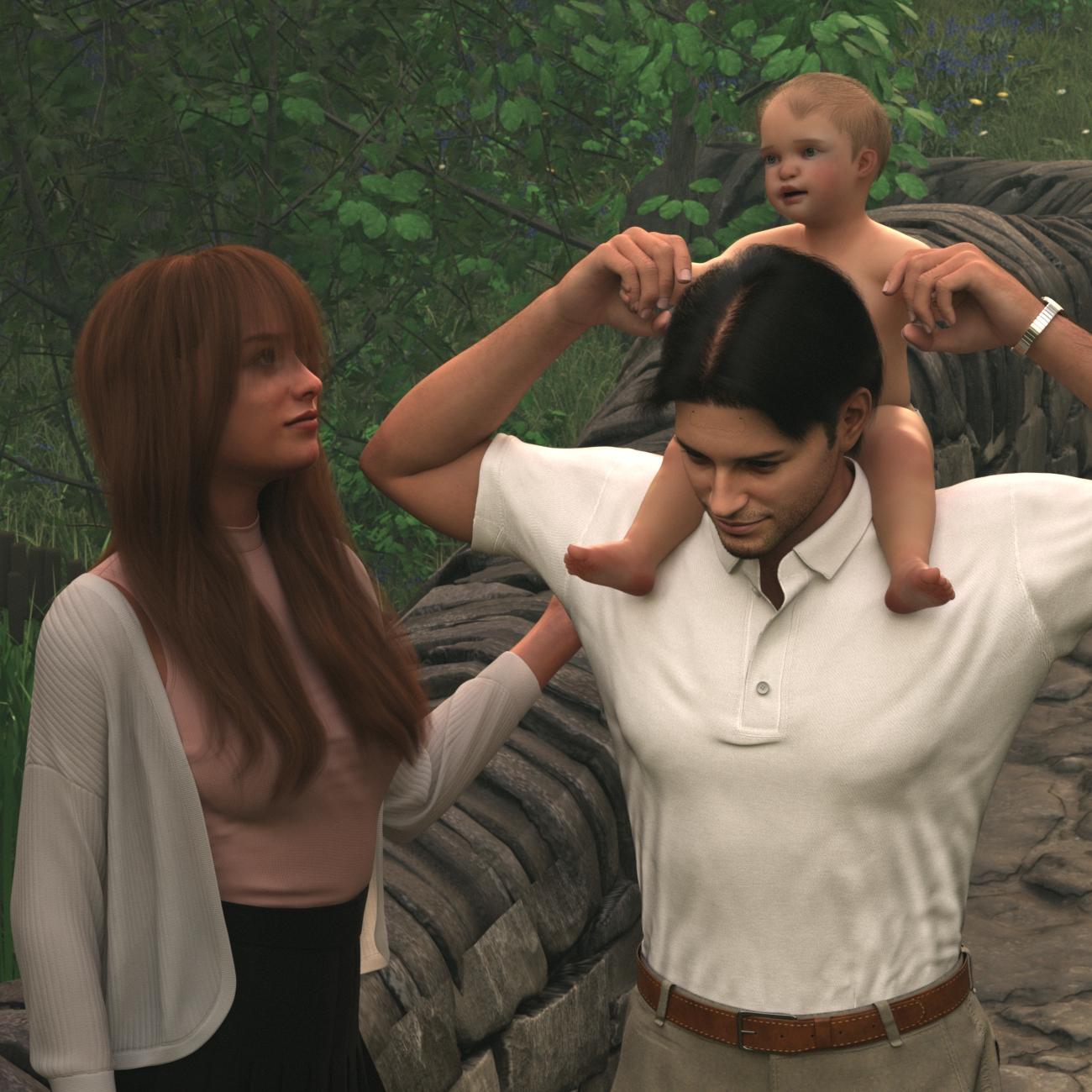
OK, the Mechasar baby is not a Face Transfer product.
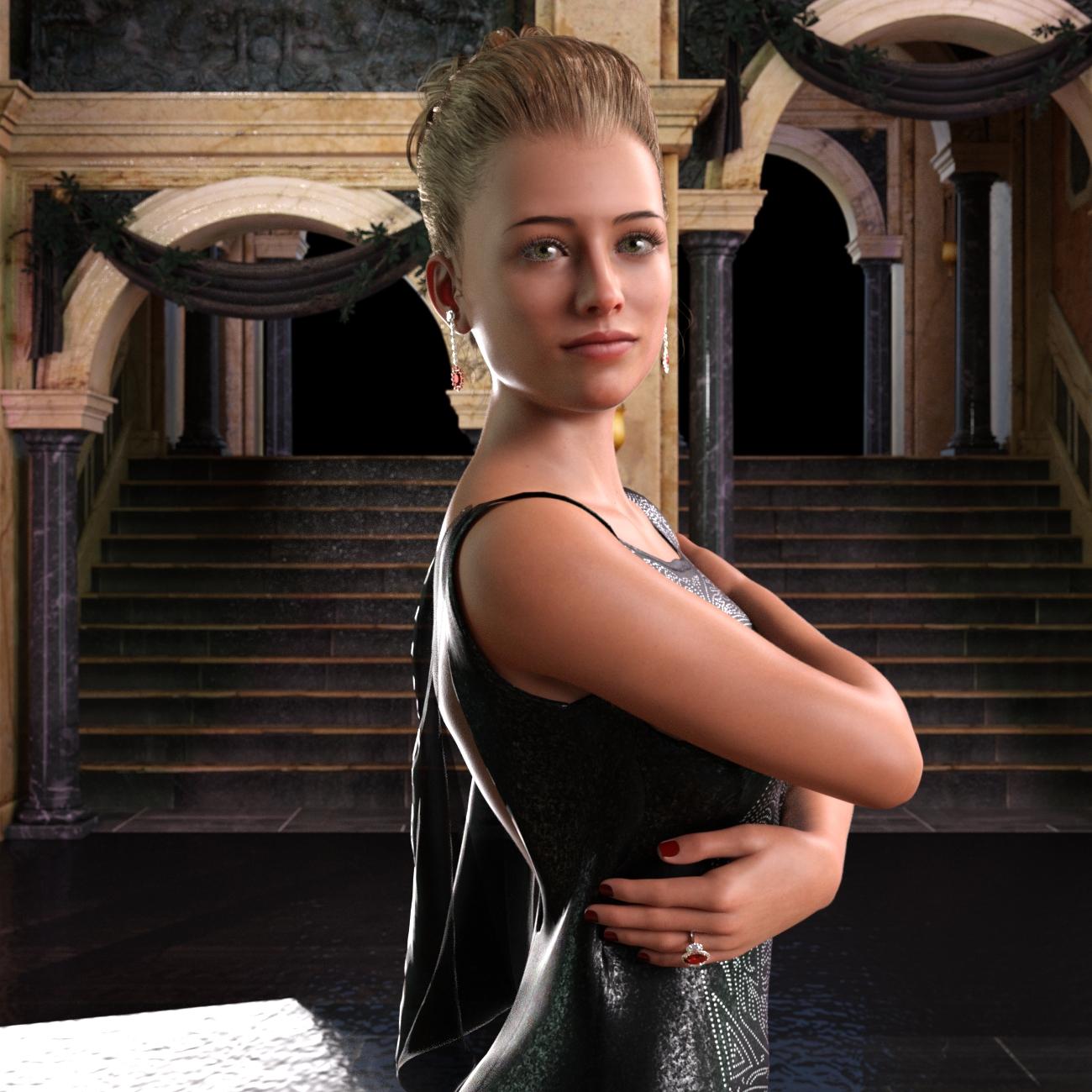
I just realized that almost all of these - and my example from yesterday - feature a girl that is ultimately from the same source image. Don't worry, I have dozens and dozens of NPCs - I literally call them that - and they get a lot of use with a new product that gets mentioned soon.
La Femme in DStchamberlain2 said:
Can somebody please tell or show me how to transfer La Femme to Daz Studio?
Not possible. In theory you would have to expoprt the LaFemme mesh and then reimport it into DS and then re-rig the entire figure by hand
La Femme in DSCan somebody please tell or show me how to transfer La Femme to Daz Studio?
Why is my guy melting?Looks more like a morph applied that hasn't had its bones adjusted to match, or soemthing messing with the bones on its own. Does the issue go away if you use Edit>Figure>Zero>Zero Figure Shape?
Marahzen's Musings on Creating Characters (and other matters)In the spring of 2023 came an entire reconsideration of skin textures, and the possible role of my old once-spurned friend, FaceGen.
Of course I was aware that most - ok, yeah, probably all - other people who use Face Transfer substituted textures, generally with textures from Daz characters, and I'd firmly refused to do that. After all, the stated mission of my whole operation was to create and use my characters, not somebody else's characters. But it was only in context of these conversations with the staunch FaceGen supporter that it occurred to me to try using FaceGen textures of my characters on Face Transfer shapes created from the same source images.
The last time I'd tried to use FaceGen textures - in Iray anyway - it was a useless disaster, but it had been two years since then and I had new tricks to try.
First I tried to substitute FaceGen textures in place of the stock Face Transfer textures in already-created characters, like this one. It's different than the original, when you can compare side-by-side, but not objectively better:
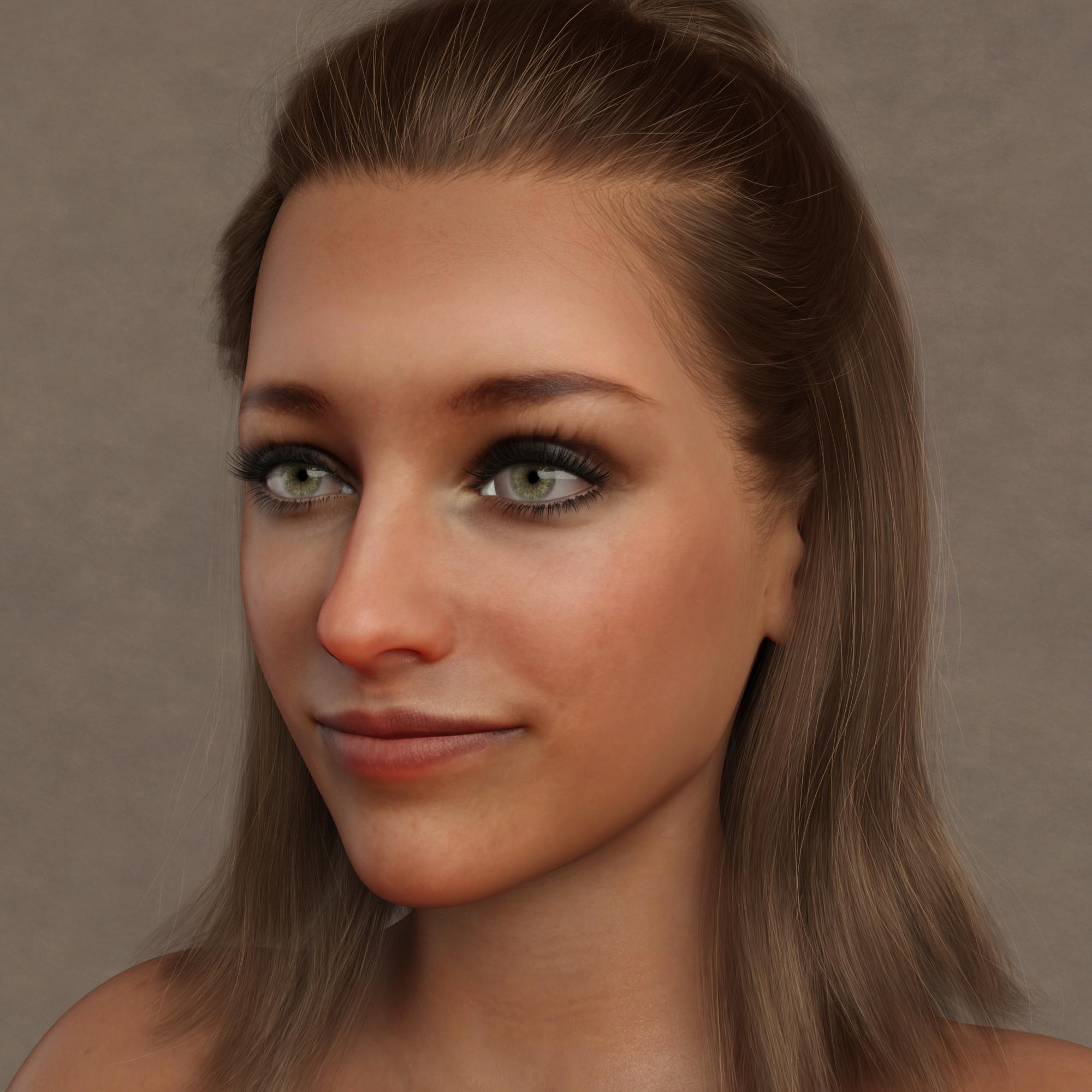
But ... it proved that it could be reasonably done, so I tried further experimentation over time.
I got a lot of mileage out of new product 1-Click PBRSkin.
https://www.daz3d.com/1-click-pbrskin
By the time I picked up 1-Click PBRSkin late in the summer, I'd been doing a lot with G9 and as my testing on G8 characters continued in parallel with G9 characters, I wanted to test out PBR on my G8-era textures. This is a quick touch-up of the last one, after converting to PBR:
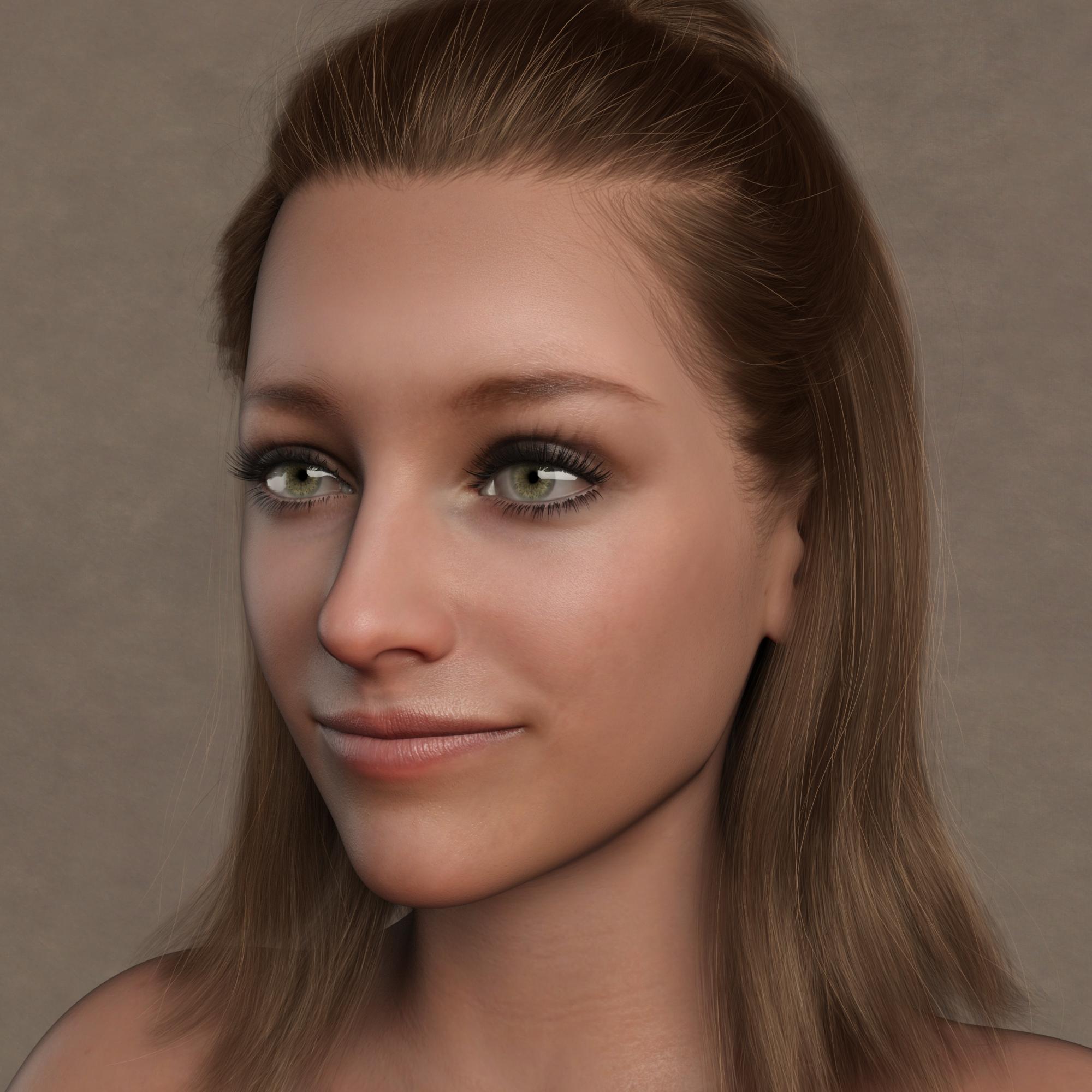
The end point of testing in G8/G8.1 was making use of the same technique that I had been using in G9. I would create the shape, apply it to a stock figure, apply the mat files of a commercial character, substitute the base color mat with my FaceGen-sourced textures (in some cases, using the textures of the character whose mat files I had applied, since FaceGen lets you do that) and then convert to PBR.
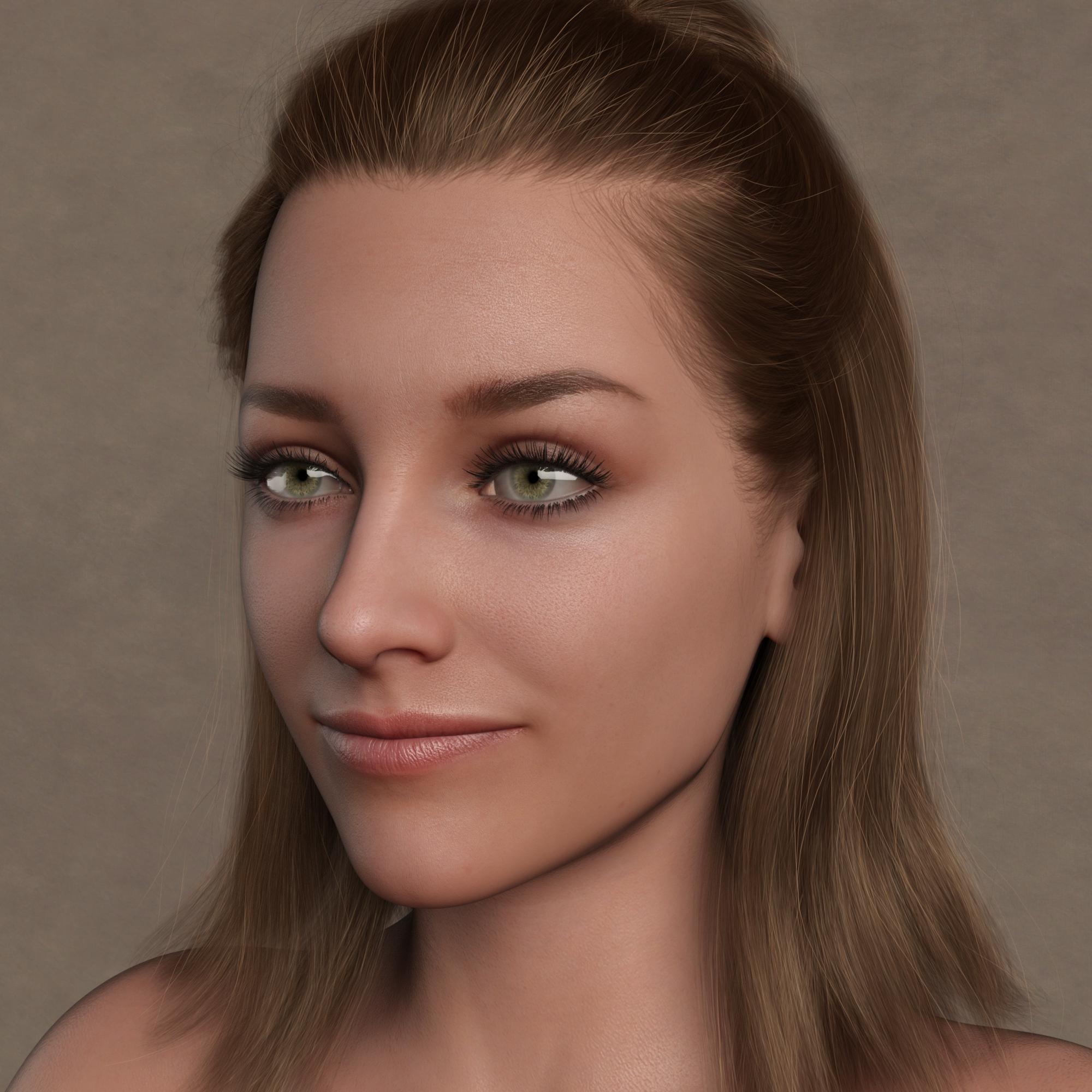
Still, it's an insta-person. It took me a few minutes to create these, and off they'd go, to help test out new stuff.
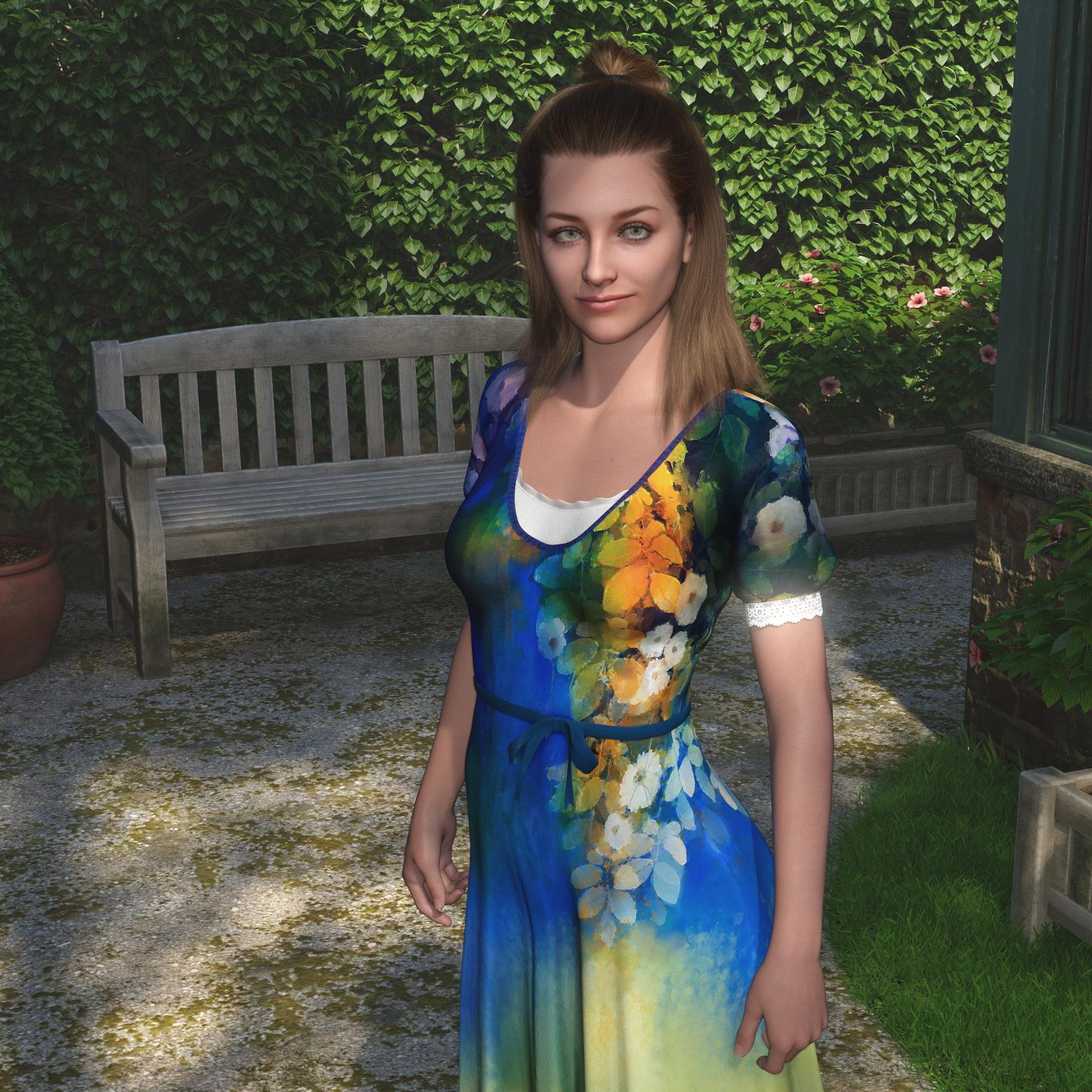 Marahzen's Musings on Creating Characters (and other matters)
I wish I could say that, having opened my mind to the possibilities, the pieces fell neatly into place and I began creating the characters of my dreams shortly thereafter, but that's not what happened. Real life is messy, so what really happened is that I spent most of the rest of the year scrambling around, trying multiple new products and processes, traveling down different avenues of experimentation at the same time as I continued to test both G8 and G9.
I also was otherwise occupied at the time in buying everything in the Daz store, which is part of a different story. It did provide an ongoing excuse to create new characters, though - a constantly revolving cast of what I came to refer to as "insta-people" who I would quickly create - via whatever creation process I was trying out at the time - to use for testing new stuff ... of which there was lots.
Early in 2023, my "insta-people" were constructed something like this one. I started with a stock G8.1 figure with a Face Transfer shape. I'd apply the skin settings that I was using at the time, and then update the textures. After all the time I'd invested a bit earlier in Photoshopping the Face Transfer texture and creating my own bump and translucency files, all insta-people got were the original Face Transfer texture and base male or female bump and translucency files. All those morphs I'd bought - and I didn't bother with them for these mass-produced characters, unless I was testing a new morph.
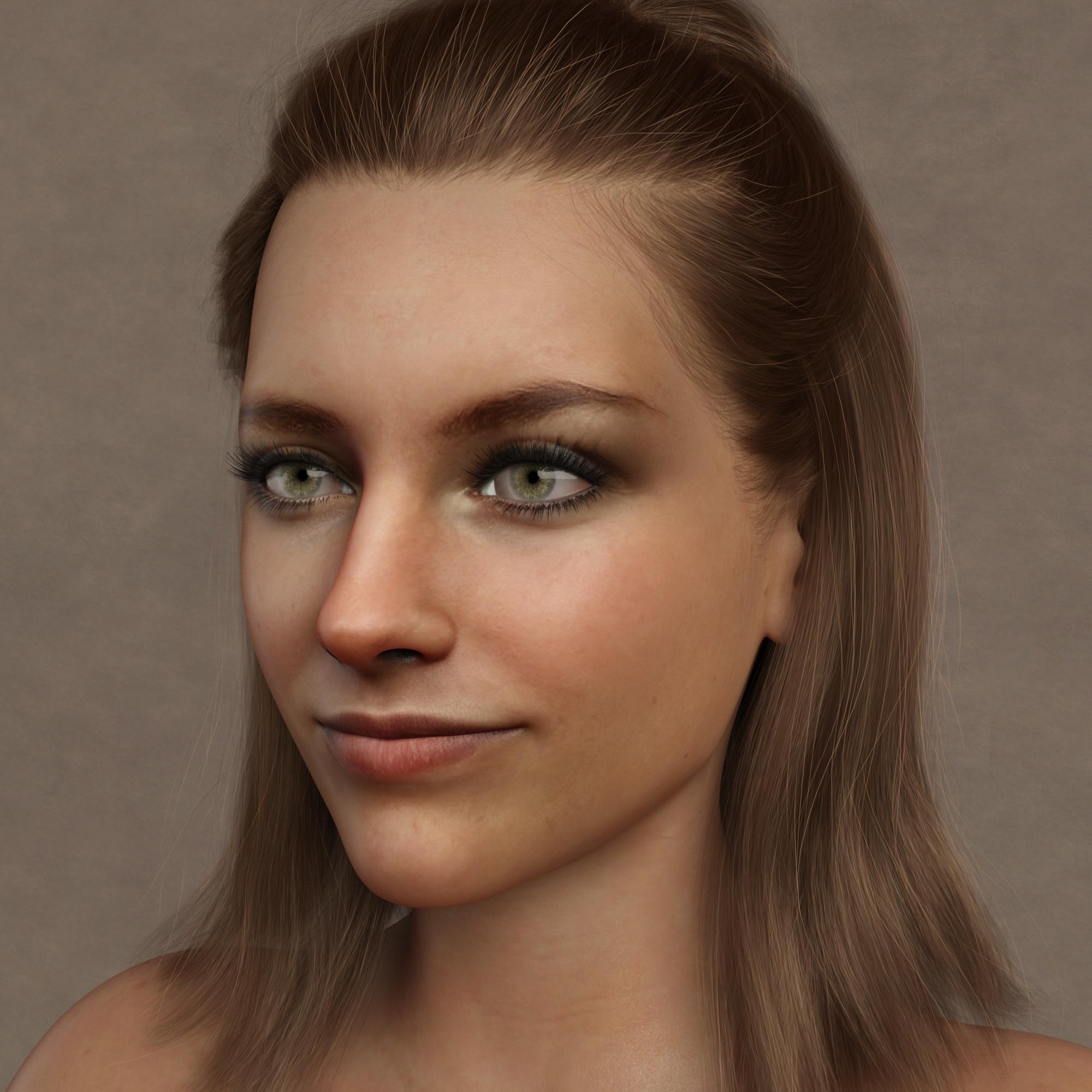
There are better examples than this one - truthfully, I haven't made a character this way in a long time - but it only took minutes to make one and it ultimately had one job, for which it was good enough: testing new Daz stuff.
Daz 3D is part of

Connect
DAZ Productions, Inc.
7533 S Center View Ct #4664
West Jordan, UT 84084Licensing Agreement | Terms of Service | Privacy Policy | EULA
© 2026 Daz Productions Inc. All Rights Reserved.