-
The No Complaint too Trivial Complaint Thread
Complaint: My b-day was on Monday.
...happy belated recent annual trip around our central stellar primary.
I am having prostate surgery on the 27th (1st day of deer gun season, so there goes another yr with no meat). I will have a 1-3 day hospital stay. I will be down of 6-8 weeks. Full recover isn't for 2 yrs
Ugh that doesn't sound enjoyable at all. Used to remember that season back in Wisconsin. The only trouble, there is many of the other hunters include a case of beer and/or bottle of whiskey with their hunting gear. Even wearing day glow orange doesn't make you necessarily safe.
Tell me about it. I once hunted on public game land and had a shot hit the tree just above my head once. That was the last time I hunted on public land. Thank god my buddy owns a farm so we hunt there and some other properties that we have permission to hunt.
The No Complaint too Trivial Complaint ThreadFriday and it's 6:12am! Going to bed at 9PM has a nasty side-effect of making me wake up early unless I'm dead tired exhausted.
Complaints!
- Neck and back sore
- Tummy angry with me
- Alka-Seltzer for breakfast :|
- Humid and warm outdoors
- Tons of random cables to clean up
- Floor needs Swiffering again
Non-complaints!
- Southern Pecan coffee
- Weekend is coming!
- Today is Payday!
- Not in the hospital (yes, this is a big deal for me)
Super busy weekend planned moving the computer lab and setting up the music studio again. I need to assemble the kitchen mini-table but it can wait, it's going to be slow and painful as I have to use a magnifying glass to read the directions and see parts details, ugh. Other than that, should cool off over the weekend and have highs in the low to mid 70s, brrrr! Maybe some rain, but I don't believe weather predictions in Central Texas any more. :|
The No Complaint too Trivial Complaint ThreadComplaint: My b-day was on Monday.
...happy belated recent annual trip around our central stellar primary.
I am having prostate surgery on the 27th (1st day of deer gun season, so there goes another yr with no meat). I will have a 1-3 day hospital stay. I will be down of 6-8 weeks. Full recover isn't for 2 yrs
Ugh that doesn't sound enjoyable at all. Used to remember that season back in Wisconsin. The only trouble, there is many of the other hunters include a case of beer and/or bottle of whiskey with their hunting gear. Even wearing day glow orange doesn't make you necessarily safe.
Not To Worry, Friend, "There's Always Another Sale™"The stuff in the new Fantasy category sale still isn't properly discounting (not adding the extra discount when adding a debut/still new) - I've been checking since the morning central europe time - is this planned to be fixed today, as I know Jack called it in this morning?
Let me give them another nudge
Thanks Jack!
Not To Worry, Friend, "There's Always Another Sale™"The stuff in the new Fantasy category sale still isn't properly discounting (not adding the extra discount when adding a debut/still new) - I've been checking since the morning central europe time - is this planned to be fixed today, as I know Jack called it in this morning?
Let me give them another nudge
Not To Worry, Friend, "There's Always Another Sale™"The stuff in the new Fantasy category sale still isn't properly discounting (not adding the extra discount when adding a debut/still new) - I've been checking since the morning central europe time - is this planned to be fixed today, as I know Jack called it in this morning?
Carrara Non Photo Realistic Worksyou must of skipped over the posts on the previous page...
 Villainous Lair [commercial] {HERE!}
Next time, you could consider making everything separate props so that users could get to all the individual items.
That lighting rigs in the walls looks crazy and so does the central rocket platform.
I can imagine those kitbashed into an outside setting.
If I may ask, what's the Pros and Cons of making everything 1 thing?
Some of the sets here are done like that and it's all one big figure.
It really depends on the set, as each is unique. This set is so large in scale, that upclose smaller props are of less detail than usually provided by us. Such as the control pannels, tanks, monorail and so forth....(so we can get a useable poly count etc.). So the smaller props aren't as detailed as usual, and lower poly. So it didn't make sense to really offer them up separately. The rocket itself is offered separately as an exception.
As you know from all our other sets we usually offer a plethora of additional props, but in this case it wasn't appropriate.
Villainous Lair [commercial] {HERE!}Next time, you could consider making everything separate props so that users could get to all the individual items.
That lighting rigs in the walls looks crazy and so does the central rocket platform.
I can imagine those kitbashed into an outside setting.
If I may ask, what's the Pros and Cons of making everything 1 thing?
Some of the sets here are done like that and it's all one big figure.
Novica & Forum Members Tips & Product Reviews Pt 9@serenenight Yeah, I saw Bijou mentioned on the sale thread and went ahead and got her. Since her original price is now reasonable, I don't think it's a glitch that she's finally priced where she should be.
Hi,
I don't know when you purchased Bijou but she's currently in Fast Grab for even less this morning (7:10 a.m. Central). I don't know if they do price adjustments for Fast Grab sale items but it can't hurt to try.
Trish
The Millennium Falcon for DAZ StudioAny interior?
More accurately, is there space to add your own interiors?
I'm currently working on converting a massive interior set by Sean Kennedy (with his permission). The model needs a lot of clean-up, including triangulating >4 point polys, separating the walls for easier camera placement, rigging any moving parts, adding Poser shaders, and then adding Iray shaders. I may even include hide/ show poses for the walls and some camera presets.
The good news is that it's a full interior, including the cockpit, hallways, cargo area (with holographic chess table), and gun ports. The bad news is that it may take awhile to be finished. ;)
Cool. One of the things I didn't like about the Poser Falcon is that the interior was pretty much filled up with a bunch of useless kibble that had no real purpose. and the entry eways were blocked off. Any chance of getting that dejarik table as a separate freeiee too? the onlyone I've found so far, is a blender file that, for some reason, comes out as only a wire mesh with no central column, and doesn't want to properly convert into a useable obj file.
The older generation: Victoria 2/3, Michael 2/3 and their children rendersMother and daughter at Grand Central Station: V3 Teresa (character and hair) from Daz store, V3 Bernadette from Rendo (I think?), wearing Periwinkle Blue and Riki Blue textures, respectively (by Thorne). In background: Hiro 3, showing his approval, Rikishi is leaving, and M3 is checking his watch.
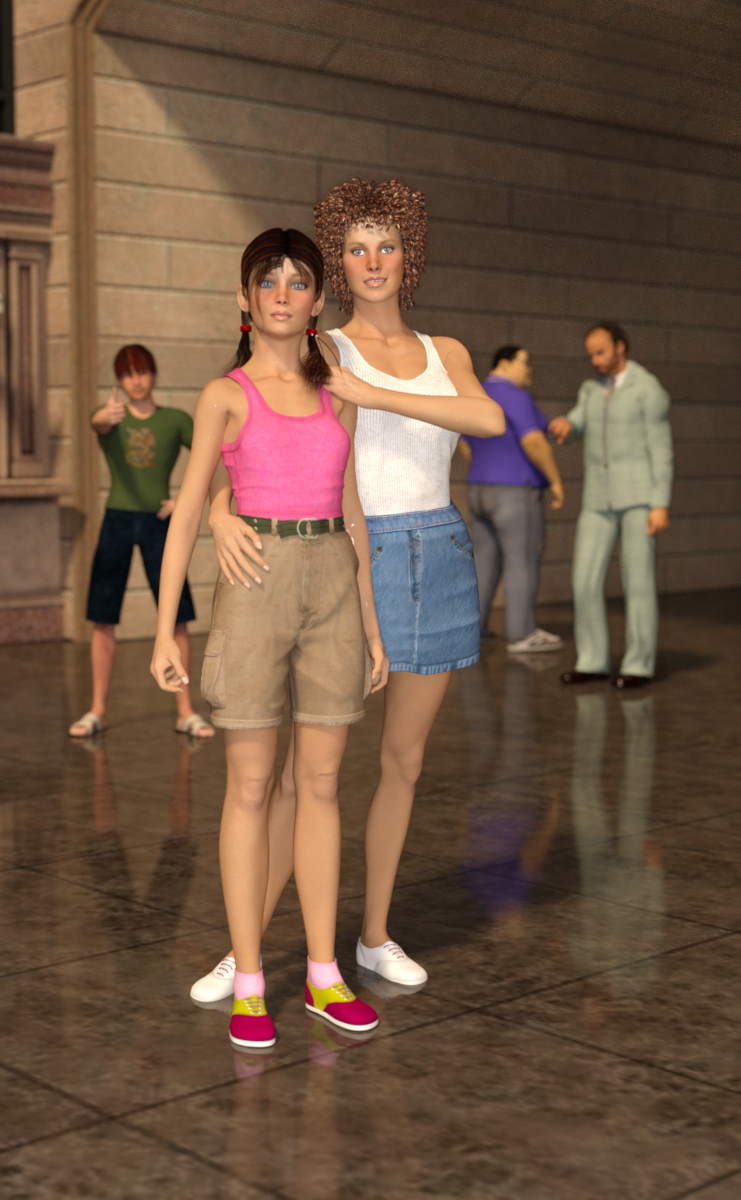
This is very nice. I like the variety of background characters, too.
The older generation: Victoria 2/3, Michael 2/3 and their children rendersMother and daughter at Grand Central Station: V3 Teresa (character and hair) from Daz store, V3 Bernadette from Rendo (I think?), wearing Periwinkle Blue and Riki Blue textures, respectively (by Thorne). In background: Hiro 3, showing his approval, Rikishi is leaving, and M3 is checking his watch.
Carrara Challenge #36 - Pinups and Cheesecake and Hunks - Oh My! - WIP Thread --Meet Ringo Monfort!Hey Bunyip,
I liked all three, and I hope that you don't mind some comments. Feel free to ignore, for sure.
I think that the Orc render violates the first rule of pinups, that the model has to be physically attractive. Of couse, I might feel differently if I was an orc.

The Bikini Time render had all the elements of a good PR render - attractiveness, pose, and facial expression. The lighting is good - but can it be better? Her face is kind of dark. Plus, the background is so real, that it makes me more critical of her costume and hair. Something about them doesn't look right to me. High realism in PR images is difficult to pull off - the flaws are noticed but difficult to explain sometimes. I'm not sure that I could do as well, so I congratulate you on your efforts. Please keep working on it. We now have a Challenge designed for the realistic human figure geeks, and I hope that a few show up to share their secrets. PhilW? Margaremoto? Are you folks out there?
Your third render, NPR, has a cool environment. Can you make the facial expression more clear, and central to the image? Can you do a more provocative pose? Most of the time, I just want to see a sexier image, and that is sometimes hard to define!
Hello UB
Adjusted the contrast on the Orc render as per Diomedes suggestion. Will leave it in for all of the Orc lovers out there.
Bikini time - the trees are a little bit clunky, might use another. Looking at trying another bikini to see what a difference that would make as well. Will have another look at the lighting.
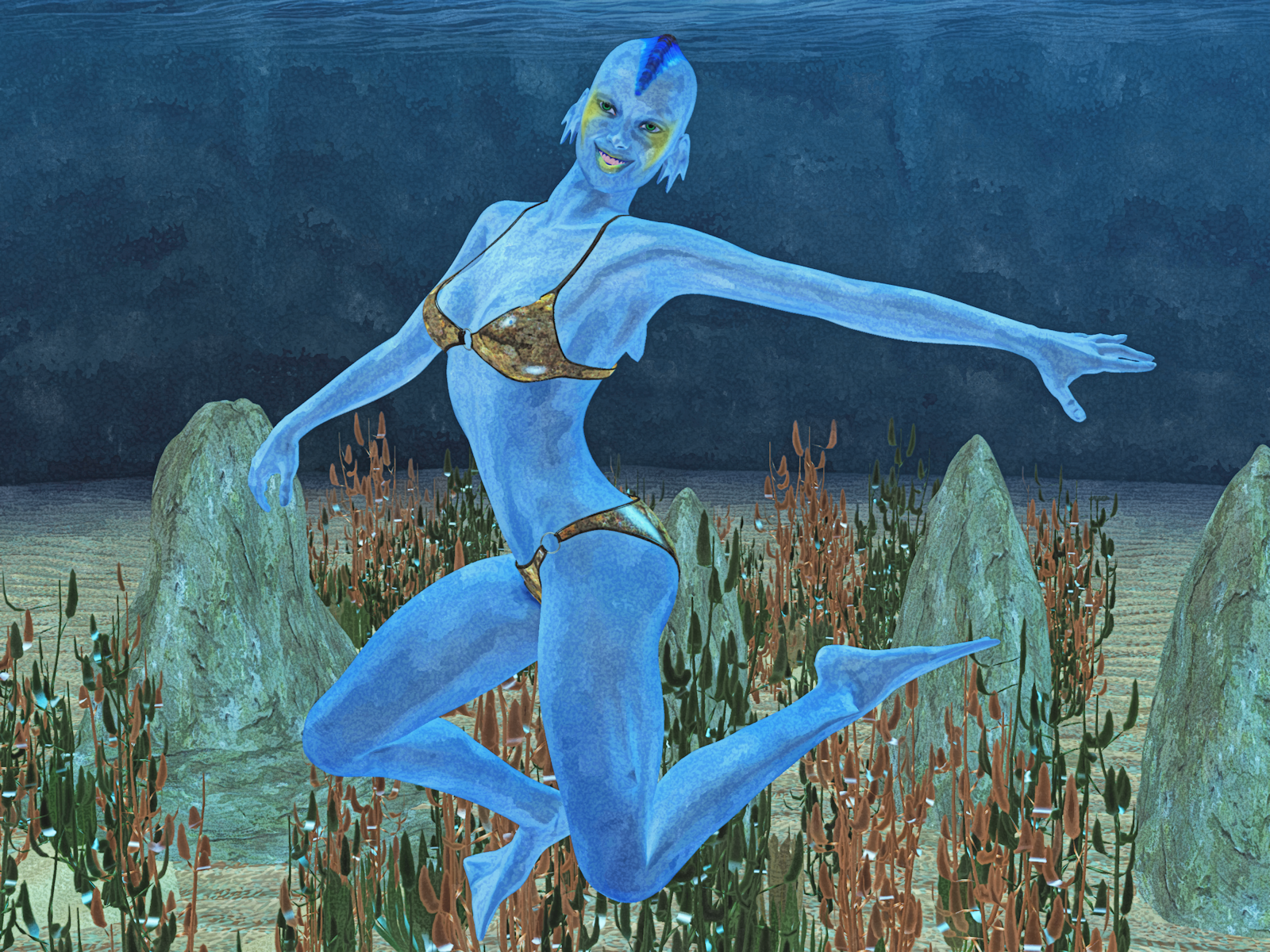
Have changed the position of the NPR figure - am going for a playful look - might adjust further.
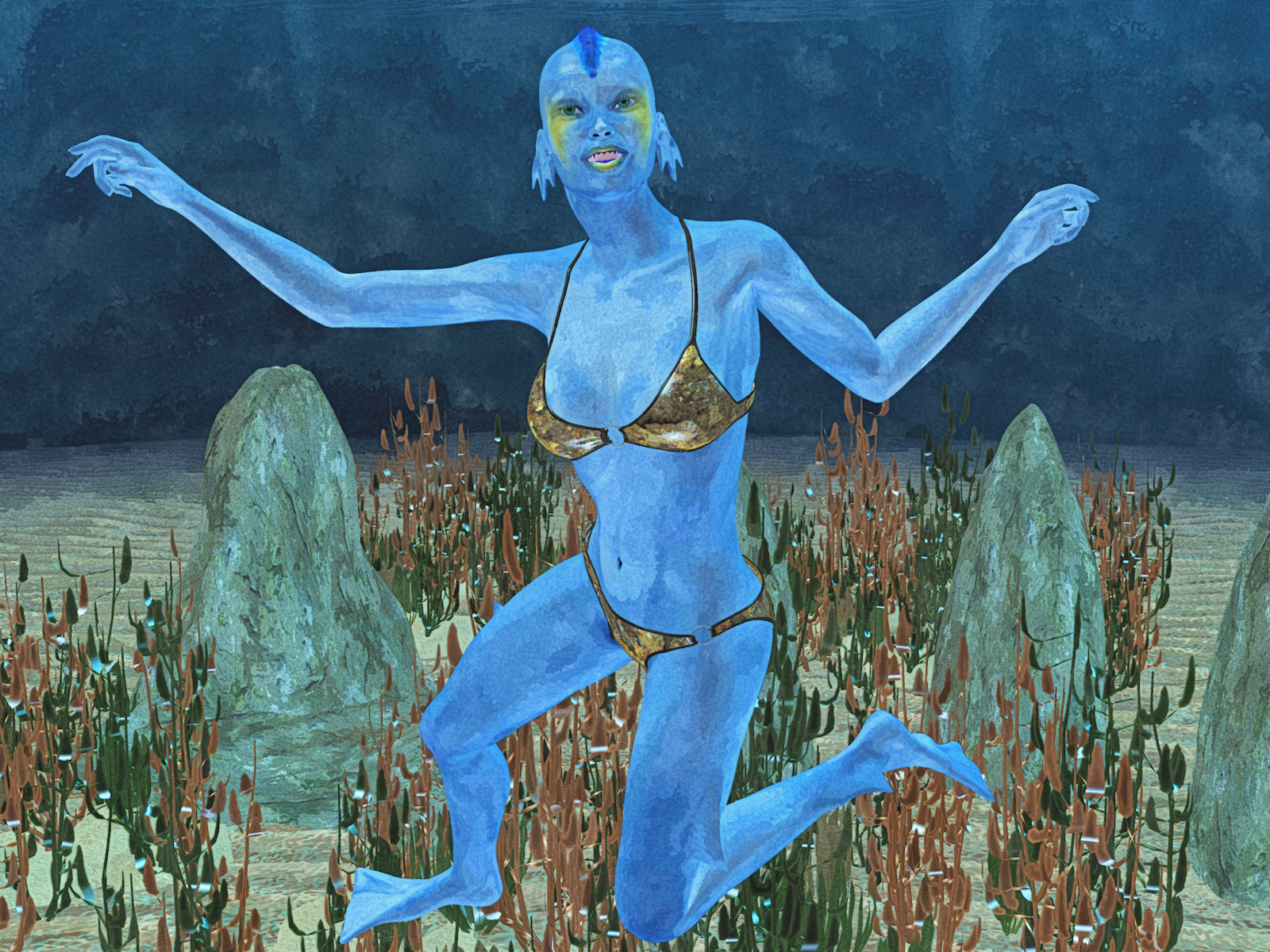
Final position that I am happy with.
 Carrara Challenge #36 - Pinups and Cheesecake and Hunks - Oh My! - WIP Thread --Meet Ringo Monfort!
Hey Bunyip,
I liked all three, and I hope that you don't mind some comments. Feel free to ignore, for sure.
I think that the Orc render violates the first rule of pinups, that the model has to be physically attractive. Of couse, I might feel differently if I was an orc.
The Bikini Time render had all the elements of a good PR render - attractiveness, pose, and facial expression. The lighting is good - but can it be better? Her face is kind of dark. Plus, the background is so real, that it makes me more critical of her costume and hair. Something about them doesn't look right to me. High realism in PR images is difficult to pull off - the flaws are noticed but difficult to explain sometimes. I'm not sure that I could do as well, so I congratulate you on your efforts. Please keep working on it. We now have a Challenge designed for the realistic human figure geeks, and I hope that a few show up to share their secrets. PhilW? Margaremoto? Are you folks out there?
Your third render, NPR, has a cool environment. Can you make the facial expression more clear, and central to the image? Can you do a more provocative pose? Most of the time, I just want to see a sexier image, and that is sometimes hard to define!
Hello UB
Adjusted the contrast on the Orc render as per Diomedes suggestion. Will leave it in for all of the Orc lovers out there.
Bikini time - the trees are a little bit clunky, might use another. Looking at trying another bikini to see what a difference that would make as well. Will have another look at the lighting.
Have changed the position of the NPR figure - am going for a playful look - might adjust further.
Carrara Challenge #36 - Pinups and Cheesecake and Hunks - Oh My! - WIP Thread --Meet Ringo Monfort!Hey Bunyip,
I liked all three, and I hope that you don't mind some comments. Feel free to ignore, for sure.
I think that the Orc render violates the first rule of pinups, that the model has to be physically attractive. Of couse, I might feel differently if I was an orc.
The Bikini Time render had all the elements of a good PR render - attractiveness, pose, and facial expression. The lighting is good - but can it be better? Her face is kind of dark. Plus, the background is so real, that it makes me more critical of her costume and hair. Something about them doesn't look right to me. High realism in PR images is difficult to pull off - the flaws are noticed but difficult to explain sometimes. I'm not sure that I could do as well, so I congratulate you on your efforts. Please keep working on it. We now have a Challenge designed for the realistic human figure geeks, and I hope that a few show up to share their secrets. PhilW? Margaremoto? Are you folks out there?
Your third render, NPR, has a cool environment. Can you make the facial expression more clear, and central to the image? Can you do a more provocative pose? Most of the time, I just want to see a sexier image, and that is sometimes hard to define!
Can't Log In!!The site keeps going down too. I can get on now, but then it went off, now back on. And yes, DIM is down. (10:52pm Central.) I would be very wary of checking out right now, but on the other hand, the deals go away at 1pm (central) so while the site is up, I'd check out.
Show Us Your Bryce Renders Part 10Playing around in the designing of 'Fidget Spinners' using Byrce - the central structre is made up of 4 Metaballs, while the rest is of various Booleans and flattened spheres. These experiments are in their infancy, so, maybe futher developments will yield better results - it's all about angles - 0 versus 120 versus 240 versus 360...etc.
Jay
Shopping Cart???My paypal account showed the charge. The shopping cart / Order did not update on return to DAZ, but the product library and DIM showed the current order. This was at about 0800 Central time in the US.
"Brace yourself, my dear wallet! There's always another Sale - and Glitches!"Did I miss a big sale 7 hours ago or was it a glitch? My email from Arti said a huge amount of stuff on my wishlist dropped down to 65% off at around 2am central time but when I come to the store this morning none of it is on sale. :(
Yeah, we missed it. :( They were only on sale for a little over an hour. I thought I'd have a lot of stuff to go through when I wake up, but by then that sale (or glitch?) was gone. It looked like a normal megafastgrab sale, but those vendors are not in megafastgrab any more. :(
Daz 3D is part of

Connect
DAZ Productions, Inc.
7533 S Center View Ct #4664
West Jordan, UT 84084Licensing Agreement | Terms of Service | Privacy Policy | EULA
© 2026 Daz Productions Inc. All Rights Reserved.