-
Liana's Creative Corner WIP's :)
@deathbycanon..You live in Iowa? I live in Minnesota (central part) so we are almost neighbors. :)
We had the same kind of weather also. Flurries here and there, but nothing that stayed around. Furnace motor going out bites. I know we replaced ours about 2 years ago because it was banging around. Lucky for us it was in the summer when it happened. Glad you got it fix though, nothing like living in the north country in the winter with no heat. Brrr.... We have been busy again. Tomorrow is winterize car day and get it new tires.
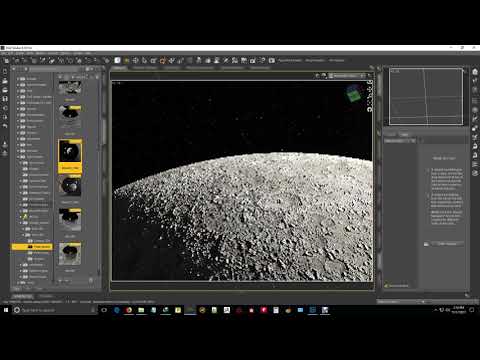
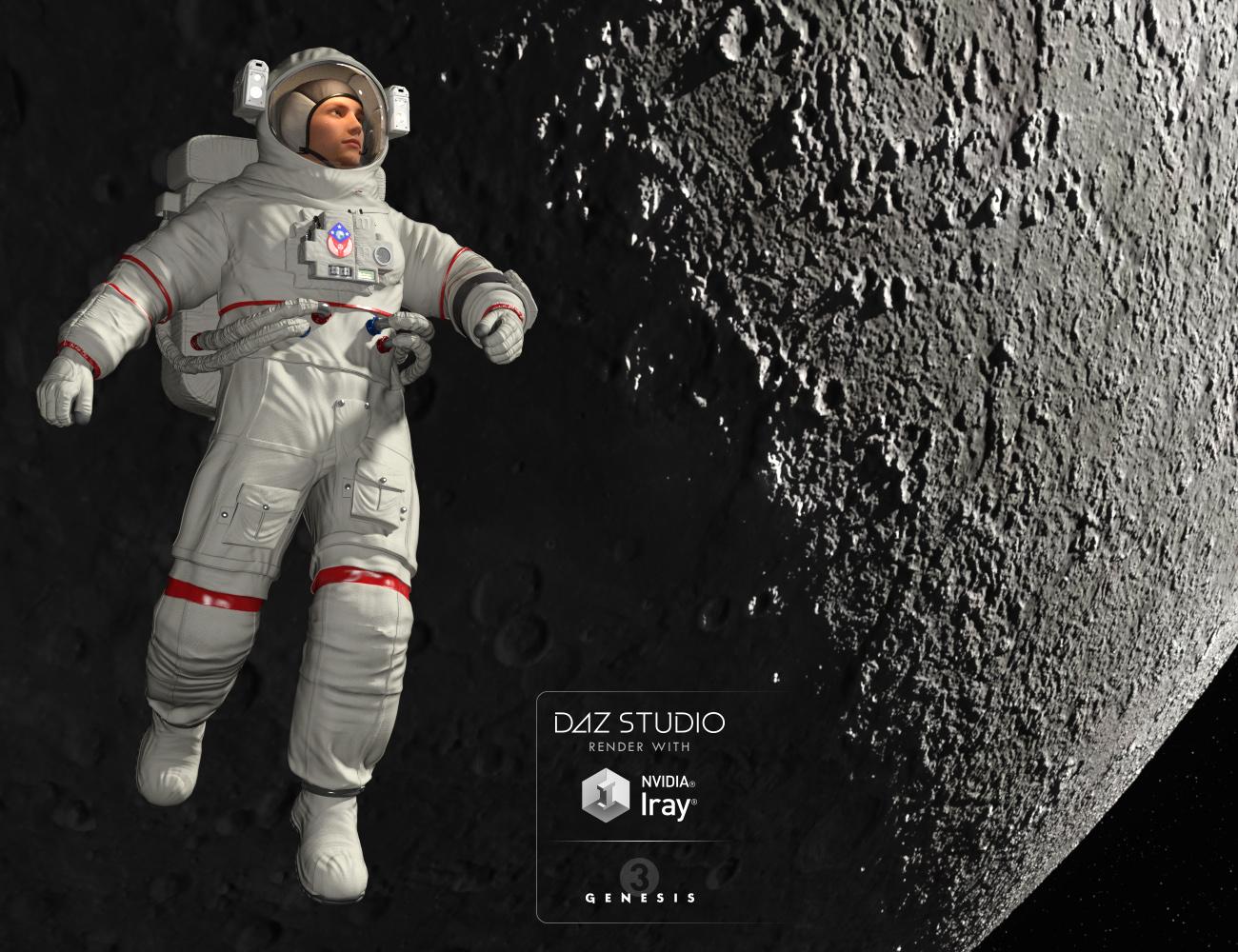
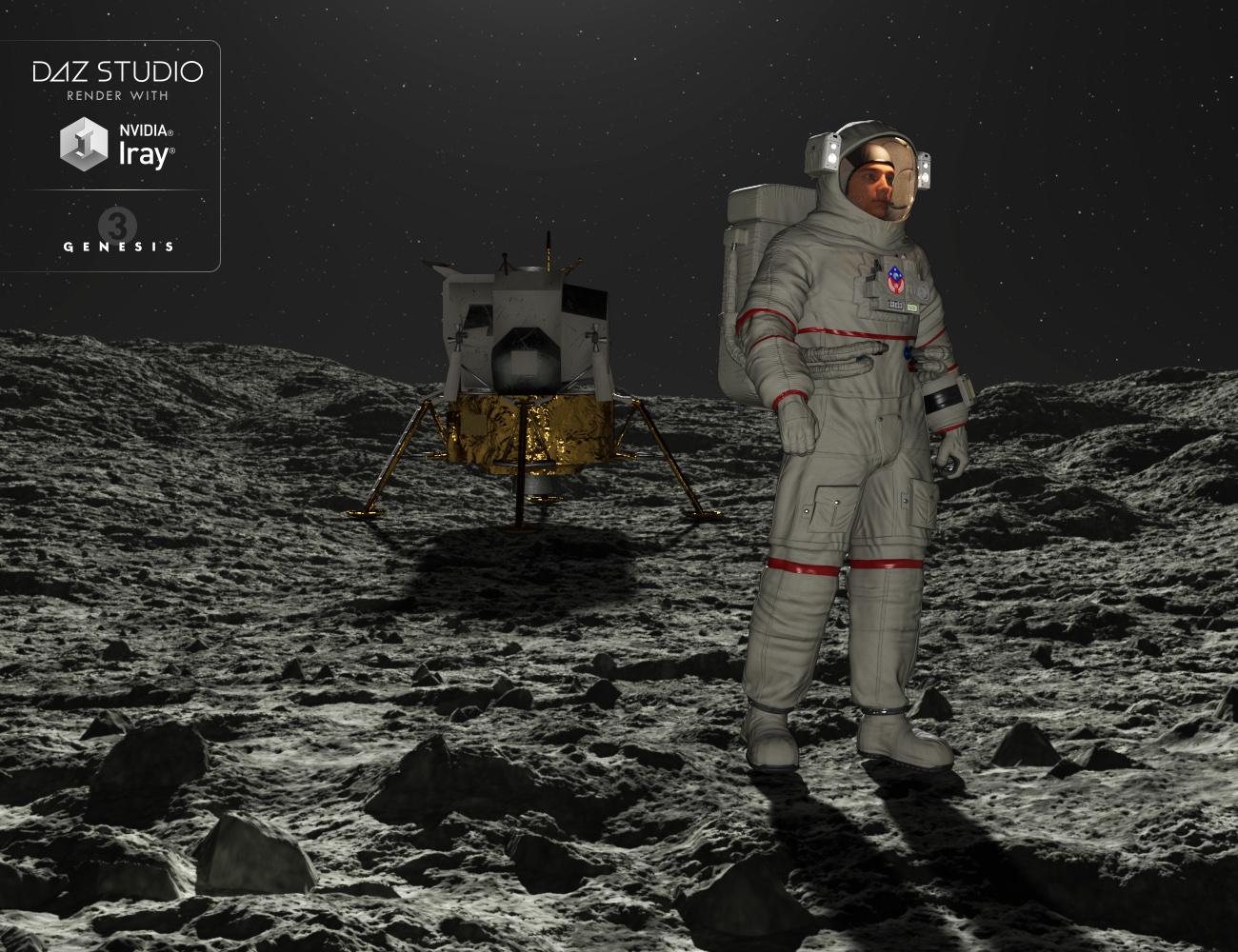
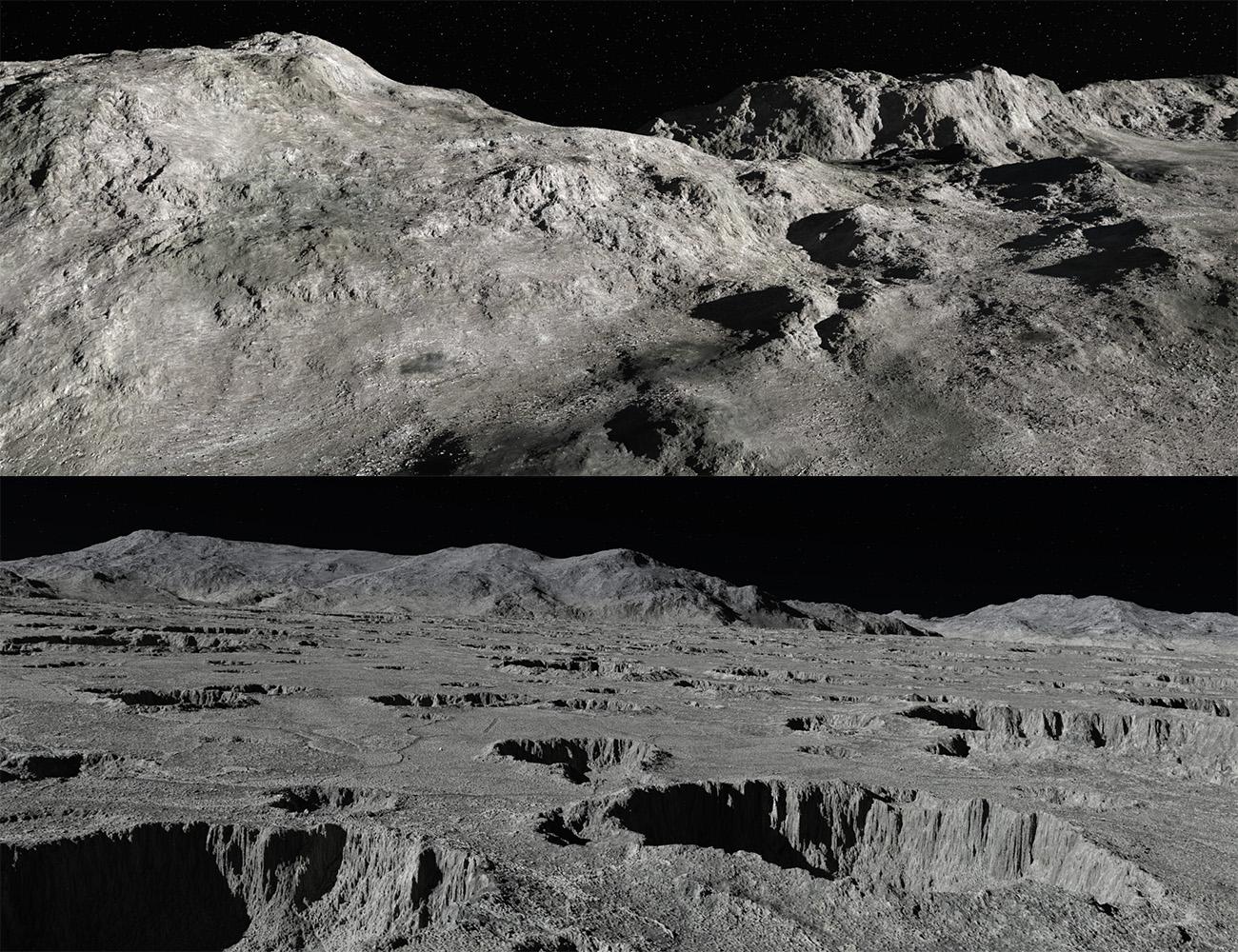
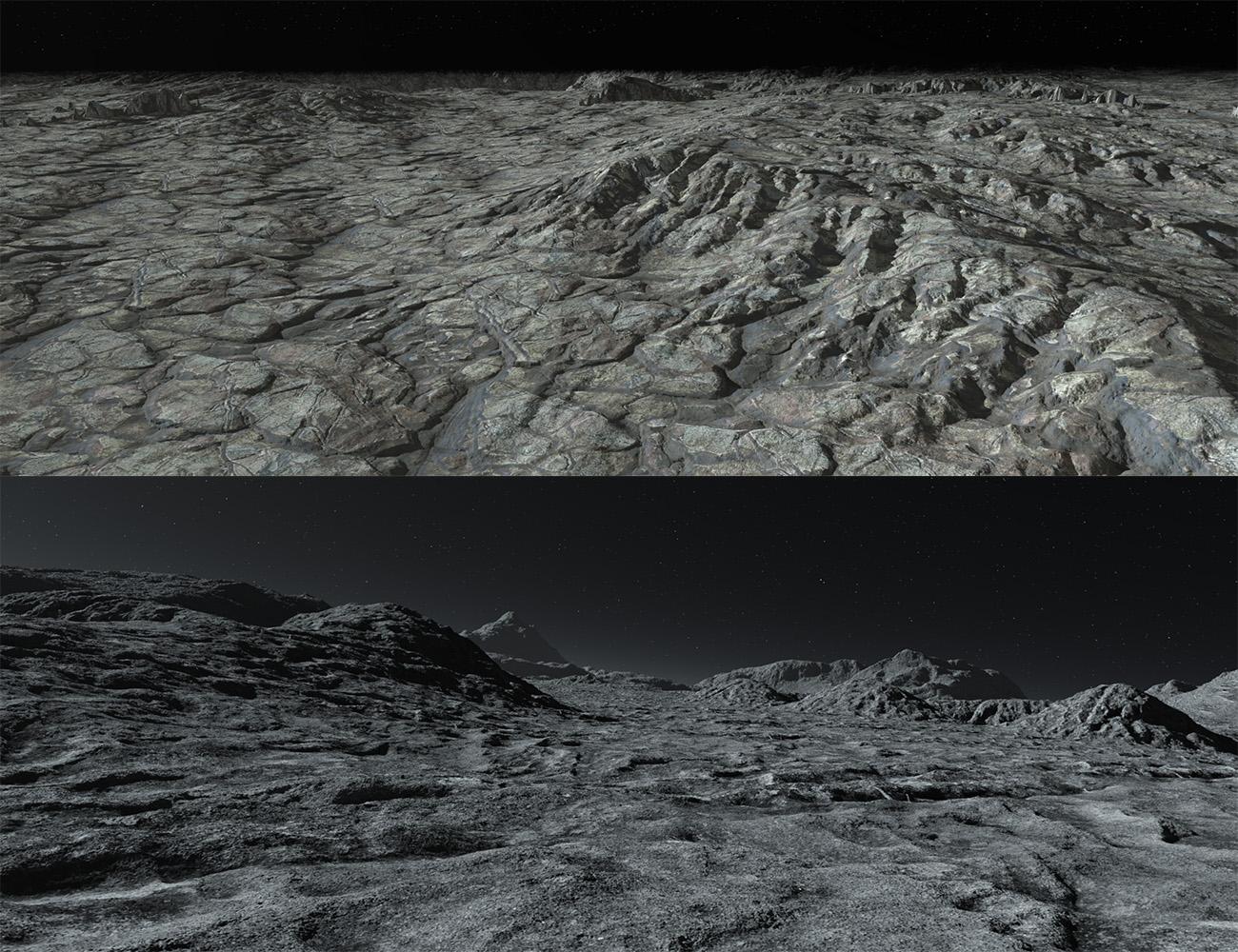
Moon 360(Commercial)LIVEMoon 360 is the new HDR environment by Midnight_stories. It’s a full 360 Degree set of HDRs, rendered in 16K by 8K so it’s double the resolution of the “Mars 360” set. With full 3D lighting information encoded into each image. There are 9 environments in all broken up into 2 categories, Infinite Sphere and Infinite Sphere with ground and DOF or (depth of field). The landscapes are based on a moon environment with stone rocks and dust features, plus star and planet backgrounds, all lit with a sun as the central source of lighting and shadows. There are 7 on the surface of the moon and 2 in orbit. These work great with the “Genesis 3 Male Astronaut”. There is also so a camera preset of the DOF environment and an introductory video to help get you started, see link below. The 16K maps takes HDR environments to a whole new level of detail!
This has just passed QA so “Genesis 3 Male Astronaut” shouldn't be to far away!
 Compilation, Grouping Categories
To underline this sriesch, I truly thank you for trying to help. Screen prints etc are time consuming.
Also as you can tell from the volumes of responses, you are truly unique.
The object was to put all the hdr/hdri files in one place without duplication installations (as mentioned files are not small).
Whatever I am doing wrong was done all day.
Cannot get to work.
Will reinstall all into one central location.
Thank you again
Compilation, Grouping CategoriesDAZ Studio !0.
Have 11 Major Daz Libraries, Each contains many products relating to HDRI lighting.
They are obviously huge files.
I wish to Group them all into one central location, without duplicating the installation of the files themselves. It is also important to maintain the
thumbnails (previews).
Saw a Tutorial in which the instructor went to the original product in tha library, right clicked it and sent shortcut to "catergories". It appeared with thumbails etc
When I repeat the step I get the title and nothing else.Basic question, however is to compile all these products together without huge duplication and keeping thumbnails
Thank you
Not To Worry, Friend, "There's Always Another Sale™"If I have to give it back I will understand, but I'd be very sad. :( For it to go on almost an hour, I have to wonder if it was just a cheeky little surprise for customers who've been losing sleep to check every four hours on the hour. That's what I assumed it was when I bought.
Yeah, but it was 8:00 on a Saturday Night (for the people at Daz central) so someone could easily have mistakenly set up the wrong group and it wasn't until someone started screaming (probably a PA) that they realized something was wrong. Depending on where the poor programer was at the time...
Not To Worry, Friend, "There's Always Another Sale™"I live in Adelaide, my times are
5:30pm DAZ midnight
9:30pm 1:30am, 5:30am 9:30am and 1:30pm
but I can look 9:25pm and 10 mins later, 5:25am 10 mins later, 1:25pm and 10 mins later
everyone needs to work out their DAZ midnight add 4 hour increments , most phones will show Utah mountain time, I have had it on my extra PC clock for years and it adjusts for daylight savings there as well.
I'm only an hour off (Central Standard, GMT-6) and I have Utah/Mountain Standard on my windows clock (for those times I'm too tired to do the math)
I've only completely missed two groups. The first group that went up at 4am Utah time on Thursday (I didn't get up until after 9, my time) and the 4am Utah time group today (woke up early enough, but got distracted by stuff) However, I'm also something of a night owl and am regularly up until 1:30 am, or else I'd have missed some of the midnight groups too.
When do the 4 hour intervals start?Midnight in Utah, so UTC-7 (I believe) which is Mountain time in the US.
They should be changing in a little less than one hour as I type this. (4:09 central time, 3:09 Utah time.)
Novica & Forum Members Tips & Product Reviews Pt 10This was helpful on the sales thread. Because you can't click Hide What I Own from the main promo page, here's the freebie page you can click to hide things (so you can see/verify that the sale has changed on the freebies.) For me (Central Time) it changes at 9am, 1pm, 5pm then rinse, repeat with those numbers.
I'm excited about the Thanksgiving day sale! Where is the one free item?Hi Divamakeup,
Since the DAZ users are spread all round the globe, can you please state all times in Universal Time. UT = Greenwich Mean Time (GMT).
Thank you !
@angstyg Made a time chart: https://www.daz3d.com/forums/discussion/comment/3060566/#Comment_3060566
thank you for the hint.
But it only helps U.S. insiders. What is the shift of EST, Central, Mountain or Pacific vs. international standards?How should the global community know, which timezone (international) the DAZ universe is ??
Please come out off your nutshell !UTC-7 for Daz time.
I'm excited about the Thanksgiving day sale! Where is the one free item?Hi Divamakeup,
Since the DAZ users are spread all round the globe, can you please state all times in Universal Time. UT = Greenwich Mean Time (GMT).
Thank you !
@angstyg Made a time chart: https://www.daz3d.com/forums/discussion/comment/3060566/#Comment_3060566
thank you for the hint.
But it only helps U.S. insiders. What is the shift of EST, Central, Mountain or Pacific vs. international standards?How should the global community know, which timezone (international) the DAZ universe is ??
Please come out off your nutshell !"Please come out off your nutshell !" lol Which is it? Am I on a nutshell or in one in this weird alternate nutshell universe of yours?
BTW, It's called Google and it's SUPER easy to use.
I'm excited about the Thanksgiving day sale! Where is the one free item?Hi Divamakeup,
Since the DAZ users are spread all round the globe, can you please state all times in Universal Time. UT = Greenwich Mean Time (GMT).
Thank you !
@angstyg Made a time chart: https://www.daz3d.com/forums/discussion/comment/3060566/#Comment_3060566
thank you for the hint.
But it only helps U.S. insiders. What is the shift of EST, Central, Mountain or Pacific vs. international standards?How should the global community know, which timezone (international) the DAZ universe is ??
Please come out off your nutshell !An Attempt of a "Limited Time Freebie" Message Only Email Alert ThreadFor those that are interested, the switchover times are as follows:
Mountain (DAZ) Time: 12pm, 4pm, 8pm, 12am, 4am, 8am
Central Time: 1pm, 5pm, 9pm, 1am, 5am, 9am
Eastern Time: 2pm, 6pm, 10pm, 2am, 6am, 10am
etc. - you should be able to use the foregoing to calculate at what time the changeovers occur for your local time if you are in a different time zone. So, you have four hours to take advantage of the offers beginning at each of those times before the freebies change.
There was a glitch at the beginning, and the first set of freebies did not go live until early this morning (the 23rd), with the intial five freebies remaining available until 8:00 am DAZ time. We are currently on the second bunch that will change at 12:00 noon DAZ time.
Not To Worry, Friend, "There's Always Another Sale™"Zone 1 2 3 Eastern 2am 6am 10am Central 1am 5am 9am Mountain 12am 4am 8am Pacific 11pm 3am 7am Just repeat the main blocks and it'll always be (for example) 2, 6, and 10 EST.
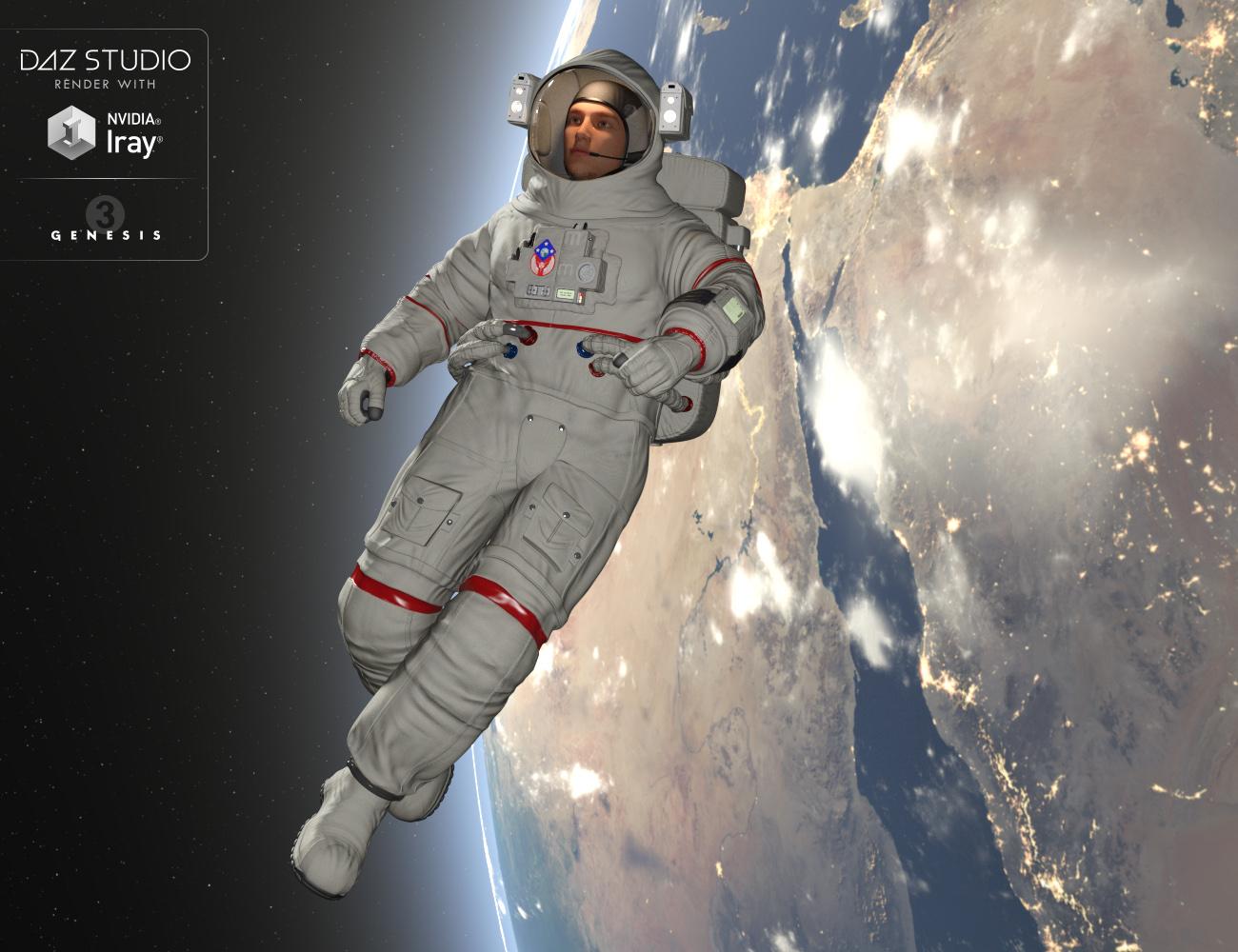
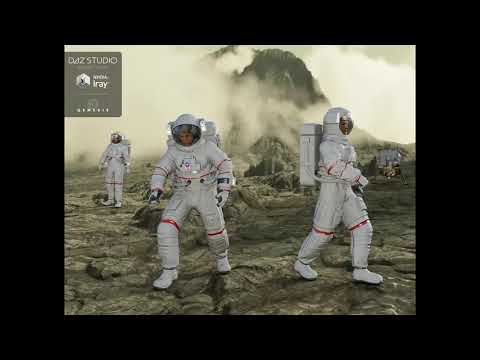
Astronaut for Genesis 3 Male and Michael 7 [Commercial]LIVE“Astronaut for Genesis 3 Male and Michael 7” is the long-awaited Astronaut suit from Midnight_stories. It an authentic Astronaut recreation based on the moon landing. It comes in a ten piece set. Both in Iray and 3Delight material sets. It has 2 main sub-set item for easy loading, these have specific limits and morphs applied to them, Plus a pose control group dedicated to controlling the suit, which make it even easier to work with. There’s a morph for expanding the suit, to get a more authentic look, Backpack is connected to the suit with tubes and can be posed without distortion. There’s Michael 7 shape support and various adjustment dials. The material come with Emission shaders for the light and I have included several color for the light inside the helmet. There 10 Hierarchical Poses plus a Zero pose to reset. The tubes do have adjustments to help with posing. It has highly detailed textures and wrinkle all in 4K. This is a must for all you space fans and be on the lookout for the “Moon 360” pack.
OK some notes:
Before you ask I’ll try and answer some question.
How's it work:
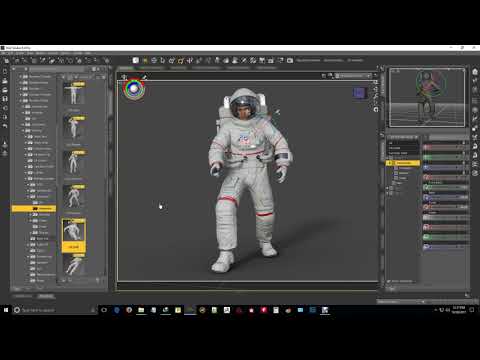
The easiest way I could think of was creating sub set, this allows me to put limit on the G3M figure so he doesn’t collide with other parts of the suit E.g. collars going into the helmet or chest bend tearing the backpack tubes apart. Also, it allows me to control multiple morphs in the one place, E.g. Suit expand will drive suit gloves boots cover packs all at once, so you don’t have to do it individually on each piece of clothing. See video for details.What figure and shape support are there?
Basically Genesis 3 Male and Michael 7. Why only those well that’s all, I had time for it took 6 weeks to get it this far. The main problem are the tubes running from the suit to the backpack, they shear off when applying morphs and bends. I’m not saying all body types will do it, so of the standard morphs work fine E.g. Height. With just the suit on and not worrying about helmets covers and pack most will work fine. So just be aware of the backpack. Genesis 3 Female no I’m not doing to as I would have to rig from scratch. Genesis 8 Male I have a basic fit but I will see how many the Genesis 3 Male sells before I commit.
Why has it taken so long.
As some of you know me I do things pretty quick, so 6 weeks is a huge amount of time to do this. The main reason is developing strategies to get this to work at 4 weeks into this I still didn’t know if this would work or get pass QA. I bounce ideas of the DAZ Riggers and see if they work or if they have better ideas, the multiple weight mapping system came from those guys, no one knew if it was going to work but it did. Then making a central control for all morph was another one, tubes running from the suit to the backpack took the longest plus adding bones to move the tubes in and out. Researching and Astronaut suit was a lot of effort, now I know how they really work and it’s a marvel of engineering. So, it all adds up.
Closing notes and tips:
I know some will be disappointed that there can’t a lot of shape support, but I only have so many hours in a day,
Hint: just apply head morphs and character materials and do a clear autogen morphs for Edit/Figures drop down then maybe use height morph to get different variations.
Is it authentic?
No it wasn’t practical to do certain things and they couldn’t be rigged, I did use a lot for reference from nasa photo’s and the movie Gravity was a great inspiration. I didn’t put logo’s on because of copyrights.
Is the rig perfect?
No, nothing is perfect, I had to strike a balance between usability and mobility. E.g. Astronaut helmet don’t bend or twist the head moves inside them and arms and legs have restricted movement, so keep that in mind when posing.
Will I be doing this again ?
No! We choose to go to moon because it’s hard, I choose it because it’s interesting and challenges me. This project stretched me to the limit of what I can do.
Well hope you enjoy it I did the best I could with what I had!
Please look at Utube video for more detailed run through.
Some WIP shots as it developed
 The older generation: Victoria 2/3, Michael 2/3 and their children renders
.
Mother and daughter at Grand Central Station: V3 Teresa (character and hair) from Daz store, V3 Bernadette from Rendo (I think?), wearing Periwinkle Blue and Riki Blue textures, respectively (by Thorne). In background: Hiro 3, showing his approval, Rikishi is leaving, and M3 is checking his watch.
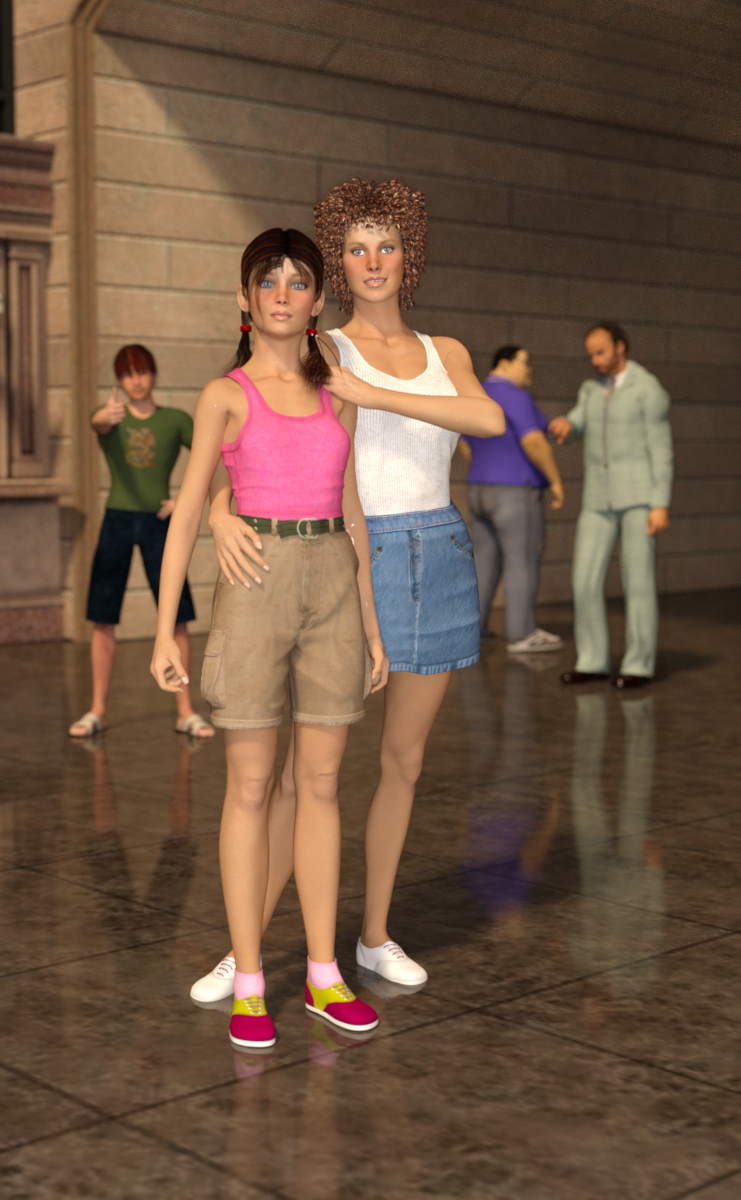
Nice one. Is the pants and shirt the daughter is wearing available anywhere?
How on earth do you make an HDRI do this?The attachment is a promo pic from Mec4D's https://www.daz3d.com/mec4d-hdri-norman-castle-megapack. I don't own the pack (yet), but I do own a number of other HDRIs and none of them allow me to hide a figure behind an integral scene element. There's a similar pic in Mec4D's Central Park collection--of a woman sitting on a bench--but that one's easy to figure out: the bench is simply a prop and not integral to the HDRI.
However this one was done, I'd sure like to know the trick of it! No wonder the guy is grinning.
Post Your Renders like it's the year 2020!!!Thanks!
Jeremy Birn does explain the math and how Pro Photographer/Cinematographers work it out to get the results they're after, he also brings it hoem to easy-to-understand terms as far as setting up the affect/effect in our 3d software. So while I might not understand it all well enough to explain it, I at least am getting my head wrapped around how to go after certain, popular ways of shooting a scene now.
As for the lens angle thing, in Carrara we have the two lenses, wide (25mm) and normal (50mm) and then the zoom lens, which goes from 1mm to I don't know how high.
Lower #mm = wider lens = more of the background will be visible in the same aspect ratio - so the central foreground subject will now appear farther away unless we bring the camera closer. It's the opposite of Zooming.
50 - 60mm or so is considered 'normal' visual range. Kind of What-you-see-is-what-you-get sort of thing - as if we were loking with our own eyes.
While higher number mm will Zoom in on the figure from a greater distance, it will also bring the background closer - even great distances can look like they're directly behind the subject. Useful for many things - A popular one in cinema is to keep the focus above the feet (so we can't make out the illusion) and zoom in on the peoplle, who are acting naturally even though something amazing is happening right behind them - like tidal waves, massive explosions, trains flying by, etc., While it might appear like they're right next to something dangerous, they might be 50 yards or even more away.
We do have to be careful when using number higher or lower than normal range. Both extremes will distort the subject matter in the middle - the main subject matter.
An example that's still fresh to me is when Kylo Ren is telling his evil master that the scavenger has untrained power. The lens and camera placement exaggerates is facial features - makes them bigger in the center of his face, giving him the appearance of a whining underling trying to save his ass. Very well done camera work, I thought.
Which brings up those dizzying dolly zoom effect. We can actually change the (apparent) distance between the figure and the background by changing the zoom as we dolly the camera closer to or away from the figure. To do so we alter the zoom (in mm) of the camera as we move the camera to keep the figure taking up the exact same space in the frame. In doing so, going wide from a narrower aperture will make the background expand. We'll start without see a whole lot of the background spacially to being able to see a lot more of it as we widen the aperture (lower the mm). As we widen the aperture, we need to get closer to the subject to keep it the same size, etc.,
That's a little bit of it. He gets into how to properly set up and use motion blur and a ton of other stuff.
When I just tried Luxus for Carrara again, I couldn't help but notice that all of the things he talks about are available as settings for full, true photography mimicing... even the common lens distortions, aberations and the like. Very cool!
The No Complaint too Trivial Complaint Thread...LeatherGryphon, Happy 69th trip around our central main sequence stellar primary and the galactic core.

WIth galactic motion added the total distance travelled is approximately 846,878,400,000 miles
Closing in on the trillion mile club.
I doubt very much we've made a trip around the galactic core in one year. We'd have to be very close to it to make such good time.
Dana
The No Complaint too Trivial Complaint Thread...LeatherGryphon, Happy 69th trip around our central main sequence stellar primary and the galactic core.
WIth galactic motion added the total distance travelled is approximately 846,878,400,000 miles
Closing in on the trillion mile club.
Should I put it on my bucket list? How long?
...13 more years.
The No Complaint too Trivial Complaint Thread...LeatherGryphon, Happy 69th trip around our central main sequence stellar primary and the galactic core.
WIth galactic motion added the total distance travelled is approximately 846,878,400,000 miles
Closing in on the trillion mile club.
Should I put it on my bucket list? How long?
Daz 3D is part of

Connect
DAZ Productions, Inc.
7533 S Center View Ct #4664
West Jordan, UT 84084Licensing Agreement | Terms of Service | Privacy Policy | EULA
© 2026 Daz Productions Inc. All Rights Reserved.