-
Released: Easy Teeth for Genesis 8 Males - Morphs and Controls + MR (commercial)
https://www.daz3d.com/easy-teeth-for-genesis-8-male-s-and-merchant-resource
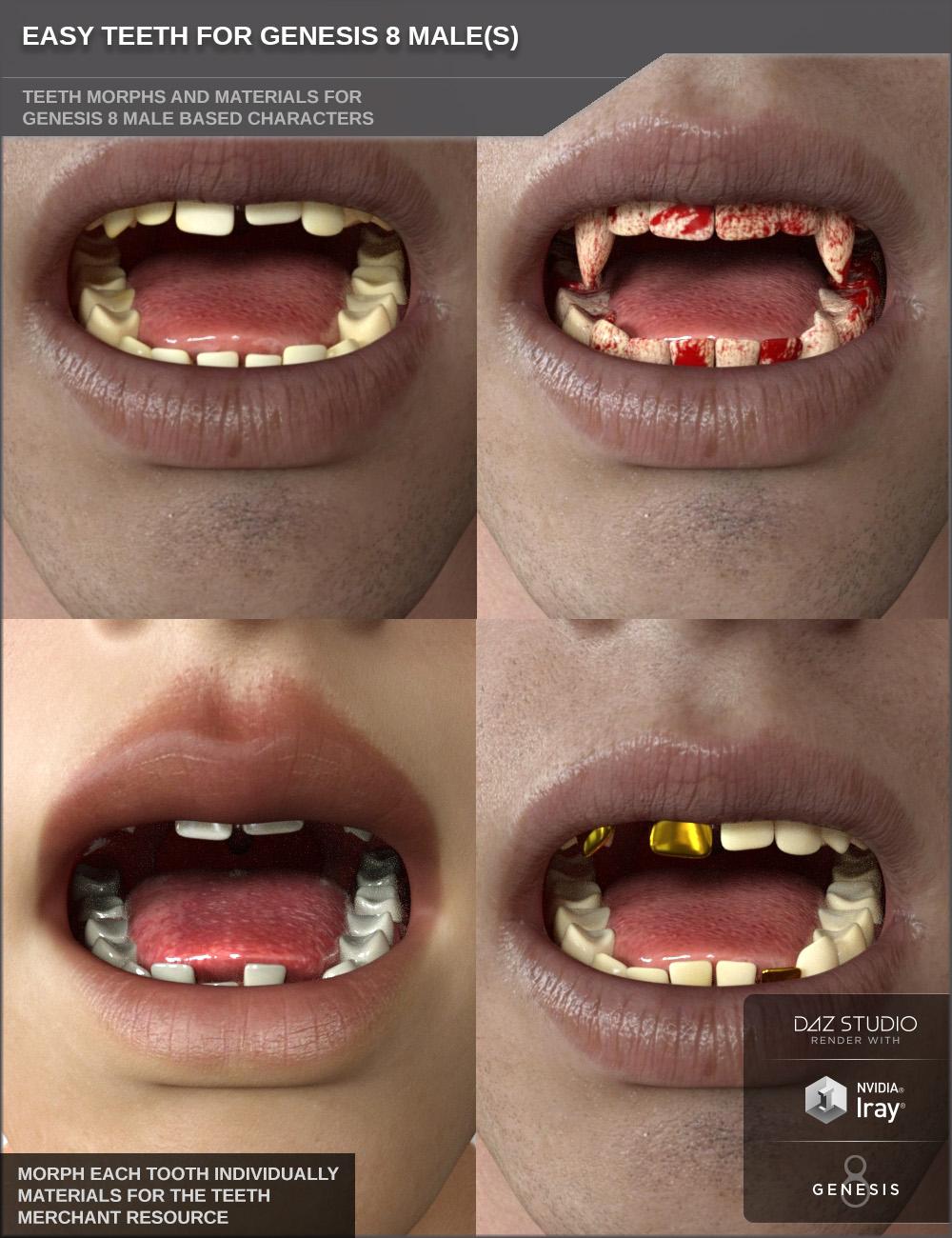
The teeth of humans never look exactly the same. Unique characters have different teeth.
Give your Genesis 8 Male based characters some more individuality with adjusting the shape and look of their teeth.
This morph pack contains 122 morph control dials to adjust the teeth. You can adjust each tooth individually. Make them longer, shorter or completely gone to have gaps or adjust their volume. With these morphs you can get many different looks of the teeth for more individuality of your characters.
Included are also morph dials for all teeth, like one to get childish looking teeth or irregular teeth. Morphs to make the upper canines sharp (vampire teeth) are included too.
Rounded up is this product by the included 10 material presets for Iray. Unclean and yellowed teeth, different teeth tones like slightly stained or bleached white teeth, bloody teeth and one preset with gold teeth.
You can of course save all your teeth adjustments as your own shape presets as well to be able to quickly apply your favorite settings later.Overall a very versatile product to make your characters more unique.
This product works with all Genesis 8 Male based characters.This product is also a Merchant Resource you can use to create morphs for your character products.
Merchant Resource Usage:
You may bake your own morphs using the morphs (also mix them) included in this products to include them with your own commercial character products. You may also include the morphs directly (altered or unaltered) to your commercial character products. This product is not a requirement.
Resource Usage should be stated in your product Readme. The image maps/materials of this resource may be used alike (unaltered or altered).
You may not create another merchant resource using this resource or a similar product like another teeth morph/control or teeth material only product.
Using this resource for free products is not allowed as well. The main purpose of this resource is character creation. The usage of this MR is limited to Genesis 8 Male based characters.
- Easy Teeth
- Morph Dials (.DSF):
- All Teeth Irregular
- All Teeth Length Reduce
- Boys Milk Teeth
- Vampire Teeth
- Lower/Upper Teeth Length Reduce
- Lower/Upper Central Incisors Gap
- Upper/Lower Central Incisor L/R Length Reduce
- Upper/Lower Lateral Incisor L/R Length Reduce
- Upper/Lower Canine L/R Length Reduce
- Upper/Lower First Premolar L/R Length Reduce
- Upper/Lower Second Premolar L/R Length Reduce
- Upper/Lower First Molar L/R Length Reduce
- Upper/Lower Second Molar L/R Length Reduce
- Upper/Lower Third Molar L/R Length Reduce
- Upper/Lower Central Incisor L/R Longer
- Upper/Lower Lateral Incisor L/R Longer
- Upper/Lower Canine L/R Longer
- Upper/Lower First Premolar L/R Longer
- Upper/Lower Second Premolar L/R Longer
- Upper/Lower First Molar L/R Longer
- Upper/Lower Second Molar L/R Longer
- Upper/Lower Third Molar L/R Longer
- Upper/Lower Central Incisor L/R Rotate L/R
- Upper/Lower Lateral Incisor L/R Rotate L/R
- Upper/Lower L/R Central Incisor Width
- Upper/Lower L/R Lateral Incisor Volume Reduce
- Upper/Lower L/R Canine Volume Reduce
- Upper/Lower L/R First Premolar Volume Reduce
- Upper/Lower L/R Second Premolar Volume Reduce
- Upper/Lower L/R First Molar Volume Reduce
- Upper/Lower L/R Second Molar Volume Reduce
- Upper/Lower L/R Third Molar Volume Reduce
- Shaping Presets (.DUF):
- Reset Easy Teeth Morphs
- Teeth Irregular
- Boys Milk Teeth
- Vampire Teeth
- Material Options (.DUF):
- 10 Easy Teeth Materials
- 03 Gloss Options
- MR Useage Document (.PDF)
- Textures Include:
- 30 Texture, Bump and Normal Maps (2048 x 2048 up to 4096 x 4096)
- Daz Studio Iray Material Presets (.DUF)
https://www.daz3d.com/easy-teeth-for-genesis-8-male-s-and-merchant-resource
The No Complaint too Trivial Complaint Threadcommuter nightmare comin hope
big flakes falling, my bus skidded, bus! skidded!
i'se paler than a hospital sheet.

...I was on a bus during a sleet and freezing rain storm back in the 60s. When we approached a light that just turned red, the driver hit he brakes and the bus began sliding sideways right towards a railway underpass with bridge supports in the middle of the street. He hit the accelerator and steered into the skid getting the bus to point forwards again narrowly missing the central bridge supports.
There was another time when I was something like 11 or 12 and we had a heavy snowfall. School was called off at mid day and I remember the city bus I was on (one of the old gas powered ones they had - see below) getting stuck in deep snow at a stop and several older passengers got out to help push it actually getting us out and going again.
 Can someone help me find a chariot?
Another progress report - can you let me know which of the holes (left/small or right/big) you prefer? (I'm planning to smooth out the kinks a little so don't worry about those).
I haven't redone the hitch yet so ignore that (and the way I went nuts with the shaders :p )
On the hitch subject - do you want a central t-shape like in the later pic? And I asked earlier but: moveable like in the demo, or fixed to the undercarriage like in the later pics?
WOW!!! That is really looking awesome! OMG! I love it so much!
I like the one on the right!!!! The one with the larger holes. And to be honest... I kinda LIKE the kinks. I think it looks more like it's been "used" and made by ancient people to me or something. I like it.

And on the hitch -- I wasn't sure what you were asking last time and I'm not sure now! LOL But the hitch should probably run under the carriage and be a bit "thicker" to support the size/weight of THIS carriage... Get what I mean? Like in this pic:
But everything looks amazing so far! Great job!
I really can't wait! This is so nice of you!!! Thank you so much!!! Gotcha - should be able to get this done today, but no promises - depends on baby's schedule (still waiting) ;)
Can someone help me find a chariot?Another progress report - can you let me know which of the holes (left/small or right/big) you prefer? (I'm planning to smooth out the kinks a little so don't worry about those).
I haven't redone the hitch yet so ignore that (and the way I went nuts with the shaders :p )
On the hitch subject - do you want a central t-shape like in the later pic? And I asked earlier but: moveable like in the demo, or fixed to the undercarriage like in the later pics?
WOW!!! That is really looking awesome! OMG! I love it so much!
I like the one on the right!!!! The one with the larger holes. And to be honest... I kinda LIKE the kinks. I think it looks more like it's been "used" and made by ancient people to me or something. I like it.
And on the hitch -- I wasn't sure what you were asking last time and I'm not sure now! LOL But the hitch should probably run under the carriage and be a bit "thicker" to support the size/weight of THIS carriage... Get what I mean? Like in this pic:
But everything looks amazing so far! Great job!
I really can't wait! This is so nice of you!!! Thank you so much!!! Can someone help me find a chariot?Another progress report - can you let me know which of the holes (left/small or right/big) you prefer? (I'm planning to smooth out the kinks a little so don't worry about those).
I haven't redone the hitch yet so ignore that (and the way I went nuts with the shaders :p )
On the hitch subject - do you want a central t-shape like in the later pic? And I asked earlier but: moveable like in the demo, or fixed to the undercarriage like in the later pics?
Iray Ghost Light Kit 2: Render and Support Thread [Commercial]I mostly use the dome and sphere props from Ghost light 2, for lighting a central figure in a scene or throwing more light into dimly lit parts of mid-sized sets.
So, where's that content guide again?Hi folks,
So, I'm setting up DAZ/Carrara on a fresh install of Windows, and am having trouble finding a guide I'd seen on here in the past.
My goal is to basically keep one central location for all my Genesis characters and related content that can then be 'shared' between DAZStudio and Carrara. In the past, I've ended up having redundant copies of it on my system because I'd install it through DAZ but then was unable to get it to load correctly into Carrara, or vice-versa.
There's so much information regarding content in DS and Carrara that it's become difficult (for me anyway) to parse out the bits that I actually need .
.
Thanks!Not To Worry, Friend, "There's Always Another Sale™"It was 60 on Wednesday here in central Massachusetts, and there are 4-6" of snow forecast for tomorrow...
The No Complaint too Trivial Complaint Thread...bugger, how'd I miss this?
Rezca, Happy belated 27th trip around our central main sequence stellar primary.
Invite suggestions for character sets for people of Central American heritageHate it when prices change when assembling my cart! I think a vendor or two must have rotated off the sale list while I was searching around. Here is a product that I thought I might be able to use as a base, or blend with other products, or otherwise help with my project. Then the price skyrocketed after I had loaded it in my cart.

That's a shame. Personally think those two make great starting points for Central American characters, especially if you drop their V/M7 component down to about 50%
Novica & Forum Members Tips & Product Reviews Pt 10Apparently the person who did the glitches a few days ago is still employed. As mentioned in the Sale thread, it's glitch city again. (No not free, but just as bad. It's the new releases that are affected this time.) Edit- oh man, and in the cart, some of them are going to 82% depending on what is tested.
Yeh, most of our stores are going for next to nothing right now. It must be a glitch or reset.

Several of us are frankly wondering if the person actually did get fired, and others don't know what to do. Why on earth would they be messing with the store at around 7:30-8pm (central time) anyway? None of this makes sense.
Invite suggestions for character sets for people of Central American heritageThis https://www.daz3d.com/mayan-adventure-bundle is about as close as it gets to anything Central American in the daz store. And it is woefully inaccurate.
Invite suggestions for character sets for people of Central American heritageThank you for the pics, Diva and nonesuch. Wonderful! I was actually hoping for character suggestions from the Daz store, like we have for people whose heritage is from East Asia and Sub Saharan Africa. However, the pic suggestions are also most welcome.
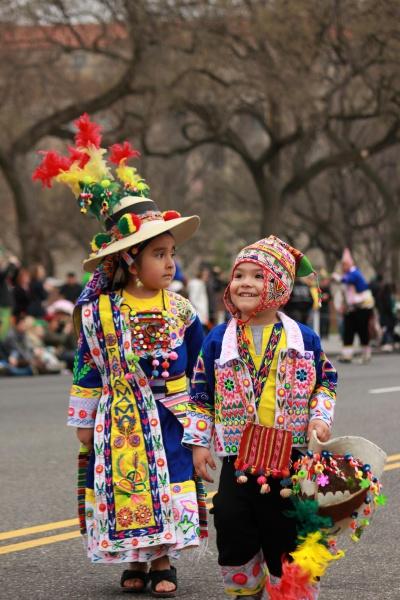
Many ethnic groups wear folk costumes for the St. Patrick's Day parade near me, including people from Central and South America. When I get this project done, I'd love to revisit some of them. The yet-to-do list just keeps growing. Here is one of my favorites from St. Patrck's Day. Too cute!
 Invite suggestions for character sets for people of Central American heritage
I don't know anything about the region, really, but the "traditional dress" of the Panama area looks really interesting and fun. :)


 Invite suggestions for character sets for people of Central American heritage
Have a project that includes several people of Central American heritage. While the region has had migrations from all over the world, the particular characters in this project are primarily descended from people residing in the region before 1492 even though they don't live there during the setting of the project. Think Guatemala, but includes Central America more generally. Curious to hear suggestions for character sets, shaping morphs, skin materials, and other resources in the Daz store. Suggestions welcome for both females and males.
Iray Light Probe Kit - Support and render thread (Commercial)Late last year, I released my unidirectional diffuse lighting kit (Iray ghost light kit). I put together this kit to bridge a problem that heavy duty path tracing render engines, and that's heavy duty render times. ILPK is geared towards the same purpose, in a slightly different way. Even with my previous sets, large areas are very difficult to light evenly, often resorting to countless duplications and a lot of separate elements to keep track of.
ILPK is a collection of spheres, rigged to one central hub, forming a small network. These spheres can be dotted around your scene by hand, or with the help of preset poses. Once the ILPK network fills out your scene, it will bathe it in balanced ambient light. Each probe can be controlled manually, or the probes can be changed uniformly. With only one central lighting hub to worry about, you can change your scene colour and intensity all in one place.
If you have questions, need support, or as always, want to post some snaps!? Please do so here. You can also PM me privately or contact the email address given in the documentation if you prefer.
Liana's Creative Corner WIP's :)@deathbycanon..You live in Iowa? I live in Minnesota (central part) so we are almost neighbors. :)
We had the same kind of weather also. Flurries here and there, but nothing that stayed around. Furnace motor going out bites. I know we replaced ours about 2 years ago because it was banging around. Lucky for us it was in the summer when it happened. Glad you got it fix though, nothing like living in the north country in the winter with no heat. Brrr.... We have been busy again. Tomorrow is winterize car day and get it new tires.
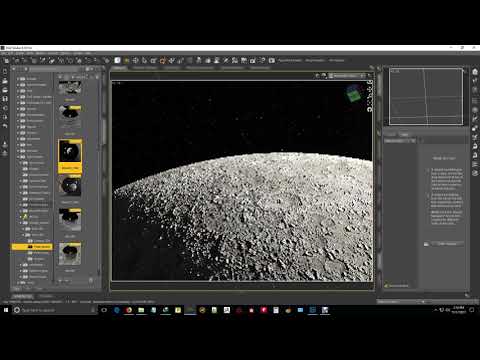
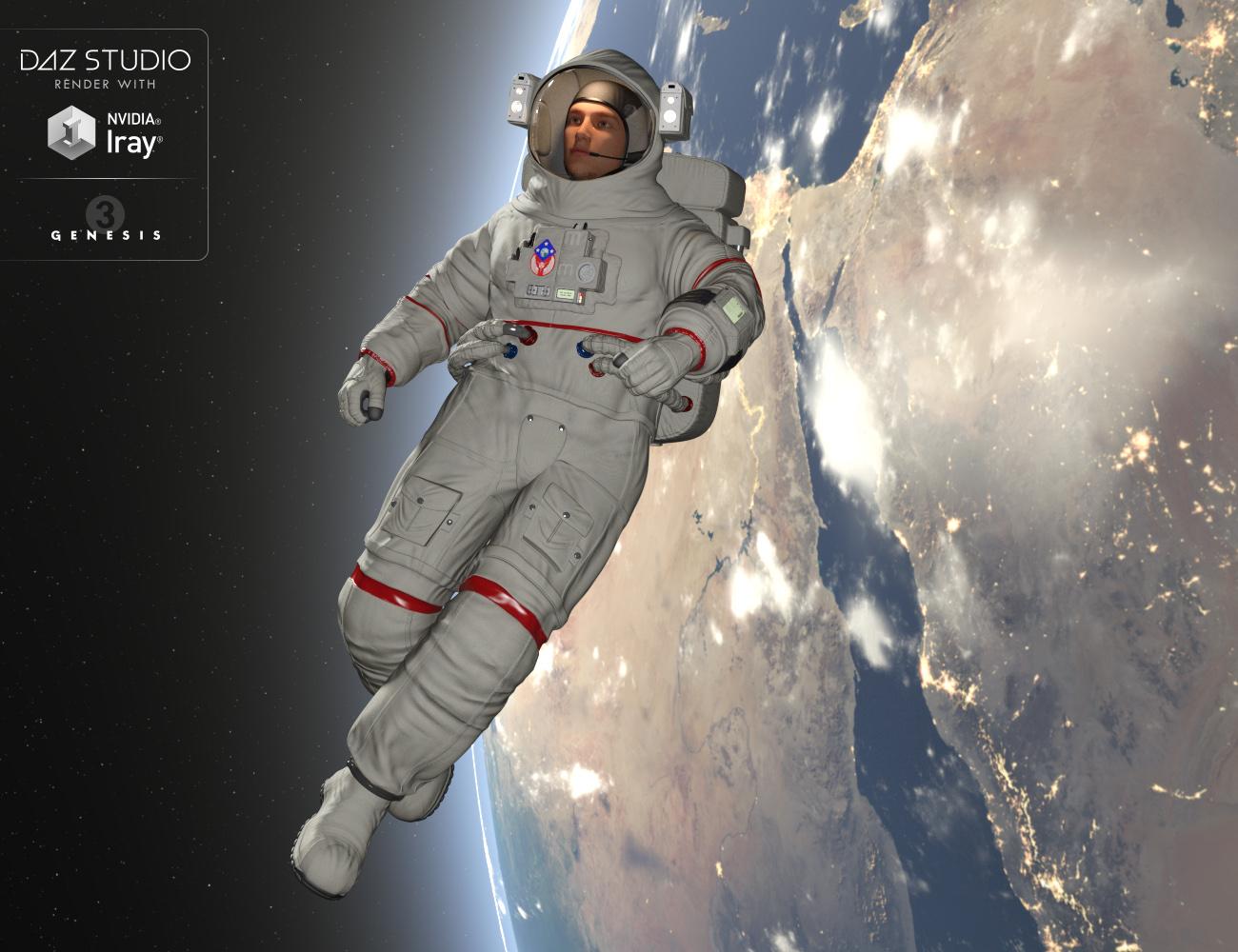
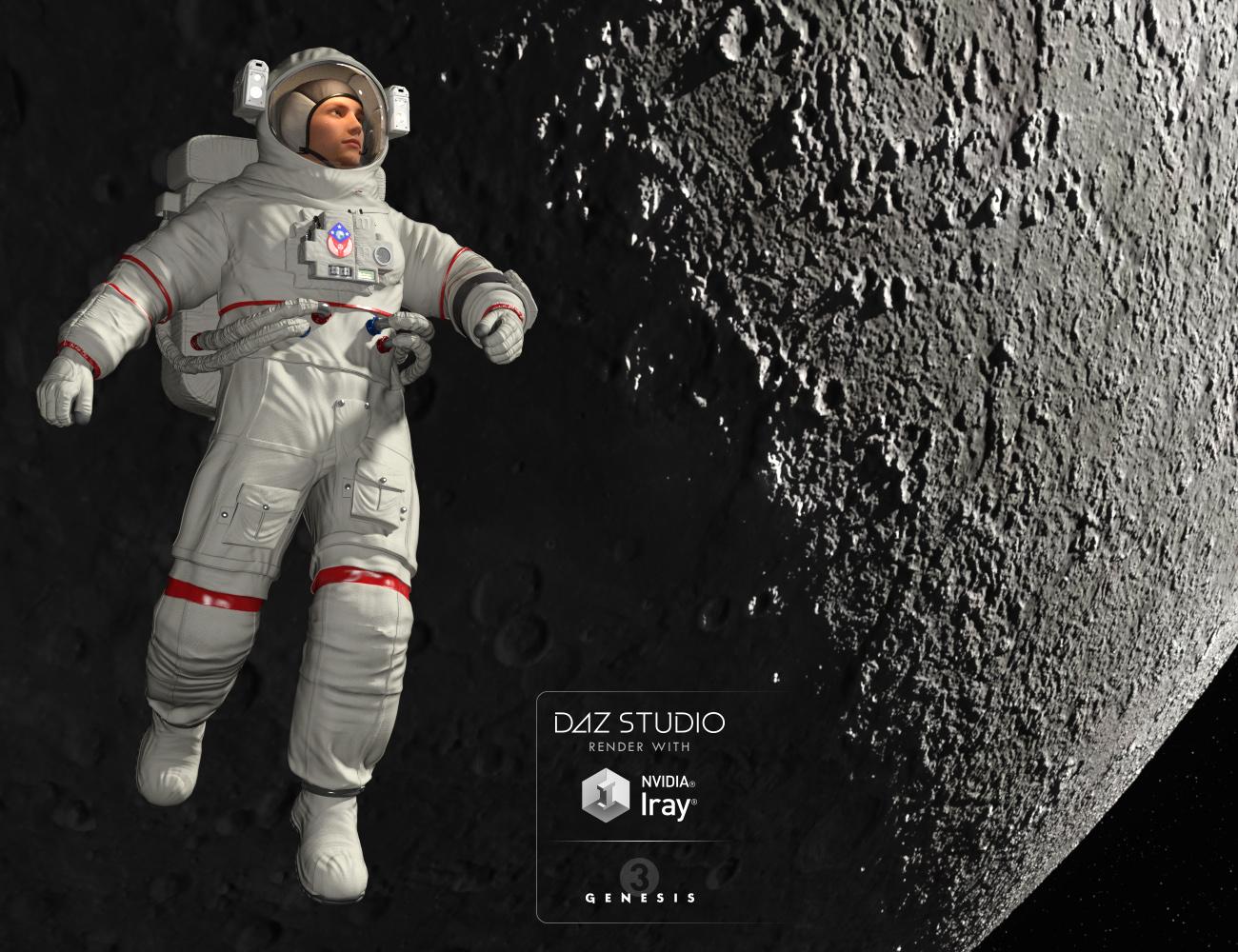
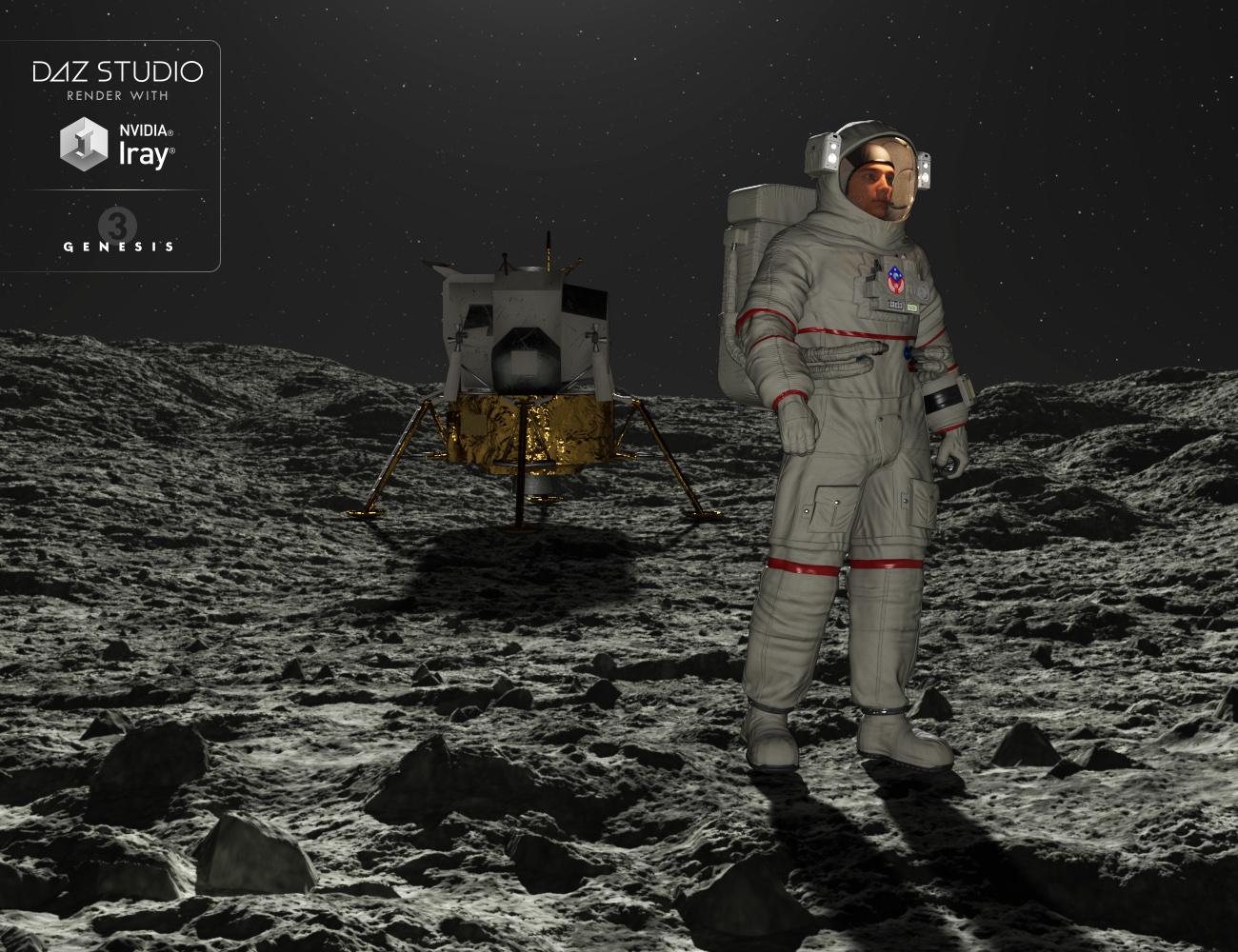
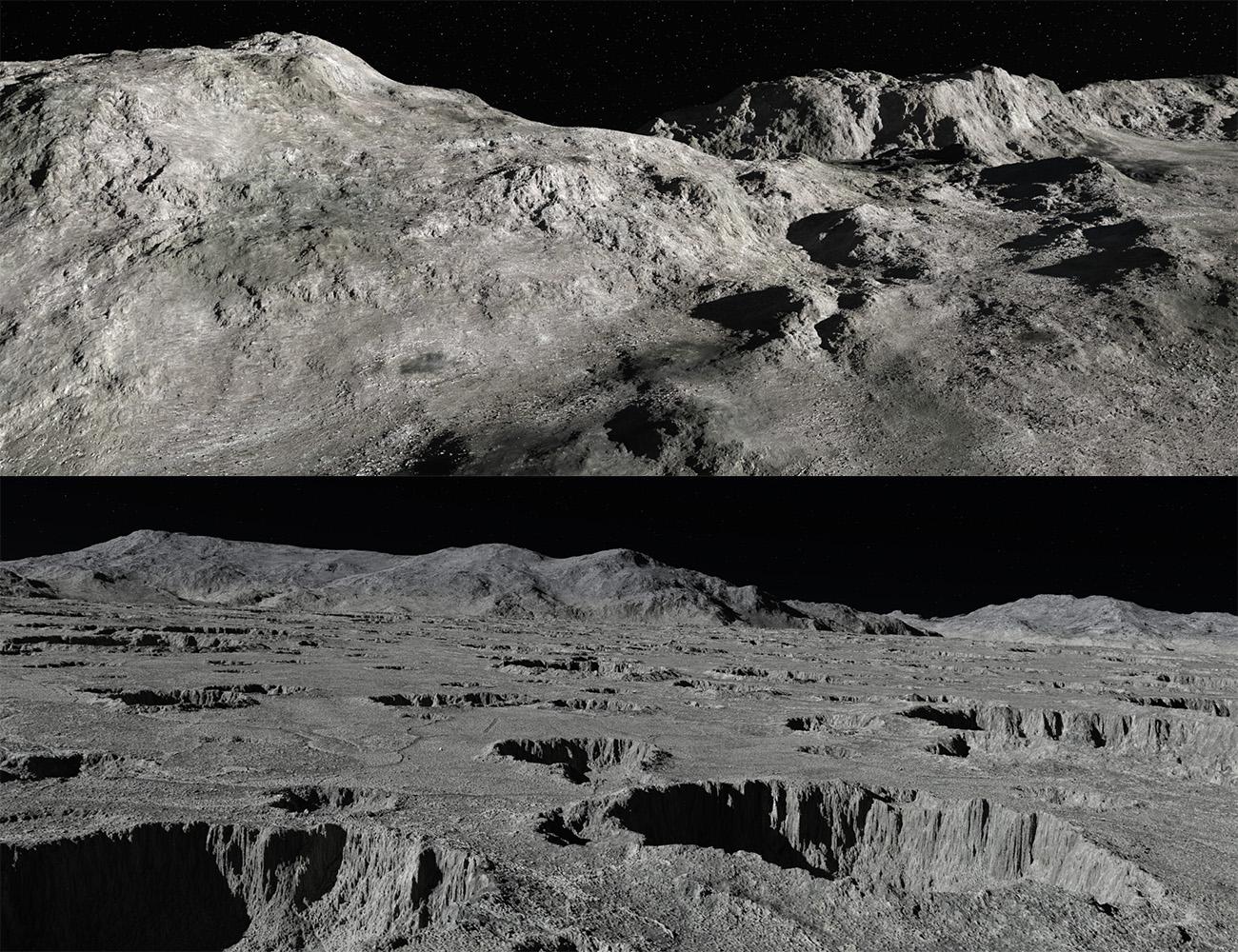
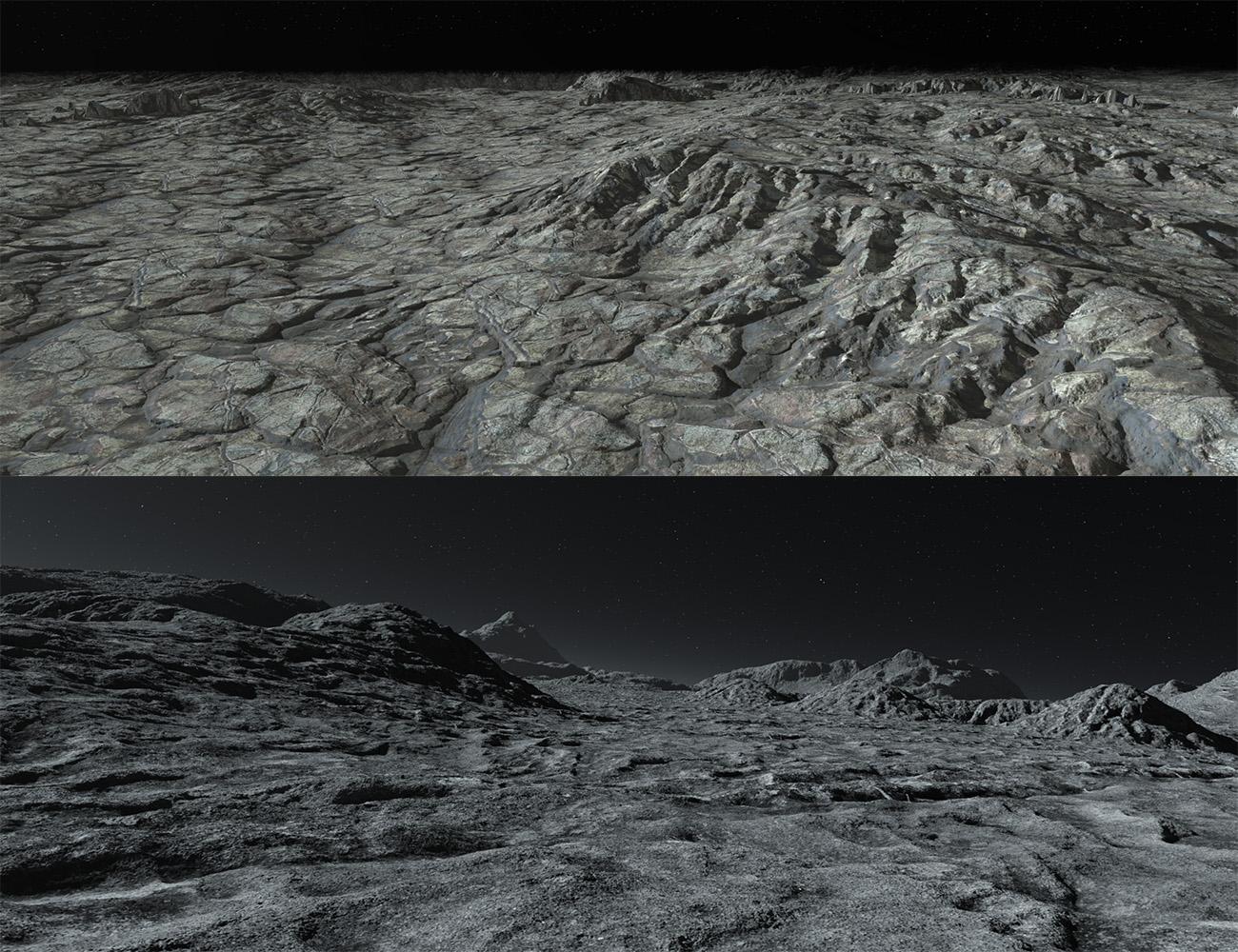
Moon 360(Commercial)LIVEMoon 360 is the new HDR environment by Midnight_stories. It’s a full 360 Degree set of HDRs, rendered in 16K by 8K so it’s double the resolution of the “Mars 360” set. With full 3D lighting information encoded into each image. There are 9 environments in all broken up into 2 categories, Infinite Sphere and Infinite Sphere with ground and DOF or (depth of field). The landscapes are based on a moon environment with stone rocks and dust features, plus star and planet backgrounds, all lit with a sun as the central source of lighting and shadows. There are 7 on the surface of the moon and 2 in orbit. These work great with the “Genesis 3 Male Astronaut”. There is also so a camera preset of the DOF environment and an introductory video to help get you started, see link below. The 16K maps takes HDR environments to a whole new level of detail!
This has just passed QA so “Genesis 3 Male Astronaut” shouldn't be to far away!
 Compilation, Grouping Categories
To underline this sriesch, I truly thank you for trying to help. Screen prints etc are time consuming.
Also as you can tell from the volumes of responses, you are truly unique.
The object was to put all the hdr/hdri files in one place without duplication installations (as mentioned files are not small).
Whatever I am doing wrong was done all day.
Cannot get to work.
Will reinstall all into one central location.
Thank you again
Compilation, Grouping CategoriesDAZ Studio !0.
Have 11 Major Daz Libraries, Each contains many products relating to HDRI lighting.
They are obviously huge files.
I wish to Group them all into one central location, without duplicating the installation of the files themselves. It is also important to maintain the
thumbnails (previews).
Saw a Tutorial in which the instructor went to the original product in tha library, right clicked it and sent shortcut to "catergories". It appeared with thumbails etc
When I repeat the step I get the title and nothing else.Basic question, however is to compile all these products together without huge duplication and keeping thumbnails
Thank you
Daz 3D is part of

Connect
DAZ Productions, Inc.
7533 S Center View Ct #4664
West Jordan, UT 84084Licensing Agreement | Terms of Service | Privacy Policy | EULA
© 2026 Daz Productions Inc. All Rights Reserved.