-
Cannot find Victoria 4.2 in my daz library
If the morphs aren't showing up in Powerloader, Parameters tab, or the Shaping tab when you run the INJ file, it's prossibly because the DzCreateExPFiles.exe didn't run or glitched, or files are not in their proper paths for the exe to add the channels.
The path to this file is Runtime\Libraries\!DAZ.
Try running this manually, and it should create the channels for the morphs in V4.
When you load the V4 figure after this, the morphs should be there, and you can verify it by running the INJ, or by enabling Show Hidden in the parameters or shaping tabs.
The channels should appear in their appropriate paths as EMPTY-(Morph name) and be greyed out if the exe ran properly and the morph files were in the correct path.
If they're still not showing up, make sure the morphs you're adding are in the correct path, which is the same as the script, but one level down in the Victoria 4 directory.
Runtime\Libraries\!DAZ\Victoria 4.
If they're not there, there may be a problem with your install path, or the file itself.
Check DIM or what ever install method you're using to make sure the path is correct.
Cannot find Victoria 4.2 in my daz libraryHave you loaded the Base morphs and morphs++ of Victoria 4.2. cr2 with PowerLoader dialogue ? (ss1)
If you have, you should be able to find the morphs in Shaping pane. Then you dial them there. (ss2)
Cannot find Victoria 4.2 in my daz libraryI only have Victoria 4.2 so only 2 morphs to change to a male body, and they works.
Which morphs do you have?
Cannot find Victoria 4.2 in my daz libraryHi, I have installed and reinstalled my v4 with all the morhs again and again but it just does not show up in my content library on my daz studio 4.24. The name shows up but there's nothing inside.
I can import her from my poser 11 but I can't load any morphs onto her.
Any ideas?
gen 9 figure convert to gen 8?Which "G4"? Genssi 4 or fourth generation Daz figures (e.g. Victoria 4, Michael 4 etc.)? However, any conversion does require that the destination figure has a clone for the source figure.
Using Genesis 9 method to practice drawing by handI'm thinking of using the Genesis 9 method to help me practice drawing better, especially for drawing people in poses. Any ideas how to help me make this work? I'm guessing if I don't have a background it would be easier to print just the characters. I need to use clothes on the figures, because I don't want to do painted on swimsuits like what early Victoria 4 had.
I think I might have enough content to start when I get home today. I can use the free version of DS until I can afford premiere?
PA Names as part of product nameRon Knights said:
I've brought this subject up over the years. First, remember that I totally support the Published Artists and their work.
However, I really find it hard to work with content when so many products have the PA's name in front of the actual item name. (Touchable is one example.)
When I buy a character, I want to find that character's name in my content directory. I don't want to wade through countless PA's names to find that product.
Let's say a certain PA has 20 products. Then 20 other PAs have their names as part of the product name. There are way too many alphabets to search through.
I use the Content Library. I don't use Smart Content.
As it stands, I probably won't buy any product that uses the PA's name as part of the item name.
I once felt it was a vanity thing but I no longer see it that way. There have been times when two characters with the same name caused a conflict. Today we have a new release named Antebellum Mansion by PW and I own an old release named Antebellum Mansion. Luckily because the new release includes the artists initials, if I buy it, there will not be a conflict. So I no longer feel negative about a PA's name as part of a product name But I do wish it was at the end of a product name (enclosed in brackets) not at the beginning. Three things that bother me about naming conventions are:
- When a PA names a product a mile long rambling name that continues forever and is impossible to say without breaking for a breath and impossible to be extracted from a ZIP FILE forcing one to make a top level folder named 1 and shove it in there for extraction purposes (runs out of breath) . . . long and rambling like that.
- When a products name does not relate to item. Like naming a robot Life Support. That's a fake example but the real ones are often when the texture name has no inclusion of the required product name. A fake example: "Business Suit for Victoria 10" and the optional textures are named "Days in the Hot Sun".
- Misspelling the the folder names causing extra folders in the library. I download DAZ via DIM, but DIM has created folders for Environements Environment and Environments.
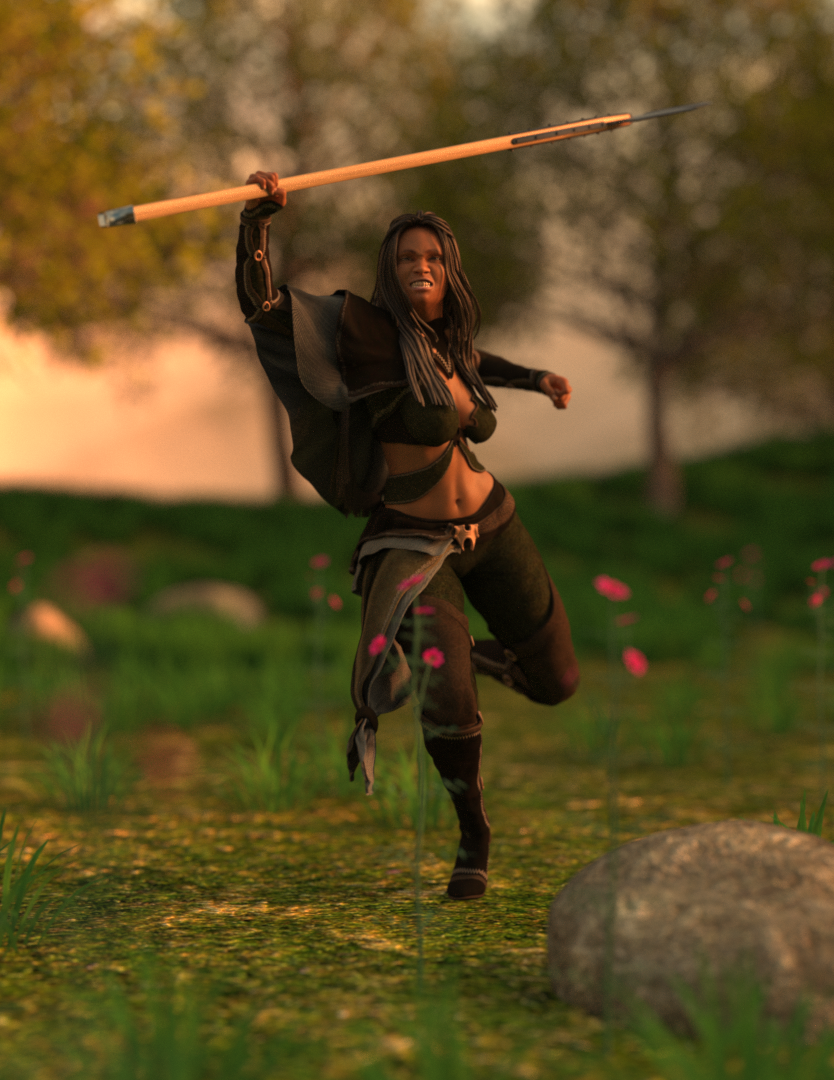
Genesis 2 Appreciation Thread"Furious Heroine"
This render is about https://www.daz3d.com/nomadic-huntress-for-genesis-2-female-s by Barbara Brundon and Shox-Design, a dramatic, quite complex outfit, as you can see. Unfortunately there seems to never have been created a texture add - on, but the outfit itself already includes five texture options. Starring https://www.daz3d.com/anaya-for-monique-6 by ForbiddenWhispers as the heroine using the classic https://www.daz3d.com/medea-hair-for-genesis-2-female-s-and-victoria-4 by SWAM. I used the original textures converted to Iray. IMO one of the many impressive fantasy outfits designed for g2. The pose is from https://www.daz3d.com/valkyrie-poses-for-shieldmaiden by FeralFey, the expression from https://www.daz3d.com/from-cowardice-to-heroism-for-genesis-2-female-s by AlFan.
 UltraScatter2 - Now in store!
HowieFarkes said:
Richard Haseltine said:
Sorry to bump this with bad news, but Ultra Scatter 2 seems to crash DS when loading Victoria 4.2. The figure appears to load OK, then the application crashes after a few moments. I tried a few other Poser-format items, props and figures, without issue - Victoria 4 is going through Power Loader, I don't know if that might be an issue (perhaps relating to the ability to load new morphs in place). Edit: disabling Power Loader and the V4.2 .dsb loader script didn't help.
Working on a fix right now
Thank you.
UltraScatter2 - Now in store!Richard Haseltine said:
Sorry to bump this with bad news, but Ultra Scatter 2 seems to crash DS when loading Victoria 4.2. The figure appears to load OK, then the application crashes after a few moments. I tried a few other Poser-format items, props and figures, without issue - Victoria 4 is going through Power Loader, I don't know if that might be an issue (perhaps relating to the ability to load new morphs in place). Edit: disabling Power Loader and the V4.2 .dsb loader script didn't help.
Working on a fix right now
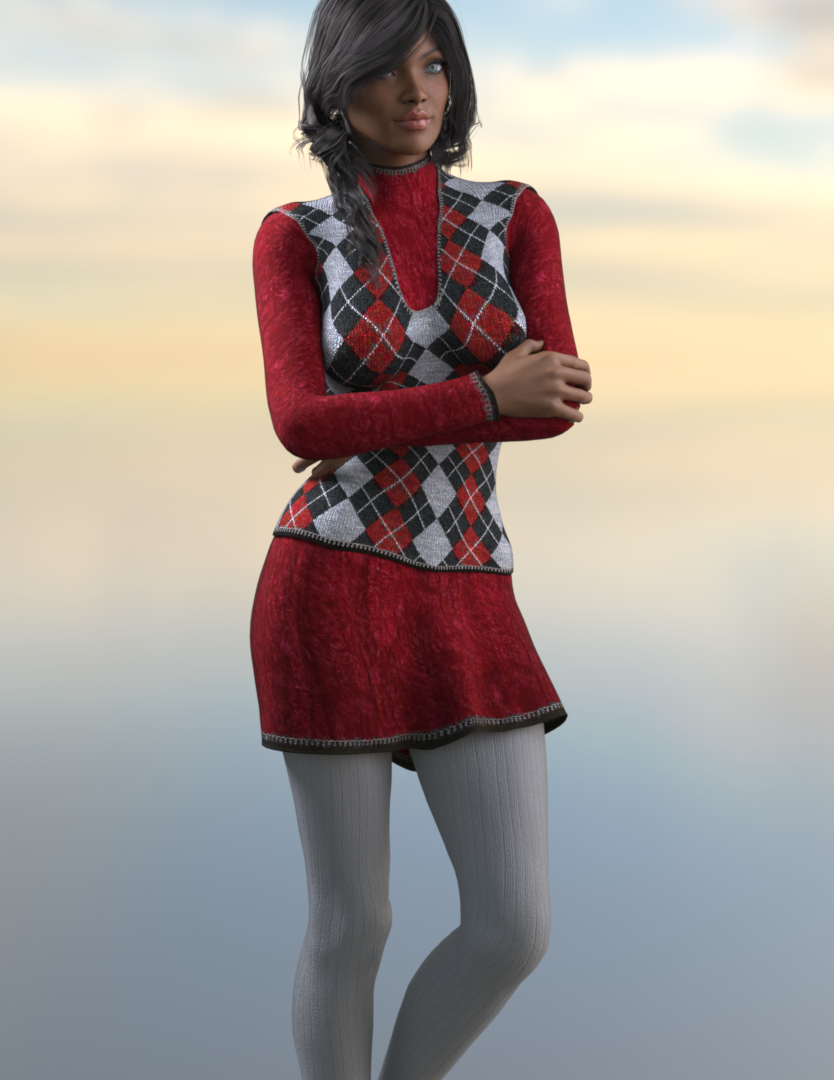
Genesis: The Early YearsJust a quick reminder of a g1 outfit:
https://www.daz3d.com/lazy-sunday by Barbara Brundon and Sarsa with https://www.daz3d.com/lazy-sunday-textures by Sarsa
A classic, using https://www.daz3d.com/niara-for-victoria-5, i just love it, pure sweetness and coziness:
 What are your strategies for handling strand-based hair lighting/coloring?
felis said:
I have the hair and the environment.
So I loaded the room, Victoria and the hair. I gave the hair a red tone. And posed Victoria (she will be happier to work with if posed
 )
)I used the default HDRI, as I don't see the HDRI will do much difference, unless you have one that can shine in during one of the windows.
I would usually have added more lights, but didnt for the test.
Three angles, and I don't see mush difference.
So what explains the drastic difference in mine? I did not add any lights or anything either.
What are your strategies for handling strand-based hair lighting/coloring?I have the hair and the environment.
So I loaded the room, Victoria and the hair. I gave the hair a red tone. And posed Victoria (she will be happier to work with if posed
)I used the default HDRI, as I don't see the HDRI will do much difference, unless you have one that can shine in during one of the windows.
I would usually have added more lights, but didnt for the test.
Three angles, and I don't see mush difference.
Is there a way of converting textures (materials) between Genesis 2 through Genesis 9?Unfortunately there's no legacy product for G2 > G9 from CaymanStudios ~~
You can convert texture maps from G2 to G9 in Blender by projecting the maps across different UVs. This is a totally free way but it requires some technics and skillset of Blender ~~
Alternatively, a much simpler way: you can make a G2F Material Suit for G9, like the one in this product: https://www.daz3d.com/rssy-genesis-8-and-81-female-material-suit-for-genesis-9
i.e. rig a G2F obj onto G9 with Transfer Utility so as to make it as a Material Suit. Attached screenshot is a roughly-made example: Victoria 9 with the material suit of G2F to which Victoria 6's texture maps are applied.
(removed Eyes related surfaces on G2 object, rig it as a "Body and Head Suit" to G9, set G9 as Auto-Hide in Geometry Editor.... etc. etc.)Genesis 2 Appreciation ThreadGenisis 2 is still one of my all time favorite generations. Some of my favorites: Olympia 6, Victoria 6, Callie 6, Michael 6, The Girl 6, and a few of Raiya's G2F characters, to name a few.
Though there are quite a few more from the Genesis 2 line that I really like. Once you morph the elbow area to be more realistc the figures are fantastic! I had made a custom elbow bend morph for G2 a few years back, sadly it got lost to a failed drive. One of these days I will have to make a new one. A fixed or improved elbow bend really elivates G2F characters.
Is there a way of converting textures (materials) between Genesis 2 through Genesis 9?There was once a texture converter that worked great with the michael and victoria models through unimesh, but I can't find anything that can be used in the genesis series. Is there anything for that?
* CLOSED* RRRR - Unusual Laws / Refused Sports - Render ContestTag: Totte#03
#5310 Country Ford for Daz Studio and Carrara (42901)
#4237 Victoria 9 HD Makeup (87804)
#616 Elisse HD for Victoria 7 (22540)
#4612 Movie Sets, City Block 12 (Rendo)
LB1: #2047 Darius 8 (48907)
LB2: #2295 Wise Wizard Beard for Genesis 8 Male(s) (52575)
LB3: #1566 Deco 12th Floor DS (34923)Also used:
Husdon Outfit
Victoria 9 + dForce Retro Radiance Outfit + BW Lucas Everyday Glasses + Small Earrings+HS City Braids Hair
Hit Jumpsuit + Audry Hair
Dirty Dishes + Dirty Dishes ExpansionScripts, Lights and Shaders used:
Skies of Economy
RSSY 3DLToIray
Invisi LightsPrime ribs
At the posh restaurant The Overlook, health inspector John Auber was very displeased to find that he got six pieces prime ribs on his plate. They were not served according to section 47:11 in the Health and Safety Regulations, which clearly states that prime ribs have to be served in prime numbers only.
 * CLOSED* RRRR - Unusual Laws / Refused Sports - Render Contest
tag:luci45#3
Cosplay Convention Games
The Annual Platean Cosplay Convention committee pondered including a new sporting competition for their upcoming event.
Freestyle Watersports, suggested by new member Johnny Jawsome, seemed like a great idea until they saw Johnny in action.
Distraught committee members discussed a requirement that attendees pass a human DNA test or at least show themselves out of costume. Reynard, Knowing he wouldn't do well with either option, said those seemed a bit harsh and they should just refuse the sport and continue playing badminton and croquet.
Pull
4161 Reynard For Genesis 8 Male
3820 Platea Pergo Iray Addon
1609 Feeling Fruity OmniHair Shaders
1382 Edwardian Hair for Genesis 3 Female(s)
1009 Cowboy Outfit for Genesis 3 Male(s) (LB)Also used"
SY Splashstravaganza Iray
SY Rigged Waves Iray
Jawsome Quickstrike HD Shark for Genesis 9
Victoria Iven for Genesis 3 Female(s)
Mina for Iven
Ophelia 7
Leo 7
Capsces Creature Creator Shapes for Genesis 2 Male(s)
Creature Creator for Genesis 2 Male(s)* CLOSED* RRRR - Unusual Laws / Refused Sports - Render ContestPuff #3
#5310 Country Ford for Daz Studio and Carrara (42901)
#4237 Victoria 9 HD Makeup (87804)
#616 Elisse HD for Victoria 7 (22540)
#4612 Movie Sets, City Block 12 (Rendo)
LB1: #2047 Darius 8 (48907)
LB2: #2295 Wise Wizard Beard for Genesis 8 Male(s) (52575)
LB3: #1566 Deco 12th Floor DS (34923)3 environments, two of them very large exterior and one interior, this will be tricky ...
Freebie Challenge August 2025 - "Pure Cinema" - Entries ThreadSword !
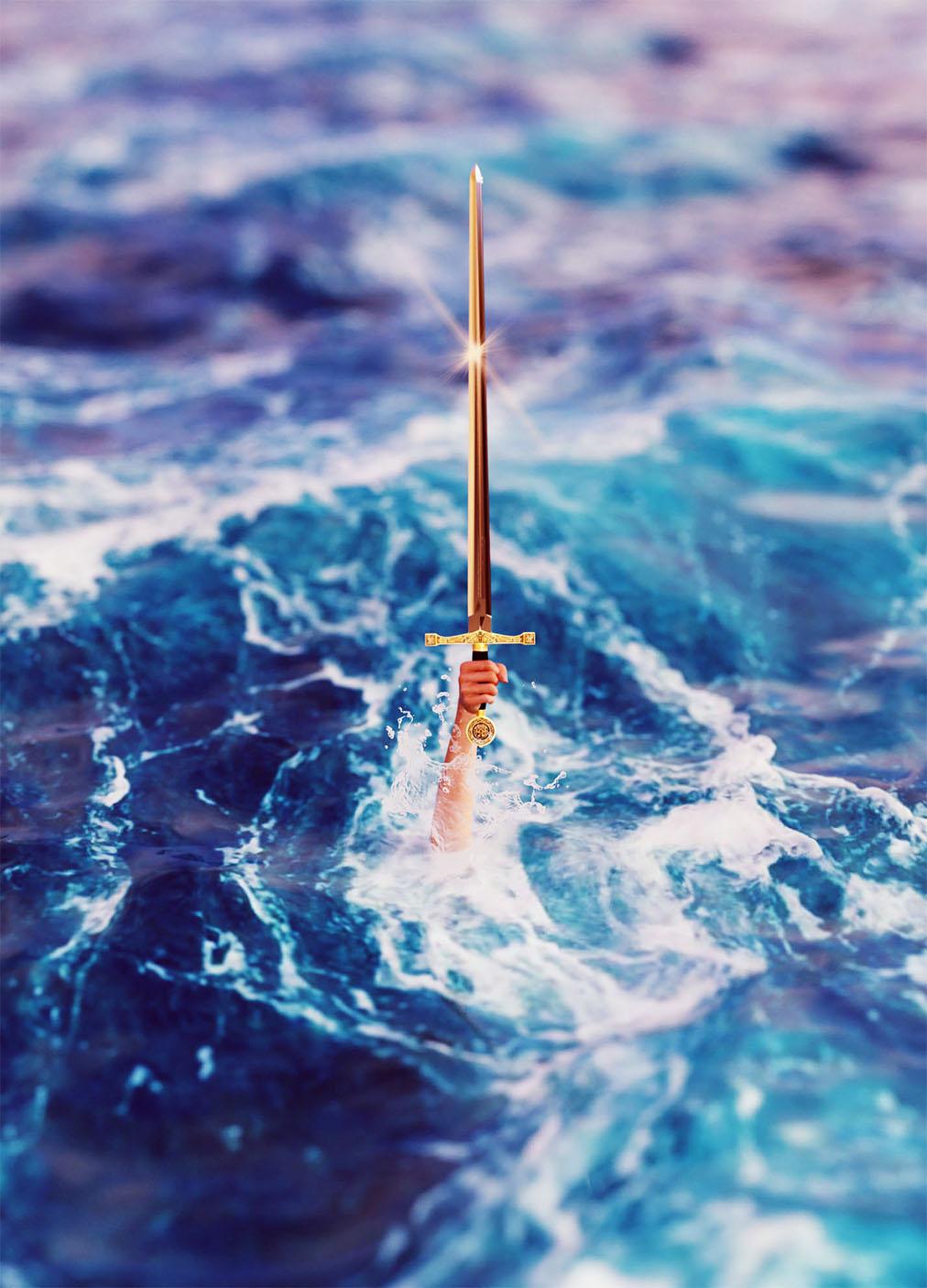
Postwork: Adobe PS
Freebies
Hand: https://www.renderhub.com/vfoxgames/vfox-victoria-for-genesis-8-female-mothers-day-2025-gift
Lake: https://www.renderosity.com/freestuff/items/96105/free-deep-ocean-for-daz
Sword: https://www.renderhub.com/dazinbane/excalibur
Water Splash: https://www.brusheezy.com/brushes/17567-water-splash-brushes
Lens Flare: https://www.brusheezy.com/brushes/57376-free-lens-flares-photoshop-brushes-4
No AI
Daz 3D is part of

Connect
DAZ Productions, Inc.
7533 S Center View Ct #4664
West Jordan, UT 84084Licensing Agreement | Terms of Service | Privacy Policy | EULA
© 2026 Daz Productions Inc. All Rights Reserved.