-
Export Prop in Original Position?
Hi,
I have this rigged bracelet which is fitted to G8F's right wrist. I want to export the bracelet as a .obj prop. It exports OK, but when I import the .obj file back into the scene, it appears at the scene origin.
I was hoping to leave the bracelet in its original scene position - oriented where G8F's right wrist would be. Is this somehow possible?
EZFinder - Advanced Content Manager for Daz Studio [Commercial]Blando Calrissian said:
"Scan progress and jokes always on"
That blurb made me laugh. I also appreciated the fun comments in the progress window.
Still trying to figure me way through the software, but I very much like the ability to create detailed, customized searches in the fly.
I am glad you like the jokes in the log Blando Calrissian something to help pass the time.

It is very interesting to learn how people use the software. I will be adding features to help in those areas that I did not expect people to use as much.
I did not think the custom scans would be used as much and there is a possibility of expanding the software to scan items from other sources as well, for easy organization and import.
A couple of times I removed the external search from the program, then I added it back. Because the external scan folders needed to stay in place unlike your Daz library that can move and the folders will still work. But now the program has "healing" added to custom scans. This is helpful if you change computers.
Each scan creates a .JSON file and keeps track of the folder location. As long as you locate that .JSON file and tell the program where the scan file items folder exists, the scans and their virtual folders, images... should work again on a new PC with different path locations.
Always back up your user data folder EZFinderUSER in the cloud or somewhere safe. Even for very large libraries it is only a couple of megabytes. This will guarantee you never have to redo your library. Add a date to your user data folder backup i.e. "EZFinderUSER 3-5-26" so you know the latest version. Have fun and make awesome, beautiful art!
Remixing your art with AIwsterdan said:
Artini said:
Wish it will be easy to get back AI stuff (characters, environment etc.) back to Daz Studio.
Bit by bit, inch by inch it's getting there, I think. I imagine that in a year or three we'll either be able import AI models into DAZ, or into some 3D software we'll be using instead of DAZ.
I mentioned above about taking my 2D characters and making 3D models from them for printing and animating in a game I'm working on. They can also be imported into DAZ Studio, in partially-rigged mode as well as being exported in Blender format.
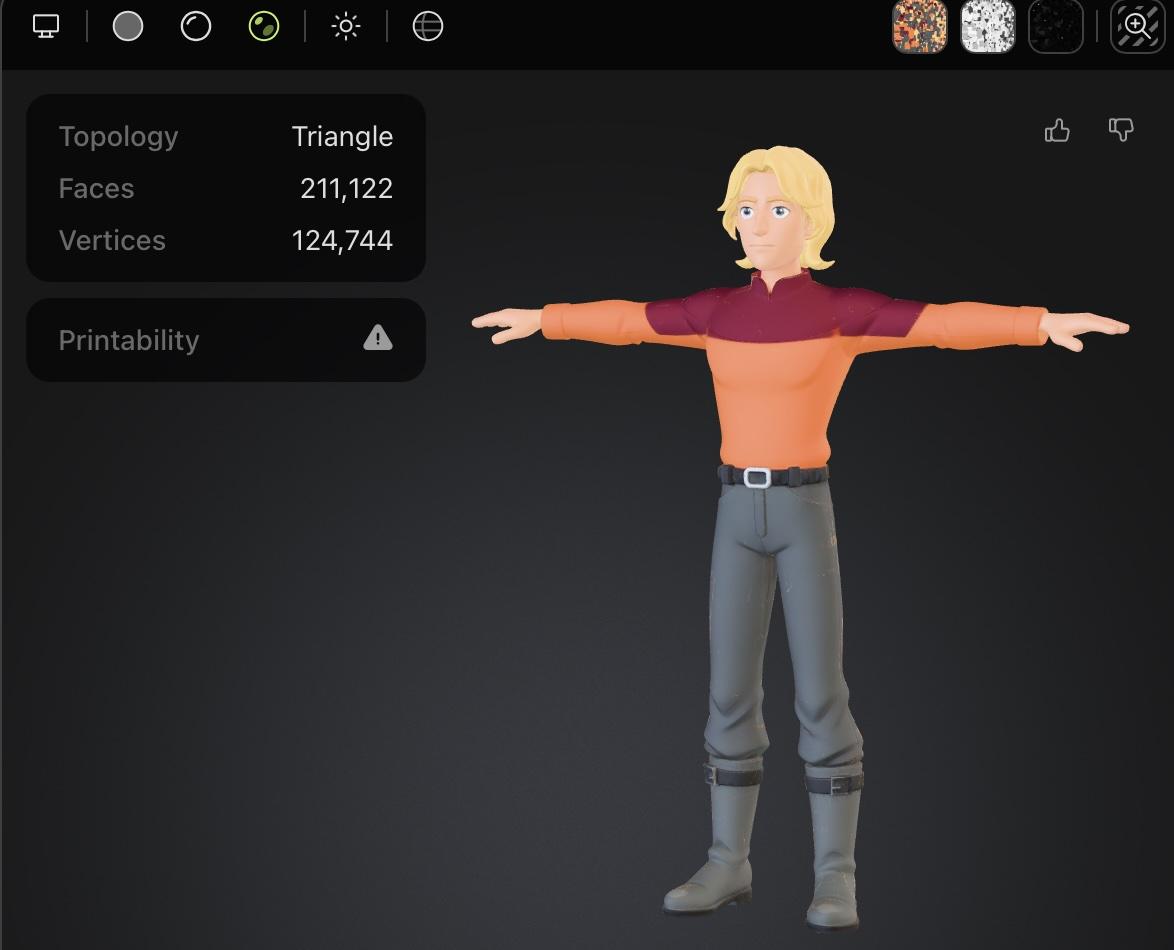
To demonstrate, I posed one of my 2D Young Space Captains in a T-stance and imported him into Meshy:
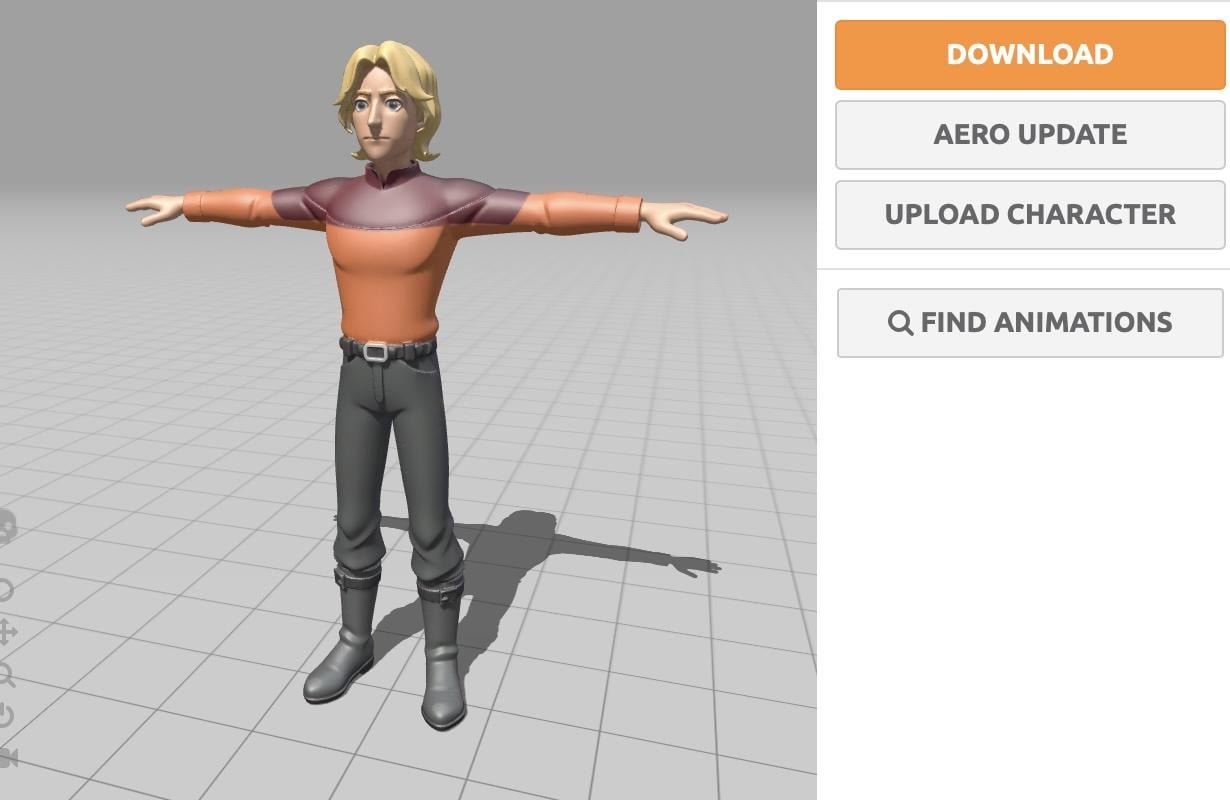
then exported him as an FBX and imported him into Mixamo:
I exported him from Mixamo as an FBX again (sounds a little circular, but it just gives me better imports into DAZ with rigging that works) and import him into DAZ Studio, rigging intact:
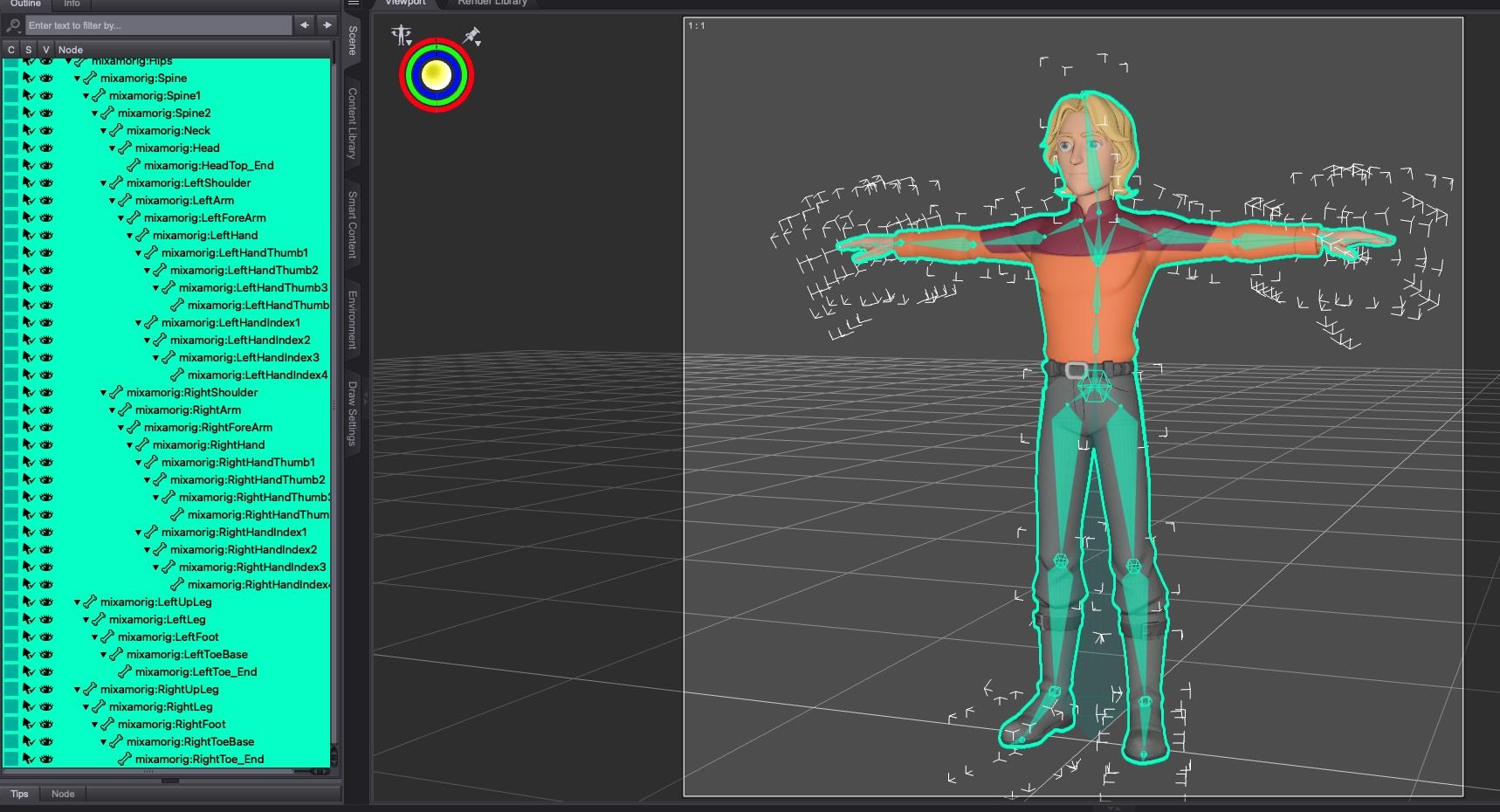
as shown by the character's bones being bent or rotated to pose him:
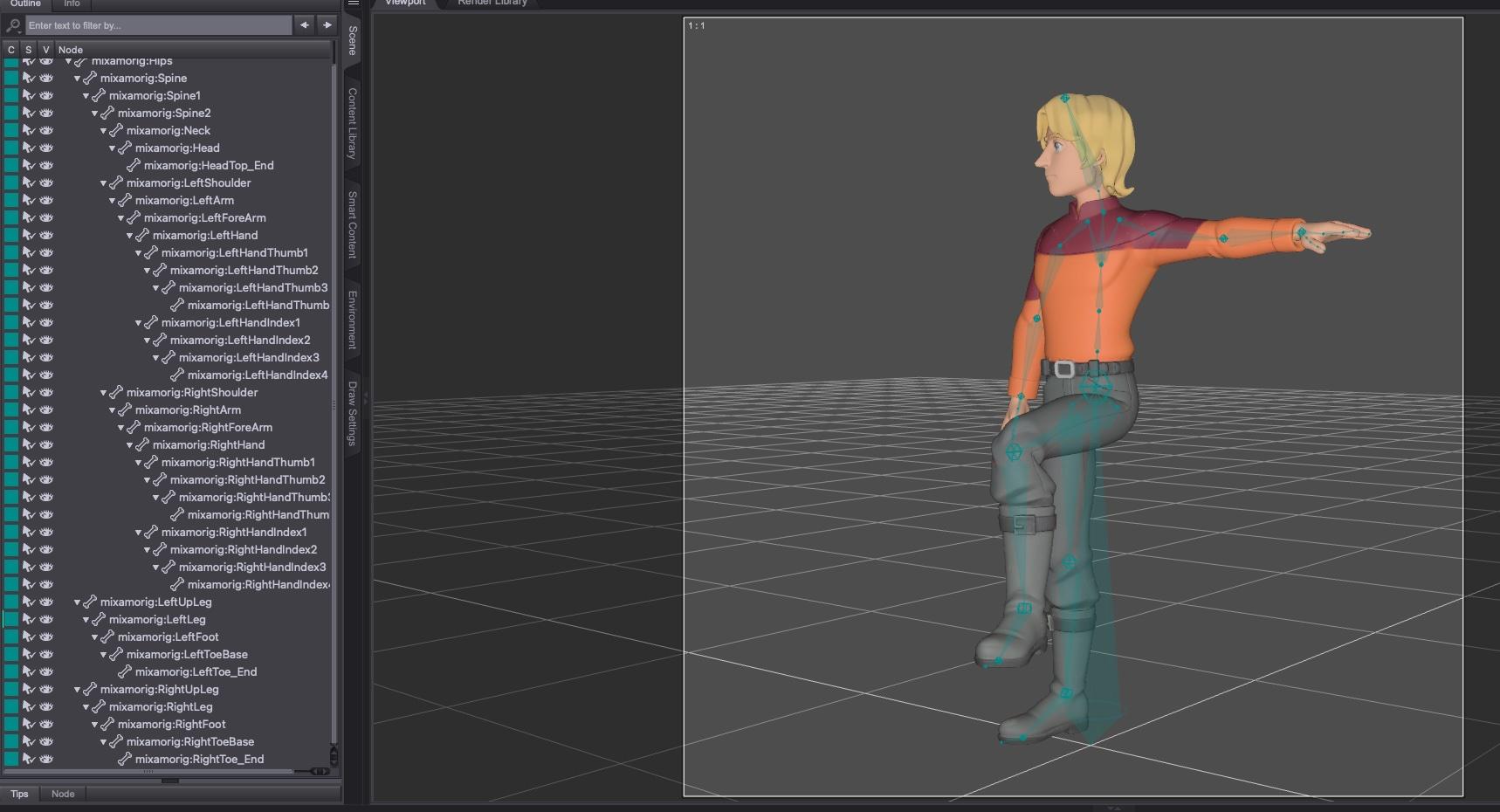
It's primitive but quick rigging that works, I'm sure someone who actually knows what they're doing (not me) could export into Blender and get a much more useable figure fairly quickly.
I've also attached a quick little 2D landscape that I've imported into Meshy to convert to 3D, then export as an FBX and imported into DAZ Studio.
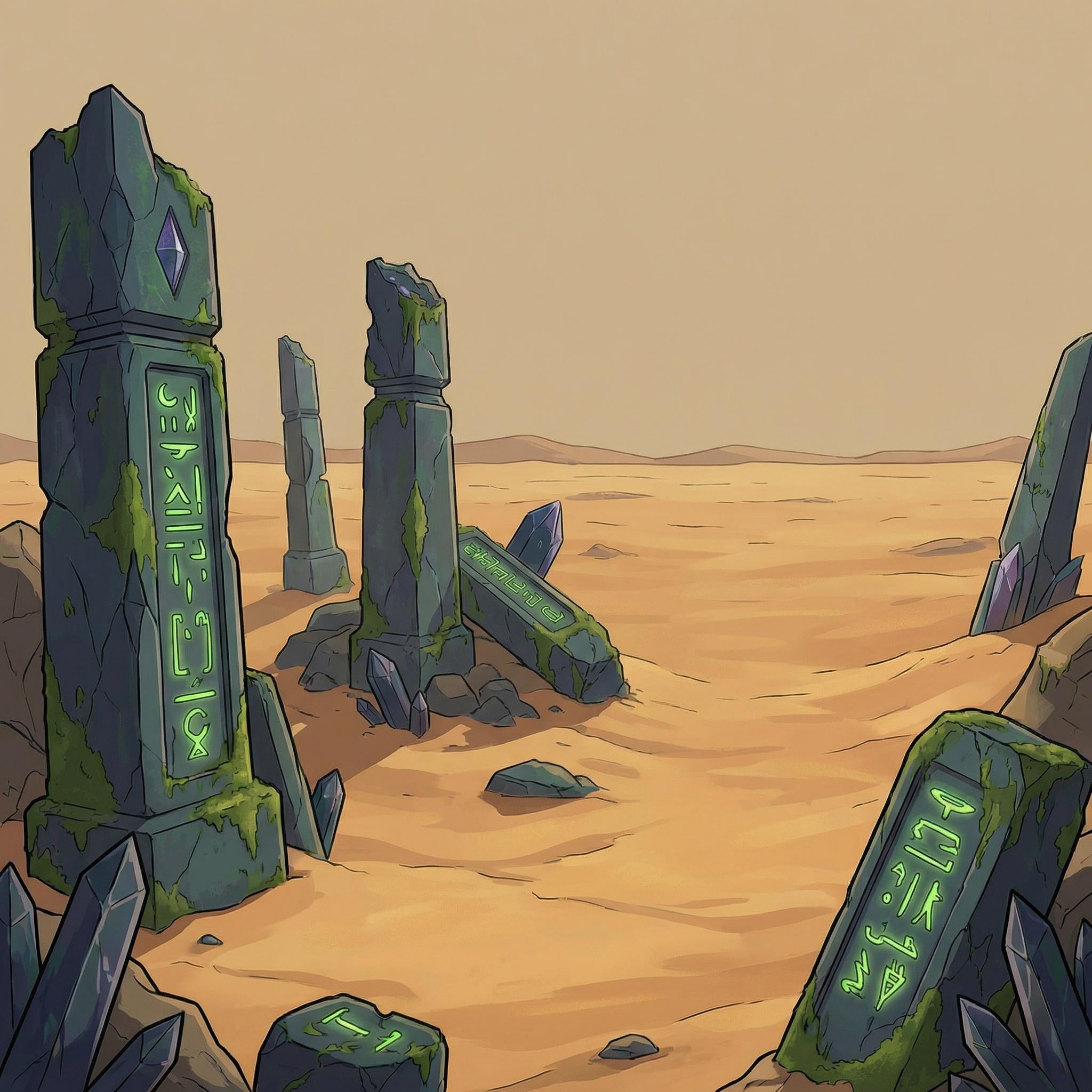
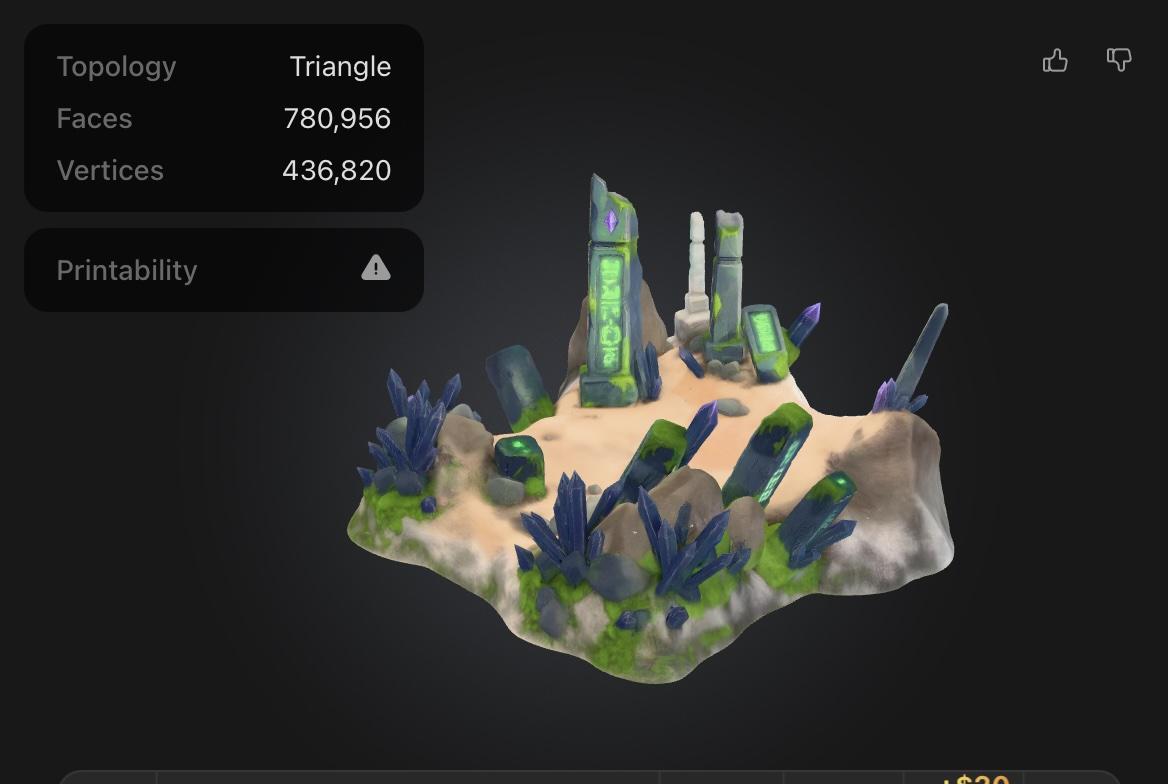
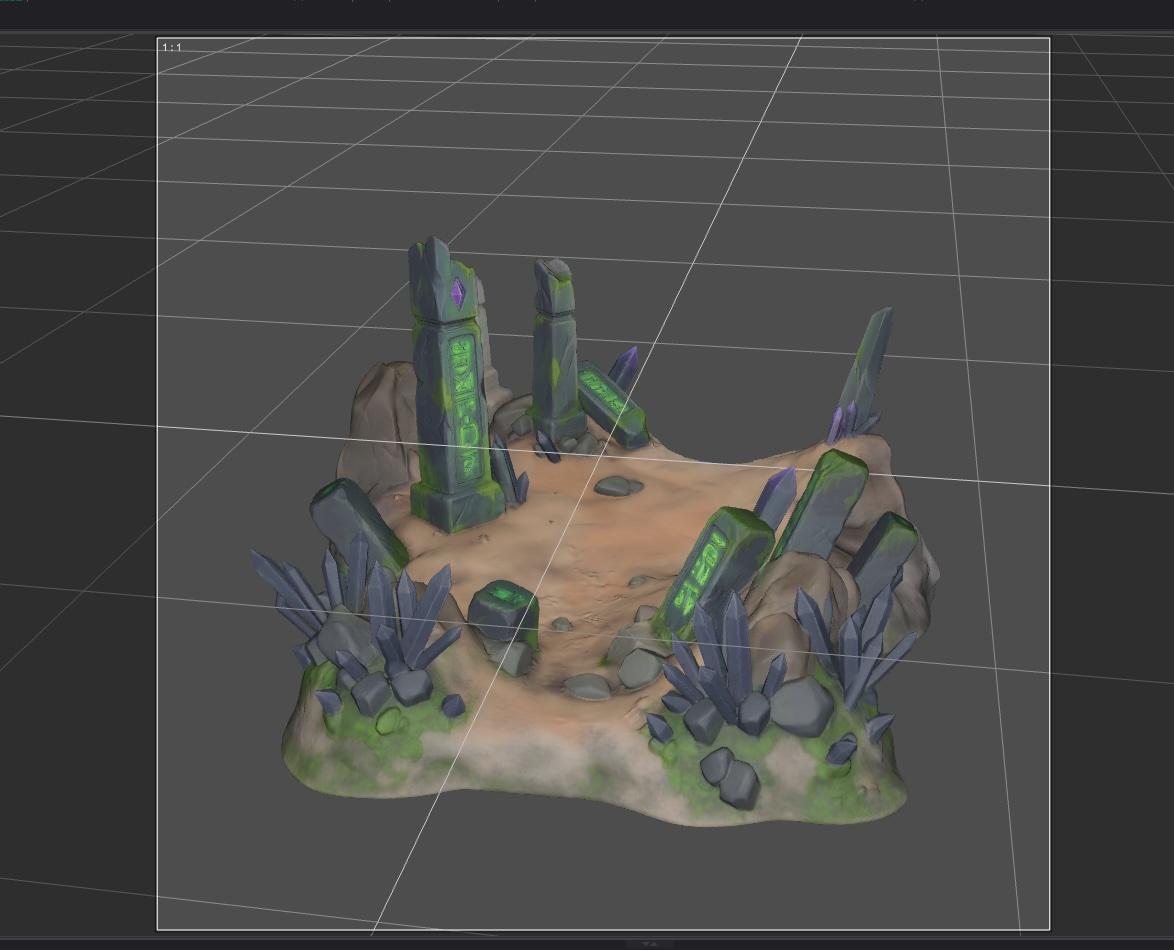
So, far from being able to sketch a character in a painting program and importing as a full-blown 3D character in DAZ Studio, but we're getting there...
Thank you very much for this explanation and workflow. I need to test it myself.
Impressive results - well done.
Remixing your art with AIArtini said:
Wish it will be easy to get back AI stuff (characters, environment etc.) back to Daz Studio.
Bit by bit, inch by inch it's getting there, I think. I imagine that in a year or three we'll either be able import AI models into DAZ, or into some 3D software we'll be using instead of DAZ.
I mentioned above about taking my 2D characters and making 3D models from them for printing and animating in a game I'm working on. They can also be imported into DAZ Studio, in partially-rigged mode as well as being exported in Blender format.
To demonstrate, I posed one of my 2D Young Space Captains in a T-stance and imported him into Meshy:
then exported him as an FBX and imported him into Mixamo:
I exported him from Mixamo as an FBX again (sounds a little circular, but it just gives me better imports into DAZ with rigging that works) and import him into DAZ Studio, rigging intact:
as shown by the character's bones being bent or rotated to pose him:
It's primitive but quick rigging that works, I'm sure someone who actually knows what they're doing (not me) could export into Blender and get a much more useable figure fairly quickly.
I've also attached a quick little 2D landscape that I've imported into Meshy to convert to 3D, then export as an FBX and imported into DAZ Studio.
So, far from being able to sketch a character in a painting program and importing as a full-blown 3D character in DAZ Studio, but we're getting there...
I need a suitable HDRI for an Environment@AgentUnawares shared 26 HDRI with only the sky on their Deviantart account, with various times of day (including two night HDRI) and various kinds of clouds cover.
If you need presets to apply them easily, I shared the ones I created for myself, alongside metadata, with the links to download the HDRI:
https://www.daz3d.com/forums/discussion/738806/render-presets-for-agent-unawares-skydomes
Halcon Bluesky said:
I have tried some HDRIs from Poly Haven but these do not work and give the desired result.
Scene with a just a sphere, with the default HDRI:
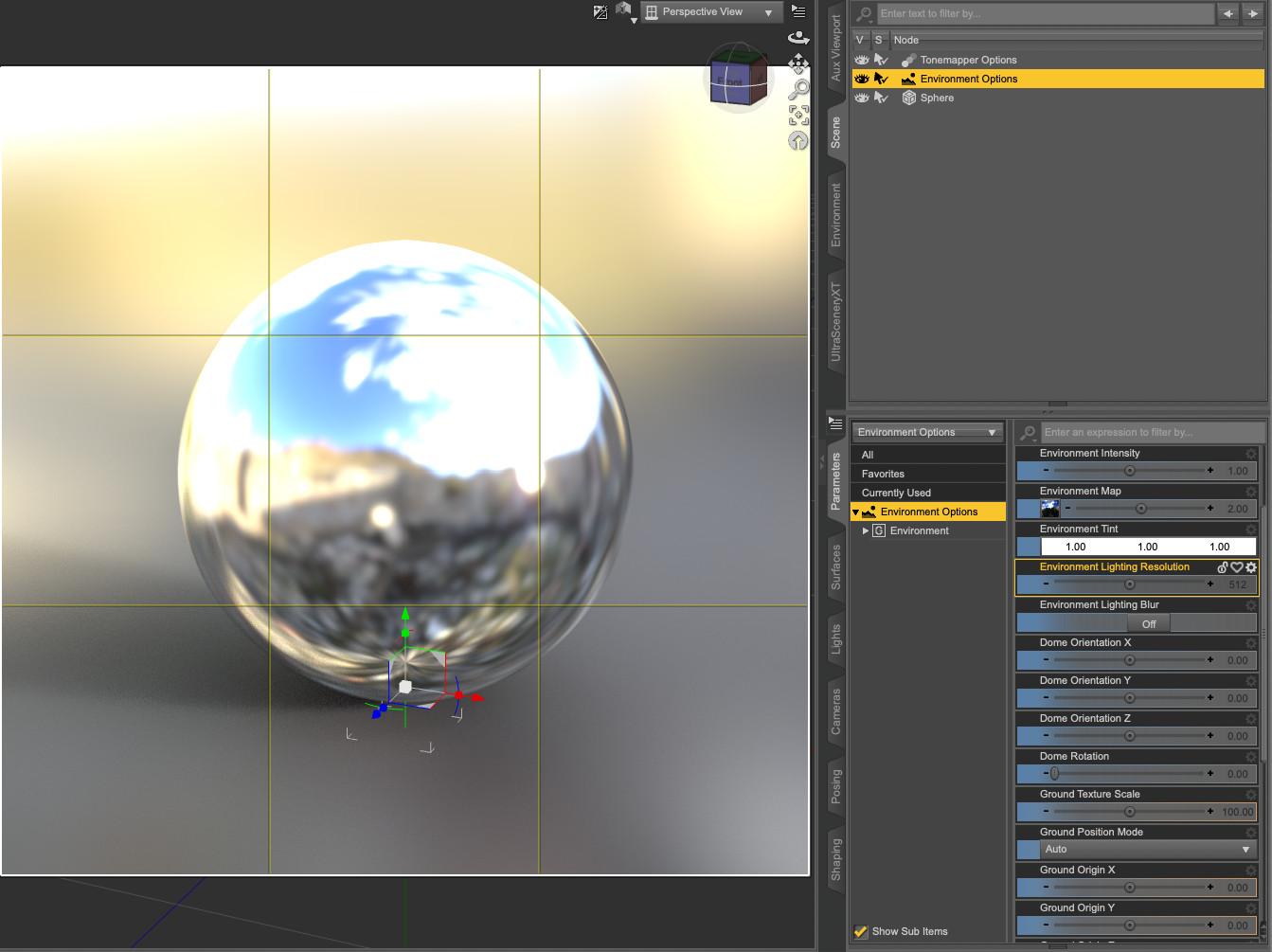
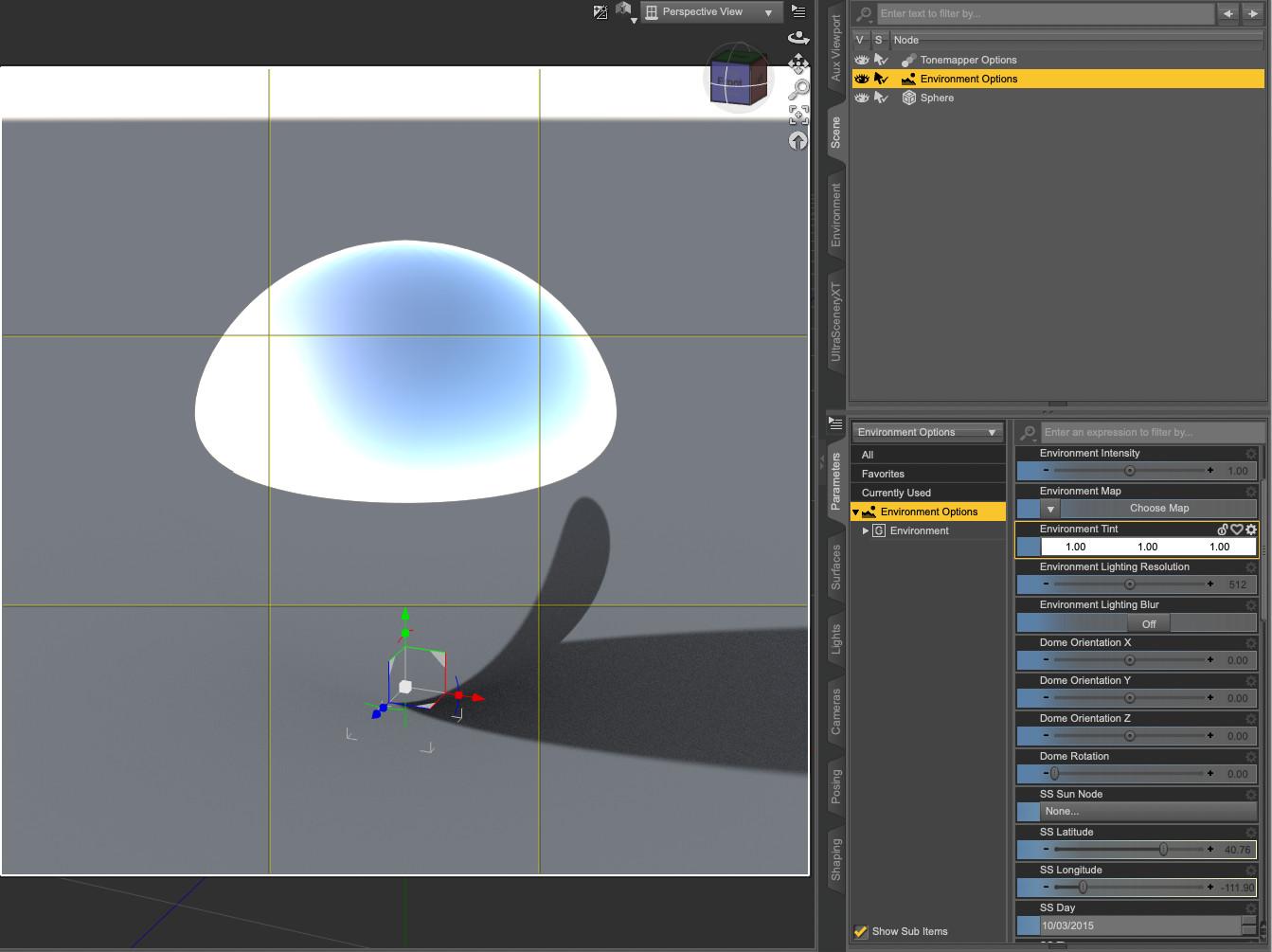
Then I remove that default HDRI by clicking on the picture then on None:
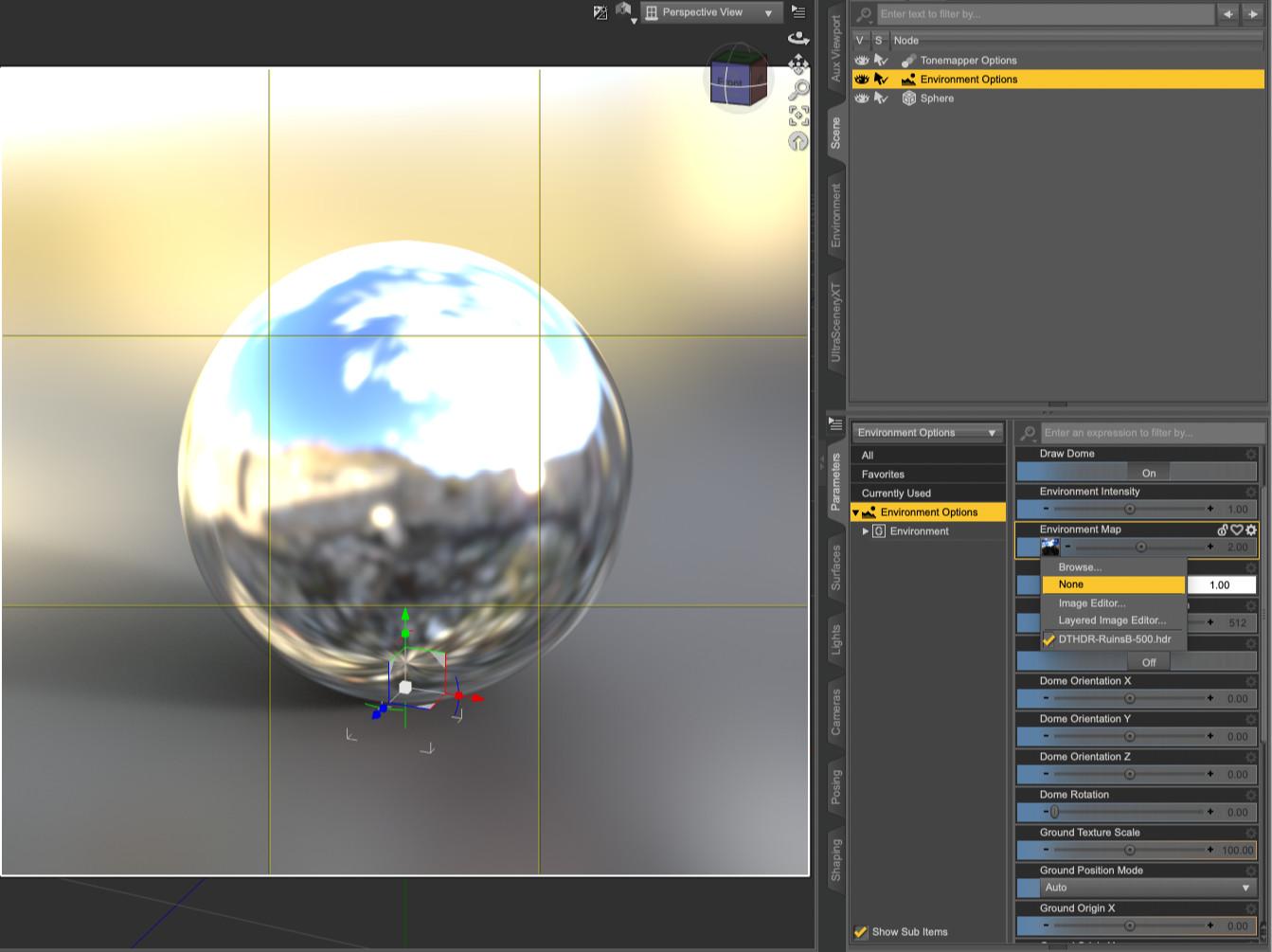
And it's now using the Sun-sky system, giving access to the various parameters related to the sun. Spotlights and cie will still work, while they won't if you decided to the Sun-sky mode instead of Dome and Scene:
 How do I fix a database error?
Totte said:
Does this prevent you from opening the scene? If not, ignore it.
Otherwise I recommend to use the CMS Maintenance and backup user data, then reinitiate the CMS and reimport metadata,Some props are not properly displaying ...
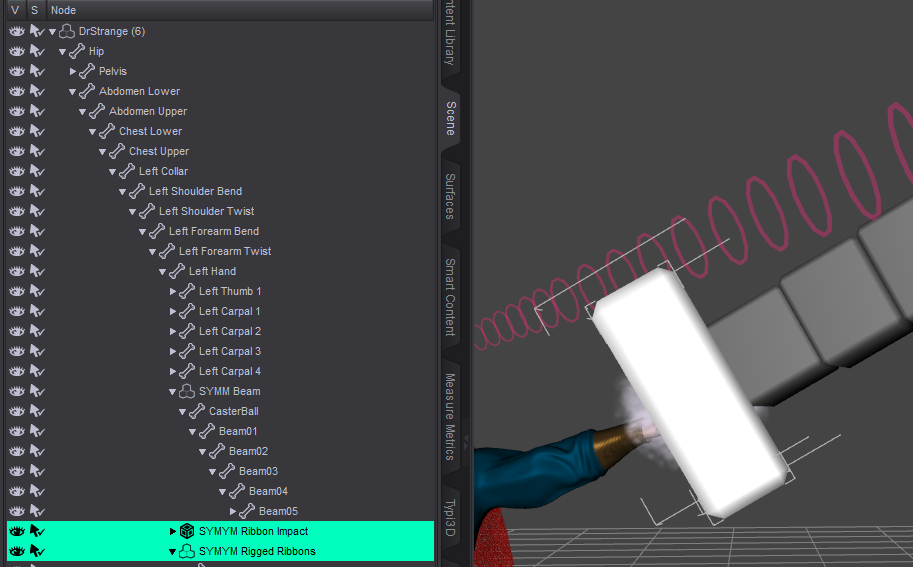
What exactly is CMS? Is there a link to describe how to do what you said? I have over two hundred pages of purchased props
Help! Can't remember which dress this was...Have you still got the scene file? While you cannot exactly link back to the original product from an object in the scene, the metadata/name/texure-paths can provide more information to help you track down where it came from.
How do I fix a database error?Does this prevent you from opening the scene? If not, ignore it.
Otherwise I recommend to use the CMS Maintenance and backup user data, then reinitiate the CMS and reimport metadata,Random Daz Studio CrashesAlmost every night I have multiple computers running either long queues via Render Doctor or rendering animations. Once or twice a week I'll wake up to find that Daz Studio has closed. There's no dialog box to click, it's just no longer open. There is no indication of an error in the Log (see last night's crash below--in this particular instance Daz was beginning to render the 103rd timeline frame of the scene, no Render Doctor was being used). This happens in Daz Studio 6 Beta, Daz Studio 4.24, and has happened in previous versions of Daz as well. This happens on all four of my PCs each equipped with either a 3090, a 4090, or a 5090, and it occurs with a variety of characters or environments in use. As it happens in animations which contain all of the exact same assets in each frame, it feels very random.
Any idea why this might be happening?
EDIT: Come to think of it, I'm not sure it does ever happen on the 3090 PC where I store all of my assets and scenes locally (and where I set the scenes up). It may only be happening on the three PC's which access those assets and scenes via my NAS (each of which use either a 4090 or 5090).
2026-03-04 03:37:40.732 [INFO] :: Rendering frame 103...
2026-03-04 03:37:52.117 Iray [INFO] - TRAV:DATABASE :: 1.0 TRAV db progr: Traversing scene.
2026-03-04 03:37:56.820 Iray [INFO] - TRAV:DATABASE :: 1.0 TRAV db info : Traversing scene took 4.703 s.
2026-03-04 03:37:57.340 Iray (Scene Traversal) : Initializing update
2026-03-04 03:37:57.340 Iray (Scene Traversal) : Retrieving journal and checking for changes
2026-03-04 03:37:57.340 Iray (Scene Update) : Updating LPE labels
2026-03-04 03:37:57.340 Iray (Scene Update) : Updating geometry contexts
2026-03-04 03:37:57.340 Iray [INFO] - IRAY:RENDER :: 1.0 IRAY rend info : Updating geometry contexts.
2026-03-04 03:37:57.341 Iray (Scene Update) : Updating geometry
2026-03-04 03:37:57.341 Iray [INFO] - IRAY:RENDER :: 1.0 IRAY rend info : Updating geometry.
2026-03-04 03:37:57.341 Iray [INFO] - IRAY:RENDER :: 1.0 IRAY rend info : Importing scene graph.
2026-03-04 03:37:58.079 [WARNING] :: \src\pluginsource\DzIrayRender\dzneuraymgr.cpp(373): Iray [WARNING] - TRIT:GEOMETRY :: 1.0 TRIT geo warn : Object DS_shape_e6b_166394: the parametric approximation level is set to 2. The original value of 3 would produce too much geometry in a single mesh.
2026-03-04 03:37:59.060 Iray [INFO] - IRAY:RENDER :: 1.0 IRAY rend info : Auto instancing compression 1.0x (Full instancing compression 1.0x)
2026-03-04 03:37:59.060 Iray (Scene Update) : Retrieving geometry
2026-03-04 03:37:59.060 Iray [INFO] - IRAY:RENDER :: 1.0 IRAY rend info : Importing geometry for motion time 0
2026-03-04 03:38:00.237 Iray [INFO] - IRAY:RENDER :: 1.0 IRAY rend info : Geometry import (3 triangle objects with 55 M triangles, 3 instances yielding 55 M triangles) took 1.177 s
2026-03-04 03:38:00.237 Iray (Scene Update) : Updating motion transform data
2026-03-04 03:38:00.237 Iray [INFO] - IRAY:RENDER :: 1.0 IRAY rend info : Updating motion transforms.
2026-03-04 03:38:00.238 Iray (Scene Update) : Updating section objects
2026-03-04 03:38:00.238 Iray [INFO] - IRAY:RENDER :: 1.0 IRAY rend info : Updating section objects.
2026-03-04 03:38:00.238 Iray (Scene Update) : Updating materials
2026-03-04 03:38:00.238 Iray [INFO] - IRAY:RENDER :: 1.0 IRAY rend info : Updating materials.
2026-03-04 03:38:00.414 Iray [INFO] - MATCNV:RENDER :: 1.0 MATCNV rend info : Material instance 'DS_dForce Fringe Theory Base__initialShadingGroup_144b_164924' uses MDL JIT compilation.
2026-03-04 03:38:00.571 Iray [INFO] - MATCNV:RENDER :: 1.0 MATCNV rend info : found 854 textures, 5 lambdas (5 unique)
2026-03-04 03:38:00.573 Iray [INFO] - IRAY:RENDER :: 1.0 IRAY rend info : Computing 4 flux compensation factors took 744.400 us
2026-03-04 03:38:00.573 Iray [INFO] - IRAY:RENDER :: 1.0 IRAY rend info : Emitter geometry import (10 light sources with 8634 triangles, 1 instance) took 1.630 ms
2026-03-04 03:38:00.574 Iray (Scene Update) : Updating environment
2026-03-04 03:38:00.574 Iray [INFO] - IRAY:RENDER :: 1.0 IRAY rend info : Updating environment.
2026-03-04 03:38:00.652 Iray (Scene Update) : Updating code
2026-03-04 03:38:00.652 Iray [INFO] - IRAY:RENDER :: 1.0 IRAY rend info : Updating compiled material code.
2026-03-04 03:38:00.652 Iray [INFO] - IRAY:RENDER :: 1.0 IRAY rend info : Updating compiled environment code.
2026-03-04 03:38:00.652 Iray (Scene Update) : Updating textures
2026-03-04 03:38:00.652 Iray [INFO] - IRAY:RENDER :: 1.0 IRAY rend info : Updating material textures.
2026-03-04 03:38:00.660 Iray [INFO] - IRAY:RENDER :: 1.0 IRAY rend info : Updating environment textures.
2026-03-04 03:38:00.660 Iray [INFO] - IRAY:RENDER :: 1.0 IRAY rend info : Updating BSDFs.
2026-03-04 03:38:00.660 Iray (Scene Update) : Updating volumes
2026-03-04 03:38:00.660 Iray [INFO] - IRAY:RENDER :: 1.0 IRAY rend info : Updating volumes.
2026-03-04 03:38:00.660 Iray (Scene Update) : Updating lens data
2026-03-04 03:38:00.660 Iray [INFO] - IRAY:RENDER :: 1.0 IRAY rend info : Updating lens.
2026-03-04 03:38:00.660 Iray (Scene Update) : Updating lights
2026-03-04 03:38:00.660 Iray [INFO] - IRAY:RENDER :: 1.0 IRAY rend info : Updating lights.
2026-03-04 03:38:00.661 Iray (Scene Update) : Updating instance topology
2026-03-04 03:38:00.661 Iray (Scene Update) : Updating flags
2026-03-04 03:38:00.661 Iray [INFO] - IRAY:RENDER :: 1.0 IRAY rend info : Updating object flags.
2026-03-04 03:38:00.661 Iray (Scene Update) : Updating backplate
2026-03-04 03:38:00.661 Iray [INFO] - IRAY:RENDER :: 1.0 IRAY rend info : Updating backplate.
2026-03-04 03:38:00.661 Iray [INFO] - IRAY:RENDER :: 1.0 IRAY rend info : Updating compiled backplate code.
2026-03-04 03:38:00.661 Iray [INFO] - IRAY:RENDER :: 1.0 IRAY rend info : Updating backplate textures.
2026-03-04 03:38:00.661 Iray (Scene Update) : Updating decals
2026-03-04 03:38:00.661 Iray [INFO] - IRAY:RENDER :: 1.0 IRAY rend info : Updating decals.
2026-03-04 03:38:00.667 Iray [INFO] - IRAY:RENDER :: 1.0 IRAY rend info : Using iray core convergence estimate.
2026-03-04 03:38:00.667 Iray [INFO] - IRAY:RENDER :: 1.0 IRAY rend info : Allocating 1-layer frame buffer
2026-03-04 03:38:00.673 Iray [INFO] - IRAY:RENDER :: 1.0 IRAY rend info : Using batch scheduling, caustic sampler disabled
2026-03-04 03:38:00.674 Iray [INFO] - IRAY:RENDER :: 1.0 IRAY rend info : Initializing local rendering.
2026-03-04 03:38:00.677 Iray [INFO] - IRAY:RENDER :: 1.0 IRAY rend info : Initializing OptiX for CUDA device 0
2026-03-04 03:38:00.893 Iray [INFO] - IRAY:RENDER :: 1.0 IRAY rend info : Rendering with 1 device(s):
2026-03-04 03:38:00.893 Iray [INFO] - IRAY:RENDER :: 1.0 IRAY rend info : CUDA device 0 (NVIDIA GeForce RTX 4090)
2026-03-04 03:38:00.893 Iray [INFO] - IRAY:RENDER :: 1.0 IRAY rend info : Rendering...
2026-03-04 04:48:15.486 +++++++++++++++ Daz Studio 4.24.0.4 starting +++++++++++++++++
2026-03-04 04:48:15.486 [INFO] :: Performing cleanup...
2026-03-04 04:48:15.495 [INFO] :: Release Cycle: General Release
2026-03-04 04:48:15.495 [INFO] :: Platform bits: 64
2026-03-04 04:48:15.495 [INFO] :: Qt Version: 4.8.7
2026-03-04 04:48:15.495 [INFO] :: OpenSubdiv Version: 3.0.0
2026-03-04 04:48:15.495 [INFO] :: Running on Windows 11, Build 26200, ProfessionalImporting Vehicle Models into Unreal EngineSo... after ALL these years, you can find a ton of tutorials on how to import Rigged human (or humanish) models from Daz to Unreal Engine... but I have yet to find one that shows how to import a fully rigged vehicle, such as a car or a space ship or something like thats rigged in the same way it would be in Daz for animation purposes.
ARE there even any tutorials out there which show this process... I mean, I can send a car into Unreal no problem, and its beautifully texture and even has a control rig etc ready to go... but then what? How do I set it up for animation?
Does anyone know how to do vehicles?
An Attempt of a "Limited Time Freebie" Message Only Email Alert Thread Part 2Cosmos has Hemlock Forest environment, by Leartes Studio, free this month. Forest and water elements. Unreal format.
(Note: At 6.2GB, it’s a big download.)
I’m not aware of any tool for straight conversion from Unreal to Daz. so it takes a couple steps. First, convert from Unreal Engine to Blender format, then export/import between Blender and Daz. This article covers some ways of doing the conversion from Unreal to Blender: “Exporting from Unreal Engine to Godot, Unity or Blender”. Then from Blender to Daz, you can use one of the various tools, such as Diffeomorphic.
Please take discussion to the discussion thread. Let’s keep this thread “Announcements Only”, as it was intended.
MimicMolly's Renders & WIPsMimicMolly said:
This is first thing I tried to render, but it ended up being "mixed media" as my friend put it. The reason is because I wanted to make a custom album cover because Microsoft nuked its music metadata catalog/library several weeks ago. And I don't like seeing the album covers blank in my music library, so I will resort to make my own "mixtape" styled albums.
This cover was an AI image I asked Copilot to make, but then I edited a DAZ character (G9) face over it. My urge to draw over/tamper with pics is so strong that, that's probably why DAZ is like my side art hobby, and not my main one. All that is left is for me to add the lettering. I'm bad at typography. I will treat this unwritten pic as the final image, for now.
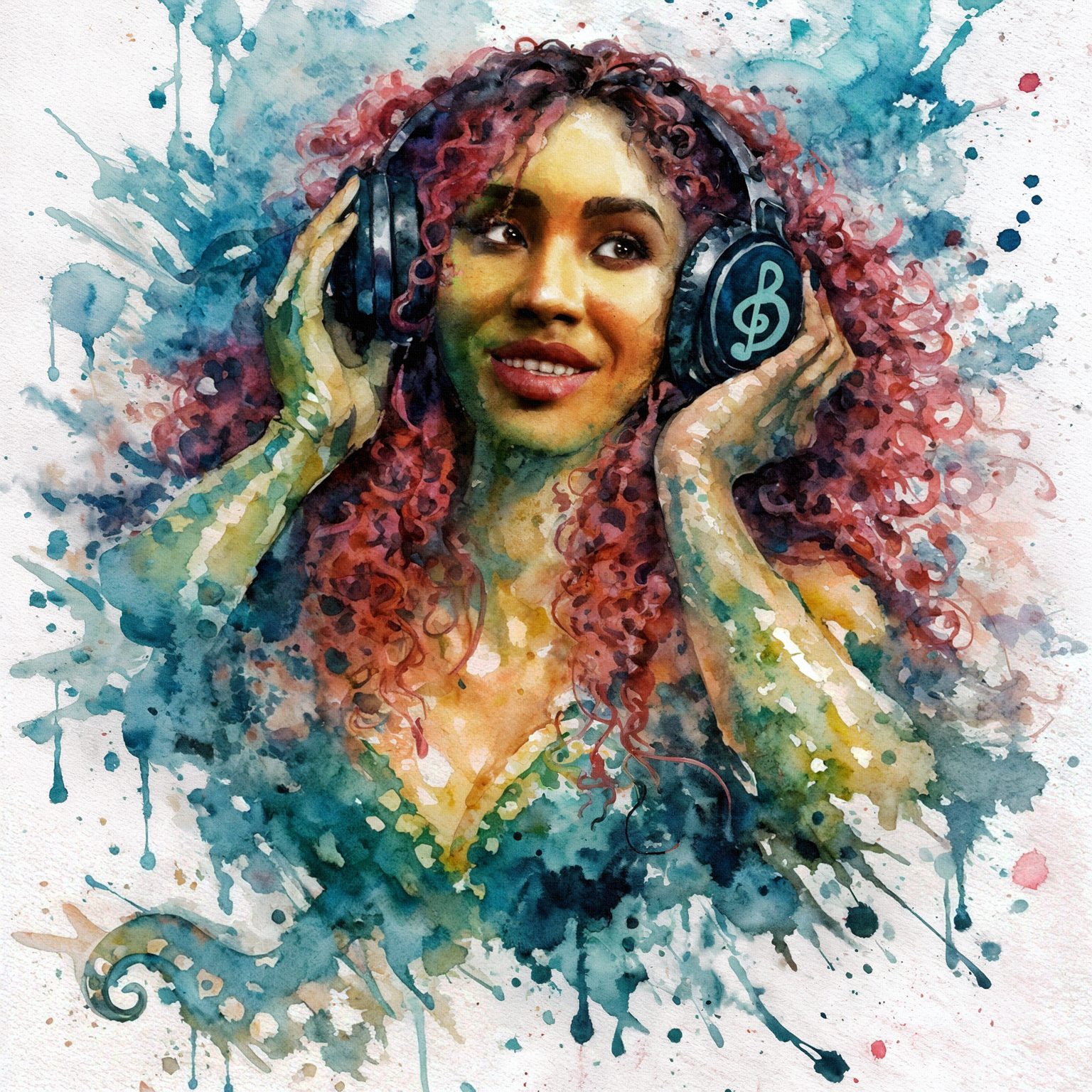
Unfortunately, I think I may have accidentally deleted the original DAZ render I used. But, since I planned to keep reusing the character, I saved her head shaping preset. So I made another quick, unaltered render, in an attempt to show what the before was like.
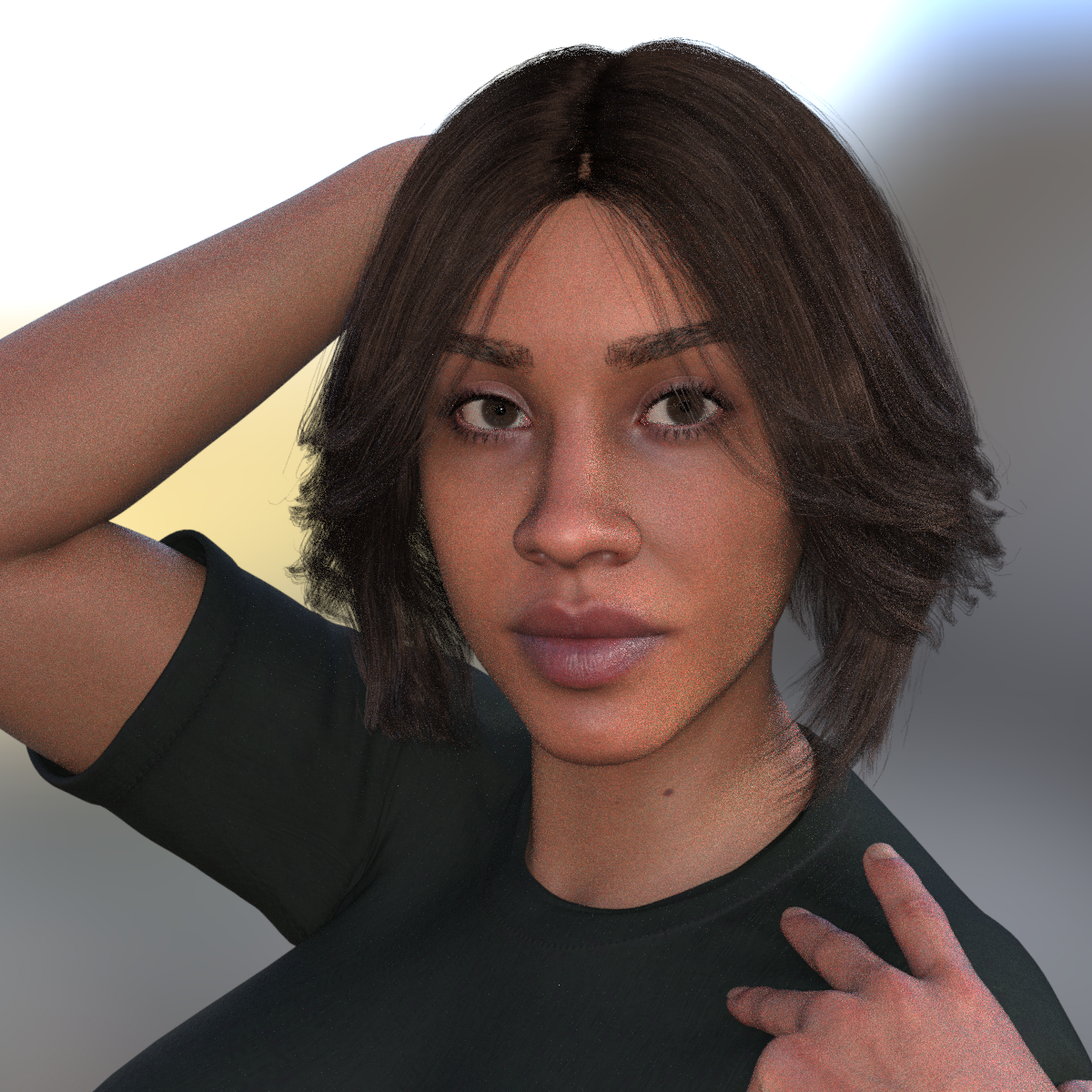
I quite like this
March 2026 - DAZ 3D New User Challenge - Posing and Puppeteer/PowerPoseNew User's Challenge - March 2026
Sponsored by Daz 3D
Are you new to the 3D World? Are you at the beginning stages of learning 3D rendering? Have you been around for a little bit but feel you could benefit from some feedback or instruction? Have you been around awhile and would like to help other members start their creative journey? Well then come and join the fun as we host our newest render challenge!
Back by popular demand (or well because we think it went well LOL), we are breaking down each month into 2 different challenges:
A Beginner Challenge and then also an Intermediate Challenge.
So which "Challenge" should you choose?
Follow the Beginner Challenge if you are:
- New to the New User Challenges
- New to Daz Studio
- Newer to 3D Rendering in General
- Or if you have not participated in the Previous Month's Composition Challenge
Follow the Intermediate Challenge if you have:
- Participated in the New User Challenge for awhile
- Know the basics of Daz Studio and would like to learn more in depth topics
- Been using 3D Rendering Applications for awhile and feel comfortable with learning Intermediate Topics
- Or if you have all ready been spotlighted in the Previous Month's Composition Challenge
*Please be sure to list in your post which Challenge you are participating in!!*
Check out Daz3D's Free Masterclasses on Daz Studio from Jay Versluis! It's a great series for everyone from the Newest User to the OG's of Studio!!
Closing date for Posing and Puppeteer/PowerPose challenges are both Midnight Daz Time on March 31st 2025!
For a list of the current challenge rules, please see this thread: Challenge Rules
They apply for both versions of the challenge!
============================================================================
Beginner Challenge - March 2026 Posing Basics
Posing Basics:
This challenge is a general render challenge with the focus being on how you pose the characters in your image. We're providing you with lots of great links on Posing from a variety of sources. To get started, find a photograph or drawing using this link or for dance poses this link to use as a reference. (Be sure the image you use is labeled for commercial reuse - though we will only be using it as reference, alternatively use your own personal photographs for reference.) Additional searches approved for use include Running and Fighting. (These links go to DuckDuckGo, which may give different results for different searchers, and should give everyone plenty to choose from.)Then try to pose your character as closely as possible to match the reference image. For this challenge, please post your reference image or a link to it, and your render. This will give forum viewers an idea of the pose you are trying to achieve and will lead to more helpful suggestions. Have fun!
How to Use Your Software:
Software is often updated, and online tutorials and information often demonstrate older versions of the software. The software version you are using may differ in User Interface and tools available. Please share links to reference material that you have found helpful in the Challenge thread.
in Daz Studio:
Introduction to Posing Tools in Daz Studio with Jay Versluis
Daz Documentation Center [Wiki]
Daz 101: Posing
Pinning, Posing and the Active Pose Tool
Applying Partial Poses
Daz 3D Posing, Pinning Poses, & Morphsin Carrara:
Huge list of helpful forum links (scroll to Animation and Posing section) If you have a problem, your answer might be here!
Carrara 3D Tutorial - Posing a Figure
Posing in Carrarain Bryce:
While it is not possible to pose things in Bryce, you are welcome to do your posing in another program such as Daz Studio or Poser, then export and render in Bryce.
For information on how to use the Bryce bridge to import a DS scene into BryceAlways worth a look: Previous Posing challenges:
Posing 2024
Posing 2023
Posing 2022
Posing 2021
Posing 2020
Posing 2019
Posing 2018
Posing 2017I will be checking in, as will the rest of the Community Volunteers, to try and help with anything you all may need.
======================================================
Intermediate Challenge - March 2026 using Advanced Posing Tools:
This includes PowerPose, Active Pose and Puppeteer, you can choose one or try yourself in all three. These tools give you a greater range to create your own new poses either from existing ones or from scratch. For example using Puppeteer you can create new poses from existing ones on a fluent scale. It can be applied for animation as well, but for this challenge we will keep the focus on the still image.
You are welcome to use one of the references for a pose from the links in the beginner challenge, but it's not a requirement.
Information, Explanations and Tutorials:
PowerPose
Introduction to Posing Tools in Daz Studio with Jay Versluis
Daz Animarion Power Pose
Making Expressions with PowerPose
Daz 3D Posing, Pinning Poses, & MorphsActive Pose Tool
Pinning, Posing and the Active Pose ToolPuppeteer:
Puppeteer Tutorials Forum Thread
Daz 1.6: Animation Puppeteer Tool- for Daz Studio:
- Puppeteer
- Puppeteering in Daz Studio 4
- Building a Coffee Shop scene in Daz Studio using Puppeteer - 3D Shenanigans #1.10.
- Lighting, Camera Angles & Puppeteer - In the Studio with Daz 3D
- Daz 3D 4.8 - Puppetee
- For Carrara:
- Puppeteer Carrara (Older video, but still relevant. French language)
MimicMolly's Renders & WIPsThis is first thing I tried to render, but it ended up being "mixed media" as my friend put it. The reason is because I wanted to make a custom album cover because Microsoft nuked its music metadata catalog/library several weeks ago. And I don't like seeing the album covers blank in my music library, so I will resort to make my own "mixtape" styled albums.
Since it's more AI than DAZ, I have uploaded it to DeviantART.
This cover was an AI image I asked Copilot to make, but then I edited a DAZ character (G9) face over it. My urge to draw over/tamper with pics is so strong that, that's probably why DAZ is like my side art hobby, and not my main one. All that is left is for me to add the lettering. I'm bad at typography. I will treat this unwritten pic as the final image, for now.
Unfortunately, I think I may have accidentally deleted the original DAZ render I used. But, since I planned to keep reusing the character, I saved her head shaping preset. So I made another quick, unaltered render, in an attempt to show what the before was like.
True to size Figure?scarecrow76 said:
Greetings all,
I need to create a figure (probably use Genesis 9) to import into CLO3D. Is there a way to create the figure to specific dimensions? Like real life height, soulder width, waist, shoe size, that kind of thing?
Can you do it on CLO avatar then export back to Daz for reference?
Custom Gens Morph... HELP!lilweep said:
1. Load in the geograft to new scene by itself - Do not export it attached to the figure which is clearly what you are doing hence vertex count does not match.
2. Put it into its default shape (as per attached). It will not load in like this.
3. Set to Base Res
4. Select object in Daz Studio scene then Export (Filter Objects (✔) : Select Root)
5. Scale: Whatever, just leave as 100%
6. Import to Blender - sculpt without changing geometry
7. Export as obj.
- Scale : just leave as 100%.
- Note if you are using a recent version of Blender, vert order is preserved by default when exporting anyway
8. Morph loaded pro: Leave as default with default scale
- Name: blahblahblah
- Delta tolerance: 0.001
- Property group: blahblah
- Create Control Property: No
- Reverse Deformations: No (assuming you followed what I said in 1 and 2)*
- Overwrite Existing: Make Unique
- Morph mirroing: None
- Attenuate by: None
* If you have sculpted on top of a non-default shape, then you can make this Yes
If it's resizing on morph then you messed up 5,7,8 scaling. Leaving at 100% on each step is fine and works.
Thank you SO MUCH for this!!! All the help, from each commentor is greatly appreciated!
Convert Geometry Shells to (normal) Daz ClothingWell, you can export the geoshell, import and use transfer rigging, and save as Support Asset.
Then you will have a conforming clothing.
Should prefeably be done on the base character.
You might end up with a lot of excess geometry, so before import you could clean the mesh up.
True to size Figure?Greetings all,
I need to create a figure (probably use Genesis 9) to import into CLO3D. Is there a way to create the figure to specific dimensions? Like real life height, soulder width, waist, shoe size, that kind of thing?
Custom Gens Morph... HELP!1. Load in the geograft to new scene by itself - Do not export it attached to the figure which is clearly what you are doing hence vertex count does not match.
2. Put it into its default shape (as per attached). It will not load in like this.
3. Set to Base Res
4. Select object in Daz Studio scene then Export (Filter Objects (✔) : Select Root)
5. Scale: Whatever, just leave as 100%
6. Import to Blender - sculpt without changing geometry
7. Export as obj.
- Scale : just leave as 100%.
- Note if you are using a recent version of Blender, vert order is preserved by default when exporting anyway
8. Morph loaded pro: Leave as default with default scale
- Name: blahblahblah
- Delta tolerance: 0.001
- Property group: blahblah
- Create Control Property: No
- Reverse Deformations: No (assuming you followed what I said in 1 and 2)*
- Overwrite Existing: Make Unique
- Morph mirroing: None
- Attenuate by: None
* If you have sculpted on top of a non-default shape, then you can make this Yes
If it's resizing on morph then you messed up 5,7,8 scaling. Leaving at 100% on each step is fine and works.
Custom Gens Morph... HELP!Is it adding geometry in the sculpt part, or just moving vertices and adding a normal/bump/displacement map for the detail? Adding geometry will make it fail.
Are you unchecking sub-d (viewport and render) before exporting (not sure if that matters when using 'base resolution' but I do it anyway.
Also make sure you've got the alignment right for export and import (x,y,z - which one is 'up' and which is 'forward') - it should still import the morph but it'll go all wonky if you get the y and z mixed up - I recall that the default options aren't good for Blender.
^That's all I can think of.
Daz 3D is part of

Connect
DAZ Productions, Inc.
7533 S Center View Ct #4664
West Jordan, UT 84084Licensing Agreement | Terms of Service | Privacy Policy | EULA
© 2026 Daz Productions Inc. All Rights Reserved.