-
Is Daz Studio (as we know it) Heading South?4.13, is it based on similar logic to why G5 skipped to G8 or something else?
Covid19 sure puts a wrench into things but I heard rumors that tthe software was changinging to something a little different than we are use to.
Program build numbers are internal numbering established by the company or devs. The actual build number of the public release is irrelivant (as long as its not going backwards)
As for Genesis 4 becoming Genesis 8, it is because the first four generations of Daz figures were known as Generation 1, 2, 3 & 4. The first Genesis figure was introduced as Generation 5 and you will see Victoria 5 and friends are for Genesis 1. Genesis 3 is Generation 7 and Daz concluded that Genesis 4 would be too easily confused with Generation 4 so they skipped it and called it Genesis 8 as it is Generation 8 of Daz figures.
Rumors are only remors and worthless hot air until offical releases come out.
+1
So, AW's Chloe - Genesis 3 only?Amazing texture for G3. Victoria 7 never looked like this. Just what I was looking forward to. <3
This. I'm new enough that I've never used anything but g8,
I've been at this so long I remember the original Victoria.
Heck, I remember Poser 1, long before there was DAZ Studio, and DAZ was still called Zygote. There were, if memory serves, an artist's dummy, a vaguely human female character and male character, and a child. It was mainly for use as a drawing aid, and had no renderer to speak of. I think Victoria came out during the Poser 3 days, when the figures that came with Poser were christened by the users "Posette" and "Dork". (The male model was not the best, lol).
The very first Poser add-on program was something I wrote called "Morpher". That was so long ago I don't even know where the source is any more.
Don't forget the "clothes", which were just textures.
those still exist but are used in LIE or on geometry shells
So, AW's Chloe - Genesis 3 only?Amazing texture for G3. Victoria 7 never looked like this. Just what I was looking forward to. <3
This. I'm new enough that I've never used anything but g8,
I've been at this so long I remember the original Victoria.
Heck, I remember Poser 1, long before there was DAZ Studio, and DAZ was still called Zygote. There were, if memory serves, an artist's dummy, a vaguely human female character and male character, and a child. It was mainly for use as a drawing aid, and had no renderer to speak of. I think Victoria came out during the Poser 3 days, when the figures that came with Poser were christened by the users "Posette" and "Dork". (The male model was not the best, lol).
The very first Poser add-on program was something I wrote called "Morpher". That was so long ago I don't even know where the source is any more.
Don't forget the "clothes", which were just textures.
So, AW's Chloe - Genesis 3 only?Amazing texture for G3. Victoria 7 never looked like this. Just what I was looking forward to. <3
This. I'm new enough that I've never used anything but g8,
I've been at this so long I remember the original Victoria.
Heck, I remember Poser 1, long before there was DAZ Studio, and DAZ was still called Zygote. There were, if memory serves, an artist's dummy, a vaguely human female character and male character, and a child. It was mainly for use as a drawing aid, and had no renderer to speak of. I think Victoria came out during the Poser 3 days, when the figures that came with Poser were christened by the users "Posette" and "Dork". (The male model was not the best, lol).
The very first Poser add-on program was something I wrote called "Morpher". That was so long ago I don't even know where the source is any more.
So, AW's Chloe - Genesis 3 only?Amazing texture for G3. Victoria 7 never looked like this. Just what I was looking forward to. <3
This. I'm new enough that I've never used anything but g8, still bought this character to support AW because I stumbled onto her stuff on Rendo at some point and her textures are among the few for adults even, that I'm able to make look like a real person at all. I know it's my lack of knowledge about all the parameters involved with any store bought Figure's Surfaces, but I have bought soooooooooo many weird blue/grey/pink, mutant looking characters that just sit there collecting dust, I'll buy anything AW releases because there's no guess work at all. Hope she thrives here.
+1 ;-)
So, AW's Chloe - Genesis 3 only?Amazing texture for G3. Victoria 7 never looked like this. Just what I was looking forward to. <3
This. I'm new enough that I've never used anything but g8, still bought this character to support AW because I stumbled onto her stuff on Rendo at some point and her textures are among the few for adults even, that I'm able to make look like a real person at all. I know it's my lack of knowledge about all the parameters involved with any store bought Figure's Surfaces, but I have bought soooooooooo many weird blue/grey/pink, mutant looking characters that just sit there collecting dust, I'll buy anything AW releases because there's no guess work at all. Hope she thrives here.
So, AW's Chloe - Genesis 3 only?Amazing texture for G3. Victoria 7 never looked like this. Just what I was looking forward to. <3
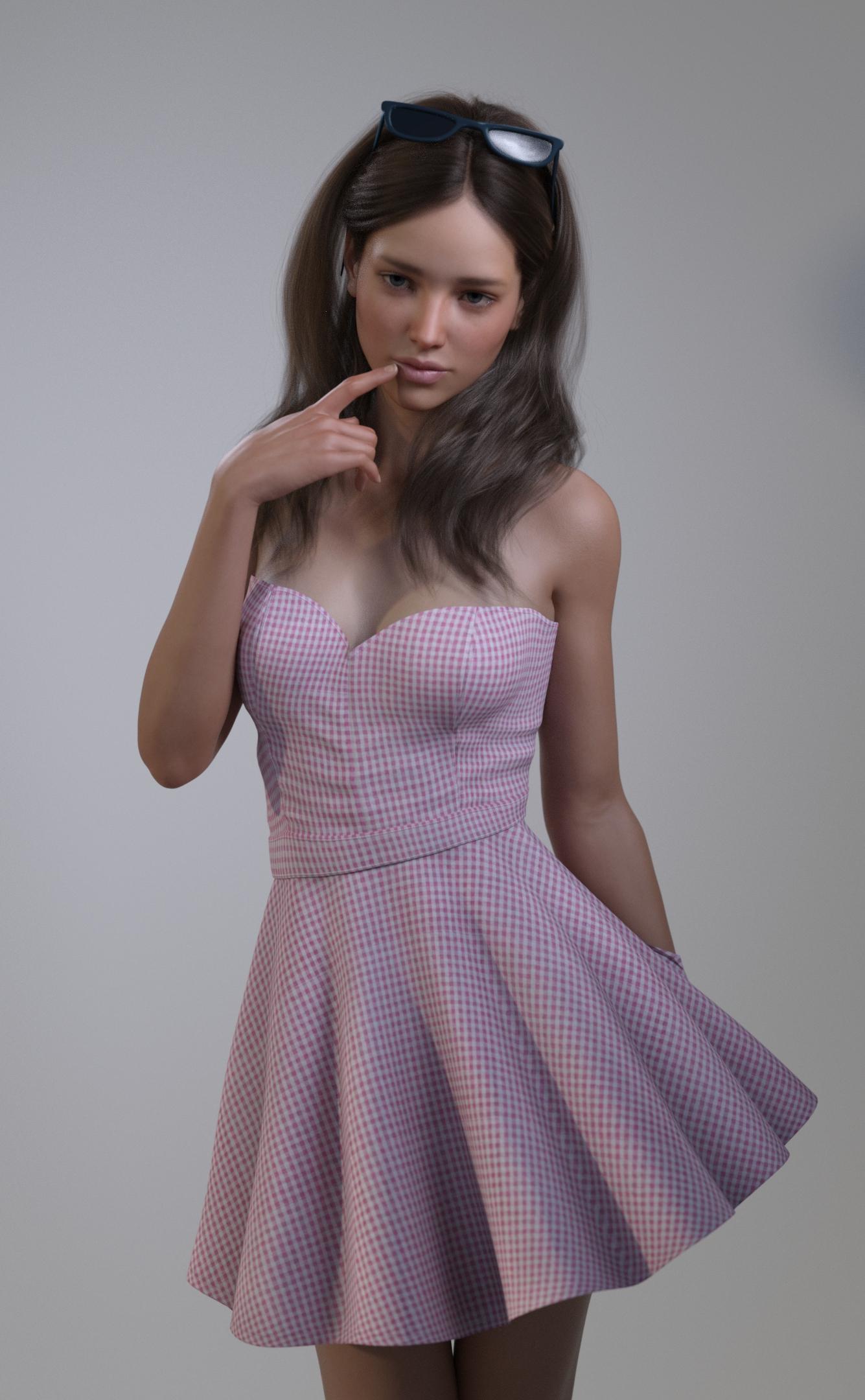
I don't understand the Chloe MIX thing though
 Is Daz Studio (as we know it) Heading South?
Yeah, there's no reason to think that DAZ Central has anything to do with waning DAZ Studio support or that the program will change in any significant way. As far as it being more like Blender, I'd much prefer they just keep adding features to the bridge (well, I'd actually prefer they look into whether a real-time Substance Painter bridge like the one UE has would be possible). :)
The weekly new character bundles used to bug me a bit because I remember a time when a new Victoria or something like Lee was a huge deal. Now I just think of them as product-heavy release days with a DAZ Original texture. In my opinion, the texture quality is improving (despite my complaints about Babina and Sahira having tan lines, they're both excellent textures), but the clothing releases seem rushed - not bad products, but as if the PA was on too tight of a schedule to do their best. Looking to Artstation talent has been beneficial, but I wish they could come on as regulars rather than giving us a single very good but very stylized product.
Speaking of Bridges. They left out a Poser bridge. I really don't think that DAZ3D needs to worry about loosing folks to Poser, esp when the bulk of the end users love Genesis 3/8. I really needed such a bridge yesterday. FBX in Poser is sort of borked so importing to Poser kept crashing Poser! SO I exported via OBJ and now am trying to figure out how to set up the LED's in Poser to actually work correctly since the UV material space is set up to have the LED's in their own material zone. Making lights in Poser is not as easy as in DS but this is a Poser only product and I really liked this environment as it's simple but interesting. A Bridge MIGHT have allowed the lights to come over and convert over to Superfly or even Firefly and give me what I needed. Right now Baggins is helping me but it's still a struggle!
Is Daz Studio (as we know it) Heading South?4.13, is it based on similar logic to why G5 skipped to G8 or something else?Covid19 sure puts a wrench into things but I heard rumors that tthe software was changinging to something a little different than we are use to.
Program build numbers are internal numbering established by the company or devs. The actual build number of the public release is irrelivant (as long as its not going backwards)
As for Genesis 4 becoming Genesis 8, it is because the first four generations of Daz figures were known as Generation 1, 2, 3 & 4. The first Genesis figure was introduced as Generation 5 and you will see Victoria 5 and friends are for Genesis 1. Genesis 3 is Generation 7 and Daz concluded that Genesis 4 would be too easily confused with Generation 4 so they skipped it and called it Genesis 8 as it is Generation 8 of Daz figures.
Rumors are only remors and worthless hot air until offical releases come out.
Export multiple materials to fbxI am exporting Daz3D figures to be used in Unity. I can add the hair/clothing to a figure and export it as fbx and import into Unity fine.
But for clothing/hair how can I export mulitple different materials. i.e. red sirt + blue shirt, black hair + blond hair? Do I need to add the hair twice to the model and set the matrial color in each? (then hide/show each model in Unity)
What about exporting multiple figure matrials? i.e. I can export Genesis3 and include the Victoria body/face morphs to be able to morph it from one to the other in Unity, but the matrial woul always be Genesis3. How to export both model materials to the same fbx file?
I can export to 2 different files, but then I would need to add all the clothing/hair to both and would bloat the app. (or can the clothing/hair be exported independently?)
Web Site Suggestion... Stop offering to Sell me Bundles I own everything in.It'd also be great if the bundles's "Required Products" were tagged correctly.
I just bought the Leony bundle since it said it was compatible with Genesis 8.
Whoops! Turns out the actual character requires Victoria 8.
ZDG random Daz Studio discoveries and questions.spent the past week playing with mesh, and fussing with conflicting lights in a scene, lol. that said, I did make some progress on the SFIA Fusion Candle, added them intake blowers I wanted on the thing since I first started that project.
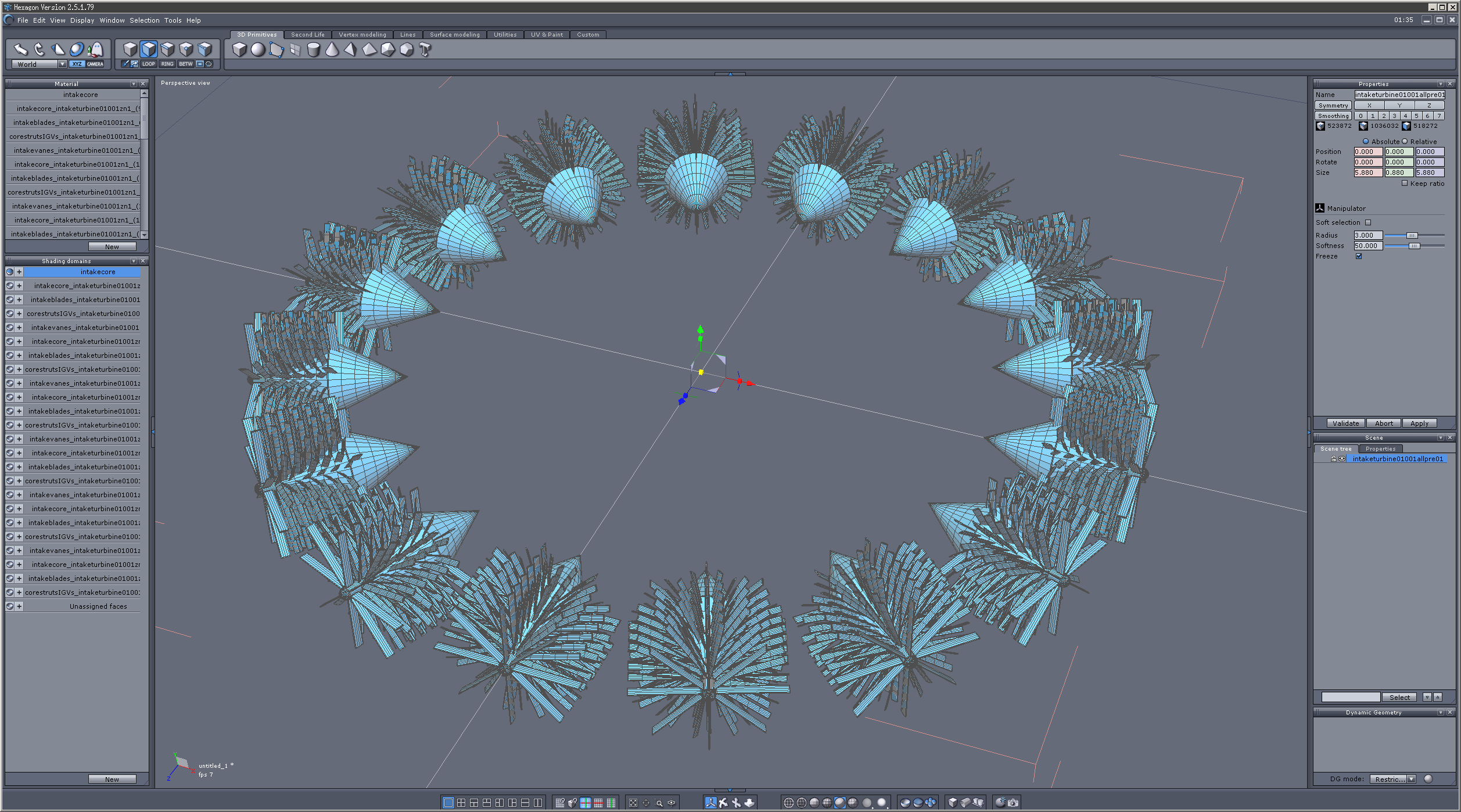
That only added around 77MB or so of geometry to the Fusion Candle Platform. That is a bit on the oof side for Iray yet also isn't anything like the forget Iray Destiny or the Atlantis City Ship levels of geometry, lol. The result being around 180MB for the obj (instead of multiple tens of gigs).
So, there is the WIP v03001 so far. included in the zip this time, is that teardrop-shaped prop I used to make the jet, it's a WIP that still needs some work, yet it's something to start with. I originally started with an opacity map fading to nothing at the ends, and decided to just not use it in favor of 10% opacity for each layer of the flame prop with ambient. I did use a few copies of the prop at thinner and thinner sizes to get the full effect. in other news, I decided to play with some more G3F to G8F conversions.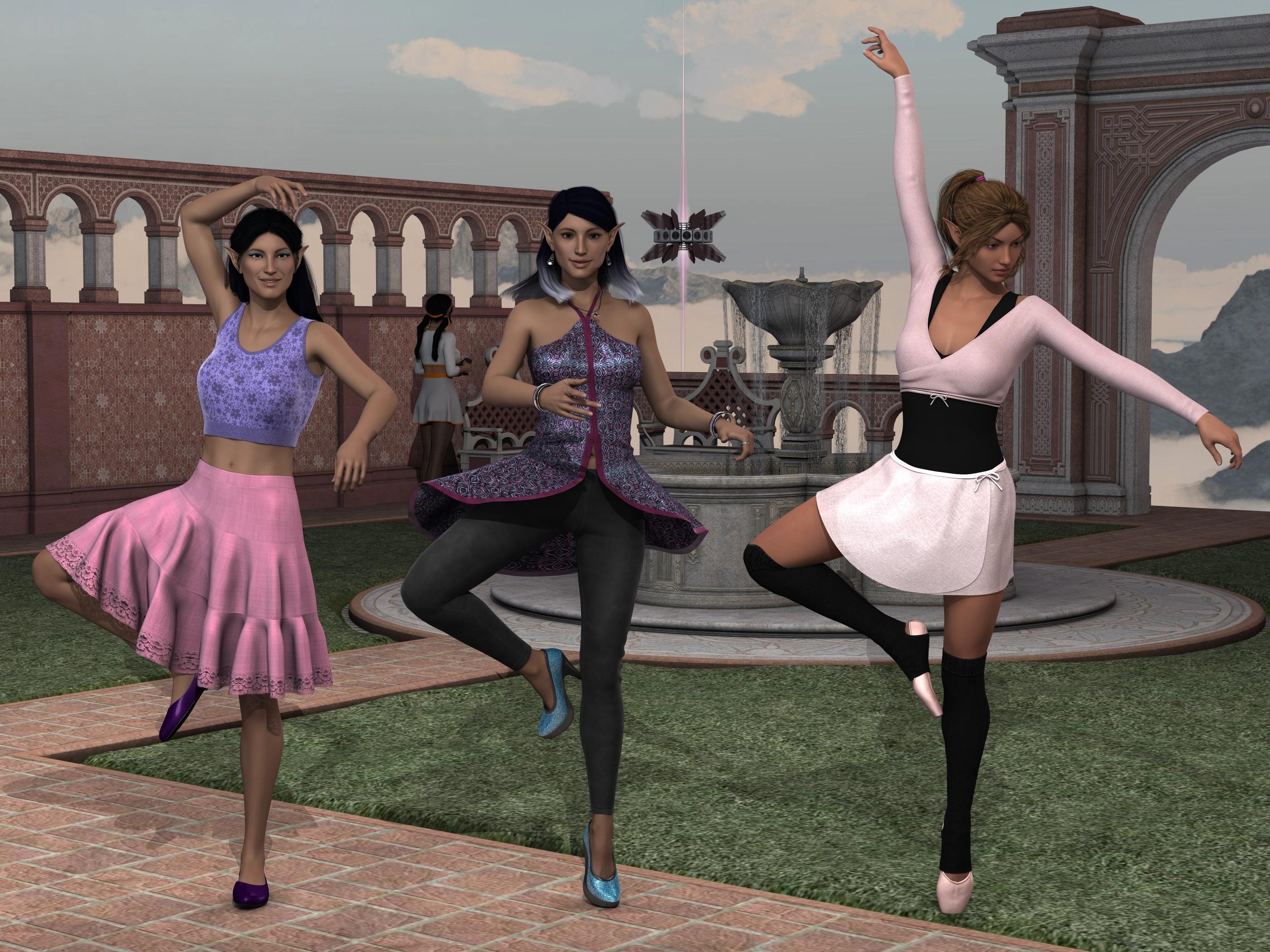
L to R, is converted FW Sushmita with V8 substituted for V7 with Rowana Hair and Sweet Summer dress and Morphing Pumps, FW Sushmita original with Samantha Hair and Midnight Club Dress, and both using FWSA Vanessa's ears. on the right is FWSA Vanessa converted to G8F with Sherry Hair and Ballet Practice. P.S., yeah, that's FWSA Sandi in the background playing with the RC Fusion Candle, lol. Something that is abundantly clear with the Sushmita conversion, is V8 is not the same as V7 shape, that lack of face and chest matching is not from the conversion. Maybe I'll go through the trouble of converting V7 to G 8F, however, there already is a V7 for G8F shape around the store so I feel a tad blah about not using the product that already exists for that. As for Vanessa, her ears did convert over really nicely, the same goes for EJ Cintia below.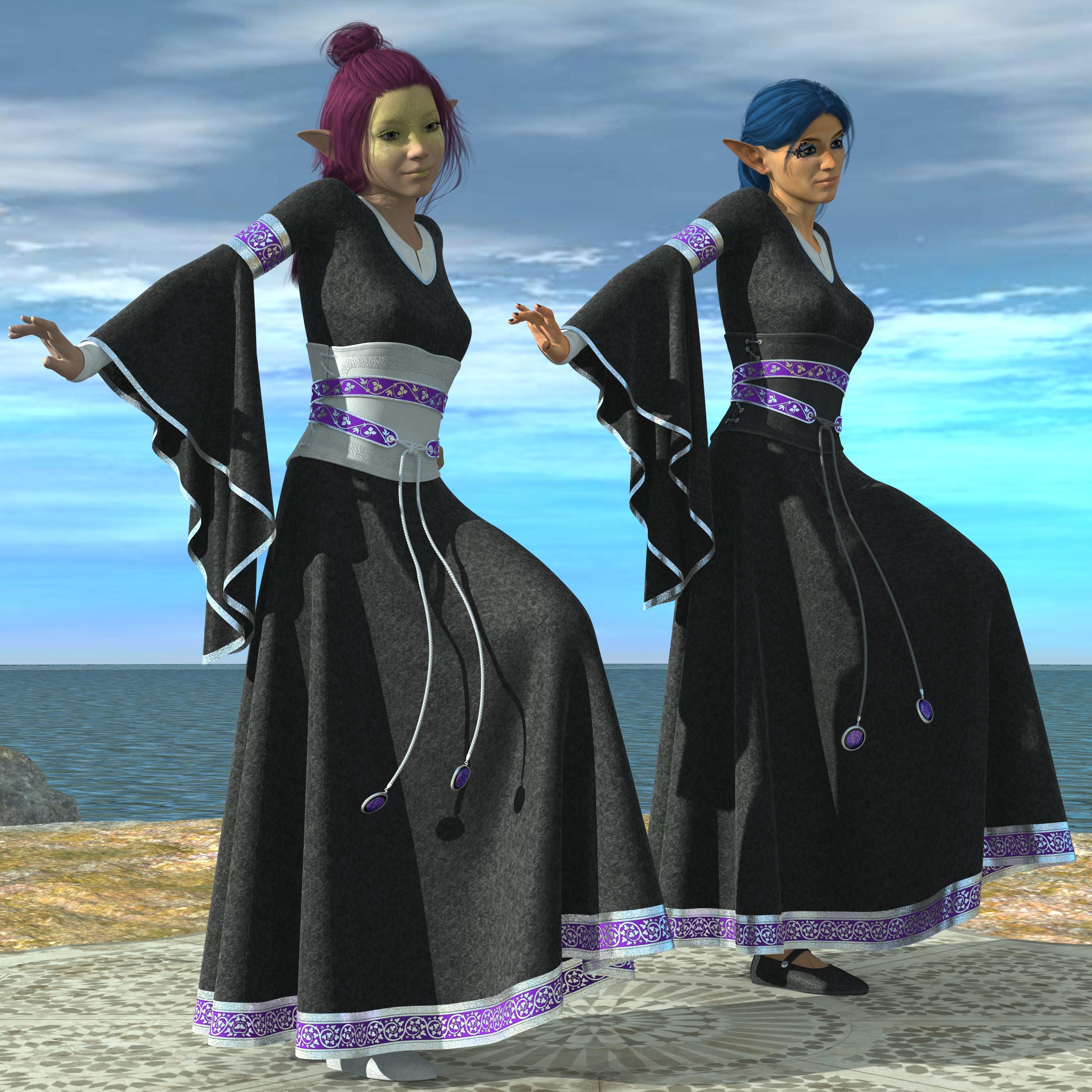
L to R, SASE Sprout at about 50% shape dial strength with Sabela Hair, and EJ Cintia converted to G8F with Rowana Hair. both with dForce Bliaut dress. I have a few notes on this.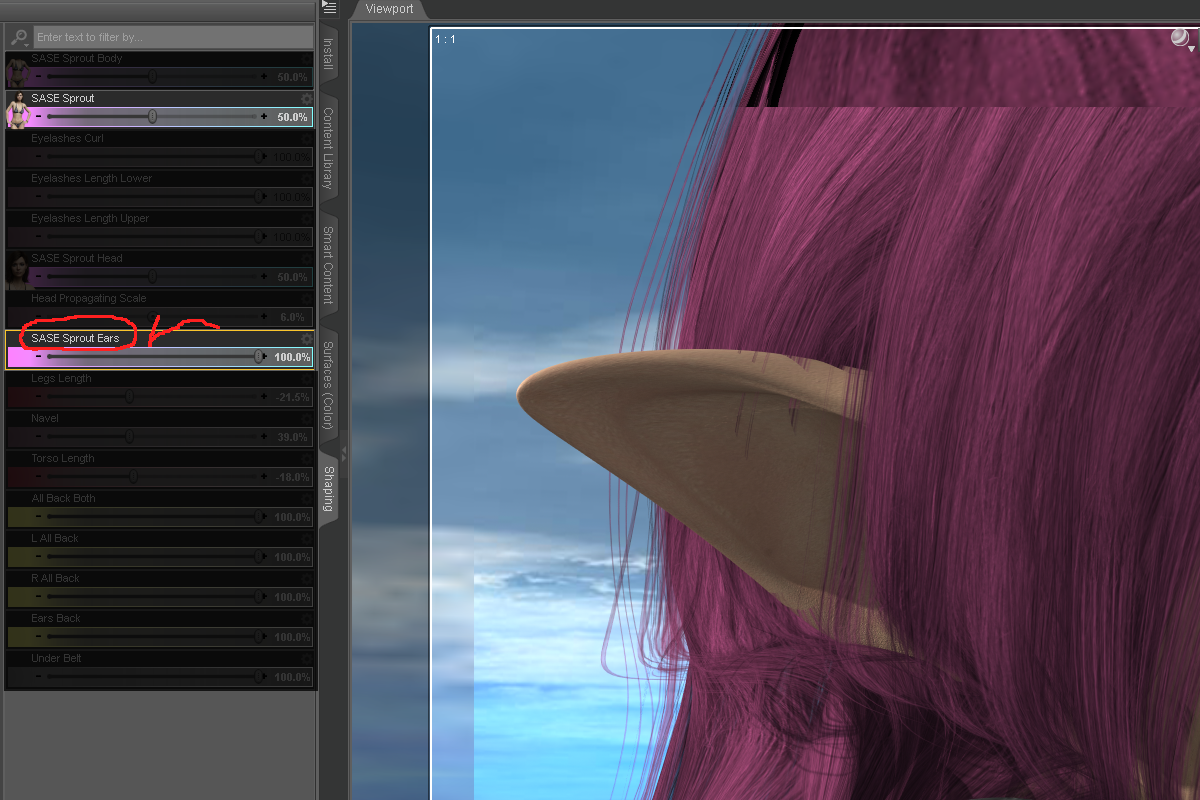
First off, the ears really are nice on Sprout, even tho a mistake has omitted the existence of the separate ear dial on Sprout's pager, things happen.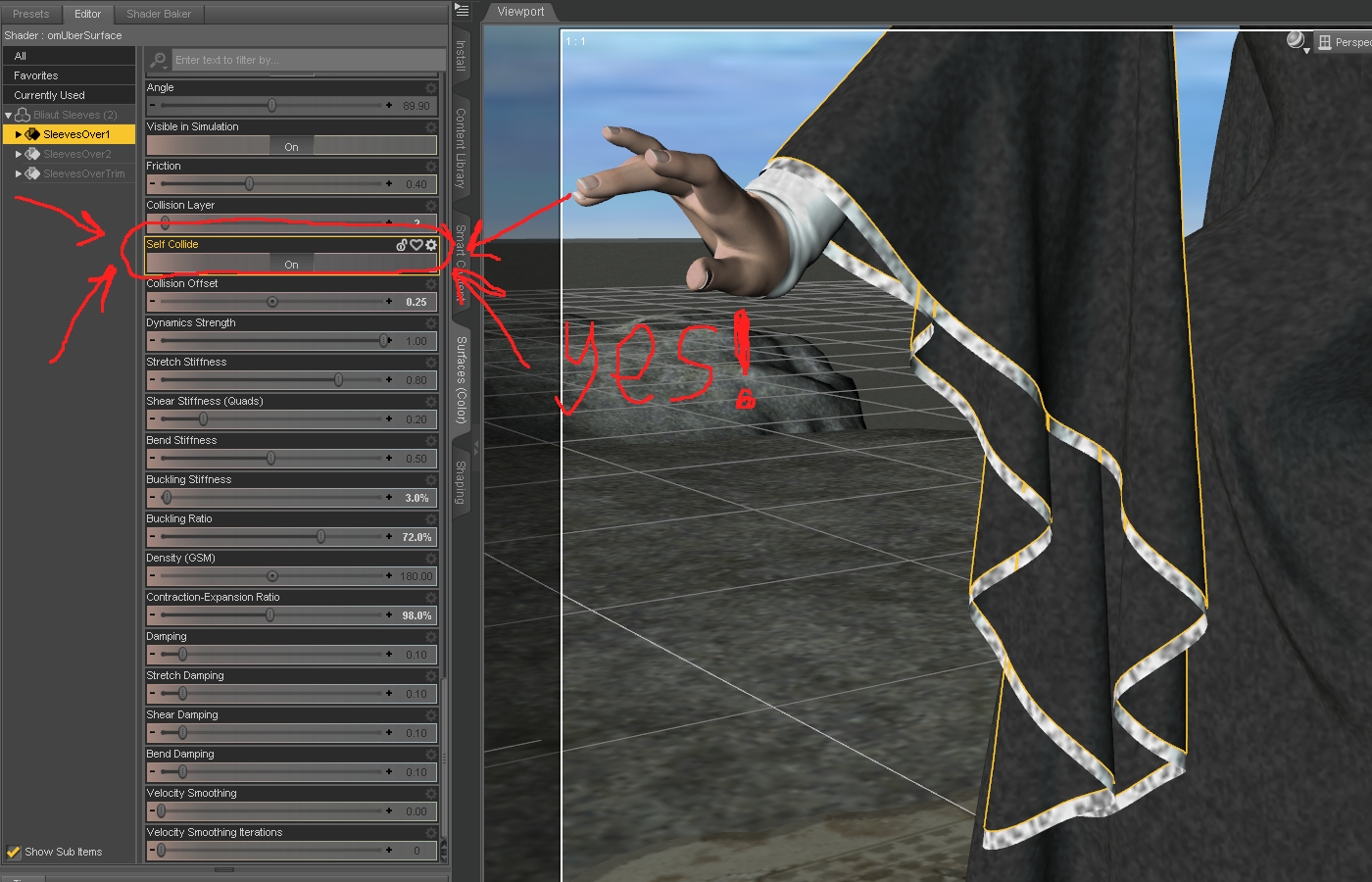
Also, a month or so back, I noticed a new setting in the D-force stuff, Self collide. For that particular dress it was a bit iffy before that, so very much appreciated that D-force now has self collide.
So with that for now, I'll head back to the other desk with this public notice from Gamers Nexus on CLC orientation, YT vid.Is Daz Studio (as we know it) Heading South?Yeah, there's no reason to think that DAZ Central has anything to do with waning DAZ Studio support or that the program will change in any significant way. As far as it being more like Blender, I'd much prefer they just keep adding features to the bridge (well, I'd actually prefer they look into whether a real-time Substance Painter bridge like the one UE has would be possible). :)
The weekly new character bundles used to bug me a bit because I remember a time when a new Victoria or something like Lee was a huge deal. Now I just think of them as product-heavy release days with a DAZ Original texture. In my opinion, the texture quality is improving (despite my complaints about Babina and Sahira having tan lines, they're both excellent textures), but the clothing releases seem rushed - not bad products, but as if the PA was on too tight of a schedule to do their best. Looking to Artstation talent has been beneficial, but I wish they could come on as regulars rather than giving us a single very good but very stylized product.
[Released] Ultimate Zero [Commercial]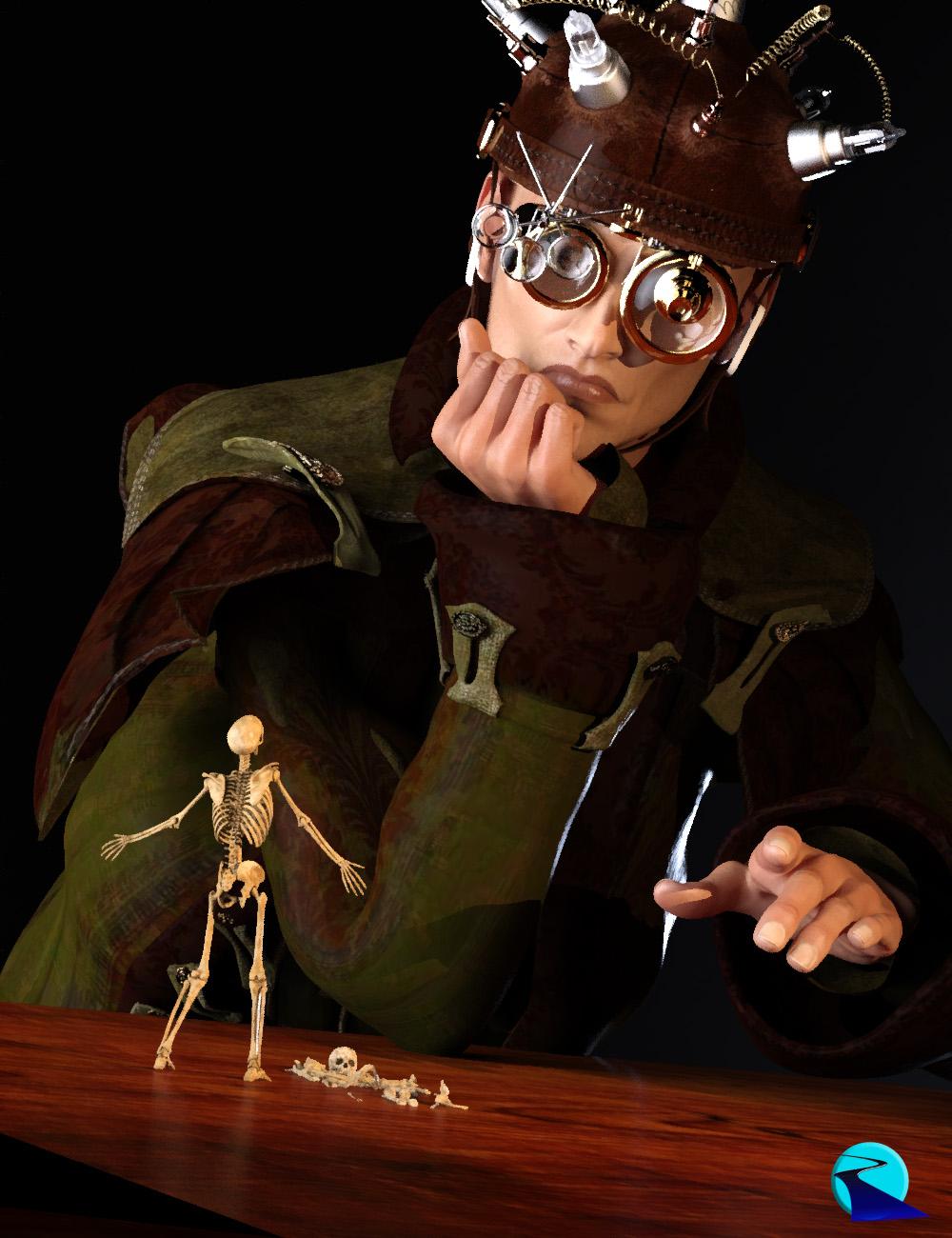 Have you ever been posing a character, combining poses, etc, and things start to go wrong? No matter what you do that hand pose won't unbend so you can change it? Are you forced to finally zero out the figure entirely just to get the poses to reset, wasting tons of work? Then Ultimate Zero is for you!
Ultimate Zero FIXES the hard to find pose issues caused by the combination of POSE PROPERTIES and bone TRANSFORMATIONS. Gain perfect control of zeroing out any body part or selection. Ultimate Zero will zero the bones, ignoring or respecting locks (it is up to you), and even zeroing out associated pose properties while leaving the rest of the bones alone!
Eliminate menu scrolling/trying to find what pose property is doing what - Ultimate Zero is great for complicated expressions where there's some partially-dialed-in-pose-parameter that won't go away, or a left over "gun pose" and some fingers won't unbend... Fists that have limits and the hand never properly closes or opens... Eyes that won't reset unless you kill the entire head and start over...
Ultimate Zero Figure and Ultimate Zero Selected will work with any figure in Daz Studio. Other scripts such as Ultimate Zero Hands or Ultimate Zero Lower Half look up specific bone names automatically and are designed to be compatible with Michael 4/Victoria 4 to Genesis 8 (though they will work with many other figures that use the same bone names).
BONUS: Includes 2 scripts to turn on or off the locks for the selected node(s) and their children as well as a script to install the scripts as custom actions in the Daz Studio menu.
A big thank you to @Griffin Avid for the idea for this product!
What's Included and Features
- Ultimate Zero
- Scripts:
- Install Custom UZ Actions
- Ultimate Zero Expression
- Ultimate Zero Feet
- Ultimate Zero Figure
- Ultimate Zero Fingers
- Ultimate Zero Hands
- Ultimate Zero Lower Half
- Ultimate Zero Selected
- Ultimate Zero Toes
- Ultimate Zero Turn Locks On
- Ultimate Zero Turn Locks Off
- Ultimate Zero Upper Body
- Ultimate Zero Upper Half
LJ Studios - Art Work and TipsHow about Geo-shells
In my hunt for treasures I have come across many 2ndskin outfits. They are very cool, like the red and black latex outfit by Dirk Holzenhauer for V3 over at Rendero. But you are kind of stuck with the skin texture that comes with the images provided by the artist. That is okay but there are times when I like to mix it up. So last year I played around with using a geo shell and modifying the textures to only show the clothing part of the texture. This gave me the ability to use what ever skin texture I want on my character. Here is an example of what I got using the geo shell and modified texture.
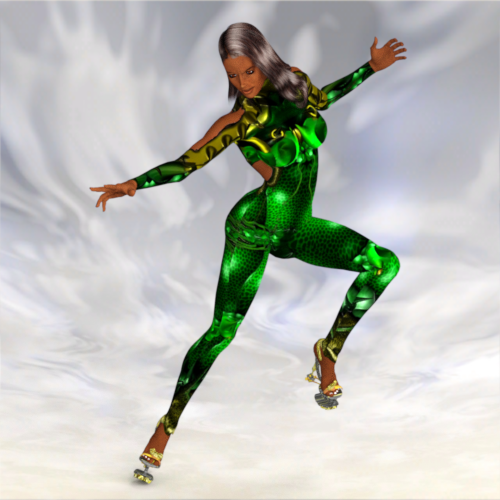
You can obtain the 2ndskin by Cris Galvao called Zinax for V2 here: http://crisgalvao.free.fr/downloadsB.html
Victoria has the Serenity texture from Froglace Studios here: https://web.archive.org/web/20070104211119/http://froglace.com/poser/index.htm?id=freeposer_wolfrose.incSince then the artist Mystic Art Design did some work on G8F using the Layered Image Editor. It is an amazing freebie, Mystical Flower, with several options for bikinis and facial adornments. Her efforts center around using displacement to make the adornments work but you have to be careful with tiling. But that got me to thinking about the work on the geo shell bodysuits from last year. So I set out to figure out how Mystic Art Design did her work. When you look at her displacement files they are the typical grey scale with midway being the 127,127,127 color. But they were very percise. sharp edges, fine detail so to my thinking these files were generated by computer. So I did some digging. I knew I had seen these types of files before. Then it hit me. Splitting out channels. Photoshop and Paintshop Pro have been able to split out the HSL, the RGB or the CMYK images for a particular image for as long as I can remember. So I experimented with MAD's images and although not exact and not as good I came up with something similar. Well woopietdo! Over the first hurdle. To continue the experiment I selected a freebie by Ashpash. She called this series of textures as the Orange, Pink, and Yellow Flower Fairies (See list below render for the link to the Orange Flower Fairy). As was normal for the time the body decoration was applied to one of Ashpash's skins. I set out to make the bodysuit. It was tedious work. I am sure that our texture experts would come by and say oh yea just do this and that and you are done but I am of the older generation now and slow but I get it done. Here are the steps I took to get the files I needed to make the geo-shell bodysuit.
1. Bring the texture file into Paint Shop Pro. Remove everything but the body design from the image. This is the diffuse layer. Save out as your diffuse image.
2. Create 2 new layers that will be used for the transparency and displacement maps for the geo-schell. Select all the areas outside of the body images. In these areas fill one layer with black (0,0,0) and the other layer with mid grey (127,127,127).
3. Invert the selection of the diffuse layer and on the layer that you filled with black fill the new selection with white. The transmap image is complete. Save out your black and white image as your transmap.
4. To create the displacement map, Make the transmap layer invisible and merge the remaining 2 layers, the diffuse and mid grey layer. Apply the HSL channel split action to the newly merged layer. The lightness image is your displacement map. Save it.The next steps are to set up the geo-shell materials.
1. If your figure is not subd then make it so. Create the geo-shell.
2. In the surfaces tab for the geo-shell, make all of the materials that are not affected by the body art to invisible. In my example all of the material to do with the head, eyes, lips, and eyebrows were set to zero in the cutout parameter.
3. The geo-shell only has one material zone for the entire body. So in the diffuse parameter I put the diffuse image. In the cutout parameter I put the trans map and in the displacement parameter I put the displacement map.For the below bodysuit (geo-shell) in the image below, my values were 1.5 for strength. -0.25, 0.25 subd was 7. I also bumped up the space between the geo-shell and V2 to 0.40 to make sure the geo-shell stayed on top.
And on that here is:
The Orange Flower Fairy
Rendered in iRay. No postwork cause I did enough to begin with.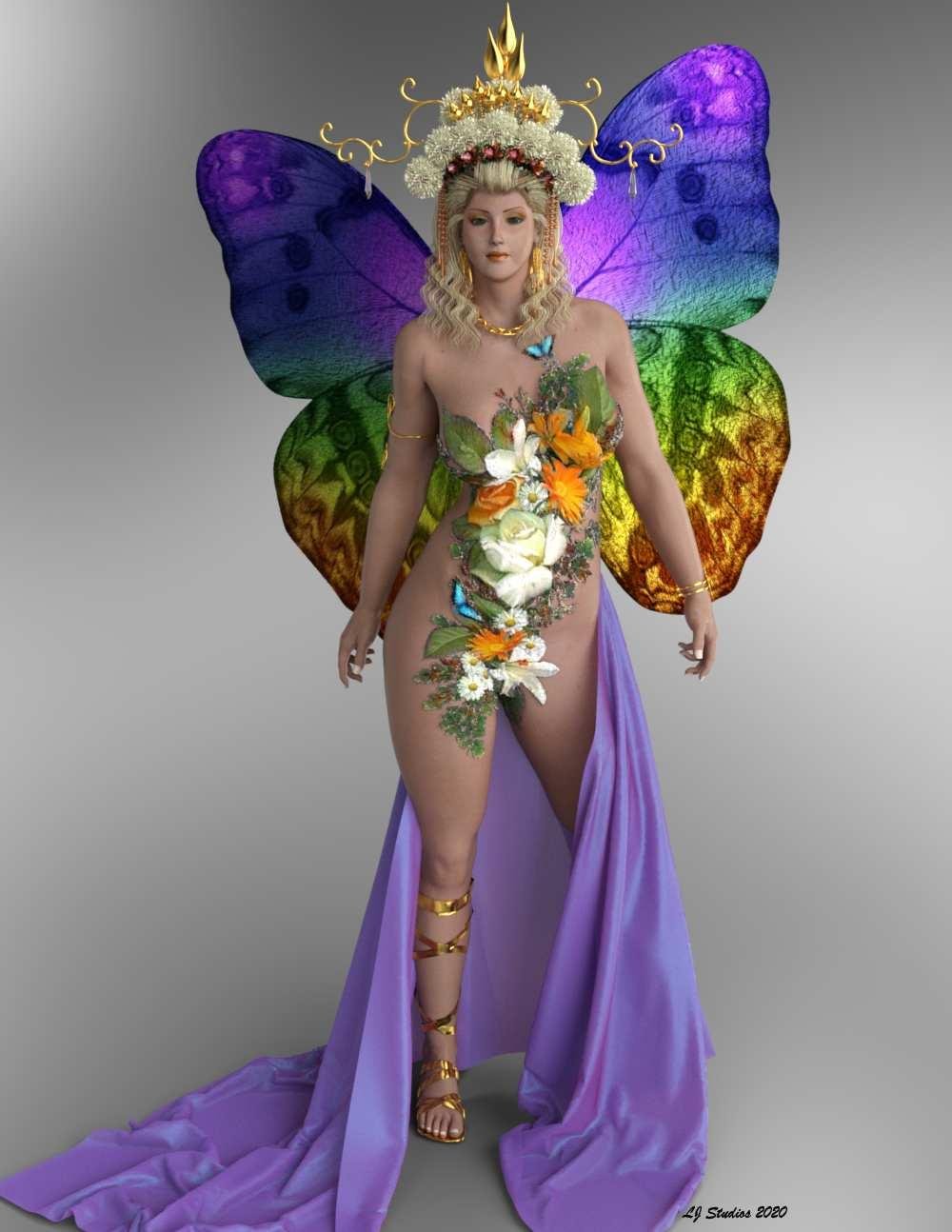
Freebies Clothing:Bodysuit Orange Flower Fairy by Ashpash.
Clothing:Bracelet Mistress Charm Braceltes for V4/A4/Alice by aerysoul.
Clothing:Headdress * Chinese Headdress Addon for Queen Headdress by LJStudios.
Clothing:Jewelry:Armband * Moon Shadow Armband by Valea.
Clothing:Jewelry:Earrings * Scarf Earrings by janimatrix.
Clothing:Shoes ANCIENT SANDALS by Arduino.
Clothing:Skirt * Free Sample SheetZ For Victoria 4 by jepegraphics.
Environment:Lighting:Outdoor Patio * DAZ Studio 4.10 by DAZ 3D.
Hair Amante Hair by AprilYSH.
Orange Fairy:Morph Alina for DAZ Victoria2 by Poser Girls.
Orange Fairy:Pose:29 Vicky-Standing 02 by Schlabber.
Orange Fairy:Textures * Ray Material Files for Ewelina by LJStudios.
Orange Fairy:Textures * Ewelina by magbag.
Orange Fairy:Wings Flutterby Wings 2 by mada.
Shader:Clothing:Headdress: Jewelry: Gold * jewelry_iray_shaders by AllenArt LaurieA.
Shader:Headdress flowers * Iray car related shader presets 'megapack' by Tom2099.
Shader:Skirt * AllenArt Shimmery Sheer Fabric - Iray by AllenArt LaurieA.
Other
Environment:Lighting # FWSA Soft Light Probes by Fred Winkler Art Sabby.
Orange Fairy:Character Base # Victoria 2.0 by DAZ 3D.
Clothing:Jewelry:Necklace # succubus---complete 14 piece fantasy outfit by Baron Vlad Harkonnen.* - Free Registration Required
# - No longer availableGIS BioSuit not mapping to Genesis 2No, it's not part of the base G2F or DS.
It's part of this product, which is required: https://www.daz3d.com/victoria-4-for-genesis-2-femaleGIS BioSuit not mapping to Genesis 2"data/daz 3d/genesis 2/female/uv sets/daz 3d/victoria 4/victoria 4.dsf" can be found in "Victoria 4 for Genesis 2 Female", which is also listed as "Required Products:" for GIS Biosuit
http://docs.daz3d.com/doku.php/public/read_me/index/16559/file_list
GIS BioSuit not mapping to Genesis 2Hello -
when trying to load GIS BioSuit, i get a file not found error: data/daz 3d/genesis 2/female/uv sets/daz 3d/victoria 4/victoria 4.dsf
I went to the folder and it only had 3 DSF files in it - base, V5, and V6. These are also the only options under the UV parameter in the Surfaces tab. Is the file not included in the base DAZ3D software? Nor the Genesis 2 starter pack? If so, how can I get it?
If not, how do I get it?
Thanks for the help.
Cheers.
August 2020 - Daz 3D New User Challenge - Open Render ChallengeMy first image violated Rule #7 it seems. It would help if I read all the rules before posting.
I do however have a new render to submit.
Intermediate Challenge. "Anticipation"
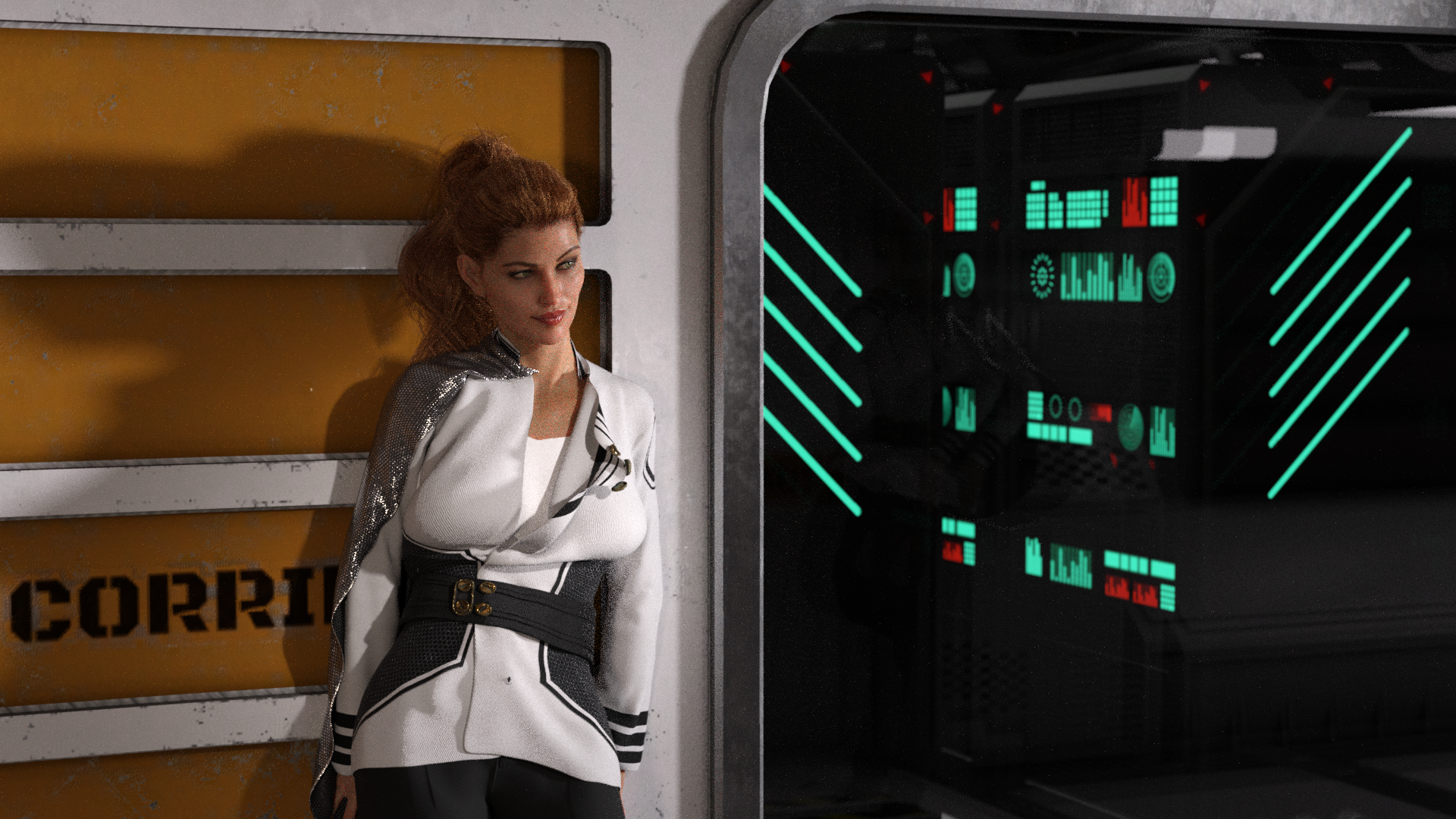
This took a lot of prep work, and was inspired by messing around with the Fleet Commander outfit and DForce. It is a fantastic outfit, and more than met my hopes with its mesh and what I wanted to accomplish. It has obviously been auto shaped to G8 (Victoria) but I spend a fair few hours playing with setting and manipulations to get the jacket to open the way I wanted. I also added bones to the clasps so I could re-pose them after the fact (DForces and unjoined meshes don't play well, I just eliminated them from the simulation). This is not the 'final' render. The first iteration had way too many fireflies around the left arm. I moved some lights and let it render for around 90 min (I have an older 970 card, and renders seem to take an awful amount of time). there are still a few fireflies, but letting it fully render out (it was only 35% done) will probably correct those. It is close, but I need to tweak some of the emissives and want to let it settle and get some feedback before making final adjustments.
Comments and suggestions are welcome.
Thank you!
Request: Anatomy for Genesis+Hello,
Here to bring up a non-mythical animal or being this time,
I had a thought for something recently, and I noticed that we do not have an anatomy thing for Genesis and higher, at least in the store. No bones or muscles (except for Genesis 8) or anything. Just Victoria 4 and Michael 4.
I was going to make a person out of water, with most of his bones or maybe his brain present (like Chaos from Sonic, maybe), and I realized I didnt have a bone structure or anything for it.
I am not sure if it comes with a certain chracter or if it is in the Genesis 8 Starter Pack and I missed it, but I don't seem to see it at the store nor in my list of products I have. If I missed it, please let me know if I already have it or how to get it if I dont. Otherwise, this would be a great idea for a product.
The V4 and M4 ones are here for reference: https://www.daz3d.com/anatomy-starter-bundle
Thank you in advance.
Daz 3D is part of

Connect
DAZ Productions, Inc.
7533 S Center View Ct #4664
West Jordan, UT 84084Licensing Agreement | Terms of Service | Privacy Policy | EULA
© 2026 Daz Productions Inc. All Rights Reserved.