-
doubt about adding models and addons
The Daz Anatomical Elements for each sex and generation are included in most Character Name Pro Bundle sets, other characters will have materials to make them match the rest of the figure but not the mdoels themselves. Some other stores do have their own, stand-alone versions but you need to be careful that you are buying a full item and not a modification for the Daz or other anatomical elements.
really what I need and put the genitals in the characters.
but I'm not getting it with any addon and the daz store doesn't offer that kind of thing to sell
As Richard said, you need to purchase one DAZ Pro bundle for each gender in the DAZ3d store in order to get the anatomical elements. I suggest Michael 8 and Victoria 8 as they are adult characters who come with the add on.
https://www.daz3d.com/victoria-8-pro-bundle
https://www.daz3d.com/michael-8-pro-bundle
Once you purchase these, the elements will be available for most other adult characters of the same generation.
This is the only way to get them through the DAZ store.
ETA: I am assuming that you are using Genesis 8 as it is installed by default and is the latest generation. If you are using an earlier generation, such as Genesis 3 or Genesis 2, you need to purchase one male and one female adult pro bundle in that generation.
The Daz Anatomical Elements for each sex and generation are included in most Character Name Pro Bundle sets, other characters will have materials to make them match the rest of the figure but not the mdoels themselves. Some other stores do have their own, stand-alone versions but you need to be careful that you are buying a full item and not a modification for the Daz or other anatomical elements.
really what I need and put the genitals in the characters.
but I'm not getting it with any addon and the daz store doesn't offer that kind of thing to sell
As Richard said, you need to purchase one DAZ Pro bundle for each gender in the DAZ3d store in order to get the anatomical elements. I suggest Michael 8 and Victoria 8 as they are adult characters who come with the add on.
https://www.daz3d.com/victoria-8-pro-bundle
https://www.daz3d.com/michael-8-pro-bundle
Once you purchase these, the elements will be available for most other adult characters of the same generation.
This is the only way to get them through the DAZ store.
ETA: I am assuming that you are using Genesis 8 as it is installed by default and is the latest generation. If you are using an earlier generation, such as Genesis 3 or Genesis 2, you need to purchase one male and one female adult pro bundle in that generation.
I understand you guys wanted to talk,
However, if I buy these packages, will I have the genitals only in those packages or can I use them on other characters too?
or be used in another structure than in Victoria.doubt about adding models and addonsThe Daz Anatomical Elements for each sex and generation are included in most Character Name Pro Bundle sets, other characters will have materials to make them match the rest of the figure but not the mdoels themselves. Some other stores do have their own, stand-alone versions but you need to be careful that you are buying a full item and not a modification for the Daz or other anatomical elements.
really what I need and put the genitals in the characters.
but I'm not getting it with any addon and the daz store doesn't offer that kind of thing to sell
As Richard said, you need to purchase one DAZ Pro bundle for each gender in the DAZ3d store in order to get the anatomical elements. I suggest Michael 8 and Victoria 8 as they are adult characters who come with the add on.
https://www.daz3d.com/victoria-8-pro-bundle
https://www.daz3d.com/michael-8-pro-bundle
Once you purchase these, the elements will be available for most other adult characters of the same generation.
This is the only way to get them through the DAZ store.
ETA: I am assuming that you are using Genesis 8 as it is installed by default and is the latest generation. If you are using an earlier generation, such as Genesis 3 or Genesis 2, you need to purchase one male and one female adult pro bundle in that generation.
August 2020 - Daz 3D New User Challenge - Open Render ChallengeTitle: Come on in, the Water's fine...
Software: DAZ Studio 4.12 w/Iray
Postprocessing: Adobe Photoshop (Noise reduction, minor levels adjustment, some vignetting coz 'why not'
First Entry. I've been usingDAZ studio for two months. The subject is my favorite blue tiefling character.
Products used: CJ 8 & Victoria 8, World Gardens for Japan, Skin Builder 8, Universal Horns for Genesis 8, dForce Jay Hair
Things I learned: Cameras and DOF, custom skin!, mesh lighting, geoshells with opacity/bump maps (Thanks to thinkdrawart for his excellent tutorial)
Very expensive?I haven't posted in the forum for some time, and appologise if this is a topic done to death, but felt compelled to comment.
I have been a DAZ user for many years, perhaps at the infancy of Victoria 4, and a Platinum Club member for almost as long. There was a time when I would buy content almost daily (my library is well in excess of 2000 products) where as now my purchases are very far and few. This is not because I have everything I need, or don't fancy the new content, it is because everything is so damn expensive, even with the added Platinum Club discounts. Or so it seems.
I appreciate inflation will mean things increase in price and, being a global market, prices are relative to the various ecconomies of the different Countries but it just seems that prices have increased a lot more over the last few years even to the point I am questioning the merits of my Platinum mebembership; I don't save anything if I don't buy anything and am just paying out for a discount I'm not using.
Has anyone else come to the same conclusion?
Not true.
Not buying you save 100% of your cash; only items that are 100% discounted offer a similar deal, except for getting something (you may or may not want) for no cash outlay.
Very expensive?I haven't posted in the forum for some time, and appologise if this is a topic done to death, but felt compelled to comment.
I have been a DAZ user for many years, perhaps at the infancy of Victoria 4, and a Platinum Club member for almost as long. There was a time when I would buy content almost daily (my library is well in excess of 2000 products) where as now my purchases are very far and few. This is not because I have everything I need, or don't fancy the new content, it is because everything is so damn expensive, even with the added Platinum Club discounts. Or so it seems.
I appreciate inflation will mean things increase in price and, being a global market, prices are relative to the various ecconomies of the different Countries but it just seems that prices have increased a lot more over the last few years even to the point I am questioning the merits of my Platinum mebembership; I don't save anything if I don't buy anything and am just paying out for a discount I'm not using.
Has anyone else come to the same conclusion?
Cookie Dough product range? Is it an early version of Aiko, etc?If you had a choice as a totally new collector of LittleFox's products, and based on most stuff being now at $1, would you go with Cookie or Star 1.0? For a female toon I am on the fence but for a male there's no other option but Chip.
I love Star! but I end up using Star 2.0 more often because she's compatible with other Genesis 3 poses, clothing, hair, etc. The stand alone "Star!" isn't and has to have her own poses and what not. Aeridis over at ShareCG made some clones for her though: https://www.sharecg.com/pf/full_uploads.php?pf_user_name=aeridis
There's one of G1, G2, Aiko 3, and Victoria 4 - so that Star! can wear clothing made for Genesis 1, Genesis 2, Aiko 3, and Victoria 4. Aeridis also made some nice face and body morphs for her as well.
These are really old renders but here's 1) the Aeridis Comet morph for Star! and wearing a Genesis outfit via the G1 clone; 2) Star! wearing an Aiko 3 outfit (there's some deformation in that one due to Star's extreme body style); 3) a V4 outfit; 4) a Genesis outfit (some parts parented rather than autofitted), and 5) a G2F outfit.
Also, Cookie and Chip have separate heads so you can use them on other figures -- you'd just have to use diffuse colors for skin or a toon skin shader product. This render was Cookie and Chip heads on Hiro 4 and Aiko 4 bodies.
Dawww! So cute! And I LOVE the idea of using the Cookie and Chip head on a stylized Genesis body. That way you can use the Genesis clothing and poses. I've got a cart full of Cookie and Chip stuff at the moment (about a hundred dollars worth... I MIGHT have a problem lol) but I wonder if I should trim that back a little and do the Head thing only and skip some of the outfits (still have a TON of toon hair in my cart along with some other fun RDNA stuff) - since I have so many great outfits and poses already for the Genesis figures PLUS a TON of morphs that I can stylize the bodies with. I think I might end up doing that head parenting thing. I did that a while back with Blue 2.0 and parented it's head to Genesis 8 Female and used my existing G8F morphs to get her body closer to Blue's shape. I worked pretty well, imo:
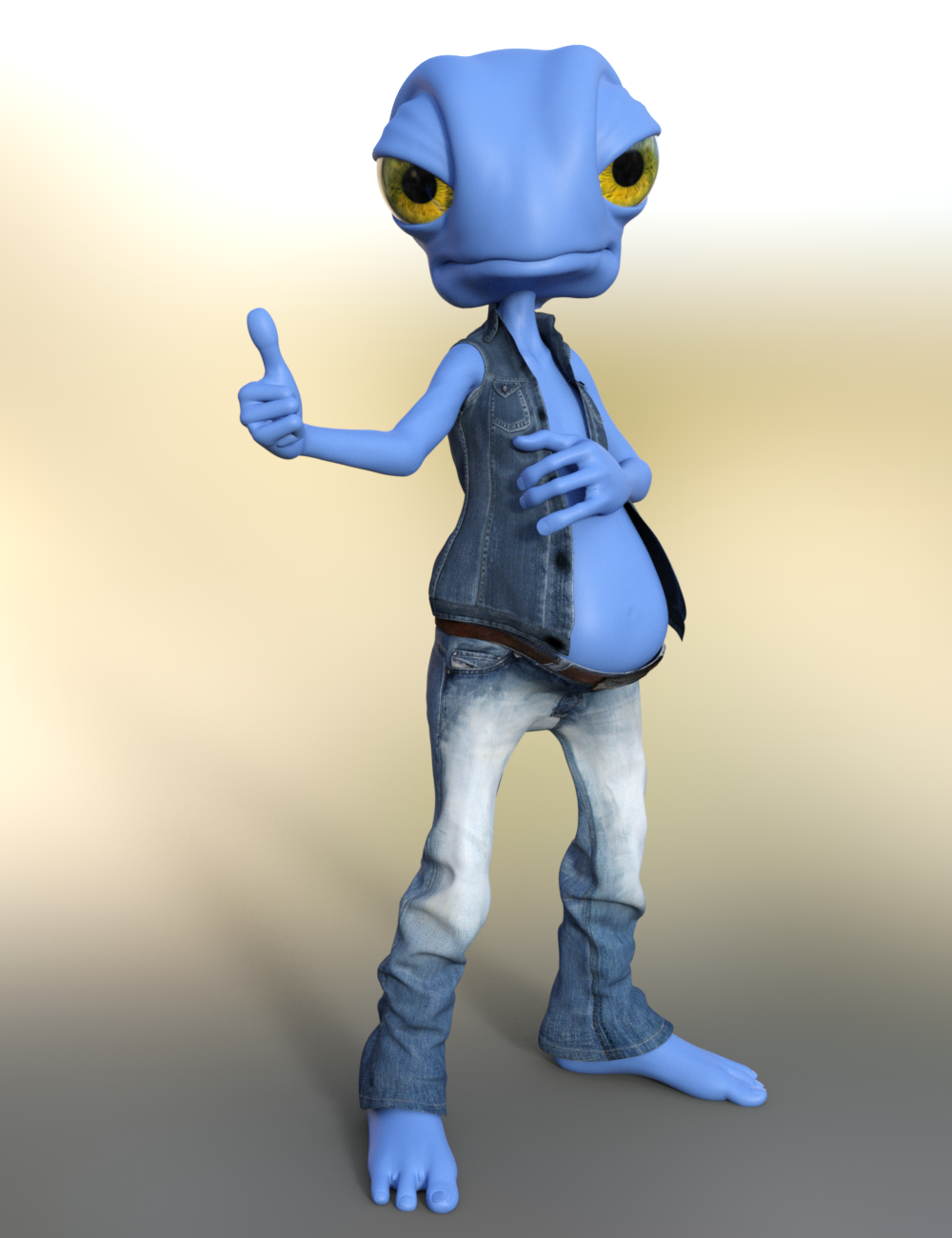
So I might try that with Cookie and Chip as well. :)
Your renders are great, by the way. :D Comet looks so dashing and the Star renders are so cute!
My math vs. Daz mathCompare the price and the functionality (in DS) of the Victoria 8 probundle https://www.daz3d.com/victoria-8-pro-bundlewith this single female sold at a 3D store at market value which doesn't even work in DS without rerigging https://www.turbosquid.com/3d-models/alena-skinning-hairs-3d-model/914313and tell me you are not getting a good deal on the V8 pro bundlebefore daz I create my characters, environments etc... I know very well the time it takes to create, I love daz and daz is a big time saver for me and it's clear that it's cheap compared to what we can find elsewhere but it's not a valid excuse to explain the defaults stated, and I'm not saying this to criticize daz studio, I'm saying this because daz could be a lot better and it's by understanding the critics that things can change.
once I asked if daz had a function similar to blender in edit mode allowing to move vertices, according to the answers it didn't exist and it was a bad idea (from what I understood) some time later "mesh grabber" was released and it became one of the must-have features of daz... and indeed "mesh grabber" brings a significant improvement for the creators, not everyone has mastered third party software (blender, hexagon etc ...) to correct any defect and for me daz studio lacks basic functions that would greatly improve its capabilities, it is not normal to have to use a third party software or a plugin to correct a poketrough ...
and for me the pro bundles are not advantageous, in the sense that what the bundle contains is imposed and that I will not buy it outside the bundle
all this is obviously only my opinion ;) I just wish the best for daz studio
My math vs. Daz mathI use a translator, so I'm sorry if what I say seems incomprehensible.
I understand what you're trying to say in your first post, and I agree with you on some points, but in absolute terms what bothers me about paying so much for certain products is that I have the impression that daz has no quality criteria other than esthetics, there are lots of clothes without morphs, lots of buildings without opening doors... It may seem futile but when I buy something and I have to export, modify and then reimport it into daz... I don't see why I'll buy, and I don't see any notable improvements in the daz studio software, or even in the forum, I feel like a cash cow when I see the astronomical amount of genesis 8 pro bundle, so in the end, yes, it's too much for what it's worth.
and several things annoy me, the fact of having to go through googl to find an info on the forum, the fact that the sales pages do not respect the choice (example: by new arrival) the fact that there is no more category in the filters (example: props)
edit : and what I find a pity are the interactive licenses which limits the creation via daz, without it I could create a real game in 3d, but it's too expensive even with the best promo, but I grant to daz that it's my problem ^^
Compare the price and the functionality (in DS) of the Victoria 8 probundle https://www.daz3d.com/victoria-8-pro-bundle
with this single female sold at a 3D store at market value which doesn't even work in DS without rerigging https://www.turbosquid.com/3d-models/alena-skinning-hairs-3d-model/914313
and tell me you are not getting a good deal on the V8 pro bundle
Agree but ... if we had to pay TurboSquid prices, most of us would not be buying at all. The DAZ idea of providing the software for free was genius (although far from original) and the fact that it was, IMHO, better than the paid alternative (Poser) is also to the credit of DAZ. As to their weird marketing fun & games, I have less to commend them on, especially since the store software seems to be broken most of the time.
My math vs. Daz mathI use a translator, so I'm sorry if what I say seems incomprehensible.
I understand what you're trying to say in your first post, and I agree with you on some points, but in absolute terms what bothers me about paying so much for certain products is that I have the impression that daz has no quality criteria other than esthetics, there are lots of clothes without morphs, lots of buildings without opening doors... It may seem futile but when I buy something and I have to export, modify and then reimport it into daz... I don't see why I'll buy, and I don't see any notable improvements in the daz studio software, or even in the forum, I feel like a cash cow when I see the astronomical amount of genesis 8 pro bundle, so in the end, yes, it's too much for what it's worth.
and several things annoy me, the fact of having to go through googl to find an info on the forum, the fact that the sales pages do not respect the choice (example: by new arrival) the fact that there is no more category in the filters (example: props)
edit : and what I find a pity are the interactive licenses which limits the creation via daz, without it I could create a real game in 3d, but it's too expensive even with the best promo, but I grant to daz that it's my problem ^^
Compare the price and the functionality (in DS) of the Victoria 8 probundle https://www.daz3d.com/victoria-8-pro-bundle
with this single female sold at a 3D store at market value which doesn't even work in DS without rerigging https://www.turbosquid.com/3d-models/alena-skinning-hairs-3d-model/914313
and tell me you are not getting a good deal on the V8 pro bundle
Cookie Dough product range? Is it an early version of Aiko, etc?If you had a choice as a totally new collector of LittleFox's products, and based on most stuff being now at $1, would you go with Cookie or Star 1.0? For a female toon I am on the fence but for a male there's no other option but Chip.
I love Star! but I end up using Star 2.0 more often because she's compatible with other Genesis 3 poses, clothing, hair, etc. The stand alone "Star!" isn't and has to have her own poses and what not. Aeridis over at ShareCG made some clones for her though: https://www.sharecg.com/pf/full_uploads.php?pf_user_name=aeridis
There's one of G1, G2, Aiko 3, and Victoria 4 - so that Star! can wear clothing made for Genesis 1, Genesis 2, Aiko 3, and Victoria 4. Aeridis also made some nice face and body morphs for her as well.
These are really old renders but here's 1) the Aeridis Comet morph for Star! and wearing a Genesis outfit via the G1 clone; 2) Star! wearing an Aiko 3 outfit (there's some deformation in that one due to Star's extreme body style); 3) a V4 outfit; 4) a Genesis outfit (some parts parented rather than autofitted), and 5) a G2F outfit.
Also, Cookie and Chip have separate heads so you can use them on other figures -- you'd just have to use diffuse colors for skin or a toon skin shader product. This render was Cookie and Chip heads on Hiro 4 and Aiko 4 bodies.
Cookie Dough product range? Is it an early version of Aiko, etc?If you had a choice as a totally new collector of LittleFox's products, and based on most stuff being now at $1, would you go with Cookie or Star 1.0? For a female toon I am on the fence but for a male there's no other option but Chip.
I love Star! but I end up using Star 2.0 more often because she's compatible with other Genesis 3 poses, clothing, hair, etc. The stand alone "Star!" isn't and has to have her own poses and what not. Aeridis over at ShareCG made some clones for her though: https://www.sharecg.com/pf/full_uploads.php?pf_user_name=aeridis
There's one of G1, G2, Aiko 3, and Victoria 4 - so that Star! can wear clothing made for Genesis 1, Genesis 2, Aiko 3, and Victoria 4. Aeridis also made some nice face and body morphs for her as well.
Loading some people modelsThere was a thread in the Commons Forum in which I wrote something that seems appropriate here as well. And it even mentions Steve K! Here is the excerpt that might be relevant.
Note on Compatibility -
- One Carrara user named SteveK uses legacy figures to compete in the annual 24-hour film festival. Much of that stuff goes on deep, deep, discounts. So what can be used?
- Carrara can natively read rigging for the original Poser format. This includes the Daz3D figures contemporaneous with generations for Victoria 1-4. So, the original Star figure loads natively in Carrara, as do Chip, Gramps, the FairyTale toon bears, wolf, and pigs, the original The Girl, original The Freak, and their V4 shape morphs. On the Poser side, this corresponds to Poser figures that came with Poser 1-8 or so. Yes to Poser Simon and Sydney, and Miki 3, but no to Dawn or Miki 4. Carrara's surface structure (shader/texture room) has slightly different channels than Poser or Daz Studio so some tweaking is typically desirable and should be saved after first use so future loads can have a one click adjustment.
- Carrara can natively read the rigging for Daz3D Genesis 1&2 rigging. Geografts screw up the UVMapping so require work arounds (loading two versions and manipulating visibility...). Personally, when I use human characters that I did not model myself, I use Genesis 2. The aforementioned SteveK uses Victoria 4 and Michael 4. @Dartanbeck mentioned by @MelanieL recently converted from Victoria 4 to Genesis 1. The same shader tweak issues exist as for Victoria 4.
- Carrara can use blended weight versions of Daz3D Genesis 3&8 figures with Misty's character presets. Same shader issues. Carrara will crash if Genesis 3 or 8 are loaded without Misty's character preset.
- Carrara does not do well interpreting Poser's newer rigging. An example would be the Dawn character,
Loading some people modelsMy policy is to stick with Poser format characters, in particular Michael 4, Victoria 4, and Kids 4. Carrara handles these with no problems.
new elven armor for g8 male and female and a "what is this outfit?"At first I thought it was https://www.daz3d.com/sylvian-wind-warrior-bundle, but it's not exactly the same. Maybe an earlier outfit that Mousso put in mothballs? If it's Victoria 4, it's got to be pretty old by now.
Linday made the outfit, not Mousso.
new elven armor for g8 male and female and a "what is this outfit?"At first I thought it was https://www.daz3d.com/sylvian-wind-warrior-bundle, but it's not exactly the same. Maybe an earlier outfit that Linday put in mothballs? If it's Victoria 4, it's got to be pretty old by now.
I'm thinking of picking up Carrara - What are the Must Have Carrara Products?Here are some links to free resources
CarraraCafe - has lots and lots of goodies and articles. Here is a page specific to plugins. https://carraracafe.com/category/plugins/
DCG plugins made free and open source - thread has link and more info - https://www.daz3d.com/forums/discussion/266831/digital-carvers-guild-going-open-source/p1
DCG was Digital Carvers Guild and their plugins added amazing options to Carrara. This included additional options to render in Toon styles, Noir lighting and styles, Using actual geologic data to create real world landscapes, and so much more. One of the Carrara monthly challenges was devoted to DCG plugins so there are more examples there.
Philemo free plugins - website has downloads - https://sourceforge.net/projects/carrara-time-savers/
Philemo is a very generous plugin creator. I use his plugin to convert Carrara's strand based hair to mesh all the time. It preserves vertex nmber and order even after simulation so morphs can be made for styling, wind force, etc. PhilW has used the plugin to make hair products used in Studio and sold through the Daz store. Philemo also made a plugin to allow Carrara to access HD morph information, which officially would be listed as something not supported.
Cripeman - 16 pages of links to free short tutorials on various topics by the late, great Cripeman - https://carraracafe.com/tag/cripeman/
Misty - (pay for) Genesis 3 Carrara character - Can't link to it because it is for sale at Renderosity.
Misty - (free) Genesis 8 Carrara character. Genesis 8 version but there are some toe morph issues, so if you have a foot fetish (no judgment) that could be an problem.
Misty's character presets allow a blended weight version of Genesis 3/8 to be loaded in Carrara and used with Genesis 3/8 clothing/hair, etc in blended weight mode. Note - this is NOT a morph to make the shape of Genesis 2 look like Genesis 3. It is the actual mesh, bones, adjustment morphs, etc of Genesis 3/8 to work in Carrara. What it is missing is some of the weighting and weight adjustment that differs between Genesis 3 default rigging and blended weight rigging. MistyLauraPrincess - @Misty - is the brilliant Carrara user who identified the bug (Mods - look up definition of bug before deleting) that caused Carrara to shut down when using rigging for Genesis 3 and Genesis 8 figures loaded in Carrara. Wishing you well, @Misty!
Alvin Bemar - Fluidos - This thread has the info for the free version of Fluidos. https://www.daz3d.com/forums/discussion/220631/fluidos-plugin-for-carrara I still need to recreate the evil villain opening sequence of the Flint movies in which the baddies break the dam and flood the valley. Bwahahahah.
SparrowHawke - free plugin extensions - http://www.sparrowhawke3d.com/ One of the best allows the user to customize shaders for individual instances within a replicator. Carrara's built in replicator function is very powerful, and this makes it that much better.
I'm afraid some of the best plugins were sold through the Daz store and may not be available now that the authors are no longer vendors. One of the plugins I used was shader baker but I don't know if it still exists without the Daz3D store. Fenric - https://carraracafe.com/fenrics-plugins-now-free/
Note on Compatibility -
- One Carrara user named SteveK uses legacy figures to compete in the annual 24-hour film festival. Much of that stuff goes on deep, deep, discounts. So what can be used?
- Carrara can natively read rigging for the original Poser format. This includes the Daz3D figures contemporaneous with generations for Victoria 1-4. So, the original Star figure loads natively in Carrara, as do Chip, Gramps, the FairyTale toon bears, wolf, and pigs, the original The Girl, original The Freak, and their V4 shape morphs. On the Poser side, this corresponds to Poser figures that came with Poser 1-8 or so. Yes to Poser Simon and Sydney, and Miki 3, but no to Dawn or Miki 4. Carrara's surface structure (shader/texture room) has slightly different channels than Poser or Daz Studio so some tweaking is typically desirable and should be saved after first use so future loads can have a one click adjustment.
- Carrara can natively read the rigging for Daz3D Genesis 1&2 rigging. Geografts screw up the UVMapping so require work arounds (loading two versions and manipulating visibility...). Personally, when I use human characters that I did not model myself, I use Genesis 2. The aforementioned SteveK uses Victoria 4 and Michael 4. @Dartanbeck mentioned by @MelanieL recently converted from Victoria 4 to Genesis 1. The same shader tweak issues exist as for Victoria 4.
- Carrara can use blended weight versions of Daz3D Genesis 3&8 figures with Misty's character presets. Same shader issues. Carrara will crash if Genesis 3 or 8 are loaded without Misty's character preset.
- Carrara does not do well interpreting Poser's newer rigging. An example would be the Dawn character,
- Plugin for shader issues - See the Philemo link referenced above for a plugin focused on shaders.
I repeat the disclaimer.
*** - feel an obligation to alert visitors to the thread that Daz3D has stated in replies to support tickets that they are not continuing support tech maintenance or development of Carrara at this time.
new elven armor for g8 male and female and a "what is this outfit?"wow i really liked this new outfit bundle the armor really looks amazing congratz to the PA, really liked it and since the details are made in subdivision this means which i can make it using "normals map when exporting to unreal, my only question for peoples which maybe already bought it would be the same as aways the poly count if the armor is not high poly then it's perfect, for me to buy, then if anyone already have bought it and can share that info, please share!!!
another note going back to the old "what is this outfit"
what is that outfit in this promo it's really looks amazing!!!
 I'm thinking of picking up Carrara - What are the Must Have Carrara Products?
There is a Cararra Pro 8.5 Bundle that you want although you have probably the Michael & Victoria Pro stuff included it does include some specific to Carrara ports of those characters.
I personally have bought, on purpose, only Howie Farkes Christmas Cottage that is marked as Carrara only..
Daz to Unreal guide for "newcomers"(The famous "before your buy" or Limitations)ok guys since it's now official which daz is giving a little more "support to unreal and we have a official tool to expor daz stuffs to unreal and maybe in the future if this proof to be profitable for daz we can have a really amazing source/library to work but for now let's focus on the beginner, since probably many peoples are "newcomers and gonna make some experiences, then i feel which is important to help those peoples to know how to "proper start" they works,
ok this not gonna be a tutorial about "how to use the daz bridge or install and bla bla bla, but it will be more centered about "what really work or can work inside unreal", because while the tool will allow us to use all daz stuffs inside unreal, truth need be told, "not everything will work on Unreal or not will work in in the same way it work's on daz, aways having in mind daz and unreal are 2 different tools which initially had 2 different paths to work, where one is more specifically for render and the other started just a game enginer and now is evolving to be a "jack of all trades" tool, to be used not only for game, but film, render, and others stuffs, but even with that in mind they still different tools were "somethings which work on "one tool" not gonna necessary work in the other, or will work in another way, then is important have this in mind when start to buy daz stuffs to use in unreal or trying to use what you already have.
well let's begin with some basic info, about what work and what don't work and what "work but not exactly in the same way as it work on daz, well before that we must learn some basic stuffs from daz products, like how can we classify some daz stuffs;
Basically in daz we have 5(6 when counting old vic4 generation and older) different type of stuffs on daz
1 - rigged meshes: are the "basic meshes" which does have or not a skeleton and it can be combined to a daz mesh and in most of the cases imported to unreal without any issue, inside that category we have most of the daz base characters(from even vic4) to most of the outfits(excluding old outfits from vic4 generation or lower because they were "rigged" in a way which is almost the same as the props which don't proper work inside daz), most of the hairs and some acessories and anatomic elements
this is they "icon" inside daz

2 - props: basically the "non rigged and some attached stuffs, while those stuffs can be "normally exported without any issues to the character, they not gonna "follow the character" since they are not really attached to the character in the proper way, they will be just levitating around the place they are while you try to animate or pose the character in order to proper attach it to the character you must create a socket and attach that prop to the bone socket you created, even if you have place the prop inside daz in the place you wanted like a "weapon be proper attached in a hand in daz, it now gonna work in unreal the weapon not gonna follow the character and will remain levitating in the place you attached it, you need to export the prop alone to unreal then attach it inside unreal using sockets, once you learn how to do it, it will be pretty fast and simple.
here a image:

some cases of props like hats or hoods you can fix it following this:
http://davidvodhanel.com/daz-to-unreal-fixing-accessories-that-dont-animate-with-the-character/
this not gonna work on all the cases, specially in the case of attachments, but will work in many.
3 - "attachments", those are stuffs which some PA vendors place's in some outfits or body parts, which normally are not supposed to "strech" in the same way of the body when you are applying a morph, like a buttom which the vendor don't want the buttom become large when making a character superfat" or something like that, then those objects to keep they "original form" are "attached to the outfit or even in some cases characters, but they follow the same rule as the "props" since many of then are props too", and when exported to unreal they will have the same issue as the props and will be just 'floating around the body when it is moving, they not follow the body.
the only way to "fix" it would be you follow the same principle of maybe socket(never tested) or exporting the mesh to a 3d editor like maya or blender and changing the mesh to proper rig or parent/combine the attachment to the "body"(outfit) its was supposed to be part.
here a picture of it:

they need to be combined to the outfit mesh in a external way to make then work, otherwise i would recommend export the "outfit(or other stuffs which do have it) without it, just click on it and remove) you will be able to export the outfit but it will be missing those stuffs in some "outfits cases it will be not a big deal but in others it can make the outfit loose like 60 to 70% of it original look, a good exemple of it can be this outfit:
https://www.daz3d.com/dforce-victorian-butler-for-genesis-8-males - almost of the details, like buttoms, clock even the ribbon are attachments when you start to remove all the stuffs the outfit start to look really ugly then be ready for things like that
4 - geoshell elements: the famous "non polygon stuffs which are supposed to be a more light way to add stuffs to the mesh, ok while it can be exported to unreal, it not gonna work as it work in daz, when exported to unreal it does become a full "mesh" with geometry and polygons and like the props and attachments it will be not "rigged to the body", which means a float object, which in this case don't work on unreal, we have 2 possible soluctions for this issue(which i do know):
A - open a 3d editor like maya or blender and rigg it to the character like a normal outfit or other stuff
B - in some cases like a "geoshell body armor, if it follow the same "uv" as the character body mesh like in some cases you can just export the "texture" of the geoshell and apply it direct to the body "material" as the "base material instead of the skin texture or do a lerp and combine it with the body material, it can work on some cases like painted body hairs or mustaches or some painted armor suits" don't know if it can work on all the cases you need to check on the geoshell element you are working on and see on the texture if it can be applied direct to the body mesh or no.
here a exemple of geoshell outfit

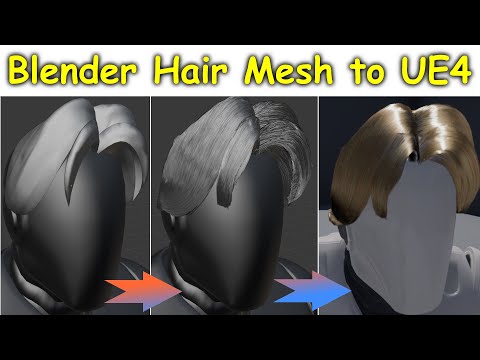
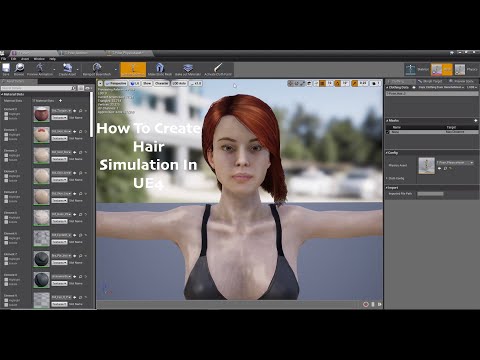
5 - "dforce stuffs: let's make clear "dforce outfits in most of the cases, are a different case from "true dforce stuffs like hairs or furs, while almost any dforce outfit will be exported to unreal without any issue, the "dforce stuff not gonna work" you must use unreal cloth simulation tool to make it work as you want, the case of hairs and furs which were made full using the dforce tool, not gonna be exported to unreal or not gonna work in anyway, because it is a daz only tool and unreal don't have any support for dforce tool, then becarefull when you trying to export your "furry character" or your fur outfit" and check if the "fur stuff" is a full dforce created or a dforce applied, which is the big different, in outfits most of the cases they are just applied a dforce weight material to create the "cloth simulation" they were not dforce created, in case of hairs and furs in most of the cases they were created using the "dforce tool" then no "real geometry being used" other than the daz editor, ofcourse you can find some 'rare cases' of dforce hairs or fur were the "effect is being applied" rater than being created then in that cases the hair or fur can exported and will work on unreal, but again you need to apply yourself the "fur and hair effects" using unreal tool or you can use the cloth simulation or you can use the new "alembic way to work on hair and fur, here a video about it:
new groom hair tool for unreal
old unreal way to simulate hair using the cloth simulation
choose the one which fit better your taste
here the image for a dforce hair example:

6 - optional for old outfits and stuffs from victory 4 and lower, while they can be "exported" to unreal almost without any issue, they do have the same issue as "props", for some reason the way they were rigged in old characters don't work in unreal it will read then as if they were "props" and will be floating around the character or move but not "proper deform if needed, well will be a mess then in this case i really don't know how to fix it because what i did was just using some compatible tools or applied then direct to "new daz characters" using the autofit then it changed how they are handled from the "old way" to a "more new" which work with unreal, well what i means which they can work with any generation above victoria 4 (genesis, genesis 2, 3 and 8) while not proper work on victoria 4 or under, here a image to know when dealing with then:

ok those are the most "basic info" about the comon type of stuffs you will be dealing with daz, now we are gonna for some more "extra info" about some specific stuffs, specially regards "poly count".
While in daz having a 1 million or more polygons(vertices) character or multiple characters with 1 million or more are not a big deal "aslong you have the "nasa pc" lol
 , because the render will not be in real time and you can sleep, eat, watch tv while your pc is "dying" or suffering in have to handle this "monster", the same can't happen in unreal since it is a "real time render" you have to have some "limitations" abou what you are loading and while you can inside unreal have let's say a big open world with billions and billions of polygons being loaded, not all of then are being rendered and in order to have a "fast render" for all objects you need to have "low poly stuffs being rendered to have a fast render in real time, i means which while unreal can let's say render fast a scene with let's say 10 objects with 100k vertices each, with a total of 1 million, the same is not true when rendering a single object with 1 million polygons, the singe object with 1 million will take more time and effort in the engine than the 10 objects with 100k each.
why i'm saying that, well it's because some (if not most) of the PA's specially the ones working on hair, like to use "heavy dense meshes, where a single outfit or piece of outfit or even a hair can have alone near 1 millon polygons or more, then pay attention when using those stuffs, in some cases unreal can't just import those "too heavy stuffs", it too much, then things like "fibermesh or strand based" hairs can be very problematic if you don't proper pay attention and make sure you are not loading "monsters", the same goes for some pa artists which love to make some "ultra realistic mega detailed outfits where even the "small buttom" or fur is a very complex mesh with hundred of polygons, then for the users which want max realism and ultra max details using Unreal to render will not be a good option as long it don't make it have to deal with millions of polygon in single character or stuff.
The good news is which Unreal is "working on tha front" and they have plans for the next big version of the unreal , Unreal engine 5, to be able to handle heavy dense poly objects as we already saw in they annoucement and trailer, they are working a new version to be able to handle singe stuffs with millions of polygons, but for now it still on the future (next year) and the current version are still not able to handle it, then if really want high realism and details a option would be "bake material" which i means get a "reduced version of the mesh" and using the high version create a baked normal which will have most of those details, it can work to make your "not high poly final model, look "almost like the same as the high one, have in mind which it don't work on all the cases, but can work in some of then.
then be carefull when loading a scene from daz to unreal to see if all the stuffs are not "too heavy" and if the unreal can support what you are trying to load.
i hope it can help anyone trying to use or deciding if they gonna use daz stuffs in unreal, to be clear not everything talked on this thread is 100% set in stone without any changes or possibilities but for now those are the "lmitations" when using daz inside unreal.
have a nice day and week and have some fun playing with daz stuffs on unreal, i can't promise have a answer to everthing but any question inside my knowledge i can try to answer.
ps: srry for bad english in case peoples are having any issue in reading my post, i swear i'm trying to learn and improve.
So, AW's Chloe - Genesis 3 only?This. I'm new enough that I've never used anything but g8,
I've been at this so long I remember the original Victoria.
Heck, I remember Poser 1, long before there was DAZ Studio, and DAZ was still called Zygote. There were, if memory serves, an artist's dummy, a vaguely human female character and male character, and a child. It was mainly for use as a drawing aid, and had no renderer to speak of. I think Victoria came out during the Poser 3 days, when the figures that came with Poser were christened by the users "Posette" and "Dork". (The male model was not the best, lol).
The very first Poser add-on program was something I wrote called "Morpher". That was so long ago I don't even know where the source is any more.
Congrats, I guess? With all that vast experience, any thoughts on the actual topic of this thread?
As far as for myself, like I said, I bought Chloe to support AW in the hopes that she'll make new g8 Textures eventually to add to my library of useable content, but as to the topic of this thread, from the perpective of someone who hasn't been around since the dawn of zygotes or whatever, I didn't expect I'd really use Chloe, but did try to load even just a basic g3F and it's pretty much unuseable without having been around to have ever purchased specifically g3 poses, morphs for even the most minor of tweaks, etc. Of course I have a small amount of wearables that were released with g3 and g8 bundled together, but it's still pretty much unusable compared to the massive amount of g8 content I apparently already take for granted...
Daz 3D is part of

Connect
DAZ Productions, Inc.
7533 S Center View Ct #4664
West Jordan, UT 84084Licensing Agreement | Terms of Service | Privacy Policy | EULA
© 2026 Daz Productions Inc. All Rights Reserved.