-
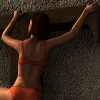
Blood Red outfit doesn`t work correct for my character / Shape Shift morphs
have loaded my character, copied it to a fresh loaded g3f, and went through the Shape Shift morphs and zerod one after another and on one morph the top looked correct then but then I copied my character again to the g3f figure and just zeroed this one morph that made the top looking correct after zeroing at the first time and nothing. So I guess it is a morph combination that causes this error.
Seeking Beta Testers for Genesis 2 Male charactersI guess basically use the product and see if you run into any issues (ie, missing files, seam issues, morph breaks, etc). And maybe do some test renders that might be usuable for promos.
Rune & Ivan 7oh I don't about the breasts I mean natural ones come in many different shapes and sizes and some pretty unique unusal ones too so much varity out there which is on a side note I'm glad recently we've had a few different breast morphs offered by pas with different shapes and styles and sizes finally, for awhile only different breast morph packs offered mostly on another site only really enlarged them didn't interest me I'm interested in different shapes and smaller natural large options not the fake extreme looking ones
Fitting G3F's clothes to G2F.To do the rigging transfer, load your G3F clothing then go to edit->figure->rigging->convert figure to weight mapping and select Triax and click "ok"
Then load either the G2F or a similar G2F clothing that would work the same way as the G3F you want on your G2F
(For example, the clothing you want to convert is a dress, then probably a G2F dress would be a better fit to transfer the rigging from)
If you load a G2F, don't do any morphing or resizing, just leave the character as default then go to edit->figure->Transfer Utility
On the left drop down for source, select you G2 item
On the right drop down for target, select your G3 item and click "Ok"
When it's done (only takes a few seconds) the G3 item should now autofit a G2 figure.
I use this method to re-rig clothing that I don't think works the way it should. Such as a loin cloth with a front and back flap that is rigged to the figures leg, I will transfer the rigging from the GenX Dress to it because the GenX dress has seperate bones for the front and back flaps to manually pose them however you want.
....................................................................................................Correct me if I'm wrong, but currently it looks like if I need to export an FBX with morphs I have to go in and manually type export rules for each morph I want to export.
...and from what I've read it has been like this for years with no improvement, no addition of check boxes, no option to rename morph targets on export, no check box for exporting only the morphs that are used, basically no common sense improvements to make the workflow less obtuse.
Who is responsible for the FBX export section of this software and what have they been doing all these years ?
In 3ds max we have maxscript, it means 3rd parties can develop functions that developers choose to ignore, or push down the priority list/
If this was 10 years ago I could understand the process being so manual, repetitive and time consuming, but this is the year 2016, the lack of export options is glaringly obvious.
It wouldn't be so bad if I could select the morph text in the export window and copy / paste it into a new rule, but even that simple logical process is not possible.
Surely there's a script that improves the export process to a more user friendly workflow.
I am asking the same thing--over at Reallusion people have noticed that the genesis DUF expressions do not work in FBX export and mine and others have tried to see if we can just revert back to the older DAZ verison--so far I haven't gotten a reponse back--one guy has waited a week or so with no answer in this regard...we are effectively now in a holding pattern in this regard...
In addition to the FBX modifications listed in the chage log for the current DS version ( http://docs.daz3d.com/doku.php/public/software/dazstudio/4/change_log_4_9_2_70 ) there are more changes in builds going towards the next release ( http://docs.daz3d.com/doku.php/public/software/dazstudio/4/change_log )
- Fixed ordering of FBX Exporter script API settings to correspond with the order of the options displayed in the UI
-----------------------------------
-
Fixed FBX export of non-transform property animation curves
-
Added support to the FBX exporter for distributing auto-follow base figure animation curves to fitted figures( i.e., clothing, hair, etc)
-
Fixed a potential crash in the handling of specialized PBR materials in the FBX Exporter
-
Fixed ordering of FBX Exporter option frame settings to match the order of the options displayed to the user
Rune 7 - looks same-old-same-old disappointingI think you guys are being a bit harsh.

I'm seeing some nice muscle tone and vasculatrity here. Maybe not the exact vein you where wanting but adding that in is pretty easy. And I think with the right settings the veins and muscle-tone will really pop and take a more center stage. I'm kind of loving this figure. I just wish I could aford to get her. lol
Not really.
More of the same; I haven't bought the last few as they didn't bring anything new. I bought the first 6 bundles for G3, after that it was more of the same and 7 series characters are expensive.
While I don't agree about the "more of the same", I do agree about the price. The 7 figures are quite expensive and don't even include the HD. For the base price we should be getting the HD included. Expecting us to fork over another $40 for the HD is just rediculous IMO.
PC+ membership + wait for sales. One pro bundle alone will pay off 3 months of PC+ membership while still saving money. I don't think I've ever paid more than $15 or so for a HD morph.
Blood Red outfit doesn`t work correct for my character / Shape Shift morphsI have tried adjusting the smoothing type; this has no effect at all on the problem.
Also, whilst the use of the shape shift morphs may aggravate the problem they can not be the main cause because I have a problem with the outfit but I do not have those morphs.
I have tried fitting the outfit to the base G3F figure and then adjusting the body shape morph. It seems to be OK with the main '7' characters but the problem appears, to varying degrees, with most, but not all, of the other body shapes I tried.
Fitting G3F's clothes to G2F.I'm interested in transferring clothes in opposite way: g3f to g2f, not g2f to g3f.
Doing a rigging transfer sounds good, but looks like my skills are poor yet for that. I would try, by the way, if I knew how to begin and what to do at least approximately. So, any ideas how to do it?
GENESIS 3 Iray Smart Converter And Advanced Managers (Commercial)Great!
You're welcome, just let me know if it does not work with the Geotransfer, I must recognised that I put so many filters in the objects which will be displayed in the list on which you can transfer (I have two full lines of conditions) that I'm not sure these geograft elements will appear. Well I can try to create and send a patch to you if it does not (I think simply have some conditions to delete).
It makes me really happy to read your feedback, I tried to make these skin tools as good and useful as possible, and when people use them often, it's a wonderfull reward for all the effort I put in them!
Mirror RingsI made a pipe. The pipe was made of a cyliner which I made thicker. Now I want to make a morph to make it longer or shorter.
Is there a function I could select the inside surface and the coresponding outside surface, without a hand selection.
Fitting G3F's clothes to G2F.I haven't tried it yet, but I would think the best way would be to do a rigging transfer either from g2f or from a similar g2 clothing item to the g3f clothing.
....................................................................................................Correct me if I'm wrong, but currently it looks like if I need to export an FBX with morphs I have to go in and manually type export rules for each morph I want to export.
...and from what I've read it has been like this for years with no improvement, no addition of check boxes, no option to rename morph targets on export, no check box for exporting only the morphs that are used, basically no common sense improvements to make the workflow less obtuse.
Who is responsible for the FBX export section of this software and what have they been doing all these years ?
In 3ds max we have maxscript, it means 3rd parties can develop functions that developers choose to ignore, or push down the priority list/
If this was 10 years ago I could understand the process being so manual, repetitive and time consuming, but this is the year 2016, the lack of export options is glaringly obvious.
It wouldn't be so bad if I could select the morph text in the export window and copy / paste it into a new rule, but even that simple logical process is not possible.
Surely there's a script that improves the export process to a more user friendly workflow.
I am asking the same thing--over at Reallusion people have noticed that the genesis DUF expressions do not work in FBX export and mine and others have tried to see if we can just revert back to the older DAZ verison--so far I haven't gotten a reponse back--one guy has waited a week or so with no answer in this regard...we are effectively now in a holding pattern in this regard...
Blood Red outfit doesn`t work correct for my character / Shape Shift morphsSorry it is not only this morph, seems to be a combination of Shape Shift morphs
Blood Red outfit doesn`t work correct for my character / Shape Shift morphsThere does appear to be a problem; I have raised a support ticket with Daz. It seems to depend which figure is used. From left to right, Isa, Lexi, Rune:
I have created my character with Shape Shift for G3F and the morph that causes the result in the image I have posted it the genital size morph
Blood Red outfit doesn`t work correct for my character / Shape Shift morphsWell, have found the morph that causes that result. It is a morph of the shape shift product by Zev0 - Genital size morph
Ghastly's Ghastly Freebees. (Ghastly's Gizmo-trons)It's essentially a public domain figure that you're free to use however you want and a program that's used to create morphs for it.
Well, I meant your things.. like you made the Rig-a-tony as a rigging tool...your make a human stuff is just the default, no?
Yes, the makeHuman figure I rigged is just the un-modified default Makefigure figure with the "Generic Female" topology mesh exported with Teeth Base, Eyebrow001, and Eyelashes01, and tongue geometries. So if you dail up a character in MakeHuman, then export it as an OBJ with scale in centemetres and use the Generic Female mesh with teeth base, eyebrow001, eyelashes01, and tongue then it will work as a morph for the MakeHuman figure I rigged.
Rune & Ivan 7Poses will always need adjustment unless you keep your figures close to default shape and style. With male poses I often adjust hands and feet, and arms. I don't really see a way around that since most people's taste in figures varies considerably and a lot of people customize the figures away from default.
I agree. I always think of any pose as my starting point. I think I've done one render where the pose was used as is. (The male in Baggage. And the coat he's wearing had a matching morph!) I don't like my women to be as tall as the men, so any couples poses need a lot of extra work adjusting for the shorter female. (Yep. Dial down the height!)
IRay Compositing?I'm on my small screen (13") laptop at the moment and I can't really see any quality drop-off. It makes me wonder why the big textures are needed at all but it goes to show that it would be a good idea - as already suggested - for PAs to include the smaller options.
I know that ImageMagick runs on OSX so this could possibly work for Mac users too.
NIce work on the washing machines, btw. Maybe give the tub (the internal cylinder with holes) and the coin box a polished steel surface? Are the multiple machines instances and would that make a difference for VRAM demands?
Yes, ImageMagick runs on just about everything. And source is available if you find something it doesn't run on! Which is one of the reasons I chose it.
As far as the Washing Machine, all the materials can be modified, pretty easily. The coin-box details texture is what got futzed by ImageMagic.....so the coin box won't look right in the small res textures version. Look at the full size textures version. It should have a brushed metal appearance. I tried very hard to keep the materials well separated and logical. Also, it is fully rigged (lid opens and closes, drum turns, agitator turns, coin-return button has a morph for pressing in....) and I will include the PSD file with the layers to make the LED display so you can easily adjust what is being displayed......
Interesting comparison. The other difference I see (apart from the one you mentioned) was the white shelf that runs behind the machines. The texture looks very pixelated in the second picture, which I assume is due to its texture being too small.
Yep. That particular one uses a fairly small texture. In that particular instance, it'd be better served with a 'marble' procedural texture....no map needed at all. I think the original texture was 512x512, so at 1/4 res, it was only 128x128. Got pretty aliased. For a true 'final' render, I'd change that one texture to use it's full version, or switch it to a procedural.
Could the script look at the original size before it makes them smaller? If below a certain threashold, the script could leave them alone.
I considered doing that. But I didn't want to over-complicate the resizer. It has a very simple set of options: Generate Medium, Generate Small, Generate Both. And I'm adding the path to the resizer executable (should also save the last value so it stays after it is set once.) The small size images, while the chance of them having issues is bigger, isn't something I wanted to decide FOR the user. And they take very little additional space comparatively. To simplify things (so less could break) I leave that up to the user to handle.
Best usage would be to run the script and resize both, then go through the texture directory and preview each of the '_sml' textures....and if you see pixellation or significant degredation, just copy the '_med' image over the small one.
I should also note that I saw very little benefit when going from medium to small. In fact, I saw a small increase in memory usage (due to the compression system.) So unless you are using it on something with VERY large textures (4k x 4k or LARGER) I wouldn't even bother with the small size.
New Release: Genesis Generation X2 (upgrade ends soon) [Commercial]I hope the new Generation X2 can do a better job than the transfer utility for Genesis 3. Right now pretty much every morph I have tried to transfer using the Transfer Utility gets messed up in some way. The body transfers ok, but the faces, particularly the eyes, are not correct, and frequently it is impossible to close the eyes on a transferred morph.
Chin Dimple for Victoria 4.2Morphia has a chin dimple morph. http://www.daz3d.com/morphia
Fantastic!. I'll have a look at that. Thanks.
Daz 3D is part of

Connect
DAZ Productions, Inc.
7533 S Center View Ct #4664
West Jordan, UT 84084Licensing Agreement | Terms of Service | Privacy Policy | EULA
© 2026 Daz Productions Inc. All Rights Reserved.