-
How To Make Her Smile? (Mini-Tutorial) ... sort of
Hi, today we want to talk about expressions.
Expressions are very important.
Having purchased a lot of expressions and not happy with those?
This is why.
Those expressions, you've purchased are mostley great, but they are not for every character in your library, because every character needs its specific set of expressions.
What looks good on the G8Female, might look aweful on Victoria 8. Like in real life, nobody has the same smile.
Sorry I'm not a big help here, but I can try to encourage you to create your own expression sets.
Sorry again, it will take work.
here is my Roxy character with zero expressions:Outfit from IDG's Chair Time V4 I and II promos? [SOLVED]man, that is a blast from the past. This is the outfit https://www.renderosity.com/mod/bcs/clothing-assembly-1-for-v4/91781/
Oh my gosh, THANK YOU!

I knew it had to be from a good while back and couldn't remember ever seeing it here, or at RDNA to be honest, and I completely missed it when I was checking over at Rendo earlier today. I guess that's what happens when you ask a site to show you every garment it has for Victoria 4, of all characters, the brain just shuts down after a while.
It's in my cart and on its way to checkout! I've been looking for a long time for something with that style of collar, closure, and cut for a character costume. This has got an easy line to follow for the transmap I'm going to need, put it over something that has sleeves, a little tug here and there with Mesh Grabber, blend the textures, put armor and a cloak on top, and no one will be any the wiser (or so I tell myself).
Thank you so much, once again! :D
[Released] RSSY Clothing Converter from Generation 4 to Genesis 3 [Commercial]First, sorry for my english level. I'm trying to convert moroccan dreams (michael 4 and victoria 4) and i got only errors. Thanks for your help.
14:34:46 GMT+0200 (Hora de verano romance): WARNING: Forcing Conversion of Clothing Items
14:34:46 GMT+0200 (Hora de verano romance): Executing Script
14:34:46 GMT+0200 (Hora de verano romance): Selecting Preset: D:/DAZ3D/My DAZ 3D Library/Runtime/Libraries/Character/MoroccanDreams/M4MrDDjelaba.cr2
14:34:46 GMT+0200 (Hora de verano romance): Input Filename does not have "clothing" in its path: D:/DAZ3D/My DAZ 3D Library/Runtime/Libraries/Character/MoroccanDreams/M4MrDDjelaba.cr2
14:34:46 GMT+0200 (Hora de verano romance): Input Filename does not have "accessories" in its path: D:/DAZ3D/My DAZ 3D Library/Runtime/Libraries/Character/MoroccanDreams/M4MrDDjelaba.cr2
14:34:46 GMT+0200 (Hora de verano romance): Found alternate root directory "Character"
14:34:46 GMT+0200 (Hora de verano romance): Converting clothing from D:/DAZ3D/My DAZ 3D Library/Runtime/Libraries/Character/MoroccanDreams/M4MrDDjelaba.cr2 to D:/DAZ3D/My DAZ 3D Library/People/Genesis 3 Male/Clothing/M4toG3/MorrocanDreams/MoroccanDreams/M4MrDDjelaba.duf
14:34:51 GMT+0200 (Hora de verano romance): Could not set conversion morph
14:34:52 GMT+0200 (Hora de verano romance): Execution Cancelled.
14:34:52 GMT+0200 (Hora de verano romance): Execution Complete.
First @diegocancela, I am sorry. I just saw this now. If you post a Daz Log, I can try and see what is the matter.
How to load a character faster? [solved with a workaround]The thing is I would think that this is a problem for Daz. If the more a customer spends on products, the worse the customer's experience using the products becomes, then improving that experience should be a pretty high priority for Daz. It's not for no reason that Daz demos are done on systems with tiny libraries. Showing how long it takes a regular customer to load a character would look really bad. If my early experience using Daz had been like my current experience, I probably would have given up on it back then.
This. Exactly!
This is a solvable problem. The fact of the matter is that nobody uses more than 1% of their morphs at any one time. At least I don't. I don't need Daz to load morphs for 400 characters so they can be on "hot-standby", ready in case I want to dial in some Victoria8. Daz can load them when I want to use them. I'll wait the extra 20 seconds.Daz could have 2 modes, the "heavy" mode that loads everything and people expect to wait 10 minutes to load a character and the "light" mode where Daz loads nothing other than what's being used in the scene, so every time you access some morphs, you take a hit waiting for them to load.
While all these workarounds are nice, I keep thinking "don't we have computers to do that?".
That wouldn't work as DS needs to read all of the morphs and set up their links (which is, I think, the tiem consuming bit) so that when morph A iss et it knows what else needs to be set.
The thing is I would think that this is a problem for Daz. If the more a customer spends on products, the worse the customer's experience using the products becomes, then improving that experience should be a pretty high priority for Daz. It's not for no reason that Daz demos are done on systems with tiny libraries. Showing how long it takes a regular customer to load a character would look really bad. If my early experience using Daz had been like my current experience, I probably would have given up on it back then.
This. Exactly!
This is a solvable problem. The fact of the matter is that nobody uses more than 1% of their morphs at any one time. At least I don't. I don't need Daz to load morphs for 400 characters so they can be on "hot-standby", ready in case I want to dial in some Victoria8. Daz can load them when I want to use them. I'll wait the extra 20 seconds.Daz could have 2 modes, the "heavy" mode that loads everything and people expect to wait 10 minutes to load a character and the "light" mode where Daz loads nothing other than what's being used in the scene, so every time you access some morphs, you take a hit waiting for them to load.
While all these workarounds are nice, I keep thinking "don't we have computers to do that?".
I can understand why it has been made the way it is, but planning ahead has been forgotten... It's like Poser Content Management... Works as long as you don't have too much content.
The solution could be one text file which contains the dial labels for installed content and when loading a character, DS would read the dial labels from that file instead of searching through each and every morph-file for the dial label and possible references to other morph-files to read.
The actual morph-files would not be read until the user tries to use one.That sounds like the ExP system used for Victoria and Michael 4, keeping the list updated was a pain for many users.
I don't know why Daz doesn't fix this issue. I now literally think twice before buying a new character or morphs because I know that every purchase slows things down a little bit more.Fix how? It isn't that something isn't working, it's a matter of managing a large volume of data.
Instead of loading everything every time, DAZ Studio should only load things as they are accessed. The morphs should load the first time somebody slides one of the dials. It would create latency the first time somebody slid one of the dials, but the overall amount of time waiting would be decreased.
It has to load everything to know which sliders to offer, and which sldiers should trigger other sliders.
Merging the new info could be done with a batch file, or the information could be stored in Runtime\Support per product, which would still reduce the overall number of files to be read from 50-100 to just one file per product.
ExP used a batch file. As far as I know, looking at what is actually active, it's not ehf ile readin per se that is the bottleneck.
I don't know why Daz doesn't fix this issue. I now literally think twice before buying a new character or morphs because I know that every purchase slows things down a little bit more.Fix how? It isn't that something isn't working, it's a matter of managing a large volume of data.
If Daz's database software were multithreaded it could load in all that data more quickly. My cpu has plenty of cores, but only one of them is doing all the work when I load a character.
I don't believe this is limited by the database, it's setting up and establishing links between all those properties.
Daz Studio Pro BETA - version 4.12.2.60! (*UPDATED*)Sorry if it's been asked or in another discussion somewhere. Has anyone else had or having issues with content in Daz Studio not working, but working if you download and install through DIM? To help clarify I installed content through/ inside Daz Studio directly and most worked, but some would not work and kept giving me error logs. So I downloaded and installed through DIM and the content worked fine.
"Installing through DAZ Studio" is using the built-in Connect system. Yes, there are a few things it can't handle right now and must be installed with DIM. IIRC it's some plugins, and the Generation 4 figures (Michael 4, Victoria 4, Kids 4, etc.) all of which are pre-Genesis, because their morphs must be installed in a way Connect can't handle. They'll install, they'll load, they just won't work. <headdesk>
Understood, thanks for the reply.
How to load a character faster? [solved with a workaround]The thing is I would think that this is a problem for Daz. If the more a customer spends on products, the worse the customer's experience using the products becomes, then improving that experience should be a pretty high priority for Daz. It's not for no reason that Daz demos are done on systems with tiny libraries. Showing how long it takes a regular customer to load a character would look really bad. If my early experience using Daz had been like my current experience, I probably would have given up on it back then.
This. Exactly!
This is a solvable problem. The fact of the matter is that nobody uses more than 1% of their morphs at any one time. At least I don't. I don't need Daz to load morphs for 400 characters so they can be on "hot-standby", ready in case I want to dial in some Victoria8. Daz can load them when I want to use them. I'll wait the extra 20 seconds.Daz could have 2 modes, the "heavy" mode that loads everything and people expect to wait 10 minutes to load a character and the "light" mode where Daz loads nothing other than what's being used in the scene, so every time you access some morphs, you take a hit waiting for them to load.
While all these workarounds are nice, I keep thinking "don't we have computers to do that?".
That wouldn't work as DS needs to read all of the morphs and set up their links (which is, I think, the tiem consuming bit) so that when morph A iss et it knows what else needs to be set.
The thing is I would think that this is a problem for Daz. If the more a customer spends on products, the worse the customer's experience using the products becomes, then improving that experience should be a pretty high priority for Daz. It's not for no reason that Daz demos are done on systems with tiny libraries. Showing how long it takes a regular customer to load a character would look really bad. If my early experience using Daz had been like my current experience, I probably would have given up on it back then.
This. Exactly!
This is a solvable problem. The fact of the matter is that nobody uses more than 1% of their morphs at any one time. At least I don't. I don't need Daz to load morphs for 400 characters so they can be on "hot-standby", ready in case I want to dial in some Victoria8. Daz can load them when I want to use them. I'll wait the extra 20 seconds.Daz could have 2 modes, the "heavy" mode that loads everything and people expect to wait 10 minutes to load a character and the "light" mode where Daz loads nothing other than what's being used in the scene, so every time you access some morphs, you take a hit waiting for them to load.
While all these workarounds are nice, I keep thinking "don't we have computers to do that?".
I can understand why it has been made the way it is, but planning ahead has been forgotten... It's like Poser Content Management... Works as long as you don't have too much content.
The solution could be one text file which contains the dial labels for installed content and when loading a character, DS would read the dial labels from that file instead of searching through each and every morph-file for the dial label and possible references to other morph-files to read.
The actual morph-files would not be read until the user tries to use one.That sounds like the ExP system used for Victoria and Michael 4, keeping the list updated was a pain for many users.
I don't know why Daz doesn't fix this issue. I now literally think twice before buying a new character or morphs because I know that every purchase slows things down a little bit more.Fix how? It isn't that something isn't working, it's a matter of managing a large volume of data.
Instead of loading everything every time, DAZ Studio should only load things as they are accessed. The morphs should load the first time somebody slides one of the dials. It would create latency the first time somebody slid one of the dials, but the overall amount of time waiting would be decreased.
It has to load everything to know which sliders to offer, and which sldiers should trigger other sliders.
Merging the new info could be done with a batch file, or the information could be stored in Runtime\Support per product, which would still reduce the overall number of files to be read from 50-100 to just one file per product.
How to load a character faster? [solved with a workaround]The thing is I would think that this is a problem for Daz. If the more a customer spends on products, the worse the customer's experience using the products becomes, then improving that experience should be a pretty high priority for Daz. It's not for no reason that Daz demos are done on systems with tiny libraries. Showing how long it takes a regular customer to load a character would look really bad. If my early experience using Daz had been like my current experience, I probably would have given up on it back then.
This. Exactly!
This is a solvable problem. The fact of the matter is that nobody uses more than 1% of their morphs at any one time. At least I don't. I don't need Daz to load morphs for 400 characters so they can be on "hot-standby", ready in case I want to dial in some Victoria8. Daz can load them when I want to use them. I'll wait the extra 20 seconds.Daz could have 2 modes, the "heavy" mode that loads everything and people expect to wait 10 minutes to load a character and the "light" mode where Daz loads nothing other than what's being used in the scene, so every time you access some morphs, you take a hit waiting for them to load.
While all these workarounds are nice, I keep thinking "don't we have computers to do that?".
That wouldn't work as DS needs to read all of the morphs and set up their links (which is, I think, the tiem consuming bit) so that when morph A iss et it knows what else needs to be set.
The thing is I would think that this is a problem for Daz. If the more a customer spends on products, the worse the customer's experience using the products becomes, then improving that experience should be a pretty high priority for Daz. It's not for no reason that Daz demos are done on systems with tiny libraries. Showing how long it takes a regular customer to load a character would look really bad. If my early experience using Daz had been like my current experience, I probably would have given up on it back then.
This. Exactly!
This is a solvable problem. The fact of the matter is that nobody uses more than 1% of their morphs at any one time. At least I don't. I don't need Daz to load morphs for 400 characters so they can be on "hot-standby", ready in case I want to dial in some Victoria8. Daz can load them when I want to use them. I'll wait the extra 20 seconds.Daz could have 2 modes, the "heavy" mode that loads everything and people expect to wait 10 minutes to load a character and the "light" mode where Daz loads nothing other than what's being used in the scene, so every time you access some morphs, you take a hit waiting for them to load.
While all these workarounds are nice, I keep thinking "don't we have computers to do that?".
I can understand why it has been made the way it is, but planning ahead has been forgotten... It's like Poser Content Management... Works as long as you don't have too much content.
The solution could be one text file which contains the dial labels for installed content and when loading a character, DS would read the dial labels from that file instead of searching through each and every morph-file for the dial label and possible references to other morph-files to read.
The actual morph-files would not be read until the user tries to use one.That sounds like the ExP system used for Victoria and Michael 4, keeping the list updated was a pain for many users.
I don't know why Daz doesn't fix this issue. I now literally think twice before buying a new character or morphs because I know that every purchase slows things down a little bit more.Fix how? It isn't that something isn't working, it's a matter of managing a large volume of data.
Instead of loading everything every time, DAZ Studio should only load things as they are accessed. The morphs should load the first time somebody slides one of the dials. It would create latency the first time somebody slid one of the dials, but the overall amount of time waiting would be decreased.
It has to load everything to know which sliders to offer, and which sldiers should trigger other sliders.
Daz Studio Pro BETA - version 4.12.2.60! (*UPDATED*)Sorry if it's been asked or in another discussion somewhere. Has anyone else had or having issues with content in Daz Studio not working, but working if you download and install through DIM? To help clarify I installed content through/ inside Daz Studio directly and most worked, but some would not work and kept giving me error logs. So I downloaded and installed through DIM and the content worked fine.
"Installing through DAZ Studio" is using the built-in Connect system. Yes, there are a few things it can't handle right now and must be installed with DIM. IIRC it's some plugins, and the Generation 4 figures (Michael 4, Victoria 4, Kids 4, etc.) all of which are pre-Genesis, because their morphs must be installed in a way Connect can't handle. They'll install, they'll load, they just won't work. <headdesk>
Trying to Convert V4 'SciWizard' to G8F with the RSSY Converter.So I finally bought the Sciwizard bundel, clothes for M4 and V4 + the cloaks yesterday, only to find out that they didn't fit on my characters at all, despite trying auto-fit and tried morphing the clothes itself. So today I bought the 'RSSY Clothing Convereter from Victoria/Michael 4 to Genesis 8'
Yet strangely enough I almost couldn't find the Sciwizard bundle and once i did find the files, it says ' No clothing files detected.'
Does anyone have any tips or tricks.
More info that might be relevant; I don't own M4 or V4.Pick a Daz Character to be your significant other. + QuestionsGot to be Brooklyn HD (surprise!). She has quite an enigmatic look. Lots of Raiya characters are like that.
 DELETE"Labor Day Weekend Mega Sale"
So... Stacking discount flash sale incoming, perhaps? Seems rather tame otherwise, although I suppose there could be some rarely discounted gems in the sale selection. Any shout-outs to good buys?That depends entirely on what you're looking for, and what you'd consider a good discount.
Grabbing multiple G3 items from the featured artists results in a 64% discount on them. It's not fast-grab good, but wouldn't call it bad either. Iray Smart Converter and Advanced Skin Managers for Genesis 3 used to be very popular, but don't ask me whether the people who raved about it for several years (yes, several!) since it was first released still use it or whether it works with G8, or whether there's an even better similar product now.
Genesis 2 items from the Featured Artists combine to a 68% discount. But, most of these are not iray, so they will need some texture rework.There are also some other things than clothes available. A couple of vehicles and environments, mostly. But, some of the older scenes are pretty nice if you convert them to iray.
Most older products can be converted to Genesis 3 and/or 8. The biggest exceptions are footwear (sadly.. Sometimes it works, but generally, I just don't bother) and scripts. And with older Victoria products, you have to check around whether they actually work in Daz Studio. Some things, like dynamic clothing and fur, won't work in Daz Studio unless DS is specifically listed. Poser scripts (like in Terradome 1 & 2) also won't work in Daz Studio (Terradome 3 is Daz Studio only on the other hand).Still there are some very nice and useful things hidden there, it just might take some effort to use them, but it can be nice to create something that people won't recognize easily, and would take some effort for others to duplicate.
Can I post on youtube???As far as 2D renders go, whether they are still or aniamted, the only product with specific restrictions is the ol Anne Marie Goddard Digital Clone for Victoria 3. other than that, as long as it isn't a way to redistribute the original produce (a flat render of a texture file, for example) you can do as you wish with still images and videos.
Hylas' corner

Raaaaaawwwwrrr!!! Feel the heterosexuality!
If you like the lighting in these scenes you can download the HDRI here.
Freebie credits:
Wrestling Ring by Reika Kano: http://www.sharecg.com/v/30946/browse/11/Poser/Wrestling-Ring
Speedo by Amy Aimei: http://www.sharecg.com/v/21812/poser/Beach-Volleyball-Set-for-Amy-for-Aiko-3
Background by sedartonfokcaj: https://www.deviantart.com/sedartonfokcaj/art/Freebie-Crowd-Background-569639918
Wrestling poses by AFWFAN: https://sharecg.com/v/69278/browse/9/Plug-in/Genesis-Victoria-567-8-wrestling-poses-Sep17#
Tattoo by Dave: https://www.renderosity.com/mod/freestuff/tattoo-add-on-for-gdu-erastus-for-genesis-3-male/76286More Non-photorealisitic Renders (NPR II)
I'm a wee out of practice. But now that we're all moved in and the dust has settled I can get back to it.
Getting some more mileage out of Genesis 1.
HAH! I had to laugh when I read that. I guess it's all a matter of perspective. I just dusted off Stephanie Petite 3 to get some mileage out of her! I did it to shake up my work a bit, so that there would be some significant differences between the lead female in the car illustration and with the other women in my work, which is almost always Victoria 4. As for your work, I think it worked nicely. There is a softness to the chin that is very alluring, and your skin tones and blouse texture are very pleasing.
Victoria 7 clear my smart contentI bought this for Genesis 3 Female,but the smart content was empty when finish the installation from daz center.and it alarmed that Genesis 3 starter essentials is missing.

victory is left only in my smart content.
I fixed the smart content promblems by reinstall the Genesis 3 starter essentials and other starter essentials,but the Victoria 7 still alarmed and cann't be used.
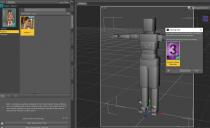
What should i do?
Celebrity Look-a-Likes for 3D figures Part 2I've noticed that many of the Digital Creations celeb look a likes have their actual measurements way off when you use one of the tools, such as figure metrics, to measure them. For example, Digital Creations Celeb Series 23 is 5'11, 37" bust, 26" waist, and 39" hips according to the masurements with figure metrics. The real woman it resembles has her measurmenets listed as 5'7" tall and 34-24-34 or 35-24-34 in most sources, including her agency. CS42 is 7 or 8 inches too tall and her other measurments are off also. I've noticed simialr things with a few others that I measured. Its something to keep in mind if you are tyring to create a more realistic scene with those characters.
I haven't measured any of the celeb look a like charachters from other sources yet.
Try scaling down the figure to the actual person's height and then seeing how closely all the other measure metrics statistics match up. There is a major incentive against deviating (especially in terms of height) away from Genesis base/popular figure dimensions in the creation of a custom (eg. real-wolrd based) figure shape since donig so wreaks havoc on your ability to make use of 99% of the 3rd party pose collections out there (since they are virtually all designed around a particular Genesis generation's base/singlemost popular character shape - eg. Genesis 8 Female/Male base or Victoria/Michael 8.) The most elegant workaround for this is to start out with a base character shape adjusted to resemble the real-world reference in height/body dimensions as closely as possible, build the likeness' details, and then - at the very end - scale the overall character morph back to being as close to that original base model's height/body dimensions as you can live with. That way people can use it without having to rely solely on their own custom morphs - especially in the context of multiple character scenes (where needing to customize each and every element in all multi-character/character + props pose presets becomes a huge chore.)
Myself, whenever I'm creating a likeness character, to deal with this I always like to create a separately dialable "Character_X True Body Scale" submorph so that I can select between true realism and practical realism in creating actual scenes.
What is the name of this character? Where can I find this character?She reminds me of Lydia HD for Victoria 7 (same ears, etc.), but she could have some other morphs mixed-in.
https://www.daz3d.com/lydia-hd-for-victoria-7"There's Always Another Sale™" (Report sales issue here.)Swirlie in the HD items carousel should be Victoria 8. (Wrong product ID in the page code). The "Shop all Items" page is okay, so not really a big deal. It just bugs me, and will be there for a week, swirling...
doubt about adding models and addonsThe anatomical elements work on all adult characters using the same base figure - e.g. the Genesis 8 Female set works on the Victoria 8, Stephanie 8, Rory for Genesis 8 female(s) and so on characters - as long as they include materials for the anatomical elements.
it must be due to the lack of these "pro" models, so the plugin I bought should not be working either.
vlw even to both for the help: Ddoubt about adding models and addonsThe anatomical elements work on all adult characters using the same base figure - e.g. the Genesis 8 Female set works on the Victoria 8, Stephanie 8, Rory for Genesis 8 female(s) and so on characters - as long as they include materials for the anatomical elements.
Daz 3D is part of

Connect
DAZ Productions, Inc.
7533 S Center View Ct #4664
West Jordan, UT 84084Licensing Agreement | Terms of Service | Privacy Policy | EULA
© 2026 Daz Productions Inc. All Rights Reserved.