-
Women 'wearing stuff' morphs
I want Georgette and Ivana type characters. I use the 'breasts small' morph and though they are probably still left larger than average that's a 100% improvement. Nothing wrong with Morgana the Kissing Bandit and Dolly Partin but for every character it's like, eh, OK.
As far as the clothing goes I've seen lots of lovely skin, hair, and eye renders ruined by fake looking clothing on male and female models. The biggest problem being that the clothing looks like it has a vinyl sheen of some sort and the colors are too pure and bright, as if they were wearing these neon safety colors of construction workers.
M4 and V4 items on sale for $4I agree there is still a lot of usefullness out of the v4/m4 products. Even if you don't transfer them to the newer figures which I have done with some, the base v4/m4 figures are still very useful to have and there are some great looks that don't even come close to what is happening with the new figures. I happen to be very glad they are here and plan to get a lot of mileage out of the ones I am buying.
Totally baffling descriptions on Runtime DNA productsGah. I love the RDNA products and that we're getting them at great prices, but the descriptions of the products are often so bad that it feels like I'm buying bootleg products in a flea market from Jon Lovitz old Lying Guy SNL character. And since the products disappear from RDNA as soon as they move here, it's a royal PITA trying to find out what's really going on. Good example is the OMG! The Bettys pack that's in today's sale. Completely missing from the DAZ description is this huge block of text that was in the RDNA version:
OMG it's the Bettys is a set of custom sculpted whole body morphs for V4 specifically for creating female Clowns. The set consists of head/Neck and body morphs that enable you to create a virtually infinite variety of Cheery, Sad or Creepy Maids of Mayhem to inhabit your renders ...or your nightmares. The morphs have been created to compliment Mortem Vetus's Betty character and her associated free skins and addons.
So Come join the "Carnival of Coulophobia" and create Maids on Maniacal Mayhem, See the wonders of Betty and all her alter Ego's !
This product is a set of Morphs ONLY! there are no Skins etc included in the pack!
Requires No additional morph packs!
OMG it's the Bettys comprises of
1. 11 custom head and neck morphs
2. 4 custom whole body morphs
these morphs should all be applied at the "Body" level and NOT at the individual body part level using the grouped dials provided!
There are NO skins or textures included in this morph pack, all the textures used in the promos are from Mortem Vetus's Betty pack and associated freebies and skins! Due to the number of morph combinations and dial variations it has not been possible to account for eye/teeth movement in all cases therefore it may become necessary to repose the eyes or teeth to get optimal renders. the eyes can be repositioned etc by unhiding their hidden dials. A pose file has been included to enable you to do this!
PLEASE NOTE THIS PRODUCT IS NOT DAZ STUDIO COMPATIBLE
So, not only does the DAZ cat page not even mention, let alone link to, the required products, but the DAZ description says this is now a DS compatible product, so has someone done a conversion from whatever non-DAZ compatible format it was originally in?
Ayleth for G3F -- What about the hair?Yeah, the hood fits almost every hair I threw at it.
If you have problems with hats I can suggest the tottally hipster outfit. It has a hat fixer that I now use with all the hats I own. I don't know if there's anything similar out there but I'd really like to know.
Can you describe "hat fixer"?
The problem I have is that hair should morph to fit the hat/hood, not the hood to the hair. :(
You just load the hatfixer to the character and then load the hair. The hat fixer has parameters to deform the hair to fit under hair. Pretty easy.
How to create bend morphs?The general approach is to export the model with the bend that needs correction applied (at base resolution if it has SubD applied) - either literally using File>Export or using GoZ or the Hexagon bridge. Adjust the mesh without adding or removing anything and send back to DS - via the Bridge or by saving the modified OBJ and importing with Morph Loader Pro (from Edit>Figure) - with Reverse Deformations on in the options (this separates the fix morph from the bend). Set the imported morph to 1 or 100% (depending on display options), right-click in the Parameters pane and set it to Edit mode, then right-click on the bend slider and select ERC Freeze: the only thing listed in the controlled properties should be your new morph, if not deselect the others properties and click Accept. Make sure that the morph behaves as desired, if it does use File>Save as>Support Assets>Moprh Asset to save it.
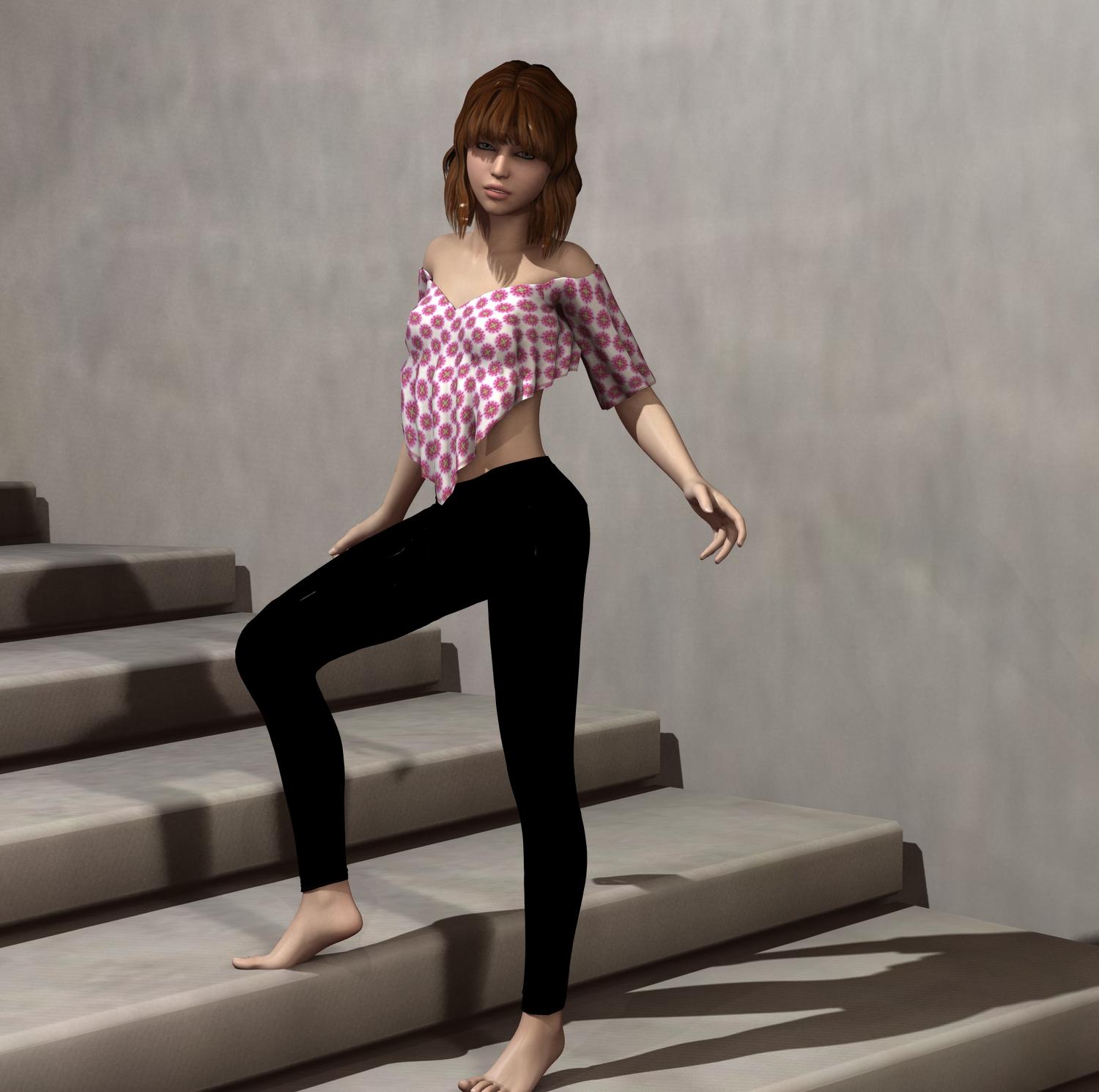
My Renders, Now I can go to bedChecking out some downloads, mainly the stairs and wanted to see how the lights that came with the stairs looked like
3DL render G1F (teen morph I dialed/saved)
 WTF? BOTMOTO NOT WORKING?
Un-F-ing-Believable. I am literally stunned. I fixed the problem, now everything is working, but I'm still just stunned. The issue, the reason the bike wouldn't load properly, was because of one tiny mistake in the data files. Not just the main geometry file, no this was in all of the files in the /data directory - the geometry file, the uv file, even the morph files. It boggles my mind that an error this small, this insignificant, could break a product so completely.
And what was that error? What was the teeny tiny mistake that triggered hours of effort, trying to fix a clearly broken product?
This entry: ' "author" : "Parris", ' under the contributor section was missing the comma at the end of the line!! I'm not kidding, that was the only thing wrong with the files.
So now, after inserting an appropriate comma in to all of the data files, BotMoto is working perfectly.
Mind Blown.
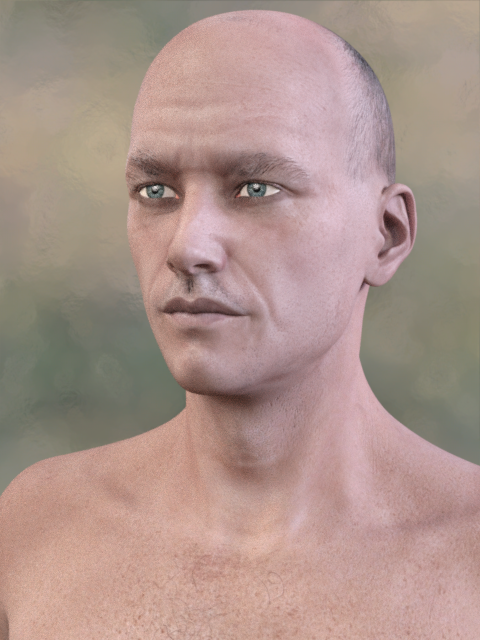
George HD SuccessI'm very fond of using George's shape to add aging details and/or face weight too. I've seen plenty of my own efforts as well as the great images on this thread, and I've seen George slimmed down here and elsewhere usng his morph sliders too. It occurred to me that I don't think I've ever seen what his skin looks like on a slim person with none of the added morphs or HD, so here George is on Michael 7 (erm... George Michael :) ). He's just as handsome without the pie habit, but I do think losing it makes him look a bit older, which is no bad thing when that's what you're after. I've had to wishlist his expansions for the moment (the idea of expanding someone the size of George made me smile when I saw it too :) ), but even without them he's an incredibly versatile character and is one of those I use the most.
 *How to Put a Morph (ERC) Dial on a Pose*
mythmaker says
"Unfortunately we're not allowed to name/rate/review the bad apples so customers will have to learn from experience"
who says so ?
It depends on which bits of the apple are being mentioned. The more superficial/ skindeep the rot being complained about the less reactivity! I think anyway!
A healthy marketplace can only happen with genuine product review mechanism. I don't know how the PAs get real feedback except from sales and random forum gossips. Not scientific.
How did this apple discussion got in here anyway? lol

Keeping on topic...
Some basic tips for DS newbies...
Pose controls are consider morph assets in DS.
G3F pose control naming now has has a 'p', so enter pCTRL instead of just CTRL.
Also I'm mulling on over-generating pose controls and thus rosking potential pose presets having 'missing controller' issue? Is there such a thing?
Now I save 1-frame pose presets without pose dials and see if that works better... I like visual cue of thumbs!
First look at this freebie;I wish more people were making stuff for V4 and M4, especially stuff that doesn't need morph packs as I'm too poor to buy them at the moment!
Looks like a pretty cool morph, byt the way.
Guess the model?Couldnt tell you about the morph, but the texture definitely looks like Eva 7 to me
(my guess is the morph is probably custom)
Long clothing collar distorts when the neck of the figure twists, please helpSo I took an M4 shirt and did some modeling changes in Carrara to make it fit on Genesis1, looks great, so I imported the obj of the shirt into Studio and used Transfer Utility to rig it onto Genesis1.
Everything works like a dream, except the for the very long collar that sticks up. When I twist Genesis1's neck, the autofollow doesn't seem to 'reach' all the way to the two tips of the collars, so all of the collar moves with the Genesis1 except the 2 collar tips, which seem stuck in place, and obviously this causes distortion and looks weird.
What's going on here, and what do I do to fix it? Looks like the collar is too large for the field/sphere/area of influence of the autofollow?
I'm pretty ignorant on Studio, so hopefully this is something simple that I'm overlooking.
Novica & Forum Members Tips & Product Reviews Pt 7I bought Legacy UVs for Genesis 3: G2F from Rendo awhile ago, and hadn't tried saving the G2 textures as a material preset for G3 (after loading onto G3.) This product creates a geometry shell and I have tried it with Genesis 3 / hip / the shells selected, just Genesis 3 selected (since everything is parented) and every way I can think of- it just doesn't transfer as a material preset. Has anyone been able to do that? The areas where the shells are located are distorted, black, etc. I tried Nidale onto G3F.
I applied the shells, applied Nidale, then did the third step of applying the Gen2f UVs, as the product description said to do. Saved as Material preset. When I loaded a new G3F to apply the preset, yuck.
George HD SuccessI'm REALLY tempted to get George even though I don't do G3, just to transfer him over. But missing HD and skin texture... mmph.
Hair Purchased ElsewhereYes, if you enable Show Hidden Properties and look at the figure node for the hair (the one that is the parent to the bones, with the hair's name) you will find the morphs. You can unhide them by right-clicking on the Parameters pane and selecting Edit mode, then click on the first morph, shift-click on the last, right-click and go to Hidden>Unhide Selected Properties.
How do you enable Show Hidden Properties?
Ayleth for G3F -- What about the hair?The problem I have is that hair should morph to fit the hat/hood, not the hood to the hair. :(
Is that even possible? The hair has to parent to a character, right? Else I'm thinking on the wrong track.
I don't have it yet, but I think SimTenero's Shape Reprojector should work to create a morph that would shape the hair to the hood...
Oh. Ok.
Not familiar w/that particular gadget. I passed on that one because it looked like I might have the reproject capability in a modeler. Not that much modeling gets done anymore.Thank you. :-)
You're probably right, but I've yet to go down that rabbit hole, (modeling.) DS has taken me far afield as it is... lol (Not to mention, emptying my bank accounts...)
Ayleth for G3F -- What about the hair?The problem I have is that hair should morph to fit the hat/hood, not the hood to the hair. :(
Is that even possible? The hair has to parent to a character, right? Else I'm thinking on the wrong track.
I don't have it yet, but I think SimTenero's Shape Reprojector should work to create a morph that would shape the hair to the hood...
Oh. Ok.
Not familiar w/that particular gadget. I passed on that one because it looked like I might have the reproject capability in a modeler. Not that much modeling gets done anymore.Thank you. :-)
Ayleth for G3F -- What about the hair?The problem I have is that hair should morph to fit the hat/hood, not the hood to the hair. :(
Is that even possible? The hair has to parent to a character, right? Else I'm thinking on the wrong track.
I don't have it yet, but I think SimTenero's Shape Reprojector should work to create a morph that would shape the hair to the hood...
Orphaned Soul's OlaI've not messed with this at all (picked it up and waiting for a fix but either Daz is waiting for AS to fix it or is having trouble getting in touch with AS or perhaps AS lost their data files)
at any rate, the only way I can think of is to import the obj's and do a rigging transfer then resave everything. (there's some threads around that talk about getting custom stuff packaged up for backup or sharing)
Of course, any morphs that may have been included are gone, not that we can use them right now anyway
Orphaned Soul's OlaDo you know of any tutes that talk about how to 'fix' this?The main problem is that any fix involves data that doesn't exist in the DAZ installers — the morph and rigging data that transforms a solid mesh object into a flexible, posable piece of clothes. It should be in the installer's /data/ folder, but that was empty. It can be recreated from the Poser .cr2 file, but that wasn't there either. The Poser-format solid mesh objects, which shouldn't be in the installer (but are), can be loaded into a scene and have the G2F rigging transferred to them, but this is no guarantee that they'll work exactly as intended — clothes frequently need tweaking to fit properly once the figure wearing them is posed or morphed.
Is there a SETTING in DAZ that embeds the geometry info in the .duf on save?That only happens if you break all the rules for converting a Poser-format mesh object into a D|S-format rigged figure. It produces an item with files in all the wrong places, that will work (probably) only on your computer; it can't easily be installed and made to work on any other computer in the world without fixing and rearranging the files to the proper standard. D|S works by separating the geometry /data/ and the .duf scene file, if you try to go against this the program will fight you all the way.
Daz 3D is part of

Connect
DAZ Productions, Inc.
7533 S Center View Ct #4664
West Jordan, UT 84084Licensing Agreement | Terms of Service | Privacy Policy | EULA
© 2026 Daz Productions Inc. All Rights Reserved.