-
Can anyone identify the hair used in the TMA Kade Genesis 9 promo images?
Speaking of promos, can anyone identify this clothing set?
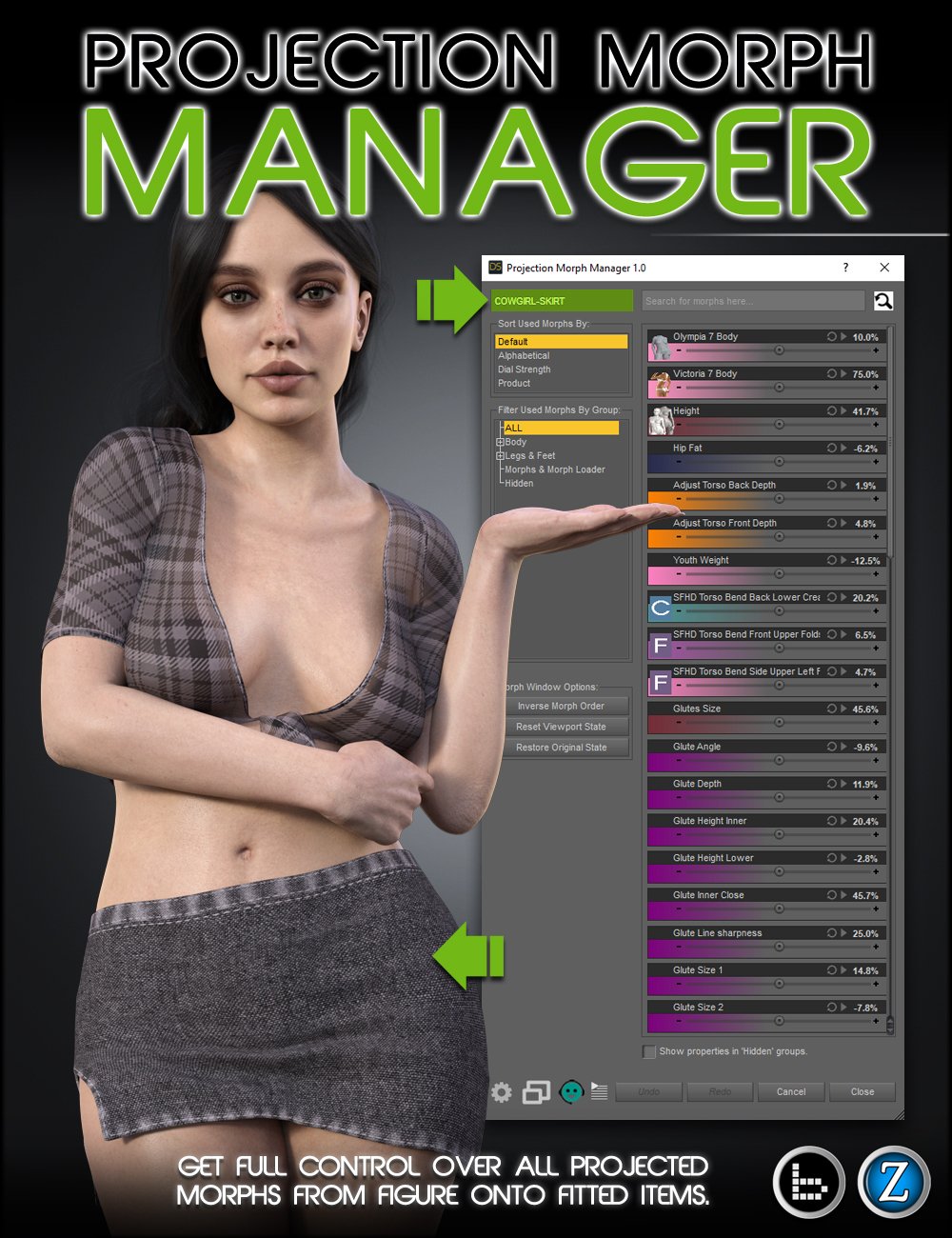
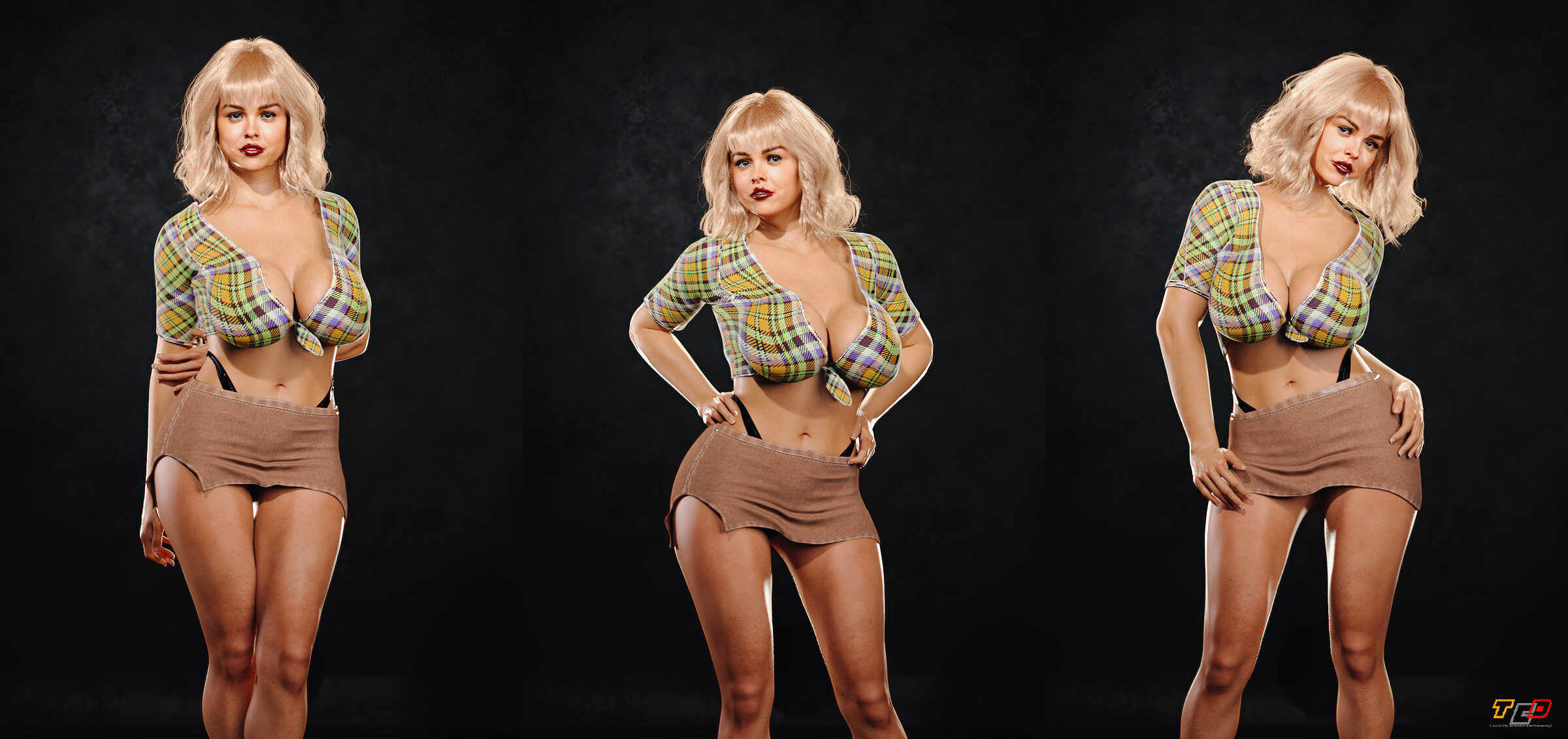 Bake Joint Rotations problem with Genesis 9
crosswind said:
You dialed a character morph or sth. before Baking joint rotations ? Try doing it on G9 Base figure before dialing any character morph.
That did it! Once I set the generic shape and applied the "Bake rotations" to that, everything else worked great. Thank you!
Diffeomorphic - persist current JCM value to keyframe?Within Diffeomorphic I have the following settings enabled:
- Make Hidden sliders
- Show Final Morph Values
My figure has JCMs loaded and when I pose it in pose mode, the JCM shapekeys get updated, but not the driver, which is the only thing that can be animated:
As you can see in the image, the JCM (shapekey) value is 0.756 but the driver is at 0, which means I cannot add it to the timeline.
Ultimately I wish to create an animation in Blender and export it as FBX and include appropriate JCMs. This works with non-JCM morphs as I manually apply them.
Is there a setting/workflow that would let me save the currently applid JCM to the timeline? Or even just a way to sync the drivers to the current value so I could than manually add keyframes?AIUTO...CHI CONOSCE L’ITALIANO? PARTE QUATTORDICICrios said:
https://www.daz3d.com/the-hammerhead-x7a-explorer-starship
Molto bello, l'astronave, gli interni, props per il carico e un mezzo terrestre. PErò, sono tutti props, non c'è nulla di riggato. Ne i motori laterali dell'astronave, che sono 2 prop e ll tutto si carica tramite una subset scene; ne le porte degli interni, tutti morph; ne altro. Non c'è un solo ossicino in tutta la struttura. COme dicevo molto bello, bellissimo, ma almeno le ruote che giravano, le potevano fare.... E non costa neanche poco, io l'ho preso con il codice a 5.99 della march madness.
A proposito: avete idea di dove trovare un'astronave grande almeno come l'Enterprise, ma non tratta da qualche serie tv?
Ho tanti ponti comando ma nessuna astronave adatta alle riprese esterne.
Bake Joint Rotations problem with Genesis 9You dialed a character morph or sth. before Baking joint rotations ? Try doing it on G9 Base figure before dialing any character morph.
Merchant Resources and DerivativesThe zeroed base is OK, sicne it doesn't embed any morphs - when you sculpt that and create a morph from it all you are sharing is your changes. If you want to include other morphs then the way to do that is sculpt on top of them, then when you create the morph use the reverse deformations option (with the morphs still applied) to separate your changes as a new morph. You can create a master slider to set mutliple morphs at once, if you want people to be able to use the result in varying degrees. Aside from its being a derivative, a compound morph made by exporting and reimporting will lose all the automatic adjustments that make it work with other shapes (e.g making sure that the eyes and lips close properly, without gaps or overlaps) and which adjust the shape when the figure is posed so that the bones line up and the bends don't leave odd gaps or push the msh into itself.
Merchant Resources and DerivativesCris Palomino said:
If the intention is to share, it has to be the type of file that requires the user to have the files needed to load the file on their computer. In that case the file you provide becomes like a recipe for the user having all the same ingredients you used. So they'd need the base you're using plus any of the shape files (whether they are ones that come with the base or they have purchased the same morphs as you used). If you create your own morphs from scratch on the base in ZBrush, then they just need to have those morphs. If for instance, you create the figure by loading a character first, like Michael, then they would also need to own that character. Morph merchant resources would also, in most instances, require that the user have purchased those morphs. Read the eula for the MR for what requirements to which you must adhere for sharing or sale. Some MR's, for instance, prohibit the use of their morphs in free characters.
Thanks, this clears up some for me. I have read the agreements for the MR's I picked up, and am good with those. :)
So exporting a base into an external program to work with would be the way for me to go to ensure I'm not using anyone else's works. I wasn't even sure if I was allowed to use the starter essential base or not since it's a Daz3d creation. This is all a ways off for me anyway, but it's good to know for planning.
Merchant Resources and DerivativesIf the intention is to share, it has to be the type of file that requires the user to have the files needed to load the file on their computer. In that case the file you provide becomes like a recipe for the user having all the same ingredients you used. So they'd need the base you're using plus any of the shape files (whether they are ones that come with the base or they have purchased the same morphs as you used). If you create your own morphs from scratch on the base in ZBrush, then they just need to have those morphs. If for instance, you create the figure by loading a character first, like Michael, then they would also need to own that character. Morph merchant resources would also, in most instances, require that the user have purchased those morphs. Read the eula for the MR for what requirements to which you must adhere for sharing or sale. Some MR's, for instance, prohibit the use of their morphs in free characters.
Merchant Resources and DerivativesI've been picking up some merchant resources here lately in the hopes I can produce a few completely unique characters of my own, had a bit of a dumb question.
If I start with a Genesis 8 (or 9 I guess), base character from starter essentials, head over to shaping and start combining lots of sliders until I find a good unique look, and then combine all those morphs to be a single morph.. is that considered a derivative work? If so, what are the sliders I am supposed to use to make unique characters that I could give to friends, or maybe one day if I ever get good enough at it to sell?
I've seen zbrush mentioned a few times, am I not supposed to be using any of the sliders in Daz Studio at all and supposed to say export a base character into something like Blender? Zbrush isn't an option for offline systems, and haven't been able to find a good alternative yet. I'm not ready to make anything yet, still in the process of gathering information and research. :)
Any guides or resources to go over would be great if someone has a few links as I'd really like to go about it the right way, and so I can better understand the do's and don'ts.
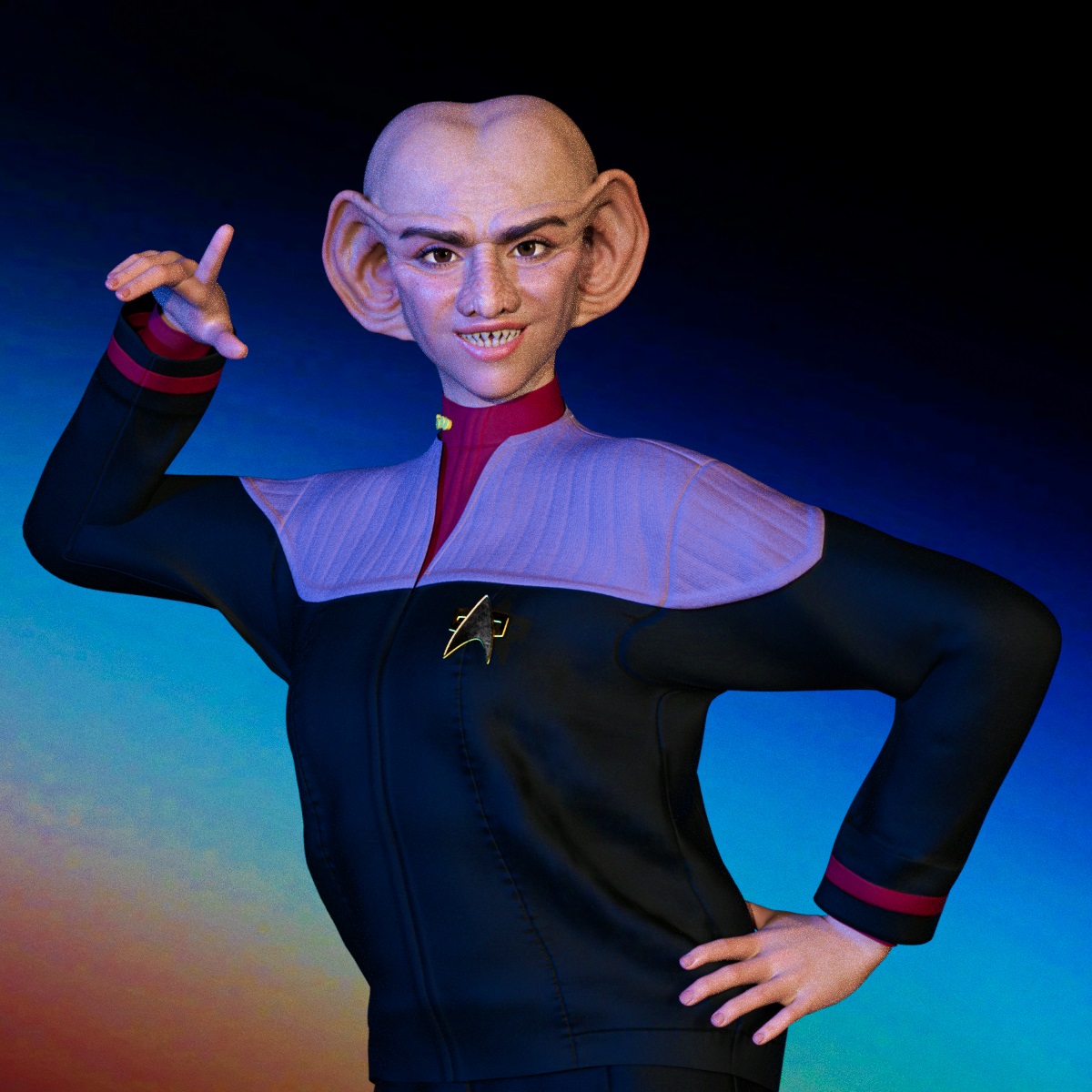
Star Trek Builders Unite 8: THE REBOOTTimbales: You can lower the morph strength to get a passable set of lobes for female ferengi, just remember to mix in a solid female face morph as well.
Star Trek Builders Unite 8: THE REBOOTThe Ferengi morph is nice. I don't see a female morph with smaller lobes, though.FanArt rendersArtini said:
The recent addtions to the Daz 3D store are excellent, so I could not resist to post a fan art render...
Let's see a Face Transfer 2 version.
You knew I was going to say it.
 Star Wars Renders 2013 +
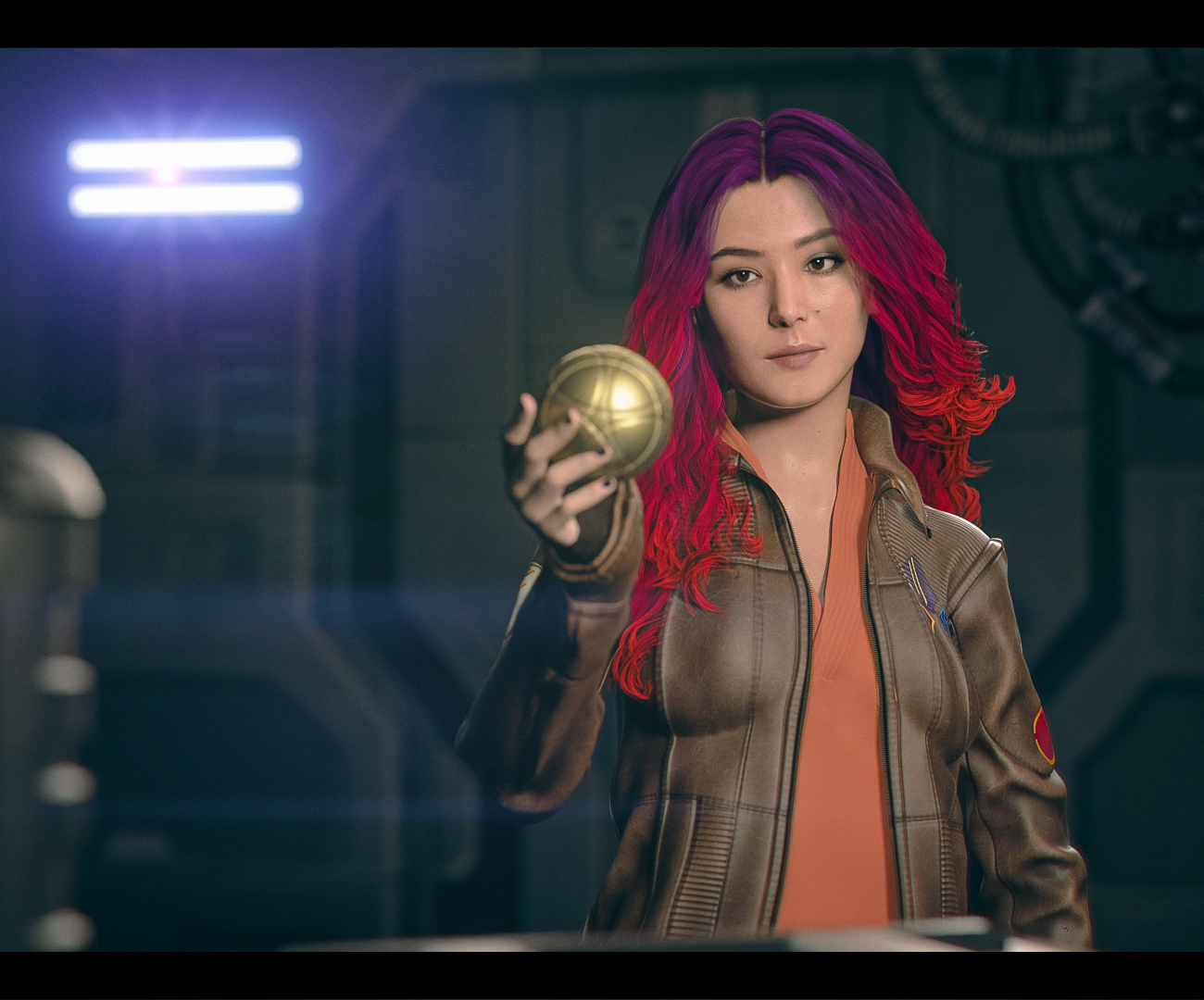
Had a crack at making live-action Sabine. Custom morph and textures by me with a kitbashed outfit:
 Star Trek Builders Unite 8: THE REBOOT
Yeah, selling what we've been known to have available as free fanart stuff doesn't sit well with me either however I did buy the set. I read something long time ago now it seems and have great faith in the overall system of what comes around goes around. Aside from a rather carefully worded letter from the SW lawyer {I ask dumb questions, they don't like fan art apparently} I've never seen a company [not that I've looked much] be as oh, well you saw "Khan" in the movie, as Paramount. I've also noticed over the years that Klingon stuff tends to be more vigilantly guarded than the rest of the ST stuff. [eta: I have no idea how they're handling these newish types of licenses]
Last I checked, when publishing ST fanart -- keep it free, keep it family friendly, in line with the accepted concepts for the show, and tack on those copyright/trademark notices.
Concerning the wrinkles in certain outfits, while I've haven't ironed them yet, shouldn't be a huge problem to address that matter.
Kudos to whoever on the Ferengi head morph! I bought the whole set when I saw that they are HD which we can't do anyhow.
HEAT plugin - animations start always from the center of the gridIf so, I would say the animations from HEAT were wrongly made or saved for DS... Values of Transforms should've been on Hip node rather than root node of Genesis figure. It'll bring trouble to the users.
Animation products from Daz store don't have such an issue. PAs are not allowed to set Transforms values on figure's root node when making Pose or Animation products. Wrong settings cannot pass QA...
An alternative we handle this sort of issue: Transfer the values from root node to Hip node by using Body 2 Hip script in this awesome product from 3D Universe - https://www.daz3d.com/daz-studio-animation-tools--set-1 Then delete the keyframes on Transforms of root node...Then you can freely move the figure to anywhere.
Let's appreciate/discuss today's new releases - ongoing threadHylas said:
https://www.daz3d.com/leather-romper-outfit-for-genesis-9
Admittedly I only got this to unlock some other discounts. But now that I have it I want to point out something.
This item is designed for the feminine shape, and I don't expect every G9 garment to be unisex. But this particular item could have been unisex with just a little more thought, and it's such a missed opportunity.
...The funny thing is, I think they intended it to be unisex, because it comes with fit morph for many male characters, as well as female ones.
- Dain 9
- Genghis Khan 9
- Ivar 9
- Julius 9
- Lawrence 9
- Michael 9
- Nathan 9
- Nikolai 9
- Thimor 9
- Wang 9
- Zack 9
I too immediately put it on a male - Walter. It's not very flattering on Walter with his slump and protruding belly in this pose. The garment looks well made and didn't distort badly.
I didn't discover the texturing issues, though. That's a shame. (Coming Soon) PoliceArtist submitted to DAZ, see preview (Commercial)
barbult said:
lilweep said:
suggestion: why dont you load all the morphs, then save them as properly labelled morph assets instead of making customers do that tedious task?
Work smarter not harder...?
(And making sure they are ERC linked to adjusted rigging of course)
I think your suggestion is a requirement. Why should each user have to do all this when the PA could do it once! It is unrealistic to expect a casual user to even know how to use Morph Loader Pro, Adjust Rigging to Shape, and ERC Freeze, especially with Genesis 9 and its separate eye mesh. I didn't even see ERC Freeze mentioned. I also didn't see any eye movement demonstrated or any poses applied. I could have missed it as I skimmed through the video. I hope customers understand that what they are purchasing is NOT a ready to use morph package.
As and end user, if this was not explicitly called out, and I bought it, I would be upset and return it. The others are also correct, as a general user, I wouldn't know how to do all this, nor would I have the time. Additionally, can this we used as a merchant resource, so a character creator could use bits and pieces to create a custom character?
My Request to HairStudioI love HairStudio Hair.
Very realistic, super high quality and almost perfect, but:
Please, include more Morph Targets and please make it DForce.Seeking Help with Daz Riggingcrosswind said:
Ah... I would say rigging / skeleton system of Genesis figures are a bit unique. You can make or import any stand-alone figures with rigging / bone system of their own, e.g. Mr. Bobble, a rigged character from Blender or other software with FBX format.
You can search on youtube, there're lots of tutorials related to this topic.
An alternative, wrap other stand-alone character with Genesis figure by using FaceForm Wrap software. In that way, you don't have to rig anything, just bring the wrapped morph back to Genesis figure in DS. Then you can use all Daz assets on them.
These are great suggestions. Thank you for your help. I appreciate it.
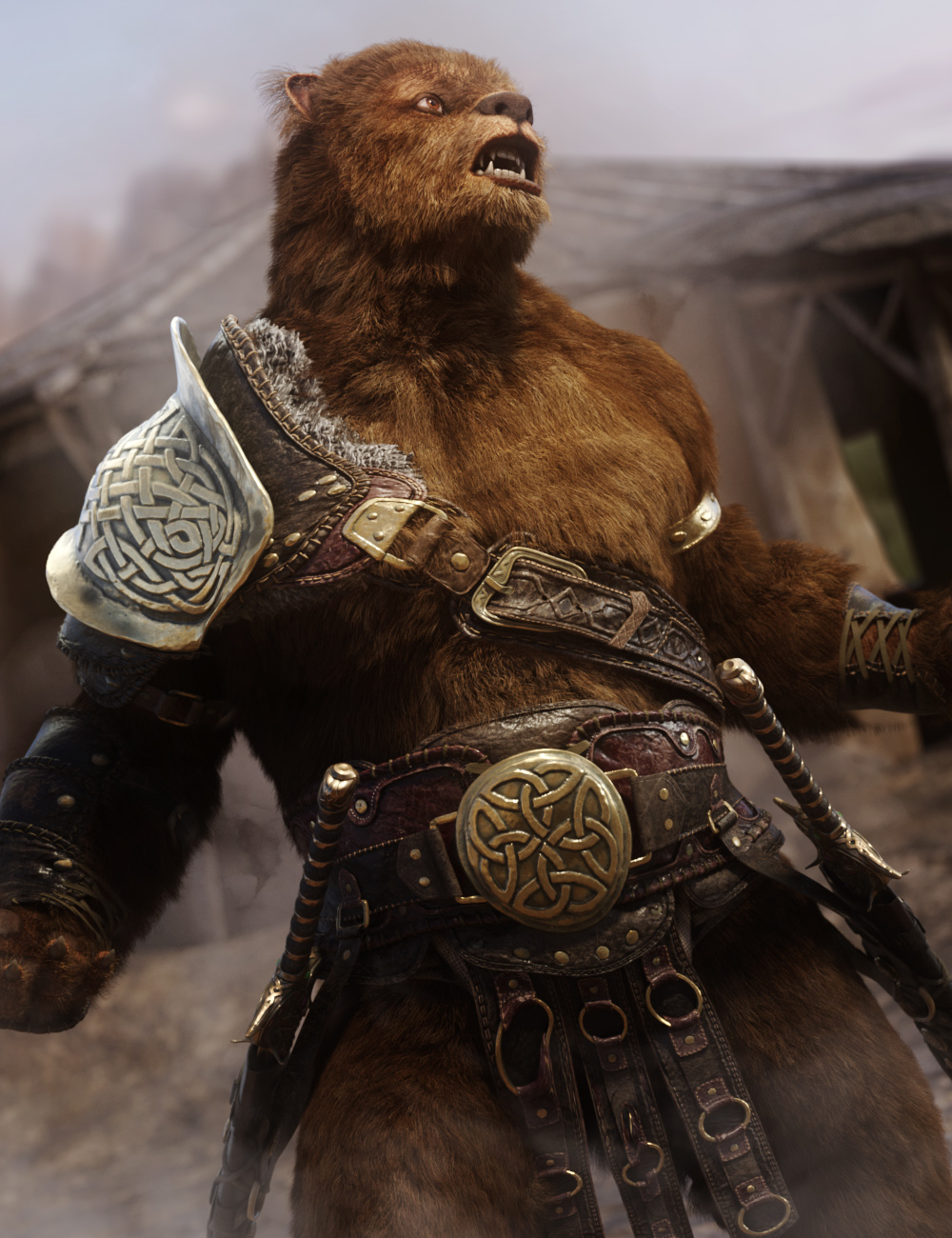
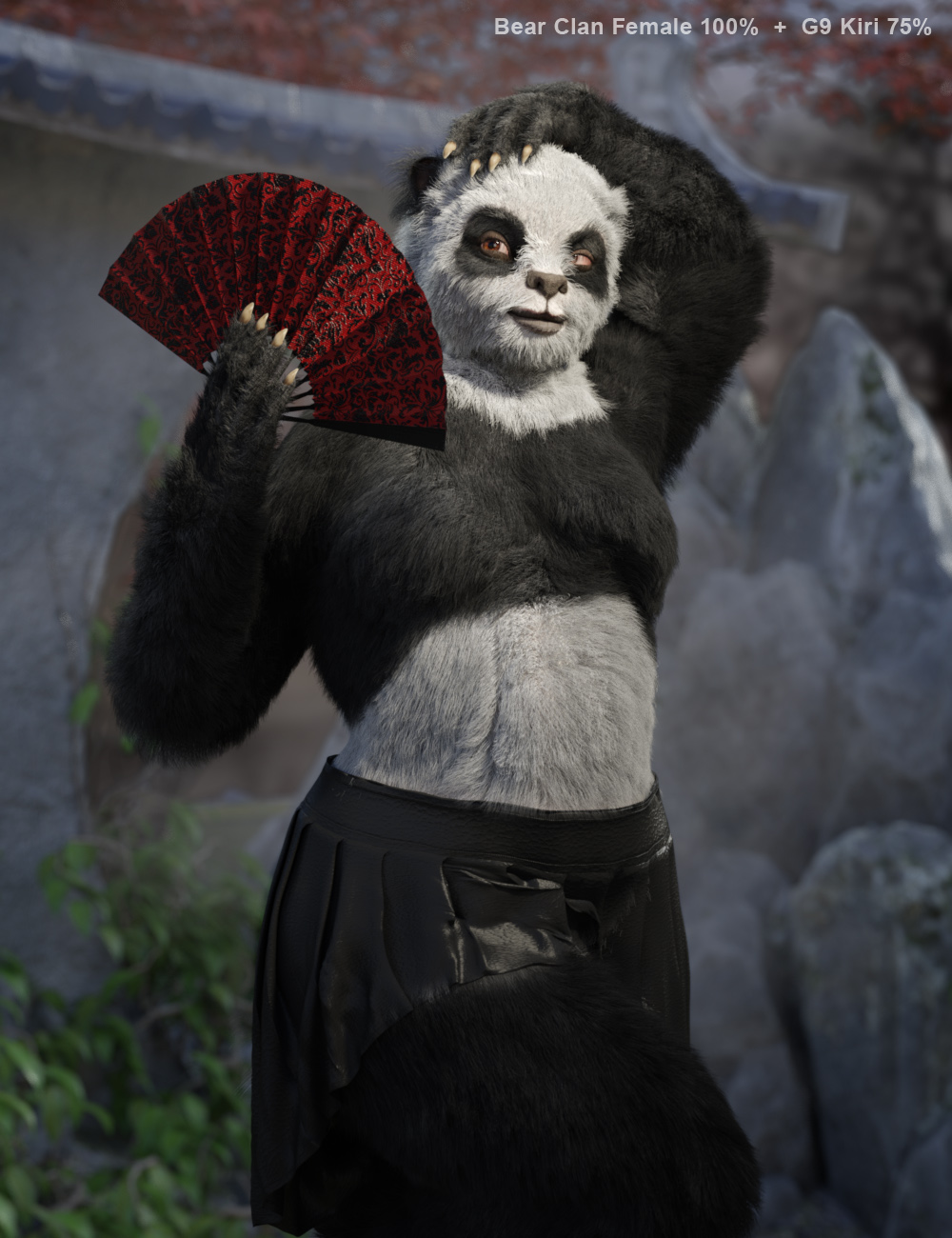
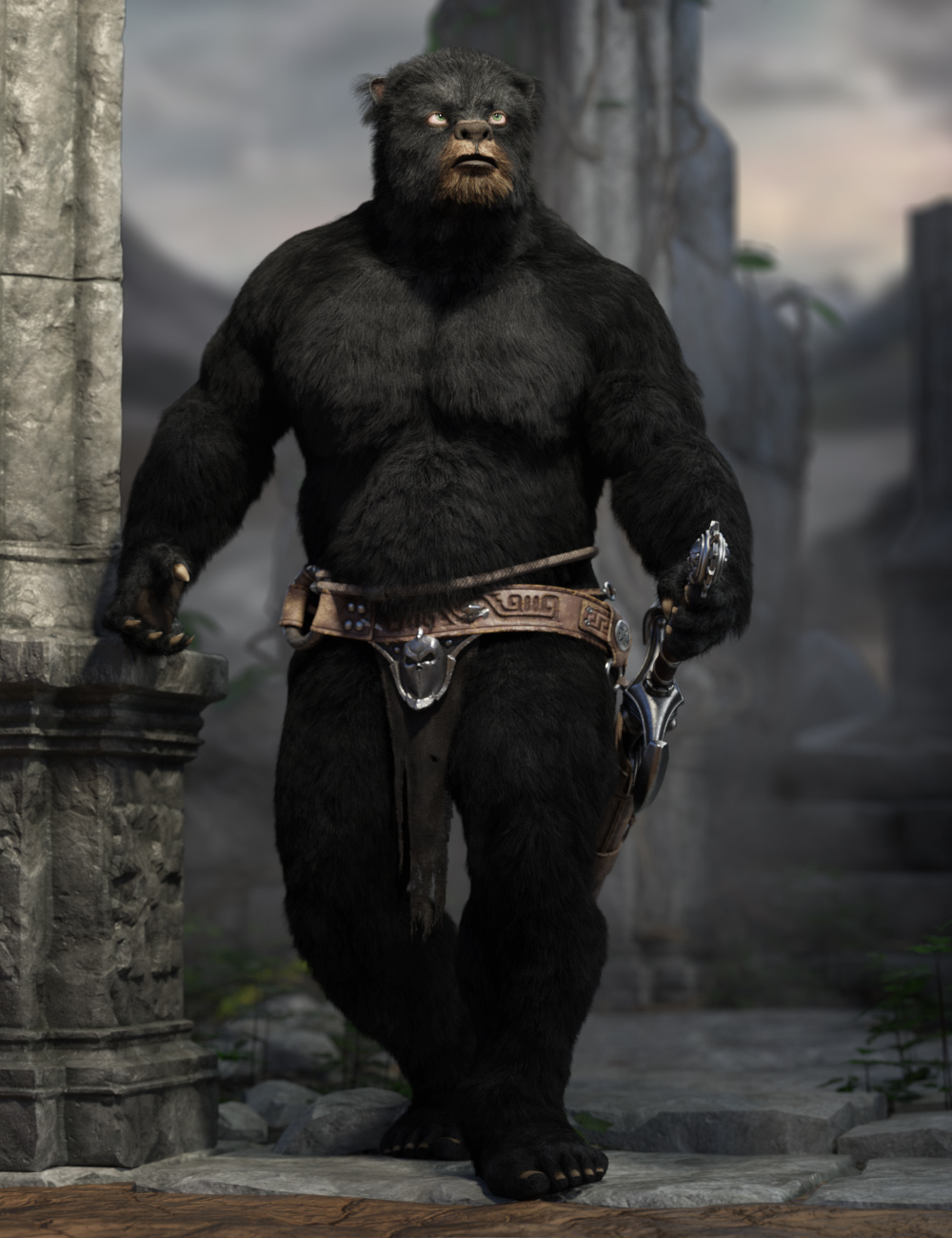
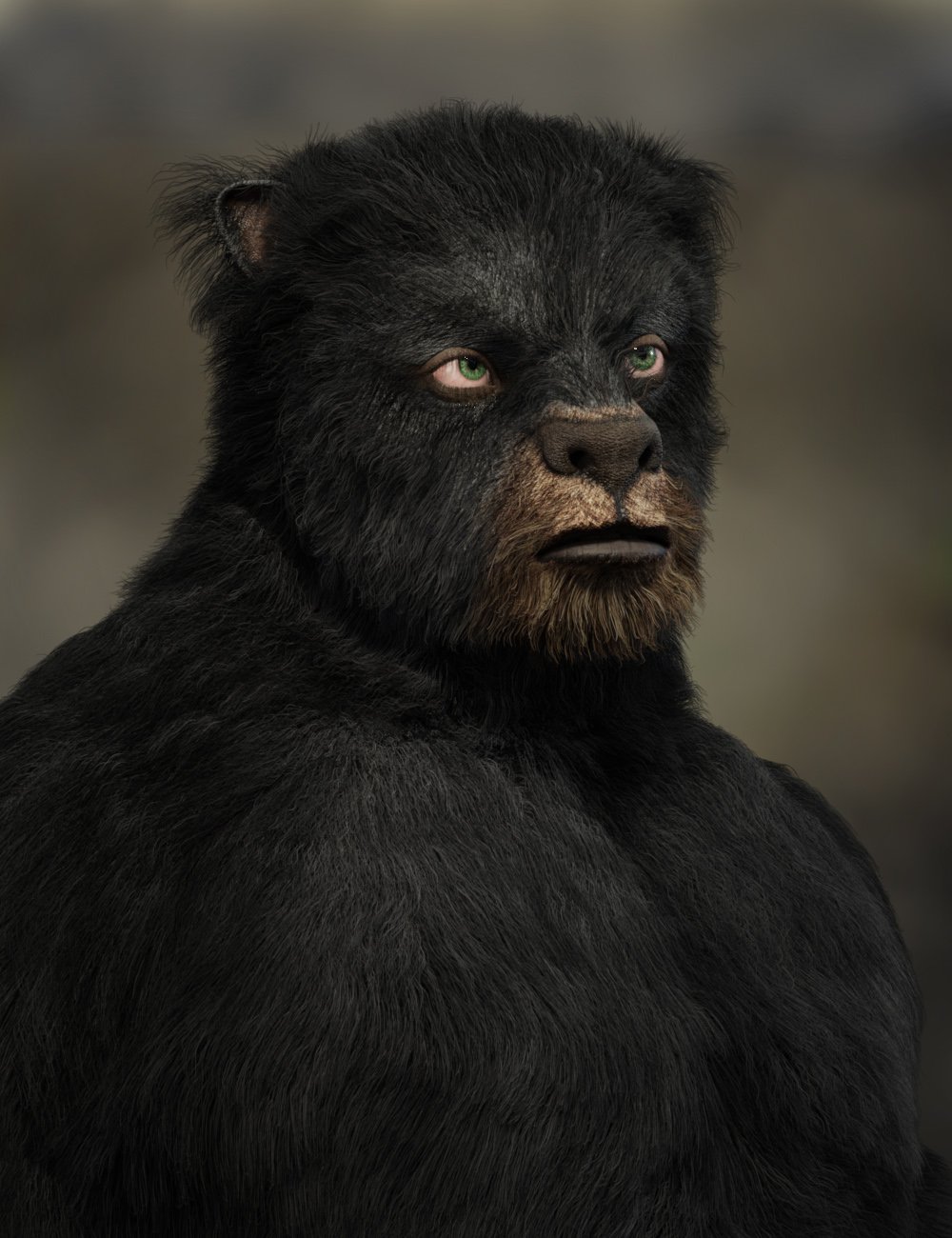
The Bear Clan for G9 [commercial]Hibernation is over, the Bear Clan Awakens
https://www.daz3d.com/bear-clan-for-genesis-9
If you go into the woods today, you're sure of a big surprise... the Bear Clan is back again.
These brawny bruins are powerful warriors, ready to bring some wildlife to your renders!
This set was designed with ultra-realistic PBR skin skin techniques. The high-definition morphs, dForce Fur, and High-Quality textures really bring this character to life for your renders.
What's Included and Features
- Bear Clan for Genesis 9: (.DUF)
- Bear Clan Character Preset
- Four Bear Clan Shaping Presets (two male and two female)
- Bear Clan Snout Length Morph
- One dForce Fur Attachment
- Material Options:
- Four Full Skin Mats with Anatomical Elements
- Five Eye Material Presets
Daz 3D is part of

Connect
DAZ Productions, Inc.
7533 S Center View Ct #4664
West Jordan, UT 84084Licensing Agreement | Terms of Service | Privacy Policy | EULA
© 2026 Daz Productions Inc. All Rights Reserved.