-
Half Victoria Half Lilith Question
Go to the shaping tab, select the shaping morph for the characters, and dial in the value you want.
For the shaping tab, I recommend you take a look at the video training, point 5: http://www.daz3d.com/help/help-daz-3d-video-tutorials
Hi so I have to click the character of Victoria first then click the character of Lilith then adjust it on he shaping tab? Won't it add Lilith as a separate character resulting in 2 characters instead of a merged one character? Thanks for replying by the way :)
It's Raining Men Again Competition -- Winners Revealed!!!!Oh, I remember that picture I can say it's good since you aren't judging. LOL. I bought the Genesis 3 Aging Morph Kit just to enter this contest.
Yeah, no, I'm NOT judging this one. I probably won't even enter the contest. I might pop one or two NAE images into the thread here or there, though. :)
Looks really good. I have the scripts you're talking about for the Genesis 2 figures but I work primarily in Poser with the Mil 4 figures. So I've swapped UVs between them using UVMapper classic, that still okay as long as I load only the male morphs into Michael? Sorry about all the questions, I just want to make absolutely sure before I post anything. Also, how do you get images to show up big like that in the forums? All mine seem to go in as attachments and are rather small -- basically thumbnail sized -- until you click on them.
Okay, bear with me, not a Poser girl here and I'm only slightly familiar with the UVMapper classic. However, if you can swap UVs without using any female morphs then I'd say you are good to go and can use it.
It's Raining Men Again Competition -- Winners Revealed!!!!Oh, I remember that picture I can say it's good since you aren't judging. LOL. I bought the Genesis 3 Aging Morph Kit just to enter this contest.
how to apply a morph to only part of the bodyIn G2 or G3, is there a way to apply the bodybuilding morph to only part of the body (like the upper half or the lower half)?
It's Raining Men Again Competition -- Winners Revealed!!!!The general consensus last year was to avoid using any female morphs, including but not limited to using GenX to morph into a female to fit clothing and then morph back out. For the purpose of this contest, I would say that it would be best to not allow any type of female morphs even if they are on a base male figure. So, no, not in this competition. Having said that, @Byrdie, it sounds interesting and an image I would love to see over in the Michael and Friends Appreciation Association thread. :)
Removing weight maps from a node selection?Then I do not know, if you already find your all question,, but the first question "How do I assign a node selection to the right bone",
is simple.
1, set facegroup by geometry editor which you need to assgine for node. (but usuaully when you use transfer utility ,those are auto transfered from template, or donner figure)
2 check it with node (which you assgin) in top column of Joint editor tool. you must need open tool settiing tab,
but there is limit,, you can not assgin mulitple face group for one node as selection group , .
I do not know, if we can use surafce group. or user defined selection group in geometry editor, for assign node, as selection group.( may not work)
the selection group = usually corespond with face group, purpose is mainly,, to select those node, with pose tool in 3d view without scene tab selection.
without you assgin it, you can not select node, in 3d view directly. then it is important to set them for all nodes as you desgined.
about weight map, actually even though you do not set any face group, triax weight can work when you color (though it not recommended) weight on to the poligon for each node.
Novica & Forum Members Tips & Product Reviews Pt 7Sorry, I don't have the Body Jewels. I see what you mean about the differences.
Barbult- good to know on the ears. They do look a lot smoother! Are you liking Brita overall? I have her, I think she's adorable overall.
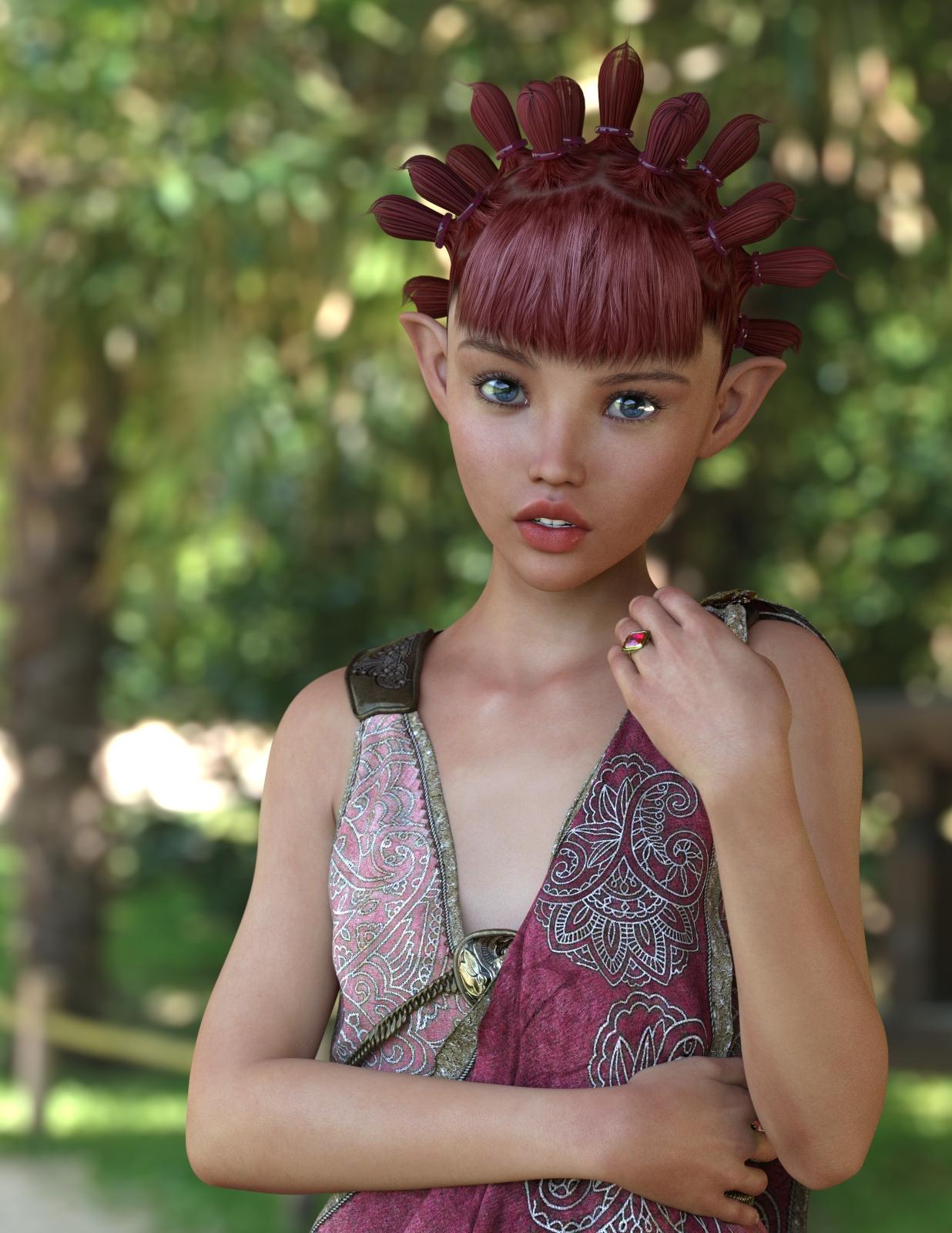
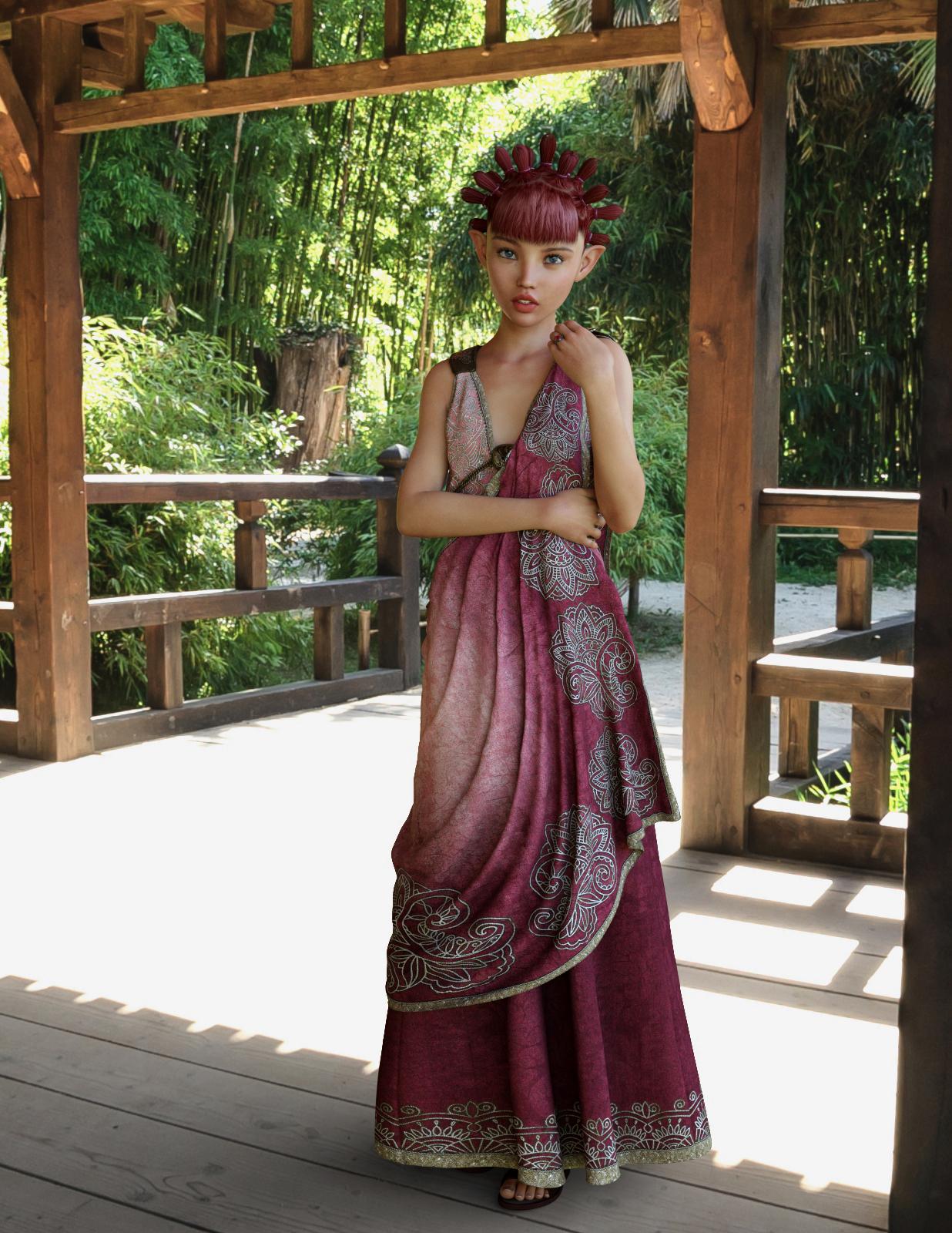
OMG, she's great! P3D has moved to the top of my list for Iray skins. Since I don't have Tween Julie 7, I decided to mix in some Teen Josie 7 and a few other morph tweeks (boy these names are confusing!). I think she turned out fabulous. I didn't tweak the materials at all, because they are perfection as delivered. This just finished rendering - I mean literally, like 3 seconds ago.
The HDRI background is from http://www.aversis.be, licensed for non-commercial personal use only.
 What is DSON core installer, and how do you use it?
DSON is the Daz studio format, the DSON Importer for Poser allows poser to inport files in the DSON format (.duf files). The usualy method is to have the .duf files, a Python loader script, and a Poser library file tom luanch the Python script in the Poser library - the Poser Companion FIles. If there are no Poser CFs (for items with library files - theya ren't needed for morph expansion, for example) then it may be possible to launch the importer directly using a script from Dimension3D - but often if there's nopt Poser CF it means the item won't work in Poser.
Poke Away 3 For Genesis 3*sigh* All these will do is affect the item for the particular pose you have the character in, much like the "Zone Smoother" product that one of the PA's made does for the figure being morphed. Without editing the weight map, you will have to redo this for every pose change you make with a particular body morph and outfit. It's actually going to be less work to modify the weight map in the long run.
"All these will do..." ?? That would be one huge step forward on what is available at the moment. Sure, we would all like a tool which fixed all poke through, mesh distortions etc with one wave of the magic wand. However we are not there yet. If a distortion is small then certainly editing the weight map (if one exists) will be of more general use and work in a range (though not necessarily all) poses. Editing weight maps is a lot of trial and error. Mesh brushes would give immediate results quickly for the pose you are working on now. (Practical animation is another story and apparently a long way off for DS).
Zone Smoother is similar to deformers. (note the term Zone)
Linwelly's GroveThanks Knittingmommy!, I'll sure tell more but first need a render to be worthy of that transfer.
Mike, seems you have been gone fo a while, glad to have you back. I know those kind of lists, I have a long one for all the things I should learn as well.
SC Rain for Genesis 3 FemaleGreetings,
I toss this out every so often when issues like that come up; are you seeing it in renders, or just in the preview windows? In other words if you have a deformed character in preview and you render, does it show deformed, or does it look normal?
If it looks normal at render time, it's probably a problem with your display optimization. Go into 'Preferences', select 'Interface', look down the dialog to 'Display Optimization'. It's probably set to 'Best'. Set it to 'Better' instead, and it should resolve your issue.
If it renders like that, then there's a morph or something behaving badly somewhere, and I'm no help. :)
-- Morgan
Iray revelation!Not all images will hit it at once, but any assigned to a particular area (let's say lips)...that would included bump, normal, color and any other control maps, WILL be 'maxed out' together. It's looking like texturing for Iray should be much more complex than it is currently being done, in order to maximize efficiency and minimize memory usage.
THIS is the operative statement. I've made this point publicly in the past. PAs are still creating content using workflows designed for 3DL and firefly -- using bitmapped textures for everything. I am sure that things will start to move toward using procedurals and more optimal MDL types, but ATM that is just not the case. Part of it is that there aren't enough "provided" procedurals to cover many basic things in DS, leaving the PAs in a situation where they either develop completely new procedurals, buy them for redistribution, or require a purchase of another PA's products.
EDIT: I am of the opinion that DAZ needs to create a library of procedurals (stone, marble, etc) and sell those like they did the V4/M4 Morph packs. This would allow PAs to leverage a known set of procedurals and can "require" a standard pack of shaders. If the user doesn't want to buy those shaders, then (like before) they end up with default clay.
Kendall
Half Victoria Half Lilith QuestionGo to the shaping tab, select the shaping morph for the characters, and dial in the value you want.
For the shaping tab, I recommend you take a look at the video training, point 5: http://www.daz3d.com/help/help-daz-3d-video-tutorials
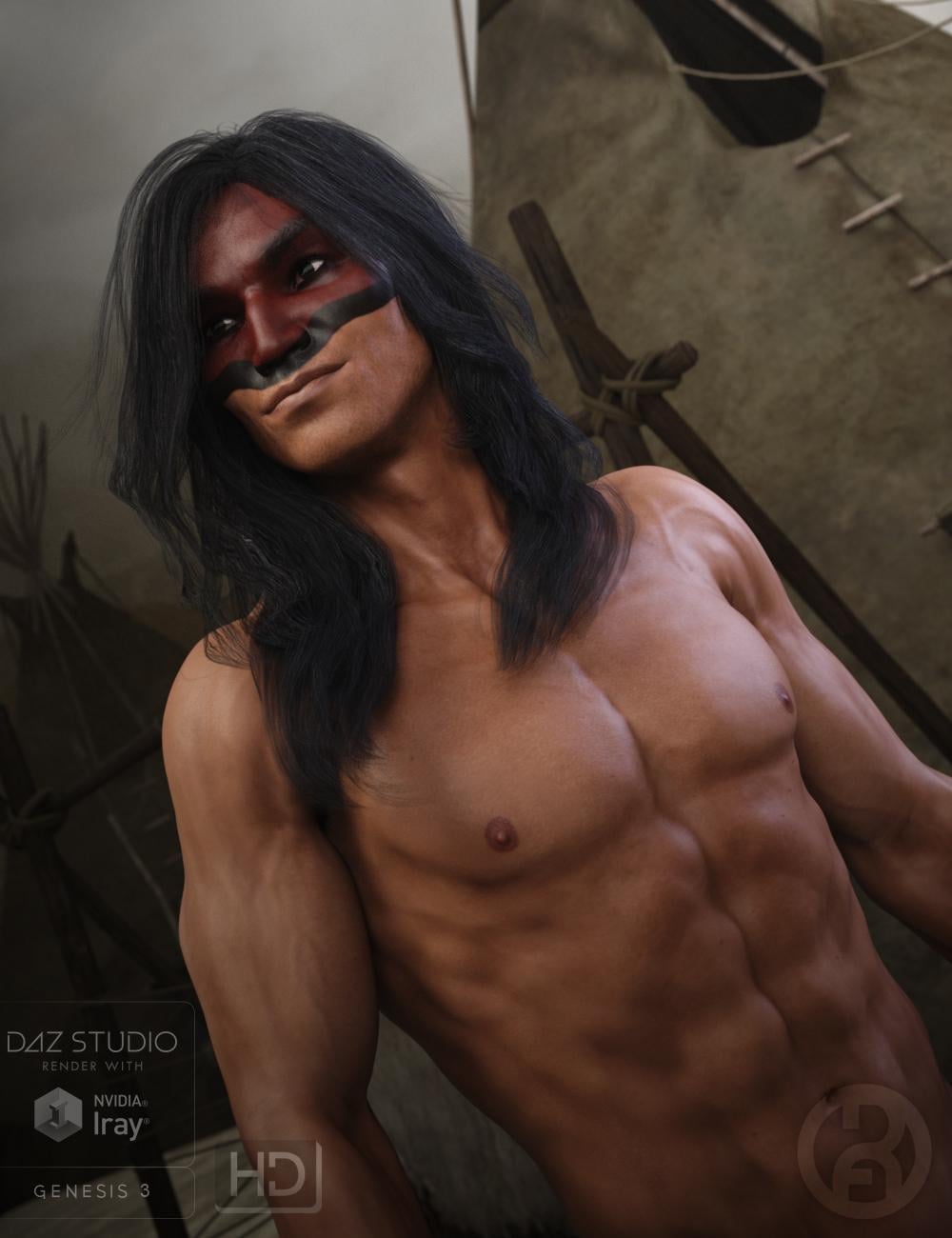
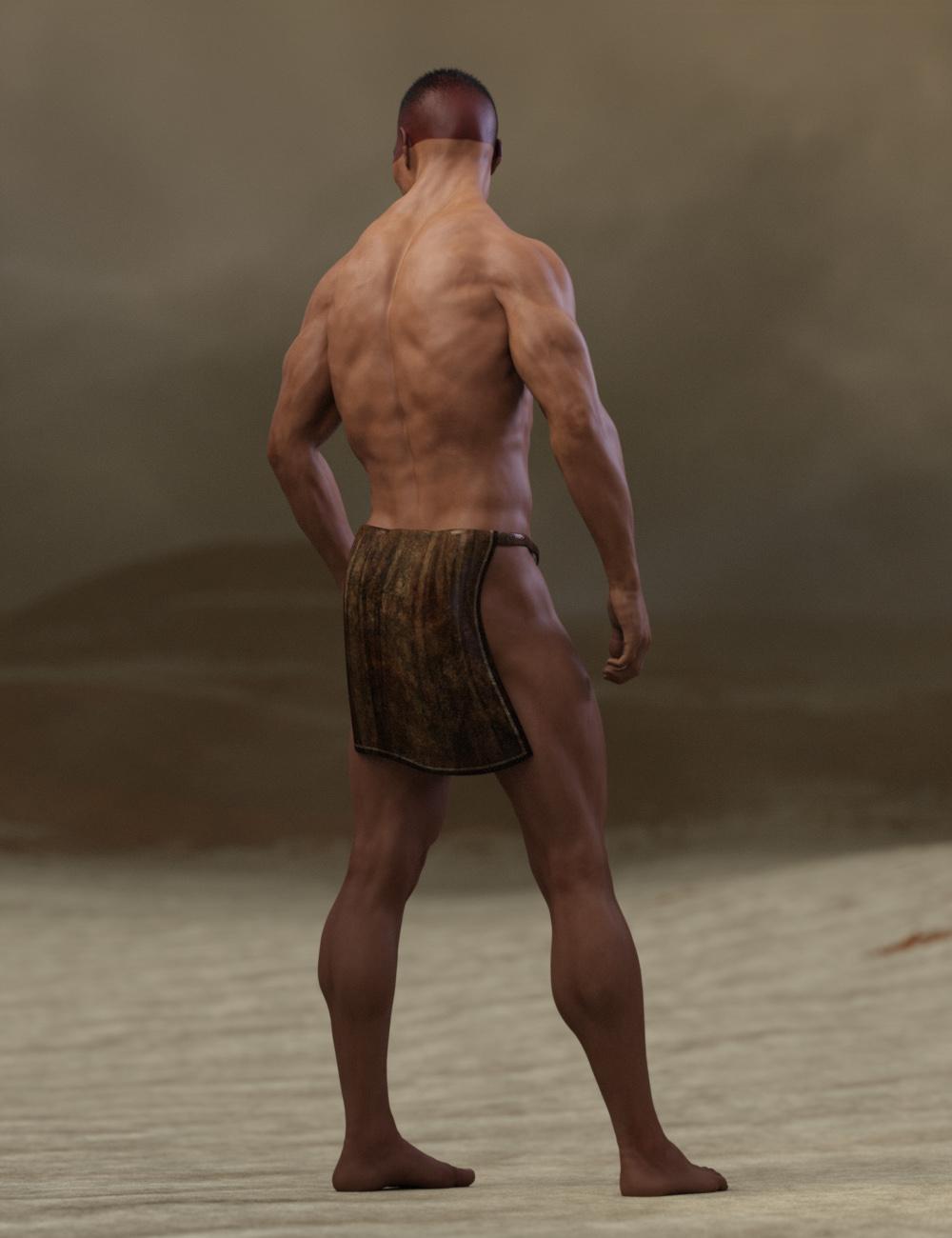
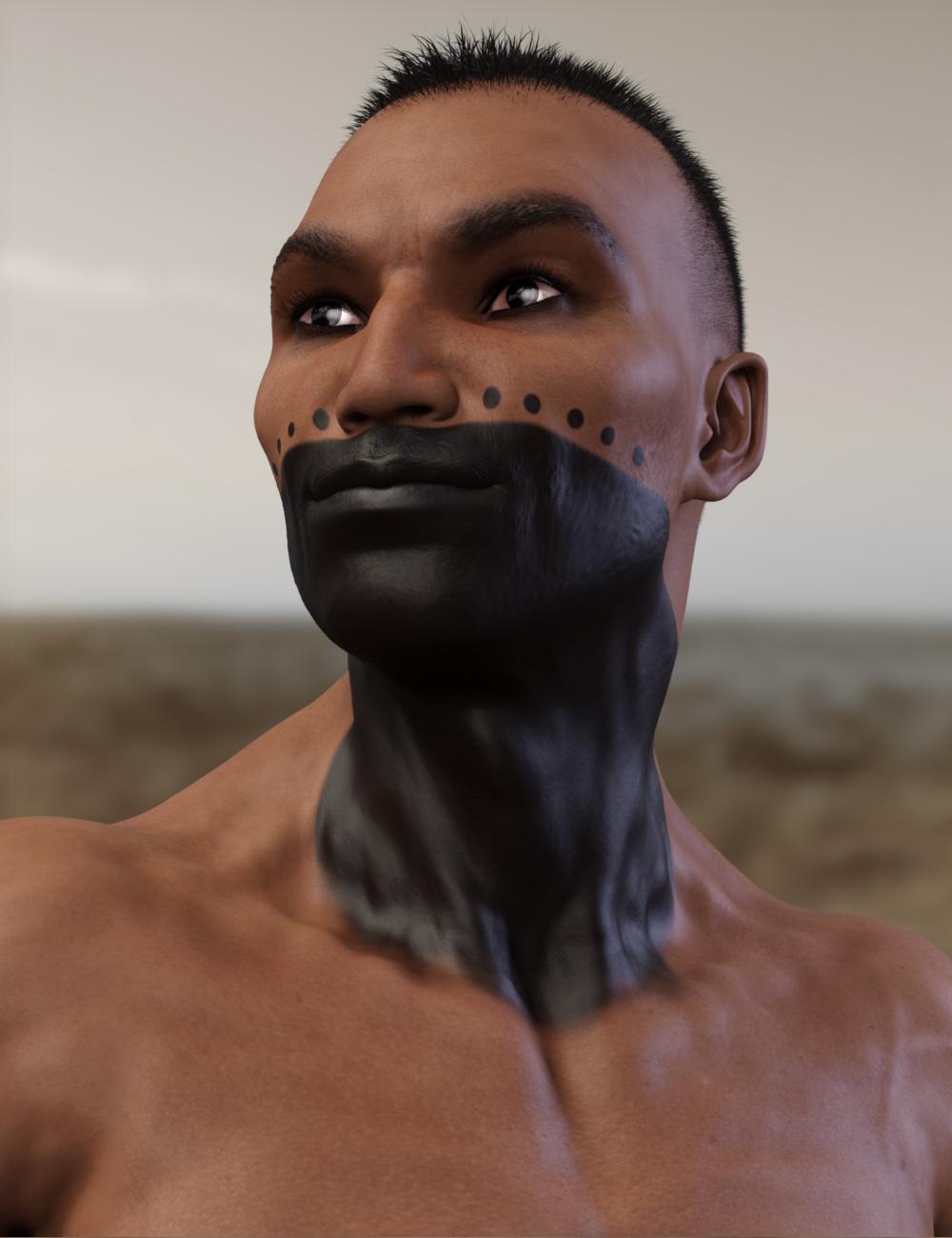
SC Rain for Genesis 3 FemaleThat looks like an issue you get when you export/import characters without all the parameters at zero. Which is odd. Perhaps Daz is not properly resetting parameters when you load figures? Or something along those lines. Is there any morph or something that these figures have in common? Did you save anything in the new beta, and then load those saves in your full version of Daz? Did you download any figures during the time Daz was having major network issues? I'm wondering if you got a corrupted file.Anicinabe (Native American) [commercial]Anicinabe
http://www.daz3d.com/anicinabe-for-genesis-3-male
The Anicinabe (original people) of North America have a rich cultural history of warriors and wise men. This character set will allow the old tales to be told and many new tales to be formed. Carefully sculpted high definition details, and highly detailed and accurate textures are provided and suitable for Iray and 3DL
Product Includes:
One Anicinabe Character Preset
One Anicinabe Morph Preset
One Anicinabe Full Material Preset (including genitals)
Seven Face Material Presets
Two Eye Material Presets
Also includes IRAY and 3DL MAT files
 Selbsthilfegruppe DAZ Studio - Beispiele, Fragen, Diskussion und sonstiges Gequatsche
Hallo Moin !
Ich habe mir Das3d 4.9 installiert und vermisse die Kinematics wie bei Poser und ein Morph Tool finde ich auch nicht .
(Bei Poser kann man durch die Kinematik funktion "Hip anklicken so das sich die Beine nach unten,rechts und links bewegen )Vielen dank im vorraus
A good time to invest in Genesis 3?I would love to think that we have at least one more year of Genesis 3 ahead of us!
Also, it would be great if Daz considered discount for Victoria 8 based on how many Genesis 3 characters you own for example to make the transition to new generation easier for loyal customers : )
Agreed, DAZ does seem to reward customers who own a good amount of their base models. I bought some G2 stuff and got discounts for G3 base models so hopefully they keep that trend. Also like with G3 and G2. Most of the content does work with both generations so hopefully with a newer gen they do the same. So we should be able to still use all the G3 stuff off the bat with a newer generation.
I also forgot to mention. The following products helped a lot when i adopted G3 early and content was limited. So much I still actively use these with almost every scene. You'll be able to wear most of G2 stuff off the bat with G3 with little to no adjustments. As G2 wasn't aimed for Iray and G3 is. Some of the items you will need to run Uber Base Shader over and maybe edit the surface a bit to get the correct shader look for the wearables. G1 stuff you will be able to also use a good amount of their invesntory. Ultimately you can also use some of the vast Iray Shader packs for metals, materials and just inject it over the none Iray surfaces of products you wish to use. voila. Those packs are dirt cheap in the PC+ membership.
Excellent tools I highly recommend is Wear Them All and Fit Control for G3. These products have brought a lot of V4/M4 stuff back from locker for me. Provided there are some minor issues where the low poly material in some places dont work well in the high poly areas of G3. But all in all is you avoid clothing that attached to highly strechable areas such as innner thighs then you should be able to use old stuff no problem. V4 Shoes is also a problem but very much possible. I have brought quite a few stuff over from V4 to G3 (See last recomendation on the possibility).
Star 2.0. This gives G3 an auto fit ability to wear old original Star wardrobe. Very excellent. I bought tons of old Star stuff that was on sale at Daz, Rendo, Hivewire and RDNA and use them on G3. Certainly go over to RDNA and grab the clearance sale of Star stuff when you go down this path. Stuff is very cheap now as DAZ will be closing that store shortly T_T RIP RDNA...and my stuff that wasn't transferred... 8 (
V4 for G2, G2 for G3. This will be a awesome tool to use if you have a good amount of V4 inventory. You basically morph G2 to V4 then use transfer utility to bring your V4 stuff to G2. From there you can either just autofit it to G3 or Transfer it again to G3 with the G2 etc. This very quickly explained but there are quite a lot of tutorials out there at the current moment that will tell you how to do this correct.
3D Art Freebie Challenge -- October: Double Bubble Toil and Trouble -- Main ThreadLittle Monsters
The poor little monsters where confused, it was supposed to be their night, right?
Scene:
* http://www.sharecg.com/v/50840/favorite/11/Poser/Street-Corner
* http://www.sharecg.com/v/66902/browse/11/Poser/Street-Construction-Set-Street-Signs-Add-On
* http://www.sharecg.com/v/68647/browse/21/DAZ-Studio/WC-Art-Deco-Street-Lamps
* http://www.sharecg.com/v/82373/browse/5/3D-Model/Free-Fire-Hydrant
* http://www.sharecg.com/v/19545/browse/5/3D-Model/StreetClock* Bags: http://www.daz3d.com/community-candy-bag
Kid 1:
* Hair: http://www.sharecg.com/v/36385/
Hair texture: https://redeyecat.wordpress.com/2013/09/30/halloween-freebie-texture-add-ons/
* Clown face: https://www.renderosity.com/mod/freestuff/send-in-the-clowns-k4/72423
Costume 1: * http://www.sharecg.com/v/80966/browse/21/DAZ-Studio/Morphing-Clown-Gear-for-G2F AND * https://www.renderosity.com/mod/freestuff/clowning-around-for-k4/72447
Shoes: http://kctc.francemi.net/ (page 9 of Daz People)Kid 2:
* Hair: http://www.sharecg.com/v/82219/browse/11/Poser/Gnomie-Buns-Hair-for-Victoria-4
Hair Texture : ToXic Gnomie - no longer available
* Wings: https://www.renderosity.com/mod/freestuff/faerie-wings-i-for-all-figures/59783
Costume: * http://www.sharecg.com/v/76110/gallery/21/DAZ-Studio/Free-Cloth-Outfit-For-G2F-And-Giselle AND * https://www.wilmapsdigitalcreations.co.uk/view_product.php?id=438
Mask: * http://www.sharecg.com/v/82635/related/21/DAZ-Studio/Lace-Eye-Mask-for-Genesis-2-and-Genesis-3-Female
* Shoes: https://www.wilmapsdigitalcreations.co.uk/view_product.php?id=64Kid 3:
* Morph: http://www.sharecg.com/v/31517/browse/11/Poser/V4-Gradeschooler
* Skin: http://www.sharecg.com/v/32890/related/11/Poser/Aiko4_Rosina
Hair: http://shop.aprilsvanity.com/free-items/harper-beanie-hair.html
Costume: * http://www.sharecg.com/v/62212/ AND http://viper2012.s602.xrea.com/x/ (3rd from BOTTOM) AND http://www.mada3d.com/Freebies1.html (2nd row from BOTTOM, middle col)
Costume texture: https://redeyecat.wordpress.com/2016/10/10/halloween-textures-for-the-cooking-stage-dress/Kid 4:
* Morph: http://www.sharecg.com/v/15858/gallery/21/DAZ-Studio/Rani-for-Aiko-3-Le-V1.3
Texture: https://web.archive.org/web/20081210085659/http://aerysoul.com/free/luna/luna_main.html (Mirror 2)
Hair: http://www.realmofsavage.com/ProjectSM_hair.htm (Sailor Moon Hair 2)
Hair texture: http://www.realmofsavage.com/holiday/Bxmas06_2.htm (fantasy pack)
Costume (Suit, Boots, Accessories) http://www.wrytersfyre.com/cosplaycloset.html
* Pose: http://www.sharecg.com/v/26064/browse/11/Poser/Aiko-poses-01Kid 5:
Hair: http://elleque.net/?p=858
* Morph: http://www.sharecg.com/v/82263/browse/21/DAZ-Studio/Jayson-for-Genesis
* Eyebrow: http://www.sharecg.com/v/62327/gallery/21/DAZ-Studio/Free-Genesis-Fibermesh-Eyebrow
* Skin: http://www.sharecg.com/v/29483/related/11/Poser/Francisca-for-V4.2
* Costume: http://www.sharecg.com/v/76844/browse/21/DAZ-Studio/Dragon-Hunter-Outfit-for-GenesisKid 6:
Hair: http://shop.aprilsvanity.com/free-items/jamie-hair-model-textures.html
Costume: http://www.optitex-dynamiccloth.com/FreebieDownload12.php (2nd row, 1st col) AND * http://www.sharecg.com/v/60093/browse/21/DAZ-Studio/SickleYield-Free-Leggings-Genesis AND http://www.mada3d.com/Freebies1.html (2nd row, middle col) AND * http://www.sharecg.com/v/60092/gallery/21/DAZ-Studio/Sickle-Snug-Tank-GenesisKid 7:
Hair: http://www.3duniverse.co.za/store/product/?Aiko-4-Bandana-Hair
Costume: * http://www.sharecg.com/v/64883/browse/5/3D-Model/Left-Right-Eyepatch-v2-for-Genesis AND * http://www.sharecg.com/v/30237/gallery/11/Poser/Fable-For-M4 AND * http://www.sharecg.com/v/50658/browse/11/Poser/Guyvest-for-M4-H4-F4Kid 8:
* Morph/Skin: http://www.sharecg.com/v/43708/browse/11/Poser/V4_SeiRE-for-V4.2-Base
* Nails: http://www.sharecg.com/v/51831/browse/11/Poser/Beauty-Nails-for-V4
* Hair: http://www.sharecg.com/v/60590/browse/11/Poser/Braided-Bun-hair-for-V4-and-V3
Costume: http://viper2012.s602.xrea.com/x/ (Gymnastics wear and expansion) AND * http://www.sharecg.com/v/50371/browse/11/Poser/V2-TutuKid 9:
* Morph: http://www.sharecg.com/v/75701/browse/21/DAZ-Studio/Teen-Ellie-Shape-for-Genesis2-Female
Hair: http://www.daz3d.com/day-at-the-beach-bundle
* Costume: http://www.sharecg.com/v/76785/gallery/21/DAZ-Studio/G2F-Urban-JusticeKid 10:
Hair: WildMane - Genesis Starter Essentials
* Costume: http://www.sharecg.com/v/70332/gallery/11/Poser/StreetLVL-Justice-for-M4
Little Monsters:
Jack: http://elleque.net/?p=5249
Boo: http://elleque.net/?p=3810
Lil Martian: http://www.mada3d.com/Freebies1.html (2nd row)
* Fairy Alien: http://www.sharecg.com/v/66591/gallery/11/Poser/Fairy-Alien
Gruggle: http://www.3duniverse.co.za/store/product/?Gruggle-Monk AND * http://www.sharecg.com/v/66691/browse/11/Poser/Gruggle-Monk-Tshirt
SCargo: http://www.3duniverse.co.za/store/product/?SCargo-DAZ-Studio-Version
Waffling Shruggle: http://www.3duniverse.co.za/store/product/?Waffling-Shruggle
Blink: http://www.3duniverse.co.za/store/product/?BlinkPaid for:
http://www.daz3d.com/regency-boy-for-kids-4
http://www.daz3d.com/michael-4-for-genesis-2-maleWow, you got a lot of people in there...and creatures! Good job!
Dana
3D Art Freebie Challenge -- October: Double Bubble Toil and Trouble -- Entries ThreadLittle Monsters
The poor little monsters where confused, it was supposed to be their night, right?
Scene:
* http://www.sharecg.com/v/82376/browse/5/3D-Model/Free-Street-Bench
* http://www.sharecg.com/v/50840/favorite/11/Poser/Street-Corner
* http://www.sharecg.com/v/66902/browse/11/Poser/Street-Construction-Set-Street-Signs-Add-On
* http://www.sharecg.com/v/68647/browse/21/DAZ-Studio/WC-Art-Deco-Street-Lamps
* http://www.sharecg.com/v/82373/browse/5/3D-Model/Free-Fire-Hydrant
* http://www.sharecg.com/v/19545/browse/5/3D-Model/StreetClock* Bags: http://www.daz3d.com/community-candy-bag
Kid 1:
* Hair: http://www.sharecg.com/v/36385/
Hair texture: https://redeyecat.wordpress.com/2013/09/30/halloween-freebie-texture-add-ons/
* Clown face: https://www.renderosity.com/mod/freestuff/send-in-the-clowns-k4/72423
Costume 1: * http://www.sharecg.com/v/80966/browse/21/DAZ-Studio/Morphing-Clown-Gear-for-G2F AND * https://www.renderosity.com/mod/freestuff/clowning-around-for-k4/72447
Shoes: http://kctc.francemi.net/ (page 9 of Daz People)Kid 2:
* Hair: http://www.sharecg.com/v/82219/browse/11/Poser/Gnomie-Buns-Hair-for-Victoria-4
Hair Texture : ToXic Gnomie - no longer available
* Wings: https://www.renderosity.com/mod/freestuff/faerie-wings-i-for-all-figures/59783
Costume: * http://www.sharecg.com/v/76110/gallery/21/DAZ-Studio/Free-Cloth-Outfit-For-G2F-And-Giselle AND * https://www.wilmapsdigitalcreations.co.uk/view_product.php?id=438
Mask: * http://www.sharecg.com/v/82635/related/21/DAZ-Studio/Lace-Eye-Mask-for-Genesis-2-and-Genesis-3-Female
* Shoes: https://www.wilmapsdigitalcreations.co.uk/view_product.php?id=64Kid 3:
* Morph: http://www.sharecg.com/v/31517/browse/11/Poser/V4-Gradeschooler
* Skin: http://www.sharecg.com/v/32890/related/11/Poser/Aiko4_Rosina
Hair: http://shop.aprilsvanity.com/free-items/harper-beanie-hair.html
Costume: * http://www.sharecg.com/v/62212/ AND http://viper2012.s602.xrea.com/x/ (3rd from BOTTOM) AND http://www.mada3d.com/Freebies1.html (2nd row from BOTTOM, middle col)
Costume texture: https://redeyecat.wordpress.com/2016/10/10/halloween-textures-for-the-cooking-stage-dress/Kid 4:
* Morph: http://www.sharecg.com/v/15858/gallery/21/DAZ-Studio/Rani-for-Aiko-3-Le-V1.3
Texture: https://web.archive.org/web/20081210085659/http://aerysoul.com/free/luna/luna_main.html (Mirror 2)
Hair: http://www.realmofsavage.com/ProjectSM_hair.htm (Sailor Moon Hair 2)
Hair texture: http://www.realmofsavage.com/holiday/Bxmas06_2.htm (fantasy pack)
Costume (Suit, Boots, Accessories) http://www.wrytersfyre.com/cosplaycloset.html
* Pose: http://www.sharecg.com/v/26064/browse/11/Poser/Aiko-poses-01Kid 5:
Hair: http://elleque.net/?p=858
* Morph: http://www.sharecg.com/v/82263/browse/21/DAZ-Studio/Jayson-for-Genesis
* Eyebrow: http://www.sharecg.com/v/62327/gallery/21/DAZ-Studio/Free-Genesis-Fibermesh-Eyebrow
* Skin: http://www.sharecg.com/v/29483/related/11/Poser/Francisca-for-V4.2
* Costume: http://www.sharecg.com/v/76844/browse/21/DAZ-Studio/Dragon-Hunter-Outfit-for-GenesisKid 6:
Hair: http://shop.aprilsvanity.com/free-items/jamie-hair-model-textures.html
Costume: http://www.optitex-dynamiccloth.com/FreebieDownload12.php (2nd row, 1st col) AND * http://www.sharecg.com/v/60093/browse/21/DAZ-Studio/SickleYield-Free-Leggings-Genesis AND http://www.mada3d.com/Freebies1.html (2nd row, middle col) AND * http://www.sharecg.com/v/60092/gallery/21/DAZ-Studio/Sickle-Snug-Tank-GenesisKid 7:
Hair: http://www.3duniverse.co.za/store/product/?Aiko-4-Bandana-Hair
Costume: * http://www.sharecg.com/v/64883/browse/5/3D-Model/Left-Right-Eyepatch-v2-for-Genesis AND * http://www.sharecg.com/v/30237/gallery/11/Poser/Fable-For-M4 AND * http://www.sharecg.com/v/50658/browse/11/Poser/Guyvest-for-M4-H4-F4Kid 8:
* Morph/Skin: http://www.sharecg.com/v/43708/browse/11/Poser/V4_SeiRE-for-V4.2-Base
* Nails: http://www.sharecg.com/v/51831/browse/11/Poser/Beauty-Nails-for-V4
* Hair: http://www.sharecg.com/v/60590/browse/11/Poser/Braided-Bun-hair-for-V4-and-V3
Costume: http://viper2012.s602.xrea.com/x/ (Gymnastics wear and expansion) AND * http://www.sharecg.com/v/50371/browse/11/Poser/V2-TutuKid 9:
* Morph: http://www.sharecg.com/v/75701/browse/21/DAZ-Studio/Teen-Ellie-Shape-for-Genesis2-Female
Hair: http://www.daz3d.com/day-at-the-beach-bundle
* Costume: http://www.sharecg.com/v/76785/gallery/21/DAZ-Studio/G2F-Urban-JusticeKid 10:
Hair: WildMane - Genesis Starter Essentials
* Costume: http://www.sharecg.com/v/70332/gallery/11/Poser/StreetLVL-Justice-for-M4
Little Monsters:
Jack: http://elleque.net/?p=5249
Boo: http://elleque.net/?p=3810
Lil Martian: http://www.mada3d.com/Freebies1.html (2nd row)
* Fairy Alien: http://www.sharecg.com/v/66591/gallery/11/Poser/Fairy-Alien
Gruggle: http://www.3duniverse.co.za/store/product/?Gruggle-Monk AND * http://www.sharecg.com/v/66691/browse/11/Poser/Gruggle-Monk-Tshirt
SCargo: http://www.3duniverse.co.za/store/product/?SCargo-DAZ-Studio-Version
Waffling Shruggle: http://www.3duniverse.co.za/store/product/?Waffling-Shruggle
Blink: http://www.3duniverse.co.za/store/product/?BlinkPaid for:
http://www.daz3d.com/regency-boy-for-kids-4
http://www.daz3d.com/michael-4-for-genesis-2-male3D Art Freebie Challenge -- October: Double Bubble Toil and Trouble -- Main ThreadLittle Monsters
The poor little monsters where confused, it was supposed to be their night, right?
Scene:
* http://www.sharecg.com/v/50840/favorite/11/Poser/Street-Corner
* http://www.sharecg.com/v/66902/browse/11/Poser/Street-Construction-Set-Street-Signs-Add-On
* http://www.sharecg.com/v/68647/browse/21/DAZ-Studio/WC-Art-Deco-Street-Lamps
* http://www.sharecg.com/v/82373/browse/5/3D-Model/Free-Fire-Hydrant
* http://www.sharecg.com/v/19545/browse/5/3D-Model/StreetClock* Bags: http://www.daz3d.com/community-candy-bag
Kid 1:
* Hair: http://www.sharecg.com/v/36385/
Hair texture: https://redeyecat.wordpress.com/2013/09/30/halloween-freebie-texture-add-ons/
* Clown face: https://www.renderosity.com/mod/freestuff/send-in-the-clowns-k4/72423
Costume 1: * http://www.sharecg.com/v/80966/browse/21/DAZ-Studio/Morphing-Clown-Gear-for-G2F AND * https://www.renderosity.com/mod/freestuff/clowning-around-for-k4/72447
Shoes: http://kctc.francemi.net/ (page 9 of Daz People)Kid 2:
* Hair: http://www.sharecg.com/v/82219/browse/11/Poser/Gnomie-Buns-Hair-for-Victoria-4
Hair Texture : ToXic Gnomie - no longer available
* Wings: https://www.renderosity.com/mod/freestuff/faerie-wings-i-for-all-figures/59783
Costume: * http://www.sharecg.com/v/76110/gallery/21/DAZ-Studio/Free-Cloth-Outfit-For-G2F-And-Giselle AND * https://www.wilmapsdigitalcreations.co.uk/view_product.php?id=438
Mask: * http://www.sharecg.com/v/82635/related/21/DAZ-Studio/Lace-Eye-Mask-for-Genesis-2-and-Genesis-3-Female
* Shoes: https://www.wilmapsdigitalcreations.co.uk/view_product.php?id=64Kid 3:
* Morph: http://www.sharecg.com/v/31517/browse/11/Poser/V4-Gradeschooler
* Skin: http://www.sharecg.com/v/32890/related/11/Poser/Aiko4_Rosina
Hair: http://shop.aprilsvanity.com/free-items/harper-beanie-hair.html
Costume: * http://www.sharecg.com/v/62212/ AND http://viper2012.s602.xrea.com/x/ (3rd from BOTTOM) AND http://www.mada3d.com/Freebies1.html (2nd row from BOTTOM, middle col)
Costume texture: https://redeyecat.wordpress.com/2016/10/10/halloween-textures-for-the-cooking-stage-dress/Kid 4:
* Morph: http://www.sharecg.com/v/15858/gallery/21/DAZ-Studio/Rani-for-Aiko-3-Le-V1.3
Texture: https://web.archive.org/web/20081210085659/http://aerysoul.com/free/luna/luna_main.html (Mirror 2)
Hair: http://www.realmofsavage.com/ProjectSM_hair.htm (Sailor Moon Hair 2)
Hair texture: http://www.realmofsavage.com/holiday/Bxmas06_2.htm (fantasy pack)
Costume (Suit, Boots, Accessories) http://www.wrytersfyre.com/cosplaycloset.html
* Pose: http://www.sharecg.com/v/26064/browse/11/Poser/Aiko-poses-01Kid 5:
Hair: http://elleque.net/?p=858
* Morph: http://www.sharecg.com/v/82263/browse/21/DAZ-Studio/Jayson-for-Genesis
* Eyebrow: http://www.sharecg.com/v/62327/gallery/21/DAZ-Studio/Free-Genesis-Fibermesh-Eyebrow
* Skin: http://www.sharecg.com/v/29483/related/11/Poser/Francisca-for-V4.2
* Costume: http://www.sharecg.com/v/76844/browse/21/DAZ-Studio/Dragon-Hunter-Outfit-for-GenesisKid 6:
Hair: http://shop.aprilsvanity.com/free-items/jamie-hair-model-textures.html
Costume: http://www.optitex-dynamiccloth.com/FreebieDownload12.php (2nd row, 1st col) AND * http://www.sharecg.com/v/60093/browse/21/DAZ-Studio/SickleYield-Free-Leggings-Genesis AND http://www.mada3d.com/Freebies1.html (2nd row, middle col) AND * http://www.sharecg.com/v/60092/gallery/21/DAZ-Studio/Sickle-Snug-Tank-GenesisKid 7:
Hair: http://www.3duniverse.co.za/store/product/?Aiko-4-Bandana-Hair
Costume: * http://www.sharecg.com/v/64883/browse/5/3D-Model/Left-Right-Eyepatch-v2-for-Genesis AND * http://www.sharecg.com/v/30237/gallery/11/Poser/Fable-For-M4 AND * http://www.sharecg.com/v/50658/browse/11/Poser/Guyvest-for-M4-H4-F4Kid 8:
* Morph/Skin: http://www.sharecg.com/v/43708/browse/11/Poser/V4_SeiRE-for-V4.2-Base
* Nails: http://www.sharecg.com/v/51831/browse/11/Poser/Beauty-Nails-for-V4
* Hair: http://www.sharecg.com/v/60590/browse/11/Poser/Braided-Bun-hair-for-V4-and-V3
Costume: http://viper2012.s602.xrea.com/x/ (Gymnastics wear and expansion) AND * http://www.sharecg.com/v/50371/browse/11/Poser/V2-TutuKid 9:
* Morph: http://www.sharecg.com/v/75701/browse/21/DAZ-Studio/Teen-Ellie-Shape-for-Genesis2-Female
Hair: http://www.daz3d.com/day-at-the-beach-bundle
* Costume: http://www.sharecg.com/v/76785/gallery/21/DAZ-Studio/G2F-Urban-JusticeKid 10:
Hair: WildMane - Genesis Starter Essentials
* Costume: http://www.sharecg.com/v/70332/gallery/11/Poser/StreetLVL-Justice-for-M4
Little Monsters:
Jack: http://elleque.net/?p=5249
Boo: http://elleque.net/?p=3810
Lil Martian: http://www.mada3d.com/Freebies1.html (2nd row)
* Fairy Alien: http://www.sharecg.com/v/66591/gallery/11/Poser/Fairy-Alien
Gruggle: http://www.3duniverse.co.za/store/product/?Gruggle-Monk AND * http://www.sharecg.com/v/66691/browse/11/Poser/Gruggle-Monk-Tshirt
SCargo: http://www.3duniverse.co.za/store/product/?SCargo-DAZ-Studio-Version
Waffling Shruggle: http://www.3duniverse.co.za/store/product/?Waffling-Shruggle
Blink: http://www.3duniverse.co.za/store/product/?BlinkPaid for:
http://www.daz3d.com/regency-boy-for-kids-4
http://www.daz3d.com/michael-4-for-genesis-2-maleWow. Lots of links to go with all the kids. Nicely done.
All links verified
ENTRY ACCEPTED
Please move to Entry Thread
Daz 3D is part of

Connect
DAZ Productions, Inc.
7533 S Center View Ct #4664
West Jordan, UT 84084Licensing Agreement | Terms of Service | Privacy Policy | EULA
© 2026 Daz Productions Inc. All Rights Reserved.