-
Support for Gen4 in DS 4.14?
Thanks Richard, but in case of Victoria 4 - she was designed to be DS-compatible and has always been marked (and marketed) as such. So is this a new store thing or did something change on the DS side recently?
For me the real question is - does upgrading to DS 4.14 mean losing support for V4?
Support for Gen4 in DS 4.14?I've noticed that some of the older characters including Victoria 4.2 are now shown in the store as only compatible with Poser and not with DS 4.14 - as a result they don't appear in search if filtering by "software". Is this another store glitch or was support for Gen4 indeed dropped in the latest DS version?
I was away from Daz-related stuff for a while and trying to get my bearings...
DAZ Gen(eration) 4: running the DzCreateExPFiles-###.bat files - figures in multiple Poser runtimes.3dcheapskate said:
Something strikes me about the "Make sure you don't have two \Runtime\Libraries\!DAZ\Victoria 4 folders" - doesn't that imply that the DzCreateExpFiles.exe reads a Poser configuration file - otherwise why would it matter whether or not, and how many, mapped runtimes you have that contain the aforementioned folder ?
So what if you have more than one version of Poser installed, with possibly different mapped runtimes ?
What if you a DAZ Studio user who doesn't use Poser ?
But you run the batch file from Windows Explorer, from \Runtime\Libraries\!DAZ - so why should it even care ? Surely it should do whatever it does just to the \Victoria 4 subfolder of the location it's run from ?
Poser can soemtimes be stubborn about where it looks for files, with multiple (different) connected Runtimes with the back-end folder it may load the wrong version of soem files, potentially breaking the process. I'm pretty sure that isn't just hypothetical, that there actually have been people with issues that turned out to be multiple active /Runtime/Libraries/!DAZ/Victoria 4/ folders
DAZ Gen(eration) 4: running the DzCreateExPFiles-###.bat files - figures in multiple Poser runtimes.Something strikes me about the "Make sure you don't have two \Runtime\Libraries\!DAZ\Victoria 4 folders" - doesn't that imply that the DzCreateExpFiles.exe reads a Poser configuration file - otherwise why would it matter whether or not, and how many, mapped runtimes you have that contain the aforementioned folder ?
So what if you have more than one version of Poser installed, with possibly different mapped runtimes ?
What if you a DAZ Studio user who doesn't use Poser ?
But you run the batch file from Windows Explorer, from \Runtime\Libraries\!DAZ - so why should it even care ? Surely it should do whatever it does just to the \Victoria 4 subfolder of the location it's run from ?
Texture (UV) and morph compatibility: DAZ Gen(eration) 1 to 4; Gen(esis) 1, 2, 3, 8 and (beyond ?)3dcheapskate said:
Gen(eration) 3: Victoria 3 (V3), Michael 3 (M3), Aiko 3 (A3), Hiro 3 (H3), Stephanie Petite (SP or SP3), The FREAK, The Girl*
This generation saw the introduction of the Unimesh.Unimesh was Generation 4.
Also, Millennium Girls and Boys were Gen 1/2, Millennium Kids YT/PS were Gen 3 too.
Texture (UV) and morph compatibility: DAZ Gen(eration) 1 to 4; Gen(esis) 1, 2, 3, 8 and (beyond ?)vwrangler said:
Genesis 4-5-6-7 do not and never did exist. Daz jumped from 3 to 8 to avoid having Michael/Victoria 4 for Generation 4, and Michael/Victoria 8 for Genesis 4, which would have been massively confusing. It just made sense to make the character and generation numbers agree.
: FACEPALM : !
I knew that ! My brain just forgot to remind me...I even recall posting to a thread about it a few years back suggesting (retrospectively) that DAZ should have called the character 'Regenesis' to avoid the confusion about Gens*.

Of course I knew that {InsertArbitraryNameHere} 5 is for Genesis, 6 is for Genesis 2, 7 is for Genesis 3, and 8 is for the current version of Genesis.
*And that's before anyone starts thinking about toast !
Texture (UV) and morph compatibility: DAZ Gen(eration) 1 to 4; Gen(esis) 1, 2, 3, 8 and (beyond ?)Genesis 4-5-6-7 do not and never did exist. Daz jumped from 3 to 8 to avoid having Michael/Victoria 4 for Generation 4, and Michael/Victoria 8 for Genesis 4, which would have been massively confusing. It just made sense to make the character and generation numbers agree.
Texture (UV) and morph compatibility: DAZ Gen(eration) 1 to 4; Gen(esis) 1, 2, 3, 8 and (beyond ?)Reinstalling Generation 1-4 for use in Poser 11
(This post is mainly to remind myself of what I'm doing)Start off with generation 1/2 because I've got very little of that.
1) Download the manual installation zip files afresh from my product library. Since I only have a small amount of gen 1 content I'll put it all in a single runtime.
2) Unzip them all to a new external '/DAZ/Gen 1,2/' runtime
- Delete all 'Weblinks' folders
- Delete all 'DS_Store' files
- Convert all RSRs to PNGs using Dizzi's converter 1.0.0.2 from Renderosity freestuff
- Delete all RSRs
3) Make some minor edits to the CR2s (I don't like figures loading with Hip selected and the figure name just Figure)
- Chage defaultPick to BODY if it exists (leave the :1 or whatever suffix as it is). It's usually set to Hip, which I find annoying. If defaultPick doesn't exist then the figure won't be selected after loading, so I want to add it. defaultPick goes in the figure section after any addChild and/or inkyChain but before any weld, immediately before the displayOn
- Change internal name to same as CR2 - 2 places
- in second 'actor BODY' statement, 'name' - this is what will appear on the Body Part drop-downs above the preview and parameter panes when Body is selected. The default 'GetStringRes(1024,1)' gives the annoying 'Figure 1'
- in 'figure' statement, 'name' - this is what will appear on the Figure drop-down above the preview window.
- Note: for step 3 I use Notepad++, search for 'name' to get the name in the BODY actor, then search for 'defaultPick', and finally search backwards for 'figure'.
- The generation 2 figures (Michael/Victoria 2, their reduced resolution counterparts, and the P4-compatible counterparts of those 4) are already set up as I want
4) Reorganize the subfolders.
The pose library usually ends up containing a mixture of skin texture poses, morph poses, and physical poses (stances) for each base figure, plus clothing-specific and hair-specific material and adjustment poses. There's also quite often some utility (e.g. hide/show) poses.
Texture (UV) and morph compatibility: DAZ Gen(eration) 1 to 4; Gen(esis) 1, 2, 3, 8 and (beyond ?)Generation 4:
Victoria 4 and Michael 4 were the two base figures (there was also the Kids 4). All the other characters, Aiko 4, Hiro 4, etc were morphs of these base figures.
The official DAZ Compatibility Matrix includes all the generation 4 characters (I think), but the layout's currently a bit messed up
Using male generation 4 textures on female generation 4 figures and vice versa (this may be Poser specific)
I can't recall where they originally came from, but I've had several 'M4withV4UVs.cr2' type files since as far back as I can remember.
For example, to use V4 UVs on M4 I use a version of the 'blMilMan_m4b.obj' but with V4 UVs (mine is '!blMilMan_m4b+V4UV.obj'). You then simply need to change the two 'figureResFile' lines in the CR2 to use this alternate OBJ (and save it as a new file with a different name of course!).
I may have just replaced the UVs from a standard M4 CR2 with those from a standard V4 CR2
Using M4 and V4 morphs on the Kids 4
I used araneldon's ShareCG freebie Mix K4M4V4 morphs , which is basically a very small CR2 file as follows. It's the 'M4/V4channels.pz2' that's the important/clever/tedious stuff.number 6
}
readScript ":Runtime:Libraries:Character:DAZ People:The Kids 4.cr2"
readScript ":Runtime:Libraries:Morphs:araneldon:M4channels.pz2"
readScript ":Runtime:Libraries:Morphs:araneldon:V4channels.pz2"
}I also used the same approach to create M4 CR2s with V4 morphs and vice versa. I'm not sure if you can just inject V4 morphs into M4 and vice versa, because of that DzCreateExpFiles thingy you need to run after installing a generation 4 addon figure for M4, V4 or K4.
Texture (UV) and morph compatibility: DAZ Gen(eration) 1 to 4; Gen(esis) 1, 2, 3, 8 and (beyond ?)Generation 3: Victoria 3 (V3), Michael 3 (M3), Aiko 3 (A3), Hiro 3 (H3), Stephanie Petite (SP or SP3), David, The FREAK, The Girl*, Millennium Kids Preschoolers Matt + Madison), Millennium Kids Young Teens (Luke + Laura), Millennium Baby 3.0
This generation saw the introduction of the Unimesh (according to the product library/store pages for several generation 3 figures)I got the impression that this meant that all the generation 3 figures used exactly the same base mesh, just sculpted differently.
Did they all have the same UV mapping? Looking at the details for the base figures in my product library pages the phrase "Compatible with unimesh based DAZ figures" appears on some. On others it's more specific.
*I think that The Girl was generation 3, but her default UV mapping was different, although she also had a V3 compatible UV set.
Here's what my product library pages say about the generation 3 lads: Michael 3, Hiro 3, David, and The Freak
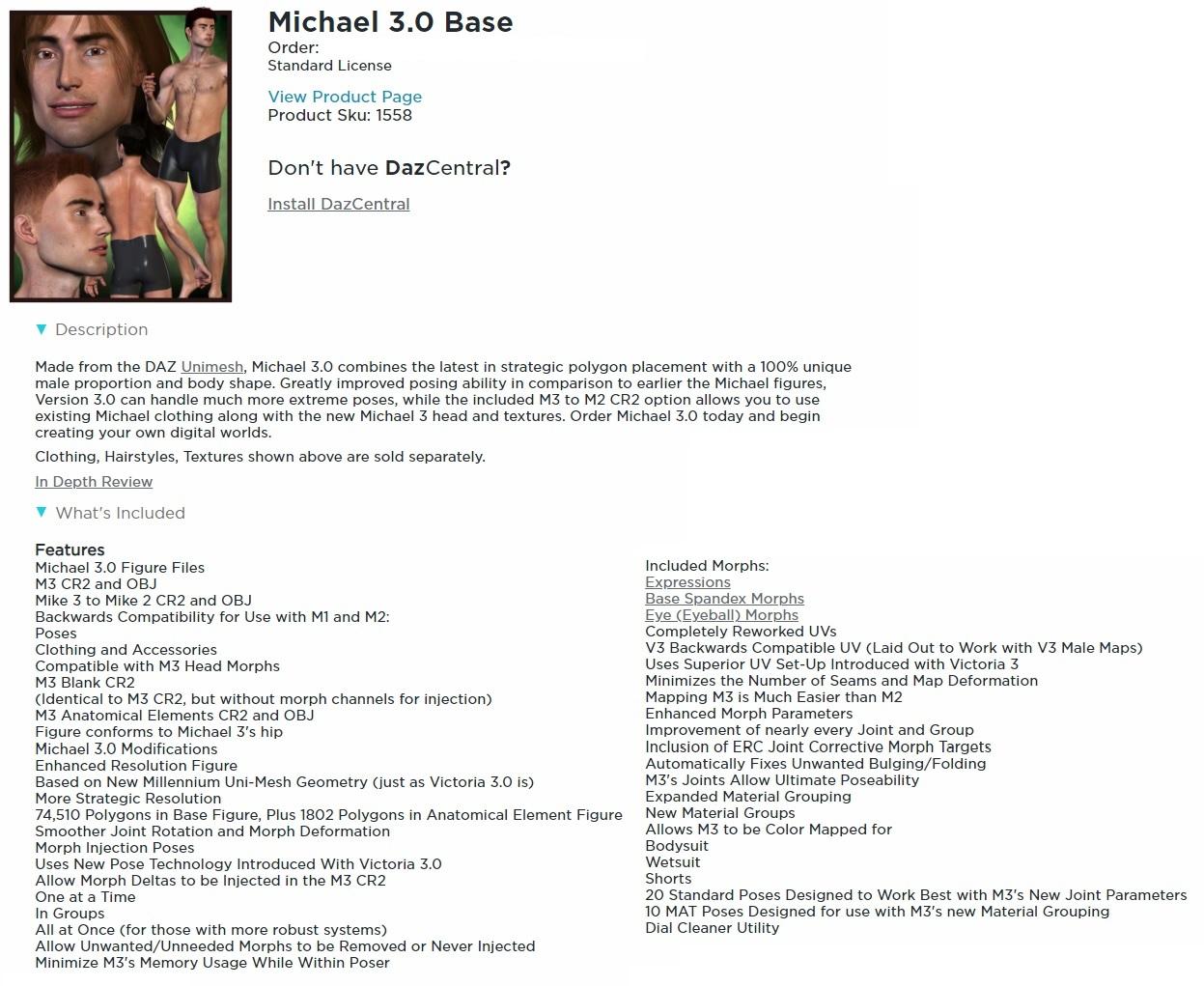
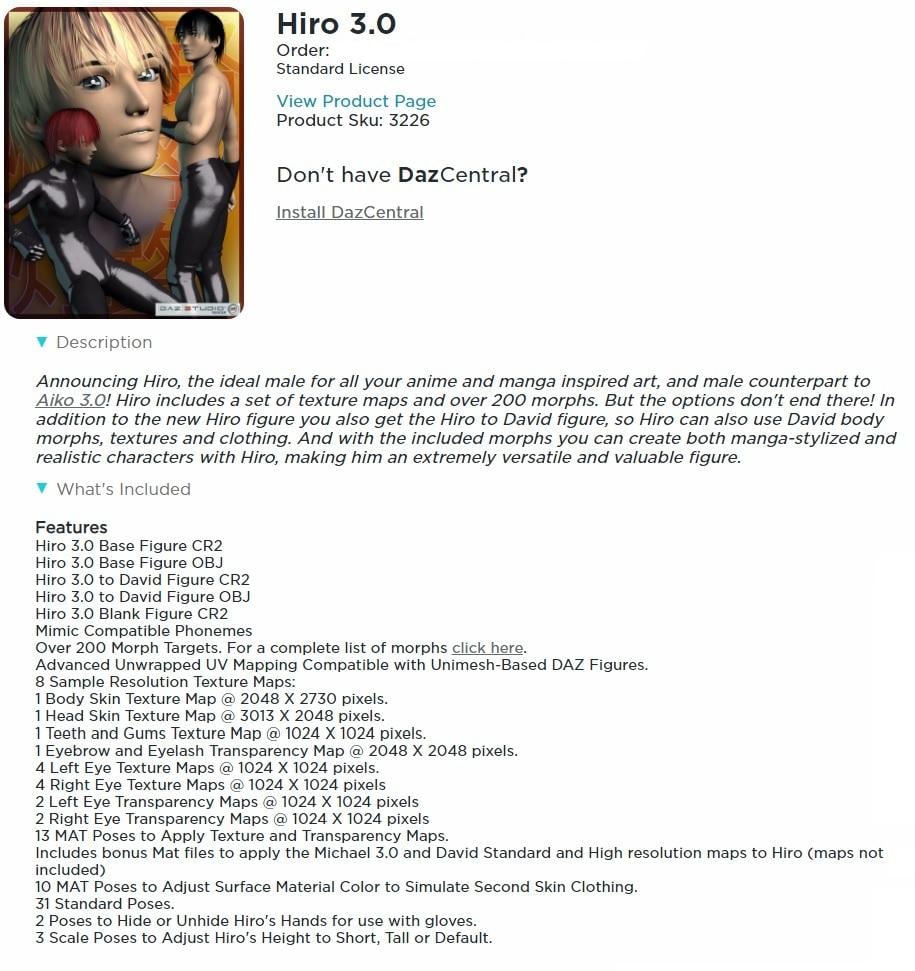
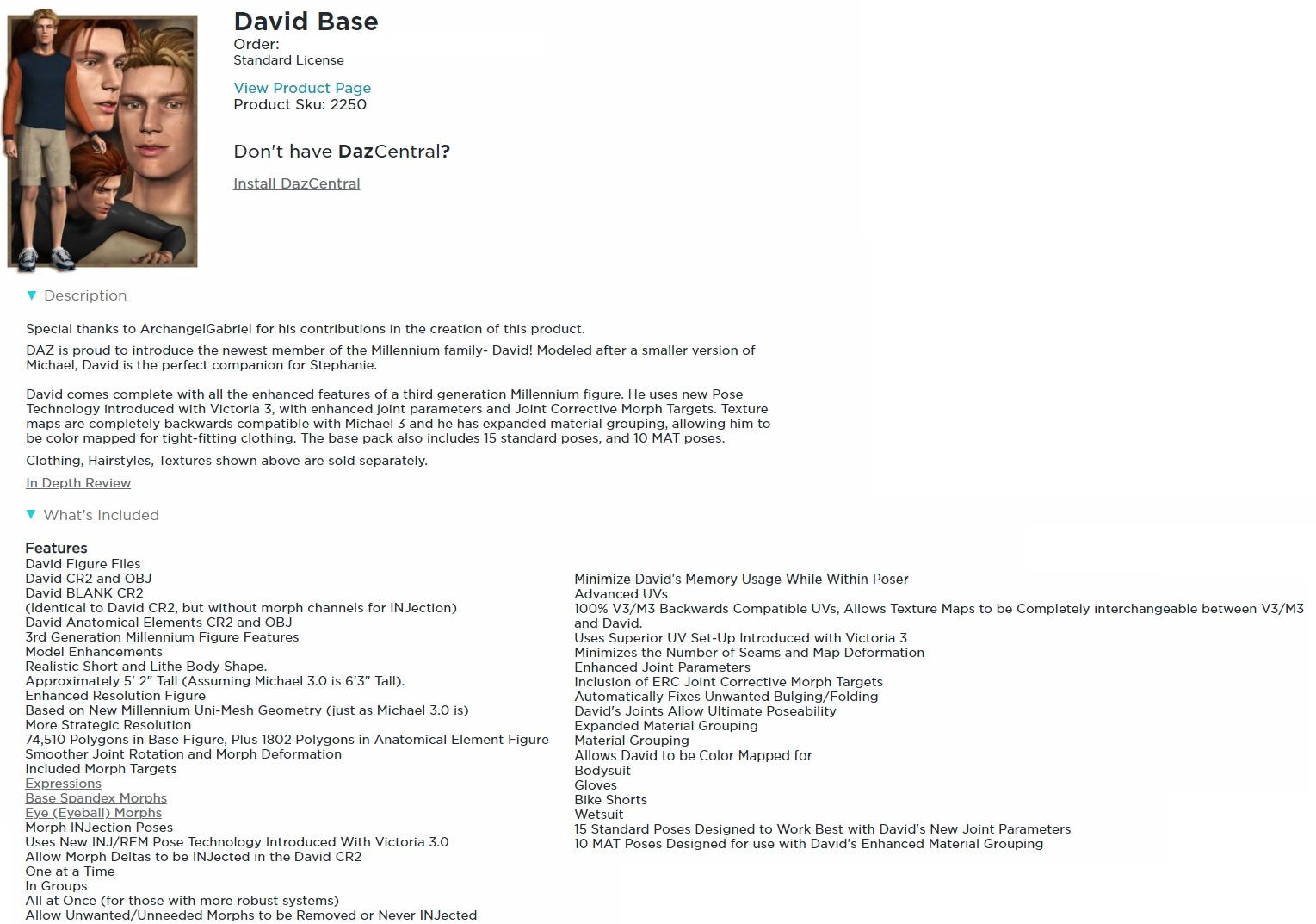
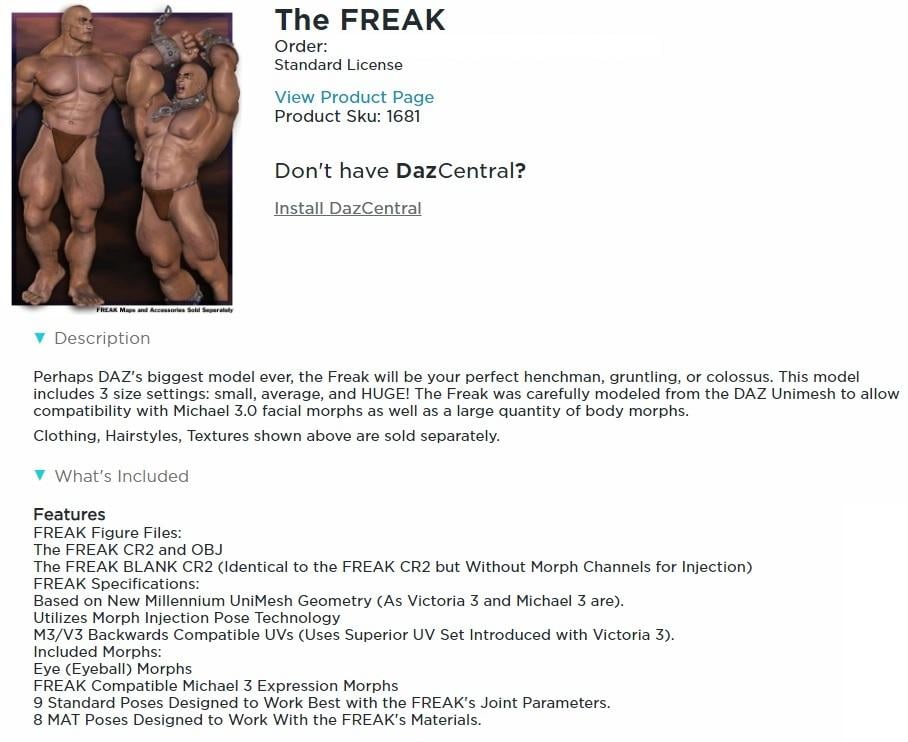 Texture (UV) and morph compatibility: DAZ Gen(eration) 1 to 4; Gen(esis) 1, 2, 3, 8 and (beyond ?)
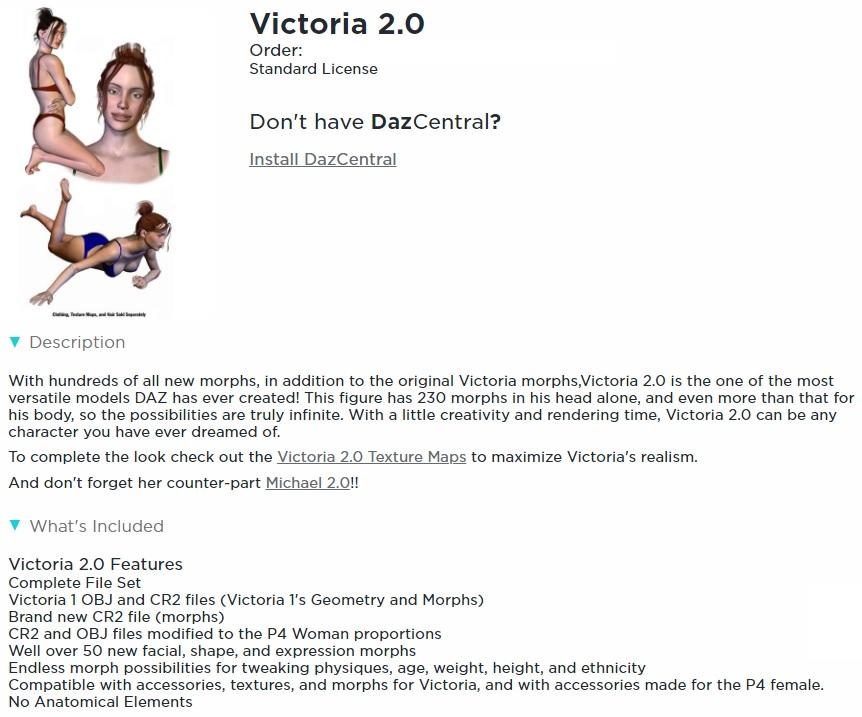
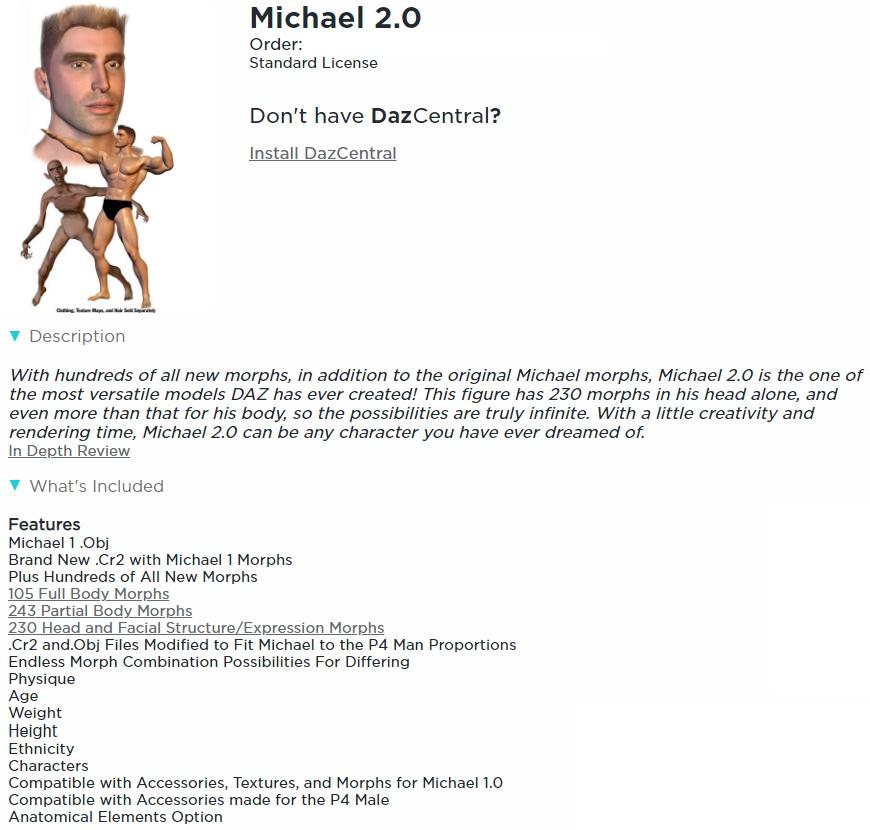
Generation 2: Victoria 2, Michael 2, (Stephanie?), (Aiko?), (Millennium Boy?), (Millenium Girl?), (Millenium Baby?)
The only explicitly labelled generation 2 figures that I have are Victoria 2 and Michael 2.I recall that V2 and M2 are identical to V1 and M1, ecept that they have additional morphs.
As mentioned in the previous (generation 1) post I'm not sure whether Stephanie, Aiko, and the Millenium Boy/Girl/Baby were generation 1 or 2.
 Texture (UV) and morph compatibility: DAZ Gen(eration) 1 to 4; Gen(esis) 1, 2, 3, 8 and (beyond ?)
Generation 1: Victoria, Michael, (Stephanie?), (Aiko?), (Millennium Boy?), (Millenium Girl?), (Millenium Baby?)
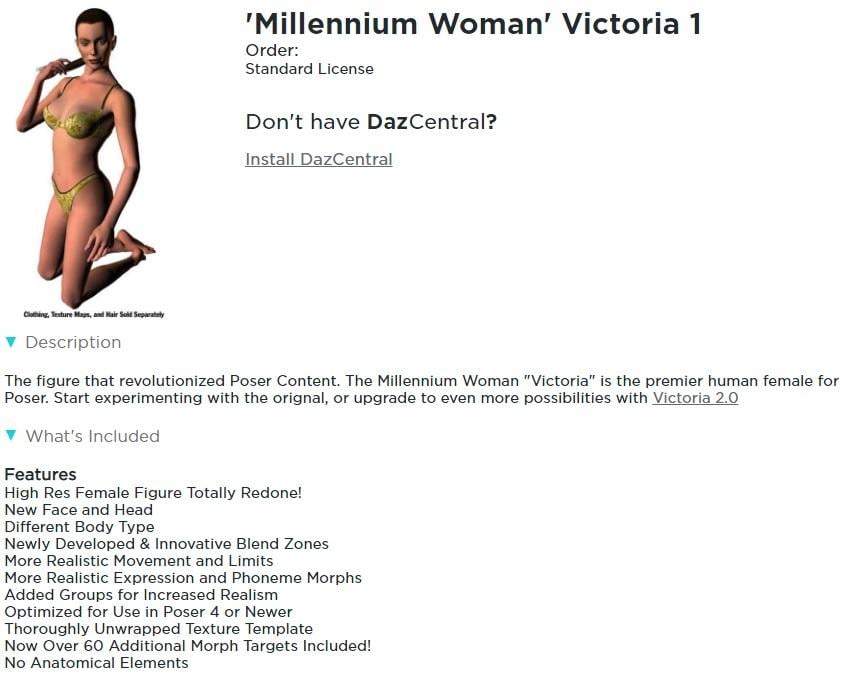
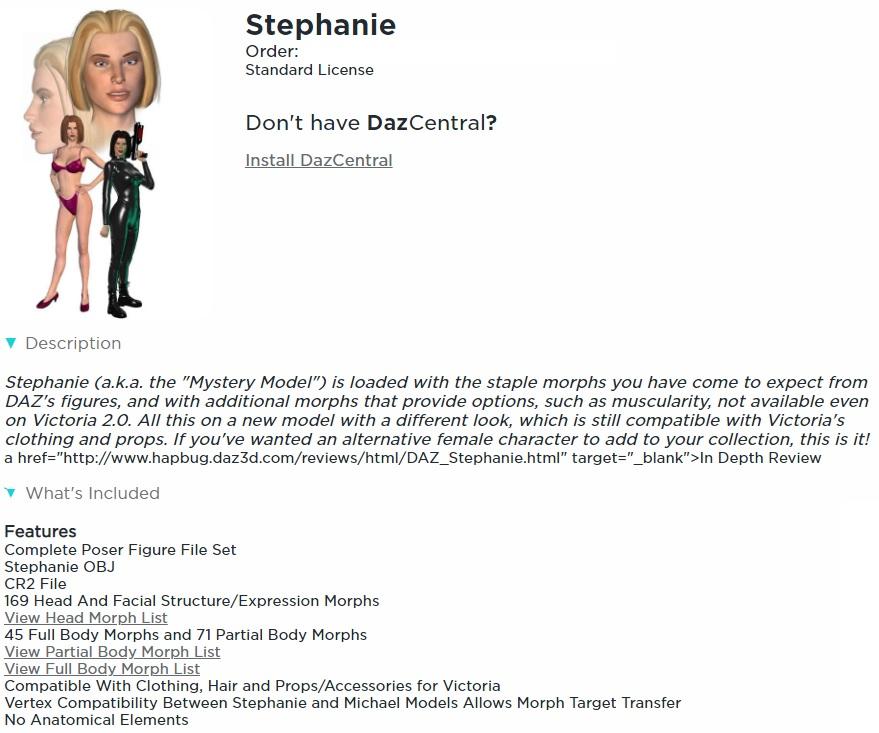
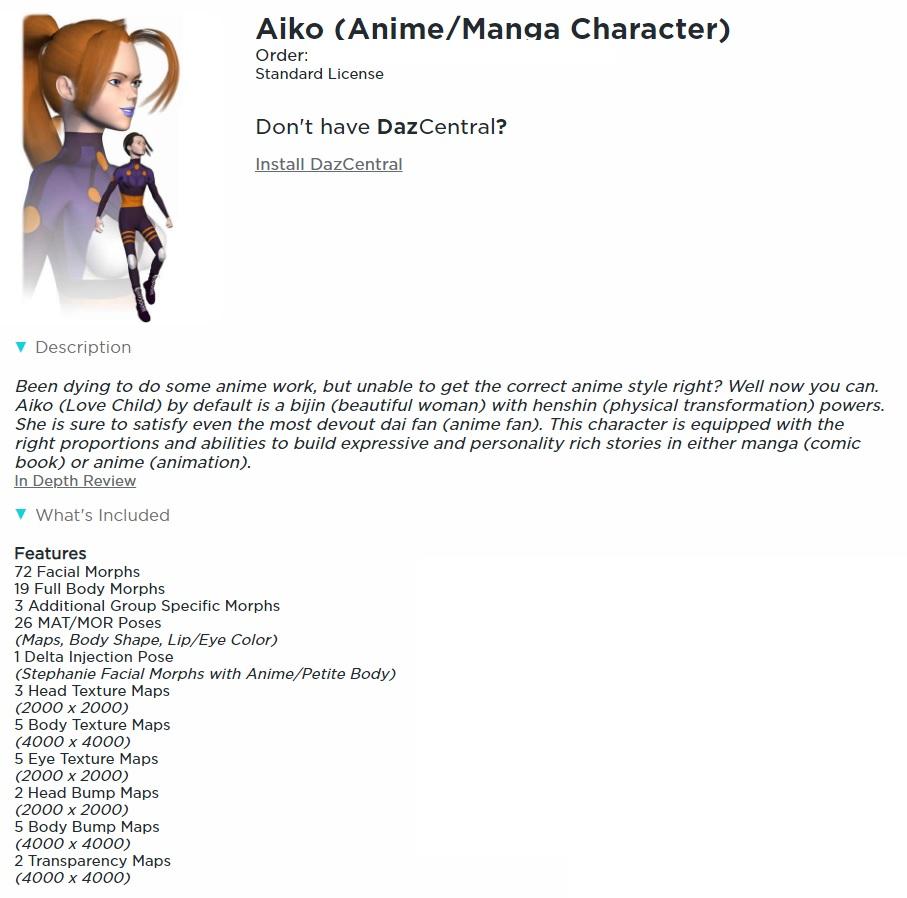
I've taken the liberty of posting screenshots of the details pages from my product library for the generation 1 characters that I have (mostly from my other account) Victoria, Stephanie, and Aiko.The product pages for these three lassies no longer seem to exist.
I'm not actually sure whether Stephanie, Aiko, Millenium Boy/Girl/Baby belong to generation 1 or 2.
Aiko doesn't have a distinct geometry - she uses the same OBJ as Stephanie. (discovered this while looking through my newly re- installed files)
 Texture (UV) and morph compatibility: DAZ Gen(eration) 1 to 4; Gen(esis) 1, 2, 3, 8 and (beyond ?)
I've always been confused about which figures within a particular generation can use each others textures and/or morphs straight out of the box, i.e. without the need for any conversion utility.
I'm currently reinstalling all my DAZ and Poser content, so now seems an ideal time to get to the bottom of this.
I plan to be editing the following posts, one for each generation, on and off for quite a while. Initially there'll be lots of empty space, some questions, and lots of statements about my understanding of this, much of which may be incorrect. But I hope that it'll gradually become more accurate.
Thanks to Lissa_xyz for the link to the official DAZ Compatibility Matrix: What Works With What . It only covers generations 4, 5 and 6, and the formatting appears to be screwed up (it's just a huge scrolly list at present).
Links to the posts below for specific generations:
- Generation 1
- Generation 2: Victoria 2, etc
- Generation 3: Victoria 3, etc
- Generation 4: Victoria 4, etc
- Generation 5: Genesis
- Generation 6: Genesis 2
- Generation 7: Genesis 3
- Generation 8: Genesis 8 (the genesis suffix being set to match the generation)
Further posts on specific things:
Transfer a taller morph of G8F to G3FI've been trying to transfer a body morph (Leah) from G8F to G3F. The character is taller than G3F, and I am getting wonky arms after transfer. I have replicated this with Victoria 8 (who is also taller)
I assume I am missing the combination of settings in the Transfer Utility to do this.
I am using this transfer process, starting at PART 2, from @Sickleyield: [Tutorial] Transferring Character Morphs G1G2G3G8 by SickleYield on DeviantArt
I have tried a lot of combinations of 45 degrees down and legs at 6 degrees out/in, or clones of A pose or T pose...but I still get wonky arms as I dial it into G3F after transfer.
Here is what I am talking about using the V8 body morph...it is much, much worse with the Leah morph. Any ideas?
 Slim Man Export to Reallusion Character Creator 3
I absolutely love the variety of Daz products but I find the user interface less than intuitive for my horror and scifi creature designs. My workflow so far has been to create a creature or creatures in Daz Studio, export to Character Creator, combine the assets I want for my model, and then export through the various reallusion pipelines to Unreal Engine. This has worked great and has let me combine male and female assets from any generation of products into one finished model with ease. Unfortunately, I am now attempting to create a Lovecraftian Night-Gaunt for a new project and the Slim Man base with assets from Victoria 4.2 Creatures should let me create this faceless monster with leathery wings, pawed hands and feet, and horns that curve back and to the center as per Lovecraft's description. My problem is that I can get the Slim Man model to export just fine but on attemting to import to Charector Creator I get an error message that reads "Failed to load character: No suitable setup profile found." I've gone back over my entire setup and the only thing I can think that might pose an issue would be the faceless part of the Slim Man model. Any ideas on how I can get around this issue or possibly do what I am describing in Daz Studio itself would be greatly appreciated.
learning Aniblocks...is there a way to "superimpose" a few blocks at once?I guess I was wrong it looks like Daz has updated the gyro hip-hop dancing aniblocks for genesis8 .too
https://www.daz3d.com/animate-hip-hop-moves-1-for-victoria-8
JCM doesn't work in Blender!jeff_someone said:
acdum1857 said:
jeff_someone said:
TheMysteryIsThePoint said:
Yes, you need to actually load the JCMs. I'm not at my computer right now, but the option on the N-Panel is pretty obvious once you know to look for it. I also remember that once, I had to set some option to allow Python to run, but interestingly, it only bit me one time.
Yes, there's a Load Standard JCMs in the Morphs panel on Diffeo. Also, not sure what the problem is on official DTB, all the JCMs work fine for me out of the box.
Thank you for your answer.
I ran 'Load Standard JCMs' in Diffeomorphic.
Fortunately, the upper body JCMs worked, but still the calves and thighs did not.
I am now having the same problem with both Bridge and Diffeomorphic, and I don't know what is causing it.
A separate question, is there a way to load Subdivision 2 figures in Diffeomorphic?What character are you moving over to Blender? Is it a standard Genesis 8 version character?
It's a Victoria 8 model with morphs applied.
In Diffeomorphic, only subdivision 1 or less is imported.
So did the other models.Did G8F Have Separate Eyebrows Or... :/The Hierarchical materials came with my Victoria 8 too...
Did G8F Have Separate Eyebrows Or... :/They are just in the Victoria 8 product.
Did G8F Have Separate Eyebrows Or... :/Richard Haseltine said:
I have Hierarchical Materials for the brow materials in the Victoria 8 product.
Where did you get these from? For me, it's the same as @Bejaymac. Even using the premade V8 char preset, she's using a diffuse overlay for her eyebrows, as are her iray brow materials. The fibermesh attachment is under Anatomy > Victoria 8 Eyebrows, and never load by default.
Daz 3D is part of

Connect
DAZ Productions, Inc.
7533 S Center View Ct #4664
West Jordan, UT 84084Licensing Agreement | Terms of Service | Privacy Policy | EULA
© 2026 Daz Productions Inc. All Rights Reserved.