-
Is there a feature to put clothes over g9 male gens?
Masterstroke said:
In fact a cool idea for Anatomy squeeze morphs, that make them fit for clothes.
I tried making this work. Then I decided it was too much hassle and instead put a load of effort into making that highly adjustable morph set so I never had to do it again.
Ballet outfit / Tutus for G9F (weird fit control issue with G8F/G3F outfits)crosswind said:
As others said, it's just because of the "wrong weight transfer" when auto-fitting the G8's tutu onto G9 figure. Do not adjust it with Fit Control but just copy weight map from G8's tutu to G9's. It's very simple to fix.
As the attached screenshots, press Alt + Shift + W (node weight brush) first, then copy the weight map of the Pelvis bone from G8's tutu to G9's auto-fitted one ...
That seems like a nifty trick, I was just coming back in here to ask how to speed up the tedious process of cleaning up all those wrongly assigned influence groups. But how does the copying of just the pelvic bone map cancel out all the others, do they get deleted automatically?
Edit: Ah sorry, didn't read properly, I guess I just copy these over as well.
Ballet outfit / Tutus for G9F (weird fit control issue with G8F/G3F outfits)As others said, it's just because of the "wrong weight transfer" when auto-fitting the G8's tutu onto G9 figure. Do not adjust it with Fit Control but just copy weight map from G8's tutu to G9's. It's very simple to fix.
As the attached screenshots, press Alt + Shift + W (node weight brush) first, then copy the weight map of the Pelvis bone from G8's tutu to G9's auto-fitted one ...
And if you also find the similar issues on other Bones, do the same with those Bones' weight maps.
Mesh alteration after using the transfer utilityI fixed it, the solution was to load my original .OBJ from blender as a morph BUT with reverse deformations on. No need to touch the hidden properties.
why is seemingly every character the same height?There are some characters that are bigger and smaller. Also, there are pre-packaged body morph sets here and other places for painlessly adjusting character size and proportion. Many characters are similar size, but not all are same size.
Ballet outfit / Tutus for G9F (weird fit control issue with G8F/G3F outfits)When autofit or transfer utility rig a mesh, they will automatically assign parts of the mesh to a bone based on proximity, using a projection template as a guide. But for clothes which are not close to the body (like a tutu which is much wider on the hips than a typical skirt, or very long sleeves from a kimono or fantasy dress, for example), some polygons are actually closer to another bone's "influence zone" on the template than the one they should logically be assigned to, and so they end up assigned to the wrong bone.
So you will need to edit the rigging afterwards if you want the clothes to work properly.
Is there a feature to put clothes over g9 male gens?@Matt_Castle recently shared a bulge morph that may be useful:
https://www.daz3d.com/forums/discussion/comment/8722216/#Comment_8722216
Eye problem in G9 (Solved)Thanks. I looked up how to do that. I was not quite looking in the right place. Turns out its the PFA The Age baby eye morphs as discussed here:
Gen9 left eye blink morph problem [SOLVED] - Daz 3D Forums
Now that I know what it is, it's no biggie to fix.
Marahzen's Musings on Creating Characters (and other matters)I sat down today and took the first steps toward creating a new set of steps for creating characters, based on everything that I've found and learned since summer 2022 - which is when the last set of instructions for character creation I have date back to. I never finished the instructions, back then or with any of the earlier versions. I never actually created what I considered to be a finished working character. It's been a WIP all this time.
Speaking from the experience of the previous attempts to get a process written down, I expect there will be several refinings and revisionings, a few backtracks and a total embarrassing "Oops!" or two as I get further along and realize that something important was forgotten or done wrong way earlier. Up to this point, I've had the luxury of pontificating about things I did so long ago that I know if they worked or didn't work. All of this might look pretty stupid in a week.
Anyway, this guy is a beginning, a first step. The thing I was testing here probably sounds arcane but he's a test of creating a Face Transfer character on a stock G9 just from the saved shape, not a direct transfer from Face Transfer. I'm setting the stage to use existing FT2 shapes for mixing with other characters. There's no doubt multiple, better ways of saving a Face Transfer 2 shape for use in other scenes but I found one that seems to work. Let's see what happens.
 Eye problem in G9 (Solved)
There is a character that has a corrective morph applied when it shouldn't be because the character is not applied. Turn on hiddena nd look for active morphs.
I'm having problem with Importing obj from Marvelous Desginer as Morphyes Morph Loader Pro.
It complains facet count
Loading morph Gown morph...
Error: Facet count mismatch - base does not equal target (54566 != 108668)
Error: Error matching facets
Warning: Geometry did not match, failed to create morph.
I'm having problem with Importing obj from Marvelous Desginer as MorphWhat did you do ? Import the simulated OBJ with Morph Loader Pro into DS as a morph ? It should work as vertices count as well as vertex order won't change...though you may see Faces are doubled or sth...
You got an error message from MLP ?
I'm having problem with Importing obj from Marvelous Desginer as MorphI'm having problem with Importing obj from Marvelous Desginer as morph again.
the cloth is alrady base res.
The number of facet when imported is not the same, almost double.
If facet is the same with face, than it would be obvious cos MD triangulate.
but I used to be able to use obj form MD as morph.
I dont thing the problem with the export from DAZ3d, cos I can use the obj directly for morph.
The problem only the obj from MD.
Is it because the new update of DAZ studio?
Export Settings:
I need clarification of the licenseIf you are not sharing any modified version of the mesh, this is a legitimate use of any assets with the standard licence.
Terms of Use. Two-Dimensional Works. Subject to the terms and conditions of this Agreement, User may (i) access, use, copy and modify the Content in the creation and presentation of two-dimensional animations and renderings, (ii) incorporate two-dimensional images (including two-dimensional images that simulate motion of three-dimensional objects) derived by User from the Content in User's other works, and (iii) publish, market, distribute, transfer, sell or sublicense User's two-dimensional animations, renderings and other works; provided that User may not in any case publish, market, distribute, transfer, sell or sublicense any renderings, animations, software applications, data or any other product from which any Content, or any part thereof, or any substantially similar version of the Content can be separately exported, extracted or de-compiled into any re-distributable form or format.
Screen recordings of anything using the assets reasonably falls under "accessing, using, copying and modifying the Content in the creation and presentation of a two dimensional animation or rendering".
There is no limitation as far as what program does the rendering or whether it is done in real time. The licence is very free about what you do, as long as the only person directly using and accessing the assets is you.
(Indeed, making money off a tutorial would be completely legitimate under the licence).
Eye problem in G9 (Solved)I ran across this weird problem today. I know this wasn't a problem at some point in the not terribly distant past - I routine test a blink on my created characters to look for issues. I am guessing that this is either a 4.22 thing - it occurs both in release 4.22.0.16 and my beta, which is 4.22.1.88 - or it's some problem morph for a character I picked up recently. Does anyone have any ideas?
This is base G9 figure with no intentional anything applied. I made the eyelashes invisible to make the issue more visible. It only occurs on the left eye.
 Celebrity Look-a-Likes for 3D figures Part 4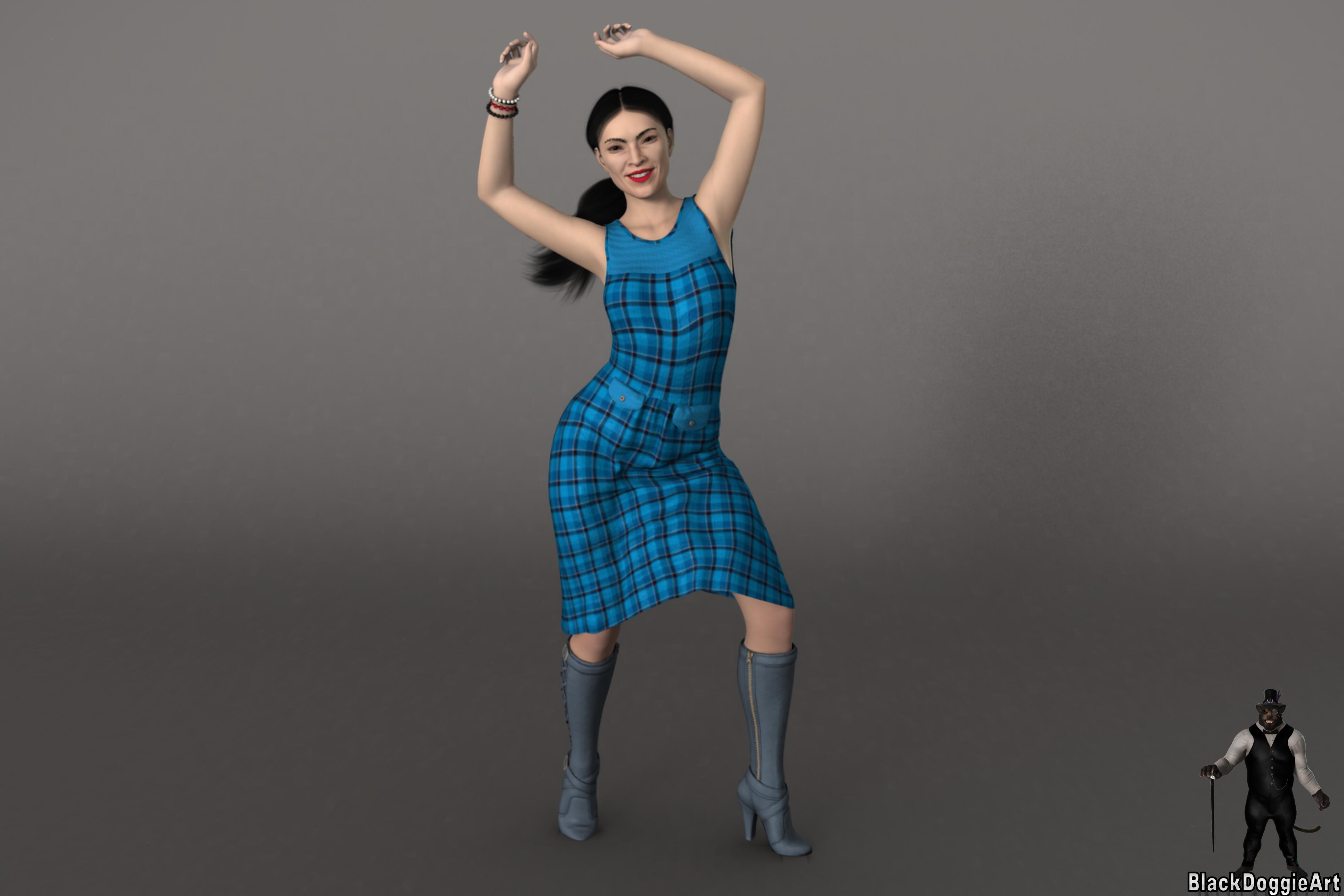
AOC Morph (40%) and Texture: https://www.renderhub.com/usb/michelle-for-genesis-8-female
AOC Morph (60%): https://www.renderosity.com/marketplace/products/150131/kalyta-for-genesis-8-female
AOC Dress: https://www.daz3d.com/dforce-diana-dress-for-genesis-8-females
AOC Boots: https://www.daz3d.com/joey-boots-for-genesis-8-females
AOC Braclet: https://www.daz3d.com/boho-shorts-outfit-for-genesis-8-female-s
Nvidea Iray viewport getting overloadedWell....Almost everything is fixed....
Got my PostgreSQL running.....Face Transfer works......I can render again.....
I had to completetly eliminate all traces of DAZ 3d and meticulously install it all on the D: drive.....not so easy as it sounds....
The only thing really left to fix is the Nvidea Iray viewport is getting overloaded pretty quickly.....
after 4 or 5 pieces of cloths and hair....the viewport can't convert to Nvidea Iray mode.......
Is there a feature to put clothes over g9 male gens?You could try using the Genital Bulge shape in the clothing (if it isn't there you could set it in the base figure, export the clothing item as OBJ, and load as a new morph) or you could use dForms of MeshGrabber. Of coruse you would also need to pose the anatomical elements to reflect their being held by clothing, at least if in a relaxed state.
Is there a feature to put clothes over g9 male gens?Not really. When using a clothed figure people tend to use a bulge morph rather than the actual gens.
Daz 3D is part of

Connect
DAZ Productions, Inc.
7533 S Center View Ct #4664
West Jordan, UT 84084Licensing Agreement | Terms of Service | Privacy Policy | EULA
© 2026 Daz Productions Inc. All Rights Reserved.