-
V3 Base Magnet Fits
Where in the mouse menu is it supposed to be? are you right-clicking on figure, or the thing you want to transfer morphs to?
Adding bones 30s Everyday Dress for V4Daz Studio's Transfer Utility, which can also be used for other figures beyond Genesis:
(PhilW's Advenaced Carrara Techniques course has instructions on using it for V4)
 Adding bones 30s Everyday Dress for V4
Oh... that's right. I said that because the original post asked about adding more bones than what V4 has for a game engine. If it gets exported with V4 bones, then you'll get the same thing as not doing anything at all, since the dress is already for V4.
However, you could avoid building the rig for V5 if you use the transfer utility in Daz Studio to get V5's rig transferred to the dress OBJ.
Again, I was under the impression this was a custom job, in which case we could easily build the rig. Know that Carrara also has 'Duplicate with Symmetry' for rigs as well as models ;) along with some other fine tools for the rig.
Main thing... if you're still stuck, let us know. We'll get you up and running ;)
Translation not working when rigging figure.I'm just rigging things the way I always do. It was a choker. Ran the transfer utility then rigged the gemstone which I wanted to be able to move seperately. Painted the X, Y, and Z weights. Everything rotated okay. Moved the translation, the bone moved to where I wanted it but the geometry stayed put. It never used to do that. Used to be the bone moved the geometry moved with it. Did they change something with the latest version?
How do I make the Armor fit on the T-Shirt?Ok thx.
I tred it right away and I missed the morph thing I was in the surface nae and not the parameter one. It dont realy help me to be honest since it's a general scaling that goes all direction and I basicaly have everything wrong to get the belly right with it.
I'm trying the rest of your explication right now and I think that exactly what I needed in this case for what I understand of the images.
Edit: I can't make it fit right for now, but I learned a lot with this post. It will be usefull more than once in other situations.
Knittingmommy's LaboratoryAh, I think I'm on the last batch of DS files that I need to transfer. I might actually get to set something up to render later today and see how it does.
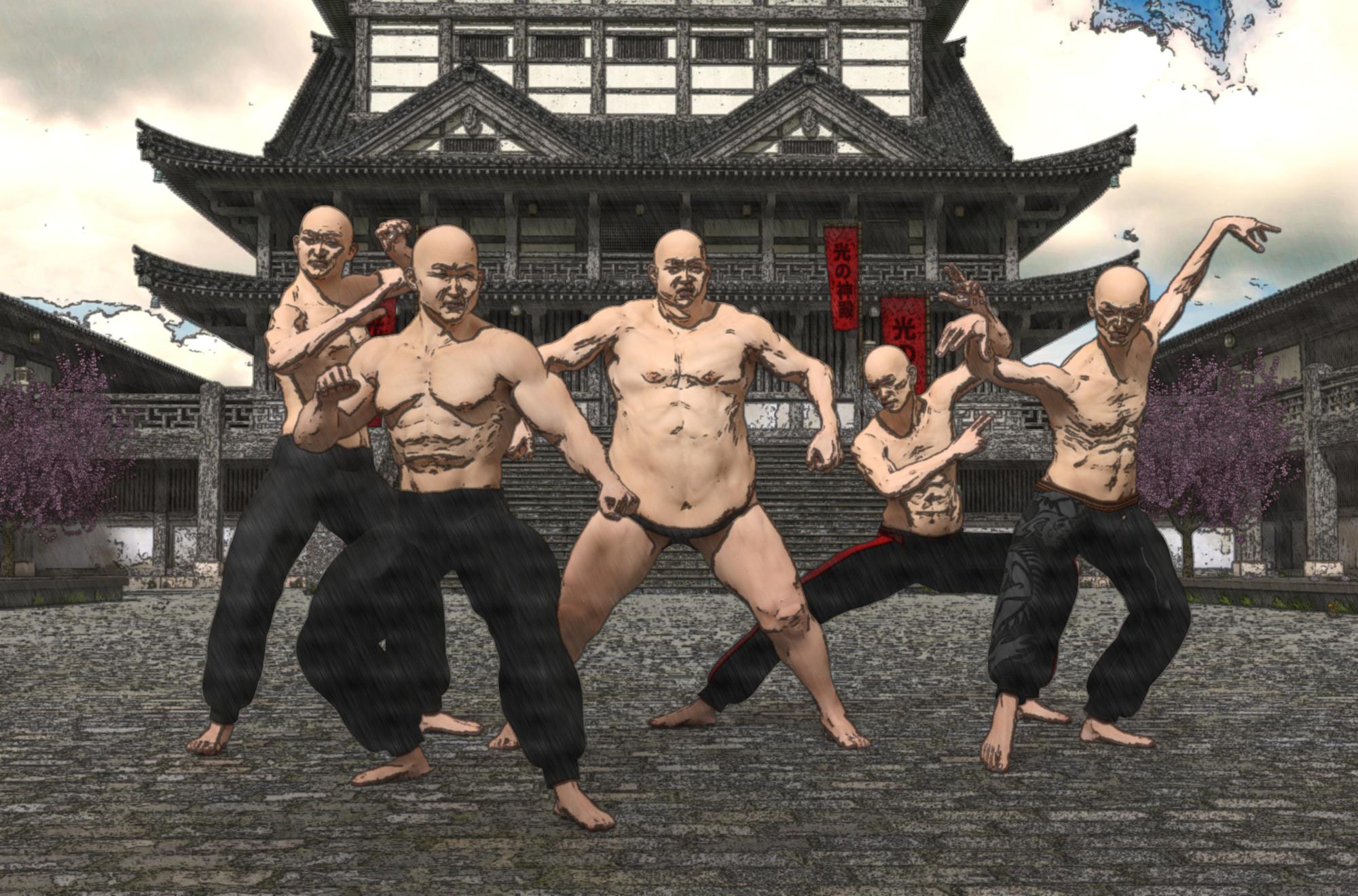
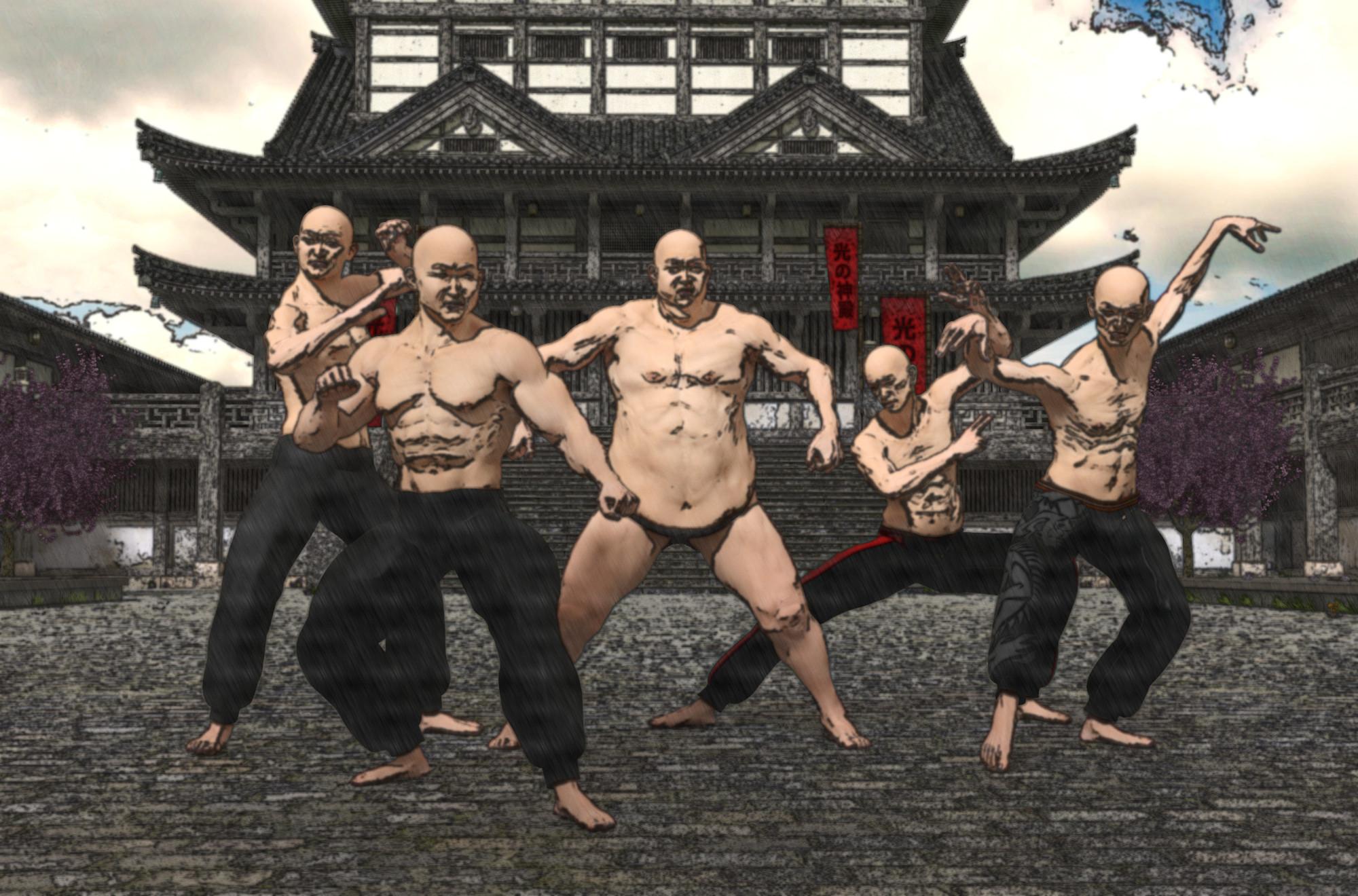
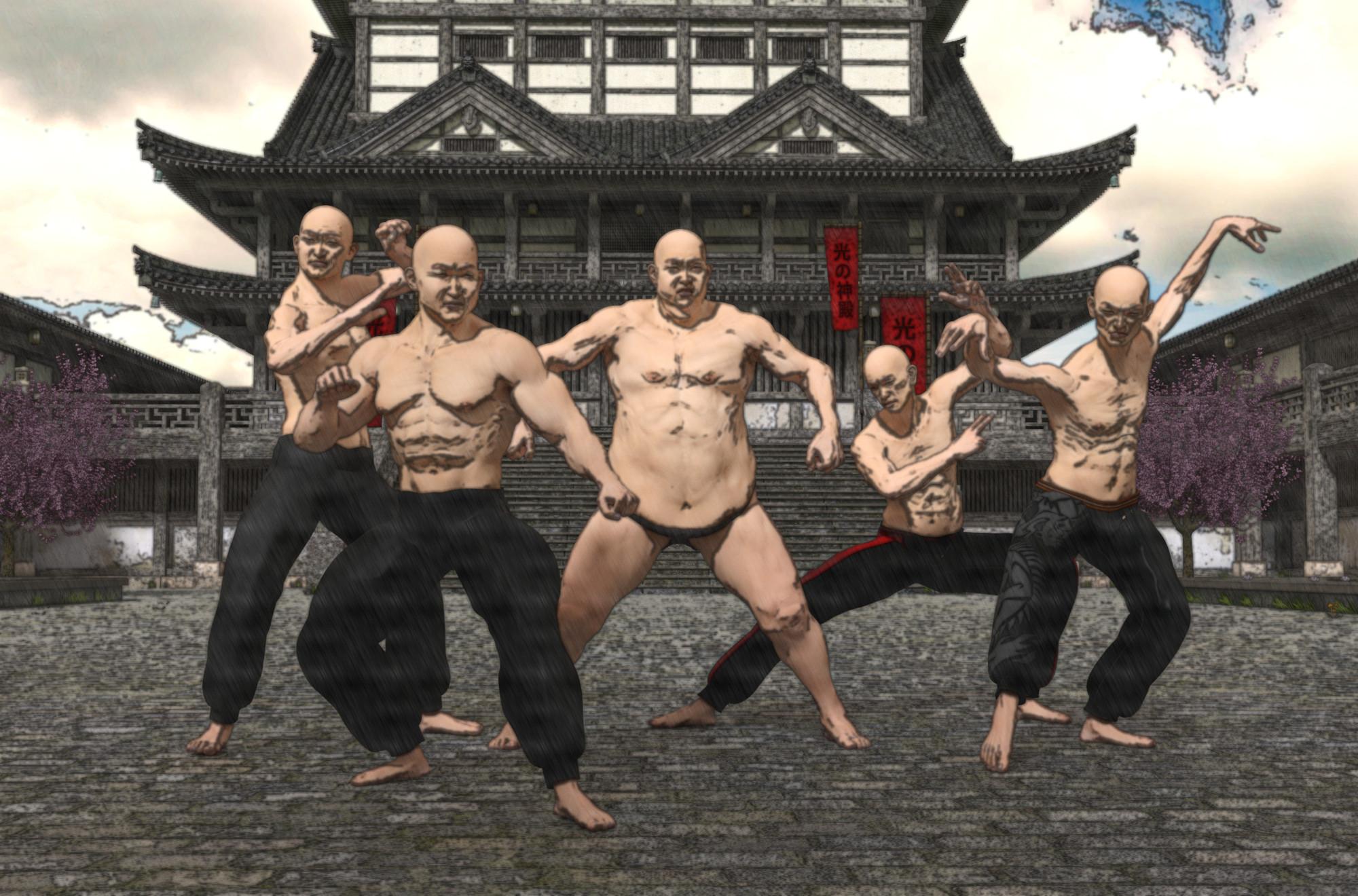
So, I took Will's advice and played with blurring the Outline layer that I got from the Pencil Sketch filter. Here is what I ended up with. I'm amazed that the slight blurring and change in Opacity on the Outline layer can affect what the final image looks like so much. Thanks for the tips, Will. The differences might be subtle, but they do really make a big difference! I think I like the last one best, but I'll keep playing with everything.
Outline Layer: Blur set at 2 and Opacity at about 67%:
Outline Layer: Blur set at 4 and Opacity at about 81%:
Outline Layer: Blur set at 4 and Opacity at about 67%:
 catenary ropes. wires or chains
Easypose items do work in DS, I have an easypose tube, some chains, tentacles, heavy cable, etc. Some of them have morph options built in to do a few basic curves and waves, which is super-awesome. However beyond that, yes, you have to manually pose each and every numerous segment, which has discouraged me from using them. It would be exceedingly difficult to get them to go from point A to point B across multiple obsticles with realistic curvature in the middle of each, although a simple curve between the two end points isn't hard with the built-in morphs (see screenshot), although I don't think that's exactly the curve you are looking for. A product that is nothing more than a large number of pose sets for thse products would even be handy, although of course if one could script it that would be even better (except that I'm stuck with scripts that work in 4.8, but better for everybody else anyway.)
 Your Hallowe'en Wishes...
There is a SkeleHorse for the HiveWire Horse at hivewire3d.com.
I remember putting out a suggestion for a Hllowe'en-themed version of Horse 2, actually. A skeletal horse. It already has an emaciated morph and someone should be able to do something more with that. I don't think anybody's ever done Iray textures for it, like Dragon 3 had got (and I'd still love more Iray skins for Dragon 3, especially a realistic purple one). Maybe a glowing Iray emissive to make it seem spectral?
Loading multiple figures problem.I'm not usually using more than one girl at a time, but recently I had to and I discovered a problem that may have preexisted but I don't really know.
So when I load a character everything is fine, but when I load a second with a different morph then the first one becomes distorted. Is there any solution to this?
The OMG It is 2017 This thread's end is Nigh Complaint Thread....storms have finally passed through. Winds have died down and just raining now. Never lost power (thankfully) even though some areas of the city did.
Aiko 7 in the store, big temptation as with one other "new" item (including PC items) I can get her for about 12$.
Really need more morph resource content for G3 but none of them on sale. Also still waiting on Skin Builder Pro3. Should be Zev0's/Draagonstorm's next release as they said it would come out after the Ageing Morphs. Also would like to get the Pose Converter for G2 - G3 but have to wait for Zev0's store to be one of the Featured Catalogues.

 The OMG It is 2017 This thread's end is Nigh Complaint Thread.
...storms have finally passed through. Winds have died down and just raining now. Never lost power (thankfully) even though some areas of the city did.
Aiko 7 in the store, big temptation as with one other "new" item (including PC items) I can get her for about 12$.
Really need more morph resource content for G3 but none of them on sale. Also still waiting on Skin Builder Pro3. Should be Zev0's/Draagonstorm's next release as they said it would come out after the Ageing Morphs. Also would like to get the Pose Converter for G2 - G3 but have to wait for Zev0's store to be one of the Featured Catalogues.
How to? Custom Star Wars morphs for M4 and V4Thanks. Some proper reference pics would make it easier to figure out if this is really "doable" with the Gungan morph. I found some decent reference pics in product reviews for Star Wars figures. But... they're plastic minifigs, so they don't have much detail, anyway. But, then again, making it easier to see the proportions has increased my confidence that at least a "doable" Gungan morph is possible. I was making the mouth a bit too deep, previously. It only goes that deep when a Gungan smiles. Really weird, since it doesn't make much anatomical sense in a supposedly "realistic" character.
I am being traumatized, though, by hearing memorable Jar-Jar lines in my head everytime I look at this darn thing. :)
If the Gungan ends up being a no-go, I can probably do the other two. They're not as extreme and won't require a lot of separate bits that could be difficult. (The Gungan does require "eye stalks", separately, and conforming/poseable ears in order to be "worth having." The Bothan probably requires facial hair and I suck at creating polygon hair transmaps. :) )
Not promising anything! But, I am fiddling with 'em. Fiddled for another hour or so with the Gungan when I found better refs.
Daz store dissatisfactionI want to say I'm buying less from the store but that's not true. I must admit I have so much content that I don't even know what I have anymore. I must say, though, I have been passing on the individual characters because I don't find them particularly unique and with Genx and all and the material converters, I have been getting the most out of my V4 and G2 content. And even making up my own characters with a morph here and and a morph there. I have bought all the bundles characters except Sunny 7 and that teen guy because, well, I'm just greedy. Still waiting for Monique and Darius. And BTW, divamakeup, thanks for your post about Absolution, I would have missed it if I hadn't seen the render you posted.
Learning Carrara and Need some Help?Thanks @wgdjohn . I will give that a try. Also, thanks for the link to Diomedes tutorial. Looks most helpful.
I do have G2F and V4.2, and was thinking about loading DragonLord outfit to them. Would it work? For swapping outfits between generations in Studio, autofit is needed. Does Autofit work in Cararra?
Auto-fit works on Genesis 1 and 2.
Carrara, being a modeler, also works quite well for making clothes for your characters and figures.
That being said, we can use Carrara to make clothing that was made to fit one thing into something that fits another. This is a bit on the advanced side, but I'll mention the brief overview:
Load in the figure you want the new clothing to fit to into Carrara - leave it in the default t-pose
Load in the OBJ of the clothing item (Found in the Data folder or in Runtime > Geometry)
With the clothing OBJ selected, click the little wrench icon in the upper left of the interface window (enters modeleing mode in the Assemble Room)
Reshape the clothing to fit this figure
When done, click the hand icon where the wrench icon used to be
Export the reshaped clothing OBJ
Bring the new OBJ into Daz Studio, with the figure used in Carrara already loaded in
Use the Transfer utility to turn the new clothing OBJ into a coforming Clothing item for the figure
Save to the library
It really is that simple!
The steps taken within that sequence might require a little practice - but not really that much. It can be as simple as using Soft Selection in the modeling tools, selecting the most major areas that make the clothing not fit the intended figure, and pull or push them around, scale them up or down, etc.,
It can even become fun and addicting!
diomede has some really cool threads about doing this sort of thing. I have a video regarding the Transfer Utility part of things in Daz Studio:
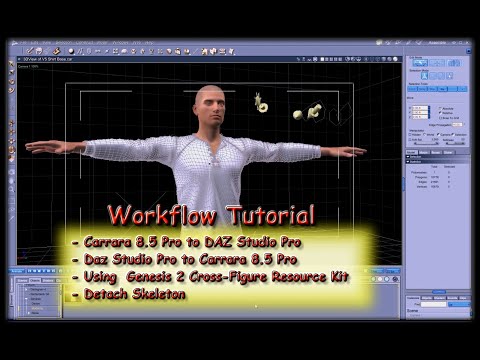 How to Transfer Daz Content
I need help! I'm starting to realize that this art form requires quite a lot of hard drive space. When I first installed Daz Studio I installed it to my SSD - being new to 3D art I didn't know how much space it actually takes up and now that I've been using Daz for about 7 months (and accumulating a LOT of freebies and doing hundreds and hundreds of renders), I'm starting to see my SSD fill up. Is there a way to move Daz files, my content, and my renders off of my SSD and onto another drive?
I'm not as worried so much about moving the renders as I am about moving the content (though I would like to know how to tell Daz to save my renders to a different hard drive). The most vital thing I need to figure out is how to move my CONTENT to an alternate hard drive. I don't want to "break" anything, create error messages with file paths, or create problems with Daz. How can I move my content without creating problems? And without having to uninstall and reinstall everything (as I have just about dial-up speed internet and it takes AGES to install Daz content).
I've already created an alternate install path (to a hard drive with more space) for my Install Manager and am having all my new content downloaded there. And I've added that base directory to Daz and it works well. I see all my new content there and it loads fine. However Is there a way to move some of my old installed content to that base directory as well (without creating pathing issues in Daz)?
Any help you guys can give me would be much appreciated. My SSD is really starting to fill up and it's getting to be a serious situation.
TLDR: 1) How to move my content to another hard drive without creating pathing issues in Daz (and without having to uninstall and then reinstall everything)? and 2) How to tell Daz to save my renders to a less full hard drive?
New Pixologic software coming - Zbrush Core for entry level artistsYeah unfortunately it doesn't support plugins. :(
I am having a bit of trouble though, maybe someone more familiar with Zbrush can help. I subdivided the figure twice in Core and worked on morphs, then lowered the subdivision back to 0 and exported. While the morph worked fine in Studio, it did not have nearly as much detail when subdivided twice in Studio as it did when subdivided twice in Zbrush. Is this expected or is there a way to fix it?
When you worked on the divided mesh in ZBrush you were actually pulling the additional vertices around, applying SubD to the mesh in DS doesn't bring those additional movements in it just smoothes the base, morphed, shape. The only way to get the detail in DS is to use Displacement or Normal maps - the full ZBrush can make those (though it's a bit of a pain with the multi-map Daz humans), I don't know if Core can.
New Pixologic software coming - Zbrush Core for entry level artistsYeah unfortunately it doesn't support plugins. :(
I am having a bit of trouble though, maybe someone more familiar with Zbrush can help. I subdivided the figure twice in Core and worked on morphs, then lowered the subdivision back to 0 and exported. While the morph worked fine in Studio, it did not have nearly as much detail when subdivided twice in Studio as it did when subdivided twice in Zbrush. Is this expected or is there a way to fix it?
New Pixologic software coming - Zbrush Core for entry level artistsJust confirming that you can make morphs for DAZ stuff in Zbrush core in case anyone wasn't sure. I exported Genesis 3 at 0 subdivision, opened it in Core, moved the ears around (ONLY use the Move tool), exported as an OBJ, and imported the morphs with Morph Loader Pro.
Victoria 7 promo image with white hair and cheek dimple...what character is this?I did a Google image search and found the original gallery image: http://www.daz3d.com/gallery/#images/118146/
The character is FWSA Finley HD which interestingly doesn't have the dimples - I suspect it's an expression pose or morph that's adding them.
Duplicate formula message after creating a morphYou probably have duplicate files in different folders. This is particularly common with GenX2. One clue: If the morph has a (2) beside it in the parameters, it's being loaded twice. This can also be a problem because it can cause the morph to have twice the strength than you intended.
Daz 3D is part of

Connect
DAZ Productions, Inc.
7533 S Center View Ct #4664
West Jordan, UT 84084Licensing Agreement | Terms of Service | Privacy Policy | EULA
© 2026 Daz Productions Inc. All Rights Reserved.