-
Kids 4 clothing on Genesis 3
Using Generation X, transfer any K4 morph to Genesis 3, and this will create a K4 shape for you. You should see the morph under Actor/Generation X/*** People ***
Creating a clone from a morph has been documented in a number of places, but I will repeat the steps here:
1) Change G3F to base resolution and morph her to K4 using the morph created by GenX
2) Export G3F as an obj, saving the file as Kids 4.
3) Import the obj file using Morph Loader Pro
4) Locate the loaded morph under Parameters/Morphs/Morph Loader.
5) Click the small settings icon on Kids 4, and select Parameter Settings. In the pop-up box, type should be Modifier/Shape, change this to Modifier/Clone
6) Save the Kids 4 morph under Morph Loader using Save As->Support Assets->Morph Asset(s) (do not save as a Clone Asset).
Now any newly loaded G3F figure should have a K4 clone.
Wow, thanks for this! I still haven't even tried GenX although I own it and all the add-ons. I don't think there's a V2/M2 add-on though. Is there a way to do a clone for them without GenX? And is there a way to create a clone for a figure like Cookie to use G1/2/3/V4 clothes??? Thanks.
Coming soon-Iain for Michael 7 (Commercial)Welcome, Ladies and Gents!
Iain (Pronounced Ee-Yahn) is a character for Genesis 3 Male and Michael 7 that can be tossed into just about any situation and come out with attitude.
His base head morphs are a mix of merchant resources and adjustments in Hexagon and are independant of other morph packs. The full head morph brings in Michael 7 head morphs for added detail and character. Iain has a base body morph with the Genesis 3 Body Morph pack and a full body morph that also brings in Michael 7 body morphs.
He can be used without Michael 7 if that is your wish!
Iain also has two make up sets for a darker look, and set up for each of the three brow options and the no brow option as well. The LIE Make Up Presets has five options that include basic eye-liner, smudged shadow and the darker make up sets (with some differences in coloring) and a white-out version of the dark bar set.
There are 6 eye colors, 1 Demon Eye, and two sclera options for the non-demon eye material, as well as a base and high gloss material settings for his entire body, the lips individually, and anatomical elements.
Enjoy several mixes of black and white tattoos for his arms and torso as well as watercolor tattoos for his back and torso; there are 4 arm tattoos, a back tattoo as well as a torso/side hand drawn koi tattoo with black and white and a watercolor version to choose from.
As mentioned previously-there are anatomical elements included.
Materials are Iray only.
Llynara's Loony Bin (WIP Thread)Nice stuff. I spent some time after the sale really digging into Gen X 2. Here is me rambling through the process:
http://www.daz3d.com/forums/discussion/137666/generation-x2-and-morphs-characters-presets-and-poses#latest
As well as a link to a nice supplemental tutorial document by Seliah/Childe of Fyre at the end of it all.
I'm finally starting to get my head around all the little nuances to getting a morph or character to transfer over - the differences between loading a figure and applying a pose... CoF's discussion about doing a .cr2 export made it click for me why sometimes I set a character all up, do the transfer, and the morph looks like a mutant or does nothing at all on the target figure when I try to apply it.Thanks, Donovan! You know, I've struggled with GenX too, especially with the older figures. Seems like there's some serious finagling to get them to load and transfer correctly. I'm with you on being confused, and will check out your thread and the tutorial. I have wanted to learn how to move M4s correctly for about a year now. And I recently picked up some beautiful V3 clothing that I'd like to be able to use on my V7s. Which means I have to figure out the morphs.
It is too bad it doesn't work backwards for bringing Genesis 3 skin maps back to Gen 2 or 1. :)
I think Cayman might have a UV set that does this. He's released a lot of great UV sets that make transferring skins between generations much easier. Not sure if the Blacksmith software over at Rendo does things backwards. I know it can move textures forward but I don't have it. I do have G3M for G2M and that makes getting the clothes to fit much easier. I'm not sure it works with skins. Will look. There's also a backwards pose converter in one of the recent threads. Been meaning to check that out. My illusionist is a G2M and it would be nice to move some of the newer pose sets back to use them on him.
Characters! Your RendersI went through my gallery to collect the characters. Hope the following list is helpful.
Generation 4:
Not sure about this one: Raven Princess Of The Night is a V4 character but in this render GenX converted to Genesis and with Dawn (V5) skin texture applied.
Generation 5:
Caitlyn for Victoria 4.2 and Genesis ( Genesis render )
Chibi Girl + Chibi Boy for Genesis
Children of Danu for Genesis ( skin texture and morph mix )
Dawn for V4 and V5 ( V5 Render )
Dawn for V4 and V5 ( V5 Render )
DAZ Monstrosities: Undead Fiend ( Genesis )
G4 and F4 for Genesis ( G4 only render )
G4 and F4 for Genesis ( G4 only render )
G4 and F4 for Genesis ( G4 only render )
G4 and F4 for Genesis ( G4 only render )
G4 and F4 for Genesis ( G4 only render )
G4 and F4 for Genesis ( G4 only render )
G4 and F4 for Genesis ( G4 only render )
Lycaon the Werewolf ( Genesis )
Summer Edition Erin ( Genesis ) with skin texture Dawn (V5)
Victoria 5 - Skin Texture Bree
Victoria 5 - Skin Texture Bree
Victoria 5 - Elite Skin Texture Valerie
Victoria 5 - Elite Skin Texture Valerie
Victoria 5 - Elite Texture Nichole
Generation 5 Characters available at Renderosity:Generation 6:
Standalone Figures:
Standalone Figures available at Renderosity:
And here comes a Bonus List of Animals:
African Elephant + Baby Elephant
Black Panthers for DAZ Big Cat 2
Edit: One Link added, one spelling mistake removed. :-)
Kids 4 clothing on Genesis 3Using Generation X, transfer any K4 morph to Genesis 3, and this will create a K4 shape for you. You should see the morph under Actor/Generation X/*** People ***
Creating a clone from a morph has been documented in a number of places, but I will repeat the steps here:
1) Change G3F to base resolution and morph her to K4 using the morph created by GenX
2) Export G3F as an obj, saving the file as Kids 4.
3) Import the obj file using Morph Loader Pro
4) Locate the loaded morph under Parameters/Morphs/Morph Loader.
5) Click the small settings icon on Kids 4, and select Parameter Settings. In the pop-up box, type should be Modifier/Shape, change this to Modifier/Clone
6) Save the Kids 4 morph under Morph Loader using Save As->Support Assets->Morph Asset(s) (do not save as a Clone Asset).
Now any newly loaded G3F figure should have a K4 clone.
Kids 4 clothing on Genesis 3Do you have GenX 2, and the genesis 3 plug-in?, if so you can transfer the K4 shape over to G3M/G3F and use that to make a K4 clone for autofit. Alternatively you have to fit to Genesis, then fit that to G2M, and finally fit that to G3M using the built in clones we all have. However having your own K4 clone for Genesis 3 is quicker and does a better job (as no need to auto-fit three times). BTW I used the Poser CR2 files to load the clothing, the included DS files did not work for some reason.
Below is G3M wearing many items of Regency for K4 using the K4 clone I set up. If auto-fits pretty well, even the shoes (although I added a smoothing modifer to the shoes to correct poke through with the socks). The Regency Girl outfit is likely not to auto-fit quite so well, as dresses often cause issues, I can try that if you want.
I do have GenX & Genesis 3, which is what is puzzling me - I am not sure why I can't do this automatically without going through Genesis. How do I get the K4 shape to Genesis 3? That must be where I am going wrong.
Kids 4 clothing on Genesis 3Do you have GenX 2, and the genesis 3 plug-in?, if so you can transfer the K4 shape over to G3M/G3F and use that to make a K4 clone for autofit. Alternatively you have to fit to Genesis, then fit that to G2M, and finally fit that to G3M using the built in clones we all have. However having your own K4 clone for Genesis 3 is quicker and does a better job (as no need to auto-fit three times). BTW I used the Poser CR2 files to load the clothing, the included DS files did not work for some reason.
Below is G3M wearing many items of Regency for K4 using the K4 clone I set up. If auto-fits pretty well, even the shoes (although I added a smoothing modifer to the shoes to correct poke through with the socks). The Regency Girl outfit is likely not to auto-fit quite so well, as dresses often cause issues, I can try that if you want.
Since he has "Wear them All" he would only have to fit it to Genesis and then he could fit it onto Genesis 3 straight from Genesis. Saving as a wearable preset first after getting it to Genesis, and then loading that wearable preset onto Genesis 3, often helps cut down on clothing distortion.
True, I had missed the fact he said he had that product, although a 3 step process would still be needed if he did not. I think a direct clone does the best job
Kids 4 clothing on Genesis 3Do you have GenX 2, and the genesis 3 plug-in?, if so you can transfer the K4 shape over to G3M/G3F and use that to make a K4 clone for autofit. Alternatively you have to fit to Genesis, then fit that to G2M, and finally fit that to G3M using the built in clones we all have. However having your own K4 clone for Genesis 3 is quicker and does a better job (as no need to auto-fit three times). BTW I used the Poser CR2 files to load the clothing, the included DS files did not work for some reason.
Below is G3M wearing many items of Regency for K4 using the K4 clone I set up. If auto-fits pretty well, even the shoes (although I added a smoothing modifer to the shoes to correct poke through with the socks). The Regency Girl outfit is likely not to auto-fit quite so well, as dresses often cause issues, I can try that if you want.
Since he has "Wear them All" he would only have to fit it to Genesis and then he could fit it onto Genesis 3 straight from Genesis. Saving as a wearable preset first after getting it to Genesis, and then loading that wearable preset onto Genesis 3, often helps cut down on clothing distortion.
Kids 4 clothing on Genesis 3Do you have GenX 2, and the genesis 3 plug-in?, if so you can transfer the K4 shape over to G3M/G3F and use that to make a K4 clone for autofit. Alternatively you have to fit to Genesis, then fit that to G2M, and finally fit that to G3M using the built in clones we all have. However having your own K4 clone for Genesis 3 is quicker and does a better job (as no need to auto-fit three times). BTW I used the Poser CR2 files to load the clothing, the included DS files did not work for some reason.
Below is G3M wearing many items of Regency for K4 using the K4 clone I set up. If auto-fits pretty well, even the shoes (although I added a smoothing modifer to the shoes to correct poke through with the socks). The Regency Girl outfit is likely not to auto-fit quite so well, as dresses often cause issues, I can try that if you want.
Llynara's Loony Bin (WIP Thread)Nice stuff. I spent some time after the sale really digging into Gen X 2. Here is me rambling through the process:
http://www.daz3d.com/forums/discussion/137666/generation-x2-and-morphs-characters-presets-and-poses#latest
As well as a link to a nice supplemental tutorial document by Seliah/Childe of Fyre at the end of it all.
I'm finally starting to get my head around all the little nuances to getting a morph or character to transfer over - the differences between loading a figure and applying a pose... CoF's discussion about doing a .cr2 export made it click for me why sometimes I set a character all up, do the transfer, and the morph looks like a mutant or does nothing at all on the target figure when I try to apply it.
No HD Creature Creator for Genesis 3yeah still no g3 creature creator, g2 had the hd morphs for its creature creator. Closest we've had was some vampires and zombies so far though they are listed as part of creator creator 3 products so maybe just maybe we'll get the other creatures too that were made for creature creator 2 for g3 but from this it looks like each creature will be a seperate sold product
 http://www.daz3d.com/vampire-mathius-bundle
http://www.daz3d.com/vampire-lavinia-bundle
http://www.daz3d.com/zombie-markus-bundle
 http://www.daz3d.com/markus-zombie-for-genesis-3-male-s
http://www.daz3d.com/lucille-zombie-for-genesis-3-female-s

http://www.daz3d.com/lich-lucille-bundle
http://www.daz3d.com/undead-creature-creator-hd-morph-pack-for-genesis-3-male

http://www.daz3d.com/undead-creature-creator-hd-morph-pack-for-genesis-3-female
 Daz Studio 4.9.3 Pro, General Release!
Daz 3D is pleased to announce Daz Studio 4.9.3 Pro General Release!
- Version: 4.9.3.166
- Date: January 5, 2017
!! IF YOU HAVE NOT UPGRADED TO THE GENERAL RELEASE OF 4.9, IT IS HIGHLY RECOMMENDED THAT YOU BACKUP YOUR CONTENT DATABASE IN DAZ STUDIO 4.x (E.G., 4.6, 4.7, 4.8) BEFORE LAUNCHING DAZ STUDIO 4.9 !!
How do I backup my User Data in Daz Studio?
!! IF YOU HAVE NOT ALREADY MIGRATED FROM THE OLDER VALENTINA DB BASED CMS TO THE POSTGRESQL BASED CMS, IT IS HIGHLY RECOMMENDED THAT YOU DO SO BEFORE LAUNCHING DAZ STUDIO 4.9!!
Has the Content Management Service (CMS) changed?
Highlights:
- Rendering
- NVIDIA Iray
- Integrated Iray 2016.3
- Provides support for Pascal generation (10-series) GPUs
- Requires CUDA 8.0 and recent graphics drivers (see this post for more information)
- Added "batch" mode (or "queueing") support for network rendering via Iray Server and/or VCA, for still images; animations are not currently supported
- Exposed lens and aperture settings via a “Lens” property group on cameras
- Lens Radial Bias
- Lens Shift X (mm)
- Lens Shift Y (mm)
- Lens Stereo Offset (mm)
- Lens Distortion Type (spherical, cylindrical, stereo, etc)
- Lens Distortion K1/2/3
- Lens Distortion Scale
- Aperture Blades
- Aperture Blade Rotation
- Exposed spectral rendering settings via the Render Settings pane
- Spectral Rendering Enable
- Spectral Conversion Intent
- Spectral Observer
- Added UV clipping to Decal nodes
- Adds a "Clip Mode" property to the "Decal > General" group
- Selecting a value dynamically shows/hides additional properties
- Transmitted color map in the Iray Uber Material is now ignored due to a limitation described in the Iray programmers guide
- "The material's volume coefficients are varying in MDL, however, Iray Photoreal only supports uniform coefficients"
- Integrated Iray 2016.3
- Scripted 3Delight
- The Outline render script respects the colors set by the user again
- OpenGL
- Renders performed using the OpenGL option(s) now behave similarly to the other renderers in that they include a transparent background
- Saved scenes that render using one of the OpenGL options and relied on the viewport color as a background color will need to be updated by the user to include a backdrop consisting of the desired color.
- Renders performed using the OpenGL option(s) now behave similarly to the other renderers in that they include a transparent background
- NVIDIA Iray
- Content
- Daz Connect
- Added support for automatic login
- Requires valid cached (encrypted) account credentials
- If account credentials change, automatic login will silently fail and user must explicitly invoke login with updated credentials
- Added an option to "Automatically Login" to the Account Login dialog and the Smart Content pane Store page
- Added an "Automatically Login With Remembered Credentials" option to Preferences
- Automatic Login will fail after 3 attempts @ 20 sec intervals
- This protects against blocking the application from launching when/if there are issues with web services and automatic login is enabled
- Fixed an issue with timing out before long running downloads could complete
- Added a time out for persistently slow download speeds; below 128 bytes per second
- Fixed an issue with saving (e.g., Scenes, etc.) and assets installed via Daz Connect that could cause too many dependencies to be recorded in the saved file(s)
- This manifested itself by the loading of saved file(s) indicating that more products are required than are actually necessary; e.g., products that provide morphs and/or UV sets that were installed at the time of save, but are not actively used
- Selecting the "Browse…" option in Edit > Preferences… > CMS Settings : Cluster Directory will now use the currently selected directory path as the initial folder when browsing for a new Cluster Directory path
- Added support for automatic login
- Content Database
- Fixed an issue that could cause a failure to upgrade the CMS database
- Properly handle vendor/user categorization when unifying categories
- Fixed a "Lost and Found" category sync issue
- The port number defined in the postgresql.conf file, found within the database cluster path, is now read (if any) on launch of the application and validated against the port number read (if any) from the application data cmscfg.json file
- If the port numbers in these two files do not match, the cmscfg.json file is updated to reflect the port number read from postgresql.conf file.
- Fixed an issue where the application data cmscfg.json file would not be created if both the cluster directory and the port were changed by a user in the Preferences dialog
- When a user changes the database cluster path, the port number, or both, the application data cmscfg.json file and the postgresql.conf file are now updated as appropriate
- When a user changes the port number the application may need to be closed and restarted for a connection using the port number to be established
- Various usability adjustments have been made to the Categorize dialog
- "Search Drives(s) for Files" no longer considers content downloaded and installed to the mapped Daz Connect Data directory
- Asset Finding
- The "Scan Known Directories for Files" dialog has been reworked
- Asset Loading
- HDRI files are now being found when searching for missing files
- Database Driven Content Views
- Renamed the "All" filter in database driven asset/product views to "All Files" and "All Products" as appropriate; i.e., the Files and Products pages of the Smart Content pane, the Targets, Add-Ons and Product views of the Smart Content pane, the Presets pages (and their respective embedded Targets and Add-Ons views) on various property based panes
- Added support for a user persistently hiding vendor-defined categorization of assets; when a user removes an asset from a category that a vendor has assigned the asset to, the vendor-defined categorization is not actually removed, rather the categorization is marked as hidden and thus does not contribute to the category tree in the database driven asset/product views unless the "Show Hidden Vendor Categorizations" preference is enabled or the vendor-defined categorization is changed by an explicit update
- Note: The state of the new preference has no bearing on the categories or categorizations displayed in the Content Library pane, the Categorize dialog if launched from the context menu of an asset in the Content Library pane, or the Content DB Editor. These particular views are provided for managing content and as such display all categories and categorizations that exist in the database.
- Migrated assets (i.e., assets installed via Install Manager or assets created in pre-4.9 versions) are now assigned to a "Lost and Found" product sub-category if the asset has no categorization
- Removing the last user-defined categorization of an asset now causes that asset to either revert to a "Lost and Found" product sub-category (for assets that are not formalized as part of a product with proper metadata) or the vendor-defined categorization (for assets that are formally defined by a product that provides proper metadata)
- Replaced the "Remove From All Categories" checkbox in the Categorize dialog with a button bearing the same name and modified the behavior accordingly; with the checkbox a user had to check the option, accept the dialog and then relaunch the dialog in order to clear all current categorizations and start from scratch; with the button the user need only click it once to uncheck all current categories and then immediately begin categorizing without being forced to accept and relaunch the dialog
- Fixed #DS-1286/#CS-221671 : Failure to Upgrade CMS database; this was the root cause of some users suddenly not seeing categories unless the "Show Hidden Vendor Categorizations" preference was enabled
- Categorizing an asset assigned to a "Lost and Found" product sub-category now automatically causes the "Lost and Found" categorization of that asset to be removed
- Categorizing the last asset assigned to a "Lost and Found" product sub-category now causes the "Lost and Found" product sub-category to be removed
- Updating metadata via Daz Connect now removes an asset from a "Lost and Found" product sub-category if that asset has been assigned to a proper category that is outside the “Lost and Found” category; if an asset's categorizations are removed and the asset has not been categorized by the user, the asset is assigned to a "Lost and Found" sub-category named after the product that provides the asset
- Smart Content pane
- Product views now use their own search thread
- Content Library pane
- Added the “Create a Product from…” action to the context menu for Search and Category containers
- Added the “Create a Product from…” action to the context menu for Asset(s)
- Surfaces pane
- Extended search types to include language specific preset/materials, preset/materials/hierarchical, and preset/shader content types (i.e., MDL, RSL, OSL, LXM, MC6, MT5)
- AutoFit
- Made general improvements
- Added support for pose data in clones
- ERC connections are now temporarily disconnected to avoid issues relating to pose baking
- Duplication
- Animation data is no longer being lost when an object is duplicated
- Transfer Utility
- Added an option for UV space projection
- Added a "Closest Vertex First" option; uses Bounding Volume Hierarchy (BVH) and closest facet first when unchecked, uses Octree and closest vertex first when checked; default is unchecked, previous behavior is checked
- Worked on projection algorithms to improve results
- ERC Freeze
- Added an "Object" column to the property view; used in identifying when properties are cross-object
- The header of the property view columns can now be clicked to change sort order
- Shader Mixer
- The "Connector Color..." action has been made available from the context menu for connected inputs of a brick; allows the color to be changed from either side of the connection
- Shader Builder
- The "New Shader..." action in the Catalog is functioning properly again
- Made UI tweaks toward consistency with Shader Mixer and ultimately toward fixing the minimum size center dock issue of both panes
- Map Transfer
- Changed to render by material instead of by template
- Added a "Convert By Matching Properties" option; on by default; causes conversion to occur by property instead of by map
- Removed a power of 2 requirement from transfered results
- Geometry Based Tools
- Added actions to context menus that allow a user to select/deselect by geometry islands; context menu > Geometry Selection > (De)Select By > (De)Select Geometry Islands…
- Daz Connect
- Import / Export
- Hexagon Bridge
- Refactored the options dialogs
- Bryce Bridge
- Now writes its messages to the log
- OBJ Importer
- Refactored individual options so that they are more consistent with the OBJ Exporter individual options (in both look and feel)
- FBX Importer
- Now handles n-gons (polygons with greater than 4 sides)
- Improved support for pipeline automation via script
- FBX Exporter
- Fixed FBX export of non-transform property animation curves
- Added support for distributing auto-follow base figure animation curves to fitted figures (i.e., clothing, hair, etc)
- Fixed a potential crash in the handling of specialized PBR materials
- Improved support for pipeline automation via script
- PZ3 Importer
- The last settings used for the OBJ exporter no longer have an impact on the result of the PZ3 importer
- Hexagon Bridge
- Interface
- Style
- Made adjustments to the styling of the Darkside style
- Viewport
- Improved bounding box framing
- Improved node selectablity in some viewport tools
- Camera, DrawStyle and Background Color are now being reset correctly when performing a hardware render
- Viewport Tools
- Added "Secondary Nodes" options to the Universal, Rotate, Translate and Scale view tools; when enabled, these options provide the ability to manipulate multiple selected nodes in the same manner as the primary (most-recent) selected node, using the manipulator displayed in the viewport for the primary selected node
- Preferences
- Renamed the "Content Library" page to "Content"; the majority of options on the page are not specific to a particular pane
- Added a "Show Hidden Vendor Categorizations" option to the Content page
- When checked, vendor categorizations that the user has hidden become visible again in database driven asset/product views
- Added a Bridges page; extracted bridge preferences from the Interface page
- Added an option for explicitly setting the Bryce executable location for the Bryce bridge
- Added an option for explicitly setting the Hexagon executable location for the Hexagon bridge
- Fixed a crash when launching the Preferences dialog if a bridge plugin that a preference referenced was not installed; e.g., GoZ
- Addressed crashes caused by security policy differences resulting from changing hosting providers when the Participate in Daz Studio Improvement Program preference is enabled
- Style
- Scripting
- Many APIs have been added or extended
- Fixed bugs and/or made improvements in various areas; see the Change Log for details
*Note: Switching between builds provided via the General Release channel that are older than 4.9.1.30 and builds provided via the Public Build channel (and the Private Build channel for those involved in that endeavor) will cause a "Configuration Changed" message to display.
Important Notes:
- The first time you launch Daz Studio 4.9, any data that exists in the content database is migrated so that it can be used in Daz Studio 4.9.
- The amount of time the database migration operation takes is proportional to the amount of data to be migrated.
- The database migration operation does not delete the data that it migrates from the previous location so that it remains accessible by earlier versions and other applications, such as Carrara.
- Daz Studio 4.9 uses the same PostgreSQL database as Daz Studio 4.6 and later, and/or other applications, such as Carrara.
- A portion of the data contained within the database is shared amongst versions but not entirely. For example:
- Creating a category in either Daz Studio 4.9 or 4.8 will cause that category to exist in the other version
- Assigning a file to that category in Daz Studio 4.9 will NOT cause that file to be assigned to that category in Daz Studio 4.8
- Assigning a file to that category in Daz Studio 4.8 WILL cause the file to be assigned to the category in Daz Studio 4.9
- Reseting the database in any version of Daz Studio that uses PostgreSQL (e.g., 4.6 or later) will purge all of data in the database, including any data that may be used by earlier versions or other applications, such as Carrara.
- After the initial migration operation, edited metadata in Daz Studio 4.8 will not be migrated to Daz Studio 4.9.
- A workaround is to export User Data from Daz Studio 4.8 and reimport User Data in Daz Studio 4.9.
Frequently Asked Questions:
Public Beta Threads:
- 4.9.3.166 (RC5)
- 4.9.3.153 (RC4)
- 4.9.3.128 (RC3)
- 4.9.3.117 (RC2)
- 4.9.3.71 (RC1)
- 4.9.3.56
- 4.9.3.37
- 4.9.3.25
Previous General Releases:
ZDG random Daz Studio discoveries and questions.In the dream it was a tad larger then that about the size of a dog, fox or wolf. After thought, it may have just been trying to dig me out of there. yea, weird at best, lol. So, back to the land of the awake, I think I have som cute ears now.
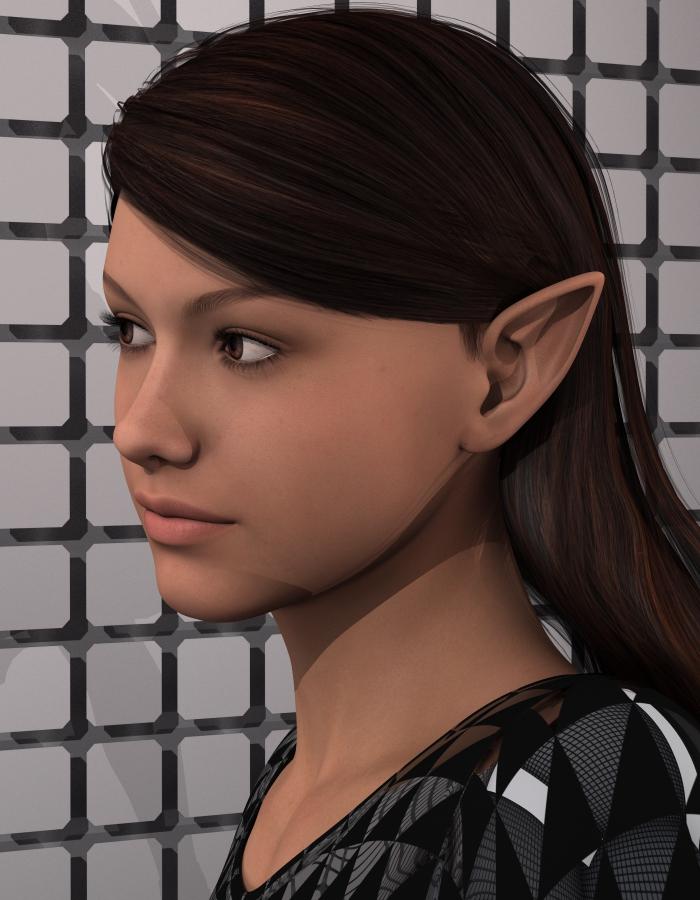
I added them to the morph extension zip top of the page.
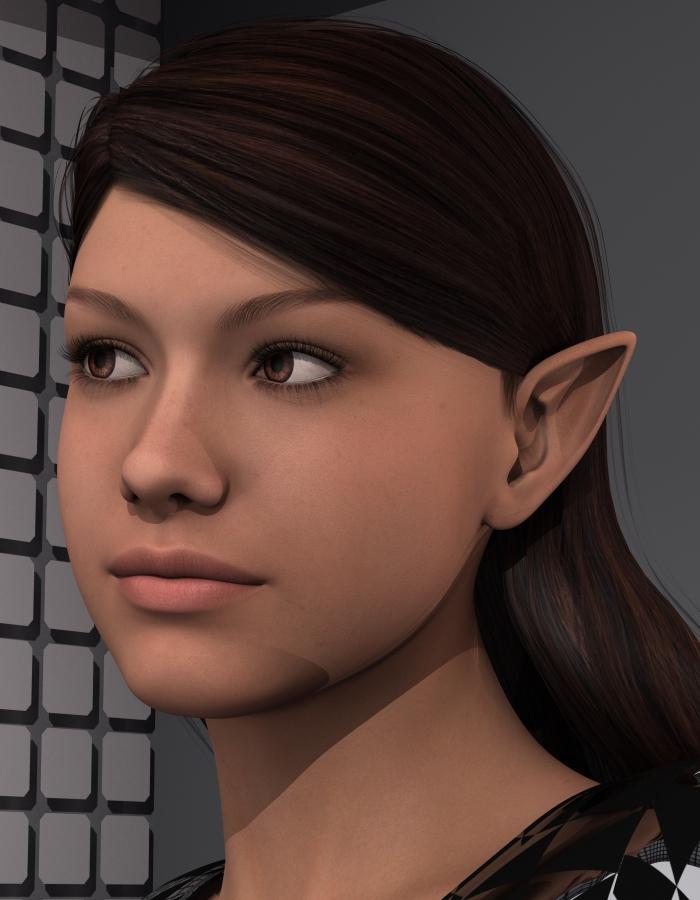
I'm now thinking about some pose morphs for them, because some people can do a bit of controlled ear movement. Another thing I think would be kind of cute if I can figure out how to make and save them.
G3 G2 morphs / shapes / expressions converterThanks, I didn't thought to that kind of products, I'll give it a look. Maybe somebody on their forums could answer... But the fact is that what I need to do is pretty easy compared to generating a geometry based on a picture... that's why I'm a bit disapointed, I just need a simple algo, but can't figure out how to make it work. Thanks again for the advice.
I think though after the product generates a face using the default geometry face object when they export that as a morph to Genesis, G2M, G2F, G3F, G3M they must adjust that morph made from the picture to not one, but three different versions of Genesis so I think FaceGen Pro developer would know for sure and probably the OneClick developer too.
When I use FaceGen I create a obj from that picture 1 time and them I am able to export that same FaceGen fg file to three different versions of Genesis, 5 different versions if you count the Genesis 2 and Genesis 3 male and females as different versions.
Weight Mapping IssueYou might well want to aply a rigidity group to your buckle -that way when a shape that didn't have a morph in the clothes was added the buckle would be defomed evenly rather than picking up distoritions from the morph.
It sounds as if your figure was not in its zero state when you made the clothes - the distortions and spikes will be the result of the Transfer Utility trying to remove the effect of the applied shaping, or possibly the result of then geenrating a match for the shape, or a mixture of both.
Post Your Toon Generations 2 rendersFirst one I've had time to complete its a mix, the toon morph is at about 30% I think
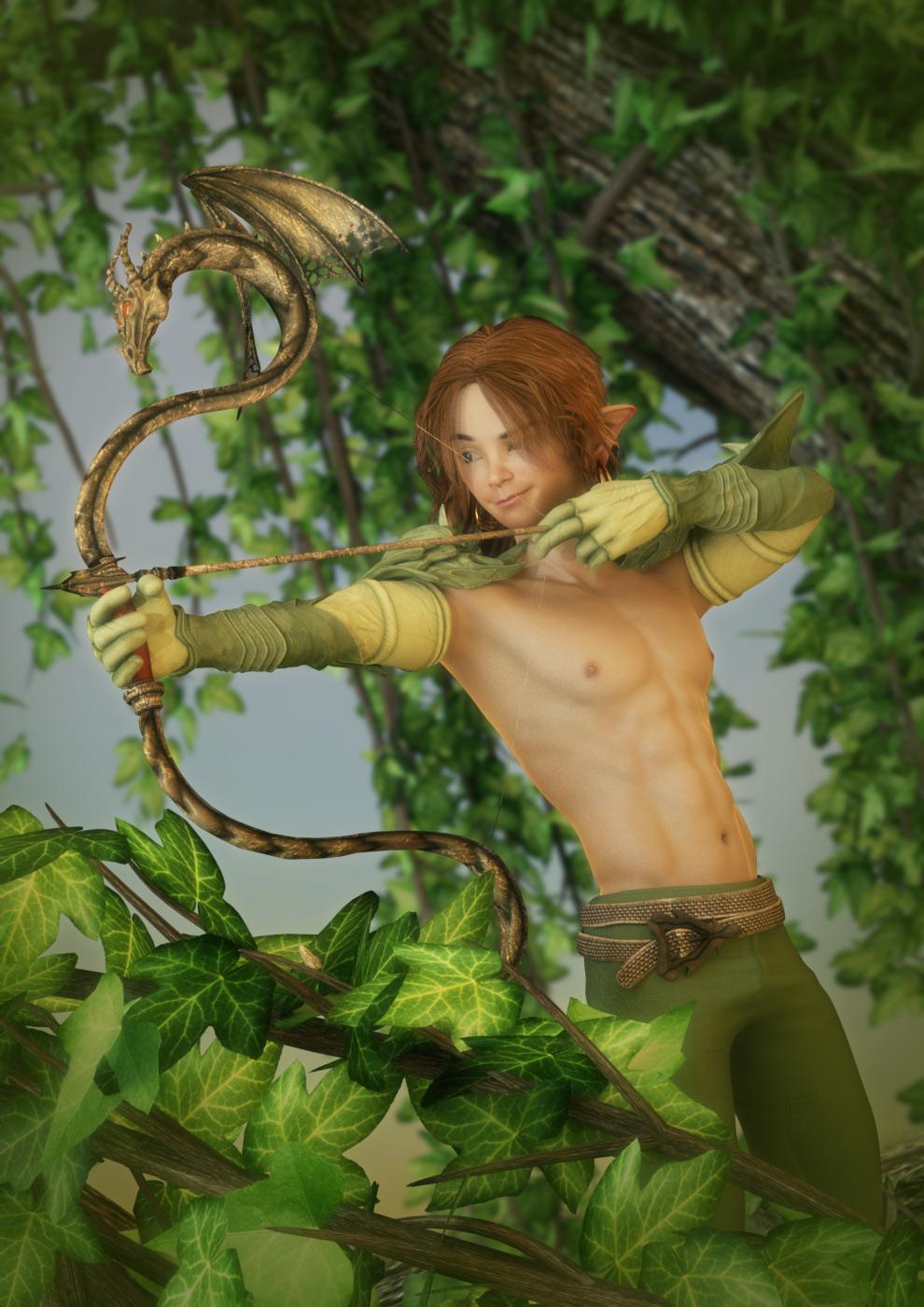
@scorpio That is impressive! Love what you did here. It reminds me of an old graphic novel series I really liked as a teenager. I think it was called Elf Quest. These toons really are incredibly versatile. Which outfit is he wearing?
@mal3imagery Your OC looks great as a toon!
@barbult I feel the same way. Not really a toon person, but fell in love with these and can't stop playing. I'm currently trying out a fairy house I got from Apple Jack's store (Rendo.) Thought it would work well with the toons, but it's made mainly for Poser and can't get it looking quite right yet. Will play some more.
Good tips on render times. I haven't had trouble rendering the toons, but I'm not using those products you mentioned. A big thanks to @3DUniverse for keeping the sizes of these files so small. I was shocked at how small the downloads were. I bought a bunch of other items from their store and noticed the same thing. Everything is kept light weight, but looks beautiful in DAZ. Thanks for creating such wonderful products!
Weight Mapping IssueThank you for clarifrying rigid maps. Let me tell you my flow. I have my character, and i import the clothing into daz and it fits. I run transfer utility with default on G3M and default on my clothing. I use pants projection template. When i run it, the clothing moves up several feet and is inside of him.
SO i delete that and re import for another attempt. This time, I do current on my G3M and current on the clothing and pants projection template. I must check the box "reverse source shape from target", otherwise the clothing pops up, but not back down. When i click run, the clothing moves up several feet, then pops back down where it belongs, and my buckle gets messed up and crumpled.
Weight Mapping IssueThank you for clarifrying rigid maps. Let me tell you my flow. I have my character, and i import the clothing into daz and it fits. I run transfer utility with default on G3M and default on my clothing. I use pants projection template. When i run it, the clothing moves up several feet and is inside of him.
SO i delete that and re import for another attempt. This time, I do current on my G3M and current on the clothing and pants projection template. I must check the box "reverse source shape from target", otherwise the clothing pops up, but not back down. When i click run, the clothing moves up several feet, then pops back down where it belongs, and my buckle gets messed up and crumpled.
Weight Mapping IssueI have buckles on my piece that completely crumple up after running the transfer utility and i am not even moving the character yet. I have been weight mapping to simply fix the crumpled up buckle before i can even move on to bending the thighs, etc.
Novica & Forum Members Tips & Product Reviews Pt 7Of course I am late to the party!!!
To find what character you used you can also go to shaping --> currently used
Was tough to pick only 10!
Mec4d pbs shaders vol 2 (I use them all the time, her shaders are top) https://www.daz3d.com/mec4d-pbs-shaders-vol-2-for-iray
zev0 aging morph (and growing up morphs) http://www.daz3d.com/aging-morphs-3-for-genesis-3-bundle
ultra scatter https://www.daz3d.com/ultrascatter-advanced-instancing-for-daz-studio
ivan7 et ivan7 HD add-on (I use this HD add-on on most not so young men) https://www.daz3d.com/ivan-7 et https://www.daz3d.com/ivan-7-hd-add-on
terradome 3 https://www.daz3d.com/terradome-3-iray
bethany (I add a little of bethany to give a more real person look http://www.daz3d.com/gallery/#images/272321) https://www.daz3d.com/bethany-7
UHT2 (use it on most hairs) https://www.daz3d.com/uht2-ultimate-color
render studio iray https://www.daz3d.com/render-studio-iray
Eva7 (got her with the $5 deals et am surprised to really like her and her skin) https://www.daz3d.com/eva-7
little ones (could not get all of them, maybe later) https://www.daz3d.com/little-ones-caucasian-for-genesis-3
Daz 3D is part of

Connect
DAZ Productions, Inc.
7533 S Center View Ct #4664
West Jordan, UT 84084Licensing Agreement | Terms of Service | Privacy Policy | EULA
© 2026 Daz Productions Inc. All Rights Reserved.