-
[Released] - All the Rabbits
Richard Haseltine said:
barbult said:
barbult said:
Richard Haseltine said:
barbult said:
barbult said:
I now have an undeniable urge to render this scene of Richard...
Gulp - All That Was Left
(No rabbits were used in this render, so it really doesn't belong here, but where else would I put it after the discussion here?)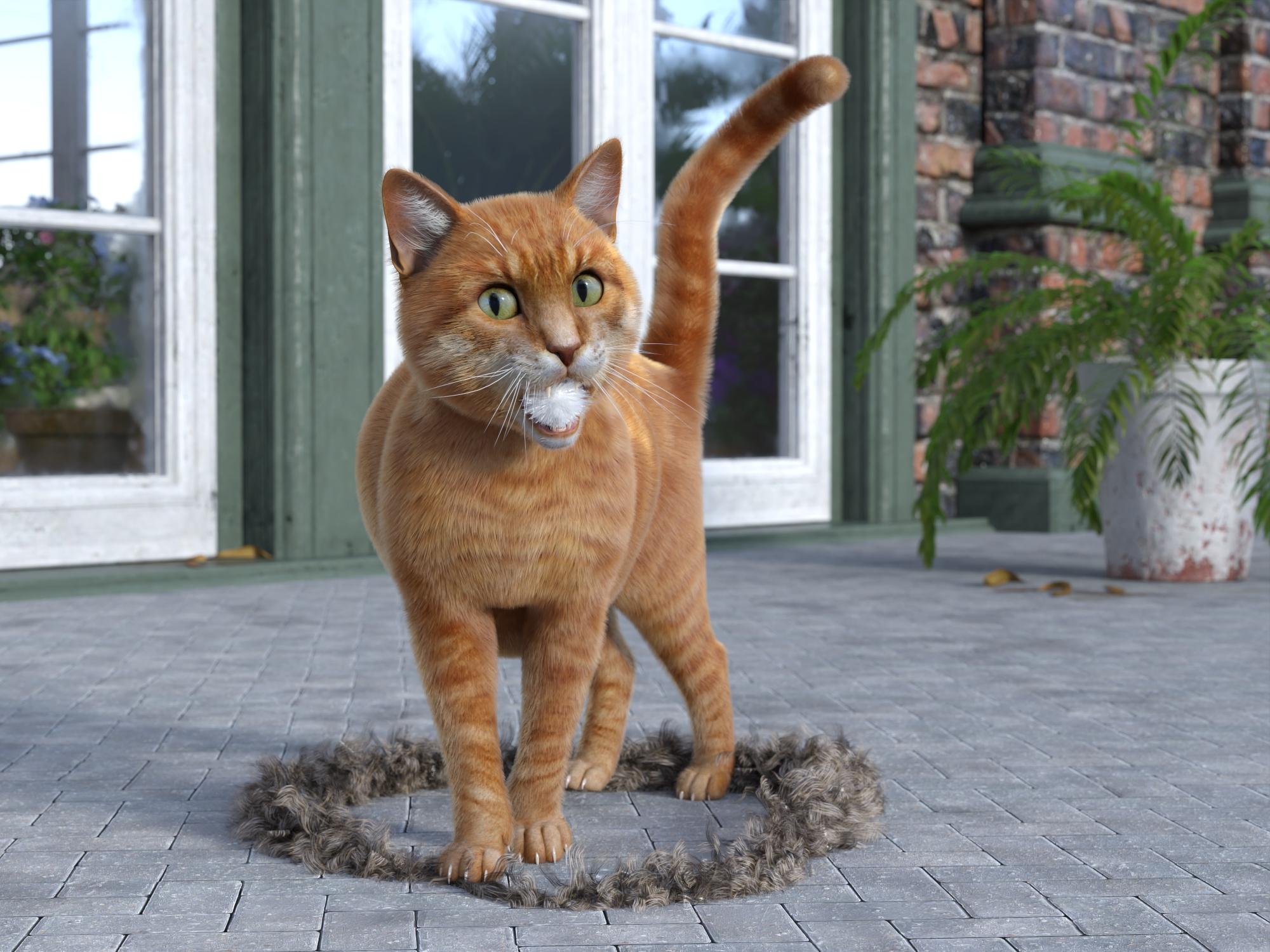
Oh dear. Errr, would you believe I was trying to disgui...dress up for a surprise party?
As a cottonmouth perhaps? You'll have to slim down quite a bit. I have your Fat Belly morph dialed to max there, since you've just consumed a large meal.
Richard Cottonmouth Coiled and Ready to Strike
(I even have a rabbit in this one! It felt the need to hide from Richard, for obvious reasons.)
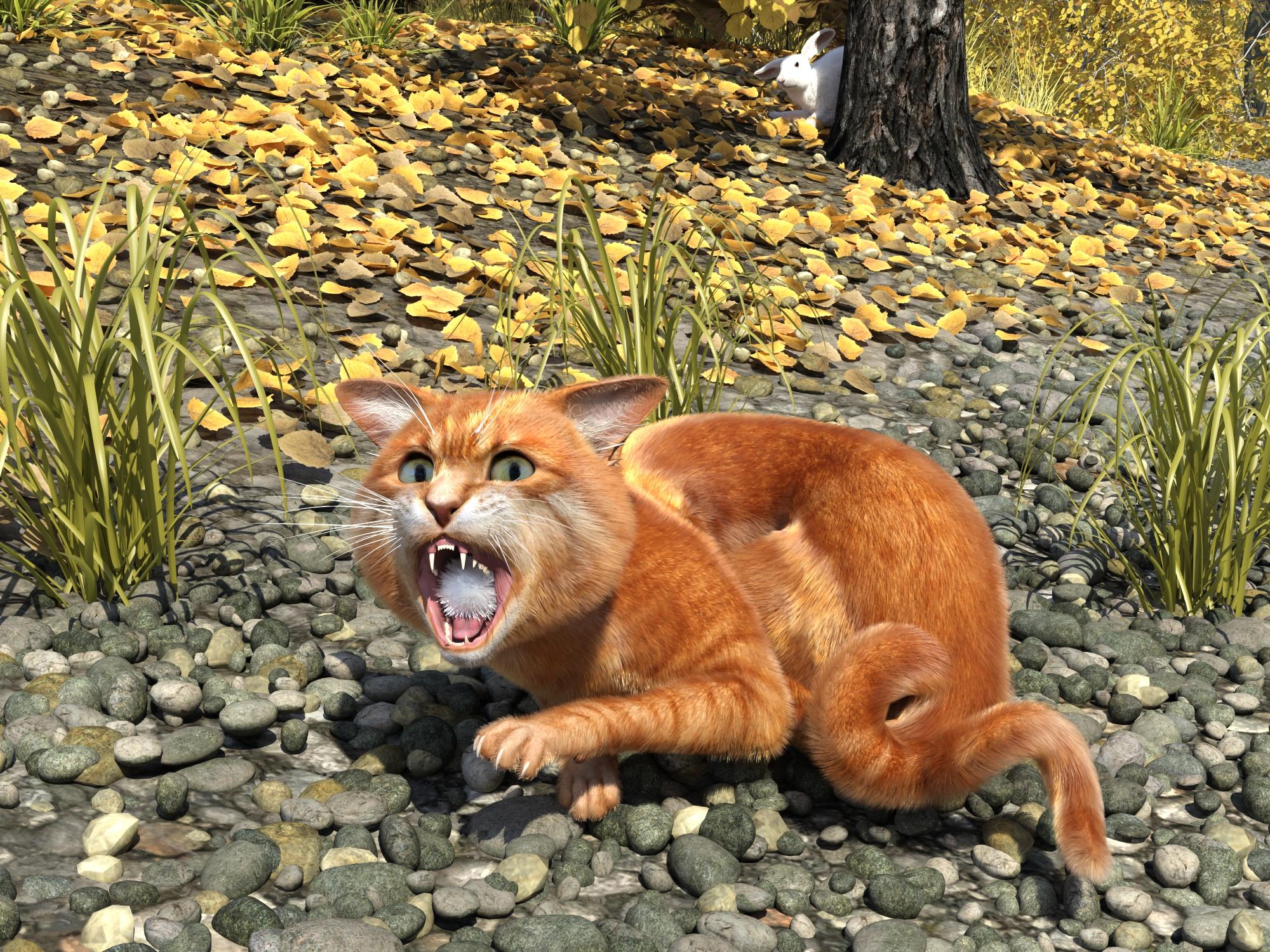
Oh dear, oh dear. Naughty bunny, frustrating my attempts to play, all innocent like.
<hack><hack><heeeve!>
Heh! Heh! Sorry! Hairball....
 Sagan: A DAZ Studio to Blender Alembic Exporter
mtasteriti said:
Ok got it working now. Has anyone successfully transferred a dforce hair animation with sagan btw? I tried it just now but it just ends up rendering as a collection of tiny black voxels even with the proper materials and cycles rendering. I've been closely following the material transfer tutorial.
Is it Strand Based Hair? Did you try increasing the number of sides? I was waiting for the new hair curves API before doing ttue SBH but I never got back to it.
Sagan: A DAZ Studio to Blender Alembic ExporterOk got it working now. Has anyone successfully transferred a dforce hair animation with sagan btw? I tried it just now but it just ends up rendering as a collection of tiny black voxels even with the proper materials and cycles rendering. I've been closely following the material transfer tutorial.
Why no Scabbard for the LOTR Swords?SilverGirl said:
I wound up retexturing and resizing scabbard that came with a G3 costume to go with one of the Viking Warriors swords, although it was hard to get a match because those swords don't have zones for retexturing.You can create surfaces yourself, with the Geometry tool. Most properly made props should be relatively easy to 're-surface' using the Geometry Tool 'Select Connected' function even if they only have one map because they are usually made of various 'geometry' objects glued together (but some are just one big 'geometry' object and with them, you'll have to look for another prop
or do a finely tuned manual selection).To give you an example, the European Bike had two surfaces, among them one for the flowers in the basket. The rest of the bike is just one surface, and one texture map file by surface. From an optimization point of view, I suppose it's brilliant, but when I wanted to have shinier paint, not so much, especially at a time when I didn't even know about something called the Geometry tool
But after learning about it, it was easy to resurface it, because, as an example, the seat geometry is not linked to the geometry of its metal support, so Select Connected worked fine to create a surface just for the leather part of the seat.In my Velotafing with style render, I created a lots of new surfaces for the bike, more than I needed (I changed the paint color to use one the car paint shader included with Daz Studio, the seat and handles to use a Leather shader I bought, and I think the bell is also using a car paint shader).
All other surfaces I created are still using the original textures. The easiest way is to keep the original surfaces, go to the Surfaces pane, select the one you want, right click on its name and chose 'Copy Selected Surface(s)', then select your new surface and paste the surface on it -- just be sure the two surfaces are using the same shader and everything should be fine).
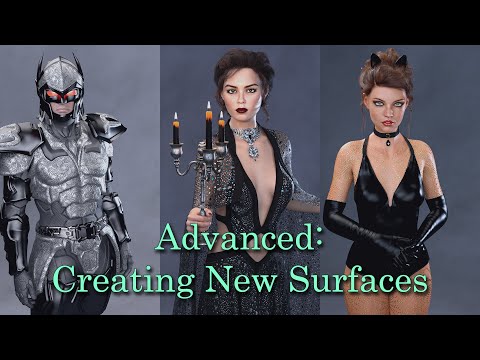
A video on the subject by someone who will explain it better than I did:
SilverGirl said:
Really, I would adore it if somebody released a pack of just sword belts with the hip loop.You may already have some of these products:
https://www.daz3d.com/dforce-iron-lady-outfit-for-genesis-9-female
https://www.daz3d.com/dforce-the-defender-outfit-for-genesis-9
https://www.daz3d.com/dforce-marida-gown-outfit-for-genesis-8-females
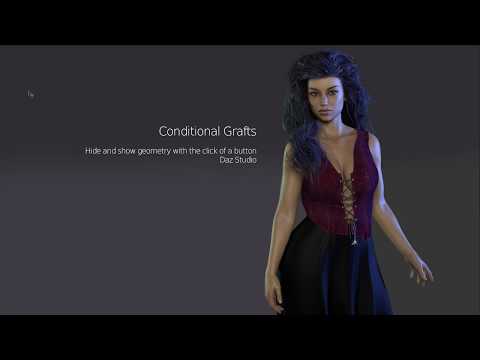
The first two are simple belt, the third, the belt included every belts going around her waist so if you only need a simple belt, you will have to hide some part and either delete the two buckles on the upper part of the belt or create a new surface just for them, setting the cutout opacity for this new surface to 0. Or use a conditionnal geograft, following this tutorial by @Mada (that's how I hide the flowers on the bike on the render linked before, after @crosswind shared the video in an answer to one of my question):
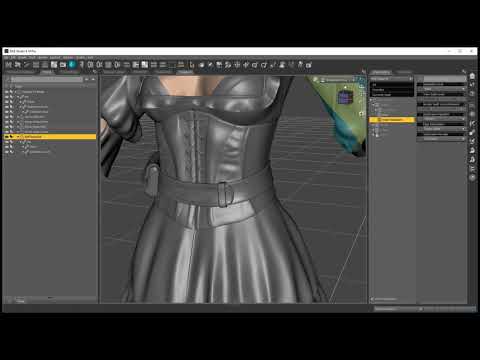
If you are autofitting this belt to a different generations, you will have to transfer the scabbard manually: they are not part of the belt geometry and are linked to it using a rigid follow node, and you can learn about them in other tutorials by Mada:
 Aging Morphs for Genesis 9 (Commercial)
Hi. You can use it as a resource where the product is required. The reason it is not a stand alone MR is because it contains HD morphs which are exclusive to the Daz store and also requires access to the HD morph loader.
[Released] - All the RabbitsAlessandro Mastronardi said:
I think it is no problem for me to do a morph for more almond-like eyes (but what if you try and close a bit the eyes?). About the fluffy rounded tail I think it's better if I do a separate wearable preset that you can add on all the breeds you like. Let me see what I can do, maybe I could even add the cottontail to the collection, given it seems to be very desired.
Yes, please. I would love cottontail. That is the prevalent rabbit where I live.
New Year, New Sales Thread: Report Issues Here "Reporting Only"dragotx said:
info_b3470fa520 said:
The files are all DSF files, but they do go in the Users/My DAZ 3D Library/data/Genesis 9/Base/Morph folder.
With that said, the promo/README is not accurate and will be fixed.
What if we don't have our library in Users/My Daz 3d LIbrary? I have all of my libraries on a secondary drive, because they are WAY too big for the SSD I have for C:
Since it installs with IM, this should not be a problem
Text to 3D or Text to Image?Is it possible that "text to 3D" is a misnomer that may lead to confusion?
If you look at the provided information:
"Millions of premium 3D assets created by experts"
This made us wonder: How long would it actually take to create billions of character variations in order to train a foundational Al model that can generate customized 3D characters based on natural language text prompts? The number is too large for us to include on this webpage.
If we had to go the traditional Al route and render that many characters for visual training, it would eat up a mind-boggling 75,000 years of compute time.
Thankfully, with Tafi's interoperable content library and metadata, we can generate them in a tiny fraction of that time.


source: https://maketafi.com/ai
Subjective interpretation of available information
- the users enter text to desribe a character
- with the help of metadata and tags the AI checks the runtime for available morphs, clothing, props and selects whatever matches the entered description
Example: Text entry old guy - AI searches the metadata for the tags "man", "old" and applies a morph that matches the description.
This is not the same as training AI to learn how to shape noise into 3D geometry based on a text prompt.
Alternative ways to phrase this could be:
- "using metadata and AI to select and combine 3D assets in a library to create a 3D scene",
- "AI assisted 3D scene assembly"
How do you interpret the available information?
Fitting the hair breaks movement morphsfelis said:
Mr_Fluffkin said:
felis said:
For adjustinh the hair I would use scale x and z. Maybe y if the height differs.
But the hair has no scale parameters, not even "Scale all". The "Edit mode" also don't shows any scale parameters. The only way to scale the hair is with it's "Expand all" morph, which is only shown after I autofit the hair. But then the movement morphs break.
I'm curious why the "Expand all" morph comes with the autofit, is "Autofit" adding morphs to the hair that you can use in the hair parameters?
All objects have scale parameters, but you might have to enable 'show hidden' in parameter preferences.
Thank you, I thought the Edit Mode would show hidden parameters and only looked there. I could easily fix it with the scaling now. Thank you!
How to export from Daz3D to Blender/Godot for GameDev?Thank you for your replies. I tried using the Diffeomorphic Daz Importer along with a glTF 2.0 export from Blender. Similar to the DTB bridge, the character was successfully imported with no issues, as far as I could tell at this stage. Both methods managed to transfer all textures into Blender, however only with Diffeomorphic Daz Importer all those textures could also be transfered over to Godot.
As Padone pointed out, the Iray materials weren't imported correctly. As this is quite normal when importing I guess its something to live with and fine as long as only some material settings need tweaking, it's manageable. My main concern here was getting all textures for into Godot, which now works.
In my last post I forgot to mention clipping issues with some clothes in Blender. Does the Diffeomorphic Importer or Daz Studio offer some options to fix those?
[Released] - All the Rabbitsbarbult said:
barbult said:
Richard Haseltine said:
barbult said:
barbult said:
I now have an undeniable urge to render this scene of Richard...
Gulp - All That Was Left
(No rabbits were used in this render, so it really doesn't belong here, but where else would I put it after the discussion here?)Oh dear. Errr, would you believe I was trying to disgui...dress up for a surprise party?
As a cottonmouth perhaps? You'll have to slim down quite a bit. I have your Fat Belly morph dialed to max there, since you've just consumed a large meal.
Richard Cottonmouth Coiled and Ready to Strike
(I even have a rabbit in this one! It felt the need to hide from Richard, for obvious reasons.)
Oh dear, oh dear. Naughty bunny, frustrating my attempts to play, all innocent like.
Fitting the hair breaks movement morphsMr_Fluffkin said:
felis said:
For adjustinh the hair I would use scale x and z. Maybe y if the height differs.
But the hair has no scale parameters, not even "Scale all". The "Edit mode" also don't shows any scale parameters. The only way to scale the hair is with it's "Expand all" morph, which is only shown after I autofit the hair. But then the movement morphs break.
I'm curious why the "Expand all" morph comes with the autofit, is "Autofit" adding morphs to the hair that you can use in the hair parameters?
All objects have scale parameters, but you might have to enable 'show hidden' in parameter preferences.
Fitting the hair breaks movement morphsfelis said:
Autofit removes custom bones, and I would expect that the tail has custom bones.
Can you transfer bones from 1 model to another? Maybe that's the conclusion. I never did anything like that in DS, but I guess I can copy the bones from the unautofit hair to an autofitted.
Ok, just found this thread: https://www.daz3d.com/forums/discussion/288171/copying-rig-bones-from-one-object-to-another-possible-how. That sounds good, gonna try that.
Fitting the hair breaks movement morphsfelis said:
For adjustinh the hair I would use scale x and z. Maybe y if the height differs.
But the hair has no scale parameters, not even "Scale all". The "Edit mode" also don't shows any scale parameters. The only way to scale the hair is with it's "Expand all" morph, which is only shown after I autofit the hair. But then the movement morphs break.
I'm curious why the "Expand all" morph comes with the autofit, is "Autofit" adding morphs to the hair that you can use in the hair parameters?
Fitting the hair breaks movement morphsfelis said:
Autofit removes custom bones, and I would expect that the tail has custom bones.
I would just adjust the hair so it matches your G8F character, and then parent to head. T hen the bones will be there.
Well, that's exactly what I tried. But as I said in the main post, I can't adjust the hair to the head shape then, because the adjustment morph isn't in the parameters. It's only shown after I autofitted the hair. That's the dilemma.
[Released] - All the RabbitsAlessandro Mastronardi said:
I think it is no problem for me to do a morph for more almond-like eyes (but what if you try and close a bit the eyes?). About the fluffy rounded tail I think it's better if I do a separate wearable preset that you can add on all the breeds you like. Let me see what I can do, maybe I could even add the cottontail to the collection, given it seems to be very desired.
This would be fantastic, thank you so much for considering it! Should I send references via DM? I don't mind if the eyes won't close properly then, I'd just love to get the general look of a rabbit's eyes. They're really much more like a doe's than a hare's, dark and sweet and, well, rather almond-shaped than round, like I said. Some rabbits even have quite long dark lashes. Ooooooh, could maybe separate lashes be included as well?!?! That would be amazing!
I also adore the idea of a separate fluffier tail. Maybe this one could have two colors even, because many rabbits' tails are white on the underside? I don't know if this is doable ...
Anyways, I don't mean to be pushy! Thanks again for considering!
Fitting the hair breaks movement morphsI have a very old hair model for G2F(https://www.daz3d.com/elite-ponytail-for-genesis-2-female-s) that I would like to use on a G8.1F figure. Her head is a little bit too big, but I can fix that with the hairs "Expand all" adjustment morph, which I can find under Hair->Actor in the parameters, so everything is fine so far.
But then I recognized that the hair's tailmorphs aren't working, and I recognized they stop working as soon as I fit the hair to the figure. I can load the hair without fitting and the movement morphs work, so I thought I just load it unfitted and parent it to the head. But then the "Expand all" adjustment morph isn't there and I can't expand the hair to fit the head shape. The "Actor" parameter is only in the hairs parameters, if I fit the hair.
So is there some way I get both to work, like transfering the movement morphs to the fitted hair or the adjustment morph to the unfitted? I already tried DS's "Transfer Utility" tool under Edit->Object->Transfer Utility to transfer the movement morphs, but that didnt work out. It seems to be the right tool, but maybe I'm missing an option, I never used it before.
Or is there a way to just show the hairs hidden "Actor->Expand all" parameter when the hair isnt fit to a figure?
Can I downgrade Daz Studio from 4.22?Running 4.22 on M1 Mac
The new upgrade will not allow me to use the upper menu "EDIT" and scroll down past "DUPLICATE" without the menu vanishing or flickering. If I attempt too often, the software crashes. This is the primary reason I use DAZ is to get to EDIT/OBJECT/MORPH LOADER PRO or EDIT/FIGURE/MORPH LOADER PRO to finish building in Blender. But now these functions are not accessible to me. There is no way to mouse over these selections.
I get that DAZ does not really support MACOS, but at least the last version was workable.
imported in obj format and moves separately from the facial expressionPls firstly confirm the process you did :
You exported eyelashes from DS to Zbrush via GoZ, sculpted them then send back to DS as a morph ? Or, you just made a pair of eyelashes in ZB, then sent it to DS via GoZ ?
[Released] - All the Rabbits
Yes, please!Alessandro Mastronardi said:I think it is no problem for me to do a morph for more almond-like eyes (but what if you try and close a bit the eyes?). About the fluffy rounded tail I think it's better if I do a separate wearable preset that you can add on all the breeds you like. Let me see what I can do, maybe I could even add the cottontail to the collection, given it seems to be very desired.
Daz 3D is part of

Connect
DAZ Productions, Inc.
7533 S Center View Ct #4664
West Jordan, UT 84084Licensing Agreement | Terms of Service | Privacy Policy | EULA
© 2026 Daz Productions Inc. All Rights Reserved.