-
Duplicate Formulas Found in Files
Yes, as Richard mentioned, it doesn't matter with duplicate files other than duplicate URIs / formulas.
As for Turbo Loaders, they don't create either duplicate files or duplicate formulas even if one does something wrong with it. But they may bring wrong results of morph... if one partially deactivates dsf files under a single product 'cause ERC kinks may break.
how to sell on daz shopantoine said:
Hello,
I created a haircut that I would like to sell on DazShop.How should I go about it?
First of all, I would like to know how to export the model with the "textures", "data", "runtime", etc... package?Then, what steps should I take to put it on the store?
THANKS
This is a very brief overview of the process:
- Firstly, you should create a new Content Directory when you are making a new product (you can have as many Content Directories as you want). Usually it's best to make a new Content Directory for each individual new product you are making. This makes it easier to collect all the /data and /Runtime folders etc.
- Make a /Runtime folder in this Content Directory manually, and put your textures in the /Runtime folder (copying how the /Runtime subfolder structure is used for official Daz store products)
- Because your texture location is now in a new folder, link up textures for your asset using the new /Runtime subfolder location.
- Then save your product(s) as support asset(s). Whenever you save an asset, you will have a popup, where you select Content Directory, Vendor Name, and Product Name. Always fill in these three fields correctly and consistently so that Daz saves out your asset data to the correct folder structure within your Content Directory.
- After you save out support assets, you can make presets like Wearable, Material, Shape presets (again follow the convention of official Daz Store products to see how they save presets). Presets should call any mesh and morph data from the /data folder and any textures from the /Runtime folder. Presets should not contain any new mesh data etc embedded in them. If you embed mesh data in a preset, Daz will probably come back to you and say that you failed quality control.
- After you finish setting up your Content Directory, Support Assets, and Presets, you can test to make sure everything works. Then you can easily .zip the Content Directory.
There are probably tutorials online. The process has not really changed for many years, so even videos on youtube from like 8 years ago should work fine.
Duplicate Formulas Found in FilesIf you made the morph yourself is it controlling other properties, such as joint centres? If so, did you do ERC Freeze once, then tweak or add links and do it a second time? That would certainly create duplicate formulas (you need to use REC Bake, from the right-click menu on the link in the Property Hierarchy - with the morph turned on - to separate the linked properties, then make your changes, then redo the ERC Freeze).
Duplicate Formulas Found in Filesomen.kris said:
Richard Haseltine said:
nabob21 said:
Bejaymac, thanks for the explanation. I do have some questions for you though if you don't mind.
1. What files are these IDs found in? Are they identified in the error log?
Yes, the log will give the file name and path
I can not find the name and path in my log files! The log files are just a mess! Where do I see that any conflict is? How can I find what is causing the problem???? I made the morph myself. What should be unique to not get this freaking error??? Please help!
The errors will have a WARNING in front of the line
Duplicate Formulas Found in FilesRichard Haseltine said:
nabob21 said:
Bejaymac, thanks for the explanation. I do have some questions for you though if you don't mind.
1. What files are these IDs found in? Are they identified in the error log?
Yes, the log will give the file name and path
I can not find the name and path in my log files! The log files are just a mess! Where do I see that any conflict is? How can I find what is causing the problem???? I made the morph myself. What should be unique to not get this freaking error??? Please help!
Applying Back Tattoos to Genesis 9 Figuresfelis said:
Converting the textures to G9 UV, will be tricky. If it is for a single transfer, you might be able to adjust the texture to match G9 UV, but the UVs are rather different. To make it worse, you have a seam in the middle of the tatoo, so it has to fit rather precisly on the two sides.
You might be able to use this to do it https://www.daz3d.com/legacy-uvs-for-genesis-9-genesis-3-8-and-81-male
I dont have either, so I can't verify it.
Thank you!
Smooth Out Bumpcrosswind said:
n.aspros123 said:
crosswind said:
Yep, I could reproduce the issue, see screenshot1. I personally think it can be acceptable to some extent... but just fix it if you don't like it.
Anyway, I quickly fixed it in Blender as well as the chest area with Eleanora body morph dialed, so as to make it look more natural.. The bodysuit is not a well-made one but could be used with some tweakings.
Check you PM, and try fixing it with the way I showed in the video ~
Now you know what is happening.
Can you give me guidance on what areas and settings that need to be adjusted, please?
The areas I found on the suit that need to be tweaked: 1) morph: lower back and chest. Some poke-thru happen to Belt on the thighs, need to be fixed a bit; 2) surface: darken base color, add some glossy, increase Bump a bit. (screenshot 1)
Did you use daz or blender to make the render?
DS of course ~
Where did you find the background and how one is setup and angles? Do I use the lighting techniques you suggested in the other thread I have - Various questions about Jill V suit?
Room:https://www.deviantart.com/dazwraps/art/RE3-Remake-Jill-Valentine-Apartment-Daz-Scene-926730413
Lighting pattern is up to your preferences, I used 3 spotlights and tweak the ambient lights a bit. Check your PM.
How are morph and suit settings saved as a preset in daz?
As for morphs, you just need to Save Morph Assets ( File - Save As - Support Assets - Morph Assets...) As per my observation, you don't need to save any presets as the character / suit, etc. are pretty simple. Just keeping them in your scene will be fine.
I'm very greatful that you fixed the issues. Wish I could give something back you for taking the time with me?
However, I haven't learned to put into practice, correcting the issues you addressed. I have to watch the video about blender more times, the one you shared about the lower back.
I'll leave the Base colour of the suit and try to change the colour of the lights....if i can... as you suggested in your replies further back.
When I go to add the Apartment, my Jill disappears. Can't figure it out, (I'm thinking I have to crerate my own scene in the AP)? I can add yours. Any links to videos for adding character to Environments, if i'm saying that terminology correctly?
How do you toggle off the square border in the viewport when wanting to load a character (pic 4)?
Man! Wish we could Teamviewer or some remote computer correspondance. Like course lessons or youtube videos.
Let's appreciate/discuss today's new releases - ongoing threadrichardandtracy said:
Now, this may seem a bit like a backhanded compliment. Because it is, really.
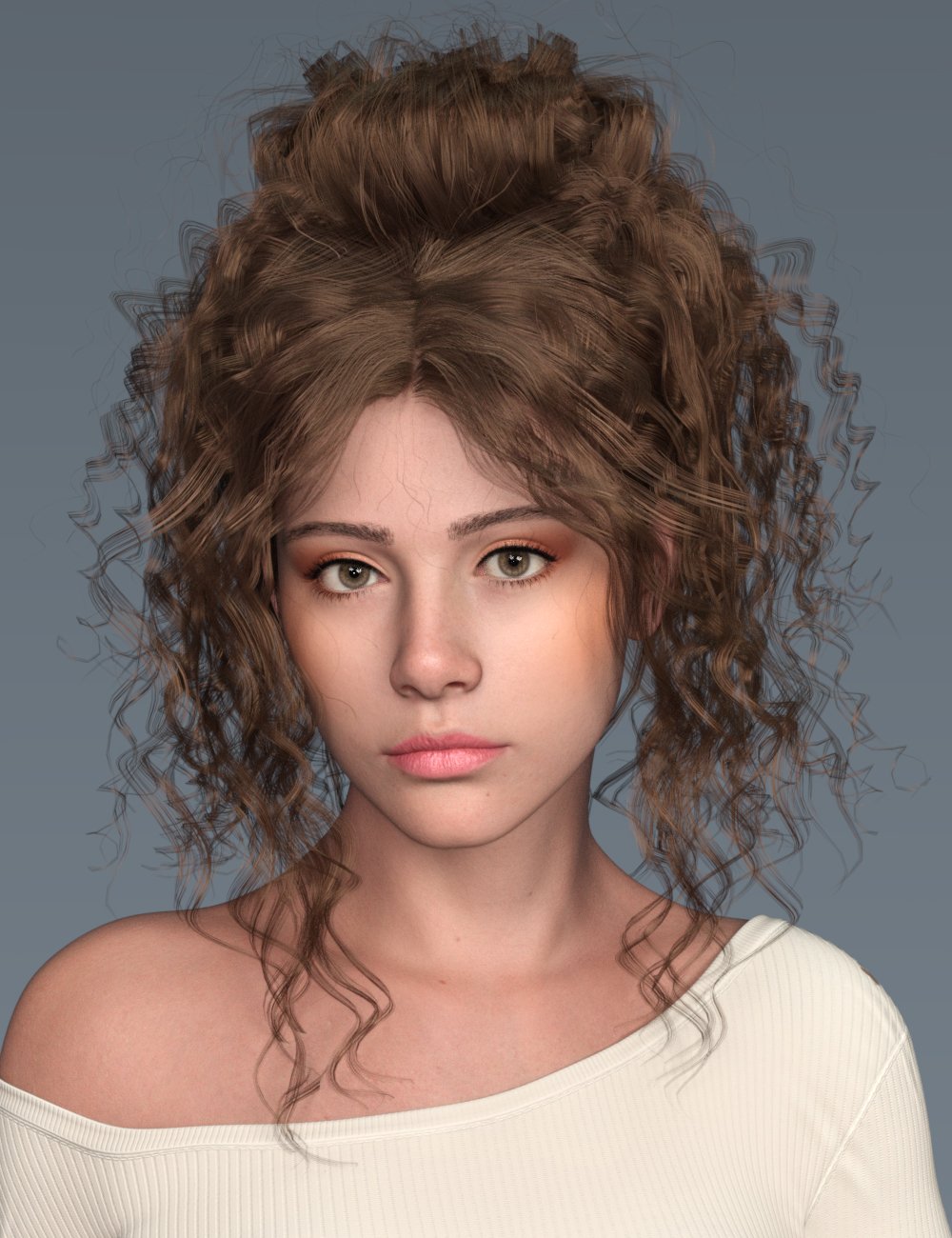
I appreciate the G9 Waterfall Hair, To me, the style looks a bit retro & a bit thin around the flyaway curly bits above the shoulders & near the ears.
The hair looks nice but what really got my interest was the face morph, it's very natural and nice. I'm hoping it's not a totally custom morph and maybe it's something I can buy/mix to get something close to that look.
 Smooth Out Bump
n.aspros123 said:
crosswind said:
Yep, I could reproduce the issue, see screenshot1. I personally think it can be acceptable to some extent... but just fix it if you don't like it.
Anyway, I quickly fixed it in Blender as well as the chest area with Eleanora body morph dialed, so as to make it look more natural.. The bodysuit is not a well-made one but could be used with some tweakings.
Check you PM, and try fixing it with the way I showed in the video ~
Now you know what is happening.
Can you give me guidance on what areas and settings that need to be adjusted, please?
The areas I found on the suit that need to be tweaked: 1) morph: lower back and chest. Some poke-thru happen to Belt on the thighs, need to be fixed a bit; 2) surface: darken base color, add some glossy, increase Bump a bit. (screenshot 1)
Did you use daz or blender to make the render?
DS of course ~
Where did you find the background and how one is setup and angles? Do I use the lighting techniques you suggested in the other thread I have - Various questions about Jill V suit?
Room:https://www.deviantart.com/dazwraps/art/RE3-Remake-Jill-Valentine-Apartment-Daz-Scene-926730413
Lighting pattern is up to your preferences, I used 3 spotlights and tweak the ambient lights a bit. Check your PM.
How are morph and suit settings saved as a preset in daz?
As for morphs, you just need to Save Morph Assets ( File - Save As - Support Assets - Morph Assets...) As per my observation, you don't need to save any presets as the character / suit, etc. are pretty simple. Just keeping them in your scene will be fine.
Can you save just the head morphs you made on G9?You don't want to bake the morphs you used to a single morph as you will lose all the linked adjustments (to joint centres and corrective morphs to work with posing and other supported shapes). You could split off the head shape from your original, converted shape by spawing the head Splitter dForm, exporting your shape (with no poses or other shapes applied) as OBJ, and then reloading through Morph Loader Pro with the Attentuate By option set and the Head Split dForm's weight map selected. Then you could reapply the head morphs you have been using and set about adjusting the body shape.
Can you save just the head morphs you made on G9?I have a character I created that started by converting a character I made for G8M and then changing things on the head with morh sliders. I really like the head, but not the body. The chest looks goofy. The character was inspired by an old cartoon character from the 1890's. I just reimagined him as a real person. I tried changing the body by playing with different morp sliders, but I can't get it to look right. What I was wondering is, can I somehow save the head seperatly from the body, them load a fresh G9 and apply that saved head while keeping the body untouched?. Then I could use morph sliders to adjust the body. Here are some pictures of what I have.
Smooth Out Bumpcrosswind said:
Yep, I could reproduce the issue, see screenshot1. I personally think it can be acceptable to some extent... but just fix it if you don't like it.
Anyway, I quickly fixed it in Blender as well as the chest area with Eleanora body morph dialed, so as to make it look more natural.. The bodysuit is not a well-made one but could be used with some tweakings.
Check you PM, and try fixing it with the way I showed in the video ~
Now you know what is happening.
Can you give me guidance on what areas and settings that need to be adjusted, please?
Did you use daz or blender to make the render?
Where did you find the background and how one is setup and angles? Do I use the lighting techniques you suggested in the other thread I have - Various questions about Jill V suit?
How are morph and suit settings saved as a preset in daz?
Applying Back Tattoos to Genesis 9 FiguresConverting the textures to G9 UV, will be tricky. If it is for a single transfer, you might be able to adjust the texture to match G9 UV, but the UVs are rather different. To make it worse, you have a seam in the middle of the tatoo, so it has to fit rather precisly on the two sides.
You might be able to use this to do it https://www.daz3d.com/legacy-uvs-for-genesis-9-genesis-3-8-and-81-male
I dont have either, so I can't verify it.
How to split an object without disrupting vertex order?You could split the vertexes in the middle of the zipper, if that is possible.
When imported to Daz Studio it will be a new item, where you have to run Transfer Utility.
If you don't touch the UV or surface names (materials) you can reuse textures, but you have to load them on the original first, and then you can copy to the new one.
Smooth Out BumpYep, I could reproduce the issue, see screenshot1. I personally think it can be acceptable to some extent... but just fix it if you don't like it.
Anyway, I quickly fixed it in Blender as well as the chest area with Eleanora body morph dialed, so as to make it look more natural.. The bodysuit is not a well-made one but could be used with some tweakings.
Check you PM, and try fixing it with the way I showed in the video ~
How to split an object without disrupting vertex order?
Thanks Leana and crosswind. I get that it's undoable, but Leana's geograft suggestion is the most likely solution, thanks so much!Leana said:A morph can't remove or split polygons, only distort them.
If the sides of the zip aren't separate in the first place I don't think you can "open" it with only a morph, because:
- there would be polygons joining both sides, which would need to be gone when the zip is open
- there might even be vertices which are parts of both "sides"
If both sides are "independant enough" (ie no shared vertices) one option might be to get an "open effect" would be to move the vertices corresponding to each side, then make the polygons in the middle invisible (assign them to another surface or use a map make them transparent).
Another option could be to create a geograft to replace the closed zip with one where the parts are separate, and create an open morph for that.
Smooth Out Bumpn.aspros123 said:
Is this sequence needed to reset the pose to A-pose?
Edit>Figure>Zero>Zero Figure Pose
Yep, Zero Figure Pose will do.
Or
https://www.daz3d.com/forums/discussion/8384/resetting-genesis-into-default-pose
What would happen if I started a new file from scratch. Select the Jill character Without the Eleanora body morph by USB and applied the Suit. Would it have the bump still even before I apply the body morph?
It's hard to tell as I don't have these characters. Normally a bodysuit product cannot provide fixed projected morphs for all characters... so probably you'll find this sort of issue. You may just try it anyway. Pls bear in mind that when using these sort of 3rd-party products, tinker things would be a routine.
 Done with G9! Major pose distortion issue.
Wonderland said:
PerttiA said:
For testing purposes, load G9 into an empty scene, "Zero the Figure", bend the leg, enable "Show hidden" and check "Currently used".
The active correction morphs (on the Currently Used list) should show a value, and if there are dials with value "0" (zero) shown in white, their default value is something other than zero.
Changing the value of the active or zero-value correction morphs should help you track down the rogue morphThanks. I did all that. Reinstalled Genesis 9 essentials and Daz default items. Loaded base G9 and still have the problem. Current shows nothing unusual. Everything under Hidden is at 0%. The log shows tons of WARNINGs but I don't know how to upload that here in the forums and don't know what any of it means or how to fix it.
We are not asking you to look in the Hiden group, we are asking you to open the pane's option menu (the lined/hamburger buutton in the top corner), then the Preferences sub-menu in that, and to enable (check) Show Hidden Properties - then, with the distortion showing, look under Currently Used.
 Smooth Out Bump
Is this sequence needed to reset the pose to A-pose?
Edit>Figure>Zero>Zero Figure Pose
Or
https://www.daz3d.com/forums/discussion/8384/resetting-genesis-into-default-pose
What would happen if I started a new file from scratch. Select the Jill character Without the Eleanora body morph by USB and applied the Suit. Would it have the bump still even before I apply the body morph?
Done with G9! Major pose distortion issue.Wonderland said:
PerttiA said:
For testing purposes, load G9 into an empty scene, "Zero the Figure", bend the leg, enable "Show hidden" and check "Currently used".
The active correction morphs (on the Currently Used list) should show a value, and if there are dials with value "0" (zero) shown in white, their default value is something other than zero.
Changing the value of the active or zero-value correction morphs should help you track down the rogue morphThanks. I did all that. Reinstalled Genesis 9 essentials and Daz default items. Loaded base G9 and still have the problem. Current shows nothing unusual. Everything under Hidden is at 0%. The log shows tons of WARNINGs but I don't know how to upload that here in the forums and don't know what any of it means or how to fix it.
I second NorthOf45's suggestion..as I said before, just check the characters you've installed recently... Half / half method turns out to pretty effective. Besides, DS log won't give you clues for this sort of issue ~~
However, I really wonder about what you said : Everything under Hidden is at 0% ... for instance if you bend Base figure's Left Shin as before, there should be at least two corrective morphs triggred with non-zero values.
Daz 3D is part of

Connect
DAZ Productions, Inc.
7533 S Center View Ct #4664
West Jordan, UT 84084Licensing Agreement | Terms of Service | Privacy Policy | EULA
© 2026 Daz Productions Inc. All Rights Reserved.










