-
G9 Items on G8
If you are speaking about autofitting clothes, you'll need an autofit clone. You can either buy the ones created by @Mattymanx (I bought them, they works fine) or you can create clones by yourself, following a tutorial written by @Catherine3678ab
Clones by Mattymanx: https://www.daz3d.com/mmx-genesis-9-clones-for-all
Tutorial by Catherine3678ab:
- Thread on Daz Forum: https://forum.daz3d.com/forums/discussion/599231/making-clones-of-g9-tutorial
- PDF tutorial on Renderosity: https://www.renderosity.com/freestuff/items/93282/making-genesis-9-auto-fit-clones-for-g8-tutorial
If you're speaking about converting them, I don't remember reading a tutorial explaining how to do it and I don't have the converter sold here.
Marahzen's Musings on Creating Characters (and other matters)And then, of course, everything changed again from one minute to the next with the entirely unanticipated release of Face Transfer 2 in late November.
https://www.daz3d.com/face-transfer-2
OK, it wasn't actually available on the day it appeared in the Daz store, but it wasn't long before a bunch of us were happily testing and posting the results of our experimentation on a Daz forum thread that remained active for weeks.
https://www.daz3d.com/forums/discussion/661746/face-transfer-2/p1
It was immediately clear that FT2 was a significant improvement over the original Face Transfer. I'd spent two years finding ways to address the many foibles of FT and they were instantly gone with FT2. It still doesn't produce a really usable image if the source isn't a head-on image, but it shrugs off some of the other stuff that its predecessor could not handle at all. While you're arguably still best off starting with a traditional ideal source image - neutral expression, good lighting and nothing intruding on the facial surface like glasses, hair, facial hair, hats and such - FT2 can produce a usable output even with those problems.
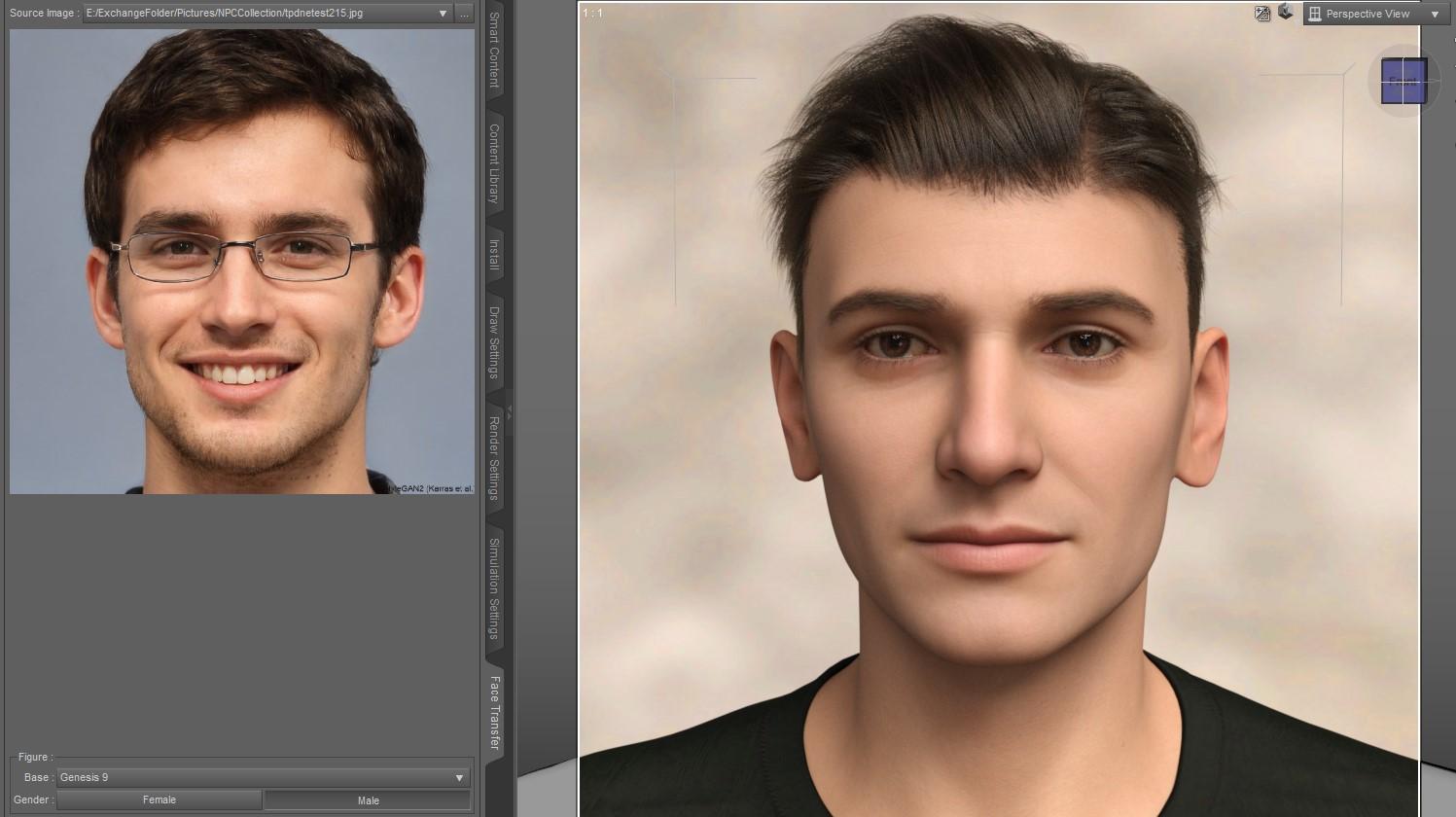
Obviously this one needs some more work before he would be ready for prime time, but at least there's a starting point. In the original Face Transfer, this would be an non-viable source image.
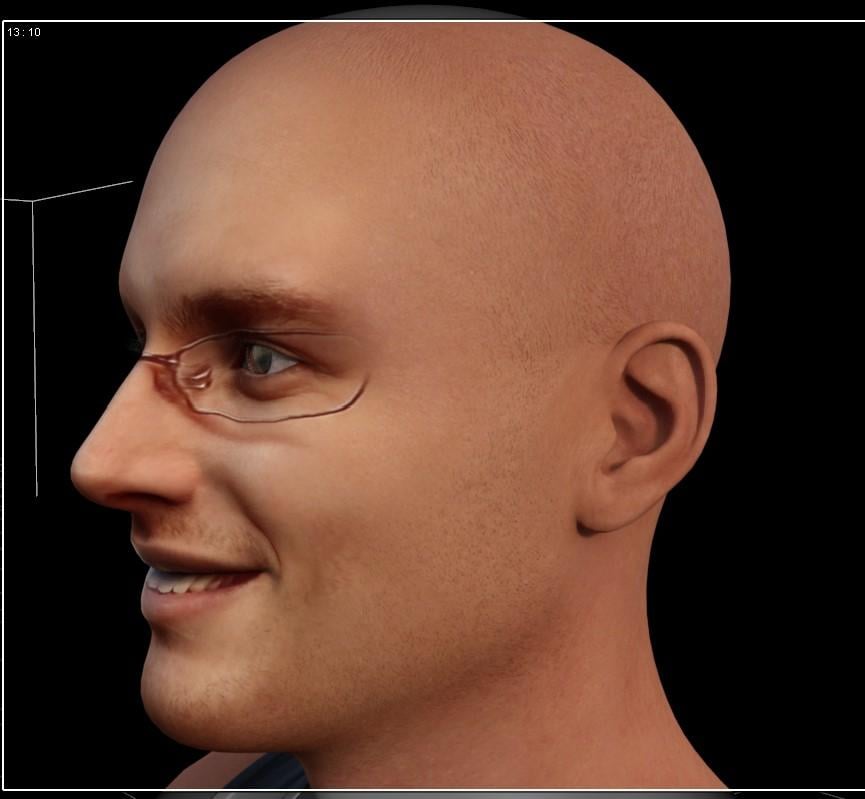
This is what the original Face Transfer creates, here after applying some level of Face Transfer Shapes to at least give him a human profile. (Obviously, no further work was done on the surfaces or lighting here.) The glasses are literally on the texture, as are the smile lines. You can go to posing and close the mouth, but it will never close correctly on the edges.
While the shape - in particular, the side profile - created by Face Transfer 2 is vastly improved over the entirely unsalvageable "Voldemort face" of the original Face Transfer, there are still some shaping issues. The profile was still rather vague and FT2 introduces a new weirdness that crops up sometimes - bad ears. Luckily, soon thereafter, Face Transfer Shapes 2 came out, offering not just a basic fix but also some additional shape starters.
Hot New (Northern) Season, New Sales Thread: Report Issues Here "Reporting Only"Tomhip said:
Some items listed under Lilflame in store search show up with "Page not found" error.
https://www.daz3d.com/freestyle-outfit-for-genesis-8-females
https://www.daz3d.com/dforce-boyfriend-boxers-for-genesis-8-and-8-1-female
I see the same, but you can actually add them to your cart, so it is likely just a URL error.
ETA: Add https://www.daz3d.com/little-holiday-nook to that list
"Outline for Genesis 3 Female" keeps trying to redirect to https://www.daz3d.com/outline-ii-for-genesis-3-females then back to https://www.daz3d.com/outline-for-genesis-3-females -> ERR_TOO_MANY_REDIRECTS
Hot New (Northern) Season, New Sales Thread: Report Issues Here "Reporting Only"Some items listed under Lilflame in store search show up with "Page not found" error.
https://www.daz3d.com/freestyle-outfit-for-genesis-8-females
https://www.daz3d.com/dforce-boyfriend-boxers-for-genesis-8-and-8-1-female
Trying to fix skirt distortion but having troublebarbult said:
Maybe you should move your thread to the Blender forum to get more Blender specific help. https://www.daz3d.com/forums/categories/blender-discussion
Done. Thanks for the suggestion.
Trying to fix skirt distortion but having troubleMaybe you should move your thread to the Blender forum to get more Blender specific help. https://www.daz3d.com/forums/categories/blender-discussion
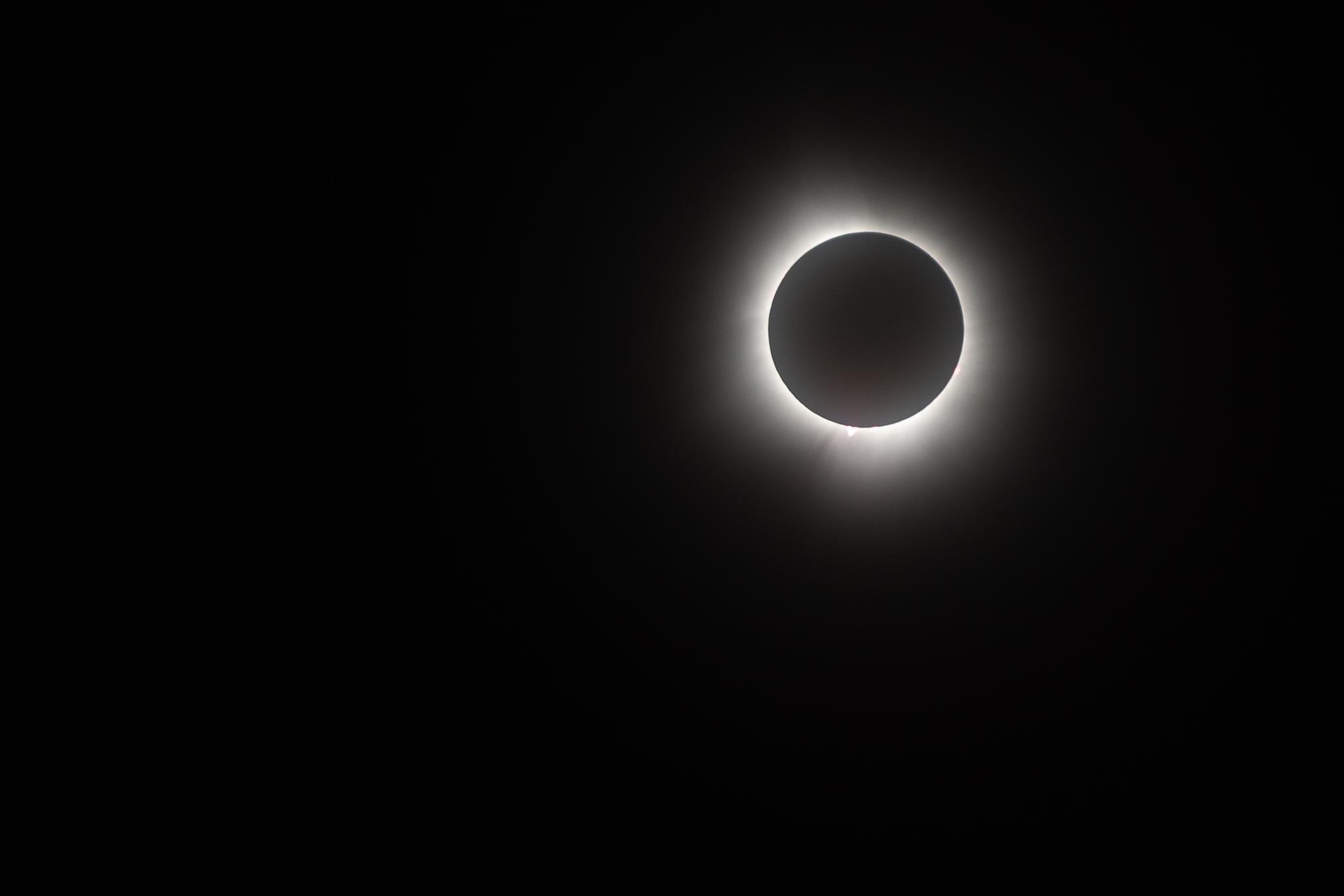
OT Total Eclipse dayHere are a few images my son took. Scaled to fit forum but if you click on the attachment image you can see full size. One the first on you can see the coronal mass ejection at about 7 o'clock and then again at 4 o'clock
 Rendo migrations and the risk of duplicate purchases
Hello everyone!
I want to come and drop som lines for the interest and easy life :)
None of the products that were migrated from my Renderosity store to Daz store in this promotion from yesterday was changed, or edited, or modified at all: They are the same, so as I said in another forum post, if you already have them, you are safe and owning the latest file.
I will make very sure to put it clear if some of those get an update or a re-version to fit newer figures.
I don´t think there is away to have records here of what you bought at any other given place. I myself do what other commenters here explained, before to buy.
As was said above too, I kept the names and images as they were from start so it is less confusing.
I am here if someone needs more info or help, I would gladly answer!
Thank you so much for the interest!
Fabi
Looking for this product nameI found my landscape terrain, now I am looking for the name of the product in the attached picture. It too was at RuntimeDNA when they were up, and there was a texture expansion that when with it. I'm drawing a blank on this one. Again, help would be greatly appreciated
Adding: I did search all of RDNAs products and didn't find it there
Is there a guideline for animate 2?@James - Animate2 was created many years ago by the vendor GoFigure. I don’t think they are an active vendor anywhere now. GoFigure’s original series of 19 very short videos on how to use Animate2 ae still on YouTube. Go to https://www.youtube.com/playlist?list=PL0BB84111C070D080. Other YouTube videos on using Animate2 are available. Search for Animate2 in the YouTube search field.
Dreamlight created a video tutorial aniMate 2 Mastery – Complete in 2015 and it is till available in the DAZ3D store - https://www.daz3d.com/animate-2-mastery-complete.
Cookie notifications on EVERY single page!Torquinox said:
NylonGirl said:
Using Firefox on an Android phone, the cookie thing covers everything except the name of the forum. Using Chrome on an Android phone doesn't block the ads.
That is weird. With FF on iPhone, setting the cookies once cured the problem. I may have to set it again when I clear my cache, and that's easy enough to do. What happens when you view your phone in landscape mode (tipped sideways)?
I don't know. The problem is gone now. I have to wait till it comes back again for no reason.
Duplicate Formulas found in the Easter Egg productsJust FYI, they're really easy to edit. Open the file in notepad (or similar), do a search for Carmel, and replace it with Yomi. It's there about 4 times in each file.
Cookie notifications on EVERY single page!NylonGirl said:
Using Firefox on an Android phone, the cookie thing covers everything except the name of the forum. Using Chrome on an Android phone doesn't block the ads.
That is weird. With FF on iPhone, setting the cookies once cured the problem. I may have to set it again when I clear my cache, and that's easy enough to do. What happens when you view your phone in landscape mode (tipped sideways)?
Artificial, yes. Intelligent, not so much.vectorinus said:
You are devils! Go ahead and create masterpieces of art! Soon your services will be needed by those who want to turn the two-headed witch of the artist Hieronymus Bosch, created by Artificial Intelligence, into the beautiful Aphrodite of Michelangelo (or who painted her there, I don’t remember)
Botticelli?

, and instead you are asking stupid questions: where did buffalos come from in North America, where on Aliens appeared on Earth, where did the customer get the children whose portrait he is commissioning you from? Go and train! Because of you, some people who visit the forum once every two months cannot talk enough.
Cookie notifications on EVERY single page!Using Firefox on an Android phone, the cookie thing covers everything except the name of the forum. Using Chrome on an Android phone doesn't block the ads.
Artificial, yes. Intelligent, not so much.You are devils! Go ahead and create masterpieces of art! Soon your services will be needed by those who want to turn the two-headed witch of the artist Hieronymus Bosch, created by Artificial Intelligence, into the beautiful Aphrodite of Michelangelo (or who painted her there, I don’t remember), and instead you are asking stupid questions: Where did buffalos come from in North America? Where did aliens come from on Earth? Where did the customer get the children whose portrait he commissions you from? Go and train! Because of you, some people who visit the forum once every two months cannot talk enough.The "Animators Assemble!" thread for Daz animation WIPs, clips, and tips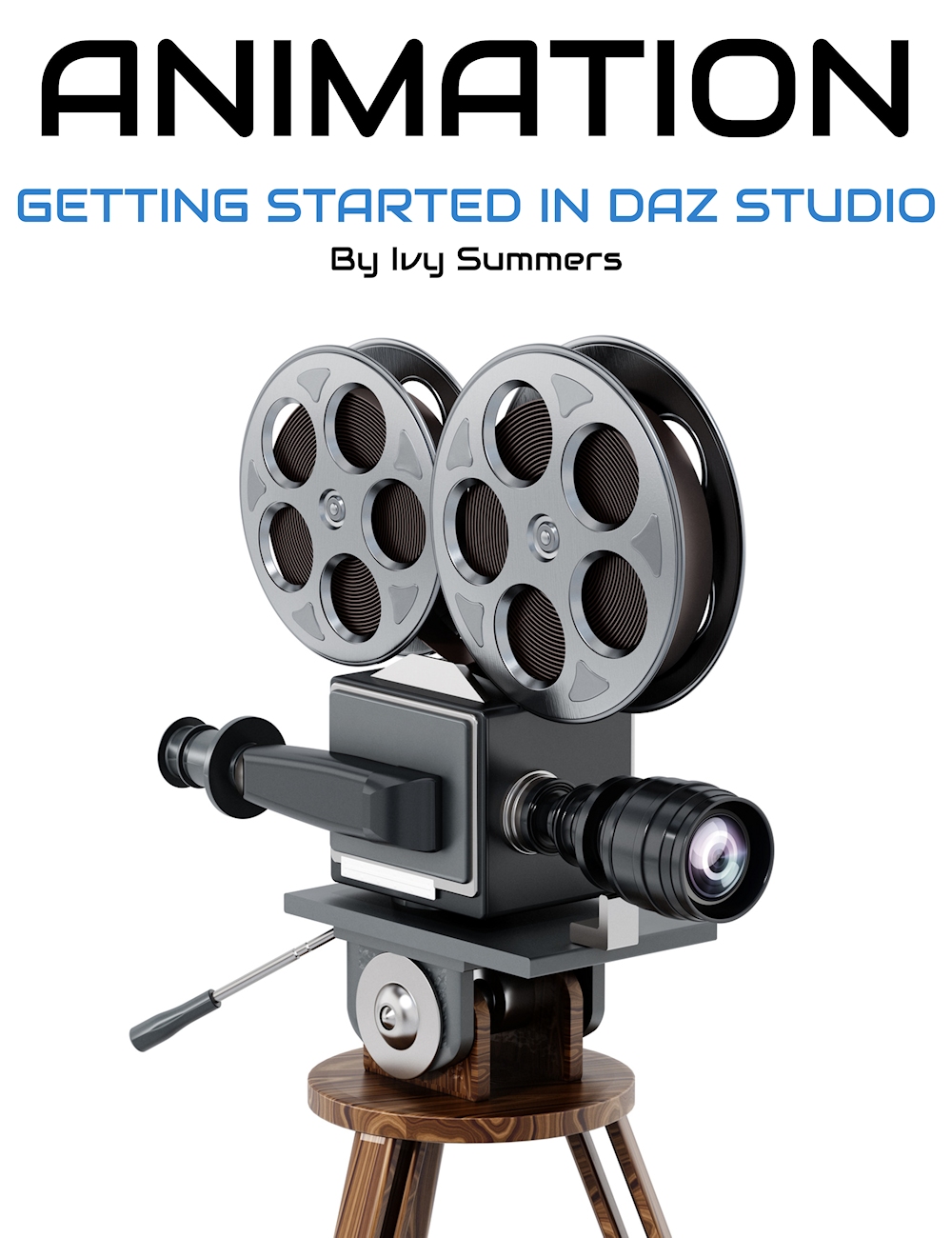 Ivy has a cool learning session available here too. It would be cool if both of us could get together one day at Digital Art Live and do a show together, sharing our workflows together - since no two artists work alike - these differences are what make learning fun - no matter how long we may have been doing this stuff. I love seeing my progress grow - sometimes just over night!
My "Rosie 8" page (latest news toward the top of the page) has some cool ideas that I've been introducing to my Rosie character - the tools of which will of course then work on all of my Genesis 8 and 8.1 Females.
The latest being micro-musculature animations of the face - FACS.
I've been observing the facial behaviors of real people my whole life. Even when I was very young I loved to draw interesting people - so I eventually learned that All people are very interesting. Everybody has their own, very specific muscle movements - even when they're not doing anything. So I'm working these custom control dials directly into my figure Pose Control hierarchy - it's a Lot of fun and I have a lot of Rosie renders done that show what it can do.
Rosie's hair averages 1 to 2 hours for each 4 to 7 second clip of animation, so it takes me a little while to get them all going - but hopefully soon I'll have my Rosie 8.24 demo video together. A little higher render quality (thinks to tips from Ivy and Jay Versluis) and I'll spend more time working on the Postwork.
I'm also constantly fighting for computer time to make more fresh music for my videos.. Having only one computer... oh well! LOL
When I first started trying DAZ Studio as my animation/rendering software (I've been into Carrara forever) just a few years ago, the forum was Filled with negativity about 'Animating in DAZ Studio', so I rebelled. I knew I could make things a Lot easier for animators in Studio - so I did.
I used what I know about DAZ Studio's Content Creation Tools that I learned to use for my Carrara endeavors, and used that to leverage an easier way to animate - since, although they've improved since all of this, DAZ Studio timeline can be pretty... unfriendly? and crude-feeling when we first start playing around with it.
It turned out that my method can almost entirely remove the need for a graph editor. I still use the graph editor - and I certainly wasn't 'looking to replace' the graph editor by any means. I'm accustomed to working in graph editors. But the solution just had that side-effect to it - using dials right on the figure instead of using the graph editor.
There was still a Lot of dis-belief. So I decided to make a mock-up animation video to demonstrate some animation and prove that the negativity doesn't hold the weight that the authors (of said negativity) say it has.
This was the resulting little short - just a fun exploration of my new method and learning to really enjoy rendering in Iray!
Which all started building and growing and... well... then came Paul Bussey at Digital Art Live, offering me the chance to tell my story to the world, and we came up with Dynamic Character Animation in DAZ Studio!
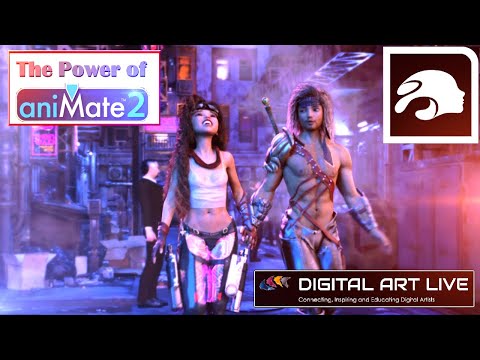
Which, in turn, led to The Power of aniMate 2 - which covers a Lot more than just aniMate. I'm having a lot of fun with these!
 Is there a way to make a shortcut icon in the Daz models directories to load PS models?
There are many times when want to apply a piece of clothing for a character that I have in, for example, my Daz/people/Genesis directory, but that piece of clothing is only in the Poser formats directories. So, to get to it in the Content Library tab I have to back up, click on Poser Formats, work my way through that maze to get to the clothing model that I want to load in. Then, having loaded it in, I have to work my way back to the DAZ Studie Formats maze to continue.
Question --- Is there a way that I can place some kind of a shortcut icon into the DS directory where I have the DS character's model, so that I can simply have an icon right there that will reference and load something that is in the Poser Format directory? That way, I could have quick access to everything that pertains to that one character all in one directory without having to search through the Contant Library mazes to find the PS directories for the dress/jewelry/clothing/etc. that I want..What Character and Hair is this?Ninefold said:
Beautyworks has a tendency to torment the forum by using characters that aren't available for sale (or at least, that no one here can identify as a character who's for sale somewhere) in their promos. I wouldn't be surprised if that were the case here.
Yeah, I was thinking the same about this one:
https://gcdn.daz3d.com/p/93295/i/bwcoolcutoffsoutfitforgenesis9genesis8and81females00maindaz3d.jpghttps://gcdn.daz3d.com/p/93295/i/bwcoolcutoffsoutfitforgenesis9genesis8and81females02daz3d.jpg
Anyone know which character/texture that is?Idea to simplify Daz Studio Versions and ChangelogsSofaCitizen said:
From what I have seen they do not share "application resources" - that means that they have separate files and configs. So you can keep your main/standard install of DazStudio at 4.21 if you wish and play around with the beta at 4.22 as you like and then if you need 4.21 for some reason then just run the standard version instead - you shouldn't need to uninstall the beta for that.
If you look to where DazStudio is installed - it will be a folder called "DazStudio4" if you're on windows. Basically, if you install the beta it will go into a folder next to that called "Daz Studio4 Public Build" - thus the files in each of these two folders are separate and not shared.
That's more or less what I thought from having read forum posts over the past year or so.
Daz 3D is part of

Connect
DAZ Productions, Inc.
7533 S Center View Ct #4664
West Jordan, UT 84084Licensing Agreement | Terms of Service | Privacy Policy | EULA
© 2026 Daz Productions Inc. All Rights Reserved.