-
THE EYE'S HAVE IT.......WHERE THE DAZ FIGURES STILL FAIL
The DAZ figure standard morphs or at least the head morph packages should include iris morphs along with the cornea bulge morph. The eyes are almost always still a give away that an image is CGI rather than real when non-pro people attempt photorealism in cgi.
THIS ^
GenX2 Update / Genesis 3 Add-On [Commercial]There is an update which came out today, which had been hanging in limbo "While things were sorted out" It was filed shortly before Ralf passed away.
Dimension3D had submited the update shortly before passing away, and it hung in limbo for a bit while 'things were sorted out' before going out today.
Then the update notes were put on the wrong readme....2017-06-20 - v2.1.1 Bugfixes:
formulas were not included for transfers between G2F and G2M
morphs were not loaded if vertex_count was set to -1
morphs were not loaded if URL references had different upper/lower case spelling
possible crash when mixing actor names with and without colon for Poser morph injections
crash when transferring morph after canceling transfer with properties dialogThanks for taking the trouble to enlighten us on all that, Chohole. Sleep peacefully, Ralf.
THE EYE'S HAVE IT.......WHERE THE DAZ FIGURES STILL FAILMost non-professional level eye shaders don't look so great. The G8/V8 stock shaders make the eyes look too glassy out of the box. Not all eye models/morphs are created equal either. The DAZ figure standard morphs or at least the head morph packages should include iris morphs along with the cornea bulge morph. The eyes are almost always still a give away that an image is CGI rather than real when non-pro people attempt photorealism in cgi.
Wear Them AllFirst test render of Princess Alex for V4 on V7 and V8:
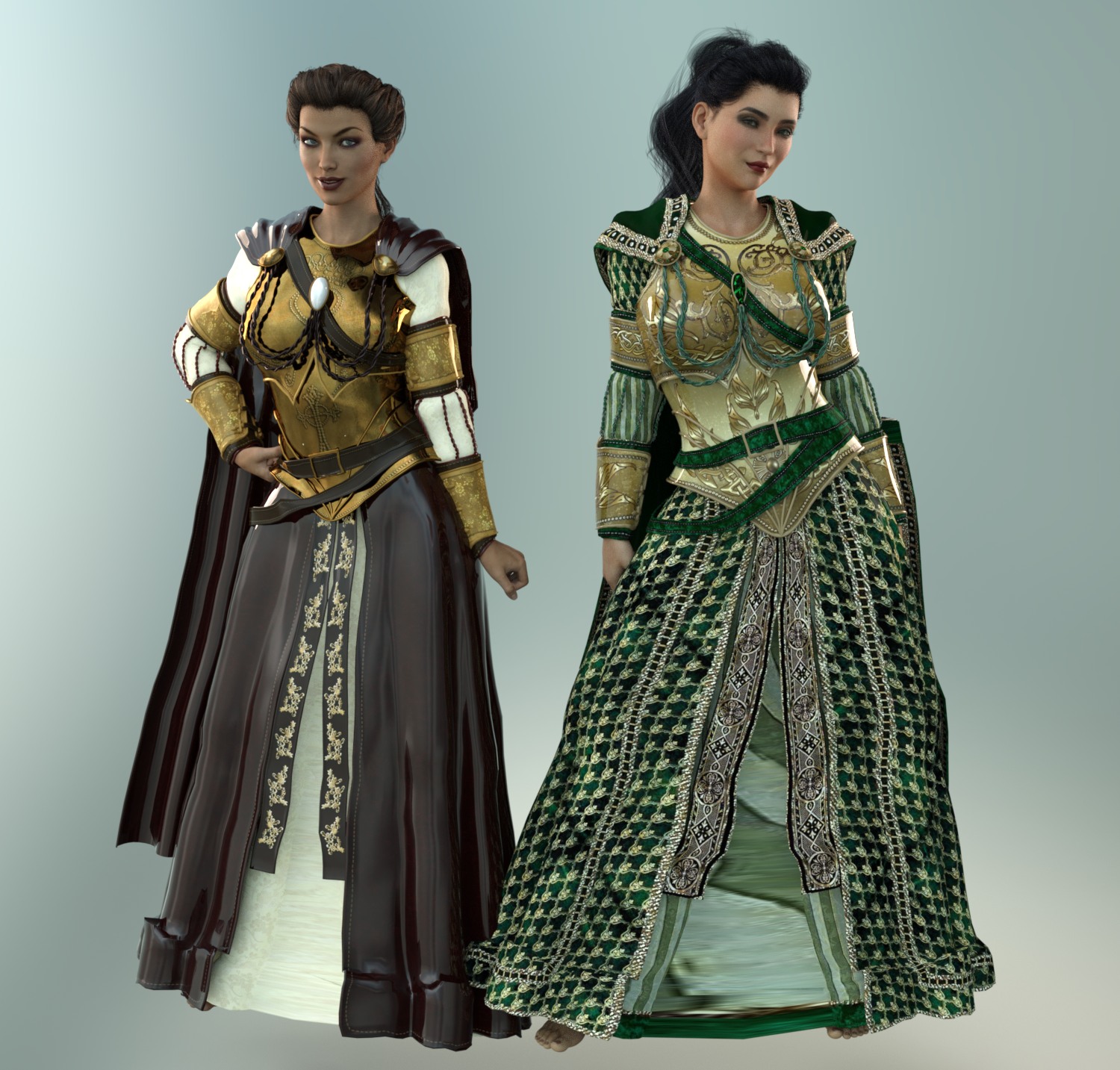
Notes:
- I obviously have some work to do on textures. I haven't done any SubD or smoothing yet, just applied Uberbase and put some metallicity on the gold sections of V7's outfit.
- V7 is wearing default textures. V8 is wearing Renapd's "Coronation Day for Princess Alex" textures (Rendo.)
- Overall the fit looks good. Slight poke through on the chest armor and a little funkiness around the hem.
- Parts of V7's outfit look crazily plastic. I'm thinking that's either too much glossy in the default textures. I'll tweak. I only used Poser textures here, so wasn't expecting them to look perfect right out the gate.
- Look at the height difference between V7 and V8. V7 is supposedly 5'11". How tall is V8 then?? OMG, she's an Amazon! (Must be nice, I'm only 5'5".)
- Expressions: They are both wearing "Confident" at 100% from their prospective morph packs (G3G and G8F) with "Smile" dialed in at 30%. Interesting to see the differences.
- There are no shoes with this outfit. The princesses will have to wait till I feel like digging some up!
Morph para Genesis 2 no PoserI exported (obj) the model to the hexagon and turned the feet. Then I loaded the morph with my feet upside down using the modified OBJ.
Reasons not to rush into Genesis 8I am using the opportunity to see what I can customise on the Genesis 8 female starter essentials for free though.
Have brought over a lot of morphs with the transfer utility and am slowly converting basic animations
finally found a twofold way to do it using iClone 3Dxchange and Draggonstorms G2F to G3F script
one needs to in the retargetting step tweak the tPose to an opposite A pose arms 45.5° in the air legs 6° inwards then export contorted BVH on that figure for G2F to run the conversion on.
Reasons not to rush into Genesis 8Sigh... I'd really planned on passing V8 up for this round, as I'm quite happy with G3F and I've yet to see any V8 renders that really knocked my socks off, but in the end DAZ kept adding discounts until I couldn't resist. Besides the extra 30% off the Pro Bundle for owning all the previous pro bundles, the real decider for me was the great stacking discounts on the other products in my cart. The additional 30% off let me pick up the three Genesis 8 morph sets for $6.50 each, the new Bone Doctor for about $16, a couple of G3M outfits like the construction worker for about $3 each, and a massive stack of 16 RawArts figures for an average of less than $2 each. Toss in a free G2 maid outfit, the weekly ffreebies and the new Deco room, and it worked out to 39 items for just under $130 including tax. gah. More than I wanted to spend, but it'll be a while before the Gen 8s hit that level of discount again, so even though I haven't upgraded to the new DS yet, I figured what the hey...
Hope you're stocked up on those ramen noodles.... ;)
Laurie
Basic tutorial for transferring Genesis3 female morphs to Genesis8 femalefull body you may need to adjust figure shape to rigging and run ERC freeze under edit mode right click on morph in parameters before saving if the shape changes where the bones lie, ie height, limb/body length proportions
minor shape changes that keep body scales and proportions ie different contours would be ok.
Morphs from G3 to G8I THINK I finally got the "Redz version" with Singular Blues morph worked out. I transferred Monique 7 and Karen 7. The only issue that jumps out to me is that the eye textures from the Genesis 3 materials don't seem to fit right some times. When that happened, I just used Genesis 8 eye materials.
I also found Genesis 8 Female fits for Redz Short Cropped Hair and Business hair over on Renderosity freebies. Thanks, Redz!

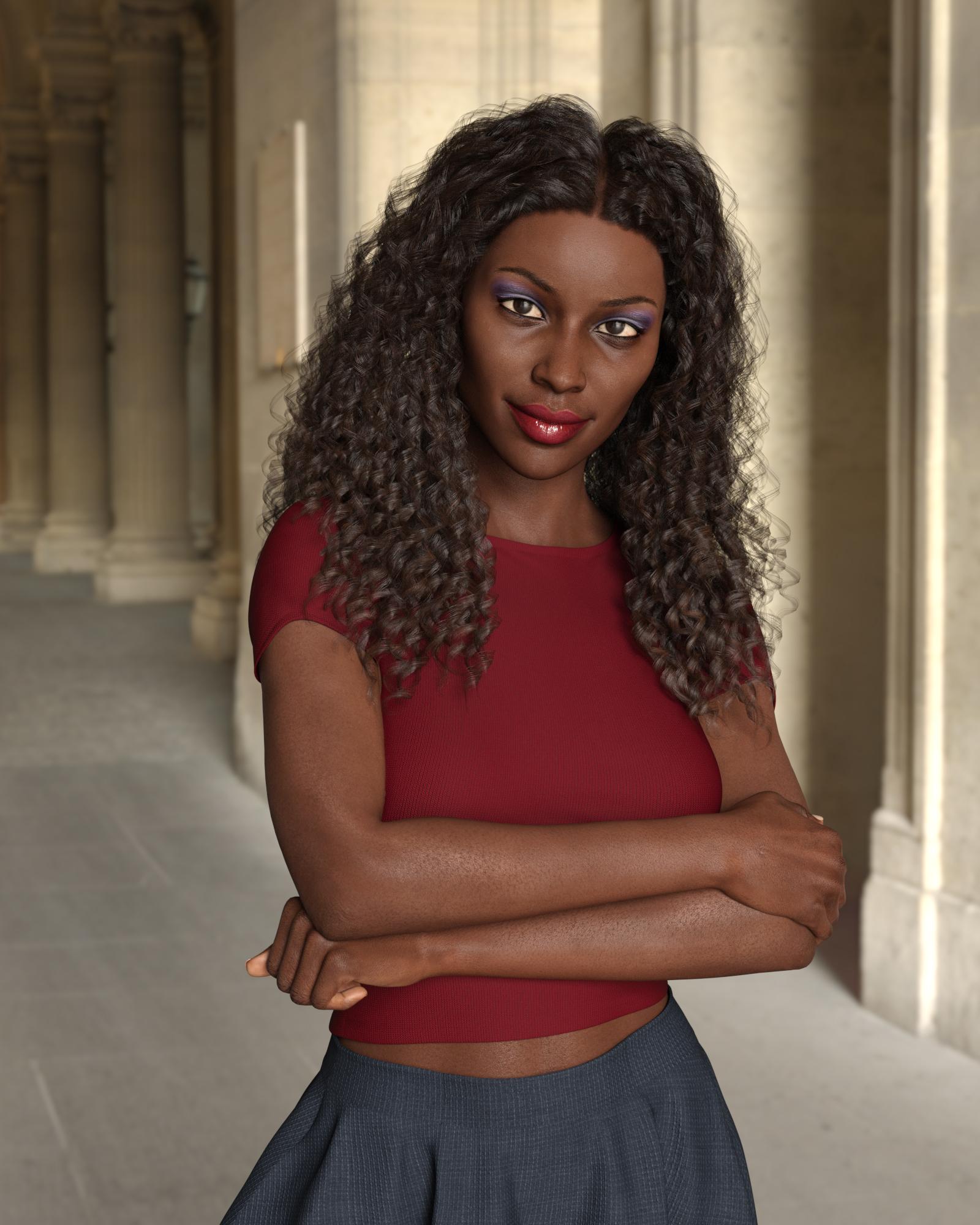
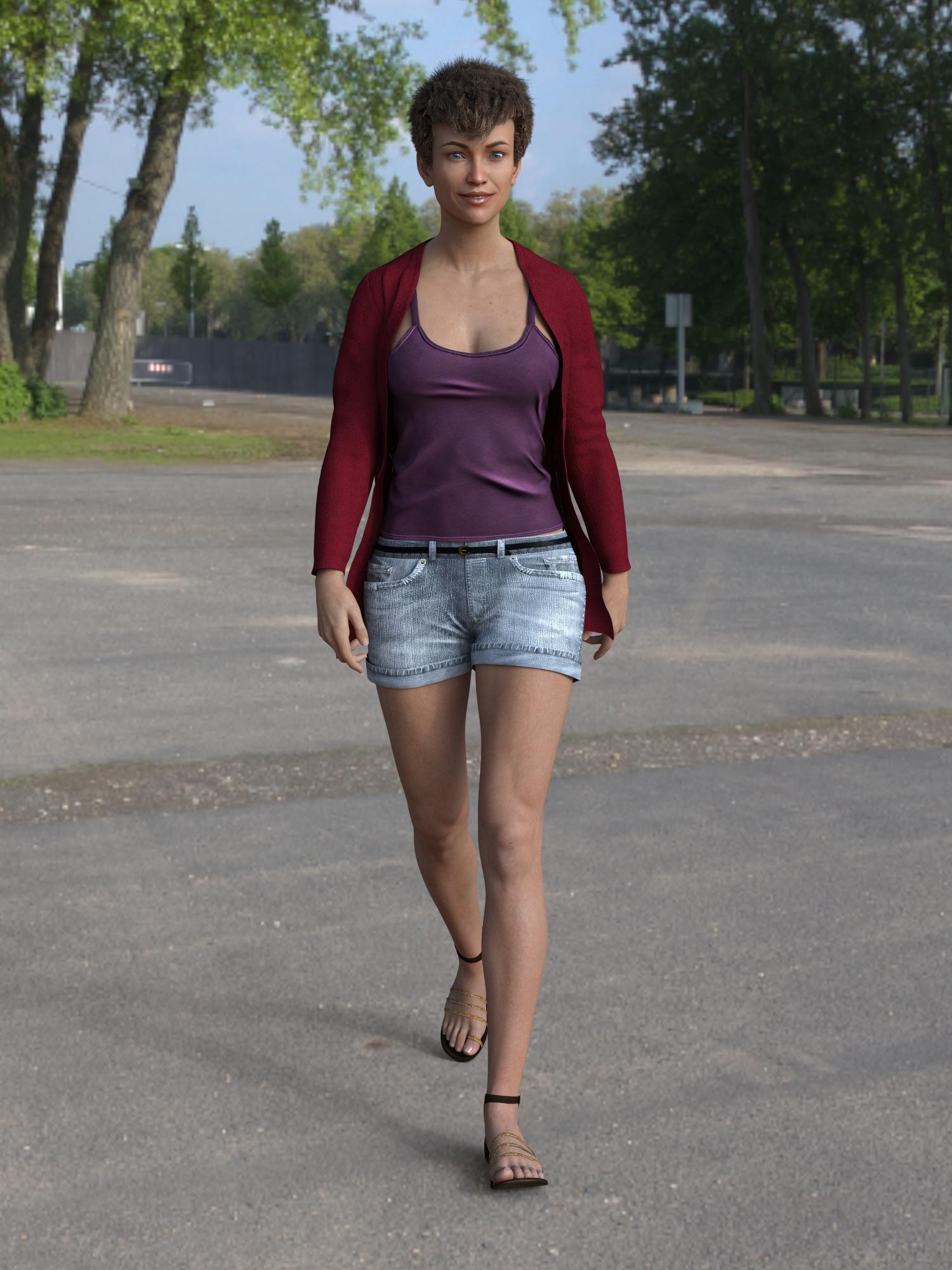
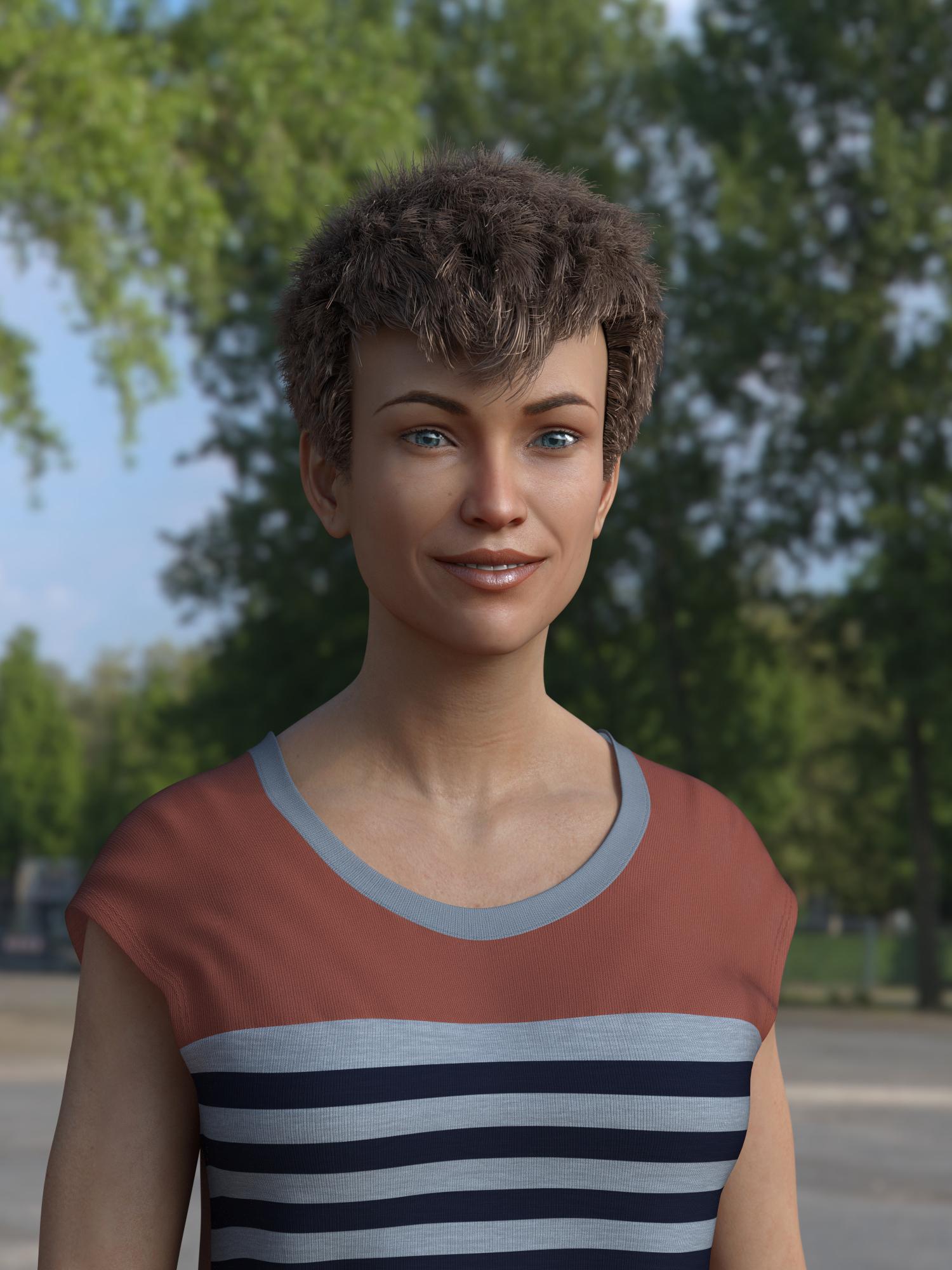
Fantastic results. Yes, the eye geometry has changed so some G3F eye textures no longer work.
Yeah autofit was doing a terrible job on some of my hairs, (I think because I used cross-figure) so I thought I'd update them. There's one for Oh My Lashes in the works too.
I THINK I finally got the "Redz version" with Singular Blues morph worked out. I transferred Monique 7 and Karen 7. The only issue that jumps out to me is that the eye textures from the Genesis 3 materials don't seem to fit right some times. When that happened, I just used Genesis 8 eye materials.
I also found Genesis 8 Female fits for Redz Short Cropped Hair and Business hair over on Renderosity freebies. Thanks, Redz!
Fantastic results. Yes, the eye geometry has changed so some G3F eye textures no longer work.
Yeah autofit was doing a terrible job on some of my hairs, (I think because I used cross-figure) so I thought I'd update them. There's one for Oh My Lashes in the works too.
Great! I hope for Real Curly, too. Will that one be coming eventually?
Oh, and Oh My Brows?
I guess body hair will wait for G8M.
Real curly, the brows and the body hair (if you're making a male G8F) autofit just fine, so I left those til last. I suppose it's be no harm to update them too though, so they appear in the Genesis 8 folder.
Morphs from G3 to G8I THINK I finally got the "Redz version" with Singular Blues morph worked out. I transferred Monique 7 and Karen 7. The only issue that jumps out to me is that the eye textures from the Genesis 3 materials don't seem to fit right some times. When that happened, I just used Genesis 8 eye materials.
I also found Genesis 8 Female fits for Redz Short Cropped Hair and Business hair over on Renderosity freebies. Thanks, Redz!
Fantastic results. Yes, the eye geometry has changed so some G3F eye textures no longer work.
Yeah autofit was doing a terrible job on some of my hairs, (I think because I used cross-figure) so I thought I'd update them. There's one for Oh My Lashes in the works too.
I THINK I finally got the "Redz version" with Singular Blues morph worked out. I transferred Monique 7 and Karen 7. The only issue that jumps out to me is that the eye textures from the Genesis 3 materials don't seem to fit right some times. When that happened, I just used Genesis 8 eye materials.
I also found Genesis 8 Female fits for Redz Short Cropped Hair and Business hair over on Renderosity freebies. Thanks, Redz!
Fantastic results. Yes, the eye geometry has changed so some G3F eye textures no longer work.
Yeah autofit was doing a terrible job on some of my hairs, (I think because I used cross-figure) so I thought I'd update them. There's one for Oh My Lashes in the works too.
Great! I hope for Real Curly, too. Will that one be coming eventually?
Oh, and Oh My Brows?
I guess body hair will wait for G8M.
Morphs from G3 to G8I THINK I finally got the "Redz version" with Singular Blues morph worked out. I transferred Monique 7 and Karen 7. The only issue that jumps out to me is that the eye textures from the Genesis 3 materials don't seem to fit right some times. When that happened, I just used Genesis 8 eye materials.
I also found Genesis 8 Female fits for Redz Short Cropped Hair and Business hair over on Renderosity freebies. Thanks, Redz!
Fantastic results. Yes, the eye geometry has changed so some G3F eye textures no longer work.
Yeah autofit was doing a terrible job on some of my hairs, (I think because I used cross-figure) so I thought I'd update them. There's one for Oh My Lashes in the works too.
Morphs from G3 to G8Okay as promised the tutorial for making clones and using them to transfer morphs from Genesis/Genesis 2/Genesis 3
Yes it's pretty long, yes you may say what's the point and yes extreme eye and teeth morphs may get borked, but it's the most reliable way I've found so far.
It will also let you autofit G8F wardrobe to older generations and has poses to put the older Genesis figures into G8's approximate A pose.
You need to copy the people folder to your Daz3D Library
For those obsessional or crazy enough to try
DOWNLOAD CLONES AND MORPHS TUTORIAL HERE
Render shows three of RawArt's Genesis characters on G8F posed and dressed. Have fun ;)
Oh dear! I thought I just mastered the last one and here we have a new one.
 Thanks for evolving the technique. I'll try this new one now.
LOL sorry about that. It's actually very similar, so all of that practice hasn't gone to waste, plus this opens up direct transfers from G2 and Genesis.
Morphs from G3 to G8Okay as promised the tutorial for making clones and using them to transfer morphs from Genesis/Genesis 2/Genesis 3
Yes it's pretty long, yes you may say what's the point and yes extreme eye and teeth morphs may get borked, but it's the most reliable way I've found so far.
It will also let you autofit G8F wardrobe to older generations and has poses to put the older Genesis figures into G8's approximate A pose.
You need to copy the people folder to your Daz3D Library
For those obsessional or crazy enough to try
DOWNLOAD CLONES AND MORPHS TUTORIAL HERE
Render shows three of RawArt's Genesis characters on G8F posed and dressed. Have fun ;)
Oh dear! I thought I just mastered the last one and here we have a new one.
Thanks for evolving the technique. I'll try this new one now.Morphs from G3 to G8I THINK I finally got the "Redz version" with Singular Blues morph worked out. I transferred Monique 7 and Karen 7. The only issue that jumps out to me is that the eye textures from the Genesis 3 materials don't seem to fit right some times. When that happened, I just used Genesis 8 eye materials.
I also found Genesis 8 Female fits for Redz Short Cropped Hair and Business hair over on Renderosity freebies. Thanks, Redz!
Morphs from G3 to G8While I'm breaking my arm (to quote noted pilospher James Tiberius Kirk) patting myself on the back for my ingeniuity, I actually have figured out, and tested, a method for bring over morphs with ERC intact, but it is (to borrow a term from the world of Games Workshop) beardy.
As in super beard.
Basically You copy the dsf files from G3, with their folder structure intact (you don't need to go higer than the vendor folder, but you need the rest or it gets that much more dificult).
You then use mass file editing to replace all references to Genesis 3 with Genesis 8 (Genesis3 becomes Genesis8 and Genesis%203 becomes Genesis%208). I use a program called FAR (Find And Replace, iirc) to do this. This requires renaming all the dsf files as txt because FAR won't edit anything it isn't sure is an ASCII file. For compressed dsfs this means uncompressing them first. Of course, they have to re-renamed to dsf once the edits are done.
Now copy those folders into Genesis 8's folder.
At this point, you proceed as above, but when you get to bit about transfering morphs, make sure "overwite existing" is checked. Also (and this important) at no point should you touch the sliders of the copied morph beofre doing the transfer. Bad things may happen. Until you do the transfer, the morph values are pointed at the wrong vetex order and in the wrong direction.
When TU overwites an existing morph, it does not change that morph's ERC links.
Things then proceed as they would above except if you choose the export and then import via morph loader method, you need to name the export file with the internal name of the morph, and then, when you morph load it, make sure Overwrite Existing is changed from Make Unique to Deltas Only.
This will overwrite the bad vertex ordered morph with the correct order.
Told you it was beardy.Wow this sounds scary. Is ths method instead of the "Redz method" or an addition to it? If additional, where does this fit into the "Redz method". Also, does this help fix the crazy hands that happens with some transfers? I have converted about 30 characters and I'm finding some hit and misses with the hands screwing up. BTW thanks for all the work everyone.
The renaming etc in the files is rediculously easy, but I must be missing a step as it keeps failing for me.
I'd love a step-by-step guide.
If you've got a lot of files to change the extension on, use bulk-rename utility; it's years old my copy, so not sure if still available, but something should be.
Well the first step there is to get the files loaded in G8. Is that what's failing?
To be clear, you don't want them working. In fact, you don't want to move any of the sliders at all. You don't want to confuse Studio. After the first step you've got morphs made for G3 loaded in G8, but they won't actually work right because math and stuff.
As for renaming, I do that old school.ren *.dsf *.txt
It's the bit where you replace the text inside the files that get's messy.
Once you've done that correctly, you'll know because the morphs will show on G8 when you load her. Let me know if you get (or have already gotten) that far, because trouble shooting these things is difficult over the internet, and if I just wrote a tutorial it would be as clear as what I already wrote. I need to understand what parts of what I said aren't getting across and it seems like you're volunteering to play victi- er, test subject. Yeah, test subject. That's the ticket. Test subject.I'm going to do some further testing. I know the file modifications are correct from the checks I did, and Ive used FAR previously. It's the other parts i'm not that confident on.
Is the method to use in conjunction with your, Sickleyields?
Reasons not to rush into Genesis 8Sigh... I'd really planned on passing V8 up for this round, as I'm quite happy with G3F and I've yet to see any V8 renders that really knocked my socks off, but in the end DAZ kept adding discounts until I couldn't resist. Besides the extra 30% off the Pro Bundle for owning all the previous pro bundles, the real decider for me was the great stacking discounts on the other products in my cart. The additional 30% off let me pick up the three Genesis 8 morph sets for $6.50 each, the new Bone Doctor for about $16, a couple of G3M outfits like the construction worker for about $3 each, and a massive stack of 16 RawArts figures for an average of less than $2 each. Toss in a free G2 maid outfit, the weekly ffreebies and the new Deco room, and it worked out to 39 items for just under $130 including tax. gah. More than I wanted to spend, but it'll be a while before the Gen 8s hit that level of discount again, so even though I haven't upgraded to the new DS yet, I figured what the hey...
Morph para Genesis 2 no PoserHello people
I need to modify the foot of the model Genesis 2 male, but whenever I do the .OBJ with the change and apply it is with the texture inverted and I can only see selecting to show the hidden faces. How do I invert the feet without this happening?
Genesis 8 Characters I'd Like to SeeI'd love to see separatley sold textures for characters, since I seldomly use the morphs of the characters I buy... I tend to buy characters for their texture even if the morph isn't my thing for that same reason...
More color would be a great plus... there are so many shades of skincolor in our world... yet daz characters mostly come in "white" and all the possibilites for fantasyraces that are untapped...So what I want to see for characters would be the amazing morphs by zev-o and handspan studios for this new generation, real-world morphs as well als fantasy morphs (and fitting add-ons for that)... some great textures and addons for make-up (please, please, PLEASE some 'natural' make-up options too), freckles, scars (if those came with morphs, that'd be awesome!), wounds, dirt, masks, warrior 'make-up' and what have you not...
edit: completly forgot... realistic looking tattoos. often characters come with interesting tattoos, but some just look like there was a sticker put on the skin or latexcolor was used to paint it on... or something like that. Kind of a bummer...
What genre of content do you want to see a lot more of?Superhero outfits or at least accessories for more kitbashing that are a little better modeled and morphed than the ones over at rendo. And I usually bypass alot of female outfits that don't have a male counterpart. So at lot of fantasy and scifi outfits are usually end up being passed or at least wait for a steep discount to justify collecting it. I like bundles of male and female clothes and accessories so that I can have them both at the same time.
Need more style of capes and draping outfits, DEFINITELY more styles of belts that can morph hieght from waist to hips and does not look like its floating. Masks and hoods. Lots of
Yup, Definitely more Superhero stuff.
Genesis 8 morphs compatibilityHello everyone, I saw that the new genesis 8 figure is backwards compatible, does that also mean i can apply genesis 8 morphs on older models like genesis 3? Also can i apply genesis 3 series characters on Genesis 8? Thank you for your time.Not directly (there are several threads discussing morph conversion by various routes). It means that textures for the Genesis 3 females base UV set will work, and that there are clones for auto-fitting clothing from any other currently available Genesis figure.
Daz 3D is part of

Connect
DAZ Productions, Inc.
7533 S Center View Ct #4664
West Jordan, UT 84084Licensing Agreement | Terms of Service | Privacy Policy | EULA
© 2026 Daz Productions Inc. All Rights Reserved.