-
Is it possible to autofit clothing to make it look as if it is too small for figure's frame?
This was my workflow...
1. I loaded G2 figure and made her scale a little bit bigger, so as to transfer the tightness of the bigger body to the pants. The standard scale was 96 and I bumped it up to 103.
(Please review the guidelines here: https://www.daz3d.com/forums/discussion/3279/acceptable-ways-of-handling-nudity#latest for ways to handle nudity. You do not need a skin on your figure to demonstrate the problem. Use a clay shader or something. Also limit the width of images to 800 pixels. ~Mod)
2. I went to the parameters tab, and in mesh resolution, set Resolution Level to BASE and Subdivision Level to 0.
3. In the scenes tab, I opened all nodes and selected them, and in the parameters tab set to "un-visible", which I guess means clicking off the visible dial, and the character disappears.

4. I check the vertices information in the scene's tab docking bar under geometries.

5. I exported as object and named the object pants morph.

6. I opened a brand new Daz session and loaded the pants.

7. I select the pants in the scenes tab and open Morph Loader Pro. I choose the recently created pants morph object, pants morph, as preset, which is G2 scaled a little big bigger and change to YES Reverse Deformities like SickeYield instructed.

8. I click accept and the "Warning: Geometry did not match, failed to create morph" message appears.

What did I do wrong? I'm not getting something! :/
GENERAL FREEBIE REQUESTS Part 2Come to that, what about a morph to remove the ears altogether? Occasionally people want to make aliens that way. Say remove the ears so theres just the smooth surface on the sides of the head, so that the end-user artist can then add entennas at the top of the head or something.
Super Bodysuit + Superhero Addon for G3F on G8F?Overall 90% ? Very good. Have to mess with the smothing a little on the suit, like turn it on at 1 to get rid of a little pokethrough but don't turn higher than that or you lose the HD details. Geograph trims have a bit of an issue on the arms. I used full body on everything except the skirt and long cape, used knee length dress on those. The cape loses its extra bones, of course, but it still has a bunch of wind morphs that work well enough. There is a utility morph for G3 to make her ears smaller to fit under the suit better, of course they don't work on G8.. probably would need to dial up one of G8's ear morphs and then zero out that morph in the suit, I didn't bother here so it looks a bit lumpy. This is on a straight Vicky 8 morph.
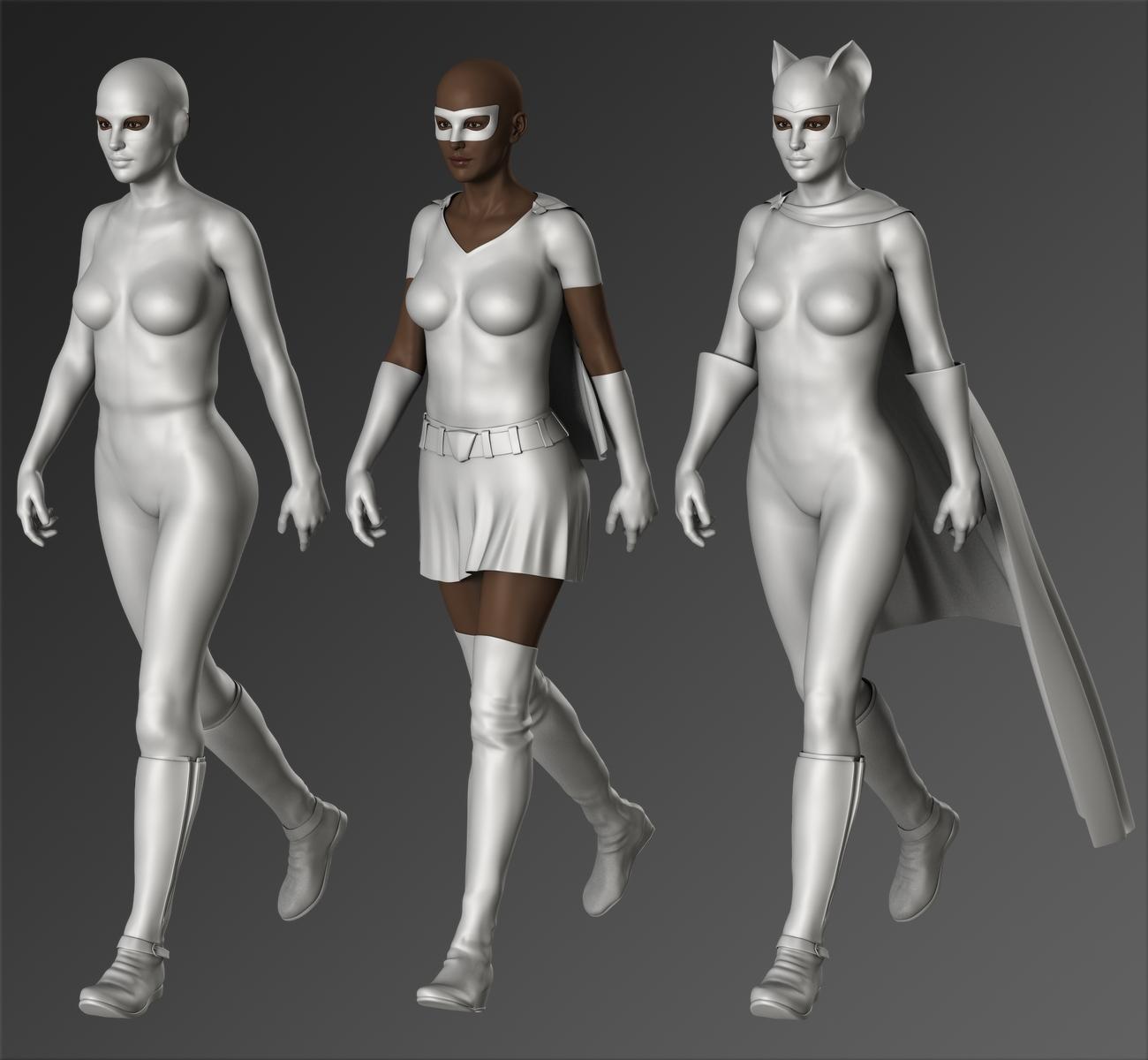
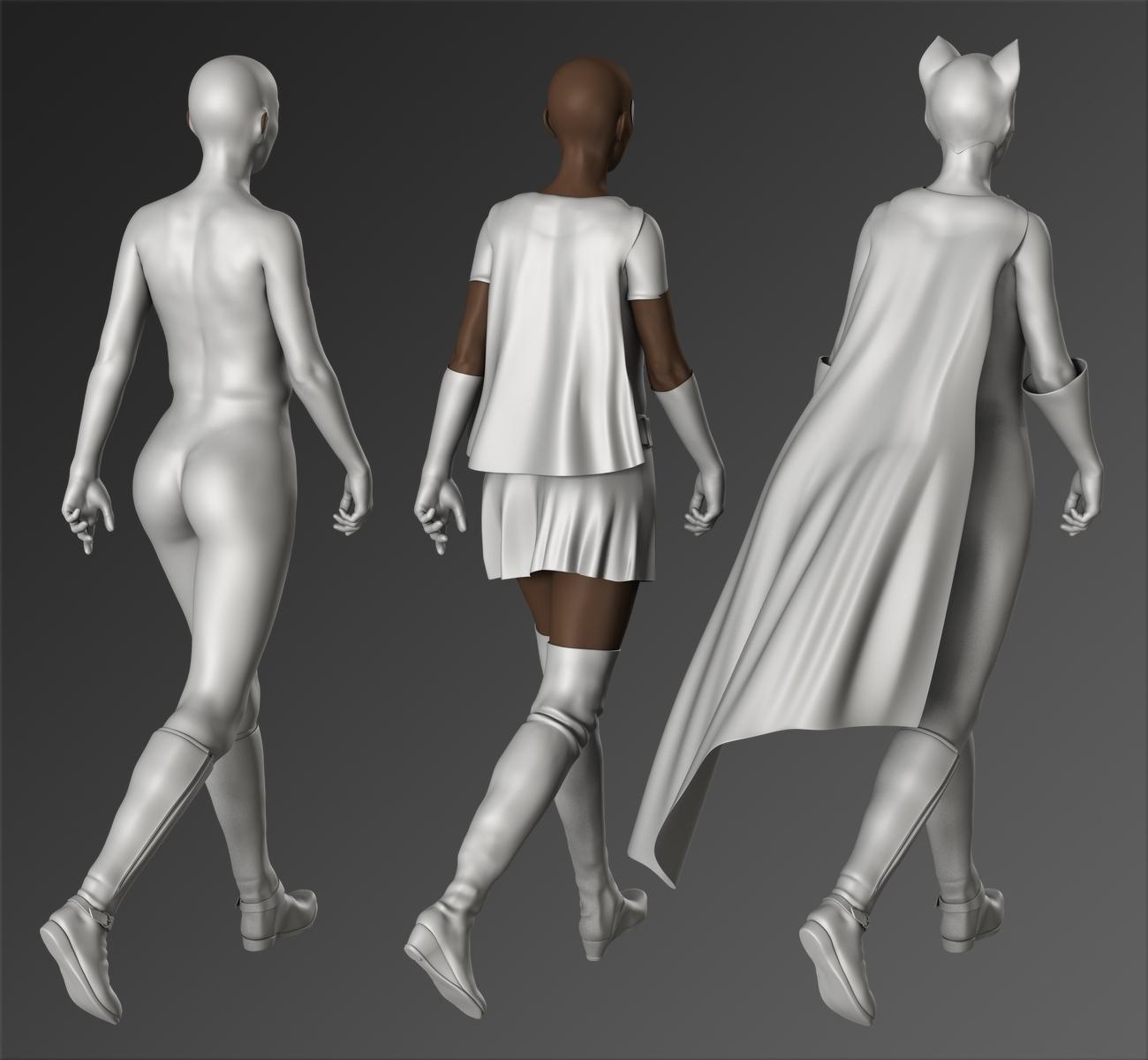 GENERAL FREEBIE REQUESTS Part 2
How about a morph to move a character's ears closer to/further from the head? Many characters seem to need to have their ears pinned back.
Just a thought.
Morphs from G3 to G8This is my alternative method, but I've found it better than the transfer utility for body morphs especially
Tutorial and helper scene/morphs included
I'm attempting this right now. First thing I got was this error message:
The following files can not be found: data/daz 3d/genesis 3/female/morphs/3d universe/toongenerations2/base/ctrl3dutoongenerations2_adjustage.dsf
Is that a file I need to be able to do it? Or will it be ok without it?
I think you can ignore that. For some reason it's not set to zero by default, but I don't think it affects G3F unless the toon generations morph is applied.
OH MY GOODNESS! This came out so good! I just transfered Callie 6 to G8F!
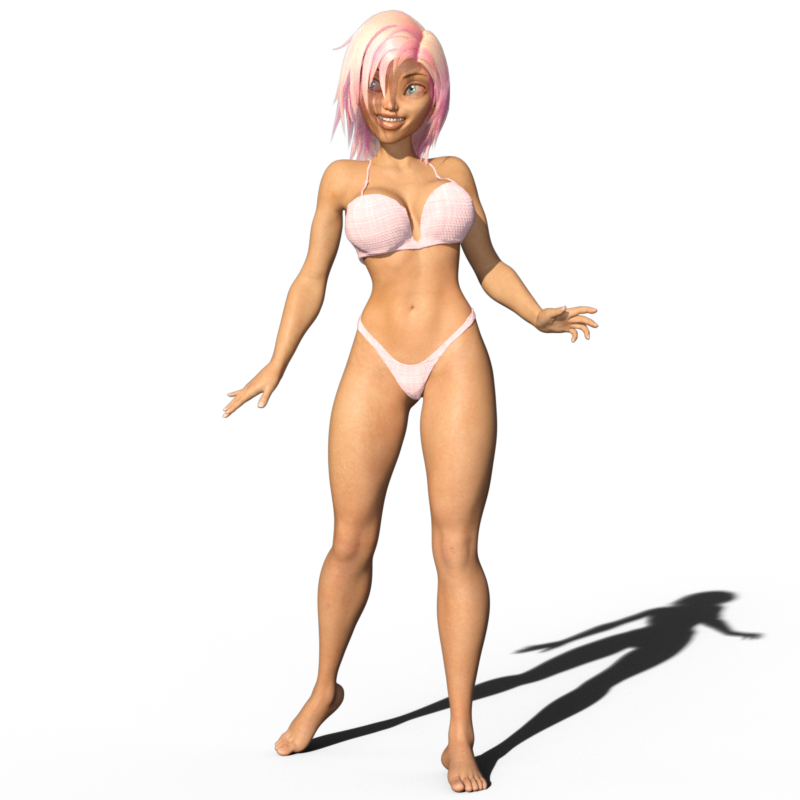
AMAZING! You're my hero, Redz!

Dang! I might have to Callie 6. She's adorable! Nice work, Diva.
Morphs from G3 to G8FWIW, I had a problem for a few days, but have solved it: I transfered my morph dial from G3F to G8F just fine, but when I saved it as a morph asset it didn't load into new G8F figures in that or any other scene.
I spent time re-checking all the steps and browsing my content directories to find the morph asset (I never did) and finally solved the problem by changing which the content base I saved the G8F morph asset to. It had defaulted to my Daz Connect library and that didn't work. I changed it to My Library and now it loads just fine.
I assume this is because I installed G8 using DIM, since it didn't appear in the Install list in studio, but maybe I'm off-base here.
@SethM You cannot save morphs (or anything else as far as me experience goes) to your Daz Connect Data location. Daz Studio will not recognize that it is there. Always save to your DIM content library (or another content library that you create). That will work fine, even if your Genesis 8 characters are installed with Daz Connect. I'm glad you got it working.
Morphs from G3 to G8I THINK I finally got the "Redz version" with Singular Blues morph worked out. I transferred Monique 7 and Karen 7. The only issue that jumps out to me is that the eye textures from the Genesis 3 materials don't seem to fit right some times. When that happened, I just used Genesis 8 eye materials.
I also found Genesis 8 Female fits for Redz Short Cropped Hair and Business hair over on Renderosity freebies. Thanks, Redz!
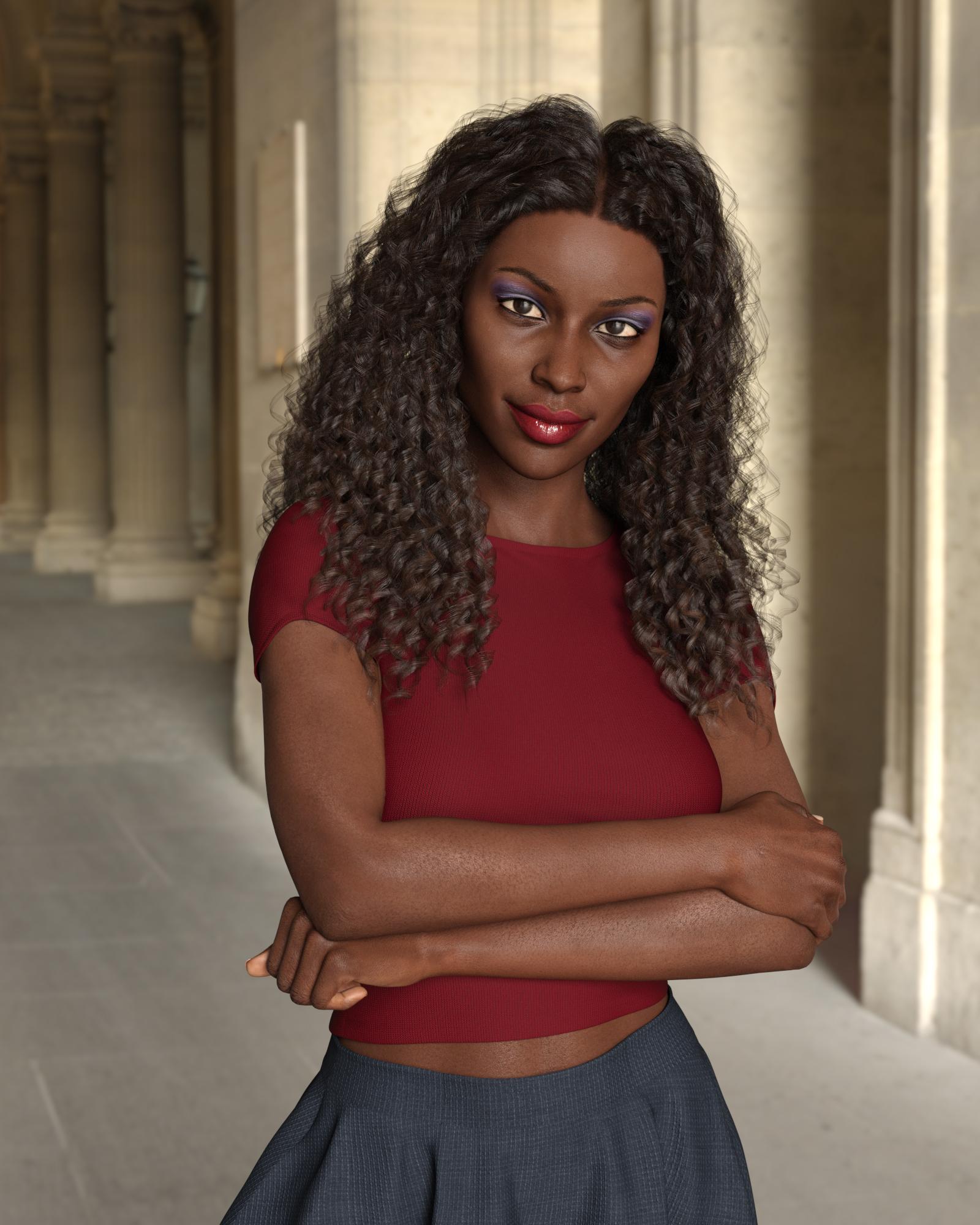
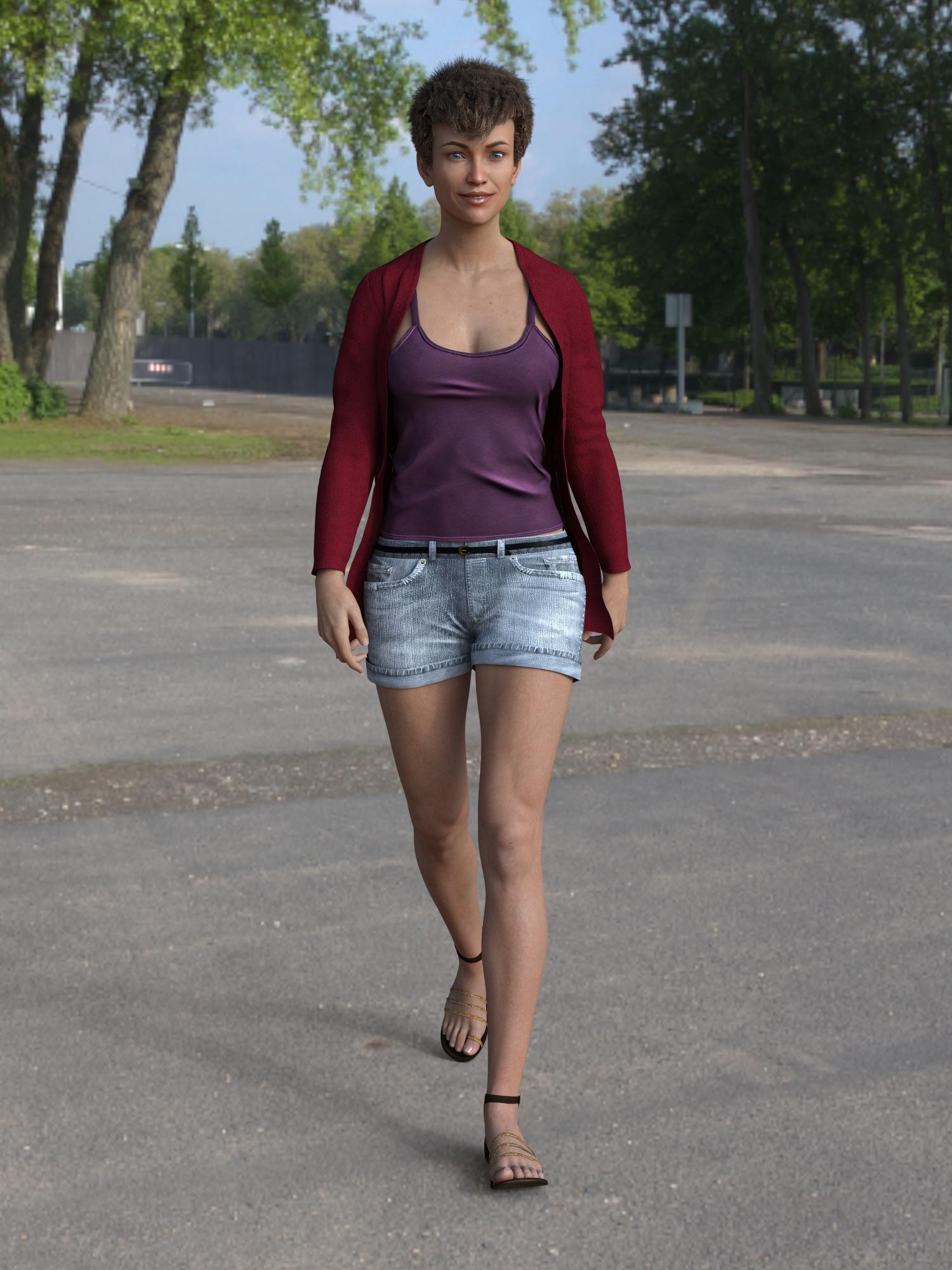
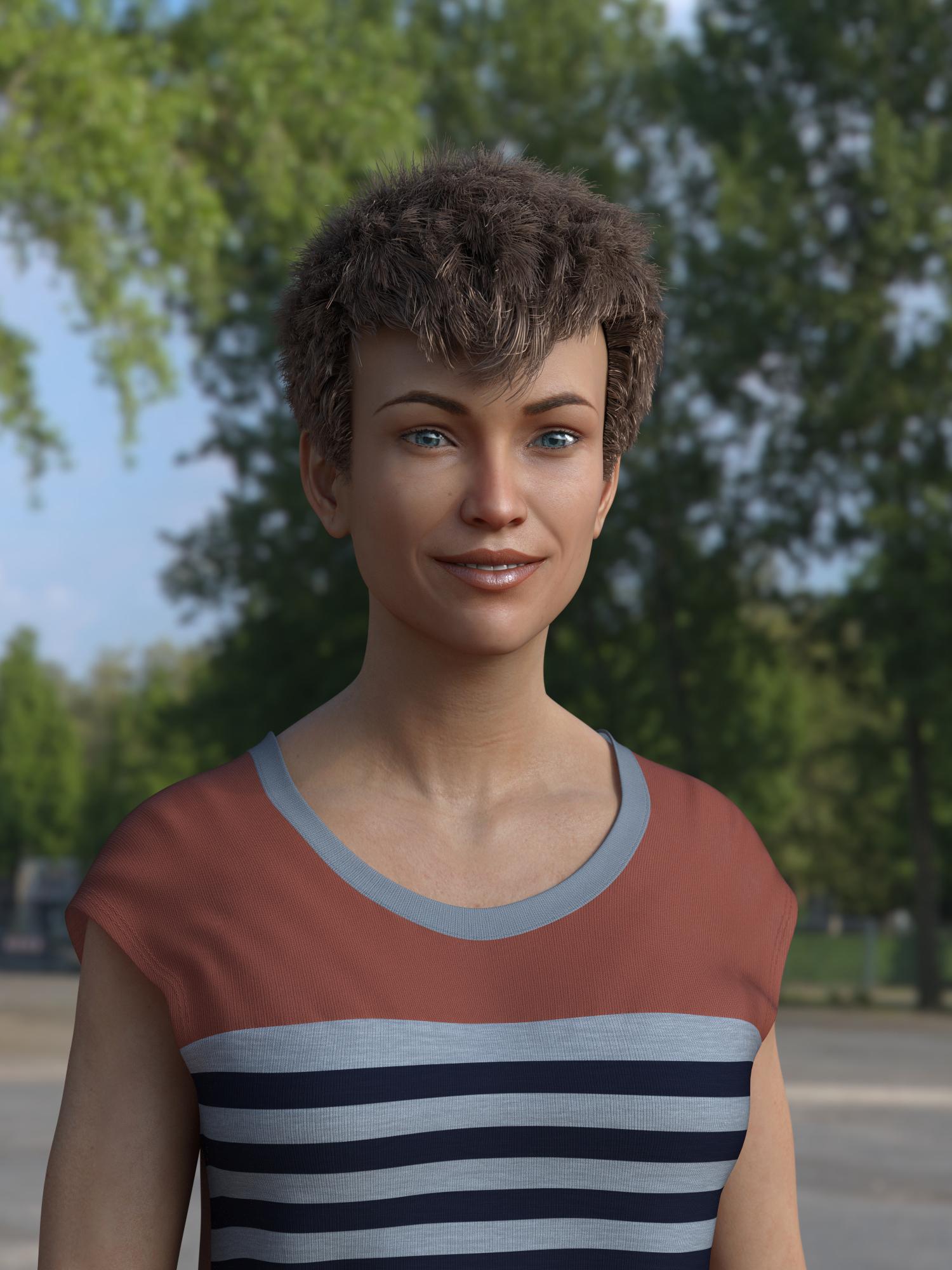
Fantastic results. Yes, the eye geometry has changed so some G3F eye textures no longer work.
Yeah autofit was doing a terrible job on some of my hairs, (I think because I used cross-figure) so I thought I'd update them. There's one for Oh My Lashes in the works too.
I THINK I finally got the "Redz version" with Singular Blues morph worked out. I transferred Monique 7 and Karen 7. The only issue that jumps out to me is that the eye textures from the Genesis 3 materials don't seem to fit right some times. When that happened, I just used Genesis 8 eye materials.
I also found Genesis 8 Female fits for Redz Short Cropped Hair and Business hair over on Renderosity freebies. Thanks, Redz!
Fantastic results. Yes, the eye geometry has changed so some G3F eye textures no longer work.
Yeah autofit was doing a terrible job on some of my hairs, (I think because I used cross-figure) so I thought I'd update them. There's one for Oh My Lashes in the works too.
Great! I hope for Real Curly, too. Will that one be coming eventually?
Oh, and Oh My Brows?
I guess body hair will wait for G8M.
Real curly, the brows and the body hair (if you're making a male G8F) autofit just fine, so I left those til last. I suppose it's be no harm to update them too though, so they appear in the Genesis 8 folder.
Real Curly does fit just fine!
Here I mixed my converted Karen 7 with Victoria 8. The skin is Karen's, but I modified the settings. The earrings, necklace, and dress are all autofit from G3F. The eye materials are from one of the G8F characters, maybe Duffy; I forgot which one i used. The dress texture is from PD Iray Shader Kit 2. The lighting and background are from a free HDRI from textures.com. I recolored the Real Curly hair, too, to coordinate with her brows. I haven't tried the Oh My Brows on G8F yet. Oh, and I used the G8F Great Lashes, too. There's always more to try and more to learn.
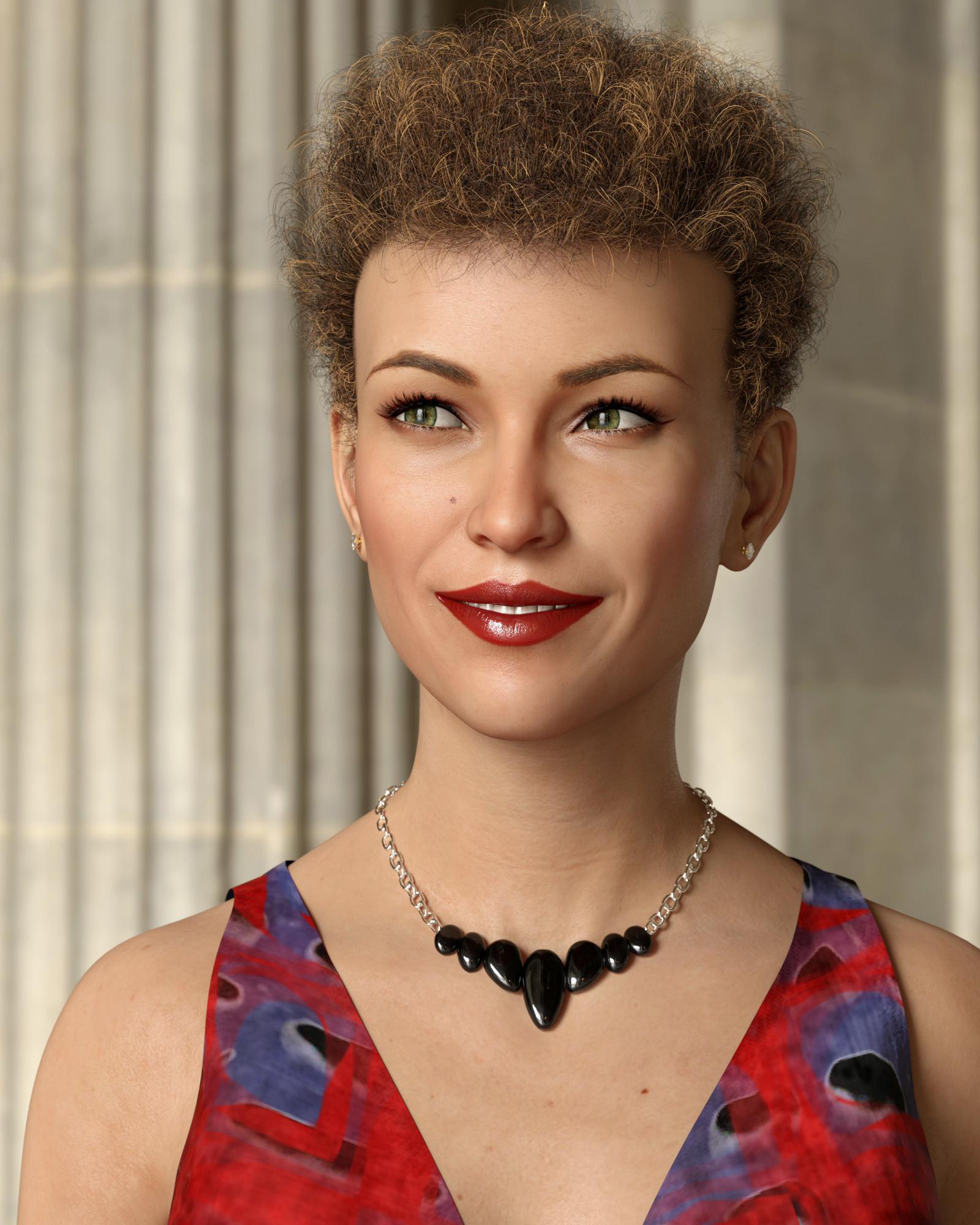
Barbult, that's fabulous!
GENESIS 3 Iray Smart Converter And Advanced Managers (Commercial)I have been having trouble with the gens on gen 3 male. I loaded the character Dave. Applied his gens applied daves gen texture. Then applied the smart converter with some warmth added. Although daves texture is there the warmth was not added and his gens appear default color and do not match
By default, the initial smart converter does not act on genitalia. What you do is : you convert, you tweak the figure the way you want, and when you are done, you use the transfer anatomy tool so that the genitalia becomes "like the rest of the body".
I have finally bought Dave. And I tested several set ups with it, I have never any material set up difference.
Here is what I did :
1. load dave and genitalia
2. used Smart converter on Dave, changed colors presets and translucency presets to be sure not to be on the default load.
3. Used transfer tool : when you used the !Mgrs Transfer Anatomy, normally you should have in yellow :
Genesis 3 Male Genitalia (top middle window),
Genitalia (bottom middle window)
4. and : Then you press : ADD SELECTED SURFACE TO LIST, in order to have in the selected Destination surfaces, the box at the right of the interface, "Genitalia (name of the figure)".
5. Then you press "Confirm list and Proceed to transfer" the Genitalia surface must be present in the Destination surfaces box right of the interface for it to work.
Now normally this should match. I tested various skins presets (base color, glossy weights, translucency variations... ) on Dave, and each time it worked (well finally not totally, the skins settings are the same, but the render is not the same, see next post why).
Normally it is a very robust script, but one never knows. On next post I check the initial skin setting (without conversion or transfer, as it is provided)
Can I use this utility to create a Genitailia texture for a character that has no supplied genitalia texture?
If so, how can I achieve this?
Thank you!
Morphs from G3 to G8FWIW, I had a problem for a few days, but have solved it: I transfered my morph dial from G3F to G8F just fine, but when I saved it as a morph asset it didn't load into new G8F figures in that or any other scene.
I spent time re-checking all the steps and browsing my content directories to find the morph asset (I never did) and finally solved the problem by changing which the content base I saved the G8F morph asset to. It had defaulted to my Daz Connect library and that didn't work. I changed it to My Library and now it loads just fine.
I assume this is because I installed G8 using DIM, since it didn't appear in the Install list in studio, but maybe I'm off-base here.
THE EYE'S HAVE IT.......WHERE THE DAZ FIGURES STILL FAILMost non-professional level eye shaders don't look so great. The G8/V8 stock shaders make the eyes look too glassy out of the box. Not all eye models/morphs are created equal either. The DAZ figure standard morphs or at least the head morph packages should include iris morphs along with the cornea bulge morph. The eyes are almost always still a give away that an image is CGI rather than real when non-pro people attempt photorealism in cgi.
Yes, I thought the G8 eyes look glassy too. I was very pleased the first time I used the cornea bulge morph on a G3 character. Such a simple thing that made the character look so much more interesting.
Morphs from G3 to G8I THINK I finally got the "Redz version" with Singular Blues morph worked out. I transferred Monique 7 and Karen 7. The only issue that jumps out to me is that the eye textures from the Genesis 3 materials don't seem to fit right some times. When that happened, I just used Genesis 8 eye materials.
I also found Genesis 8 Female fits for Redz Short Cropped Hair and Business hair over on Renderosity freebies. Thanks, Redz!
Fantastic results. Yes, the eye geometry has changed so some G3F eye textures no longer work.
Yeah autofit was doing a terrible job on some of my hairs, (I think because I used cross-figure) so I thought I'd update them. There's one for Oh My Lashes in the works too.
I THINK I finally got the "Redz version" with Singular Blues morph worked out. I transferred Monique 7 and Karen 7. The only issue that jumps out to me is that the eye textures from the Genesis 3 materials don't seem to fit right some times. When that happened, I just used Genesis 8 eye materials.
I also found Genesis 8 Female fits for Redz Short Cropped Hair and Business hair over on Renderosity freebies. Thanks, Redz!
Fantastic results. Yes, the eye geometry has changed so some G3F eye textures no longer work.
Yeah autofit was doing a terrible job on some of my hairs, (I think because I used cross-figure) so I thought I'd update them. There's one for Oh My Lashes in the works too.
Great! I hope for Real Curly, too. Will that one be coming eventually?
Oh, and Oh My Brows?
I guess body hair will wait for G8M.
Real curly, the brows and the body hair (if you're making a male G8F) autofit just fine, so I left those til last. I suppose it's be no harm to update them too though, so they appear in the Genesis 8 folder.
Real Curly does fit just fine!
Here I mixed my converted Karen 7 with Victoria 8. The skin is Karen's, but I modified the settings. The earrings, necklace, and dress are all autofit from G3F. The eye materials are from one of the G8F characters, maybe Duffy; I forgot which one i used. The dress texture is from PD Iray Shader Kit 2. The lighting and background are from a free HDRI from textures.com. I recolored the Real Curly hair, too, to coordinate with her brows. I haven't tried the Oh My Brows on G8F yet. Oh, and I used the G8F Great Lashes, too. There's always more to try and more to learn.
genX2 - Victoria 4 not appearing in Source dropdown menu? -SOLVED-for some reason, Victoria 4 doesn't appear in the Transfer tab's dropdown Source menu. Genesis and Genesis 2 and 3 Male and Female are there in the list, but no Victoria 4.
any idea why this might be happening? i do have V4 and related Generation 4 characters and morph content in my runtime.
the plugin's registered, and loads and transfers G1 and G2 morphs like a charm.
j
V4, M4 (plus M3 etc) do not appear in the drop down source list. Instead you need to press the "Load Figure" option and browse to a V4 CR2. The best option is to select a V4 CR2 that has already had V++ morphs, and other relevant morphs already injected, but if not, you can inject the morphs in the Gen X tab (ie via "Apply Pose").
genX2 - Victoria 4 not appearing in Source dropdown menu? -SOLVED-for some reason, Victoria 4 doesn't appear in the Transfer tab's dropdown Source menu. Genesis and Genesis 2 and 3 Male and Female are there in the list, but no Victoria 4.
any idea why this might be happening? i do have V4 and related Generation 4 characters and morph content in my runtime.
the plugin's registered, and loads and transfers G1 and G2 morphs like a charm.
j
Morphs from G3 to G8While I'm breaking my arm (to quote noted pilospher James Tiberius Kirk) patting myself on the back for my ingeniuity, I actually have figured out, and tested, a method for bring over morphs with ERC intact, but it is (to borrow a term from the world of Games Workshop) beardy.
As in super beard.
Basically You copy the dsf files from G3, with their folder structure intact (you don't need to go higer than the vendor folder, but you need the rest or it gets that much more dificult).
You then use mass file editing to replace all references to Genesis 3 with Genesis 8 (Genesis3 becomes Genesis8 and Genesis%203 becomes Genesis%208). I use a program called FAR (Find And Replace, iirc) to do this. This requires renaming all the dsf files as txt because FAR won't edit anything it isn't sure is an ASCII file. For compressed dsfs this means uncompressing them first. Of course, they have to re-renamed to dsf once the edits are done.
Now copy those folders into Genesis 8's folder.
At this point, you proceed as above, but when you get to bit about transfering morphs, make sure "overwite existing" is checked. Also (and this important) at no point should you touch the sliders of the copied morph beofre doing the transfer. Bad things may happen. Until you do the transfer, the morph values are pointed at the wrong vetex order and in the wrong direction.
When TU overwites an existing morph, it does not change that morph's ERC links.
Things then proceed as they would above except if you choose the export and then import via morph loader method, you need to name the export file with the internal name of the morph, and then, when you morph load it, make sure Overwrite Existing is changed from Make Unique to Deltas Only.
This will overwrite the bad vertex ordered morph with the correct order.
Told you it was beardy.Wow this sounds scary. Is ths method instead of the "Redz method" or an addition to it? If additional, where does this fit into the "Redz method". Also, does this help fix the crazy hands that happens with some transfers? I have converted about 30 characters and I'm finding some hit and misses with the hands screwing up. BTW thanks for all the work everyone.
The renaming etc in the files is rediculously easy, but I must be missing a step as it keeps failing for me.
I'd love a step-by-step guide.
If you've got a lot of files to change the extension on, use bulk-rename utility; it's years old my copy, so not sure if still available, but something should be.
Well the first step there is to get the files loaded in G8. Is that what's failing?
To be clear, you don't want them working. In fact, you don't want to move any of the sliders at all. You don't want to confuse Studio. After the first step you've got morphs made for G3 loaded in G8, but they won't actually work right because math and stuff.
As for renaming, I do that old school.ren *.dsf *.txt
It's the bit where you replace the text inside the files that get's messy.
Once you've done that correctly, you'll know because the morphs will show on G8 when you load her. Let me know if you get (or have already gotten) that far, because trouble shooting these things is difficult over the internet, and if I just wrote a tutorial it would be as clear as what I already wrote. I need to understand what parts of what I said aren't getting across and it seems like you're volunteering to play victi- er, test subject. Yeah, test subject. That's the ticket. Test subject.I'm going to do some further testing. I know the file modifications are correct from the checks I did, and Ive used FAR previously. It's the other parts i'm not that confident on.
Is the method to use in conjunction with your, Sickleyields?
I tested it on my own method. Creating a clone and doing a direct transfer. Technically, it doesn't matter which method you use. I'm going to write up an actual tutorial on how to do this as time permits. It will take a few days, because I'm worn out and there's a tropical storm on, which is less dangerous and just kinda depressing.
Anyway. The main point, point is getting the sliders to populate on G8. At that point, my method is faster, and the Kattey, SY, Redz methods are safer. Primarily because those don't load directly into G8 so there's no risk of anything getting overwritten, but they do require you to populate morphloader manually, and change the sentting so they overwrite the deltas on the copied dsfs. Direct loading se transfer utility to automatically overwrite, but if there's a morph with the same name, already on G* it will be overwritten by the G3 version.
That's why I'm working on a tut. I believe I know how to avoid the danger. Also, I figure if I give detailed steps, someone with DazScript skills might figure out how to automate the whole thing.THE EYE'S HAVE IT.......WHERE THE DAZ FIGURES STILL FAILThe DAZ figure standard morphs or at least the head morph packages should include iris morphs along with the cornea bulge morph. The eyes are almost always still a give away that an image is CGI rather than real when non-pro people attempt photorealism in cgi.
THIS ^
GenX2 Update / Genesis 3 Add-On [Commercial]There is an update which came out today, which had been hanging in limbo "While things were sorted out" It was filed shortly before Ralf passed away.
Dimension3D had submited the update shortly before passing away, and it hung in limbo for a bit while 'things were sorted out' before going out today.
Then the update notes were put on the wrong readme....2017-06-20 - v2.1.1 Bugfixes:
formulas were not included for transfers between G2F and G2M
morphs were not loaded if vertex_count was set to -1
morphs were not loaded if URL references had different upper/lower case spelling
possible crash when mixing actor names with and without colon for Poser morph injections
crash when transferring morph after canceling transfer with properties dialogThanks for taking the trouble to enlighten us on all that, Chohole. Sleep peacefully, Ralf.
THE EYE'S HAVE IT.......WHERE THE DAZ FIGURES STILL FAILMost non-professional level eye shaders don't look so great. The G8/V8 stock shaders make the eyes look too glassy out of the box. Not all eye models/morphs are created equal either. The DAZ figure standard morphs or at least the head morph packages should include iris morphs along with the cornea bulge morph. The eyes are almost always still a give away that an image is CGI rather than real when non-pro people attempt photorealism in cgi.
Wear Them AllFirst test render of Princess Alex for V4 on V7 and V8:
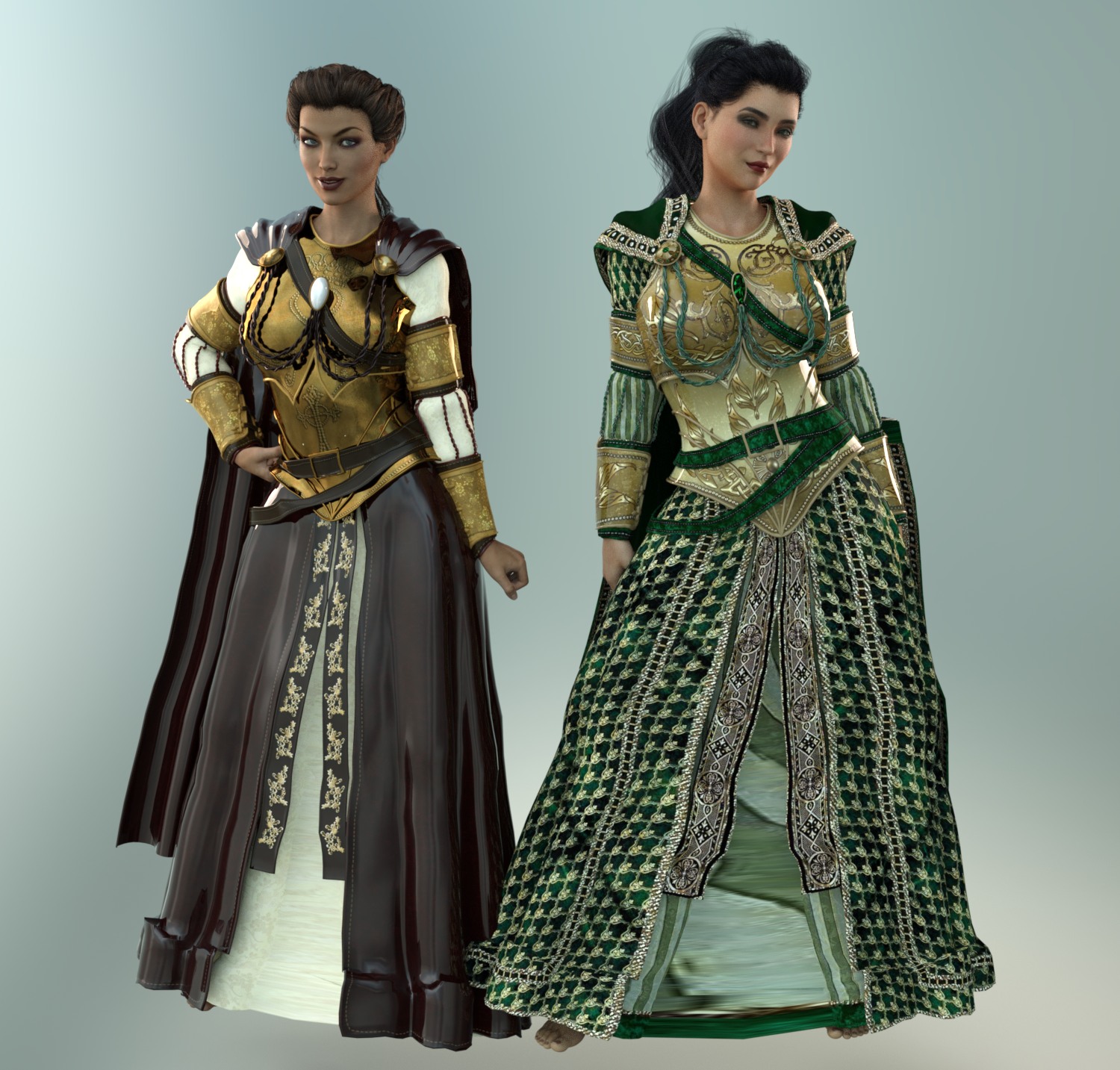
Notes:
- I obviously have some work to do on textures. I haven't done any SubD or smoothing yet, just applied Uberbase and put some metallicity on the gold sections of V7's outfit.
- V7 is wearing default textures. V8 is wearing Renapd's "Coronation Day for Princess Alex" textures (Rendo.)
- Overall the fit looks good. Slight poke through on the chest armor and a little funkiness around the hem.
- Parts of V7's outfit look crazily plastic. I'm thinking that's either too much glossy in the default textures. I'll tweak. I only used Poser textures here, so wasn't expecting them to look perfect right out the gate.
- Look at the height difference between V7 and V8. V7 is supposedly 5'11". How tall is V8 then?? OMG, she's an Amazon! (Must be nice, I'm only 5'5".)
- Expressions: They are both wearing "Confident" at 100% from their prospective morph packs (G3G and G8F) with "Smile" dialed in at 30%. Interesting to see the differences.
- There are no shoes with this outfit. The princesses will have to wait till I feel like digging some up!
Morph para Genesis 2 no PoserI exported (obj) the model to the hexagon and turned the feet. Then I loaded the morph with my feet upside down using the modified OBJ.
Reasons not to rush into Genesis 8I am using the opportunity to see what I can customise on the Genesis 8 female starter essentials for free though.
Have brought over a lot of morphs with the transfer utility and am slowly converting basic animations
finally found a twofold way to do it using iClone 3Dxchange and Draggonstorms G2F to G3F script
one needs to in the retargetting step tweak the tPose to an opposite A pose arms 45.5° in the air legs 6° inwards then export contorted BVH on that figure for G2F to run the conversion on.
Daz 3D is part of

Connect
DAZ Productions, Inc.
7533 S Center View Ct #4664
West Jordan, UT 84084Licensing Agreement | Terms of Service | Privacy Policy | EULA
© 2026 Daz Productions Inc. All Rights Reserved.