-
Render your buys! Use buys from the current month and the previous month of salesShow Us Your Bryce Renders Part 13
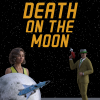
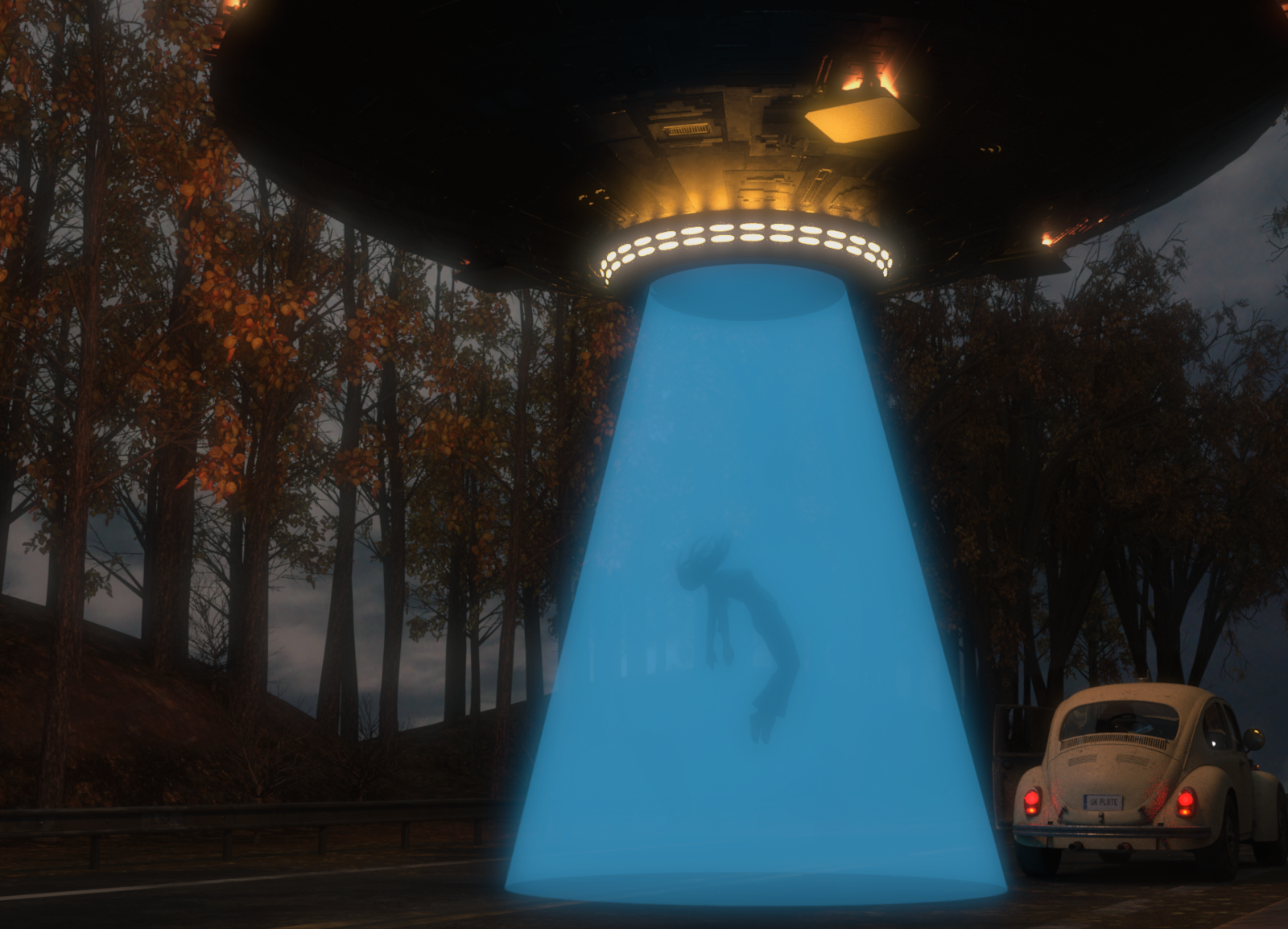
Aiko 3 - "I think I am being followed ..."

Terrain - Tectonics Evolved Vol.2 Orestes, Sky - Lise's Sky Collection ALBUM 4 Sampler, Aiko 3 - DAZ3D, AikoRetro clothing - by Idelacio, Space Helmet - ?
Alien - Science Fiction Aliens by Luca Oleastri, Rocketship - Amazing Rocketships by Luca Oleastri
Show Us Your Bryce Renders Part 13SciFi Trooper - Terrain & Material Tectonics Evolved Vol.2 by Orestes, Alien Ship by spacebones, Sky by Stephen Ray - Terrain Sampler, M4 by DAZ, HEV Suit for M4 by Xurge3D, Blaster Gun by Holger Hinzberg
 XI Fantasy Medieval Street lighting question
Phoenix1966 said:
Not quite like the promo, but as @Gordig has already suggested, adding some bloom and matte fog via the environment in Render Settings, using a HDRI from Orestes' Brooding Skydomes and then playing with the surface settings for the included lanterns gets you pretty close(I definitely needed to bump the lanterns more).
Thank you so much my friend, I will give this a go later today. Your image is what I am hoping mine looks like...Thank you.
XI Fantasy Medieval Street lighting questionNot quite like the promo, but as @Gordig has already suggested, adding some bloom and matte fog via the environment in Render Settings, using a HDRI from Orestes' Brooding Skydomes and then playing with the surface settings for the included lanterns gets you pretty close(I definitely needed to bump the lanterns more).
A note to Daz hair developers...Really simple scene, but two strand-absed hairs on two Genesis 9 wearing dForce items. Simulation took five minutes, which was a simple from memorised so a longer playrange simualtion might have taken a fair while, render took almost exactly a minute - this was using a 2080Ti, so good but not matching the mid-range 3060/4060 16GB cards on speed (and short on memory) from what has beens aif by others.
Lighting https://www.daz3d.com/orestes-iray-hdri-skydomes--sunrise
Set https://www.daz3d.com/fn-birmingham-street
Clothing
https://www.daz3d.com/dforce-lovely-boho-for-genesis-9
https://www.daz3d.com/dforce-everly-outfit-for-genesis-9
Hair
https://www.daz3d.com/dforce-strand-based-flirty-casual-ponytail-hair-for-genesis-9
https://www.daz3d.com/dforce-nordic-knots-hair-for-genesis-9
Characterrs
https://www.daz3d.com/ly-thandi-hd-for-genesis-9-feminine
https://www.daz3d.com/fn-annie-hd-for-genesis-9UltraScenery - new(er) territory [Commercial]I just rewatched the Hulu movie Prey (As in Sci-Fi Predator set in 1719 with Comanchee Indians) and there was a striking scene where the protagonist is in a field of tall grass (wheat?) with a forest on the left side. I wanted to do an image "inspired by" and this is what I came up with. I LOVE UltraScenery, and don't get me wrong, but man, I struggle to get anything decent out of USXT - I guess I should watch some videos on it, or take the UltraScenery course I bought, but still... In any case, I got a foreground image using two UltraScenery 2 landscapes, one a grassy field, and the other pine forest with Aspens. Struggled all day with mountains in the background and finally just used Photoshop Generative Fill to create background part of these scenes. Also, used Orestes HDRI Skies. I actually love using MULTImedia technology and methods in my images.
P.S. These images don't do the movie scene ANY justice, but I love being inspired by beauty wherever I find it.
The Joy is in The Work!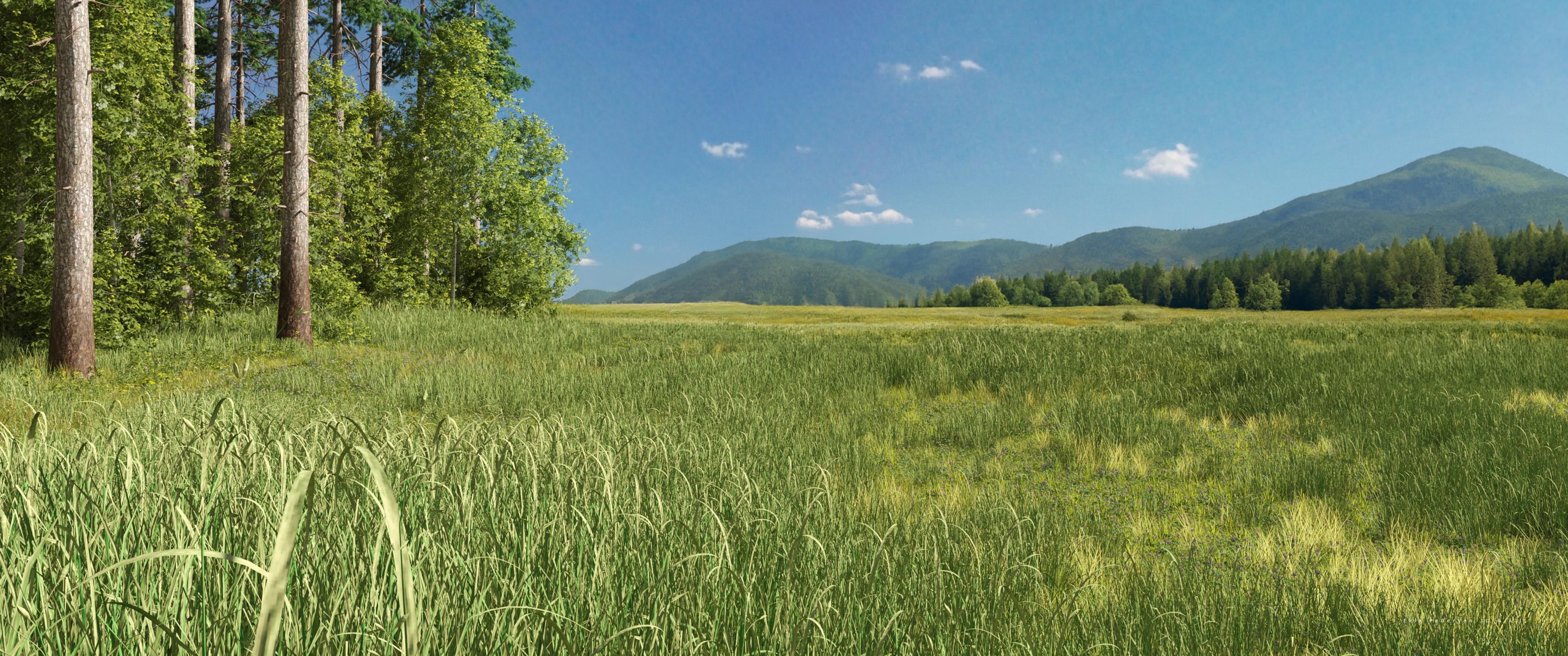
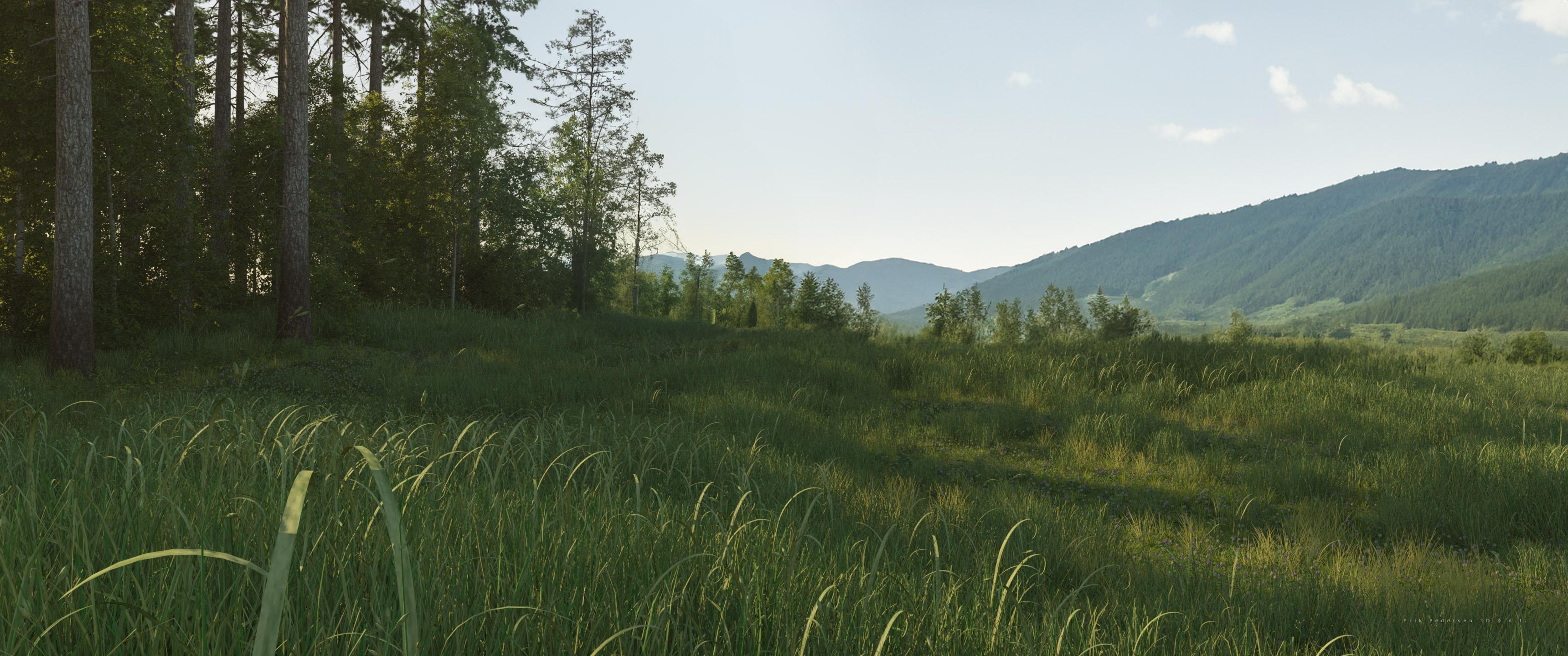 Orestes Fantasy Moon - how to make the moon bigger
I bought this just now:
https://www.daz3d.com/orestes-iray-hdri-skydomes--fantasy-moon
You see how the moon is GIANT in the promo images? Like, takes up half the screen?
How do I make it do that? I've loaded all five of the HDRIs that came with it and none of them are even close to as big as they are in the promos.
I'm pretty sure I'm doing it right: I go to the Environment tab in the upper right, type: backdrop, browse, then Mydaz3d Library > Runtime > Textures > Orestes > hdri skies fantasymoon.
Thank you!
How do I get an outdoor sky when using an HDRI with the dome turned off? (Solved)This is an exceedingly stupid question which comes from the fact that I normally use sun-sky for practically everything outdoors. To this day - three years after I first started learning Daz - I'm a bit unclear about HDRI lighting sets, which I use occasionally on what is largely a random-click-til-I-like-it basis.
I see some HDRI light sets, like the numerous Orestes skies, literally populate the Environment Map with what is obviously a sky, and Draw Dome is turned on. Voila, sky. No mystery there.
Many HDRI light sets, though, seem to have HDRIs which are estoteric blobs of white or color on black, which wouldn't produce a sky, even if Draw Dome is on. So if by chance you had something you liked but wanted to make an outdoor scene, what can you do to preserve the lighting effect but also have a generic sky in the background?
Render your buys! Use buys from the current month and the previous month of salesBlando Calrissian said:
tsroemi said:
Blando Calrissian said:
Just finished adding a zillion lights to VanishingPoint's RMS Titanic. I'm pretty pleased with this model, although I do wish that there was a way to add interior lights below B Deck.
The ocean is from another June pickup, Predatron's excellent Along the Prom.
Oh wow, WOW! This looks just amazing. Must have taken ages to render, with so much dark space! How did you make the background, that cloudy night sky - HDRI I suppose?
I used Dimension Theory's Skies of Radience Night Skies HDRIs for the background.
TBH I may have to try out the Orestes Iray HDRI Skydomes - A Night in August one of these days as well, to try to match the clear and moonless skies that the actual Titanic sailed under during her only voyage.
Thank you, that's great, I have these!
Render your buys! Use buys from the current month and the previous month of salestsroemi said:
Blando Calrissian said:
Just finished adding a zillion lights to VanishingPoint's RMS Titanic. I'm pretty pleased with this model, although I do wish that there was a way to add interior lights below B Deck.
The ocean is from another June pickup, Predatron's excellent Along the Prom.
Oh wow, WOW! This looks just amazing. Must have taken ages to render, with so much dark space! How did you make the background, that cloudy night sky - HDRI I suppose?
I used Dimension Theory's Skies of Radience Night Skies HDRIs for the background.
TBH I may have to try out the Orestes Iray HDRI Skydomes - A Night in August one of these days as well, to try to match the clear and moonless skies that the actual Titanic sailed under during her only voyage.
New! Novica & Forum Members Tips & Product Reviews Pt 14Hylas said:
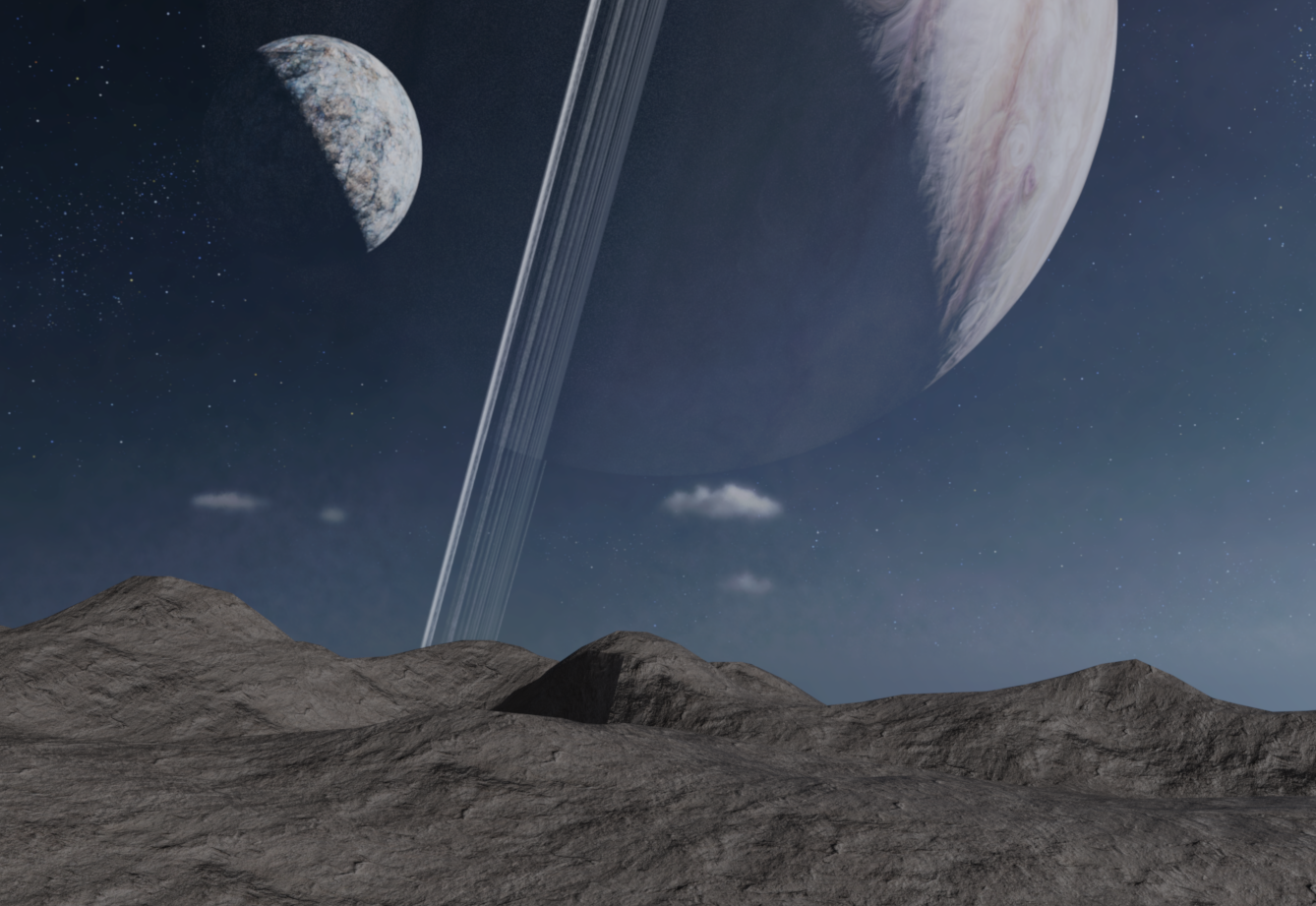
I just bought Orestes Iray HDRI Skydomes Vol 3 - Vega System and I'm disappointed to see noisy diagonal stripes which look baked-in:
Always test your purchases, girls and boys! Even if you have a good experience with a vendor once doesn't mean it will always be a good experience!
Sorry that has the baked in aspects- and a very good point to test the products right away. I'm guilty of having a lot of products I just assumed had to be good based on other products. Thanks for the heads up.
New! Novica & Forum Members Tips & Product Reviews Pt 14I just bought Orestes Iray HDRI Skydomes Vol 3 - Vega System and I'm disappointed to see noisy diagonal stripes which look baked-in:


I don't see these issues in the official promos which is odd, but many gallery entries have them as well. I'll probably just return the product, such a bummer.
For comparison, here's renders of Orestes Iray HDRI Skydomes - Erupiter which has no such issues:

Always test your purchases, girls and boys! Even if you have a good experience with a vendor once doesn't mean it will always be a good experience!
Render your buys! Use buys from the current month and the previous month of salesI picked up a couple of Orestes Skydome HDRIs, including Eventide.
 Trying to use Stonemason's Utopia Labs for Iray render lighting
So a few days ago I decided I needed a couple of exterior sci-fi environments. I bought Utopia Labs https://www.daz3d.com/utopia-labs .
It's an older product with only 3DL materials, but I have had luck using older products in Iray before.
(TL;DR version: how to light this for an Iray render? Suggestions needed. The whole sad story is below.)
After I spent several hours adding some cameras and creating the scene I wanted, I added a daytime HDRI for the sky and went to Iray preview it in the little preview viewport. Things were barely visible; the "ground level" of this set is actually a courtyard at least 2 floors below Daz Studio coordinate "ground level." So I supposed not much of the light from the HDRI was getting down into the large opening over the courtyard. Switched HDRI to a bright summer day sky from Orestes "Summer Day" set. Light was a little more but not that much better.
So I decided to be "super-genius" (cue Wile E. Coyote getting a package from Acme) and thought, "I wonder if the 3DL to Iray Converter utility I own converts lights to Iray as well?" I checked the documentatiom and it said it did.
Step One was run Scene Optimizer on the scene since I had numerous G8 figures in the scene; reduced all textures to maximum of 2k size (the building itself -yes the whole thing is one gigantic object - already had textures lower than that).
Step Two was save scene and then run the 3DL to Iray Converter script. Did NOT save scene again just in case of unfortunate results.
Step Three: clicked to switch the little previewer viewport from Texture Shaded to Iray, NOT the main viewport.
Step Four: spent 20 minutes staring at an all-white version of the scene in the secondary viewport. Every so often a little message would appear at the bottom advising me of "Iray generating native CPU code" or something to that effect. Eventually I was able to click the secondary viewport back to Texture Shaded, the system was bogged down doing calculations and generally non-responsive.
Step Five: I suddenly rememebered that the set was one gigantic object, and there were no separate lights; where did the 3DL version get it's lighting from? Checked the building surface and the WHOLE GIANT BUILDING was now an emissive surface with a value of 1000 kcd / square meter. So Iray had been calculating about a kajillion (totally a thing in this case) light paths and bounces and the effective completion time was probably infinite.
Step Six: bravely I ventured forth and clicked the secondary viewport to Filament draw style. Almost instantly I got a preview in that washed-out style of Filament. Very carefully DID NOT save the scene, so the last save was before I ran the 3DL to Iray Converter. Exited Daz Studio,
Step Seven: pulled up Windows Task Manager and watched for at least 30 minutes while the system unloaded all of the memory allocated to Daz Studio. Something like 10 hours after I started building my scene, I shut off the PC.
Epilogue: so what to do now and light my scene? Leave it as 3DL materials and add my own Iray spotlights and spend who-know how many additional hours getting them all positioned and tweaked? Maybe try making a giant ghost light plane and position it as the "ceiling" of the courtyard? (Never actually used ghost lights before, but own some products with them; that is why I am still using older Daz Studio version 4.16.03 to not have to re-buy ghost light kits.) Use a giant ghost light plane and add some "off-screen" spotlights similar to a 3-point light setup? (Not that I have actually done that precisely, but have been able to fudge it in the past. Lack of art or photography background, you see.)
Anyhow, any advice would be welcome. Thank you anyone who made it this far.
Plain Street HDRHDRIs
I recently bought a large collection of night skies, mostly with stars, here from Orestes Graphics. They are fine sets, and excellent for my purposes. But for a lit city at night, you wouldn't be seeing many stars.
Some HDRIs I passed by because I need more astronomy:https://hdrmaps.com/hdris/night/
https://www.hdri-hub.com/hdrishop/freesamples/freehdri (and a larger paid collection).
https://polyhaven.com/hdris/night
There are some HDRI night and evening city street wraparounds at those links; whether any of those streets have the character you want is another question.
Aside from the city streets, there are also sky images with flat or flattish foregrounds your urban 3D scenery can easily hide. Some of these could easily be darkened if need be. https://polyhaven.com/hdris/skies
Streets
There are a lot of different urban models, with different character, and I don't know which you want. Some city sets where you can still see the character of older Catholic Europe, if that's of interest:
Faveral:
Alsace (more recent and gorgeous)
Yvoire (more recent also)
Provence (also)
Le Village Bundle (older)
Stonemason:
Stonemason also has a lot of less specific, more modern, often dystopian urban work.
at Renderosity:
Parisian Street (older)
European Street for Daz Studio (older)
There is also, at Renderosity, an extensive collection of general city sections by Dreamland models, called Movie Set. (older)
The ones I note as older have smaller textures, also simpler in appearance. They're less demanding to load and render, but they were less likely to get weathering, dirt, incidental scuffs, and other signs of realism, as you can easily see in some of the previews.
If you're going to haul older sets, with those lower resolution, pristine-looking textures, into the same render with something recent, more detailed, or grungier, you probably either want to keep it out of strong light and out of the foreground, or rescale and rework the textures, or apply new shaders to the surfaces.
I don't know of any Daz/Poser models of some obvious completely modern cities to hold a Carnivale-style celebration. At that point I might drag in models from modern-looking urban sets and some of the older-looking ones. I've never rendered a finished work that didn't include background elements from different sets, myself.
Going outside Daz/Poser to import models is possible, but outside of this market, they tend to be more expensive, so I don't do it that often.
Render your buys! ALL TIME ChallengesStruck
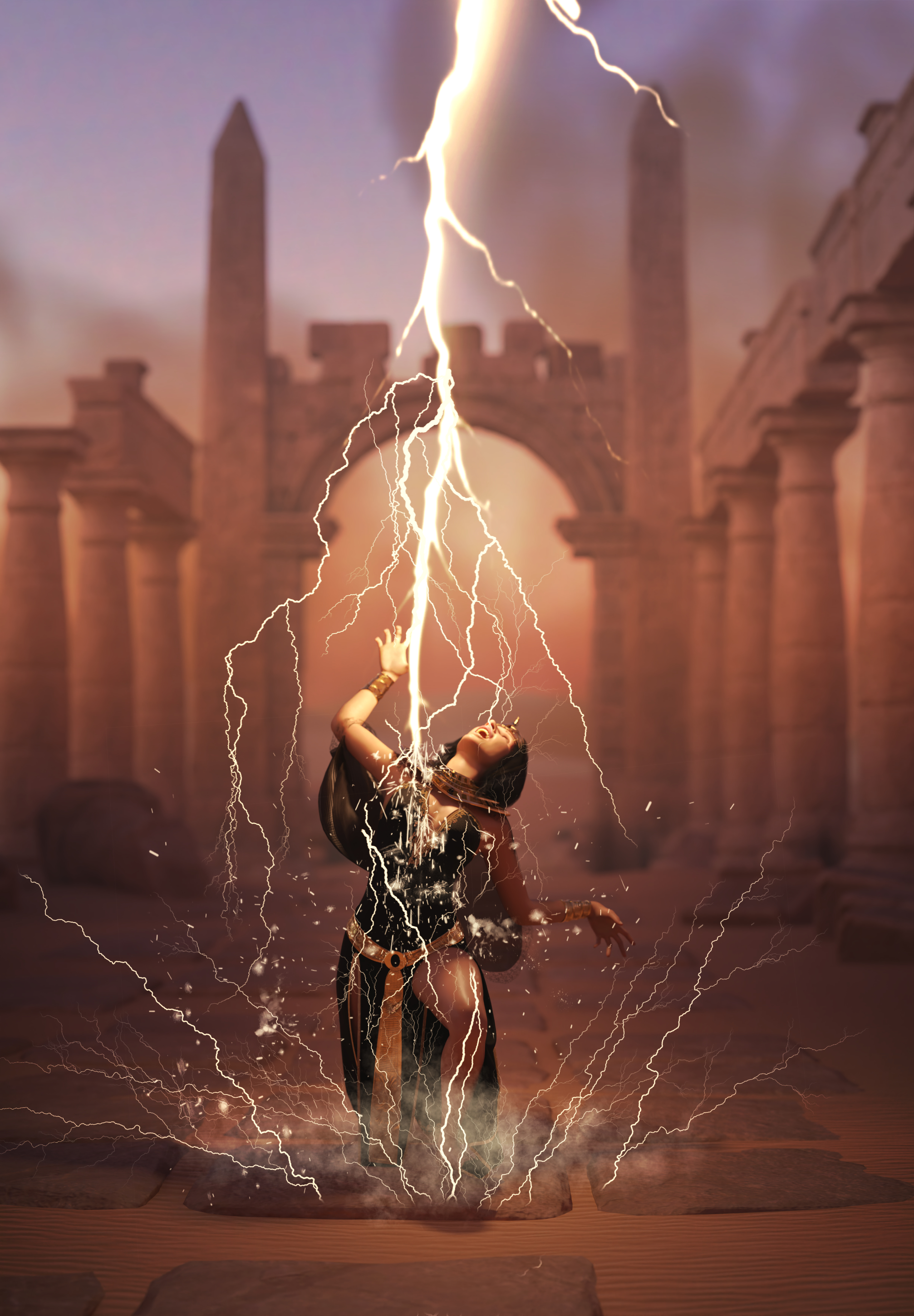
I was pondering whether to post it here on the new thread, but it turned out that I only used 3 items from the last two months, dForce Sand's Enchantress Outfit for Genesis 9 and dForce Sand's Enchantress Outfit for Genesis 9 Texture Add-On, while I have 4 new, never used before things from October: VDB Electrical Sandstorm, Ron's Lightning FX, Orestes HDRI Skydomes Vol. 3 - Vega System, and EG Moxing for Genesis 9 (I think I haven't used her yet...), so I guess together they qualify for #4New. :)
The rest of items in the gallery.
 OMG! Grab Bag Sale
I already owned a lot of the items but I still found a few to get:
https://www.daz3d.com/the-grand-lobby
https://www.daz3d.com/on-icetibetan-path
https://www.daz3d.com/urban-decay
https://www.daz3d.com/magic-christmas-silk-fabric-iray-shaders-and-merchant-resource
https://www.daz3d.com/silhouette-lantern-decoration
https://www.daz3d.com/snow-mountain
https://www.daz3d.com/summer-house
https://www.daz3d.com/orestes-gifts-o-terror-and-cheer
https://www.daz3d.com/the-gallery-nook
https://www.daz3d.com/h-c-christmas-costumes-for-genesis-3-female-s
Remixing your art with AIMy 1st Render-to-AI-Output
Installation Solved (as far as I know).
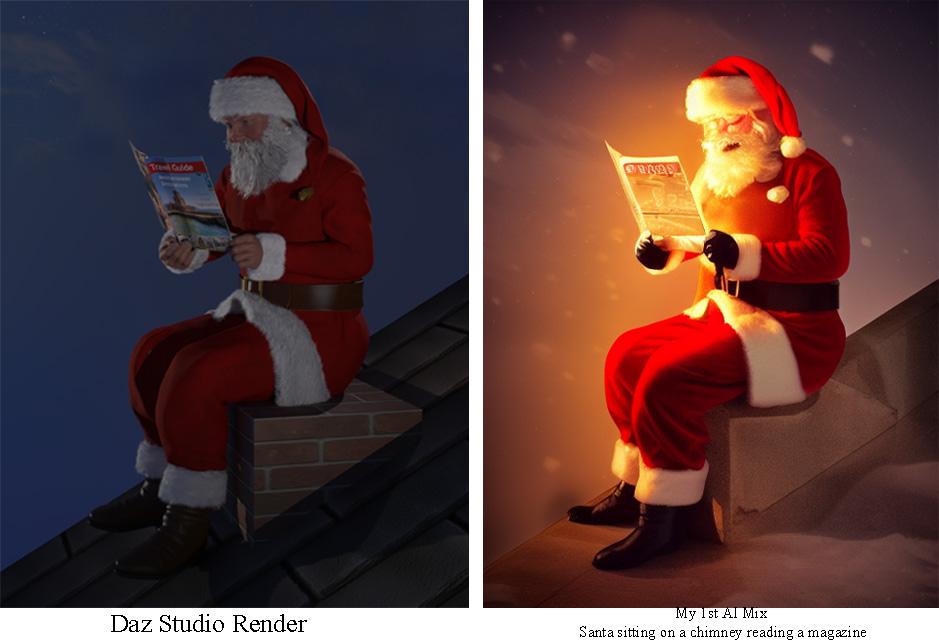
Rendered G3M Santa reading a prop magazine sitting on a cube and plane against Orestes HDRI sky preset. Cube and plane with brick and roof shaders respectively. Loaded the result in Stable Diffusion with Controlnet. Prompt = Santa sitting on a chimney reading a magazine at night.
And here is the result. OK, the result sucks. But I am in the game!
 Render your buys! Use buys from the current month and the previous month of sales
Daz 3D is part of

Connect
DAZ Productions, Inc.
7533 S Center View Ct #4664
West Jordan, UT 84084Licensing Agreement | Terms of Service | Privacy Policy | EULA
© 2026 Daz Productions Inc. All Rights Reserved.