-
List of Products Used - script [Commercial]
barbult said:
RexRed said:
Doesn't work with the beta either...
Do you mean doesn't do anything at all, or do you mean it doesn't work after you save and reopen a scene? Or???
What I meant is it still did not work on reloaded scenes.
But,
I removed My Daz3d Library from Daz Studio formats, closed Daz and reopened it then added it again and that did not fix it.
Then,
I ran Content Database Maintenance and checked the box Export User Data and checked the box Reset Database and clicked accept.
It took a while as it parsed over 10,000 assets.
When Daz came back all of my asset preview images were white... so I opeend the Content Database Maintenance again and clicked Reimport Meta Data.
This took a while too.
Now it works FANTASTIC!!!!!!!
I am not sure what was wrong but somehow links were broken inside Daz Studio.
I am amazed but what it finds! Even when part of a head morph from another figure is used it find that and reports it too! AMAZING!
Truly great product, will recommend it to any and all interested parties!
Very excited to have this fully working!!! Thanks for your help people!
 Let's appreciate/discuss today's new releases - more ongoinger thread
SolitarySandpiper said:
Using the Elder body morph...
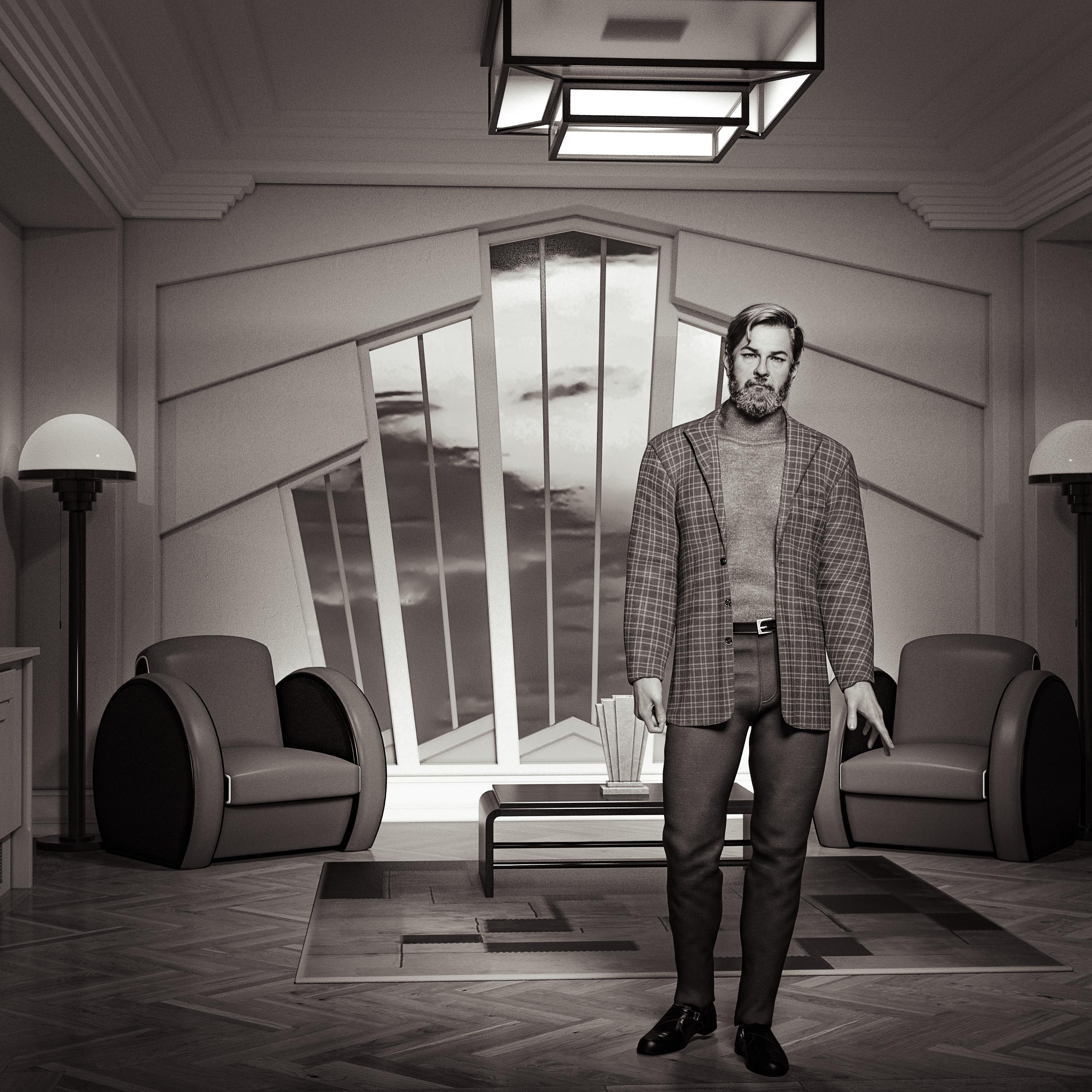
Wasn't happy with the render so flipped it to B&W... looked much better.
Have you noticed the strange texture on the jacket with this material preset. The left sleeve plaid is on the bias (diagonal) and the right sleeve is straight. Maybe it has a strange UV. I saw that in the promo images. It is not a problem you created in your render.
Let's appreciate/discuss today's new releases - more ongoinger threadUsing the Elder body morph...
Wasn't happy with the render so flipped it to B&W... looked much better.
How do I make a clean install of a daz figure?The method i prefer, using separate Data folders for anything that contains morph data for a base figure. Characters, morph packs, expressions, clothes, etc.
Then i map the particular product in CDM(Content Directory Manager) as I need them.
Tedious and time consuming to setup, since you have to do this manually, but once it's done you have a lot of versatility(as you can setup multiple content sets in CDM), shorter load times(generally), and fewer conflicts/errors(mostly).
The draw back is if you want to add something as you go along, you'll need to save the figure(I use scene subset), add the directory to CDM, then load the saved figure and then apply what ever you added.
One additional step i take is to make a backup of my CDM file(ContentDirectoryManager.dsx; c:\users\[user name]\AppData\Roaming\DAZ 3D\Studio 4) for each project and then reset it to my base/default/startup version.
Another option would be Turbo Loader.
It works by changing the extension of the Data files(DSX) when they aren't selected/active for a particular project.
When i tested it out, i found it to be far too laborious to use on a daily basis, compared to the setup and use of separate directories.
Your mileage may vary.
Another option, install/uninstall products on an as needed basis.
Not a particularly great option, but some people use this in their workflow.
Side note: regardless of method used, you will see a slight to significant increase in initial load time, compared to subsequent load times, as the Cache file has to be updated each time something is added or removed.
Also, turbo loader and the install/uninstall method increases writes to SSDs, so you may wear out your drive faster.
Genesis 9 to Genesis 8/8.1 M/F CoverterYeah, would be much easier just to use a pose converter, or transfer all older characters to G9.
Let's appreciate/discuss today's new releases - more ongoinger threadI do wish they would start including the HD morph with the character again, rather than as a separate purchase. It feels like a bit of a rip-off after including it with the orginal G9 releases.
duplicate formula in one morphI changed the position of the bones and saved it but then I started getting a message about a duplicate formula
log
Previous:
File: E:/array/Software/DAZ3D/libarty/save/data/Daz 3D/Genesis 8/Female/Morphs/Zeni1Agent/HF/HF.1 Vroid Head.dsf
Owner: Genesis8Female
Input URI: Genesis8Female:/data/Daz%203D/Genesis%208/Female/Morphs/Zeni1Agent/HF/HF.1%20Vroid%20Head.dsf#HF.1%20Vroid%20Head?value
Input: HF.1 Vroid Head
Output URI: tongue01:/data/Daz%203D/Genesis%208/Female/Genesis8Female.dsf#tongue01?end_point/x
Output: xEnd
Duplicate:
File: E:/array/Software/DAZ3D/libarty/save/data/Daz 3D/Genesis 8/Female/Morphs/Zeni1Agent/HF/HF.1 Vroid Head.dsf
Owner: Genesis8Female
Input URI: Genesis8Female:/data/Daz%203D/Genesis%208/Female/Morphs/Zeni1Agent/HF/HF.1%20Vroid%20Head.dsf#HF.1%20Vroid%20Head?value
Input: HF.1 Vroid Head
Output URI: tongue01:/data/Daz%203D/Genesis%208/Female/Genesis8Female.dsf#tongue01?end_point/x
Output: xEnd
The duplicate is in the same file and I don’t know how to rewrite it.
I tried saving as new Morph Asset and as Save Modifier Asset
but it didn't help
JCM for characters suddenly applying to figure when that character is not appliedI only skimmed the wall of text, but you may never have noticed the issues before if the JCMs are only active in obscure poses. You can check the controllers of the JCM by clicking gear icon in paramters. It should tell you how JCM is controlled. Ideally, the Character body morph should be set as a Multiply controller. if it's not there, then likely character has already been faulty unless you somehow managed to change the controllers and update the morph.
adjust rigging to shape for my geograft.Richard Haseltine said:
If the base figure does not chnage there is nothing for the graft to follow. You cannot ignore the areas thata re hidden on the base, or at least you have to adjust the base rigging to match what you want the graft to do (manually sicne Adjust rigging to Shape has nothing to work with) and then link those changes to the controller for the morph. The matching bones on base and fitted items, including grafts, will always be the same in set up and will be controlled by the base.
Can I copy the position of one or more bones from Geograft to a figure? because copying every value for every bone is just awful
 adjust rigging to shape for my geograft.
If the base figure does not chnage there is nothing for the graft to follow. You cannot ignore the areas thata re hidden on the base, or at least you have to adjust the base rigging to match what you want the graft to do (manually sicne Adjust rigging to Shape has nothing to work with) and then link those changes to the controller for the morph. The matching bones on base and fitted items, including grafts, will always be the same in set up and will be controlled by the base.
[Released] Turbo Loader for Genesis 9 [Commercial]sikotik13 said:
RiverSoft Art said:
*snipped*
You are misunderstanding the log messages. It HAS to look for the morphs to make sure they are on. It prints out a message that the looking is started. And then looks for the off morphs. If it cannot find the off morphs, great, it just goes on. After that is done, it opens the morph file to find out if this morph needs any other morphs to work (as it doesn't help to turn on a morph if all of its morphs aren't on). I will look to see if facs_cbs_buil_bdl.dsf contains something that causes an infinite loop.
I'm sure it's supposed to. It doesn't, which was the problem originally reported almost three months ago. Quite frankly, if it got difficult to parse because you enjoy arguing the semantics of the terms I used to describe processes, that's on you. And if it's taken this long for you to get around to doing any actual investigation, I suppose don't bother. I paid for a thing because I assumed I would receive support. I won't make either mistake again. Apologies for disturbing you, and good luck with whatever you do moving forward.
I need to understand what you are saying in order to understand the issue. If we cannot communicate, I cannot figure out if the problem is in the product. I could not reproduce your error so it was a little difficult to do anything. And your Daz Content database is corrupted (all those unknown products) so it could easily have been something in your system. I now have a small test case where I can confirm I see the issue, so I can work towards fixing it.
Peace.
Writing "Peace" after what you wrote above doesn't work (that's all I will say).
adjust rigging to shape for my geograft.Padone said:
Unless you support the specific FBM, the extra bones will not follow. You need to adjust rigging to shape separately for the extra bones.
steps:
- apply the figure FMB
- select only the extra bones in your geograft for adjust rigging to shape
- eventually ERC freeze and save as support asset to support the FBM for the geograft
Maybe you didn't understand me.
I have a problem with bones that have the same name.
I have a figure of the character DAZ Female 8 and a Geograft that replaces some parts in the model.
And a morph that changes the shape of the mesh and the position of the bones. Both for the Figure and for the Geograft.
I can change the position of the bones on the Figure. But the geometry that hides the Geograft does not change because it is hidden and I do not need it.
The Geograft also changes shape, but I can not move the bones in any way.before using the morph

After using the morph

After applying adjust rigging to shape

adjust rigging to shape if it is separated from the figure
 [Solved] Character Preset: How to set Eyelashes color using a Post Load script ?
Bejaymac said:
One thing to check is what's in the H-MAT, are there material settings for other items in it, if so then that's why it's not working as Post Load wont use the MAT if there is.
I'm not sure if I checked the right section, but the scene section in the H.mat file is very similar to the one in Victoria 8.1 Mat file (with Eye brow instead of Eyelashes referenced in the later).
Here the scene section from my H.mat file:
"scene" : {
"nodes" : [
{
"id" : "Genesis8_1Female",
"url" : "name://@selection/Genesis8_1Female:",
"geometries" : [
{
"id" : "Genesis81FemaleGeom",
"url" : "name://@selection#geometries/Genesis81FemaleGeom:"
}
]
},
{
"id" : "Genesis8_1FemaleEyelashes",
"url" : "name://@selection/Genesis8_1FemaleEyelashes:",
"parent" : "#Genesis8_1Female",
"geometries" : [
{
"id" : "EyelashesCollapsed",
"url" : "name://@selection#geometries/EyelashesCollapsed:"
}
]
}
],crosswind said:
Post Load script works with both Mat and H.Mat presets. I see no issue from the settings in the screenshot that you posted... but in DS log you pasted, it tells another preset file : "Eyelashes.duf" rather than "Eyelahses (H.Mat).duf" that was set in Post Load script ...
I wonder if the character preset with Post Load scritp has been correctly saved... Can you open the character peset DUF file with Notepad++, and check if the path + file of the H.Mat Preset is correct (at the bottom of the file...) ?
Eyelashes.duf is the standard material file, I tested both but I initially looked at the log only when it was loading the standard materials preset. I also tested with a wrong file to see what was different in the log.
The log with the H.mat file is not very different (test done a couple of minutes ago):
[INFO] :: Prepare asset load (merge): /Presets/Characters/Materials/Eyelashes (H.Mat).duf
[INFO] :: Locking viewport redraw...
[INFO] :: Viewport redraw locked.
[INFO] :: Processing morph projection queue: Genesis 8.1 Female << Genesis 8.1 Female Eyelashes
[INFO] :: Morph projection queue processed: Genesis 8.1 Female << Genesis 8.1 Female Eyelashes
[INFO] :: Native format content directories: 23
[INFO] :: Poser format content directories: 4
[INFO] :: Other import format content directories: 0
[INFO] :: Begin asset load (merge): /Presets/Characters/Materials/Eyelashes (H.Mat).duf
[INFO] :: Determining missing assets...
[INFO] :: Setting textures...
[INFO] :: Creating materials...
[INFO] :: Applying animations...
[INFO] :: Setting up follow targets...
[INFO] :: Finished asset load (merge): 0m 0.23s - /Presets/Characters/Materials/Eyelashes (H.Mat).dufStandard mat file:
[INFO] :: Prepare asset load (merge): /Presets/Characters/Materials/Eyelashes.duf
[INFO] :: Locking viewport redraw...
[INFO] :: Viewport redraw locked.
[INFO] :: Processing morph projection queue: Genesis 8.1 Female << Genesis 8.1 Female Eyelashes
[INFO] :: Morph projection queue processed: Genesis 8.1 Female << Genesis 8.1 Female Eyelashes
[INFO] :: Native format content directories: 23
[INFO] :: Poser format content directories: 4
[INFO] :: Other import format content directories: 0
[INFO] :: Begin asset load (merge): /Presets/Characters/Materials/Eyelashes.duf
[INFO] :: Determining missing assets...
[INFO] :: Setting textures...
[INFO] :: Creating materials...
[INFO] :: Applying animations...
[INFO] :: Finished asset load (merge): 0m 0.27s - /Presets/Characters/Materials/Eyelashes.dufhow do i make strand hair scale with a figureWhen you say Strand hair, what do you mean? Did you make it in SBH Editor? What I am about to say applies to SBH made with the SBH Editor and I can only fathom a guess what you mean by strand hair, so ignore this if it does not apply to your situation. You can export SBH as curve/polyline by setting render tesselation sides to 1 under the Parameters tab before exporting. Then reimport and use transfer utility to fit to figure. That way the SBH will scale with the parent figure it is fitted and parented to. The problem with this method is you will lose the UVs, which you may need if you are trying to apply a texture map that uses the parent's surface UV.
adjust rigging to shape for my geograft.Richard Haseltine said:
If the bones are named to match the bones of the original figuer then they should already match. Having bones with the same name but diffrent centres would break the item.
Yes, they match and work, but when I apply the morphs, the bones stay in one place.
I can't change their position.
I tried to load the geograft after applying (adjust rigging to shape) and after (Fit to)
But then the position of the bones returns to the initial oneOriginal morph

after (Fit to)

 adjust rigging to shape for my geograft.
Richard Haseltine said:
I would think then that you need to cretae a "shadow" version of the morph for the base figue and use that to guide the rigging adjustment.
Can I somehow copy the position of all the bones from one object to another?
But only for the bones of the tongue
adjust rigging to shape for my geograft.I would think then that you need to cretae a "shadow" version of the morph for the base figue and use that to guide the rigging adjustment.
[Released] Turbo Loader for Genesis 9 [Commercial]RiverSoft Art said:
*snipped*
You are misunderstanding the log messages. It HAS to look for the morphs to make sure they are on. It prints out a message that the looking is started. And then looks for the off morphs. If it cannot find the off morphs, great, it just goes on. After that is done, it opens the morph file to find out if this morph needs any other morphs to work (as it doesn't help to turn on a morph if all of its morphs aren't on). I will look to see if facs_cbs_buil_bdl.dsf contains something that causes an infinite loop.
I'm sure it's supposed to. It doesn't, which was the problem originally reported almost three months ago. Quite frankly, if it got difficult to parse because you enjoy arguing the semantics of the terms I used to describe processes, that's on you. And if it's taken this long for you to get around to doing any actual investigation, I suppose don't bother. I paid for a thing because I assumed I would receive support. I won't make either mistake again. Apologies for disturbing you, and good luck with whatever you do moving forward.
Peace.
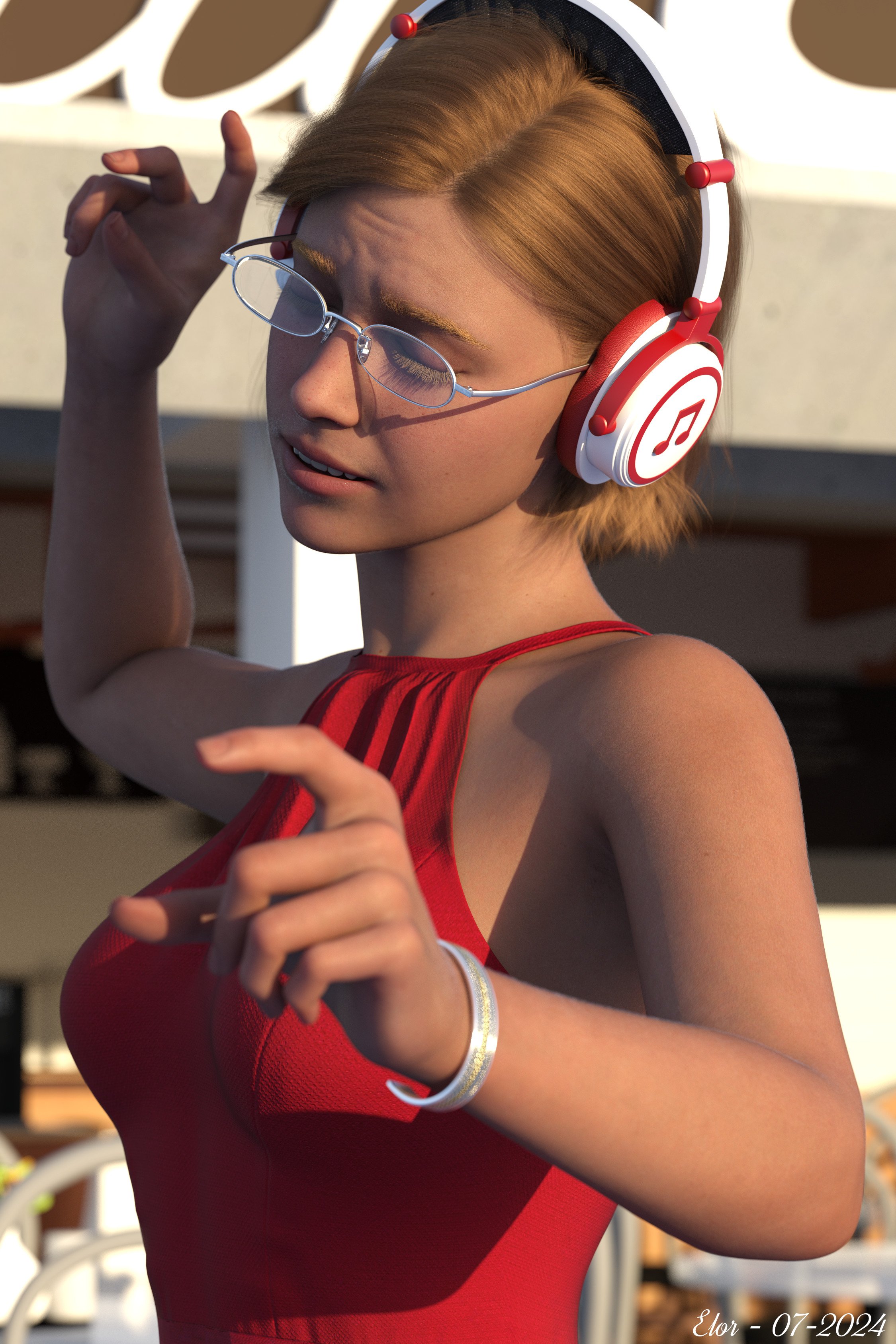
Freebie Challenge July-August 2024 - "Take a Break" - Entries ThreadKeeping the world at bay, one note at a time:
Just a woman enjoying herself, taking a break while listening to music she loves, dancing, humming and playing conductor at the same time.
Free items used:
- ’Brandy Character Morph for Genesis 9' by CGSerpent
- ‘Braid Bracelets for G3M, G3F, G8M, and G8F’ by Fisty & Darc
- ‘Simple Glasses for Genesis 8 Male/Female’ by GEOmetalics
- ‘Headphone cat ears’ by tuketama
- ‘dForce Dancing Queen Outfit for Genesis 9' by Daz & fefecoolyellow (link below)
- ‘Little Cafe’ by inLite Studios & TruForm
- Skyset 001 by AgentUnawares
Neutral items:
Paid items (list also available on the gallery):
- Genesis 9 Starter Essentials Expansion
- FE Ashlee Hair for Genesis 9
- Vellus Horizon 2.0 for Genesis 9
- Subtle Expressions Olympia 9 Edition
- Tavern Dining Hall Poses (I got them when they were free, but it was in Februar 2024, so I counted them as a paid item)
I did some postwork as explained in the gallery.
Here the final result:
 adjust rigging to shape for my geograft.
I decided to replace the tongue and teeth.
I tied them to the bones of the daz femele 8.
And I loaded morphs for this figure, but the problem is that when I use "adjust rigging to shape", it's not the bones that change, but the shape of the teeth.What should I do to change the location of the bones?
Some morphs have the same names on both their figure and teeth.
So when I put teeth on the figure the morph with the same name disappears.
Daz 3D is part of

Connect
DAZ Productions, Inc.
7533 S Center View Ct #4664
West Jordan, UT 84084Licensing Agreement | Terms of Service | Privacy Policy | EULA
© 2026 Daz Productions Inc. All Rights Reserved.