-
Released : "V3D Speech Bubbles Generator Pro" (Commercial)
Let me introduce my new project! you can find it here : https://www.daz3d.com/v3d-speech-bubbles-generator-pro
This tool is designed to make adding captions (comment bubbles), speech, or thought bubbles to your renders with the text you want super easy—directly in Daz Studio! Just follow three simple steps:
1️⃣ Create your bubble
2️⃣ Place your bubble
3️⃣ Write your text(And of course, at the end, render everything together—or use the included “Combiner” script to merge a separate bubble render with your scene render. This last option lets you tweak your text later without re-rendering the whole scene!)
More details:
- Choose your bubble base – Load a prop from various aspect ratios and shapes: rectangle, oval, or cloud. Each comes with two material zones (base + border) and morphs to adjust the border thickness. Iray and Filatoon shader presets are included, which you can apply to both the bubble and its details (tails, cloud elements).
- Add a "bubble tail" if needed – Two morphable bubble tails are included: one for speech bubbles and another for thought bubbles (clouds). They’re highly customizable and can be positioned exactly where you want—manually or via included scripts (snap to a selected face or adjust placement with dials).
- Create custom cloud bubbles – Instead of using a preset cloud bubble, you can build your own by combining cloud details on a base prop.
- Customize your look – Change the bubble’s base and border colors with shader presets, both for Iray and Filatoon. A "white" preset lets you use any color via Base Color (note: this will affect text color unless it's black).
- Position everything in your scene – To speed up placement, scripts help align the speech bubble on the camera axis (so you never lose track of it) and make it face the camera with horizontal text.
- Write your text – Use any font installed on your system with options like size, line spacing, italics, bold, underline, stroke (when available), color, opacity, alignment, and fine positioning (left-right, up-down offsets). Preview in a 512x512px window or directly on the bubble. Once happy, save the text for later or apply it instantly.
- Render options – Render your scene and bubbles together. OR render them separately (scene first, then bubbles) and combine them using the included "combiner" script. This second method helps ensure sharp text (by disabling Daz Studio’s texture compression) and allows easy text or bubbles changes without re-rendering the entire scene. Scripts are provided to toggle scene or bubbles on/off for seamless two-pass rendering.
Full PDF documentation included – But if you don’t like reading manuals, feel free to ask any questions, share feedback, or post your renders here!
⚠ Note on text sharpness: Depending on the bubble distance and text size, Daz Studio’s texture compression might blur small text. If that happens, don’t worry—it’s easily fixed in seconds by disabling compression, as explained in the documentation (works for both Iray and Filament).
I add a few images now...
Limited Time Freebies Discussion ThreadImago said:
A light is a light... As I can see, lights works in both Iray and 3Delight (Filament is a bit more limited).
Off the top of my head, some settings have to be changed on point lights for them to start emitting lights in Iray, when they were set for a 3Delight.
At least, I think I had to do that with the castle room that was offered as a freebie some time ago.
Limited Time Freebies Discussion ThreadSilverGirl said:
Quick question - are the Portrait Lights products in this batch compatible with Iray?
A light is a light... As I can see, lights works in both Iray and 3Delight (Filament is a bit more limited).
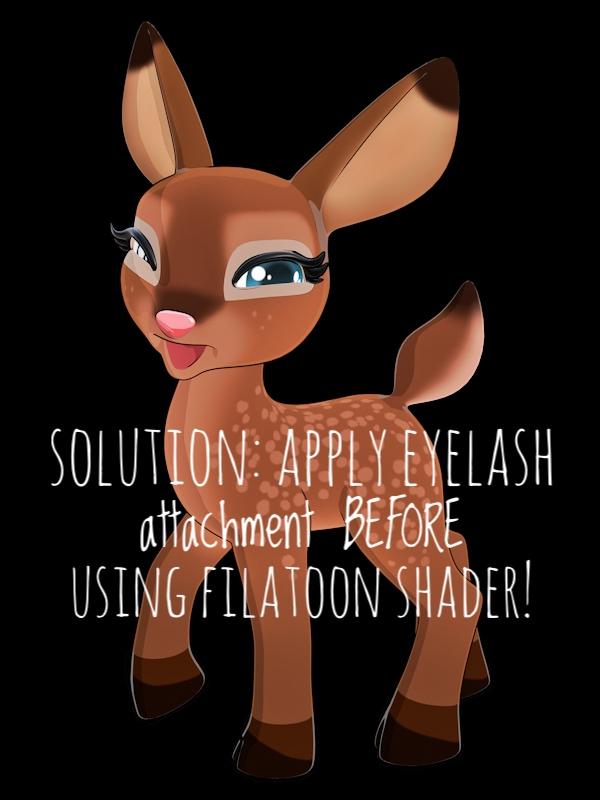
Problem with Precious Deer attachments [Solved!]I feel like I must be doing something wrong because this is an older product that's been around for a long time and @LadyLittlefox, a Daz veteran, but when I load the attachments they are white both in iRay and Filament. I made sure everything in surfaces is black but nothing seems to work. Both the lashes and area around the eye are attachments and I can't get the color to change. Any suggestions?
 5000 series GPU - Iray?
WendyLuvsCatz said:
golem841 said:
- Or find a more affordable rendering engine.
this
other programs have pathtracing not reliant on Nvidia cards but GPU based
there must be another engine D|S could use, I would say Filament but since Mac users cannot use that
if DAZ cannot, someone really needs to make a plugin for something else such as Radeon ProRender
The existing render engines use plug-ins, as did Octane - just download the SDK and make the plug-in for the desired option (then convert al the materials).
5000 series GPU - Iray?golem841 said:
- Or find a more affordable rendering engine.
this
other programs have pathtracing not reliant on Nvidia cards but GPU based
there must be another engine D|S could use, I would say Filament but since Mac users cannot use that
if DAZ cannot, someone really needs to make a plugin for something else such as Radeon ProRender
Easy FilaToon [Commercial]wsterdan said:
Looks like a great product, I'll snap it up if or when the next major version of DAZ Studio 5 allows Mac users to use Filament.
That's a bummer that Mac users still can't use Filament, but I do know that they are working on that. Hopefully it won't be much longer.
Easy FilaToon [Commercial]Looks like a great product, I'll snap it up if or when the next major version of DAZ Studio 5 allows Mac users to use Filament.
The Mac FAQinquire said:
Could the M4 version of the Mac Studio be better for one kind of person, and the M3ultra version be better for another? Or do you think M4 is the way to go across the board for users of DAZ Studio?
With all due respect, I think you might be twisting yourself into knots for nothing. If you're coming from a 2013 machine, your rendering speed is probably going to be 5-10x better.
I don't think you're going to see very significant render speed differences between the two machine, not in DAZ Studio, not unless you're spending more time testing rendering speeds than you are just enjoying making images. There are those whose hobby is tweaking their render settings for best results in speed and photorealism, but that's different than just enjoying using DAZ Studio. There's nothing wrong with it, but to me it almost seems like two different hobbies that both use DAZ Studio.
I, personally, would go with whichever of the two machines allow you to buy more RAM, pricewise. I'm a firm believer that more RAM translates into overall better stability, and stability is, in my opinion, more important than render speed.
I've been using Macs since 1984, when they first came out. I used Windows machines approximately 35-40 houres a week for the last 17 years before I retired. I much prefer Macs, but if I had a business that required DAZ Studio renders, I wouldn't hesitate to get the best Windows set-up I could. I, luckily, don't require the fastest possible DAZ Studio renders, so I can sit back and just enjoy my Mac. I have nothing against Windows, but as I've posted elsewhere, using Windows is like wearing a really good pair of runners that don't quite fit properly.
Unless DAZ gives up on Macs completely (e.g. they don't generate enough profit to support), they will, eventually, provide a version that's Apple Silicon native. So far, since the M1 chips first came out, I believe the conservative, estimated speed-bump that's experienced when an application goes silicon-native is roughly 10-15%. It's a "free" speed increase, and it'll make things a little zippier, but don't expect it to make any huge differences in your rendering speeds. Unless DAZ implements a new rendering engine that fully supports metal, you're probalby going to be using iRay and (someday) Filament for the foreseeable future.
The next version of DAZ Studio will probably be released sooner rather than later, as they'll need to support the new video cards for iRay; hopefully they'll release a Mac version of the next DAZ Studio, but that's not a given. It'll come if or when it comes, but I wouldn't hold back just to see what it's going to be. Whatever is released, you'll either keep using the version of DAZ Studio you have, you'll use the new version or you'll decide to start shifting your work to another package, like Blender, which so many users are doing. I tested Blender myself earlier this week and found moving some DAZ characters to Blender worked very smoothly, without a hitch for some Genesis 3 and Genesis 8 characters.
Just after the M1 chips were released, I was in need of a laptop that would run DAZ Studio (I was spending 50-55 hours in front of my work iMac and I wanted to get away from the machine and desk to "play") so instead of an M1 MacBook Air, I bought one of the last Intel machines they made. I wish I'd waited, as work didn't allow me as much time to use it as I'd hoped.
I eventually bought an M1 iMac as soon as they came out, and loved it. While I was getting renders three or four times faster then with my 2012 iMac, I found that just working with the software was so much faster and smoother. I don't use iRay or things like dForce, so the machine's only drawback was the maximum 16 gigabytes of RAM.
My daughter needed a larger, clearer screen for her work so I gave her my iMac and got myself a MacBook Pro M4 Pro with an external Dell 4K monitor (I really, really wish Apple would make more lower-end monitors, the 27" 4K Dell isn't as clear as tre 21" iMac screen was) and 48 megabytes of RAM.
Speedwise, it won't render an iRay scene anywhere near as fast as a Windows machine with an nVidia card, but for me that's not a problem.
I don't know if this will help at all as I doubt these are the kinds of images you're making, but I took a decade-old scene with 20 G3 figures, each with mostly-toon hair, toon eyebrows and at least three pieces of clothing each; the scene took 4 minutes and 15 seconds to load, but again, 20+ figures with hair and clothing. Loading any one of the figures on their own, with clothing and hair takes about 15-16 seconds. LIghting was Uberenvironment 2.1. I didn't do any optimization nor did I change any textures for iRay. Heck, I didn't even update the characters or actually finish the scene (I'd started it years ago but never finished it).
An OpenGL render at 1080p took 0.97 seconds.
A 3DL render at 1080p took 1 minute and 20 seconds.
An iRay 1080p render (again, using the OGL/3DL lighting and textures) with maximum samples set to 512 took 7 minutes and 46 seconds.
So, there are always going to be newer, faster machines coming out. If speed is of the utmost priority, get a Windows machine. If you prefer Mac and can live with slower renders, I'd pick whichever machine you can afford to pump up with RAM. I honestly believe that more RAM is more important than a few seconds – or even minutes – on a final render.
The next DAZ Studio is going to come when it comes, but no matter what it supports or what features it will have, there won't be anything in it that would make a significant difference on which of the two machines to get. Any render speed difference between the two just won't be that large. What you will notice is that working on your scene set-ups is lightning fast and buttery smooth. With the 20 characters I can swivel around the scene, zoom in, zoom out and so on, in real time and textured shading. iRay, of course, takes two or three seconds to flash to pixels and redraw to something useful.
I made the mistake of putting a couple of projects on hold back when I thought that the next DAZ Studio would be coming out "soon". I won't do that again.
I don't know if this all helps or hinders your decision, but I honestly think sweating over saving a few seconds of render time isn't worth it. You're losing more time worrying about it.
Can reflections be made using Filatoon?Unfortunately Filament in DS doesn't support reflection on "specular surfaces". Check this thread: https://www.daz3d.com/forums/discussion/712696/
You'll have to need some postwork ~~
The Mac FAQLee you are most welcome. I am glad that my experiences were helpful.
I almost destroyed my Win 10 laptop with the Jan 2025 Nvidia update. It tried to install it and crashed the graphics totally. I had to brave safe mode and reinstalling the Dec 2024 drivers. It worked but I was worried. My Win 10 desktop refused to even try to install it. But with Windows 10 no longer supported after this fall, and D|S installed now on five computers, I think I will be retiring them. They can join my other two older laptops that are just stored away. The Win 11 laptop will do my filament work. I am also going to be reducing my footprint in the apartment, I took over the living room and want to find space in my small bedroom.
And you are just a young pup! I am 72 and all the car accidents, damage, and screwball things I have done to my body have come home to roost. But then, when we turn 21 the warranty runs out on our bodies.
Mary
The Mac FAQThank you so very much for replying!
I went the opposite way a very few years ago and picked up an HP Omen 40L (low-ish end gaming PC) and replicated my Mac DAZ files onto it. It went quite smoothly, but I think that was just dumb luck on my part. :) The HP worked great, but I prefer the Mac experience. Always felt like I was tending to Windows needs with the constant updates. I think Windows 7 was the last time I'd used Windows and I felt like Windows 11 was behaving more like a social media app. LOL
Anyway, I used the HP off and on for rendering, while still preferring to do the main work on my Macs. Then a Windows update and/or Nvidia driver update caused the HP to boot up to a black screen. Only way around it was to force it into safe mode and uninstall the RTX 3060's driver, boot normally, re-install the driver and have the HP boot normally again. For about a week. Then it starts all over again. Have tried different Nvidia studio drivers, but they will eventually cause the black screen at boot up (screen goes black just as it's getting ready to show the desktop.) The frustration with that caused me to abandon the PC. It sits by itself in another room now. :)
As one would suspect by transferring everything between similar systems, I had a mindlessly simple and quick migration between the M1 iMac and the new M4 iMac. Yesterday, I transferred everything from the M4 iMac to my just delivered M4 MacBook Air. Everything was super easy and quick thanks to using a Thunderbolt cable between the 2 Macs. Migration Assistant took around 30 minutes to transfer 1.7-ish TB of data and then I had a duplicate of my M4 iMac on the new MacBook Air. Started playing with the MacBook Air and loved how well it ran DAZ Studio relative to the new iMac. Just a few seconds slower than the iMac, so around twice as fast as my old M1 Macs could do. The MacBook Air does get pretty warm when rendering, as expected with a fanless design. My use of the MacBook Air is really for doing lighter DS tasks when I'm away from my home office desk. Then I can do the heavier lifting on the iMac. Or soon to be M4 Pro Mac mini very similar to what you currently have. Your wonderful reply has helped me lean into the Mac mini as my next Mac, completing my home office set up. I'll be giving away my M1 iMac and Intel i9 16" MacBook Pro to friends or family. My M1 MacBook Air will get traded in to Apple for credit on the new Mac. I'll be all Apple Silicon and in the M4 chip family across all the Macs. I am very delighted with the performance on M4 for all the tasks/apps that I use. Though I haven't used it heavily yet, I find that Pixelmator Pro (now owned by Apple) works quite well and in some cases better than Photoshop Elements (2020). The native code for Mac lets Pixelmator Pro fly, especially when using the Machine Learning powered tools.
For sure, DAZ Studio is showing how far behind it is compared to other apps on the Mac. I hope DAZ developers can get the new major version running natively on the M-series chips. And clean up the UI to make it look nice and readable again. Also: Filament. I really want to use Filament and Filatoon stuff on the Macs. I dabbled with it on the PC and it is wonderful.
To DAZ development team's credit, DS 4 does run on the Macs, but it is running within Rosetta and is getting a performance hit from that alone. The graphics in the UI are usable but are hard to read. Not sure if we'll see a boost in Iray CPU rendering if DS is freed from Rosetta emulation, but that would be most welcome.
Like you, I intend to go with the Apple Studio Display. I plan on getting the height and tilt adjustable version to help get the viewing angles just right for my own tired eyes. My home office is upstairs, so I need to lug all the gear up one flight of staris. The Mac mini will be no effort at all, the Studio Display might be another thing. :) I have partial kidney failure (one kidney is perfect, the other has partial function after scarring from laser surgery to remove a kidney stone.) And I suffer from hemiplegic migraines that are truly the most awful and painful things I've experienced in my life. They started when I was 9 years old and I'm coming up on 67 in a few months. I've had Apple store employees bring my newly purchased big boy Macs out to my car. I've always appreciated that very much. Apple tends to go out of their way to make sure those of us in non-perfect health are taken care of. :)
Mary, thank you for taking the time to write up such a gracious and informative reply about your experiences! I really appreciate learning how DS and your new Mac mini fit into your life, beyond benchmarks. I hope you continue to enjoy everything and more so in the days ahead. Take care of yourself, your friends, and other loved ones!
Lee
The Mac FAQMy primary reason for buying the M4 Mac Mini was to replace my 2013 iMac which had an Nvidia 660. That was the first computer I had installed D|S on in 2016, version 4.7, but within a week or so, 4.8 was released. I was okay but had no clue what I was doing with D|S then. That computer was used for business and editing with Office 365. Then the 660 was dropped by Nvidia and in my ignorance I tried to force an update and destroyed my OS. I ended up taking the iMac to the Apple store and they reinstalled the OS, but I lost everything that had been on it, except a few files on a stick. So D|S went onto Windows computers. I had used two HP monitors with the iMac. One is now on the Mac Mini and the other is attached to my MacBook Pro M2.
But my iMac has been dying gradually the past few years and I have been saving for an upgrade. So I jumped on the Mac Mini M4 Pro and the Studio Display. (I have cataracts forming in both eyes now, so I need really good monitors.) At first my own confusion gave me some fits, but Totte helped me. Poor man, I really drive him crazy.
The Mini's hardrive is 4Tb and I have my old iMac files and program files on that. Still have 3.11 Tb free. I will download other programs later here.
I have a 24Tb external hard drive where I installed my Daz Studio product files. I am still installing from DIM my products, limited by an allotment of 1.29Tb/monthly that I share with a flatmate, cats who watch YouTube, and my streaming. So far, only filled up 5.68 Tb and have 18.32 Tb left. I now have over 24,000 products with 2.8Tb installed, and 2.2Tb left to pick out what I want to install still. I restrict myself to 30 - 40GBs a day. Edit to add: I have barely started to add my other store purchases and freebies.
I haven't had much time to play with Daz on the computer, most of my time is spent fixing metadata, thumbnails, and inspecting each item as it is installed or has gone missing. I have been having problems with DIM crashing in the past week and losing track of products I thought were installed, to find them back in Ready to Download. I tried to do something in US2 the other night and found I had forgotten how to do anything again. Will have to go over the tutorial again. Along with many others.
What I have found, DIM works really nice generally. Downloads of course depends on interactions with the web and DAZ servers, but with the file downloaded, the installation of a 1 or 2 GB file goes super fast. I made a purchase of multiple items today that totalled 1Gb and flicked my eyes away and back and it was done. Time of day helps too.
I am being selective on installing characters/morphs that I own, so loading up a character does not take a long time. I have installed the Genesis Core characters and a few PA characters/morphs that I love and main morph packs. Same for pose packs, realism counts and with Bone Minion no generation is restricted to one only. I am picking my wardrobe with more realistic clothing, leaving all the skimpwear/fantasy uninstalled. Shaders and sets are a love and I have many. That is what is taking so long now, especially with the PBR materials. Scripts, plugins, key morphs are done.
Scripts use are a challenge, but that is my learning curve again. Before setting up this computer I had just finished setting up a Win 11 laptop with Daz Studio. So it has been almost nine months of installations without fun or lengthy use. I learn by doing repeatedly. But I am making headway there with everyone's advice and help.
Compared to my MacBook Pro M2, the Mac Mini Pro M4 is faster, but compared to the Win 11 with Nvidia RTX 4080, not so much as my test showed. And of course, no filament. I love filament.
And it is small and light. But that monitor, I can barely lift it. In the box, I can't. Security had to carry it from the Apple store to my van, and my flatmate to our 2nd story apartment. I can barely lift the empty box. Seriously bad lower back. That monitor should come with a warning label. I could carry the iMac in its case. The MacBook Pro was bought because I needed a computer I could carry to other locations to work on my editing. Gaming computers are too heavy now for me to carry easily in a backpack. Aging is a pain, not just for computers.
Mary
Compiling to filamatI have MAT code for Filament in a
shader.matfile and I want to compile it into ashader.filamatfile to use that file in the shader mixer blocks. Does the executablematc.exeincluded in the DAZ Studio installation perform this task?Easy FilaToon [Commercial]NetherFalcon said:
As usual, 3Diva, you never disappoint! I picked this up and I have to say, the options are quite extensive. Here's a render of an amazonian Tara 9 in Iray and then in Filament:
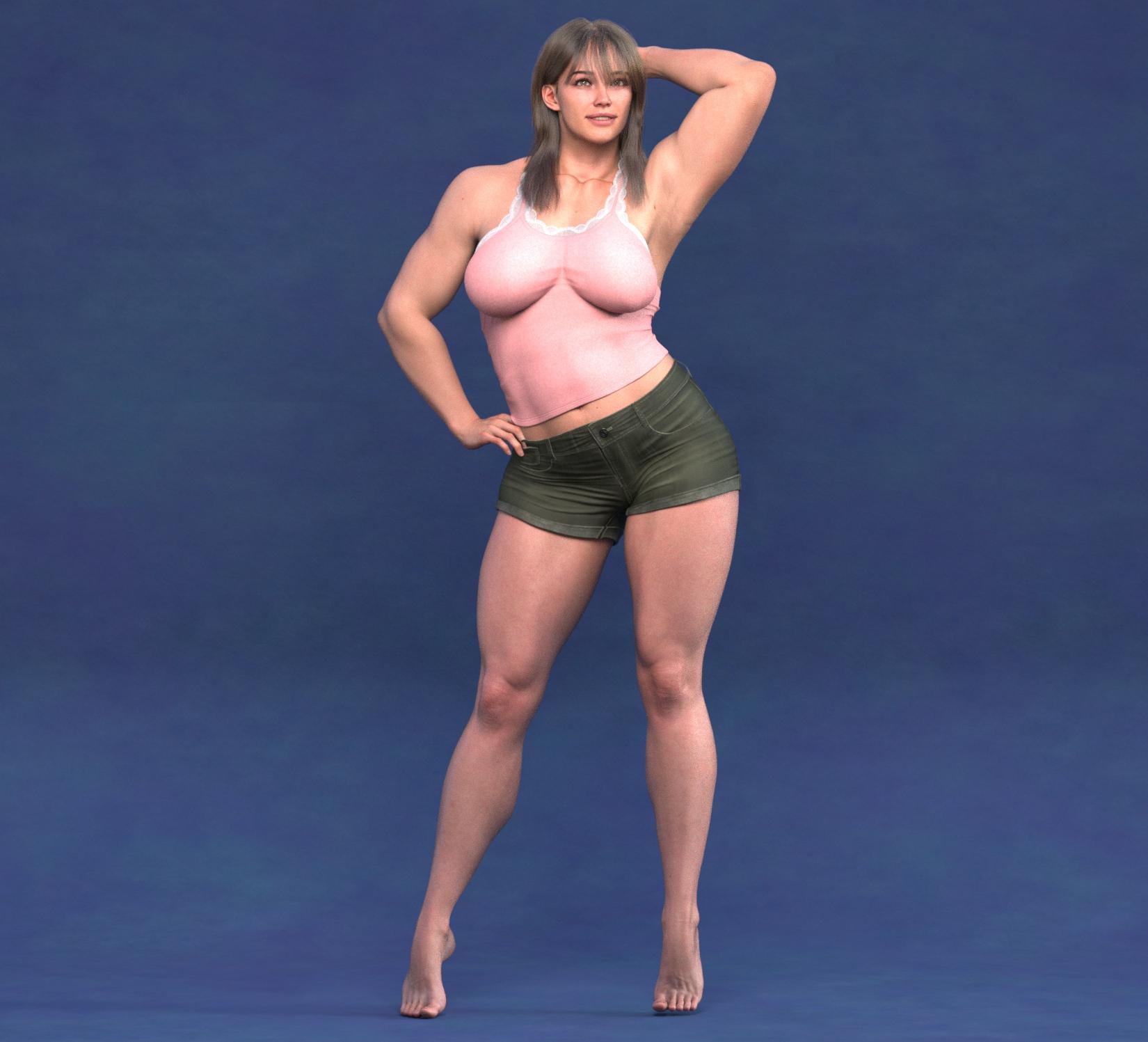
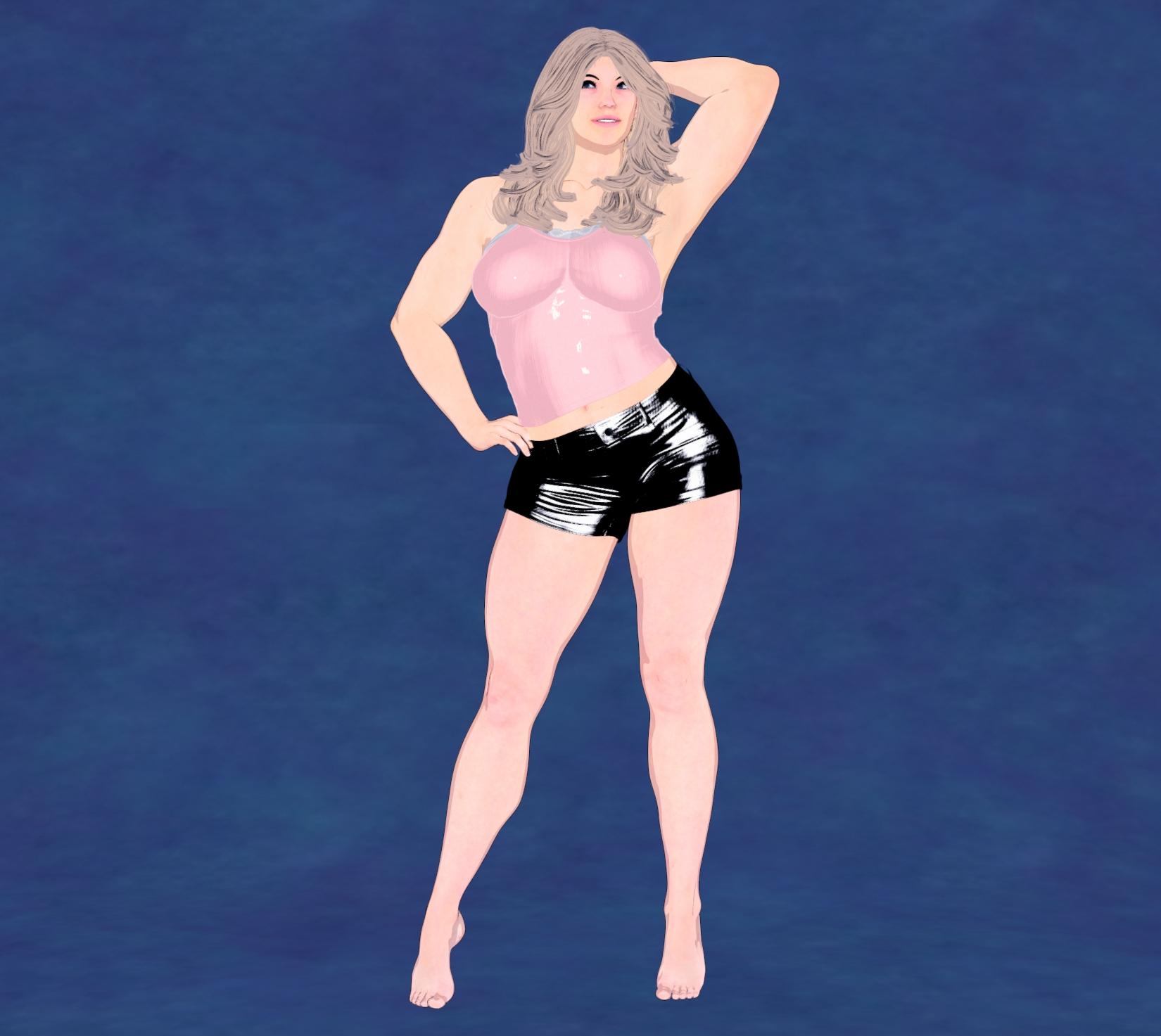
The quick shader options are effective and really make the process of turning your scenes into Filatoon much faster. Many color options to go along with what you'd like, too. When you apply the Base Feminine or Masculine, it will also automatically apply the anime style to the character, too. In this case, it also replaced Tara's head, so I manually morphed it back to how she looked in Iray. It's not a bad thing at all, just a noteworthy optional step, unless I did it wrong.

I also didn't follow the instructions and used a strand based hair for the Iray and can confrm it didn't work for the Filatoon, so that's why there's a different hair. But the shader works! There was even a good shader for the backdrop, which was originally a random color I picked out, so that was also a nice touch. I like this product because it can be cumbersone and a little time consuming to go through your scene and manually apply the shaders, it's just much easier with this tool.
Thank you for the great feedback and review of your experience with the product so far. And thank you for the render share! And yeah, the script dials in the Base Anime Shape at 60% to help turn the characters into toons, but that's pretty easy to dial back out if one prefers a less toon look to the characters. I do like the before and after - thank you for sharing it!
Easy FilaToon [Commercial]Beanoutback said:
This looks really cool! Thanks for the product. What are the differences between this and V3D FilaToon Converter, Manager and Tools | Daz 3D? (Apart from this being cheaper!) I'm morfe interested in characters than environment.
I'm sorry I don't own the V3D FilaToon Converter, Manger, and Tools product so I don't really know what all the differences or similarities there are between the two. It looks like a fantastic product though! :) If you already own the V3D product I don't know how much use you'd get out of mine or if you'd like one better than the other, as I'm unsure of what all the other product does nor the different NPR styles and looks that you can get with V3D's product - but I do know Easy FilaToon comes with a TON of different Filament Draw Options and Shader Presets that can create NPR styles that I didn't see in the promo images for the V3D FilaToon Convter product.
I'm sorry, I wish I could be more help. If you already own the other product and get a lot of use out of it, definitely consider if you want to purchase mine or not (I hope I'm not losing a sale by stating that lol, but I'd really rather the customers be happy with their purchase than regret buying it). :) So if you find that the V3D product meets all your needs for the NPR looks that you like then that might be all you need. I'd be very happy if you bought my product too, but I wouldn't want you to regret it if you already love the V3D product.
The Mac FAQThanks for the links to more reviews.
Elor saved me the trouble of going back to see the core counts re: M3 Ultra vs. M4 Max. Doubling the number of (slower) cores on the M3 Ultra does give it an advantage over the (faster) cores of the M4 Max.
I did see the Geekbench benchmark comparing the single core performance of the M3 Ultra and M4 Max. M4 Max averaged 4,111 compared to M3 Ultra's average score of 3,256. Because of substantially more cores in the M3 Ultra, it easily can outperform the M4 Max with apps utilizing multiple cores. The DAZ Studio single threaded processes would be slower on the M3 Ultra, but anything taking advantage of using more cores at once, like Iray, would see a performance advantage on the Ultra. It's not like the M3 Ultra is pokey in single-core performance at all, it's just that the M4 Max appears to be about 25% better performing on a single core.
My thoughts are aligned with Elor's conclusions above.
Still, I'm waffling between the top M4 Max chip and the 28-core M3 Ultra. Either way, I'd get an 8TB model and the lowest RAM at or above 96GB.
DAZ Studio is really the most demanding app that I use on a daily basis, so I can get away with the base M4 chipset for everything else - music creation, image editing, light video editing, writing, etc. Even DS runs better on base M4 than my older Macs. It's disappointing to have no feel for what the new DS for Mac will support (native Apple Silicon performance/compatibility, Filament, stability and UI clean ups, etc.) Iray rendering will remain okay, not great, but nothing to cheer about due to Macs not having Nvidia GPUs or some Apple Silicon GPU optimized version of Iray (not going to happen.) Filament and other generalized renderers (Cycles, etc.) such as what Blender uses could boost DS rendering performance on PCs without Nvidia GPUs and Macs. But then you'd need materials converted to the new render engine or start with replacing existing Iray materials to something compatible. You'd need a materials/surfaces translator to accomplish that, I suspect. If one existed.
I'm still going back and forth about getting (soon) a top spec M4 Pro Mac mini or a mid spec M4 Max/M3 Ultra Mac Studio. If I absolutely had to choose today with the current DS, I'd probably go M4 Pro Mac Mini. Why? Certainly current Mac DS would get some improved rendering speed, but it's crippled by the older Qt cross platform development system it's built with. My hope is that new DS will gain compatibility with Apple Silicon and benefit from the features that those processors embody.
Lee
P.S. My new M4 MacBook Air arrived today. Everything (~1.7TB) transferred from the new M4 iMac to the MacBook Air in about 30 minutes via Thunderbolt 5 (overkill) cable. Very slight Iray rendering speed difference between the 2 Macs (~4 seconds between the 2 doing identical renders.) Longer renders would slow down the MacBook Air more due to the fanless design, but good enough for me doing quick renders, character dial-ups, etc. away from my desk. Very happy with both new M4 Macs. I'd still like to have my dream machine of a new iMac Pro, as I'm a fan of the all-in-one design. Not sure that dream will ever come to be either. LOL!
Tree Swing Garden - Iray & FilaToon [Commercial]Richard Haseltine said:
Very appealing, can I move there?
Oh, did I overlook the catnip bed?
Yes, it is a lovely product. I'm glad to see both Iray and Filament supported.Easy FilaToon [Commercial]As usual, 3Diva, you never disappoint! I picked this up and I have to say, the options are quite extensive. Here's a render of an amazonian Tara 9 in Iray and then in Filament:
The quick shader options are effective and really make the process of turning your scenes into Filatoon much faster. Many color options to go along with what you'd like, too. When you apply the Base Feminine or Masculine, it will also automatically apply the anime style to the character, too. In this case, it also replaced Tara's head, so I manually morphed it back to how she looked in Iray. It's not a bad thing at all, just a noteworthy optional step, unless I did it wrong.
I also didn't follow the instructions and used a strand based hair for the Iray and can confrm it didn't work for the Filatoon, so that's why there's a different hair. But the shader works! There was even a good shader for the backdrop, which was originally a random color I picked out, so that was also a nice touch. I like this product because it can be cumbersone and a little time consuming to go through your scene and manually apply the shaders, it's just much easier with this tool.
Easy FilaToon [Commercial]This is a discussion and help thread for Easy FilaToon: https://www.daz3d.com/easy-filatoon
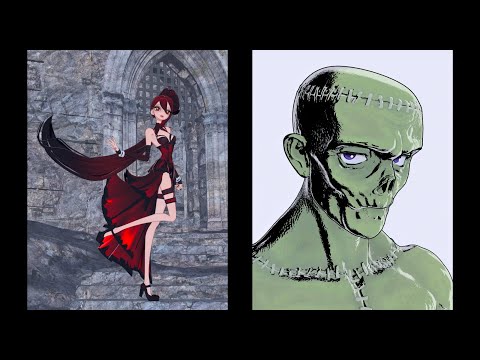
Easy FilaToon is a full suite designed to help you turn your scenes and existing characters into Filatoon characters and scenes. It includes scripts to help create Filatoon scenes, animations, and renders from your existing content library. Easy FilaToon can help convert your characters, clothing, props, polygon/mesh-based hair, and environments into Filatoon allowing you to utilize your existing assets more easily for Filatoon renders.
I've created a tutorial and I hope that you guys find it helpful. I split it up into two parts - the first is about 10 minutes long and it covers a quick walkthrough of how to use the product, the second part is about 14 minutes long and is a more in-depth walkthrough of all the presets and what they do. Both parts of the tutorial have a "recipes" section at the end of each video to give you ideas of some of the different NPR looks that can be created with Easy FilaToon.
I hope you guys like the product! I also hope to see you guys do experiments with different setting combinations.
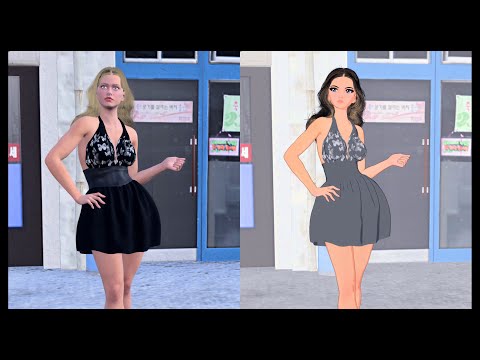
Please Note:
- It's not recommended to use the included scripts on strand-based hair - strand-based hair doesn't do well with Filament and FilaToon rendering without some additional fiddling with both the surface settings and render/viewport settings.
- Converting characters other than Genesis 9 characters takes longer. The Base Feminine and Base Masculine scripts are designed for Genesis 9 characters. You CAN use the included "Base Clothing" or "Base Hair" script to convert other generation characters, but doing so does take time. The included scripts utilize the "FilaToon - General" preset included with Daz Studio's assets, and this preset can, and often does, take much longer to apply when applied to older generation figures.
- The included Scripts and Shader Presets tend to work best with Iray surfaces, so it's recommended to convert other surface types like 3Delight to Iray surfaces first.
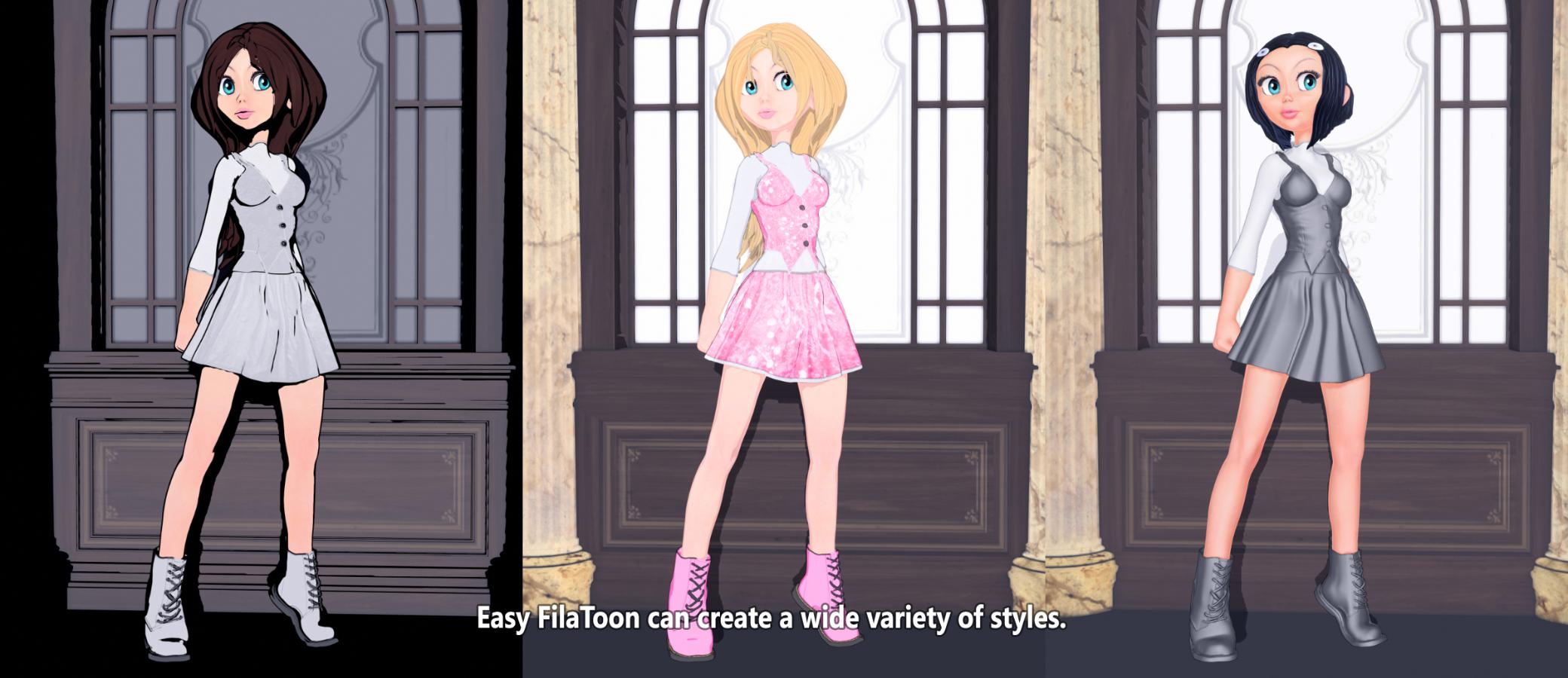

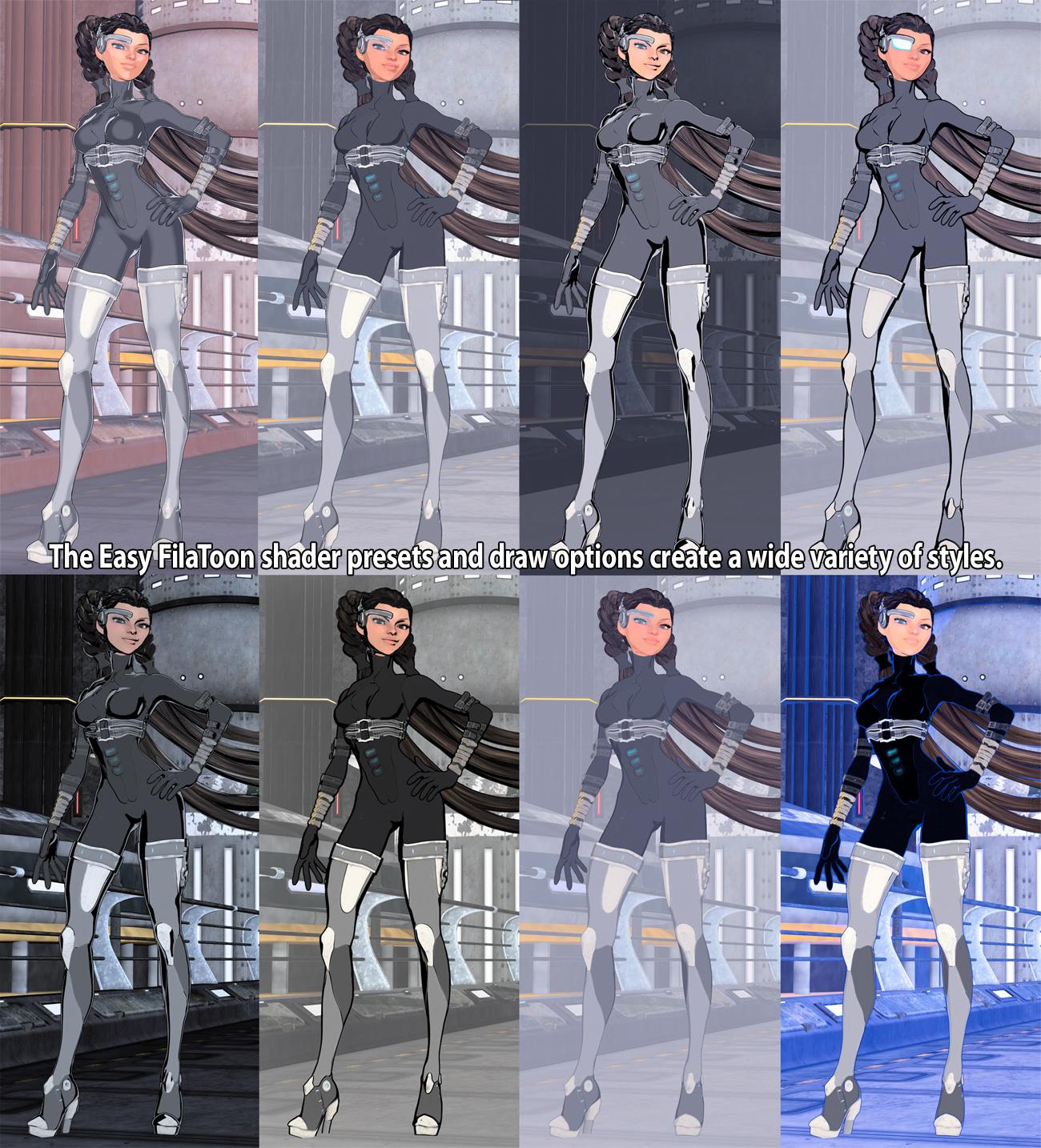
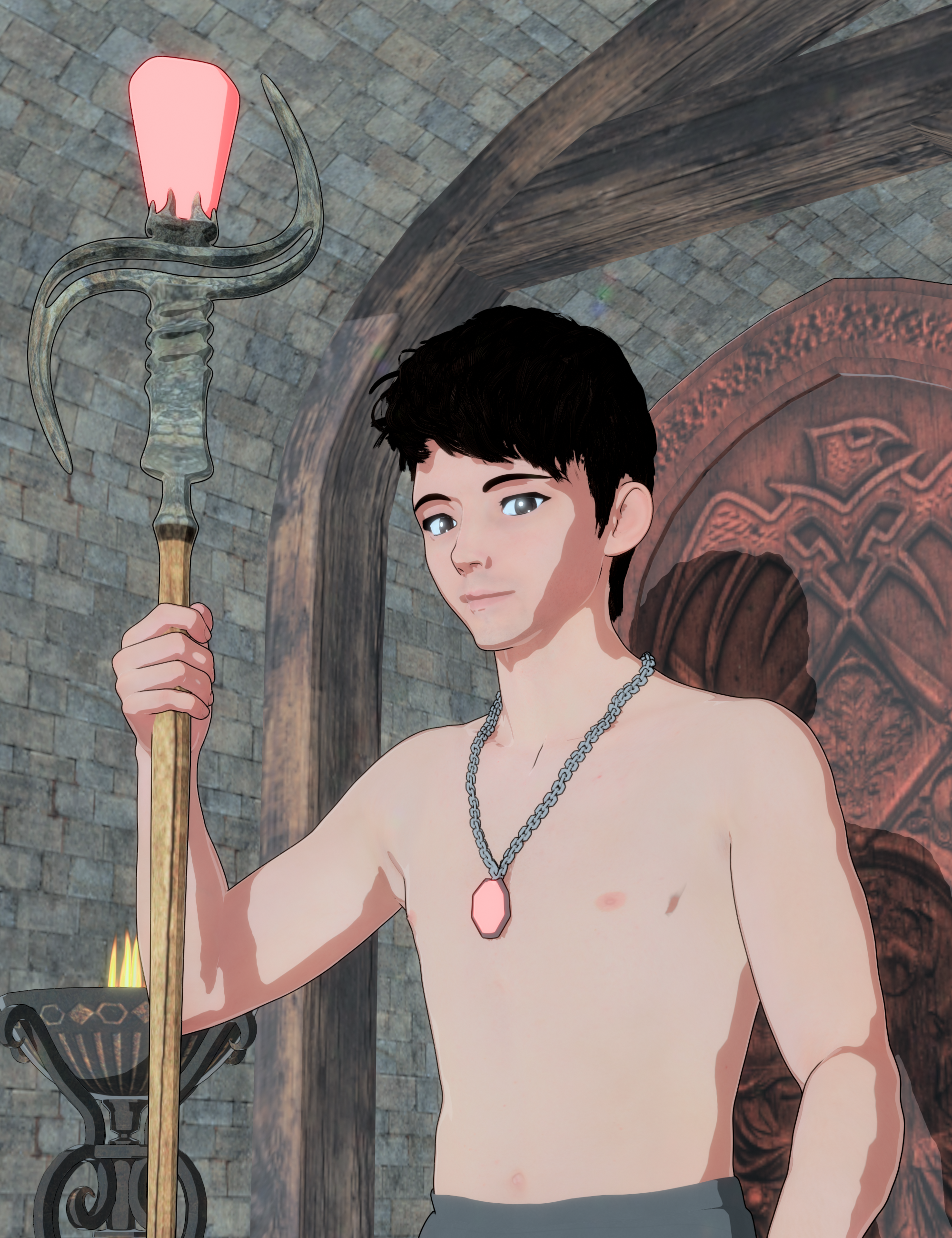
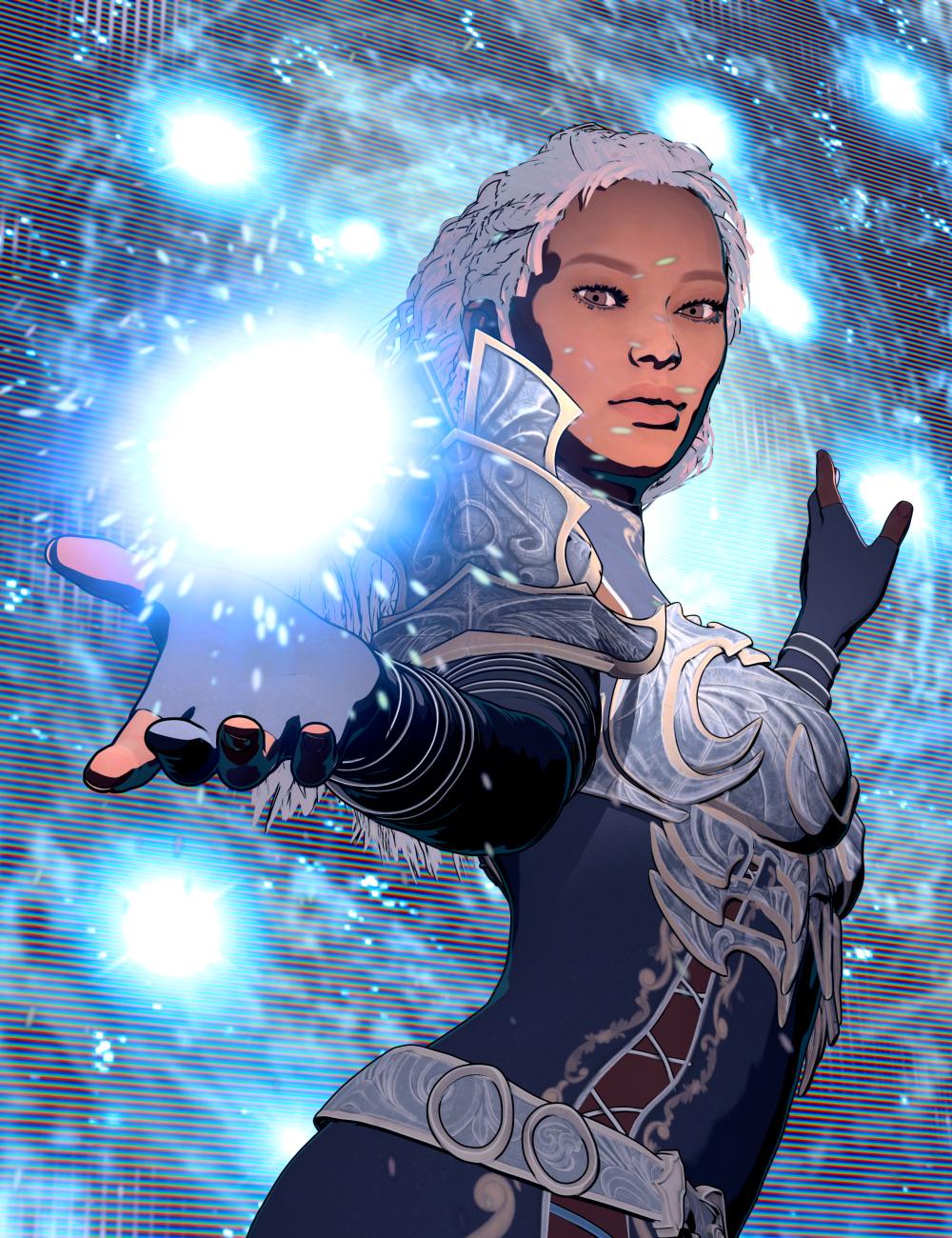
Please feel free to share your "recipes" if you find different draw options settings and shader preset combinations that you like the look of. Also, please feel free to share your renders with the product as well. I'd very much enjoy seeing what all you guys do with this product! :D
Daz 3D is part of

Connect
DAZ Productions, Inc.
7533 S Center View Ct #4664
West Jordan, UT 84084Licensing Agreement | Terms of Service | Privacy Policy | EULA
© 2026 Daz Productions Inc. All Rights Reserved.