-
Which character do you recomend to look oldie grandma toon like this?
I could see the image, it's not hosted on the forums so won't be the attachment thing. Probably some sillyness like imgr being blocked in the UK. I have attached it here for anyone that cannot see the original - converted to jpg since the forum does not allow webp attachments.
Let's appreciate/discuss today's new releases - ongoinger still further threadRichard Haseltine said:
If you feel a post is out of place please report it to the forum mods, who are the ones to decide. Please don't indulge in discussions of what can or cannot be posted.
Posts arguing ober what people should or shouldn't say have been removed.
Daz Studio and Linuxnullvoid808 said:
Well, unless I've missed something, there's this 68 page chonker of a thread "Daz Studio and Linux" https://www.daz3d.com/forums/discussion/60901/daz-studio-and-linux#latest
Sorry, I'm not in those mines myself, so I can't summarise their findings, but there seems to be some success.Thanks. I actually did a search before asking but I didn't not see that particular thread. It's looks like it will provide some answers.
Only show owned filterIn the DAZ store, I used to have a filter that only showed the products that I owned within a search. I don't see that anymore. I can show the things that I own within a search along with the things that I don't own, but that is not the same.
Is there a way to search for only the items you own, within a search that I am missing?
Thanks!Daz Studio 6 Issuestdc said:
I can't even post the number of issues I've encountered. I do know this much: I will NEVER update Daz ever again. It's almost like the developers forgot about certain extensions or couldn't care less. Scripts don't work. NONE of my costly purchases weren't found or won't load. I have spent days trying to find answers.
No one should be expected to waste a week to figure out what's gone wrong. No update on any software should have issues finding its own files. Why do DAZ scripts not work? Get this (see attached) every time I try to use a DAZ script.
- SEARCH DRIVE (s) for Files... does not work - get error
- Scan Known Directories for Files... does not work - says can't find any
- Migrate Old Content Database... Not sure what this does, seems like nothing
- Import Mapped Directories... Does not work, though I have mapped directories; there is none in the list.
Using the AI to find answers? Good luck with that. It literally contradicts itself and - for example - says to go to a menu item, then to a submenu item that is not even listed. It's like it doesn't even know what software I'm in!
GOOD WORK! Maybe invest in some QA? You know... test it out before release? Never have any other issues with any other software updates. Updating Daz is extremely HIGH risk, and you must expect MONTHS of downtime.
The only solution is to uninstall Daft6.
Different versions of Daz Studio do not share settings, so you will have to tell it where your ciontent 9and database) are in Edit>Preferences>Content>Content Directory Manager. This is not new behaviour.
Daz was up-front that plug-ins will need to be modified and recompiled to work in DS 6, this has been reiterated in alomst every discussion and I thought was in the release notes. Scripts may or may not work, depending on what they do and how they do it. That chnage is unavoidable if Daz is to move to a newer, still supported version of the Qt framework (which will then open up the path for other much requested features).
Daz Studio 6 IssuesI can't even post the number of issues I've encountered. I do know this much: I will NEVER update Daz ever again. It's almost like the developers forgot about certain extensions or couldn't care less. Scripts don't work. NONE of my costly purchases weren't found or won't load. I have spent days trying to find answers.
No one should be expected to waste a week to figure out what's gone wrong. No update on any software should have issues finding its own files. Why do DAZ scripts not work? Get this (see attached) every time I try to use a DAZ script.
- SEARCH DRIVE (s) for Files... does not work - get error
- Scan Known Directories for Files... does not work - says can't find any
- Migrate Old Content Database... Not sure what this does, seems like nothing
- Import Mapped Directories... Does not work, though I have mapped directories; there is none in the list.
Using the AI to find answers? Good luck with that. It literally contradicts itself and - for example - says to go to a menu item, then to a submenu item that is not even listed. It's like it doesn't even know what software I'm in!
GOOD WORK! Maybe invest in some QA? You know... test it out before release? Never have any other issues with any other software updates. Updating Daz is extremely HIGH risk, and you must expect MONTHS of downtime.
The only solution is to uninstall Daft6.
The "The Weather Changes More Often than the Thread Title" Complaint Threadgarrett_3d said:So, if @richardandtracy suddenly disappears from the forum, we know the reason why

Agreed, not feeding cats the second food is demanded is a capital offence in our household. Regards, Richard
Search in store is terribleThe store search has been terrible for... well, I've been shopping here 20 years, but I don't remember much about the original store. Since the "new" store came in around... 2011?... the search has been terrible and the chance of finding what you want is much, much, better on Google.
New Store and Features Discussion ThreadOn the positive side, the ability to sort the product library by purchase date now works without the need to switch to List mode first. Unfortunately, the name sort in ascending mode has some bugs, as the first 14 entires in my library seem to be completely random and not at all in alphebetical order for unknown reasons (First in my list is Beuatiful Skin Iray for Genesis 2 Males), after which there are another 20 or so items that seem to have been sorted early due to things like having the name in quotes (both single and double,) and in one case starting with a period. After that sort goes numeric, but it's a sort order based on the the first numeral of a number only, so a product that begins with a single 6 only comes after all of those that begin with 50 or 54, etc.... and, of course, it's not until a dozen pages later that the first item beginning with an A actually shows up.
FInally, there are still a lot of weird issues with the sort by artist, as I have discovered that items that were sold by artists who are still active and selling in the store do not come up under that artist's name search if that item itself is no longer in the store. That's especially a big problem for vendors like Clacydarch, who split about half of their catalog and moved it over to Renderosity after selling those here for several years, or vendors who regularly retire products like Stonemason. Most perplexing of all is the case of BIlly-T, who only shows up under artist search for 4 items... yet when I go to front of the store and unclick the "hide items shown", his store displays 17 Billy-T items that I own.
Let's appreciate/discuss today's new releases - ongoinger still further threadIf you feel a post is out of place please report it to the forum mods, who are the ones to decide. Please don't indulge in discussions of what can or cannot be posted.
Search in store is terriblenullvoid808 said:
3DSaga said:
nullvoid808 said:
Where is the AI search these days? I remember there being a button next to the search box once upon a time, but I can't find it now
It's the odd little icon in the bottom RH corner of almost any page on DAZ 4.24.
Ahh,in Daz. More fool me for expecting it to be on the websiteIt is bottom-right of the web pages, in DS 6 it is a pane, it isn't in DS 4.x.x.x
Search in store is terrible
Ahh, in Daz. More fool me for expecting it to be on the website3DSaga said:nullvoid808 said:
Where is the AI search these days? I remember there being a button next to the search box once upon a time, but I can't find it now
It's the odd little icon in the bottom RH corner of almost any page on DAZ 4.24.
Search in store is terriblenullvoid808 said:
Where is the AI search these days? I remember there being a button next to the search box once upon a time, but I can't find it now
It's the odd little icon in the bottom RH corner of almost any page on DAZ 4.24.
Search in store is terribleWhere is the AI search these days? I remember there being a button next to the search box once upon a time, but I can't find it now
Search in store is terrible3DSaga said:
Aside from looking for a specific product, it's always given me poor results. A few days ago, out of frustration I gave the AI assistant a try, and I got much better results. It did ask me some questions to help me make a better search, but very quickly I found examples of what I was looking for. I'm not a huge AI fan, but I have to admit, this is one area in which it proved helpful.
i agree on the search problems, and also agree that the AI bot is pretty useful. It can also help a lot with DS procedures.
Search in store is terribleAside from looking for a specific product, it's always given me poor results. A few days ago, out of frustration I gave the AI assistant a try, and I got much better results. It did ask me some questions to help me make a better search, but very quickly I found examples of what I was looking for. I'm not a huge AI fan, but I have to admit, this is one area in which it proved helpful.
Search in store is terribleGo to the search shop box at the top right of the shop page and search for Dance.
The 1000+ results come back. Now look at the Categories filter. Poses and Animations are not there. Hair is there? What is going on?
AI in DAZ studio what makes sense what are the fears?Expozures said:
On a side note, I was a little disappointed with Vicky the AI chat in Daz. Was hoping for something...more. Maybe something that could at least search my library where I could filter my Smart Content, or maybe even load assets based on the prompt. It won't even do NSFW stuff. Pretty much it boils down to a glorified Daz3D Forum search engine...
It's probably a substantial infrastructure and security hassle to be able to search individidual customers asset libraries remotely and be able to load them locally, even if you're talking about hosting a vector database of some kind that end users or applications could target. Frankly, it would make the job of implementing a prompt based asset search much easier if we would just hit a public endpoint. The approach I've taken in my work is to build the vector database locally against at least the user's installed content. See https://github.com/bluemoonfoundry/daz-content-browser
[Edit: Fixed URL]
The "The Weather Changes More Often than the Thread Title" Complaint ThreadSo, if @richardandtracy suddenly disappears from the forum, we know the reason why
What went wrong?Padone said:
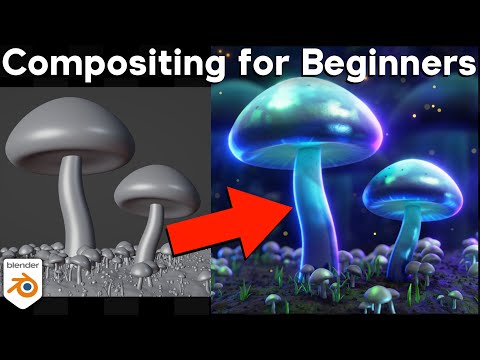
Again I'm not sure what you mean by "artifacting", as I don't see any apart the blender image is smaller so fo course gets less details. The skin needs some more sss, or use bsdf instead of principled. You may also want to try the color management, that's similar to tone mapping in iray, apart you don't have to re-render the whole scene to apply different settings. Then if you miss compositing there's plenty of tutorials, as for anything in blender.
https://github.com/Diffeomorphic/import_daz/wiki/Material_Methods
https://docs.blender.org/manual/en/5.1/render/color_management/index.html
p.s. Another thing that greatly affect the render quality for complex scenes and shaders is the max bounces, where you can use the "full global illumination" preset for best quality.
https://docs.blender.org/manual/en/latest/render/cycles/render_settings/light_paths.html
It looks "ok" in the forum modified small version. If you click to see the full image, the artifcating is pretty obvious... isn't it? The barrel of the rifle, the floor in the background, his boots..
I may have dropped the light passes for speed, following some advice somewhere that rang true with something I learned a very long time (and is probably no longer relevant). Its funny that you mention subsurface, because I used Global Skin and I thought it was better than the Daz version (which to me has some overblown effects in certain areas and lacks overall effect in more subtle ways).
You've built a marvelous tool in Diffeomorphic and I wouldn't be where I am here, trying to learn this, without it. Just trying to understand the new workflow (like going from 3Delight to Iray, only by a factor of about 10).
Daz 3D is part of

Connect
DAZ Productions, Inc.
7533 S Center View Ct #4664
West Jordan, UT 84084Licensing Agreement | Terms of Service | Privacy Policy | EULA
© 2026 Daz Productions Inc. All Rights Reserved.