-
Can I import a model from Daz3D into MakeHuman?
been a while since I have used MH but AFAIK you can only import BVH motions not mesh. it's meant for making human meshes to export elsewhere.
I always added even clothing in other software like Blender or Carrara
Strand-based hair part: do I need a hair cap?Better show us a screenshot... but as a straight-forward suggest - :
- You better make a hair cap. You may refer to some SBH hair products. It's not difficult to make a scalp as it's just a geometry fitting on the head top with a Cutout Opacity map. Use a modeling software to make one, or adopt a scalp from a product and modify it to have a 'proper edge' aliging with your SBH. Import to DS and conform it to the figure with Transfer Utility. Finally make a proper Cutout Opacity map (or modify one) and asign to the scalp.
- There's no way to make a hair cap with SBH editor but you can use it to make a 'separate layer of hair' as the hair cap, with proper 'gradient length' and 'density', etc. That'll take some time... but the cons is : the more SBH layers you have in the veiwport, the more resource it'll consume and make your Viewport laggy when Preview PR Hairs...
general use of dazJustPlayNoName said:
Hello all,
I have not yet fully understood the concept of daz. It would be nice if someone could give me a link to an article or answers.
Does daz work like a lego set, where I have to buy several bundles to put something together?
Yes and no. Generally characters are sold as basically the naked figure with skin, eyebrows and eyelashes. Some may come with expressions for the face, most won't. Some may come with options for different ages of the same character (particularly Daz's own characters). Clothing, hairstyles, accessories and other character related items such as makeup, skin detail modifications such as freckles tend to be sold seperately. Morphs to change the body shape are also sold separately.
Sets, such as street scenes, buildings, landscapes, come complete as you see them. Same with vehicles, animals, etc. There are also tools for creating landscapes, scattering objects, optimising renders, you name it. Daz has it's own language (Daz Script) which isn't a million miles away from javascript if you're familiar with that but it's poorly documented.
If you can model in Blender you can make anything you're capable of, export to a format like .obj or .dae and import your creations. You can make whatever you want really. Making your own clothing is a long and complex topic; if you want to do it to a high standard it will take you some time to fully understand and master this aspect.
Are there any free bundles? I found some websites on google that offer free daz art. But is that legal? Or is it only allowed to buy from the original daz shop?You can buy whatever you want from wherever you want, import whatever you want from free sites. There are no restrictions. Be aware that products from stores that don't check and validate Daz content may not work as you might want them to without a lot of additional effort. Most are fine.
To what extent can I create a bundle myself? If I design a piece of clothing in blender. I have a static object, can I simply transfer this to daz? Daz has a lot of advantages, for example that the clothing adapts to the character, which my blender design wouldn't have automatically. Or do I need the right script for this, which I can apply to my work?
There isn't really any scripting as such involved. Studio will create that for you. However, there is a learning curve in understanding how clothing models are applied to figures. A quick Google search will show up many videos on YouTube that walk you through how to create clothing from scratch in Blender, Cinema 4D, Modo, Maya, Max, Zbrush, all the usual suspects. What most of us lack is the ability to create said clothing (!) so if you have this talent, you will be happy with Daz Studio.
There are bundles to buy in which you can morph the body. From a certain
repertoire, you can create your own character (at least in terms of shape) very freely?
So would it be enough to create a character with the right 3,4 bundles, similar to MakeHumans, and then transfer it to Blender and rig and create poses yourself?Daz Studio's main function is to create. pose and render custom figures. I don't see the point of exporting this out to Blender unless you want to use the real-time renderer. You can create poses yourself by manipulating every joint in a skeleton yourself. Pose sets are also available to buy but they will need adjusting if you morph the character away from the base.
So how much do I really have to buy to finally create my own individual characters? Or is this simply not intended for this and you are supposed to buy and adopt entire art parts from other artists?This one really is 'how long is a piece of string'. If you can create morphs yourself in Blender and import them into Daz (this too can be complex - many free tutorials available) you won't need to spend anything. If you can create hairstyles and clothing yourself, you won't need to buy anything. However, the Daz store often sells items ridiculously cheaply. Really, really cheap. Look every day - there will be something for a few dollars it would take you tens if not hundreds of hours to make yourself. So cheap that it would be pointless to spend a lot of hours making your own. If you want 'instant character' - you'll have to spend something. Pick your choices carefully and it won't be a lot.
This brings me to my last question, the legal use.
With all the bundles you can pay extra for licenses. If I buy the part, can I legally use the characters or objects in my game?
And if I don't buy the licenses but create my own character from a purchased bundle by bodymorphing and using my own material, for example. Can I then call it my art and use it legally free?Yes, it's your art with no additional licenses needed as long as you don't use the actual 3D model in something like Unity or Unreal and rig it there. You'll need the interactive license for that. That useage is still really, really cheap compared to what you'd pay for a quality character in the Unity Asset Store or the Unreal Store. If you render in 2D, it's yours, you can use it in whatever you like, including commercial applications or games. For example, you can create (and we have) a complete point-and-click adventure in 2D using Daz and homebrew assets, some animations and, sadly this is the bit that puts it beyond the realm of the average hobbyist renderer, an indepth knowledge of something like Unity or Unreal and C sharp or C++.
I run a small company of 5 people. We make interactive adventure/mystery games using Daz (and a couple of other tools) on the Android and IOS stores. We make enough to support all of us very comfortably. People think of it as a hobbyist's tool but if you put the effort in, you can get successful commercial results out of it. There are people who do book covers, illustrations for books, comics, visual novels, games, all sorts of artwork.
Daz Studio is not a toy or a throwaway 'amateur's' package. It can be used like that but it offers so, so, so much more if you're prepared to learn.
Hope this helps :)
Model's targetyuyu.atem said:
Ok, I understand, thank you very much!
So, when a new model is created, specific sliders are created too? How do they create?
Reshape the mesh in a modelling/sculpting applciation without chnaging the resolution or adding/removing parts, then use edit>Figure to launch one of the Morph Loaders (usually Pro) and import the new OBJ, using the same preset as the original OBJ export so thats cale/axes line up correctly, as a new morph, Using GoZ avoids the Export/Import dialogues. PAs making content for the store can bring in morphs that work on higher resolution versions of the model, for HD morphs, but that isn't available to the rest of us.
Painting Daz surfaces with ZBrushIf you export an OBJ and import that into ZBrush, with the mats as groups option, it will already have the surface groups you see in DS (which is clumpier than the ZBrush auto-grouping, and so less fiddly to work with).
Can I import a model from Daz3D into MakeHuman?Hello,
I would like to know if it's possible to import a model from Daz3D into the MakeHuman software (http://www.makehumancommunity.org/). If it's possible, could you tell me how to do, please?
Thank you in advance!
Moves by Maxon Genesis 8.1 Connect Facial Capture not workingHello!
I was hoping I coud get some help on this. I'm importing a DAZ character with the DazToC4D Bridge and I then want to connect the facial mocap from the moves by maxon app to my existing character. I used to be able to do this just fine but now when I import a character with the face morphs, it doesn't have a Morph controller group to link it to.
I tried a bunch of different combinations which somehow managed to move the head but not anything else. There is a pose morph in Genesis8_1Female.Shape that is functional so I'm not sure where the link isn't being made.
Hopefully I'm just being silly and it's an easily fixable thing.
The first image is how it used to look with the morph controller that had to go into morph controller and the second one is how my hierarchy gets imported with no morph controller with the plugin showing as well.Having to download content twice?What you see is because DAZ Connect still has the information (metadata) that it has downloaded.
Did you uncheck "Show Login Page" and "Automatically Login With Remembered Credentials" in DS Preferences -> Startup?
Logging in within DS is the last thing you want to do ever - Don't do it unless you want to use DAZ Connect inside DS as the primary method of installing content, in which case using DIM is a waste of time and disk space.
Selling Carrrara for further development?Dartanbeck said:
...
Even in its aged state Carrara is really something special!
Yup, I still enjoy animating in Carrara, pretty much second nature by now. But I am getting into DS because fo the great products available and the great Iray renders. (Even when I can import a DS product into Carrara, the renders are not near as good). So far just DS background images for Carrara animations, but maybe DS has improved the animation tools? I've kind of lost touch with that topic ...
Having to download content twice?I finally fixed it by resetting the database, logging in and reimporting my metadata. 99% of my stuff has been recovered.
I'm still looking at what's happened to the rest, but here's one problem.

Although interestingly I can still load them into a scene.
OK, I spoke too soon. I still have those stragglers that are not available to me offline. It's only about a dozen items now, but still annoying!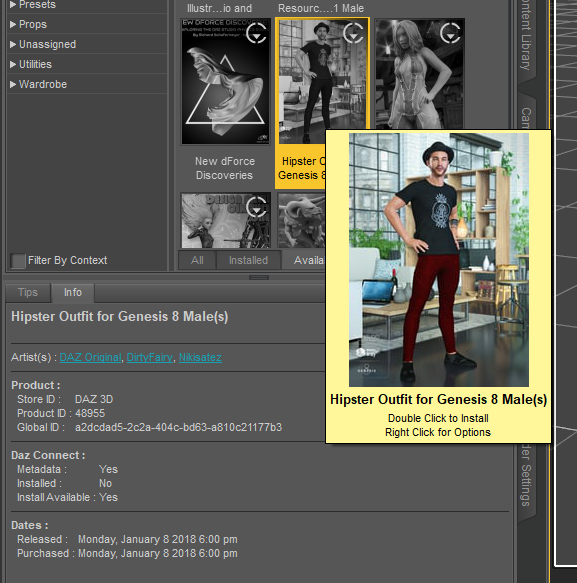 There's Always Another Sale Thread -- Discussions Only
ArtAngel said:
paulawp (marahzen) said:
Well, you get the triple tokens on anything. Unfortunately, there's just nothing across all of the banner ads that builds a worthwhile cart for me.
G2 & G3 DO 3 for 1.99 on now https://www.daz3d.com/ignite-your-creativity Or 30% extra off if add new item over $5.00. Can use coupon twice.
Catherine3678ab said:
Remember the joys of setting up a new computer ... having lost all the bookmarks!!! Does anybody have the link for that personalized 3 hour sale page? tia
If you still have your old PC you can still get your bookmarks to your new one. In case you can, here's how. On old PC. Launch browser. Go to Bookmark Manager, Click gear and choose Export Bookmarks. Save to an external drive so you can port to new PC. On new PC in Bookmark Manager select Import instead of export. Select the file you copied.
note: Backup & Restore can also work but I never use it because it replaces bookmarked favorites, whereas Import adds to any bookmarks you have. I often export and name file Exported-Bookmarks FF (xxxx-xx-xx) or Exported Bookmarks GC (xxxx-xx-xx) just in case I want something from the past. (useful for Wayback if needed).
Looks like .83 with 8 tokens and an item. I could actually use those Art Concrete Shaders which end up being $5.28 with the tokens.
There's Always Another Sale Thread -- Discussions Onlypaulawp (marahzen) said:
Well, you get the triple tokens on anything. Unfortunately, there's just nothing across all of the banner ads that builds a worthwhile cart for me.
G2 & G3 DO 3 for 1.99 on now https://www.daz3d.com/ignite-your-creativity Or 30% extra off if add new item over $5.00. Can use coupon twice.
Catherine3678ab said:
Remember the joys of setting up a new computer ... having lost all the bookmarks!!! Does anybody have the link for that personalized 3 hour sale page? tia
If you still have your old PC you can still get your bookmarks to your new one. In case you can, here's how. On old PC. Launch browser. Go to Bookmark Manager, Click gear and choose Export Bookmarks. Save to an external drive so you can port to new PC. On new PC in Bookmark Manager select Import instead of export. Select the file you copied.
note: Backup & Restore can also work but I never use it because it replaces bookmarked favorites, whereas Import adds to any bookmarks you have. I often export and name file Exported-Bookmarks FF (xxxx-xx-xx) or Exported Bookmarks GC (xxxx-xx-xx) just in case I want something from the past. (useful for Wayback if needed).
Does a Single UDIM for G9 Female exists on Daz?
In photoshop, just extend the canvas or create new file that is twice the size of texture in both width and height. Drag/drop the four body textures into photoshop. They should import into the project at their normal size. By default, if you are fully zoomed out, photoshop will not resize imported images. If they have been resized, change your import settings or make sure you are fully zoomed out on the canvas. Do not resize the textures. Position them so they snap into the four corners of the canvas. Turn snapping on if you need to. The toe and fingernails would need to be handled differentlyMetalSunde94 said:I was asking if it did exist on the daz store!
I've tried to convert a skin by overlapping it in PS,
didn't work so great.
CBS/ JCMs HelpThere's no problem with SY's tutorial as it's the typical fixing process of corrective morphs. But JD's video related to G2 on which there's no Base Joint Correctives mechanism (and no Property Hierarchy either if I remember correctly) so he had to create a JCM and ERC Freezed it manually. From G3 on, you don't fix morphs in that way.
- When we import the corrective morph, wouldn't it already saved somewhere replacing the old one(s)?
Yes, it will overwrite the auto triggered JCM dial and update the mesh (vertex positions) of your garment in Viewport but just in RAM. Then you must save the fixed morph assets (*.dsf files) in 'your product folder' with 'your vendor name'.- The first time I use ERC [delta add] (default) but then a problem...
A weight just determines how the mesh (vertex positions) are influenced. Actually it has nothing to do with the percentage of a corrective morph.- as for auto follow..
Auto Follow are checked on all default corrective morphs dials of the figure, and I mentioned we normally don't touch it because the pJCM / CBS will be automatically triggered on the garment and adopt the settings of relevant pJCM / CBS on the figure, i.e. the corrective morph will be 'delta added' by its Controllers - a Joint + necessary multiplied conditions.
But if you want a pJCM / CBS to have more complex formulas (like Keyed), i.e. to override the default settings, or create a series of corrective morphs of your own, you should deactivate Auto Follow and set 'your rules' there in Property Hierarchy other than modifying the existing default 'rules'. That is the key difference.
CBS/ JCMs HelpSo here's two examples of video of making clothing JCM:
By Sickle Yield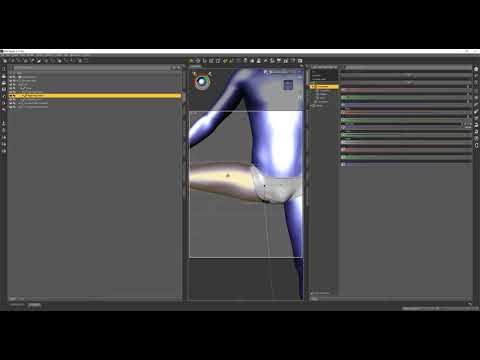
By Josh Darling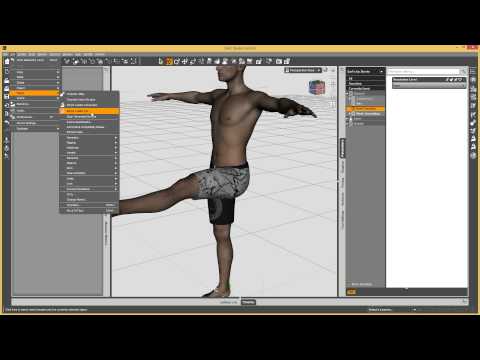
The reason why we fix pJCM/CBS on a garment is that the auto triggered corrective morph on the garment is not correct in terms of geometry, then we must save the fixed / imported corrective morphs as morph assets along with the garment (in the data folder of the garment), to override the auto triggered corrective morphs.
When we import the corrective morph, wouldn't it already saved somewhere replacing the old one(s)?
For such a case on a garment, I'm still not sure why you have to give it a 'threshold' of a certain value or percentage,
The first time I use ERC [delta add] (default) but then a problem appears as shown on the screenshot above.
So I thought maybe... I should let the weight map handle the situation up to certain degree, and then let the corrective morph kicks in.
But it make the looks weird, cos the transition looks popping out.---
Hemm... I think can just use smoothing modifier to handle the intersection.
---
I saw your video.
What is the effect of turning on / off the auto follow in this case.
I know autofollow useful to make the cloth follow the change of the body. if it's off, when there's body change morph, the cloth wont follow the change..
But this body_cbs_shoulder_z55n_r isn't related to body change.
So, is autofollow on or off makes any difference?Star Trek Builders Unite 8: THE REBOOTRedfern said:
Ryuu@AMcCF said:
...I might very well have beat Redfern to to the punch by posting something Caitian-related ...
Well, a few reasons for that.
* Niketa is more "pantherine" than how I imagine M'Ress. Despite the tufted tail and mane, I see her as more cat-like than leonine.
* The set lacks a digitigrade option. When the G8 sets had them, this seems a "downgrade".
* I've been living on my life savings since a forced retirement on late '21. I'm spendingf VERY little on non-essentials.
* I'm still a "Poser Luddite". I'm too lazy (stubborn, whatever) to learn a few workflow.
I fully get what you're saying. TBH, there were several things I never liked with how the animators drew M'Ress for the show:
The billowing hairstyle the animators drew her with--a leonine mane that belongs on a MALE cat, for one. *roll eyes*
The pawlike hands were okay, but then they drew them as THREE fingers. *shakes head*
Those two features made it very hard to get any of the previous feline figures to fit her as drawn, and they forced me to invest in lots of "external" modifications for those earlier generations, such as the various Creature Creator-type products. Fortunately, for G9, they've come out with the Phenotype (that I got after I made that render) to do the digigrade feet--and Oso's Cat Character lets us pull off the pawlike hands--unfortunately, I still don't see a 3-Fingered morph yet for G9. OTOH, I was able to get her slitted pupils using another of Oso's morphs (probably from his G9 Cat Character, again).
Plus, every single tail ever made are those bloody "belt tails" that attach at the figure's waist line rather than at the base of their spines *facepalm* But at least thie one is a prop that can be relocated (with a little effort).
As for the tuffed tail----*cough*----you'll be greatly disappointed, but that was a kitbash from DAZ's Big Cat 2's lion/lioness that I glued to the tip of Niketa's tail--yeah, the artists blew that detail. But hey, I must have done something right for you to miss that. I'm honestly surprised you didn't recognize where it came from

And I truly understand the need to cut back to "just the essentials", but cats and felinoids ARE ALWAYS essential

As for being a Poser Luddite, I used to be one, too. But I mostly gave up on Poser when so much stuff wouldn't import well into it. The question I have is, CAN one even get anything from DAZ into Poser these days--especially the later Genesis generations???

Still, what we're talking about.... It's given me an idea.
I'll be back in a few days, assuming my machine survives the attempt.....
Import from Blender to DazHello,
I understood it is possible to import from Daz to Blender, but could you tell me if it also possible to import from Blender to Daz?
If it's possible, could you tell me what can be import? Is it only the base mesh, or also textures and materials?
Thank you in avance for your answer!
Shows That Inspire AnimationsUnifiedBrain said:
Dartanbeck said:
UnifiedBrain said:
Thanks Diomede. At this point, it is all that I want to work on.
Very cool! Which figure generation are you using? Carrara certainly is an amazing animation suite!
Since I'm learning to do everything by hand, I've used several generaltions. They all work great. I was hoping that your new animation course would give me a useful workflow, but if it is primarily for DS, then maybe not.
Regarding premade movements, I recently download the Bruce Hahne BVH files for V3 and M3. A huge number of files. PhilW says they basically don't work straight into Carrara, but the ones I have tried so far (walk cycles) work pretty well with only minor position tweaking. The only issue is feet sliding. Phil addresses this, but I haven't tried to fix it yet.
Regrettably, for the first time in many years, the time I can devote to Carrara has shrunk to almost nothing. Things will hopefully let up by mid-September.
If you have the aniBlock plugin for Carrara, Daz Studio does an excellent job with BVH. Import them in there, then use aniMate to make new aniBlocks that you can then load into Carrara. I know that sounds like a mouthful, but it goes quickly and then you have a nice collection to bring in any time.
The course is mostly about creating custom pose dials for whatever figure you're working with, as well as a full workflow of how I use them to not only correct joint issues, but also to add my own artistry to the animation as well. There's a separate lesson demonstrating all of the dials I made for Rosie 7 (Genesis 3 Female - any characater) compared to Genesis 2 Male, who I haven't made dials for yet - showing what comes with a Daz figure compared to a possible new set of controls depending on what you need. The lesson that follows is how to create the dials, also demonstrating several ideas for things we can make dials for - we can get really creative.
Other lessons include the importance of making a base scene for each "Character" you're animating, creating custom partial aniBlocks (the main workflow shows why and how to use them), converting animations across generations. The main three part workflow is me starting an animation from a base scene from picking out the first aniBlock and applying a secondary partial aniBlock that entirely changes what the head and arms are doing, to baking that all to the timeline (In Carrara, I'd be doing this part a little differently. I'll have to do a YouTube on that for you. It's pretty smooth in Carrara) and discuss various tips and tricks I use to manage in the Daz Studio timeline before I dig in and start editing the baked result into a much nicer final result using these dials. That's the part that makes this instruction very helpful for anyone who uses Daz figures for animation. If you can manipulate dial on the figure, and you want to animate, this course will definitely help.
Not meaning to be a commercial, just that I know ytou've asked before. I hope this is a more meaningful answer.
Basically, following the course would have you customizing your Daz base figures with dials that you can use to fix and/or artistically manipulate the pose along your entire animation, beginning with me doing it in front of you - then I get to the 'how-tos'.
Shows That Inspire Animationsthe CGspeed DAZ/Poser conversions certainly work, just BVH import into Carrara onto existing skeletons doesn't
however one can always track key bone movements
Shader Recommendations for Liquid in 3Delight?Mage 13X13 said:
As this is a thread about liquid style shaders for DAZ Studio's 3Delight render engine I need to relate what I'm looking for. I'm sure many here know how realistic the water mats are in Bryce 7.1 Pro. They render out really well, and provide the kind of reflectivity you would expect from water of many different placements. By placements I mean Pools, Ponds, Streams, Rivers, Lakes, Seas, and Oceans. There are Water materials for many of these placements that make it look real. You can even tweak the refraction to match the known indexes for each type. The problem is the amount of memory Bryce can access. If I wish to put a large ship with several textures on it in the water, Like Kibarreto's JetCarrier, (which I just acquired recently), Bryce will not let the fully textured ship complete the import. As that ship has what to me appears to be a watertight hull on its ventral area, I thought, well this ship is like the Helicarrier in Marvel's movie "Avengers". To me Kibarreto's JetCarrier looks much more awesome, which is why I want it in Bryce. But the only way I can get it in is without the texture maps! A study in frustration, I assure you! Bryce being just a 32 bit application, only has access to 2 GB of RAM. So bringing a model like the JetCarrier in with the textures optimized for Bryce causes the application to run out of memory before the import is completed. I know about the DAZ Studio to Bryce Bridge, and yes that happens when I try using it to send the JetCarrier to Bryce by way of that bridge also. With the texture maps, the JetCarrier is just too big in file memory. Getting the model into Bryce on its own without the texture maps is possible, but then I'm left with a big model that has several material zones, with no in application textures to apply to it that will look close to how it does in DAZ Studio!
So what I need is to create my Bryce image as a backdrop for DAZ Studio, but I need the water that I have the JetCarrier settled into to look like it is a seamless continuation of the water in the Bryce generated backdrop. That will take a lot of work to get right, but if I can get some really good water shaders, it won't be as work intensive. So I will be checking into the ones available in The Renderosity Free Stuff. I'll likely be downloading all I can find, as I do not even have one water shader for DAZ Studio at this time. Thanks to tsarist for the link to the relevant page. Hopefully I can make at least one of those shaders work the way I need it to.
Hm, sounds like a complicated method, good luck with that;) Water is in fact a very simple material, it's all about the light and environment reflected/refracted in it, isn't it...
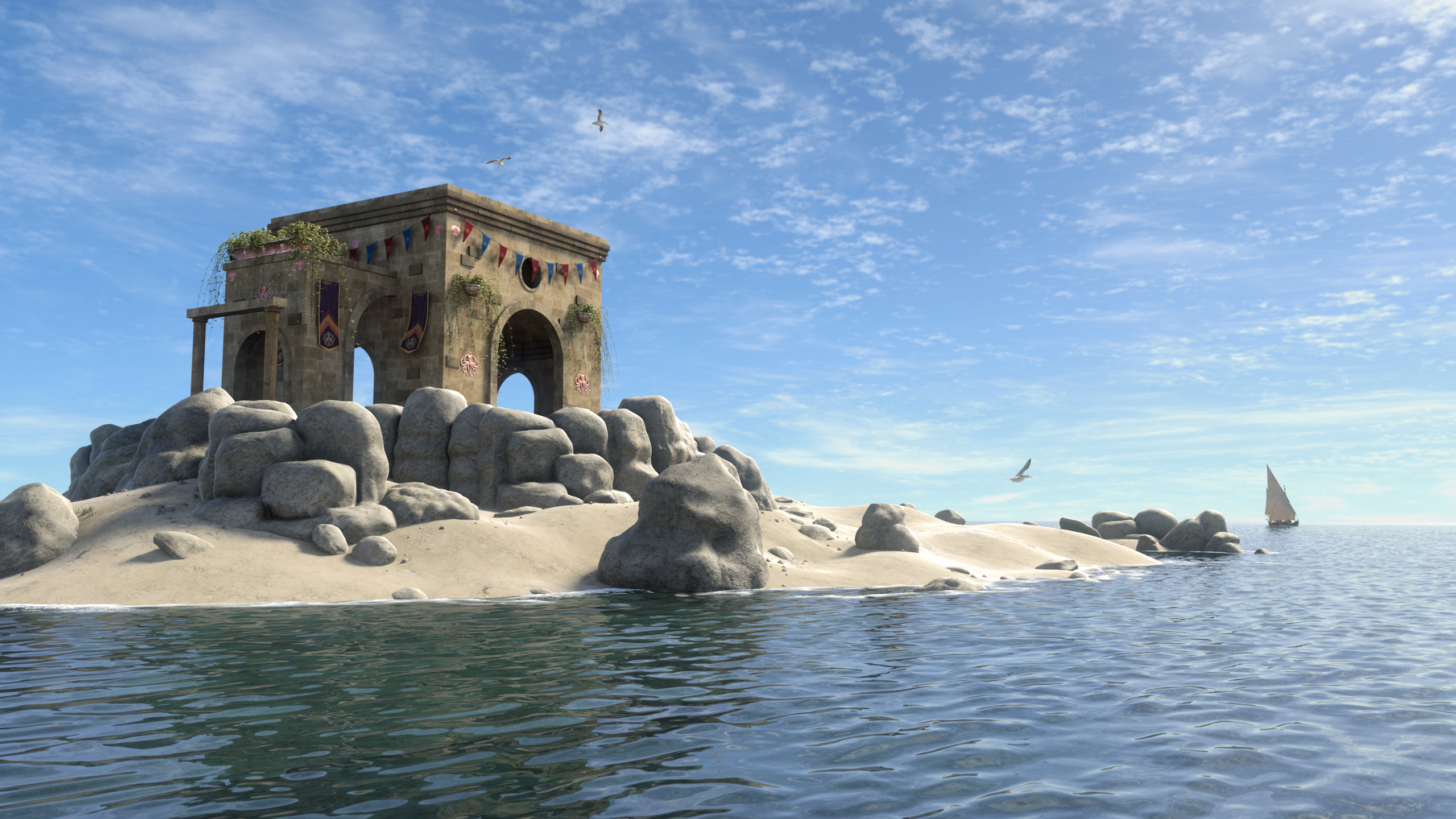
Only thing you need to make convincing water in 3DL is a shader with freznel, (OmUberSurface, AoA SSS, aweSurface), some knowledge of IoR values, and a good displacement map. Foam could be done with a shell and a transparency map + a displacement map, or using a layered shader.
The water plane is a one division primitive. 3DL is good at using displacement.
Daz 3D is part of

Connect
DAZ Productions, Inc.
7533 S Center View Ct #4664
West Jordan, UT 84084Licensing Agreement | Terms of Service | Privacy Policy | EULA
© 2026 Daz Productions Inc. All Rights Reserved.