-
Premier Questions
ArtAngel said:
Here's a bit of transparency for you. If any of you guys own ManFriday tools you already have the tools at your disposal for free. She seems to be the only one so far who has opted to transfer the plug-ins we bought to be part of Premier. Will edit this in a jiffy. Gotta go do a roundup (on my offline pc) . Luckily I own them all. So let me show you how to find them ...
Except for the improved Mesh Grabber 4.
Premier Membership FAQ (Questions Only Please)
Just one-way to G9 ~maikdecker said:Elliandra said:
8. What does the "Free Legacy Content" consist of?
Does this mean, that these "weekly" freebies are from now on Premier only?
12. Will the Premier Character Converter actually convert Genesis 3 characters to Genesis 9?
- It is supposed to transfer the character shape.
Is that a transfer TO G9 only, or can G9 shapes transfered to G8/G3, too?
Premier QuestionsHere's a bit of transparency for you. If any of you guys own ManFriday tools you already have the tools at your disposal for free. She seems to be the only one so far who has opted to transfer the plug-ins we bought to be part of Premier. Will edit this in a jiffy. Gotta go do a roundup (on my offline pc) . Luckily I own them all. So let me show you how to find them ... talk about trust . . . these things do not happen overnight.
the dforce manager seems to be MF dForce Companion2 if you have it
The sculptor seems to be MF Mesh Grabber which gives you more power if you bouthr the rotations and editor morph (was a bundle) if you have it
Pose Converter try MF Figure Converter for G9 if you have it
Render Queue just use MF RQ3.0 because after waiting forever, biting on the carrot, it got sold for use in Premier.
These plug-ins and some others, are not available in the store anymore since last week.
Shape transfer, not sure what's in Premier, but I just made a G9 from G8 wearing G3 Clothes and Kids4 hair and takes most poses, from available products, but will not post process here because if I do the products I used may vanish. Kind of like posting stacking deals and they suddenly stop . . .
We all buy content and forget we own it or cannot find it. Initially, as a newbie, I found some MF installs difficult to locate. But finding and fixing is actually very easy via DIM or manually. Forgive my 'mouse' handwriting. Assuming you have these assets here is where you can find them.
via DIM.
DIM1. Search by alpha . . . or type name in search bar of DIM.
DIM2 Install if not installed. Right click on the arrow to the right of the uninstall column.
DIM3. Click the links in popup screen to find maual guides and plugin file locations. Repeat for each plug-in.
Manual
M1. Right click the DS Icon to locate DAZ Studio filesfolder. (most people may find them in c:/Program Files/DAZ3D/DAZStudio4)
M2. Locate 2 folders, plug-ins and docs/plug-ins.
M3. Plugins houses the dll file
M4. docs/Plugins houses guide manuals etc.
Under windows open Tool Settings Pane click next to active tool and you will see a drop down of all plugins. If not displaying there go to Help> about plugins> and enter your serial# for the plug-in. Anyway these are the special tools you may already own.
Premier Membership FAQ (Questions Only Please)Elliandra said:
8. What does the "Free Legacy Content" consist of?
Does this mean, that these "weekly" freebies are from now on Premier only?
12. Will the Premier Character Converter actually convert Genesis 3 characters to Genesis 9?
- It is supposed to transfer the character shape.
Is that a transfer TO G9 only, or can G9 shapes transfered to G8/G3, too?
Limited Time Freebies Discussion Thread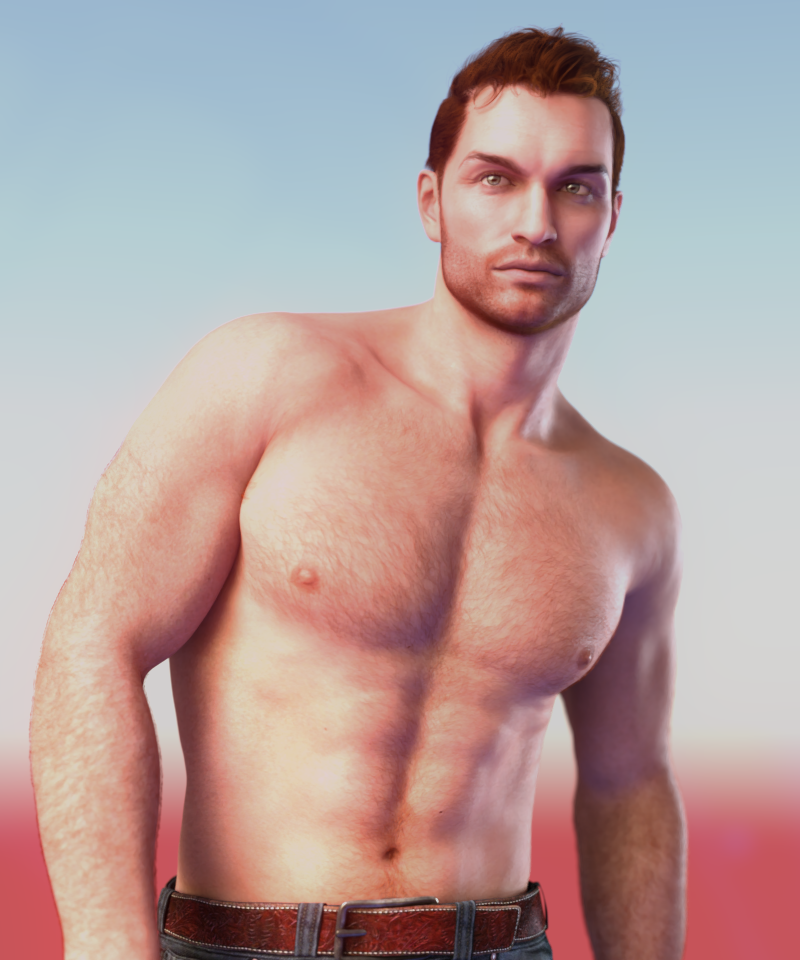
Love me a ginger; here's Jared's skin.
I set translucency to 0.6 and the colour in the translucency channel to 0.744530 / 0.284452 / 0.166872
Added body hair and additional scruff. Morph is unrelated.Premier Membership FAQ (Questions Only Please)Does the Premier Shape Transfer utility allow for G9 shapes to be transferred to G8?
Can I pay for a Premier membership for a month while maintaining the Daz+ I currently have until June of next year?
Premier Membership FAQ (Questions Only Please)Premier Membership FAQ:
Daz 3D Membership Tiers Page:
You can find an breakdown of each tier on the Membership Page
More info on Premier Membership
Daz+ to Premier Upgrade Forum Questions:
1. What happened to my Daz+ membership?
- It was a website visual glitch your membership is still there!
2. What happens to the Daz+ I've pre-paid for if I want to upgrade to Premier?
- It's a different offer for each person. We take what you paid for the membership you currently have, see how many months of Premier that equates to, then round up (so we give you a full month of Premier instead of a partial one.
- These custom/banner offers to switch from Daz+ to Premier are limited time offers.
3. Will there be Quarterly and Yearly Options for Daz+ and Premier?
- Annual Memberships have now been made available as an option. Note that purchasing an Annual Membership while another membership is active will reduce the Annual price in proportion to the amount paid for the remaining time, rather than adding a year to any remaining time.
4. What happens to my Monthly Coupons when I upgrade to Premier?
- Instead of the $6 coupons you now get $10 coupons.
- $10 off of Daz Originals (Excludes Daz+ items, Gift Cards, FastGrab, Licenses, & Memberships)
- $10 off of a $25 purchase (Excludes New Releases, Gift Cards, FastGrab, Licenses, & Memberships)
- If you have spent any of your Daz+ coupons prior to upgrading to Premier then you will still get the 2 coupons for Premier.
- Premier Coupons behave like the Daz+ coupons so all items must be in the same cart for the discount to apply.
5. Are there any membership restrictions such as specific countries or payment methods?
- Memberships can be paid for using Discover, American Express, VISA, Mastercard and Paypal.
- Store Credit is not available for use to purchase with memberships currently but may be added in the future.
6. Does Premier have its own version of Daz Studio?
- No. The Daz Studio Premier (Paid 3D Software) refers to the new plug-in tools that are exclusive to the Premier Members.
7. Will I be forced to join Premier after my current pre-paid Daz+ subscription expires?
- No. You still get to choose which level of membership you want to have.
8. If I click the 'remain Daz+' button, will my existing expiry date for my Daz+ membership still be honored? And will I NOT be billed $9.99/month until said expiry date?
- Correct.
9. If someone chooses to try out Daz Premier, perhaps taking advantage of the 'x months of Premier free' offer, but decide it's not for them and cancel Premier, will the previously existing Daz+ membership expiry date remain in force If someone then chooses to downgrads back to Daz+? I.E. if your Daz+ expiry date was say in 2025-2029, would said date still be honored as both parties, i.e. the customer and Daz 3D, have previously agreed to?
- No. By choosing to accept the offer you are essentially trading in your Daz+ months for Premier months. You will have Premier as active until its expiration date that is shown. You can choose to not auto-renew Premier, and go select Daz+ when your membership expires, but you can't trade Premier months in to get back to Daz+ months.
10. Can I subscribe for only a month? How can I cancel Premier if I don't want to keep it active?
- How long you subscribe will be up to you to decide. The way to unsubscribe should be the same with Daz+, there should be an option to cancel under your current membership tier on the Account / Membership Management page.
11. Can I pay for a Premier membership for a month while maintaining the Daz+ I currently have until June of next year?
- Only one membership can be active at a time.
General Content Questions:1. I already own 4 of the 5 plug-in that were converted to Premier Plug-ins. Will the versions I paid for be updated?
- No. The original versions of the plug-ins have been reworked and updated to intergrate into Daz Studio and the new versions are meant to be Premier Exclusive.
2. Is DAZ Studio Premier completely cross-platform with all the plugins or are Mac users missing out on something?
- MAC users have been asked to wait on downloading Daz Studio 4.23 as the new plug-ins need some more work to be used on a MAC.
3. Are PostGreSQL and Smart Content required for using the premier plug-ins?
- Since this concerns the PostGreSQL they would like to have a support ticket opened for this please.
Premier Content:
1. Do I have to be logged into Daz 3D while in Daz Studio to access my Premier Features/Content?
- You need to use the "Connect" option to log into Daz 3D to allow Daz Studio to register your Premier Plug-ins and the Premier exclusive subscription linked content.
- You do not need to remain logged once you have registered your Plug-Ins and gotten your Premier exclusive subscription linked content.
2. How exactly do I get access to Daz Studio Premier after subscribing?
- Download and install the plug-ins, use the Connect menu to get them activated and to access the subscription linked content which has to be installed through Daz Studio, which does require a metadata update.
3. Are all of the tools that are included already available on the DAZ Store? Or are they exclusive tools that the DAZ team made?
- The new geometry editor was never released in the store. Additionally, the other plugins were never released in the store in their current state. All of them have received additional integration and enhancements. The previous versions of the plugins are no longer sold in the store.
4. What are the Premier Plug-in Tools and how do I access them?
- Premier Plug-in Tools are new additions to the Daz Studio Suite of tools that are for the exclusive use of Premier Members and include the following:
- dForce Manager - Simulation Settings pane / Manage
- Geometry Sculptor - Main Menu Tools or Tool Settings Pane and Geometry Sculptor from top dropdown box
- Pose Converter - Edit / Figure / Pose
- Render Queue - Render Settings Pane under the "Queue" Tab
- Shape Transfer - Edit / Figure / Shape
5. What is the exclusive Premier Only content mentioned on the Premier page that is only available while you have an active Subscription?
- With each Character Bundle release (2-3 per month) there will be exclusive content that will be auto-added to the accounts of Premier members at that time. You can keep and use this content for as long as you have an active premier membership.
- Examples would be Aiko 9 and Dark Elf Shape for Vicky 9.
- Content that is removed due to letting a Premier subscription lapse is not guaranteed to be available on reinstating the membership at a later time.
- We currently do not plan to offer Add-on Licenses to the exclusive content. (3D Printing, Interactive etc.)
6. What are the "Free robust character bundles monthly"?
- Custom Tailored Character Bundles - https://www.daz3d.com/premier-characters this uses your Free Character Coupon on the Bundles in this section ONLY. New Bundles will be added throughout the month!
- The selection of characters that are available for use with the free bundle coupon monthly will change out constantly, but new character bundles are planned to always be included during their launch period.
- Pay for at a discount Add-on Bundles - https://www.daz3d.com/bundle-upgrades
7. What are the "new interactive tutorials"?
- There are a small set of new interactive tutorials to show you around the new premier features. This will be available shortly.
8. What does the "Free Legacy Content" consist of?
- The Free Legacy Content is the assortment of products available on the Freebie Page! This is still accessible to non-Premier Members.
9. Do I keep the assets as I do with the Daz+ ones, and lose only the add-on sofware features, should I decide to stop paying?
- Exclusive content that will release at the same time as each Character bundle, that will be free for Premier Members (even if they don't buy the bundle), but non Premier users cannot purchase it - Will only be active while your Premier membership is active.
10. How do the export options differ from the bridges? Or the scupting from Mesh Grabber?
- The current export options do not differ. The Sculpting is an entirely new version of mesh gabber with additional features which was never released in the store.
11. Will the HD Morph Creator be included in Premier Membership.
- No. This tool is exclusive to Daz PA's and only allowed to have the HD morphs released in the Daz 3D Store.
12. Will the Strand-Based Hair Tools be included in Premier Membership?
- No. This tool is exclusive to Daz PA's.
12. Will the Premier Character Converter actually convert Genesis 3 characters to Genesis 9?
- It is supposed to transfer the character shape.
13. "Export entire environment scenes directly from Daz Studio into Blender, preserving all your selected Daz props and assets for further refinement" Does this include things like dforce clothing, instancing, and strand based hair?
- This export function is geared towards Environment sets/scenes.
14. Will there be a way to purchase the Premier exclusive subscription linked content outright for Premier Members?
- No.
15. Where is Geometry Sculptor?
- After using the Connect option to log into Daz 3D and register your plug-ins
- Main Menu / Tools Menu / Geometry Sculptor
- Or from the Tool Settings Pane in the top dropdown box / Geometry Sculptor
16. How/Where do I find the "Premier Exclusive" Content?
- Added default Assets filters to footprint; Premier > Exclusive
- Added default Products filters to footprint; Premier > Exclusive
- I found an explaination of this feature from when it was added to the public build! It was originally designed to help you sort out which product had which License but the function of using it for Premier Exclusive Assets/Products has been added to it.
17. Does the Shape Transfer Tool work to transfer Genesis 9 Shapes to other figures?
- No it is Genesis 3, 8 and 8.1 Male/Female to Genesis 9 Only.
Please note this is a thread for QUESTIONS Only. Any discussions should be posted in the main Premier Questions Thread.
Premier Questionsbenniewoodell said:
crosswind said:
benniewoodell said:
crosswind said:
Imago said:
Probably someone else already asked this, but I don't have the strenght to search along the whole forum...
If I convert a figure using the Premier tool, I'm allowed to use that converted figure if I don't keep the subscription? Or it will stop working along with the plugin? A more backward compatibility is planned (namely, support for G1 and G2 F/M figures)?
The converted figures will be either saved as sub-set or DSF files... etc. then they'll have nothing to do with the converter plugin anymore, so they can always work without subscritpion.
Have you used this converter yet? If so, does it work well? I can't for the life of me get riversoft's to work right and I'd love to make the characters I have that are G8 for this film I'm doing into G9 as I have much better expression packs for G9. If it works nicely, that might persuade me to swap my seven months or whatever it is for two months of premiere to swap them all over.
Yep ! Again, this converter plugin is just the Figure Converter product from Manfriday (http://docs.daz3d.com/doku.php/public/read_me/index/90814/start). There's no big change as far as I test except for a newly-added function of Adjust Rigging in its UI (screenshot 1, which is as same as Adjust Rigging to Shape).
As expected, it works well on converting Head shape when converting G3/G8 to G9 but the issues in specific Body shape cases are still there, especially from G3 - G9. (screenshot 2) Besides, as usual, the converter won't fix the issues of eye rigging, corrective morphs, expressional distortion... yada yada. You still have to fix them yourselves.
Pls be noted, this converter just uses Fit-Suit method ( Mr. Jay Versluis showed in his tutorials ) only it nearly automates the whole workflow. If you directly use the way of Fit-Suit manually, you even can prevent the above issues from happening ~~ So, it's up to your choice anyway...
Thank you so very much for taking the time to let me know this information! I don't change anything really bodyshape wise, I usually just find a character I have that has the shape I pretty much want, I just need the head shapes to change. And good to know Jay found a way to do it manually, but at this point, I just want something automated. When I started the film I'm doing, the main character I created was G8 since 9 wasn't available at the time (it's been an off and on project haha), and I would just love to transfer him over to G9 and I can't get the Riversoft one to work right. I think this might be worth it for me to swap my remaining months for two of premiere and get this guy to G9. Thanks again!
No problem ! Pls take your time !
Best and easiest to use NAS for storing Daz content in 2024TimberWolf said:
Do you really need a NAS? By that I mean do you have multiple locations you want to access your content from? That box is $700 even before you've added the drives. That buys you a lot of USB connected storage...
You can get a 16TB clockwork drive for under $250 from Western Digital or an 8TB SSD from Sandisk for around $500. You can make those visible across your entire network and if you noticed a performance loss vs. a dedicated NAS unit I'd be amazed. I can't imagine your content extends to greater than 8TB and is more than likely considerably smaller.
Daz content is well within the range of USB drives. If you want RAID-1 redundancy buy two of them.
If you must have a NAS for reasons I haven't considered than have a look at the Synology range. We use a four bay one in our small office and they are as plug-n-play as you can get. Some NAS units can be a pain in the proverbial to get running but the smaller Synology ones are aimed at individuals who want to host their own cloud. The DS220j should suit you fine with two bays, and is less than half the price of the one you mentioned. In terms of performance, the worst performing NAS and the best performing one will differ by a few seconds at most - loading times for your models are influenced heavily by far more factors than data transfer rate.
I'd be interested to hear other people's opinion on this as well.
lol content doesn't exceed 8TB, yeah tell that to people who have been here more then 5 years
Daz Studio BETA - version 4.23.0.4! (*UPDATED*)DoctorJellybean said:
@elor if you could update (if you haven't already done so) the Beta to 4.23.0.3, and let us know if it fixed the MF seamster plugin.
I didn't see the new built but now that I installed it, Manfriday's Seamster and OBJ Companion are loading fine with it.
The first launch of Daz Studio 4.23.0.3 was a bit slow, but the second one went faster.
I did some tests with OBJ Companion (exporting an OBJ, modifiying it in Blender, and importing it back as a morph) and everything worked as they are working with Daz 4.21.0.5. Which means the bug related to window not having the correct height I reported in the plugin's commercial topic are still here, which is, I suppose, expected: as far as I can see, no update happened on these plugins.
I don't know enough about Seamster to check if everything is working as intended, but I was able to open its panel.
I don't remember if Mesh Grabber 3 loaded with the previous built, but every MG3 plugins are loaded with the current beta version and that's the extend of what I own from Manfriday's library.
I also looked at every other plugin while I was looking at the plugin panel, and all have a green icon: none of the ones I own (mainly UltraScenery and tools related to it I think) have a problem preventing them to load with the current built.
Best and easiest to use NAS for storing Daz content in 2024Do you really need a NAS? By that I mean do you have multiple locations you want to access your content from? That box is $700 even before you've added the drives. That buys you a lot of USB connected storage...
You can get a 16TB clockwork drive for under $250 from Western Digital or an 8TB SSD from Sandisk for around $500. You can make those visible across your entire network and if you noticed a performance loss vs. a dedicated NAS unit I'd be amazed. I can't imagine your content extends to greater than 8TB and is more than likely considerably smaller.
Daz content is well within the range of USB drives. If you want RAID-1 redundancy buy two of them.
If you must have a NAS for reasons I haven't considered than have a look at the Synology range. We use a four bay one in our small office and they are as plug-n-play as you can get. Some NAS units can be a pain in the proverbial to get running but the smaller Synology ones are aimed at individuals who want to host their own cloud. The DS220j should suit you fine with two bays, and is less than half the price of the one you mentioned. In terms of performance, the worst performing NAS and the best performing one will differ by a few seconds at most - loading times for your models are influenced heavily by far more factors than data transfer rate.
I'd be interested to hear other people's opinion on this as well.
Help with Geometry Editor (Weightmapping a long skirt)My apologies, I had the skirt layer hidden to show the issue better. The avatars default legs are fine but when I add the skirt (complete the transfer utility), it messes up.
When morph loader pro imports the morph of sub-d 0, the figure shrinks.To clarify: Morph Subdivision settings comes from Morph Loader Pro SubD resolution plugin which only PAs can have and use. There's ever been a version of this plugin leaked in public by whoever a PA for DS 4.6 ...
So, some people use DS 4.6 just for using this plugin to import morph with SubD, for instance, making VAM character... yada yada ~ And of course, older exporter / importer as well as the "HD plugin" have bugs ~
When morph loader pro imports the morph of sub-d 0, the figure shrinks.kypss951353 said:
I imported it back to DAZ but I don't know why the figure shrunk.
what does shrunk mean in this context. I dont think you posted a picture of your problem. You posted a picture of an ear.
morph subdivision: yes
subd mapping: facet order
What is this? Ive never seen this setting in my life.
Does anyone know how to solve the problem of morph shrinkage at the lowest subdivision level? plz
Make the morph at base res?
Sue Yee TowelThank you for all your testing :) I was a bit worried it was a rogue morph somewhere.
I think the list of shapes that don't trigger the triangulation is a little bit small, personally.
Even Minerva9 gives some slight issues. The only time I have seen this problem when crossing generations.
to me it's faulty ;)
Sue Yee TowelRight ~ so your character's body shape is the culprit. Generally speaking, vendors are not able to provided fixed FULL BODY MORPH (FBM) for each character product. It's a very commonly-seen "issue" rather than a real problem of this towel product. V9 is a popular official character, so normally vendors provide fixed FBM for it on the wearables ~~ That's why the towel on V9 looks good.
I use another character Lady Goo, you can see the same distortion there (screenshot 1), which means Lady Goo's FBM on the towel needs to be fixed.
A couple of simple ways for fixing it :
1) increase value in Smoothing Interations (screenshot 2); (you can further export the smoothed mesh to OBJ, and import it to update FBM on the towel)
2) fix in external applications (e.g. Blender ), then import the fixed OBJ to update FBM on the towel. (screenshot 3)
Premier Questionscrosswind said:
benniewoodell said:
crosswind said:
Imago said:
Probably someone else already asked this, but I don't have the strenght to search along the whole forum...
If I convert a figure using the Premier tool, I'm allowed to use that converted figure if I don't keep the subscription? Or it will stop working along with the plugin? A more backward compatibility is planned (namely, support for G1 and G2 F/M figures)?
The converted figures will be either saved as sub-set or DSF files... etc. then they'll have nothing to do with the converter plugin anymore, so they can always work without subscritpion.
Have you used this converter yet? If so, does it work well? I can't for the life of me get riversoft's to work right and I'd love to make the characters I have that are G8 for this film I'm doing into G9 as I have much better expression packs for G9. If it works nicely, that might persuade me to swap my seven months or whatever it is for two months of premiere to swap them all over.
Yep ! Again, this converter plugin is just the Figure Converter product from Manfriday (http://docs.daz3d.com/doku.php/public/read_me/index/90814/start). There's no big change as far as I test except for a newly-added function of Adjust Rigging in its UI (screenshot 1, which is as same as Adjust Rigging to Shape).
As expected, it works well on converting Head shape when converting G3/G8 to G9 but the issues in specific Body shape cases are still there, especially from G3 - G9. (screenshot 2) Besides, as usual, the converter won't fix the issues of eye rigging, corrective morphs, expressional distortion... yada yada. You still have to fix them yourselves.
Pls be noted, this converter just uses Fit-Suit method ( Mr. Jay Versluis showed in his tutorials ) only it nearly automates the whole workflow. If you directly use the way of Fit-Suit manually, you even can prevent the above issues from happening ~~ So, it's up to your choice anyway...
Thank you so very much for taking the time to let me know this information! I don't change anything really bodyshape wise, I usually just find a character I have that has the shape I pretty much want, I just need the head shapes to change. And good to know Jay found a way to do it manually, but at this point, I just want something automated. When I started the film I'm doing, the main character I created was G8 since 9 wasn't available at the time (it's been an off and on project haha), and I would just love to transfer him over to G9 and I can't get the Riversoft one to work right. I think this might be worth it for me to swap my remaining months for two of premiere and get this guy to G9. Thanks again!
Daz Studio BETA - version 4.23.0.4! (*UPDATED*)Leana said:
Masterstroke said:
What exactly are the base advantages for upgrading without any subscritions?
There's a blog post about version 4.23 here: https://www.daz3d.com/blog/daz-studio-premier-and-daz-studio-4-23-updates
Thanks, I have not seen that :-)
Quote
"Easily transfer your creations to other software using Daz Studio’s enhanced exporting tools, including file > send to options for Blender and Maya in their native file formats."
So, does that mean, I can export a scene or a character to Blender in *.blend format without having a DAZ + or premier subscription??Premier QuestionsElor said:
druc said:
Now, I may be very wrong here. It was my understanding that when you morphed a character using your morph collection and saved the project/scene or scene subset, it saved the character and morph data. If you use a subscription morph and no longer have access to use that morph, then your scene would not be able to load that data. You may get an error, data file or whatever not found, or unexpected results due to that/those morphs not being available. Clarification of this would be appreciated by me at least.
If they are morphs among the exclusive Premier content (and by exclusive Premier content, I mean content non Premier members can't buy at all), once you're no longer a Premier member, yes, you'll lose access to them: any scene using a character from the same generation of these morphs will raise an error (the same way all my Genesis 9 scenes saved between the moment I got a character and the moment I asked for a refund of this character are now raising an error saying any morph related to this character are not found) and any character using these morphs will no longer look like they did with the morphs actives.
But right now, we don't know what the exclusive Premier content will be and the only content we know someone stopping their subscription lose is the various plugins Daz bought from Manfriday. We should know more before the end of the week, @Daz_Steve teased a incoming bundle, advising people to keep their bundle coupons.
Right ~ If there's any "exclusive Content" for this Premier tier only, i.e. non-Premier tiers folks have no way to buy, as well as the folks who stop subscription cannot further access the Content, I think Daz might've developed a really good way to assure these things can be solidly secured.
Still, let's keep eyes on it ~
Premier QuestionsSolar Dreamer said:
DAZ_Steve said:
Can you please clarify what, if anything, will change regarding export feature accessibility with the introduction of premier.
The DAZ blog post lists the following under the standard export features:
"Enhanced Exporting Tools for Smoother Workflows
Easily transfer your creations to other software using Daz Studio’s enhanced exporting tools, including file > send to options for Blender and Maya in their native file formats. Whether you’re refining models or working on animations, these tools streamline your creative process. Plus, you can now convert Daz rigs for Unreal Engine or Mixamo with just a few clicks, allowing you to experiment with animations in Mixamo or directly integrate characters into your Unreal projects. Additionally, Studio 4.23 allows you to export entire environment scenes directly to Blender for further refinement, so you can take your favorite Daz content with you as you create."
However, the DAZ premier info page seems to indicate that those features are premier only:
"Enhanced Exporting Tools
Experience streamlined and versatile exporting workflows in Daz Studio. With options for sending content to popular 3D software, enhanced rig conversion tools, and intuitive ways to export entire environments, your creative projects are easier to share and develop across platforms
Rig Conversion System
Convert Daz rigs for Unreal Engine, MetaHuman, or Mixamo with a click. Export your characters directly into Unreal projects or experiment with animations in Mixamo
Environment Export to Blender
Export entire environment scenes directly from Daz Studio into Blender, preserving all your selected Daz props and assets for further refinement"
Can you please clarify this discrepency? I also am a little concerned over what "With options for sending content to popular 3D software" means since as of 4.22, those options are already present without a subscription.
- Will we still have access to the export features we used to have without a premier subscription, or will those now be premier only?
- Will the enhanced export options be available for everyone, or only those with a subscription?
Currently, I'm a DAZ+ subscriber, although I will probably let that lapse when it expires because of the price increase. I would consider subscribing to premier some months when I want discounts, but not if the export options we already have are getting moved to subcription. I'm uninterested in renting plugins.
Export features with Daz to XXX Bridges are not Premier subscrition dependent. They can be also used in older DS versions. And the very same up-to-date bridge versions have been already published on daz-to-xxx github pages.
Daz 3D is part of

Connect
DAZ Productions, Inc.
7533 S Center View Ct #4664
West Jordan, UT 84084Licensing Agreement | Terms of Service | Privacy Policy | EULA
© 2026 Daz Productions Inc. All Rights Reserved.