-
CAR AND BIKE LOVERS THREAD - MARK IV

Went to the Sketchup warehouse yesterday. What I found was they are no longer giving the program away with a trial time period. What they have now is an online section that you can use for free for a time period. Then you must buy the program to continue. So, I registered for it and went through all the pages of questions only to be told in the end that my browser would not support the online thing. Now I have two browsers here, current explorer and one that came with my windows 10. You would think they would aaccept explorer since it's the most popular browser out there. Really sucked! So, I rummaged through some of my old program exe files and I found a copy of the 2017 version and I installed it. It works just fine on windows 10. But it is a trial version, so I have to download files, resave them for version 7, which I have the full pro version of, open them in it and export them as .obj files to open in Daz.
While I was there, I visited "Lowriderfreak" cars. He and Cayote have the best. He has added tons and tons of GTA cars and Mafia cars. They all look good except they are all off named cars bareing similarities to American cars. Like the 57 chevy is not a chevy it is another name and there are differences from the Chevrolet. That sucks too. Tons of them! However he still has all the American cars he did, but I have most all of them. I did find a nice copy of the 1970 Dodge Charger drag car. I converted it and brought it into Daz and when I rendered it the shadow was way off. Never had that happen before, ever. So I had to put it on an actual 'floor" here using a 90 degree bent plane. Here is what I got.
A good resource for materialsThank you - I have downloaded tons of these textures a few years back for Sketchup use but good to know I can also use them in Bryce. Maybe there are some new ones uploaded since my last visit.
 A good resource for materials
All this is very good! Except for one nuance. The larger the resolution of the texture, the more memory space you need until the Bryce crash and the more disk space is needed (but that's a trifle). Without UV-scanning it is very difficult to assign a bitmap texture to an object in Bryce. Therefore, they are presented as "for Sketchup". It is assumed that in Sketchup will be done UV-scan. Without a UV-scan in Bryce, you can assign these textures only to primitives, having pre-selected the projection method (Object Spase, Parametric, Spherical, etc.).
All this does not constitute labor, but why? If in your scene at least 10 objects with textures 4096x4096, then your scene will be difficult to save, load or crash.
Another thing is to use textures with low resolution (128x128, 256x256) and repeat them in "Edit Texture".
But it is much more interesting to create geometric textures in DTE. By the way, there is a lesson from David Brinnen that creates leather material in DTE, exactly as in the first figure.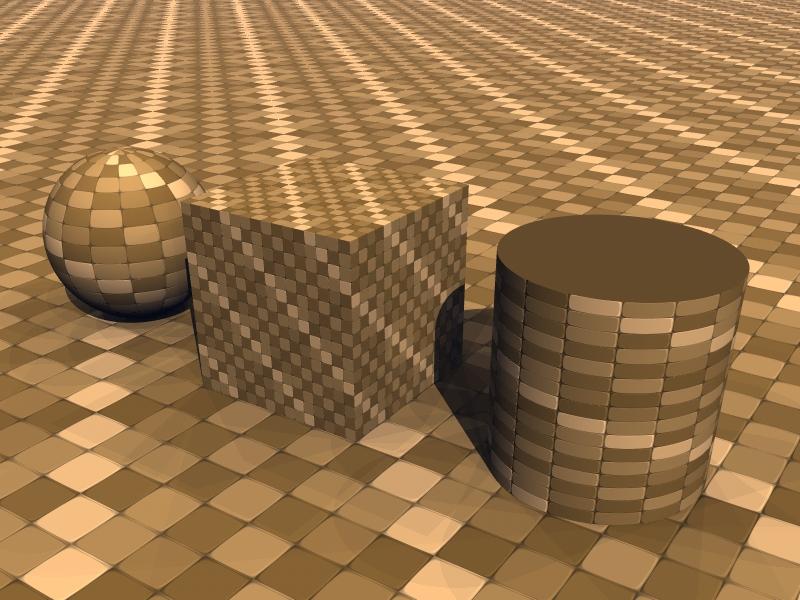
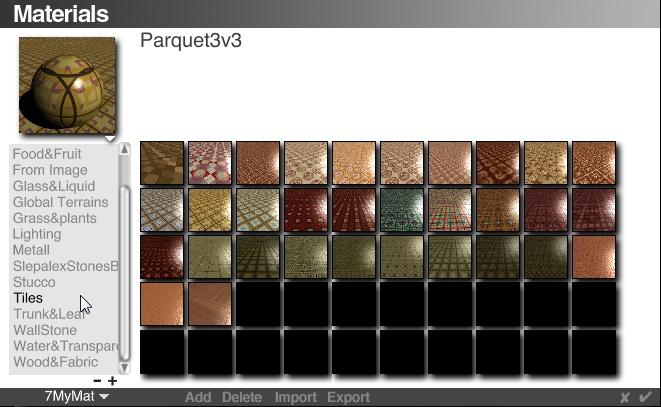 A good resource for materials
There are tons of sources for developing materials on the internet but if you don't already know about it, I've been having a lot of fun with some of the ones from this site:
https://www.sketchuptextureclub.com/textures
They are presented as "for Sketchup", but as they are only .jpg files, can easily be brought into Bryce just like any other supported picture file format.
Then with a bit of nudging and tweaking (and sometimes a little bit of work in Photoshop or other photo editing software to create better bump maps than simply creating one within Bryce from the diffuse picture) and playing around in the Mat Lab, you can get some impressive looking results. All the materials on this site are seamless and although there is an option to pay to become a member (for access to extremely high res versions), the free download versions are perfect for most uses. There are also a wide selection of sky, cloud background pictures (though not HDRI or domes) which can be used on 2D planes for good and instant skies.
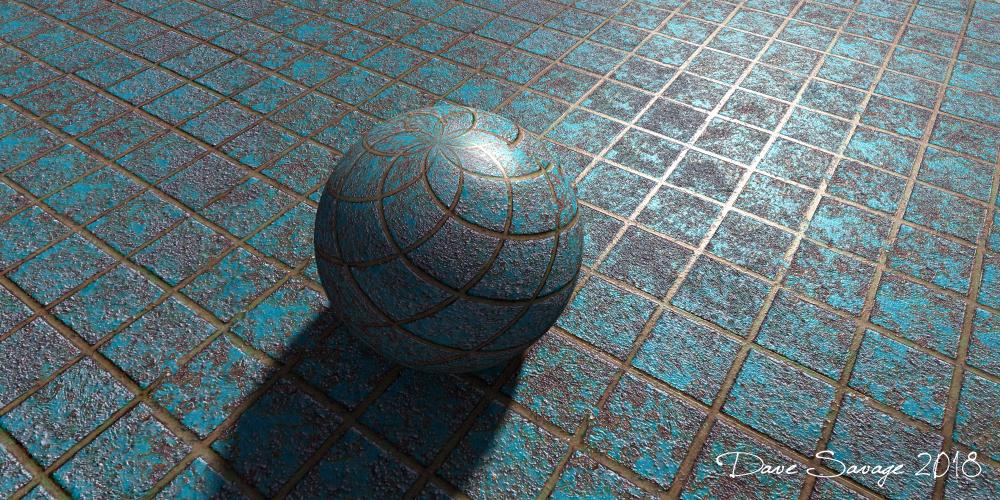
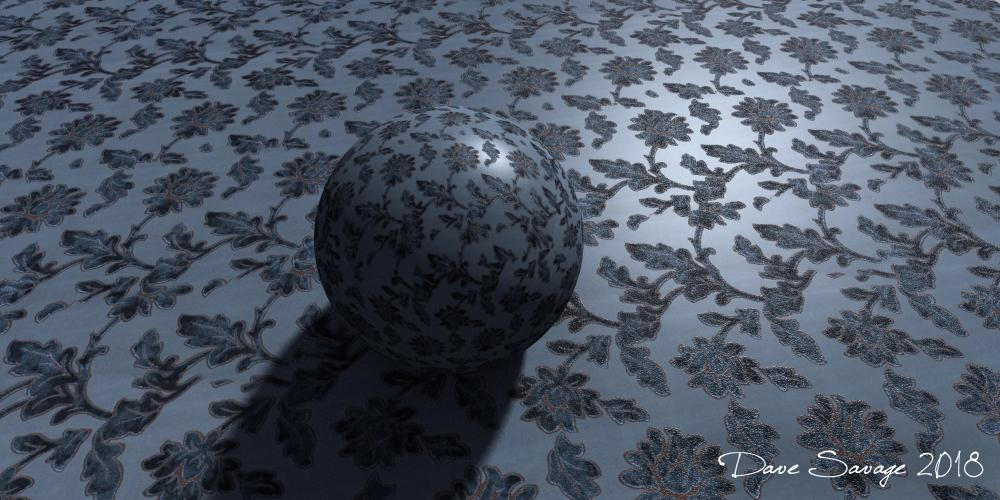
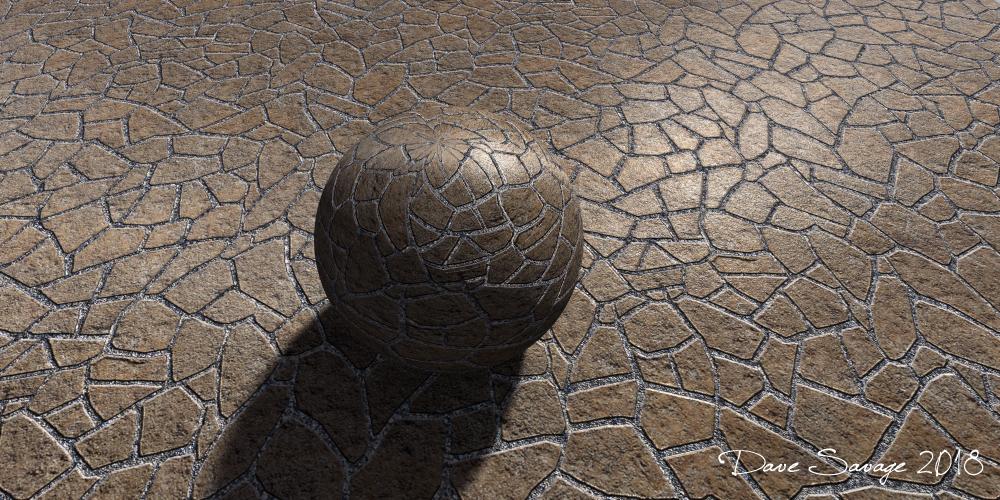
I've attached, 4 materials I have made in the last 4 hours. I can't make them available as .mat files for anyone because of the terms of the download (the original source photos are not mine to share)... But hopefully can inspire other people to develop their own.

 CAR AND BIKE LOVERS THREAD - MARK IV
Granted that Blender can be a pain at times, I've actually made very little stuff myself, and all of it in either Blender or Sketchup, but I use Blender for conversions all the time, so have gotten used to using it.
CAR AND BIKE LOVERS THREAD - MARK IVI would love to have a 66 GTO, and even the 67 models that are out there are lowsy models in many respects, I know, possibly Turbosquid has it, but they charge gold prices for their stuff, while I have a halfway decent mesh for a 55 Chevy, as we as a couple of 56's and numerous 57's, I have a great model of a 32 Ford from Nationale7 (3D Classics), how about a coupe, either 3 window or 5 window, how about the Victoria? The one car that has more hotrod appeal than any other, the Duece, nobody either makes or its not available at reasonable cost, true, while I do have a sketchup mesh for a Duece Coupe, its a chopped coupe and can't really be built up stock, I know Dan Palatnik has done some really nice Model A Fords, but there are only a couple available at Meshbox, the only other decent ones I know of are either at Turbosquid or at Humpster 3D, both way out of my price range, other more popular vehicles like the 34/35 Fords, the 36, we at least have a decent 40 Ford out there, its a GTA conversion, but its one nice mesh to be sure!
That is just a very small sampling of what I would like to have available!
This ballon dog, where can I find it?Great shaders. I have found a different dog model - also a freebie,
If one search https://3dwarehouse.sketchup.com/ for "balloon dog cachorro"...
 Spaceship Crew Room / Sci Fi Bedroom for Poser ....anyone recognize?
I have that, actually. It's a little irritating to work with, since its one of those dingdoodles where the whole set rearranges itself to preset patterns loaded a bit like poses onto a character. It also has other annoying quirks, such as wall trim that has been rendered invisible still projecting shadows onto the ceiling and stuff at least in iRay. I'm more interested in ones where I can stamp down individual sections of wall, such as Collective3D's various Create a Room packs including XPack 2 and XPack 3 and so on, which I also have. I probably will be mix and matching modules from that into my set, in fact it was what I'd already been planning to do with these, but I still want the doorways to look a little more Classic Trek-like. I did look at the sliding-doors wall modules, they're not quite what I'm looking for, but could probably work in a pinch. I MIGHT slap a resized arch-wall from pack 3 in there, then insert more featureless sliding doors into that. But I do have a slightly more futuristic image in my mind as to what I wanted the walls and stuff to look like, so... heck, I might still build the whole thing from scratch in some 3D-creation program like Sketchup, or out of prims in Open SIm (that is, the clone of Second Life) and export it as mesh.
Oddly, the look I want is kinda-sorta similar to 3-d-c's SciFi Room/Corridor Construction Set over on that other site, but that one disqualifies itself by having slapped sticky-outty bits all over the dang walls, and I want something more featurelessly-smooth than that. There are also elements in his (her?) Ship Elements B2: SciFi Apartment over there (mostly the way the walls curve ceilingward near the top, and the way the door openings are sort of cookie-cutter-punched into the walls, but the rest of it looks too Star Trek the Next Generation), but that one doesn't look like its designed to be split apart into just the walls.... so, yeah, to get what I want, I'll probably have to build it from scratch.
Very elementary hamburger sign I have tried in SketchupA hamburger sign I have tried in Sketchup by using a font as guideline. I have tried this some time back in Bryce but I couldn't ungroup the font to retexture it since it's solid. In Sketchup it worked a bit better but still not great. Can't export the textures since it's Bryce only.
Uploaded the test here: https://www.sharecg.com/v/91200/view/5/3D-Model/HAMBURGER-SIGN-NEON-TEST
Image rendered in Bryce.
IRay reflection issue - or bugI am not aware that Daz has the ability to "flip normals". It should, but I don't think it does. Nor does it attempt to "correct them", on importing.The Geometry Editor can do that, should it be needed in future - select the polygons, right-click>Geometry Editing>Flip Normals of Selected Polygons.
Awesome... But I have a lot of tiny triangles. Selecting them is a nightmare, and hard to tell which side is actually "up". If it is up, and you flip it down, now the bumps and "normal-maps", are all reflecting like holes, instead of bumps. :P
Here is what it looks like, in a BAD situation. (The "doorways" were stupidly "welded" to the floor, causing the program (sketchup), to triangulate each weld-point on the surface.) Normally I group simple structures, so they don't weld like this. It was an oversight on my part.
The floor is 100% metallic. It should look like I simply inverted the 3D-model and erased the floor. But, obviously, it doesn't look like that. My floor is a little smaller than yours, above.
IRay reflection issue - or bugNevermind, Looking at it, I think it is just camera distortion. A shader gone-wild. The reflection should be an exact inverted mirror, in 3D, of the surface it is reflecting. There should be no "distortion", unless the floor is curved. Which is what led me to say the following, below.)
Prior "guess", at a first glance of the image... (I no-longer think this, but it MAY also be this too.)
A surface normal is "flipped", it is trying to "bend the reflection" to the other side...
Someone, whoever made the model, "triangulated all faces", but didn't "fix normals", or "recalculate normals". At the point of exporting from some program, and importing it into Daz.
I get this all the time in SketchUp exports. You can't see the issue, because IRAY/DAZ draws on both sides of the triangles. Thus, the UV-Mapping is correct, but the shaders that depend on "normal-faces", like reflections and normal-maps, will fail. Resutling in the reflection trying to bend 180-degrees, on each inverted triangle that has the "normal" facing the wrong way.
That item needs to be edited back in the original program, hand-triangulated (so it retains the correct "normal"), and then exported again. (Or left as a non-triangulated, multi-sided plane.)
I am not aware that Daz has the ability to "flip normals". It should, but I don't think it does. Nor does it attempt to "correct them", on importing.
(You would need another rendering, where the reflection should normally pass the mid-point, to "test" for a flipped-normal. If it is flipped, the reflection will "scrunch", then shoot off to the right or left, in a bent arc.)
Need World Trade Center model compatible with DazThanks everyone. I saw the free one, but would like a little better quality. I also came across sketchup, but I couldn't find any option to download it to your drive, so I assumed you couldn't. How do you download it from sketch up?
You log into 3D Warehouse via web browser. Any Google account you have should give you access. Search for Manhattan. And you get a fairly OK selection that can be often downloaded directly from your web browser in OBJ format.
I have never seen an .OBJ optrion in the downloads. Only .SKP, Collada, .KMZ and now .STL
I've gotten OBJs in the past although I'm not 100% sure, maybe it was Collada. I'm sure it had a commonly portable format, so Collada or OBJ both meet tha requirement.
Need World Trade Center model compatible with DazThanks everyone. I saw the free one, but would like a little better quality. I also came across sketchup, but I couldn't find any option to download it to your drive, so I assumed you couldn't. How do you download it from sketch up?
You log into 3D Warehouse via web browser. Any Google account you have should give you access. Search for Manhattan. And you get a fairly OK selection that can be often downloaded directly from your web browser in OBJ format.
I have never seen an .OBJ optrion in the downloads. Only .SKP, Collada, .KMZ and now .STL
Need World Trade Center model compatible with DazThanks everyone. I saw the free one, but would like a little better quality. I also came across sketchup, but I couldn't find any option to download it to your drive, so I assumed you couldn't. How do you download it from sketch up?
You log into 3D Warehouse via web browser. Any Google account you have should give you access. Search for Manhattan. And you get a fairly OK selection that can be often downloaded directly from your web browser in OBJ format.
Need World Trade Center model compatible with DazThanks everyone. I saw the free one, but would like a little better quality. I also came across sketchup, but I couldn't find any option to download it to your drive, so I assumed you couldn't. How do you download it from sketch up?
Need World Trade Center model compatible with DazAlso multiple models on the Google Warehouse, whatever that is called now.
I assume you mean 3D Warehouse. They are in sketchup format (skp) and will have to be converted to obj or other compatable format for import to DAZ Studio. The quality is highly variable and almost all will require at least some work to use in DS
CAR AND BIKE LOVERS THREAD - MARK IVActually the General Lee is 69 Charger
Here are some links
https://3dwarehouse.sketchup.com/search/?backendClass=entity&q=1969 Dodge Charger
http://animium.com/2008/08/dodge-charger-r-t
https://www.3dcadbrowser.com/3dmodels.aspx?download=dodge
http://www.dmi-3d.net/dodge2.html#
Don't know what quality they are but they're free
Also some over at the R place
The 3dcadbrowser site makes you register first, it asks a lot of questions about you and your addressand phone. After you register, you go to the selection page and choose a model to download. Then it ask you what format you want. this all takes a while to do. Then after it takes you to the page to download the model, it tells you " you do not have enough credits to download this model. Please upgrade your account to get it." So, you go to the page to upgrade your account and the only thing it offers you is a pay account starting with a minimum fee of $150.00 and more even. This is just a racket to get you to pay for the models. I have seen most all of these models before on the internet for free. Some are very low poly and no quality. This kind of trickery just pisses me off. You really should take this link down. I could get no free models there and I am not paying their outrageous prices for their junk. Just a heads up!
I wasn't aware of that it just came up in a search for a free 69 charger model
CAR AND BIKE LOVERS THREAD - MARK IVActually the General Lee is 69 Charger
Here are some links
https://3dwarehouse.sketchup.com/search/?backendClass=entity&q=1969 Dodge Charger
http://animium.com/2008/08/dodge-charger-r-t
https://www.3dcadbrowser.com/3dmodels.aspx?download=dodge
http://www.dmi-3d.net/dodge2.html#
Don't know what quality they are but they're free
Also some over at the R place
The 3dcadbrowser site makes you register first, it asks a lot of questions about you and your addressand phone. After you register, you go to the selection page and choose a model to download. Then it ask you what format you want. this all takes a while to do. Then after it takes you to the page to download the model, it tells you " you do not have enough credits to download this model. Please upgrade your account to get it." So, you go to the page to upgrade your account and the only thing it offers you is a pay account starting with a minimum fee of $150.00 and more even. This is just a racket to get you to pay for the models. I have seen most all of these models before on the internet for free. Some are very low poly and no quality. This kind of trickery just pisses me off. You really should take this link down. I could get no free models there and I am not paying their outrageous prices for their junk. Just a heads up!
Looking for ... 1930's art deco building...yeah, and as I understand you now need the pay version of Sketchup to get access as well as have decent modelling skill to fix all the errors like backfacing polygons, ngons, & such.
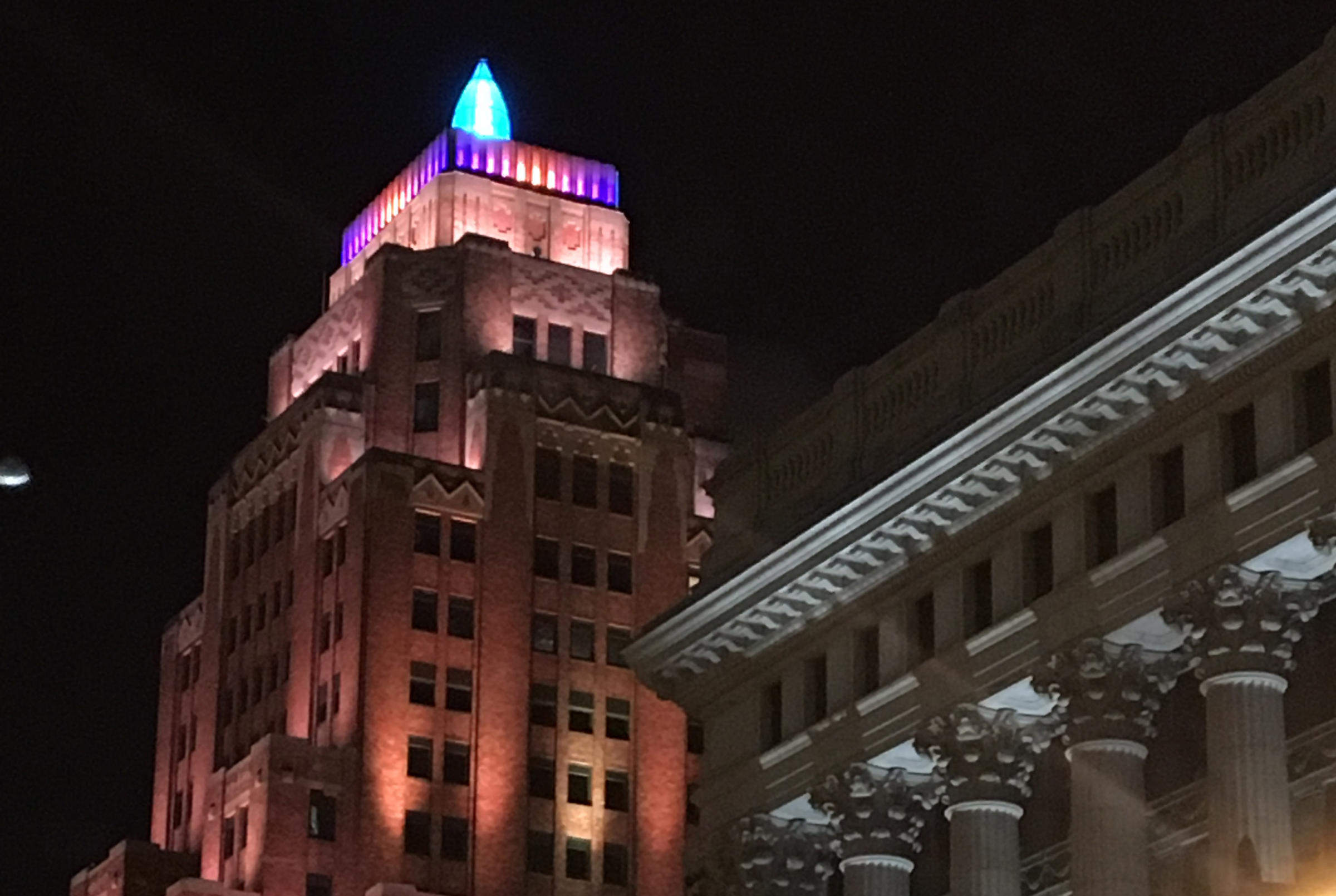
Speaking of the building form US3, having a little fun with it (WIP). The building photo I posted (Wisconsin Gas Main Offices) has a light on top shaped like a flame that lights up at night.
Beautiful stuff. Anything you can share? :)
...just how I set the lights up.
Converted the faces cupola on the top and the ridges running up to it with the Geometry editor to create new surfaces. Then simple applied a blue colour and cranked up the ambient channel. For the "beam" I used a combination of a Uber Area Tube light and a cone primitive with opacity turned down and ambient channel turned up.
For the light accents on the top section and the Deco details, simply placed AoA spotlights shining upwards (in the case of the cornices also one pointing downwards) set to a narrow beam focus (about 30% n the top portion and 20% on the cornices). Still have a few to add.
Also used the geometry editor on the "columns" running up the sides, then applied one of Eva's Urban shaders (concrete block) to them as well as changed the colour to darken them a bit for contrast.
I have since added more to the "skyline" in preparation for the next elements of the scene.
Indeed the building in Milwaukee was an inspiration. here is what the real one looks like at night.
 Looking for ... 1930's art deco building
...yeah, and as I understand you now need the pay version of Sketchup to get access as well as have decent modelling skill to fix all the errors like backfacing polygons, ngons, & such.
Speaking of the building form US3, having a little fun with it (WIP). The building photo I posted (Wisconsin Gas Main Offices) has a light on top shaped like a flame that lights up at night.
That is very cool looking!
Daz 3D is part of

Connect
DAZ Productions, Inc.
7533 S Center View Ct #4664
West Jordan, UT 84084Licensing Agreement | Terms of Service | Privacy Policy | EULA
© 2026 Daz Productions Inc. All Rights Reserved.