-
MimicMolly's Renders & WIPs
@IceDragonArt Hopefully, we get a "cute and pretty" male toon base...or that a PA releases one. Though I'd be happy with a texture-less morph. I did find a freebie (male conversion of a female morph) though I'd like a face like Guy 7's or Hiro/Kenji.
I don't know how to classify my art. But as long as it looks great, that's all that matters. :)
@amy_aimei Thank you for creating such wonderful morphs. (>w<)
Super Natural Brows (Solved)This did work but I have another question. The brows will no longer morph once imported but Is there a way to get them to follow the expression morphs built into the genesis base or will the brows always remain static? Thanks for your reply.
Edie 8I really like the look of Edie 8 and her alter-egos but I don't have any other G8 characters or morph packs or all the Zev0 stuff that I normally use with G3 to fashion my own version of characters. I see here some lovely mixes with other characters which makes me even more envious.
I would beg for a G3F version but I'm pretty sure that DAZ and the PA would not be open to that. Oh, and I have the toon generations for G3 which I bet would mix so well with an Edie G3. Ah well, never mind.
marble - I was going to ask if mixing Edie 8 with the toons would work, some of the G3 characters are compatable with G8 - or at least I thought so. I culd get real excited about that.
MimicMolly's Renders & WIPs@MimicMolly, thank you for using my morph. Your renders are really good :)
Inspired by this thread, I decided to render Amy AiMei for G8F, a freebie morph by amyaimei over at deviantart. For the sake of irony, I used Aiko 8's textures on Amy for these two renders.
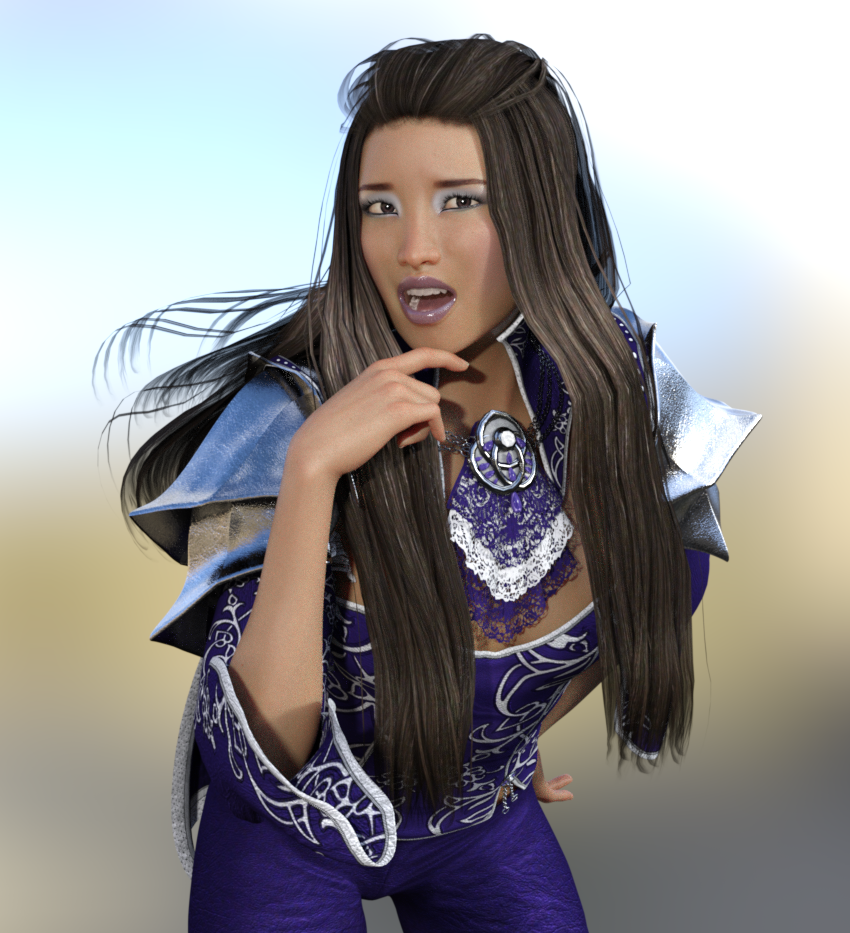
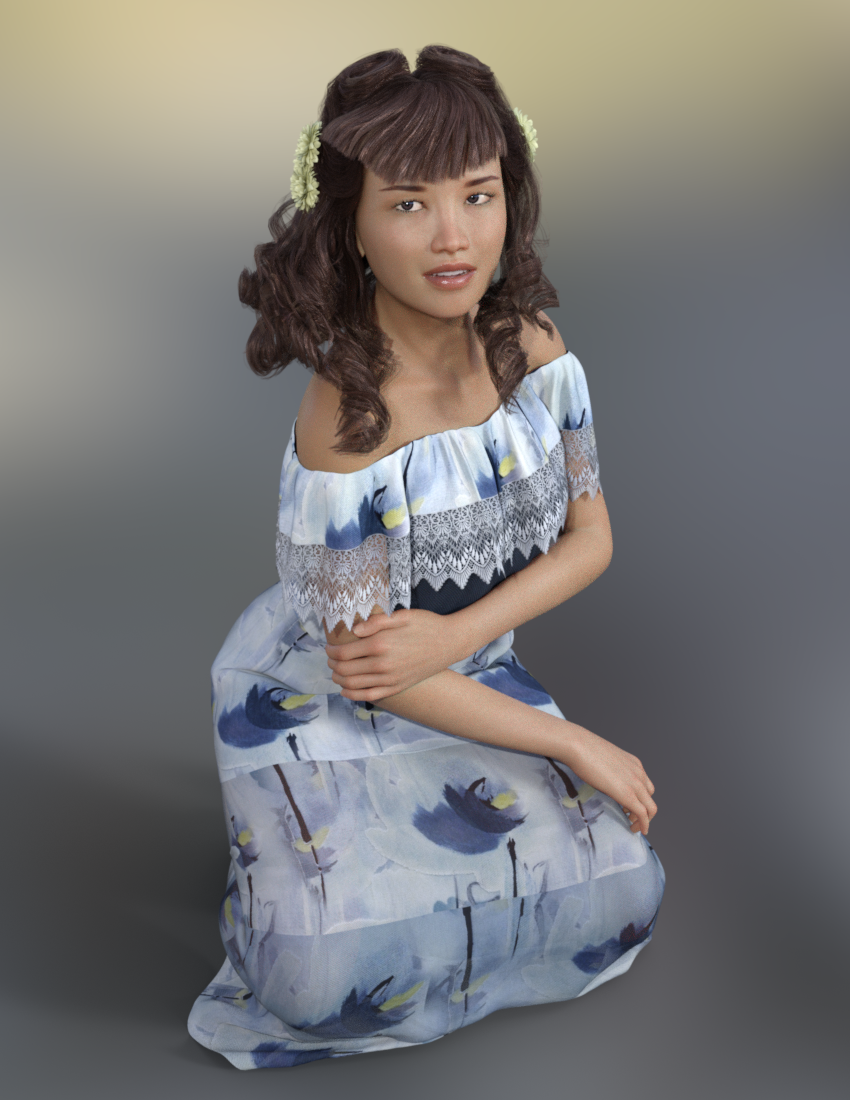
Amy has the same pose as the previous render of Pretty Base. It's from Z Sweetie Pie - Poses & Expressions for Sakura 8 and Genesis 8 Female. Reese's pose from his render is also from there. XD Unlike many other pose sets, I find these all incredibly useful for my own simple needs. The Sakura 8 Pro Bundle is great!
Genesis Questions- When I use Daz figures, I'd say that 80% of the time I use G2F and G2M, another 10% of the time I use Genesis 1, probably 5% for V4/M4 and earlier, and 5% Genesis 3 and later.
- I regularly use V4 and M4 content with all generations. If I want to use V4/M4 content with V3/M3 or earlier, I use Poser's Wardobe Wizard to convert. I also use Wardrobe Wizard to convert Poser conetent to V4/M4 to be adapted again to another gneration.
- If I want to use V4/M4 content with Genesis 1 or later, I use Daz Studio to convert. Daz Studio's transfer utility can be used to convert content designed for V4/M4 to genesis, and then from genesis to Genesis 2, and then from... all the way up the line. Then save the result out as a scene subset or a wearable preset. Then use in Carrara.
I use the entire range from V4/M4 to G8F/M, Misty's G3F/G3M and G8F/M require a bit of additional work. Again like Diomede I use Daz Studio as a plugin for clothing and conversions.
Classic Long Hair with dForce Simulation Time?Spent a good 4 hours playing around with the hair. It’s a learning curve. I’ve only just started using dForce. I use zbrush a lot to get hair to drape better. The early results are good.
Linday includes tutorial videos which are helpful. I have a 1080ti so it simulates pretty quickly. 4-6 minutes each.
The hair does have morphs, but not the traditional wind or movement morphs. I’ve created a few shaping morphs to help my simulations. The included tut vids can guide people if they don’t know how to create a morph.
Classic Long Hair with dForce Simulation Time?Is there a morph to shorten the hair to ear or at least shoulder length? If not @Linday could you add?
Why no G3 support?
The shape of the two are very very similar, especially around the crown and scalp. Just use Fit to > unsupported. If there are bones you want to keep, parent to head or change scene identification.
Zbrush import to DazFirst i export the full figure at base mesh to Zbrush. Next i use Zmodeler to add more mesh in model. Then, i bring it back to Daz by using GoZ.
Two different approaches
1. You are trying to create a morph. You send the lowest resolution mesh to zbrush. While mesh is there you cannot add or subtract to the mesh, this changes the entire
mesh, so that when you send back to daz it sees a new object and adds it. The new object will have the default texture.
It look like, in your scrren print. the original is there but so is the new one (ear).
Look in scene and see how many figures in the scene
2 Second approach you are using the original figure to createt a new one. In this case all uv mapping in the original is now basically wothless
Photoshop BridgeYou only need to install the Photoshop bridge if you have a copy of photoshop installed on your computer. It is an app that lets you transfer from one program to the other easily,
Classic Long Hair with dForce Simulation Time?That's what I love about Kinsley Hair. The hair has dforce, but it also has tons of bones and morphs so you do not have to use dforce every time. If Classic Long Hair had some morphs or bones or anything, it would be an instant buy. I am dying for some nice simple hair like this! I swear most of the hair released now is something crazy novelty like weirdness for fairies. I just want straight hair that can both morph and dforce as needed.
One problem with dforce is what happens if you have everything dforce??? It is now possible to have all the clothing dforce, and now the hair, for multiple figures in a scene. This is where depending fully on dforce can backfire, because simulating all that stuff at once would blow up my GPU. Dforce has locked up my entire PC a few times, and that is not fun, not to mention how many time it has crashed Daz. Its great when it works, but when it doesn't, it is extremely frustrating.
Speaking of witches blowing up stuff.

That's dforce in a nutshell for me. It blows up every time, at least 50% of the time. <.<
You can temporarily freeze the dForce simulation, so allowing you to do the scene in related groups.
How can I convert texture maps from V/M4 to Genesis?On the skates, don't "fit to" on them, just posotion them on the feet and parent to the foot. Should work fine is the pose isn't to extreme.
Well that's an idea but I dont think I can separate them to pose them right unless I export them and import them as a prop. I think a morph with the corrected wheels would work well. Ive often sent things to hexagon to smooth things auto fitted to Genesis. It should work with morph loader pro.
Conversion of OBP to...If you have Bryce then load it in and then send it to Studio. Doesn't always come across well but worth a try.
I did try that, but the textures don't generally transfer, at least the time or two I tried.
I migh try it again, maybe its a setting somewhere.... I just didnt want to have to go through picking out every 'part' and texturing it...Classic Long Hair with dForce Simulation Time?That's what I love about Kinsley Hair. The hair has dforce, but it also has tons of bones and morphs so you do not have to use dforce every time. If Classic Long Hair had some morphs or bones or anything, it would be an instant buy. I am dying for some nice simple hair like this! I swear most of the hair released now is something crazy novelty like weirdness for fairies. I just want straight hair that can both morph and dforce as needed.
One problem with dforce is what happens if you have everything dforce??? It is now possible to have all the clothing dforce, and now the hair, for multiple figures in a scene. This is where depending fully on dforce can backfire, because simulating all that stuff at once would blow up my GPU. Dforce has locked up my entire PC a few times, and that is not fun, not to mention how many time it has crashed Daz. Its great when it works, but when it doesn't, it is extremely frustrating.
Speaking of witches blowing up stuff.
That's dforce in a nutshell for me. It blows up every time, at least 50% of the time. <.<
Grimaces Dial Presets for Genesis 8 & 3 (Add-on)Grimaces Dial Presets for Genesis 8 Female
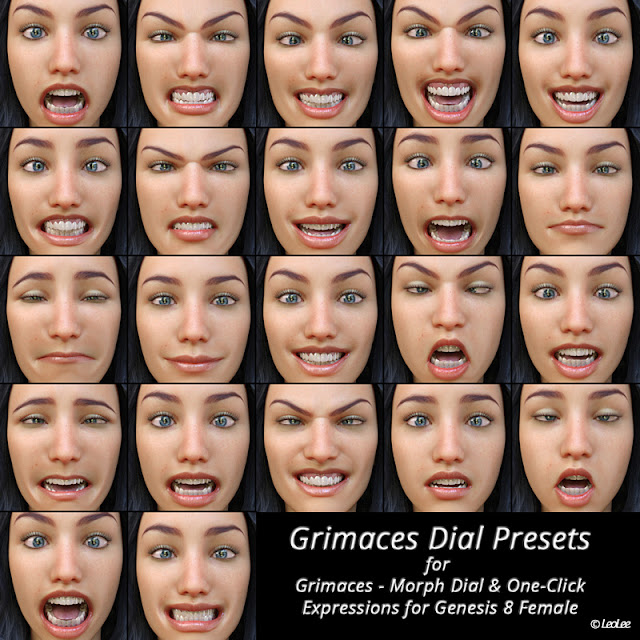
This is an add-on I made for my product Grimaces - Morph Dial & One-Click Expressions for Genesis 8 Female.
This Free Stuff includes 22 Dial Presets created mixing the morph dials expressions.
Just click on the link below.https://drive.google.com/file/d/1wC3RT66r3l8oN1uJPLn3zzPIOEH9heiW/view?usp=sharing
It will be installed at: People\Genesis 8 Female\Expressions\Grimaces\Grimaces Dial Presets
Also includes a Zero Dials preset.If you have any doubt, ask me.
Genesis Questions- When I use Daz figures, I'd say that 80% of the time I use G2F and G2M, another 10% of the time I use Genesis 1, probably 5% for V4/M4 and earlier, and 5% Genesis 3 and later.
- I regularly use V4 and M4 content with all generations. If I want to use V4/M4 content with V3/M3 or earlier, I use Poser's Wardobe Wizard to convert. I also use Wardrobe Wizard to convert Poser content to V4/M4 to be adapted again to another gneration.
- If I want to use V4/M4 content with Genesis 1 or later, I use Daz Studio to convert. Daz Studio's transfer utility can be used to convert content designed for V4/M4 to genesis, and then from genesis to Genesis 2, and then from... all the way up the line. Then save the result out as a scene subset or a wearable preset. Then use in Carrara.
EDIT: Can also go from Michael 3 to Genesis. Just use Poser Wardrobe Wizard to go from M3 to M4 (if have the preset) and the Studio M4 to Genesis. I have a set of historical uniforms and similar clothing made for Poser's Simon 7 that I convert to Michael 4 using Poser wardrobe wizard, and then to Genesis 2 Male using Studio transfer utility.
How can I convert texture maps from V/M4 to Genesis?There is no need to export Poser format figures from Studio as they will have an .obj file in the Geometries folder. The only things you need checked when importing in to Blender is Keep Vertex Order and Poly Groups. The only things you need checked when exporting from Blender is Selection Only (make sure you have V4 selected),Poly Groups, Objects as OBJ Objects and Keep Vertex Order. Use Poser scale when importing with Morphloader. Proof is this simple Conehead morph I made.
Thank you for the concern jestmart, but I decided to go genesis, and work my way up to at least 3, so I can move all my morphs over to it. 've been having lots of luck converting the clothes over to genesis, I just gotta smooth things in hexagon and figure out how to get the v4 skates https://www.daz3d.com/v4-running-shoes-pack not to warp so bad, maybe export the unchanged model and import it back in as a morph or something. I'll need them for the comic :P
On the skates, don't "fit to" on them, just posotion them on the feet and parent to the foot. Should work fine is the pose isn't to extreme.
Could a DAZ Studio app be possible?As mentioned above, my desire for a stripped-down, tablet version of D|S isn't to totally replace my desktop version (I don't think that will ever be possible). I'm interested in an app that would work in conjunction with the main program, allowing me to work on scenes and character set-ups when I don't have access to my desktop. I'd like the ability to do simple, smaller renders (to use in a web comic, for example). I'm never going to replace my copy of PhotoShop with my iPad's version of SketchBook Pro, but that doesn't mean I won't take advantage of using SketchBook on my iPad when I'm nowhere near my desktop. If I were more artistically-skilled, I'd probably just use SketchBook, Comic LIfe and Comic Draw on my iPad and forget about 3D for webcomics... but sadly, I'm not.
To try to put things in perspective, the first time I used Poser was in the summer of 1995; I was running it on a Power Macintosh 8100/80AV with 128 MB and loved it. I had to paint hair on all of my figures and it meant a lot of postwork, but it also made setting up my panels much faster and easier. Back then, Poser was being used more as a digital mannequin than for its final render quality, though that didn't mean you couldn't use the final renders "as is".
When DAZ Studio 1.0 came out (2005) I was using an iMac G4 with 1 GB memory, and the final render quality was leaps and bounds above Poser 1.0 beta. We were still running the 3rd generation figures (Victoria, Mike, Stephanie, Aiko, Hiro, David and Freak) and for the most part the figures still work well.
In 2012, DAZ created a proof-of-concept app showing Genesis posing, morphing and possibly animating on a fourth generation iPad (picts below); that was almost six years ago, and they'd cobbled something together just to show developers. I believe the iPad they were using had 1 GB RAM and a Geekbench multi-core rating of 1332.
All that said, my first generation iPad Pro (almost three years old now -- where does the time go?) has 4 GB of RAM and a Geekbench rating (multi-core) of 5081. The new iPad Pros hit 9289.
My iPad Pro is roughly three times faster with four times the RAM than the machine I was running DAZ Studio 1.0 on, and I have a hard time calculating how much faster it is than than the machine I first ran Poser on ,,, and the new iPad Pros are almost twice as fast.
Some users here have used DAZ figures inside Unity, I'd be willing to "settle" for Unity-quality renders for webcomics, if it provided access to at least some of my library (and especaily if it used a Metal-optimized OpenGL, as some people have demoed) and the abilitiy to pose and morph (as DAZ already showed was possible in 2012).
Replace my desktop? Never. Despite my home iMac being roughly 6 years old, I was still able to render a scene with 20 Genesis 3 characters out at 4096 x 3072 with four lights 12 minutes (I don't see an iPad doing that for a very long time). Would I like to set up a scene, or set up a character on a whim without running home to my desktop? You bet!
I'd like to use Toon Generations models (both generations) but would settle for being able to use Genesis (as shown in their demo). Hmmm, "DAZ Studio -- Genesis Mobile Edition" has a nice ring to it.

Looking at it another way, some users here are willing to shell out hundreds of dollars to upgrade their video cards not to make rendering their scenes possible, but to help them render faster. For me, a DAZ Studio Ultra-Lite or D|S Mobile app would let me set up scenes, create characters and develop my renders faster, and for that I'd be willing to pay as much or more than I paid when D|S first went Pro.
-- Walt Sterdan
 How can I convert texture maps from V/M4 to Genesis?
There is no need to export Poser format figures from Studio as they will have an .obj file in the Geometries folder. The only things you need checked when importing in to Blender is Keep Vertex Order and Poly Groups. The only things you need checked when exporting from Blender is Selection Only (make sure you have V4 selected),Poly Groups, Objects as OBJ Objects and Keep Vertex Order. Use Poser scale when importing with Morphloader. Proof is this simple Conehead morph I made.
Thank you for the concern jestmart, but I decided to go genesis, and work my way up to at least 3, so I can move all my morphs over to it. 've been having lots of luck converting the clothes over to genesis, I just gotta smooth things in hexagon and figure out how to get the v4 skates https://www.daz3d.com/v4-running-shoes-pack not to warp so bad, maybe export the unchanged model and import it back in as a morph or something. I'll need them for the comic :P
Diomede's Notepad, Sketchpad, and Chilling PadHaven't updated for the last ten days or so because I've been having fun modeling some toon stuff, which I often enjoy more than rendering stuff.
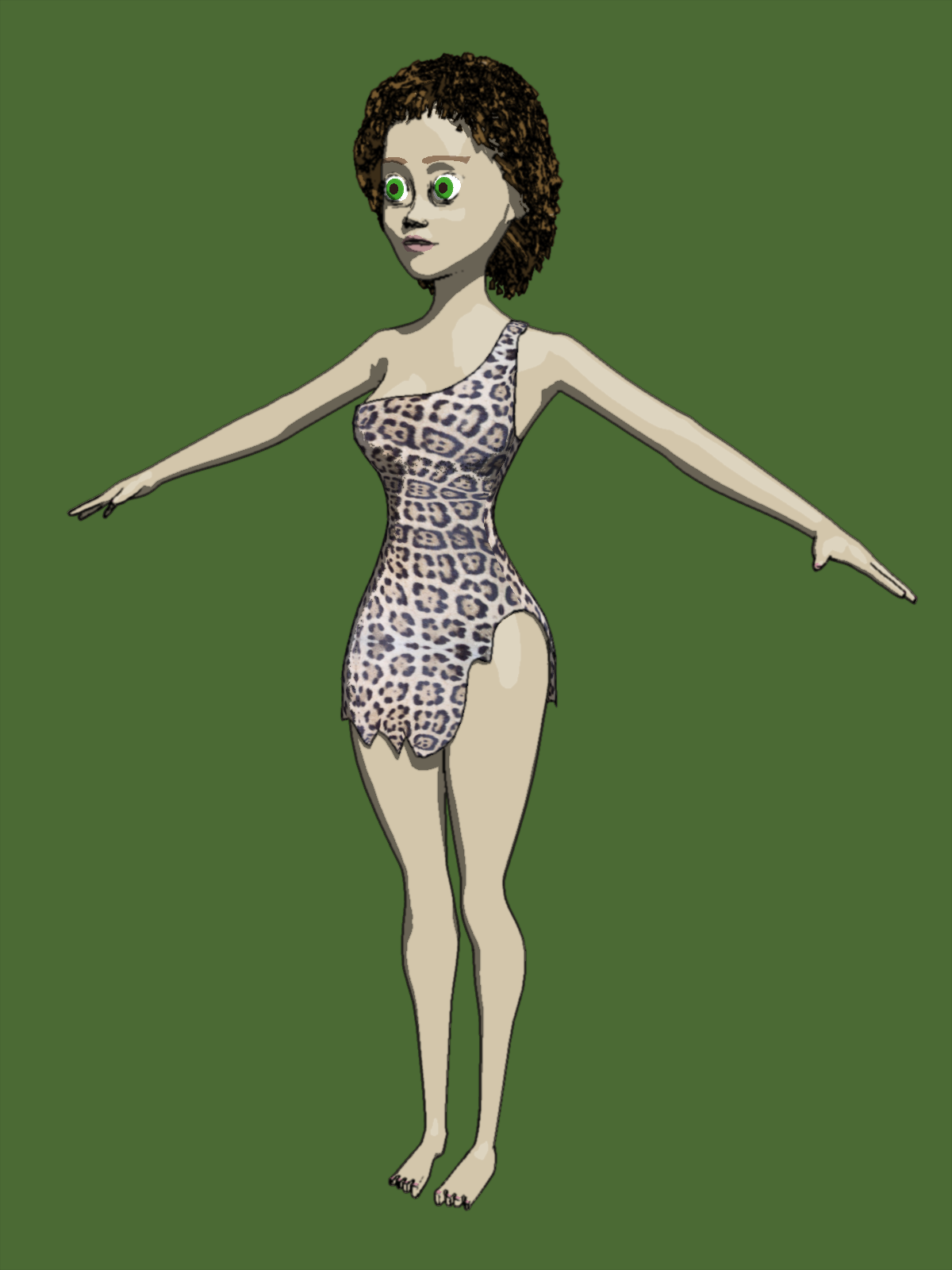
Here are some toon figures (3 fingers and toes instead of 4, big eyes, that sort of thing) I've been working on for an ambitious animation project in which a cave girl escapes a saber tooth tiger by jumping in a pond and then through time travel emerges in a modern pool.
Cavegirl, modeled in Carrara
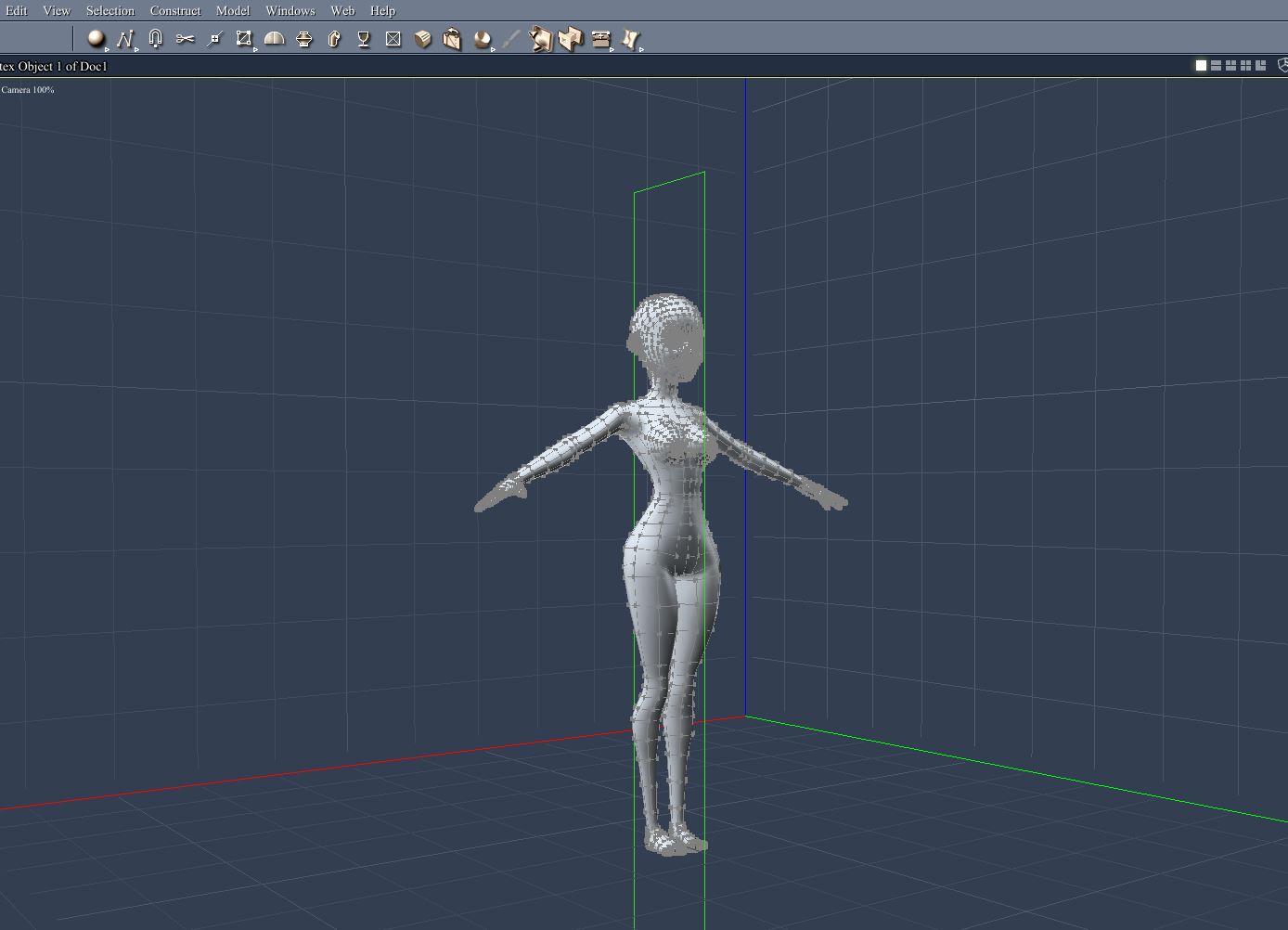
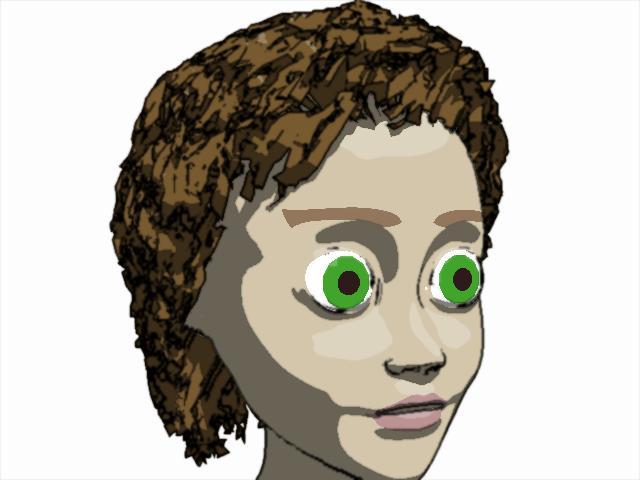
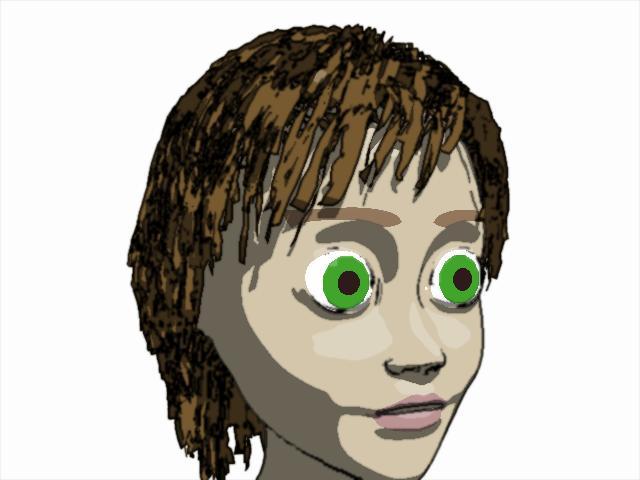
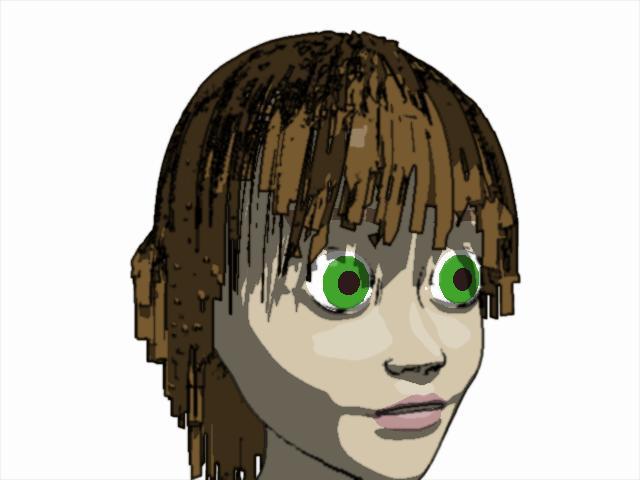
Making a morph so the hair can become wet
https://www.daz3d.com/forums/discussion/comment/3560896/#Comment_3560896
Saber Tooth Tiger
https://www.daz3d.com/forums/discussion/comment/3567136/#Comment_3567136
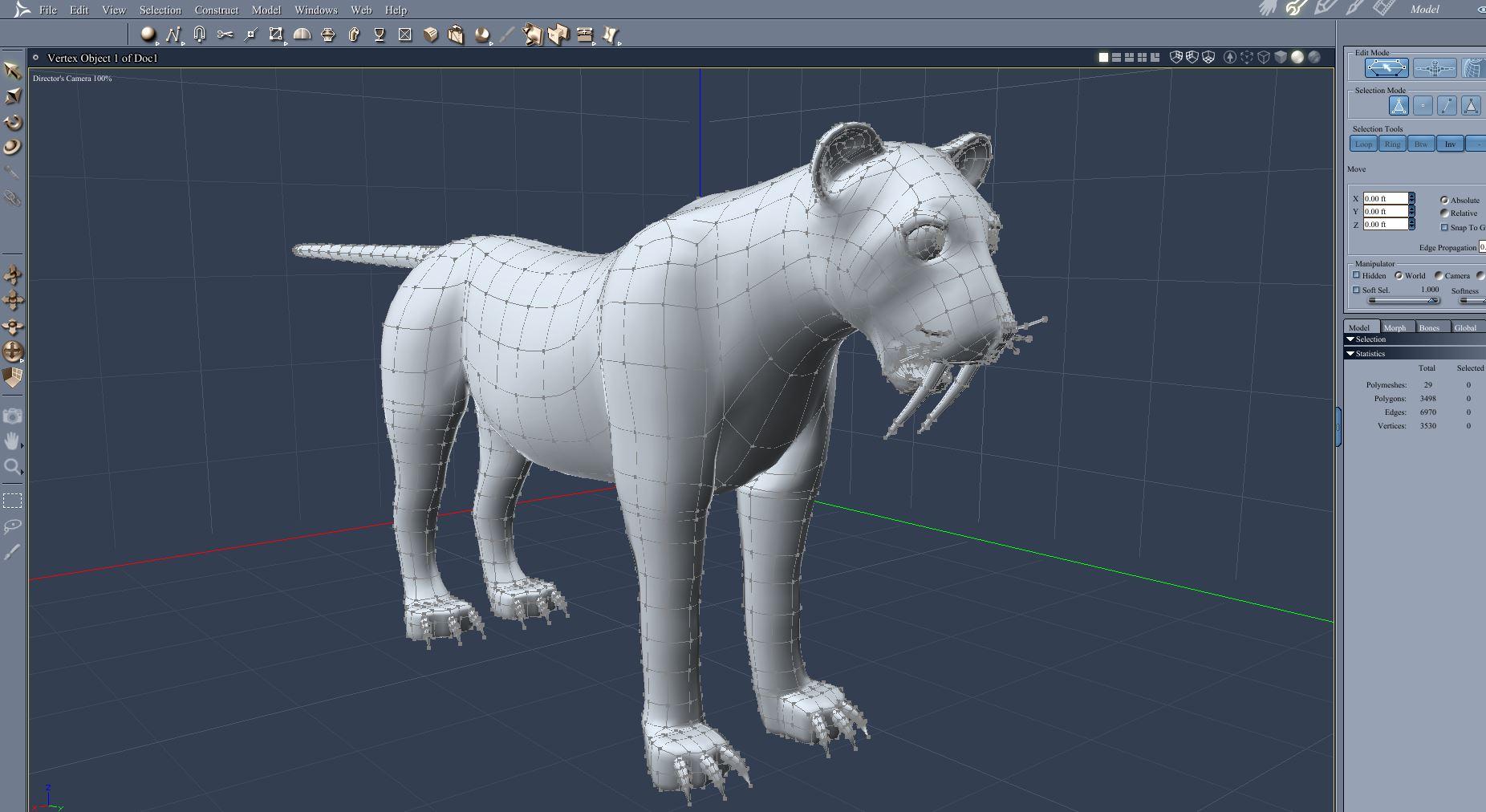
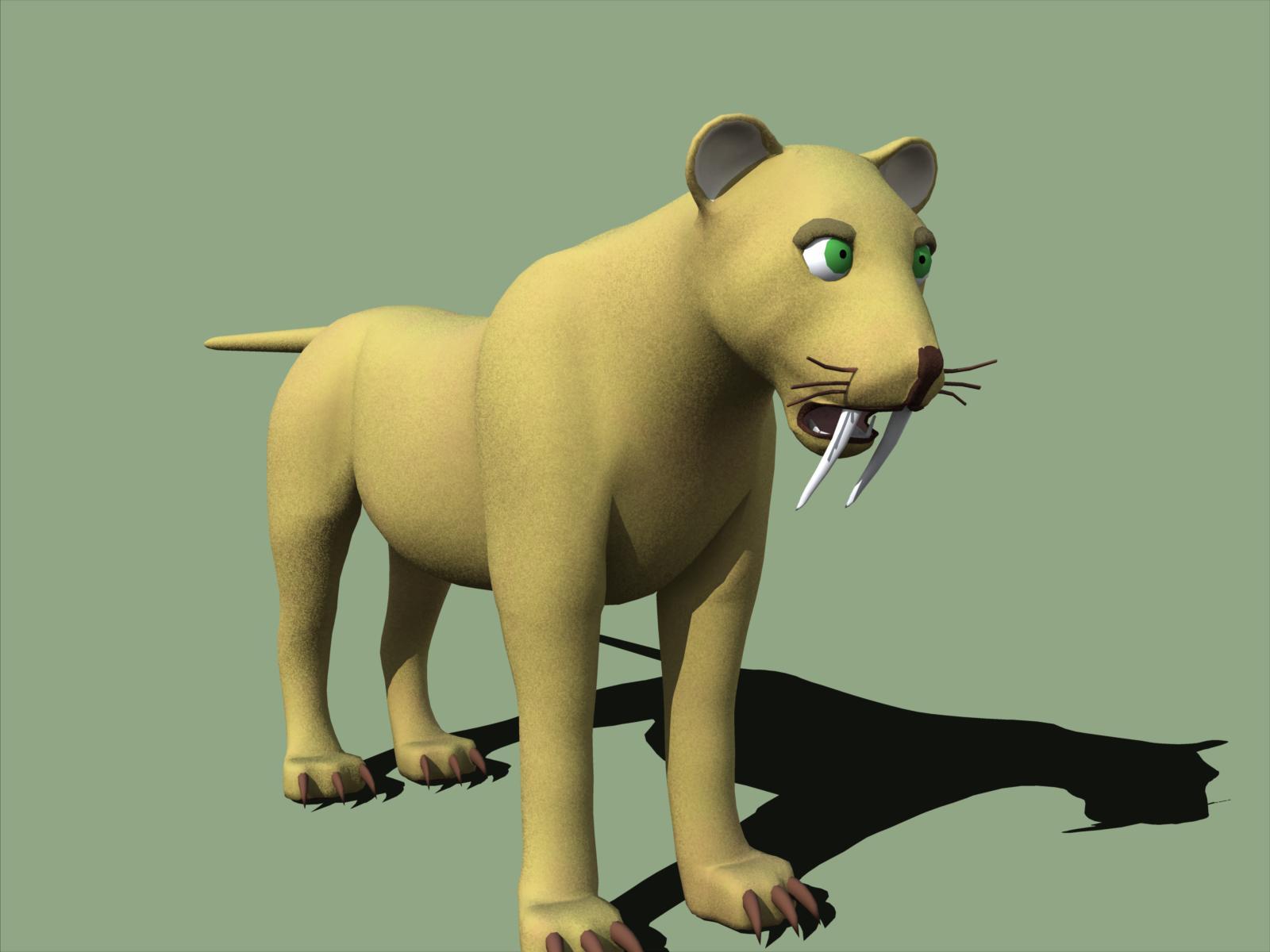 Classic Long Hair with dForce Simulation Time?There's morph which lenghtens hair aprox. 30%, because this haircut was intended as long hair. Shorter hair needs to have completely different dForce weight influence-maybe next time... Hey, you are not ignored, we were just trying to fit it on G3F...load hair, do not fit them on figure, in scene identification change preferred base to G3F and then fit. It should work. We'll be out of reach for a while now, but we'll answer all the questions ASAP.
Thank you for your answer.

Would it possible to update the the product with G3 support for a more comforable usage? As long there is nothing like GenX for transphering morphs to G8 I am stick with G3. I heared G3 support for a G8 hair should be a easy to do.

If you do an new dForce hair product I would a very intersted into a hair which is morphable from ear length (or shorter) to shoulder length. It should be fit from the styling to your current long hair product (means hair middle parting). The idea is to have hair growth on the same character from short to very long. Or maybe this could be an add on to this long hair product?Its not very difficult to convert the morphs to G8. There is a very large thread here in the commons that walks you right through it.
Daz 3D is part of

Connect
DAZ Productions, Inc.
7533 S Center View Ct #4664
West Jordan, UT 84084Licensing Agreement | Terms of Service | Privacy Policy | EULA
© 2026 Daz Productions Inc. All Rights Reserved.