-
How to get bought character to parameters
siiozz955 said:
crosswind said:
... and you should know the name of the characterthat you bought from Renderosity, have you tried filtering by that name in Parameters pane ? like what I show in the attached screenshot ~~
I tried it, but it didnt work. Seems like this character is no part of that bottom right menu.From your first screenshot, it looks like you have Real World selected. Are you sure that that's how Chantel was categorized? The product page for Chanel indicates that it has morph dials. Try selecting just People, or even Actor, and search like Crosswind suggested.
How to get bought character to parameterssiiozz955 At the Left Hand Pane in Daz Studio, there are several categories.
In there you can look whatever you want to use from Genesis (1) to Genesis 9.
Most are nested under their respective Generaration, say you are looking for Characters from Genesis 8, these should be under Genesis 8 Male or Genesis 8 Female.
The same can be done for other Genesis assests.
Also under these categories you should find Clothing, Poses and so on.
With rare circumstances where the artist place these items in a non-default category.
It happened to me recently when I bought some poses for Genesis 8, these went somewhere else, instead of Genesis 8 Female/Male entries.
Also, I did a search for the character you posted in the screencap
3DL Chantel For Genesis 9, 3D Models, By: 3DLoki
https://www.renderosity.com/marketplace/products/165234/3dl-chantel-for-genesis-9
I don't have that, maybe Godig will help you with that.
Meanwhile see the captured image.
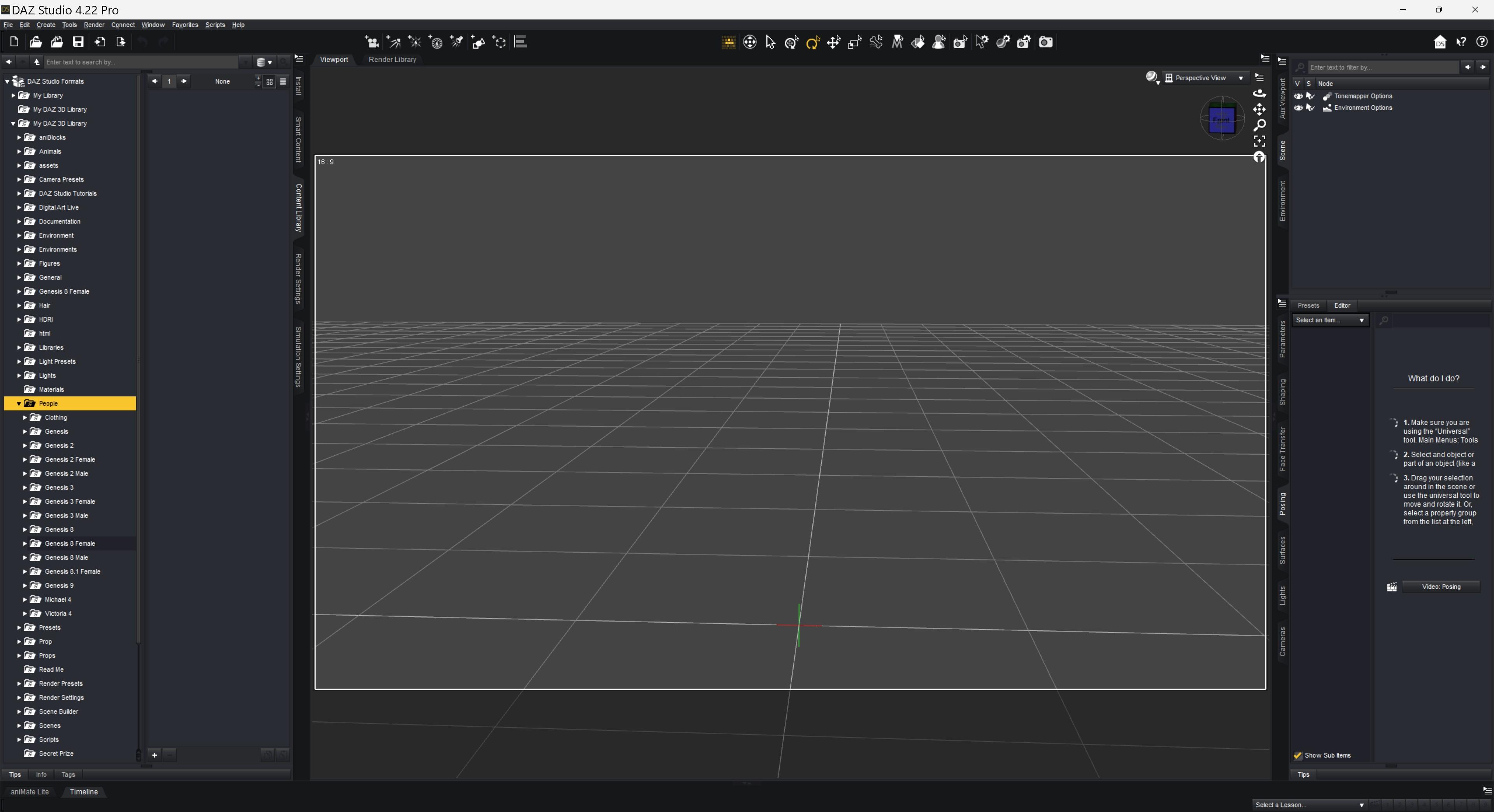
 Outfit I.D
Faeryl Womyn said:
... however I did not do a search for renderosity.
I did, and didn't find them there either. Which is unfortunate, because I like them too.
A Thread for Items with the "Editorial License"barbult said:
Richard Haseltine said:
The Public Build of Daz studio has recently gained an option to obtain the license type as a tag, which can then be used as a filter for searching.
How do we obtain that tag?If I remember right you have to connect Studio to the web ( think DazConnect) and open the filters tab and have it do a search of your product library.
I'm sure there's more to it but I've lost the bookmark for the instructions.
Anyway it was a no-go for me at the connect Studio to the web
ADVISES FOR GENESIS 3There's a thread on this forum how to transplant G9 eyeballs to G8. Can't find it right now, but the same procedure should also work for transplanting from G9 to G3.
Edit:
Found the relevant thread:
https://forum.daz3d.com/forums/discussion/599041/jeepers-creepers-i-gave-g8-g9-s-peepers
Products NOT being categorized or assignedwildbillnash said:
Crosswind, I came up with a problem for the materials. I did what you demonstrated, added the dress to my model, clicked the dress's name under the Scene tab, clicked the filter, and the materials do not show up. If I uncheck the Filter and do a search with the name, the do show up. Am I missing something? (Also, when the filter is checked, the Materials folder disappears.)
Ah, I totally didn't know you use Filter by Context. If so, that might mean no Compatibilities are given to Material Presets either...
Pls follow the screenshots 1~ 2 firstly to identify if Compatibilities are given to the wearables and presets...
And, yes as Richard said, make sure you have Enchanted_Dress selected in Scene pane. (ss3)
Outfit I.DCrap didn't look at what version the model was lol ok I'll try again.
Ok no luck, searched for G8 G8.1 and G9 and can't find those shorts, even tried a google search, however I did not do a search for renderosity.
Products NOT being categorized or assignedwildbillnash said:
Crosswind, I came up with a problem for the materials. I did what you demonstrated, added the dress to my model, clicked the dress's name under the Scene tab, clicked the filter, and the materials do not show up. If I uncheck the Filter and do a search with the name, the do show up. Am I missing something? (Also, when the filter is checked, the Materials folder disappears.)
What was selected at the time?
Products NOT being categorized or assignedCrosswind, I came up with a problem for the materials. I did what you demonstrated, added the dress to my model, clicked the dress's name under the Scene tab, clicked the filter, and the materials do not show up. If I uncheck the Filter and do a search with the name, the do show up. Am I missing something? (Also, when the filter is checked, the Materials folder disappears.)
The Mac FAQIf I want to find a forum on a particular product, in, for example, the Commercial Products list of forums, is there a way to search for it other than just scrolling through the lists?
FREE matched pair fighting motions GENESIS 8FREE!!! for everyone:
https://drive.google.com/file/d/17dbeDsgE6sgzRQPRnQS-2tYy6s-4sAtk/view?usp=drive_linkI have the entire Mixamo library in an offline archive in FBX and Reallusion “imotion” format
This is a FREE MIXAMO animation retargeted to G8 with Reallusion Iclone
if you need use it on G9 there is a thread here in the freebie forum for an excellent script from renderosity that works great!!
https://www.daz3d.com/forums/discussion/605941/genesis-1-2-3-8-9-to-genesis-3-8-9-pose-converter-updated-2023-04-28#latestSave Money!!!
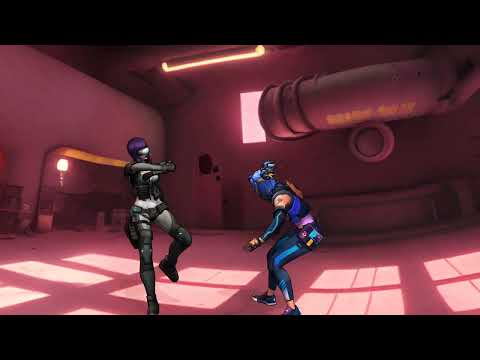 Camera Focus, Width, Length, Distance and F/Stop For This shot?
n.aspros123 said:
crosswind said:
Things should be... actually more or less are like these, in Daz forum:
- We give ideas / solutions / advices, as well as tutorials with screenshots, yada yada ~~ Then OPs may go for checking / impelmenting / experimenting what we've proposed if they'd like to.
- In some cases, especially for complex trouble-shooting rather than heping with making / tweaking Scenes, we may intentionally ask for the Scenes from OPs. If OPs are willing to provide the scenes (user-facing files only !), we may get the Scene files,
- As Fishtales said, people can only send user-facing files (DUF ) and delta DSF files... so sending all other types of files as well as "derivatives"... are agains License Agreement / TOS.
- Then for trouble-shooting purpose only, when we open a Scene file, if we find no error message of missing assets, that'll be a lucky thing which'll help with find out cause of issues / culprits. But even if we don't own some products / assets, we might still have chance to get job done ...
- We usually don't buy the missing assets for trouble-shooting and don't need financial support either. But I have to admit that in a couple of cases, I used to get all things send by some OPs for trouble-shooting... Then I deleted the files after fixing job was done, TBH, I didn't need them at all haha ~ And some of my PA friends post me products for testing, that is another story... we have rules.So, in general, pls keep things simple and rightful ~~
My bad then. I'll own it. Was just trying to assist both of you. I'm still learning the rules of this forum.
So send just the Duf file?
@crosswind You previously helped me with the Jill "bump" issue and adjusting the Battle Suit. Do you remember what I sent to you in the PM?
Yes, because I decided to give you an online support, so that was our deal which fell in the cases as I mentioned above. Others might not think and do so. And I myself are not able to do so in all cases... for all OPs. You know what I mean ?
Be good to see yours and @Fishtales examples of light and camera placement, that's all. I sort of understand but get a little confused.
When I have time I'll have a go at placing another rear light for Jilleon. Use DOF. Drop all spotlight lumen levels a tad and see if I get a thumbs up?
@crosswind An all dark will cause the printing to a poster to be dark as heck when it's printed. That's going off the renders from the apartment created before.
That may require more techniques but I've had no idea so far as I've never printed big posters.
 I just render.Prestige Office Furniture Addons No Positional Preset Files
Aabacus said:
I recreated it. It's about 95%. I didn't have time for the cameras. Maybe one of you fine folks can do that part!
Thank you for the awesome work.
 Camera Focus, Width, Length, Distance and F/Stop For This shot?
crosswind said:
Things should be... actually more or less are like these, in Daz forum:
- We give ideas / solutions / advices, as well as tutorials with screenshots, yada yada ~~ Then OPs may go for checking / impelmenting / experimenting what we've proposed if they'd like to.
- In some cases, especially for complex trouble-shooting rather than heping with making / tweaking Scenes, we may intentionally ask for the Scenes from OPs. If OPs are willing to provide the scenes (user-facing files only !), we may get the Scene files,
- As Fishtales said, people can only send user-facing files (DUF ) and delta DSF files... so sending all other types of files as well as "derivatives"... are agains License Agreement / TOS.
- Then for trouble-shooting purpose only, when we open a Scene file, if we find no error message of missing assets, that'll be a lucky thing which'll help with find out cause of issues / culprits. But even if we don't own some products / assets, we might still have chance to get job done ...
- We usually don't buy the missing assets for trouble-shooting and don't need financial support either. But I have to admit that in a couple of cases, I used to get all things send by some OPs for trouble-shooting... Then I deleted the files after fixing job was done, TBH, I didn't need them at all haha ~ And some of my PA friends post me products for testing, that is another story... we have rules.So, in general, pls keep things simple and rightful ~~
My bad then. I'll own it. Was just trying to assist both of you. I'm still learning the rules of this forum.
So send just the Duf file?
@crosswind You previously helped me with the Jill "bump" issue and adjusting the Battle Suit. Do you remember what I sent to you in the PM?
Be good to see yours and @Fishtales examples of light and camera placement, that's all. I sort of understand but get a little confused.
When I have time I'll have a go at placing another rear light for Jilleon. Use DOF. Drop all spotlight lumen levels a tad and see if I get a thumbs up?
@crosswind An all darkish render will cause the printing to a poster to be dark as heck when it's printed. That's going off the renders from the apartment created before.
Camera Focus, Width, Length, Distance and F/Stop For This shot?Things should be... actually more or less are like these, in Daz forum:
- We give ideas / solutions / advices, as well as tutorials with screenshots, yada yada ~~ Then OPs may go for checking / impelmenting / experimenting what we've proposed if they'd like to.
- In some cases, especially for complex trouble-shooting rather than heping with making / tweaking Scenes, we may intentionally ask for the Scenes from OPs. If OPs are willing to provide the scenes (user-facing files only !), we may get the Scene files,
- As Fishtales said, people can only send user-facing files (DUF ) and delta DSF files... so sending all other types of files as well as "derivatives"... are agains License Agreement / TOS.
- Then for trouble-shooting purpose only, when we open a Scene file, if we find no error message of missing assets, that'll be a lucky thing which'll help with find out cause of issues / culprits. But even if we don't own some products / assets, we might still have chance to get job done ...
- We usually don't buy the missing assets for trouble-shooting and don't need financial support either. But I have to admit that in a couple of cases, I used to get all things send by some OPs for trouble-shooting... Then I deleted the files after fixing job was done, TBH, I didn't need them at all haha ~ And some of my PA friends post me products for testing, that is another story... we have rules.So, in general, pls keep things simple and rightful ~~
Hello, am very new to Daz studio. I know absolutely nothing, what does this bar mean?jjoyner said:
saffowo said:
It's on the bottom right, and it only showed up rigth after I opened Daz. I've had daz studio lying around my PC before this, but just never used it. Is there a certain name for the bar? I don't know what it's counting and stuff.
Based on the color of the bar and its location, it appears to be the progress bar that Daz Studio displays as the viewport is shifting into Iray preview mode. If you close Daz Studio with the viewport in Iray mode, when you next launch Daz Studio, it automatically attempts to put the viewport in Iray mode. For an empty scene, the bar should progress and finish very rapidly. If you launch a more complexly loaded scene, it will take a while that is dependent on the scene’s contents and your system resources.
Ah! Thanks a lot. This helps. I am still trying to get the hang of Daz 3D's UI and forum posts, I genuinely don't know what I'm doing or how to reply to your comment but, I think I searched up a tutorial for it so I know where to find my threads and posts now. (I'm not entirely sure if I replied to your comment) Thanks a lot, have a good day :D
Sun-Sky render - How to see the sun and cloud placementI've watched videos, read forum posts, on and on over the past, but for whatever I cannot remember how to make the sun visible when using the sun-sky rendering mode. I know it isn't that difficult.
CAN SOMEONE PROVIDE A STEP BY STEP METHOD HOW TO SEE THE SUN, HOW TO CONTROL ITS POSITION WITH A BIT OF PRECISION, AND HOW TO PLACE IT EXACTLY WHERE YOU WANT IT.
Thank you very much. It would be so good to just have the ability to do this as needed.
OH! an off question ... is the sun within the sky dome or behind it?
The 2nd question regards VDB clouds. How far back or whatever do the clouds have to be in order to look realistic?
Rebuilding LOST Dragoness – Seeking Missing AssetsHello Daz 3D Community,
I’m reaching out for help rebuilding a beloved dragoness character named Distaute. My friend Vic originally created her using Daz 3D assets years ago, but unfortunately, the original files and his account login have been lost. I've been working hard to recreate her in Daz Studio, but I’m missing several key elements and could really use your help! :)
I've attached my best reference images of her. Her body shape varies slightly in some of them, but the main goal is to get her back in one piece as best we can.I’m very new to Daz 3D, so please forgive any knowledge gaps I might have. I’m unsure if I’m looking in the right places, but I’m eager to learn and appreciate any guidance you can offer.
Here’s what I’ve managed to gather so far:
Distaute Components:
- Body Base?: Victoria 4.2 Base
- Skin: Lizardians Xtreme | Lizardians
- Wings???: CCWings Variety Pack
Missing Components:
- Head Shape: [MISSING]
- Muscular Body + Large Feet + Large Breasts: [MISSING]
- Horns: [MISSING]
- Tail: [MISSING]
- Head Fin: [MISSING]
- Claws: [MISSING]
I’m especially looking for recommendations on specific assets or advice on how to recreate these features. If you have any tips or suggestions or know of any products that might fit these descriptions, I would greatly appreciate your help.
Distaute is a character that holds a lot of sentimental value, and I’m committed to bringing her back to life in the best way possible. Thank you so much in advance for any assistance you can provide!
Warm regards,
LizzyGlizzyHelp me remember : Monochrome materials/rendering addonBeen so long since I used it, but I remember acquiring a set of materials which created a cool monochrome/ Sin City vibe to renders. Thing is I can't remember what it was called so it is hidden in one of my runtimes. (Back in the day I used it often enough I could find anything).
Does anyone know what I mean so I can search for the name or keywords?FirstBastion's Mix and Mashin' ItUp - After the prizesWas digging around deep in the forum to find a screen for the spiral descent question and stumbled on this contest.
Daz 3D is part of

Connect
DAZ Productions, Inc.
7533 S Center View Ct #4664
West Jordan, UT 84084Licensing Agreement | Terms of Service | Privacy Policy | EULA
© 2026 Daz Productions Inc. All Rights Reserved.