-
Who might have a list of all the DAZ Originals child style clothing
Good luck. The original kids and teens weren't really named other than preschool boy etc; these ones loosely match up to the original Victoria's and Michael's. My historic downloads show first naming occuring under MillenniumKidsYoungTeens (Luke and Laura), MillenniumKidsPreschoolers (Matt and Maddie), and MillenniumBaby30 (no name). After that, names appears to linked to morphs. Insofar as matching clothing goes, I don't personally have a comprehensive list so can't help you there. I usually just look for "clues" in the product pages or links.
AI enhancement of Iray renders for more photorealismHi everyone,
I´m relative new to Daz and I´m really impressed of the possibilities und usability of this software.
I´m looking for a very high grade of realism in my renderings, because I would like to combine 3D enviroments and 3D models with real models from photoshootings.After practising Iray lighting a bit, most of my Iray 3D enviroments look acceptable now and it works combining them with real photos in Photoshop with some post production. What doesn´t work for me is combining a 3D model like Victoria 8 with a real model from a photoshooting. Most body parts of a 3D model can look very realistic, but my main problem is the face.
Is there any software that is able to add more photorealism to renders of 3D models using AI for example?
Creature WingsDo you have the Tara 2 Character? https://www.daz3d.com/tara-2-hd-for-victoria-7-victoria-8 I have not played with the character as much as I wanted yet, so I'm not sure if it has the range of movement wanted.
Regards,
Richard
in the shop there's something for sale that says "for Victoria 8"chad.demoss said:
why does the title say "for victoria 8" instead of for "genesis 8 female"?
That usually means that the character uses the Victoria 8 morph at some percentage as part of the character.
If you don't have V8 the character will look different.in the shop there's something for sale that says "for Victoria 8"They will "work" on the base Genesis figures in either case, but it might not look exactly as it does in the promos without the Victoria/Michael morphs on which they were built, unless the PA also included a version for the base figure.
in the shop there's something for sale that says "for Victoria 8"[in the shop there's something for sale that says "for Victoria 8" but] when you click on it and look at the information it says - Compatible Figures:Genesis 8 Female
I assume that means this works on the genesis 8 base female? If this is the case why does the title say "for victoria 8" instead of for "genesis 8 female"?
I see the same thing for Micheal. i just want to make sure I'm buying something that works on Genesis 8.Edited for Please put your question in the post body and the title - Daz 3D Forums
Daz Studio Iray - Rendering Hardware BenchmarkingI wonder how many iterations per light source these cards do? Quantify iterations per per unit materials surfaces types, so say have a scene that is just a 1 light with one plain surface that has applied the typical PBR skin surface of a DAZ 8.1 character, say Victoria 8.1 or Michael 8.1? Do the same with a water surface, although their isn't really one standard one but I guess the UberIRay water surface would do. And so on, for the DAZ UberIRay each of the materials. You'd want to do it in a script though. Raise the resolution to FHD. To 2K. To 4K.
AIUTO...CHI CONOSCE L’ITALIANO? PARTE TREDICIKainjy said:
Una curiosità.. che voi vi ricordite la DAZ ha mai fatto offerte interessanti in questo periodo dell'anno ?
Al momento ci sono sì gli sconti ma non sono un granchè.. tutto quello a meno di 2 € è per Michael 3 / Victoria 3.. tutta roba ormai vecchia e i classici 50/60 % che però ci sono sempre... Almeno se so che non esce nulla di interessante chiudo tutto e disattivo le notifiche fino a fine Agosto (più che le offerte giornaliere mi preoccupano i Flash Sale che durano solo 2 ore e a volte escono ad orari improbabili.. vedi questi ultimi mesi)PS avete mai controllato nella vostra pagina orders i valori
- Full Price Value:
- Current Value:
- Total Spent:
A me Full Price mi da oltre 1 milione di euro (si un milione !).. forse dovrebebro rivedere qualcosa..
Se hai comprato molta roba è normale che sia alto... ma un milione è davvero tanto! Probabilmente è il plugin DAZ-Deals che non va tanto bene, prova ad aggiornarlo.
AIUTO...CHI CONOSCE L’ITALIANO? PARTE TREDICIUna curiosità.. che voi vi ricordite la DAZ ha mai fatto offerte interessanti in questo periodo dell'anno ?
Al momento ci sono sì gli sconti ma non sono un granchè.. tutto quello a meno di 2 € è per Michael 3 / Victoria 3.. tutta roba ormai vecchia e i classici 50/60 % che però ci sono sempre... Almeno se so che non esce nulla di interessante chiudo tutto e disattivo le notifiche fino a fine Agosto (più che le offerte giornaliere mi preoccupano i Flash Sale che durano solo 2 ore e a volte escono ad orari improbabili.. vedi questi ultimi mesi)PS avete mai controllato nella vostra pagina orders i valori
- Full Price Value:
- Current Value:
- Total Spent:
A me Full Price mi da oltre 1 milione di euro (si un milione !).. forse dovrebebro rivedere qualcosa..
Japanese famous actress hair styleIn many years of using Daz Studio (going back to Victoria 2) I have never been able to get hair to look like that actress's. And I have wanted to, tied to. It either falls in unnatural bands, like the bangs of the avelyn hair above (those bangs are not like your actress example. They have 6 or seven distinct bands, not one smooth continuum.) or just an awful mess when using deforce hair. It may be entirely my fault. But all of my female characters are always having a bad hair day. I have never gotten dforce hair to look remotely real. Daz Studio and its models have achieved an extraordinarily level of realism within the last two years -- except for hair. The hair, longer hair especially, is a dead-giveaway that the image is CG. Actual humans do not have hair like that. I know it's difficult. I have no solutions. The attempts by developers are valiant and I want them to keep trying. That's how it all improves. But it is not there yet.
[Released] Anilip 2 [Commercial]cynthia1968 said:
Anyway, I wonder if it is possible to use Anilip on Victoria 3, and Michael 3 and Millennium dog + Millennium cat? What I basically would like to know is: "How do I create VISM XML files from scratch and make it work in Daz Studio?"
I do not know, how to convert Mimic to Anilip 2. But if Victoria 3/Michael 3 have viseme controls, the task to extend the Anilip2 configuration should be easy. We have some documentation in our manual. "11.5. Anilip 2 Configuration File". Just search for Victoria 4 in the configuration ".dsx" file as a template. I have no access to Victoria 3. So I am sorry, that I cannot be more specific.
[Released] Anilip 2 [Commercial]I decided to take a look at Mimic's configuration file for Victoria 3 (see attachment as plain text file). How can I implement this into dobitAnilip2. dsx?
P.s. I like the fact that there's no head movement, so I can easily apply (animated) poses :-)[Released] Anilip 2 [Commercial]Hi. I just bought Anilip and I like the fact it's compatible with all genesis figures! It's easy to setup and then re-open it in Carrara Pro 8.5 to render it (genesis 1 and genesis 2). Genesis 3, and Genesis 8.x don't work in Carrara :-(. I whish that Daz would create an update so I can enjoy working with G3 and up.
After all: Carrara is a full 3D application, great for modeling, animation and even VFX!
Anyway, I wonder if it is possible to use Anilip on Victoria 3, and Michael 3 and Millennium dog + Millennium cat? What I basically would like to know is: "How do I create VISM XML files from scratch and make it work in Daz Studio?"
I also like the fact that I can use SSML tags when using text-to-speech. After enabling Cortana for text-to-speech, it's a great asset!
Don't get me wrong: I have Mimic Pro (stand alone version) for Poser, and I've Mimic Pro for Carrara so it's no biggie. But I'd like to know if I can get the same results using Anilip?
Show Us Your Iray Renders. Part VIIIOkay, I'm ready for my close-up, Mr. DeMille.
I've been experimenting with the new PBR skin shader using Genesis 3. Basically, converting Iray skins to the new PBR to see what I like and don't like in the PBR. Ultimately, the goal is to have better control over the results.
I use Victoria 8.1's PBR settings as a base to work from. (I really should look at Mousso's 8.1 PBR settings as well... unless Mousso did V8.1, then it would be duplicative. I have no idea.)
I turned down the Detail Weights, but maybe they still feel heavy. The Detail Weight maps for V8.1 fit on Genesis 3 (since both are "Base Female" (no more unique UVs)), but I still feel like some of the microdetails are heavier than I want them to be.
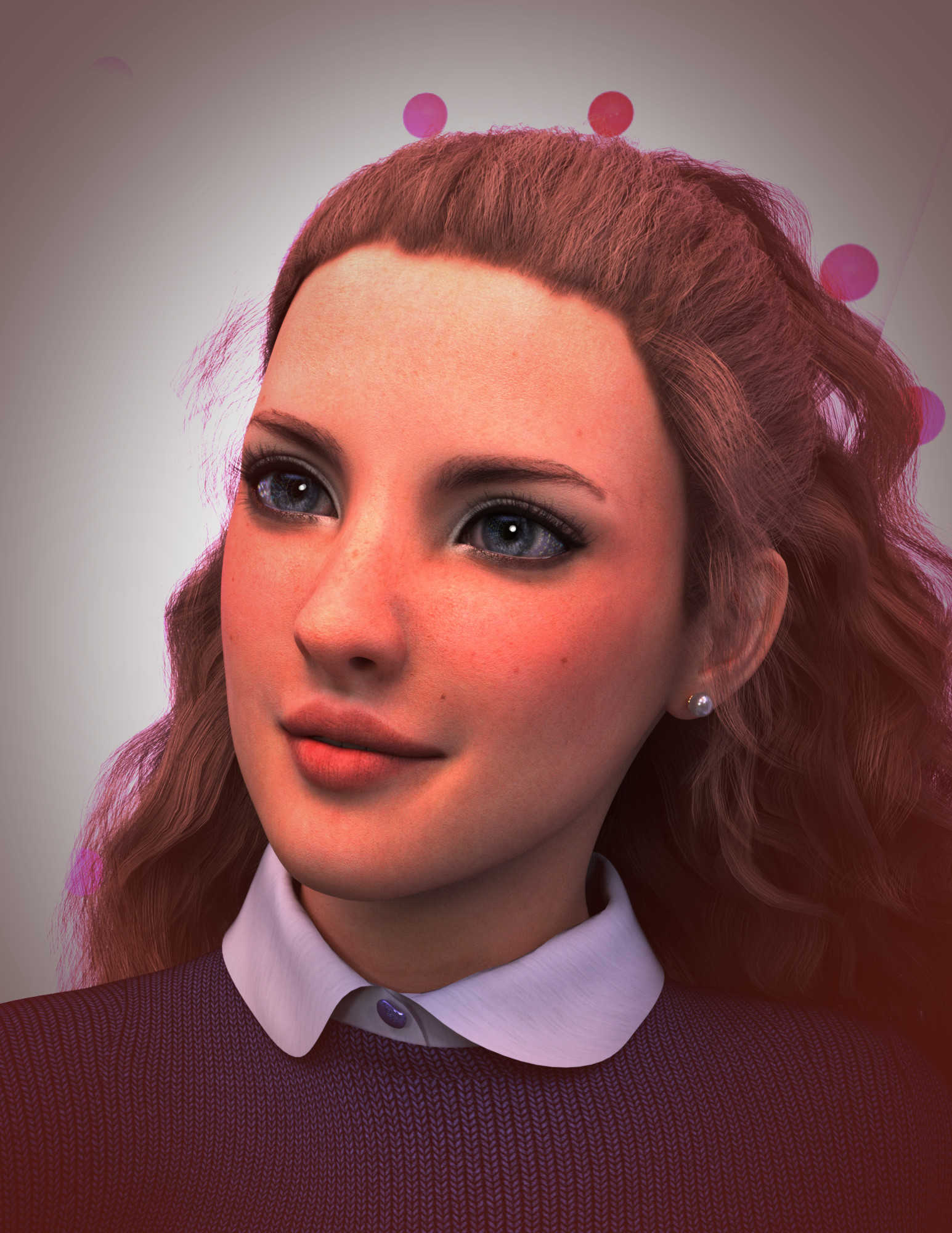 Coral 8.1 Discussion thread
Well, at first I was curious why she was released without promo pictures. Seemed like a bug.
But after seeing the actual promos, wow, they probably shouldn't have fixed this. Looks like Gen 4 era stuff. I can only hope this isn't due to the quality of the character.
Also unsure what her skin texture brings to the table that Victoria 8.1 doesn't already cover.
Quite a disappointing release, unless you were specifically looking for a mermaid character I would assume.
Age appropriate Daz Studio?
Can paint over the positions of genitals if this is a problem, like the painted on bikinis and briefs of Victoria and Michael 4.vagans said:I guess the main thing is whether you're ok with your child starting with mostly intact realistic naked forms initially.
Official Release of Carrara 8.5 **Update - 8.5.1.19**DZ_jared said:
After a lot of hard work, long nights, and even longer days by our development team we are happy to announce that Carrara 8.5 is available for purchase in the DAZ 3D store. We would like to thank all of our loyal Carrara customers for their patience and support with this project.
Carrara 8.5 Pro is priced at $285.00 for a limited time. Carrara 8.5 Standard is priced at $149.95.
Current owners of Carrara will receive a 50% discount on either product for a limited time. Platinum Club members get an additional 40% off, which means it's never been a better time to join the Platinum Club.
Carrara 8.5 Pro
Carrara 8.5 StandardIncluded in Carrara 8.5 Pro are the Michael 5 and Victoria 5 Pro Bundles and Carrara Shaders - over $250 worth of Genesis content.
Carrara 8.5 standard ships with the Michael 5 and Victoria 5 Starter Bundles and Carrara Shaders - over $140 worth of Genesis content.Here's a quick look at some of the new features:
Native DSON Importer means seamless integration of:
- TriAx™ Weight Mapped figures (Genesis, G2F, G2M)
- General Weight Mapped figures
- Legacy Parametric Figures (4th Generation and earlier)
- DSON presets
- Scenes
- Scene Subsets
- Wearable(s) Preset
- Character Preset
- Properties Preset
- Shaping Preset
- Pose Preset
- Hierarchical Material(s) Preset
- Material(s) Preset
- Shader Preset (preset must be for a Carrara shader)
- Camera(s) Preset
- Light(s) Preset
- Support for multiple UV sets (through Hierarchical Material(s) Presets and Material(s) Presets)Native AutoFit functionality means:
- Conversion of legacy parametric clothing to TriAx™ weigh mapped figures
- Automatic Morph Projection quickly gives you the fit you need for your figure's shape.
- Automatic Weight Map Projection allows AutoFit clothing to bend and pose smoothly with the figure.
- Morphs built into clothing are carried through the AutoFit process.Improved Sequencer, Keyframing and Animation Tools
- New keyboard shortcuts to:
- Play/Stop animation
- Advance the frame
- Preview a frame
- Key Frame Filters
- Sample – Creates a key at every frame of the animation.
- Smooth – Smooth out wild keys to get an even looking animation
- Reduce – Programatically determine which keys are unecessary and eliminate them.
- Graph Editor Box allows for fine tuning of animations
- Easily adjust timing
- Simple yet powerful manipulation of amplitude
- Scale, and translate key frames along the Graph Editor.
- Marquee selection of key frames for Graph Editor.Smart Content and CMS Integration
- Carrara can now access the CMS database; PostgreSQL or Valentina.
- New smart content pane allows users to browse smart content by:
- File
- Category
- Product
- File view provides selection based filtering so that the user only sees items compatible with the current instance tray selection.
- Double click and drag and drop loading are both supported in Smart Content Tab.Parameters Actions
- Zero, Memorize and Restore:
- Figure
- Figure Shape
- Figure Pose
- Selection
- Selection Shape
- Selection Pose
- Selection Tree
- Selection Tree Pose
- Selection Tree Shape
- Provides users with powerful tools to reset a pose, shape or both.
- Memorize and Restore allow user to take a snap shot of the model's current pose and/or shape and restore all or part of it.Improved Fit to Functionality
- Automatic projection and following of morphs for TriAx™ Figures
- No more relying on built in clothing morphs to fit clothing over a figure. Carrara automatically projects any morphs for a TriAx™ figure onto items conformed to the figure.Improved Viewport Avatars
- Spotlight, Sunlight, Moonlight, Tube Lights and Shape lights have all received a makeover and can easily be identified in the viewport.yay
8 year anniversary since the last Carrara update. .. seems like only yesterday

 Vanishing mouse cursor- soutions?
I brought this up a few years ago (six or seven, somewhere around then) about after complex calculations in figure body movement such as being in active pose and the mouse button sticks and grabs Victoria 8's left foot and drags it through her head to stick out her right ear- talking about putting your foot in your mouth- and the mouse arrow visibly disappears from the viewport, the panes, anywhere in the workspace, even though I can find its loation by mousing up or to one side til its location passes over a control link, such as the navigation cube or controls, or if I pass over the scene tab, highlights the assets and their dependents (i.e. figures and their limbs). I work with multiple figures in a scene and lose track of who is who in their position in the scene, which is always changes as you rotate the cam to a different angle. Back then I didn't seem to get much attention, and there were no solutions offered or told it was just a glitch in the matrix. . My best-case solution is to immediately undo the last function, Save by CNTRL+S, close Studio after saving, open Studio anew and reopen the scene. It is irritating because it breaks the continuity of workflow creativity- I may or may not remember just what I was about to move or adjust, It's like getting a phone call while reading a book, and you have to reorient yourself and find your place (while mentally cursing for not putting the phone to route automatically to voicemail). I'm curious if anyone else has other solutions (as this has happened on multiple computers running from Windows XP to 10 and everywhere in between over the last fifteen years, I CAN'T be the only one experiencing this). Thanks for any observations, workarounds or suggestions you may have.
Celebrity Look-a-Likes for 3D figures part 3chorse said:
elusiv_3763c6f5e0 said:
Actually don't know of any for Kate Moss. Although I'm sure at least a couple must exist.
I think Joss V4 for Kate Moss: https://www.daz3d.com/joss-v4
Can see that too!
Celebrity Look-a-Likes for 3D figures part 3elusiv_3763c6f5e0 said:
Actually don't know of any for Kate Moss. Although I'm sure at least a couple must exist.
I think Joss V4 for Kate Moss: https://www.daz3d.com/joss-v4
Daz 3D is part of

Connect
DAZ Productions, Inc.
7533 S Center View Ct #4664
West Jordan, UT 84084Licensing Agreement | Terms of Service | Privacy Policy | EULA
© 2026 Daz Productions Inc. All Rights Reserved.