-
Help Using Transfer Utility
For me it works best when I use a base figure (no morphs applied). Is that figure base G8F or base G3F?
It is Victoria 7. I will definitely try with the base figure now to see if it works. Thanks!
I think you need to scale the imported obj mesh to be big enough not to touch any part of the DAZ 3D model you are using as the "from" model with the transfer utility.
Help Using Transfer UtilityI think you need to scale the imported obj mesh to be big enough not to touch any part of the DAZ 3D model you are using as the "from" model with the transfer utility.
Making anime charactersthanks to you .. but first i can't find any video about how to load or import my own character to make it you know morphs or figures .. and am using zbrush and maya and am very good using them i bought zbrush about 1 year ago .. i just liked to use Daz and to import my models but i mean comon .. i know you helping me guys .. but for example where did got your knowledge about daz if i can't find enough tutorials about it .. and thanks to you sir
I'd suggest for that searchingYouTube & following their directions really on YouTube. DAZ 3D the company has there own YouTube channel with videos & some talk about what you are asking.
To summarize via quoting concise summary of directions another forum poster gave today:
"Then you do Morph Loader Pro to bring it back, and that... pretty much does it. If you are using the base dog, you don't have to do anything special. Then turn on the morph (may want to change the location in Parameters from Morph Loader to something nicer, like Actor/Breed or something), Edit mode, ERC Freeze the morph, then save the morph as a Figure/Morph asset."
- bring it back - means the OBJ file you have edited in zbush after exporting it from DAZ at subdivision 0 and editing it in zbrush or other SW. Note - you cannot change the number of faces you can only push the faces around to change there location when you create morphs.
Help Using Transfer UtilityHi, I am having some issues moving from Marvelous Designer to Daz.
When I import my MD .obj into Daz, everything looks fine (image 2), but when I run the transfer utility I get a mess. Is there anything I am missing? Which settings should I look into changing in order to have a better result.
Thanks for any help!
Does G8F animate work on G8MGood day,
I am thinking of buying some animations and am wondering how well the Gen. 8 Female animates transfer over to the Gen. 8 Male? Has anyone tried this? In particular, the martial arts, but any will do.
Thank you,
Towiel
Making anime charactersnonesuch00 thank you .. i downloaded the Anime morph .. when i apply it to genesis 3 genesis will take an anime shape right ? so then i start applying the other morph you sent so the anime shape will be fat or thin for example right ?
It will change her head shape I am sure but I think not her body. You will need to find on sharecg.com free anime body morph for Genesis 3 Female or buy the DAZ 3D products and morph them as close as you can to the body shape you want.
Also, after you install DAZ products or free products into your DAZ content library, you need to save your scene, exit DAZ Studio, open DAZ Studio, and then open your scene again to be about to see the newly install product.
Morphing Genesis 3 character into Toon Generations 2?Yes I did!
I load the Genesis 3 figure into Daz Studio. When I apply the Toon Generations figure onto the Genesis 3 figure, or respectivly the "Growing Up" Shape/morph onto the Genesis 8 figure, a dial shows up in the Shaping tab, but nothing happens when I move the dial.
Yes, that is because you have the Chest Upper bone selected - when posing it is important to have the correct bone selected but in shape you need to select the Genesis 3 Male listed in the Scene tab above the Chest Upper bone.
But that's unfortunately not always true though it is in times you want to change the shape of the entire character at once. So remember with Genesis 3 to reshape it is easiest to select the entire figure to shape. To pose, select the specific bone you want to pose.
Some older figures through, like old Poser and DAZ figures, require you to select the part of the body, eg head, that you want to change the shape of.
Making anime charactersnonesuch00 thank you .. i downloaded the Anime morph .. when i apply it to genesis 3 genesis will take an anime shape right ? so then i start applying the other morph you sent so the anime shape will be fat or thin for example right ?
Making anime charactersSee my answer to the thread you already created. However, to get the minimum of morphing you need you need to buy the morph products from DAZ 3D. Otherwise please search on shareCG.com for "DAZ anime morph" to see what is free there.
sharecg.com
Making anime charactersthanks a lot .. but i still have one question maybe you can help me with ! .. can i get your help by telling me how to find ANIME compatible with Genesis 3 and specially to change the body ? the body i mean like the hole body with the face head legs arms torso .. is that kind exict ? and about the hair if its included it's will be better but for now it's not a big matter for me because am using maya to make robots, tank, etc ... but with characters am very bad but i can make my own hair there so that's why am started using Daz studio .. if you gonna help, am trying to find something is able to be changed not for only one girl shape .. because i saw some videos that there is morph (or figures i don't know what they called) can be changed to 5 or 6 figures .. and thanks again
https://www.daz3d.com/genesis-3-female-head-morphs
https://www.daz3d.com/genesis-3-female-body-morphs
https://www.daz3d.com/genesis-3-female-expressions
https://www.daz3d.com/genesis-3-male-head-morphs
https://www.daz3d.com/genesis-3-male-body-morphs
https://www.daz3d.com/genesis-3-male-expressions
Set the subdivision in the viewport & for rendering to zero when you apply morphs and that will help reduce realistic detail to a degree.
If you can't quite get the head morphed to be anime enough for your taste, you can download, install, & use the freebie below. I don't know of a male equivalent though.
http://www.sharecg.com/v/85535/browse/21/DAZ-Studio/Anime-Head-for-Genesis-3-Female
Making anime charactersthanks a lot .. but i still have one question maybe you can help me with ! .. can i get your help by telling me how to find ANIME compatible with Genesis 3 and specially to change the body ? the body i mean like the hole body with the face head legs arms torso .. is that kind exict ? and about the hair if its included it's will be better but for now it's not a big matter for me because am using maya to make robots, tank, etc ... but with characters am very bad but i can make my own hair there so that's why am started using Daz studio .. if you gonna help, am trying to find something is able to be changed not for only one girl shape .. because i saw some videos that there is morph (or figures i don't know what they called) can be changed to 5 or 6 figures .. and thanks again
Morphing Genesis 3 character into Toon Generations 2?Yes I did!
I load the Genesis 3 figure into Daz Studio. When I apply the Toon Generations figure onto the Genesis 3 figure, or respectivly the "Growing Up" Shape/morph onto the Genesis 8 figure, a dial shows up in the Shaping tab, but nothing happens when I move the dial.
Blacksmith3DEver since I read that Blacksmith3D can port older texture maps to newer figures, I've been wanting to grab it when it goes on sale next. I have a handful of characters that I've portied to Genesis 3/8 using Morph Loader, and it would be nice to port their textures too. For my own use of course! I just like having more posing regions.
Would probably be cheaper to use the cayman studio product to make V4 textures work on G3/G8.
Blacksmith does other things as well...
Well aware, have used it before. For your specific purpose that you posted about about, just thought I would add another option in case you were not aware.
I've used both options for getting other textures onto current figures and both have pros and cons..
MD->Daz->ZBrush->Daz For clothing help?If you are literally editing the item then no, because using GoZ removes grouping (and surfaces). GoZ is mainly set up for morph creation, which should not create a new model in the scene but just add a property to the existing model. More substantial editing is better handled via OBJ export/import.
Thanks! So, in my case a better option would be to modify in ZBrush and the generate an OBJ file which I would later import into my scene right? My question with that approach is how can I place the clothes in my figure with it? Using transfer utility?
Thanks a lot for your help
or you mean exporting my whole figure with clothes and everything, editing in Zbrush and then importing back to daz as 1 obj?
No, export the clothing items separately, and the figure if you want it as a guide. By default DS will not export items that are set to Visible Off.
Blacksmith3DEver since I read that Blacksmith3D can port older texture maps to newer figures, I've been wanting to grab it when it goes on sale next. I have a handful of characters that I've portied to Genesis 3/8 using Morph Loader, and it would be nice to port their textures too. For my own use of course! I just like having more posing regions.
Would probably be cheaper to use the cayman studio product to make V4 textures work on G3/G8.
If all you want to do is convert textures from one generation to another, their Texture Transformer can do that. And there are addons to convert to G3, which is also usable on G8. Those addons work with both TT and Blacksmith 3D. Now if you already have Cayman Studios legacy UVs, you might be interested in the two over at Rendo for under $9 each right now. They are for using V4 and G2F on Genesis 3 Females.
But as @tj_1ca9500b mentioned, Blacksmith 3D does a lot more than just converting figure textures. I would have purchased it without the texture conversion feature, but I'm not unhappy it has that built in.
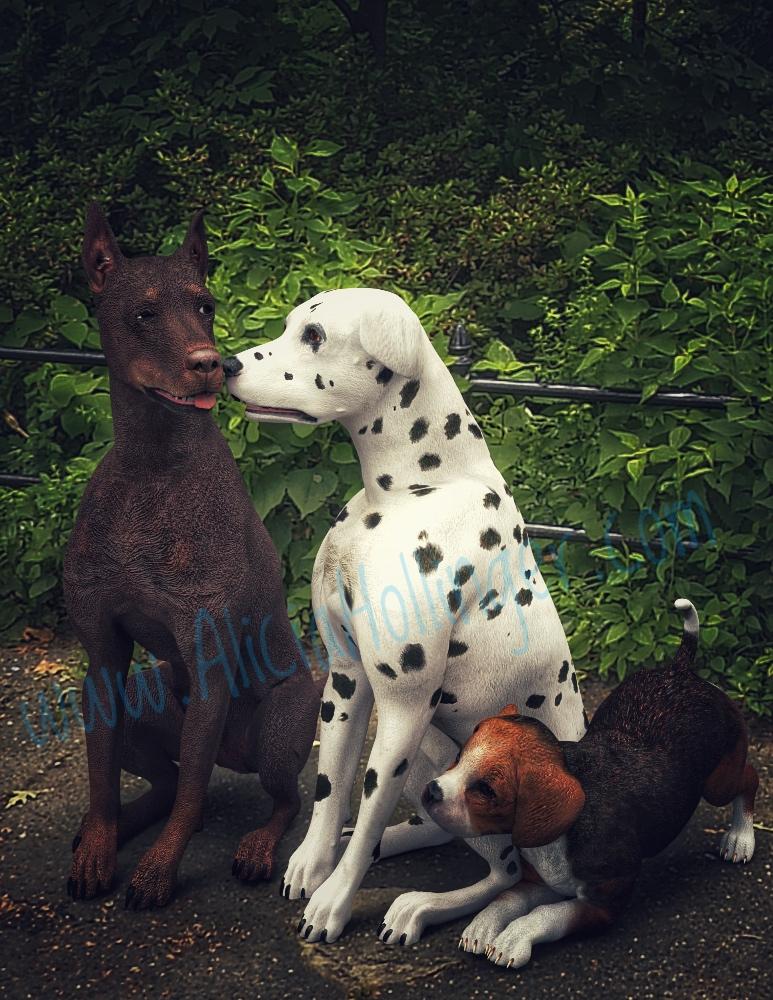
dog 8 dog 8 woof woof we finally have a dog 8Still on the fence about the new dog. I barely used the Millennium Dog Bundle and puppy I already have. I rarely need complete realism for anything and the old dogs don't look too bad in IRay. I know the paws look bad but I could brush out the fur on the paws in Photoshop if necessary. If the dog had come with several breeds and furs and a puppy morph, I would have jumped on it. But, as is, not as excited...
I'm a cat person anyway. Do these old Millennium Dogs really look that bad?
 Blacksmith3D
Ever since I read that Blacksmith3D can port older texture maps to newer figures, I've been wanting to grab it when it goes on sale next. I have a handful of characters that I've portied to Genesis 3/8 using Morph Loader, and it would be nice to port their textures too. For my own use of course! I just like having more posing regions.
Would probably be cheaper to use the cayman studio product to make V4 textures work on G3/G8.
Blacksmith does other things as well...
Blacksmith3DEver since I read that Blacksmith3D can port older texture maps to newer figures, I've been wanting to grab it when it goes on sale next. I have a handful of characters that I've portied to Genesis 3/8 using Morph Loader, and it would be nice to port their textures too. For my own use of course! I just like having more posing regions.
Would probably be cheaper to use the cayman studio product to make V4 textures work on G3/G8.
Blacksmith3DEver since I read that Blacksmith3D can port older texture maps to newer figures, I've been wanting to grab it when it goes on sale next. I have a handful of characters that I've portied to Genesis 3/8 using Morph Loader, and it would be nice to port their textures too. For my own use of course! I just like having more posing regions.
MD->Daz->ZBrush->Daz For clothing help?Yes, once you have the final OBJ use the Transfer Utility to rig it to the figure.
Thanks!
Daz 3D is part of

Connect
DAZ Productions, Inc.
7533 S Center View Ct #4664
West Jordan, UT 84084Licensing Agreement | Terms of Service | Privacy Policy | EULA
© 2026 Daz Productions Inc. All Rights Reserved.










