-
Genesis 8 Female models
I can read the labels, and googling the first morph name suggests it's from Big Girl Morphs.
Thanks that was it ! Was driving me nuts
It's My Party and I'll Complain If I Want To Complaint ThreadThe feet of my turntable rotted off. The rubber. I don't know how to, or if I can, replace them. Good turntable. Quartz, PLL, direct drive. If I had the money, I'd get a new one that has both RCA and USB outputs, so I could rip some of my albums to CD. I have one, particularly, that I could never find on CD anywhere, and I've looked for many years on and off. Cold Blood: Sisyphus. Actually, I just did a search and found there is one, finally, but the review is that it's tinny in some respects, not a good transfer...plus it is two albums together. there are others I'd rip as well, but this one is the one that bugged me the most.
LPs were better in some ways. The cover art, and things they did with the covers, are not possible with CD cases. For instance, Jethro Tull: Stand Up...when you open the cover,artwork of the band pops up like a pop up greeting card. Three Dog Night: Seven Seperate Fools had giant playing cards with each of the band members on them. Led Zeppelin: III had a wheel in the cover and several cutouts on the front. When you moved the wheel, different images showed through the cutouts. You miss all those things with CDs.
Dana
Suggestions for cartoon figures neededI use DAZ Studio for LOTS of stuff.. I am currantly in need of as close as posible proportion for the Dwarves from Snow White. (The big D version) so I can trace them from multipleangles onto the faces ofwood blocksand carve figurines forfriends. I've got g3m and g8m,... and the morph/size packs.
Got contact sheets for characters. Just would like better suggestions than background picing and wireframe tweeking.Video card settings and memory1. the GPU will be used only at render time, if rendering in Iray, or while running a dForce simulation - assuming that those are set to use the GPU. Unless you haev Iray preview mode on the GPU is not greatly used in scene loading (just enough for the OpenGL display, which you can control in Edit>Preferences>Interface)
2. Yes
3. I doubt this is a hardware issue - more likely you have a lot more morphs for the figure, which have to be read in (to learn the links) even though the actual deltas (the changes in vertex position, which make up the bulk of each morph file, are not kept in memory until needed).
That is what I assumed. That and texture size. I can use a highly morphed m7 or m8 with an older m4 texture and the memory load is much less. I can also try scene optimizer which I bought but haven't used.
I guess my real question is, though, is my friend's idea correct--i.e., that having hardware set to auto or integrated (I have both nvidia and intel as graphics) will use twice the memory than having it set to a dedicated card?
Video card settings and memory1. the GPU will be used only at render time, if rendering in Iray, or while running a dForce simulation - assuming that those are set to use the GPU. Unless you haev Iray preview mode on the GPU is not greatly used in scene loading (just enough for the OpenGL display, which you can control in Edit>Preferences>Interface)
2. Yes
3. I doubt this is a hardware issue - more likely you have a lot more morphs for the figure, which have to be read in (to learn the links) even though the actual deltas (the changes in vertex position, which make up the bulk of each morph file, are not kept in memory until needed).
Love for Aurore for Genesis 3 and 8 Female by KayleyssGood thing I read this forum post because I somewhat neglected this release because "HD" wasn't in the product title. I do love Kayleyss's HD details from other G3F figures, and would love to stock up on G8F HD details as well.
Yeah the click to add HD morphs are really awesome! Tehre isx so much in this set that ISN'T lsited would really floor you! I highly recommend grabbing her.
I am really interested in Aurore, but the skin just doesn't look all that detailed. Is it the promos, or is it really that smooth/featureless?
I don't own her but I do own Gwenili by the same PA. Gwenili has a similiarly "airbrushed" look in the promos but struck me as a fairly naturalistic looking skin the couple of times I tried her out in my preferred lighting setups.
The skin really looks awesome and I am really amazed at all the detail she has. Working on an iamge for her as time after work lets me.
I always watch out for separate HD morphs; missed this so thanks.
Just realised that Tara2 is the same, and can be dialled in without the horns etc; not that a demon or alien isn't occasionally useful
I am super happy that the HD morphs are part of the set and not an added cost that I would have to pay for later if I wanted the extra detail.
I like them included. Actually, I don't own any HD from Daz that were not included for free; at least for G8 and G3. I object to paying such a lot for them.
It's funny; looking at the character now, and was tweaking the textures as usual, and discovered I own two of the G3 characters by Kayleyss, which I'm not sure I've ever used - and certainly don't recal doing so. So three characters for the price of one - as I'll transfer the textures to G8, after tweaking of course - I love doing that.
more of 3 would be niceI'm not bashing fully articulated hands. There are many visual styles in animation. At the same time that Bugs Bunny had 3 fingers, Tex Avery's Red Hot Riding Hood had 4 fingers. It is all good. I have a scifi project for which I am using figures with fully articulated hands, but I also have a more whimsical project for which I intend to use characters with 3 fingers. In prepping for whimsy, I noticed that the 3-fingered folk are scarce among the newer Daz figures. It could be that society's tastes have changed and because of technology. Or, society can always have had a mixture of more realistic styles and less realistic styles, but Daz's customer base happens to prefer fully articulated hands. I believe the latter. Nothing wrong with that, I was just gauging if there is interest in the 3-fingered folk.
I am likely to make a 3-fingered morph (considering a couple of strategies to do so).
According to Ranker, here are the top animated shows. Notice the variety in visual styles. Sure, many are fully articulated, but there are plenty of intentionally unrealistic styles. I note that ranker does not include our lego friends - who just have hooks. In any case, very few are trying to look like The Incredibles 2.
Rick and Morty South Park Bob's Burgers ArcherThe Simpsons Adventure Time Family Guy American Dad
Steven Universe SpongeBob SquarePants Robot Chicken Bojack Horseman
The Amazing World of Gumball The Venture Bros Star vs The Forces of Evil
We Bare Bears Voltron: Legendary Defender The Loud House Mike Tyson Mysteries
Squidbillies RWBY Milo Murphy's Law Pokemon XY
Clarence Teen Titans Go! Final Space My Little Pony: Friendship is Magic
Tales of Ladybug & Cat Noir OK K.O.! Let's Be HeroesAny Free "Baby Boss" style morph for Genesis1?Hi all,
Anyone know of Any "Free" morph toon next to "Baby Boss" style for Genesis1?
Genesis 8 Female, crooked EyesSorry in advance, I've seen this problem addressed in the forums already but I cannot find the thread.
I'm having the issue where the G8F eyes are suddenly "off" (crooked, crossed, each eye is looking in a slightly different direction). And I can't find the offending morph.
From memory, the idea is to unhide all of the properties in the parameters pane, and try to find the morph that's causing the trouble, right? If that's all there is to it, I'm just missing it but if there's somewhere else I can look, I'd appreciate the help. Cheers,
Stiffler's Mom (Stiff Cloth using dForce)To me, they should conform but only for the bones so basic posing will work. There are allot of flowy types of garmets that never EVER looked good unless they were run through sims and those sims were saved out as morphs for said garmet. Other than that some of the older conformed items always looked a bit weird to me. Now with d-Force a basic rig mixed with d-Force give a very natural drape for billowy sleeves and skirts, etc....
Capes on the other hand, still trying to wrangle that sort of mesh into a workable solution. Conforming one and then changing the shape of the character unless it's got EVERY conceivable morph built into it will look really messed up and then posing the character... it's sort of awful. LOL
I know what you're saying, @RAMWolff. Native physics simulations in DS is a game changer for me - can't wait to see what the next iteration looks like!
I'll have to run some more experiments with the shirt being a conformer before running the sim.
- Greg
Stiffler's Mom (Stiff Cloth using dForce)To me, they should conform but only for the bones so basic posing will work. There are allot of flowy types of garmets that never EVER looked good unless they were run through sims and those sims were saved out as morphs for said garmet. Other than that some of the older conformed items always looked a bit weird to me. Now with d-Force a basic rig mixed with d-Force give a very natural drape for billowy sleeves and skirts, etc....
Capes on the other hand, still trying to wrangle that sort of mesh into a workable solution. Conforming one and then changing the shape of the character unless it's got EVERY conceivable morph built into it will look really messed up and then posing the character... it's sort of awful. LOL
Paint across UVs: Is possible?can you as an obj import?
Carrara messes up UV's with geografted figures not obj imports so maybe Hexagon has the same issue?
It imports everything fine, but simply it seems to be able to paint only one surface a time. I really love its ability to paint displacement and bumps (See they in real time is neat!) but also I would like to paint my whole figure at once.
Personally, I use Blacksmith3D for paining over seams. I do not do character textures so did not respond earlier.
I also have Blacksmith3D... A total waste of money!

I got convinced by the .DUF support and Morph Channels... But it's truly bad! It can't even store your preferences, every time I start Blacksmith3D I have to spend 5 minutes putting back my setup... And then it crashes at first stroke! Also you can modify that sick viewport commands and it keeps changing panes every time you do anything! And it costs 200$+! It helped me some time ago, but now it's garbage...This is why I'm looking for a better solution...
How to re position facial featuresYou would likely need to do a morph unless you can find a morph set that physically moves the position of the ears. It is likely something you would do in a 3D modeling program though I am have not worked with Studio's Dformers, maybe someone else has.
Can you show us what you're trying to make as it would help us possibly recommend something?
If it's the case of a 3D modeler, do you have one and are you familiar with how to work in it?
Proportion size standardsWhenever I use females, I usually lower the height. 6 feet tall? That's a bit much. I don't use Victoria or Michael much because they're so Barbie Doll-ish (too perfect). I'd rather have models that look like regular people - short, tubby, love handles, 3rd chin etc. The best thing to do is find (or make) a measuring stick in to use in DS so you can proportion your characters the way you like.
Good observation, though. I'm glad I'm not the only one bugged by this.
...and this is why I spend more on morph and shaping merchant resources rather than pre-made characters.
DAZ3D with Marvelous designer (fitting problem with buttons)I try to fit clothes using MD but when I try to fit such as shirts with buttons or shirts with a necktie. those buttons and ties are falling apart and make a messy place.
how can I morph and fit those clothes without getting messy?
example of object
https://www.daz3d.com/soldier-2-0-for-genesis-3-female-s
when I try to fit plate-carrier vest and the whole part just crumbled and fallHow do you transfer gen 5-7 JCM/ERC info over to gen 8?Never mind; I'm in the process of figuring it out myself, but I'd still buy it in a heartbeat as I'm not a Master PA myself!... My original post stays though I acknowledge my mistake in posting it as any public info from me/the PA would undermine its future sales!
I just got the V7-to-V8 and would like to know how I can transfer K.H. Image Studio's Ultimate Natural Bend Morphs over to their gen 8 characters, thanks in advance for any light that you can shed on this issue!
(I also hope to hear from K.H. Image Studio themselves with any info for a UNBM for gen 8!)

EDIT: Note that I will STILL purchase the product no matter the transfer solution as that cannot replace the original product!
Hair not fitting G8F characterI do adjust almost every hair item I use with fair fit morphs for my characters done with a few DFormers and adding a Smoothing Modifier.
You can adjust the overall volume or try to fix some individual strands or bangs to move them around or scale them.
Here are a few things you can do with hair and DFormers:
- select the hair and create a DFormer
- select the DFormer Field and scale it up untill all vertices influence points turn red on the hair
- select the DFormer itself and scale it down - to shrink the hair to match the figure head scale
- optional: select the hair and add a Smoothing Modifier - let the hair collide with the figure head so the hair dosn't intersect - may set the Collision Iterations higher but keep the Smoothing low
- optional: add more DFormers place and scale the DFormer Field to an area you want to fix - then try to scale, translate or even rotate the DFormer and see how the hair deforms - the collision will update to keep the hair outside the head
- optional: select the DFormer Field - switch to Weight Map Brush - open the Tool Settings pane and click the Add Map button to create a Weight Map on the hair that you can edit now with paint or the Fill Selected weights on selected faces like only the bangs
- go to the DFormer pane and click Spawn Morph - you can dial up the morph and delete the DFormers - or you turn down all the DFormer influence in the Parameters pane there are properties for that
- optional: also bake the Smoothing Modifier collision to the shrink morph with: hiding all but the hair fitted to the figure - exporting an OBJ of the current shape - turn off the Smoothing Modifier and the shink morph - load the OBJ as a new shape morph with MorphLoaderPro
- finaly save the Morph Asset(s)
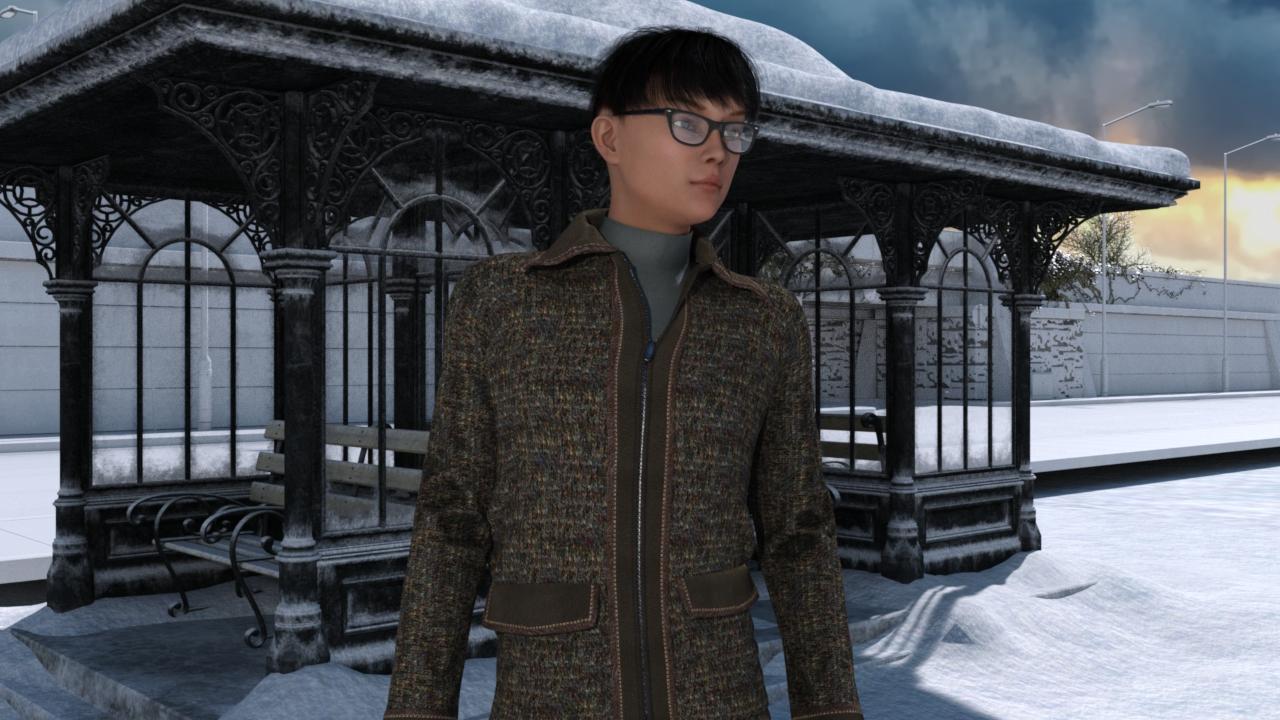
Favorite Male Asian characterI haven't found one I like yet, or the ones I like I can't afford yet. So I made my own. I started with G3F Hye for Mei Lin, then I opened the texture in Gimp and added some more eyebrow. The rest is the cross-figure morph and some face adjustments. I was aming for classic East Asian; Korean, Japanese, or maybe Chinese.
 Genesis 8 Female models
I can read the labels, and googling the first morph name suggests it's from Big Girl Morphs.
How do you link Boots / gloves bones with feet / fingers bones?I would first make shure that the gloves and boots can be fitted to the Genesis 8 figure before I would try to export something to unity. As far as I know there is no conforming function within unity - you would need to write a script or buy one that can do something like this if there is one.
Since this should be a mechanical exoskeleton like glove, I was thinking about to have a set of bones of the Genesis 8 forearm, hand and fingers placed inside the gloves and also the original set of bones to move the mechanical hand and fingers. I don't know how these items conform to the genesis 3 figures but I think the big issue here are the different bone names - eg. Genesis 8: Left Thumb 1 and Mega Left Hand: Thumb 1.
In one of the sceenshots it looks like you have just parented the "Mega Left Hand" figure to the genesis hand. To have real conforming gloves and boots that can be fitted to genesis 8 the cloth items need at least some bones named and placed the same like the genesis 8 bones.
If you just parent the gloves and do the ERC Freeze linking like this I bet the ERC links would be lost if you restart DazStudio and load the scene again. You can only do ERC links with the parameters of the same figure. I think due to prevent some issues with crosstalk it is not allowed. It may look like its working in first place but these links don't get saved with the scene file.
I would try the following:
1. Fix the default pose of the gloves and boots to fit to Genesis 8
- Zero the genesis figure
- maybe parent, place, rotate and scale the gloves and boots until you think they fit to the genesis 8 figures default pose
- export OBJs of the gloves and boots individualy (set Resolution to Base - hide all other items in the scene - check Ignore Invisible in the export OBJ options)
- Zero all gloves and boots
- start MorphLoaderPro and load all OBJs as morphs to the items - dial all morphs to 100%
- open the Joint Editor - use Adjust Rigging to Shape then Memeorize Rigging (now the bones positions should be fixed)
- find the Update Base Geometry action in the edit menu and choose the exported OBJ from before to have the items placement by default fit to the genesis 8 default pose
- the morphs from before are no longer needed you can delete them now or dial them to negative -100% to reverse to original shape
2. Create a conforming figure with the Transfer Utility
- open the Transfer Utility Source: Genesis 8 Female Target: Mega Left Hand - General Options: only select Weight Maps - check Remove Unused Bones and Merge Hierarchies
- see if you get all the bones of the Genesis 8 left arm transfered to the left glove in the Joint Editor and if they don't have any weight maps assigned - we don't need them - if so you can continue to repeat this with the other items
- open the Joint Editor - select the Mega Left Hand Arm bone and use the Reparent Bone action to parent the whole original genesis 3 rigging to the transfered genesis 8 Left Forearm bone that will follow the genesis 8 rigging if conformed
- select the glove item open the Scene Identification dialogue and change the Prefered Base to Genesis 8 Female
- fit the Mega Left Hand glove figure to genesis 8 and test if it conforms - it should follow the poses of the forearm
3. Create the ERC links between the hand and finger joint rotations
- open the Parameters and the Property Hierarchy pane side by side - right click the Parameters pane and switch to Edit mode
- for example select the Mega Left Hand Thumb 1 bone and right-click the xRotate property in the Parameters pane - then select Show in Property Hierarchy
- select the Left Thumb xRotate property (transfered genesis 8 thumb bone) and drag & drop it to the Property Hierarchy pane xRotate Mega Left Hand Thumb 1 - SubComponent 1st Stage
I'm not shure what exactly will happen in step 2 if you use the Transfer Utility - the idea is to keep the original genesis 3 rigging and add the genesis 8 rigging of the left arm to the gloves. The genesis 8 left arm bones should have no weightmaps and they are there only to conform / fit the gloves.
I think this is an interesting project and I hope my suggestions can help even though this is pure guesswork.
Daz 3D is part of

Connect
DAZ Productions, Inc.
7533 S Center View Ct #4664
West Jordan, UT 84084Licensing Agreement | Terms of Service | Privacy Policy | EULA
© 2026 Daz Productions Inc. All Rights Reserved.