-
Genesis 9 we are back in the game Carrara users
WendyLuvsCatz said:
Bunyip02 said:
WendyLuvsCatz said:
Bunyip02 said:
WendyLuvsCatz said:
mmm wonder why mine fail to import, shall try my other computer Win10, was my Win 7
same thing i/0 error
maybe upload your eye duf (it's just a character preset so OK)
Here you go, was for the female morph applied to one - also shaders need some work to get to operate okay.
works

I wonder why mine doesn't though, 2 computers, 2 installs, 2 libraries
mmm D|S4.21?
Good to hear that it works for you !!!
Am running DAZ Studio 4.10
AHa
that could be the secret sauce, I have 4.11 on my Win7 but used the 4.21 beta
same error basic wear but autofitted stuffs saved as support assets work
and grew a nice mane of dynamic hair on him (simulated animation ) Mimic plugin works with 8.1 configuration dmc too!
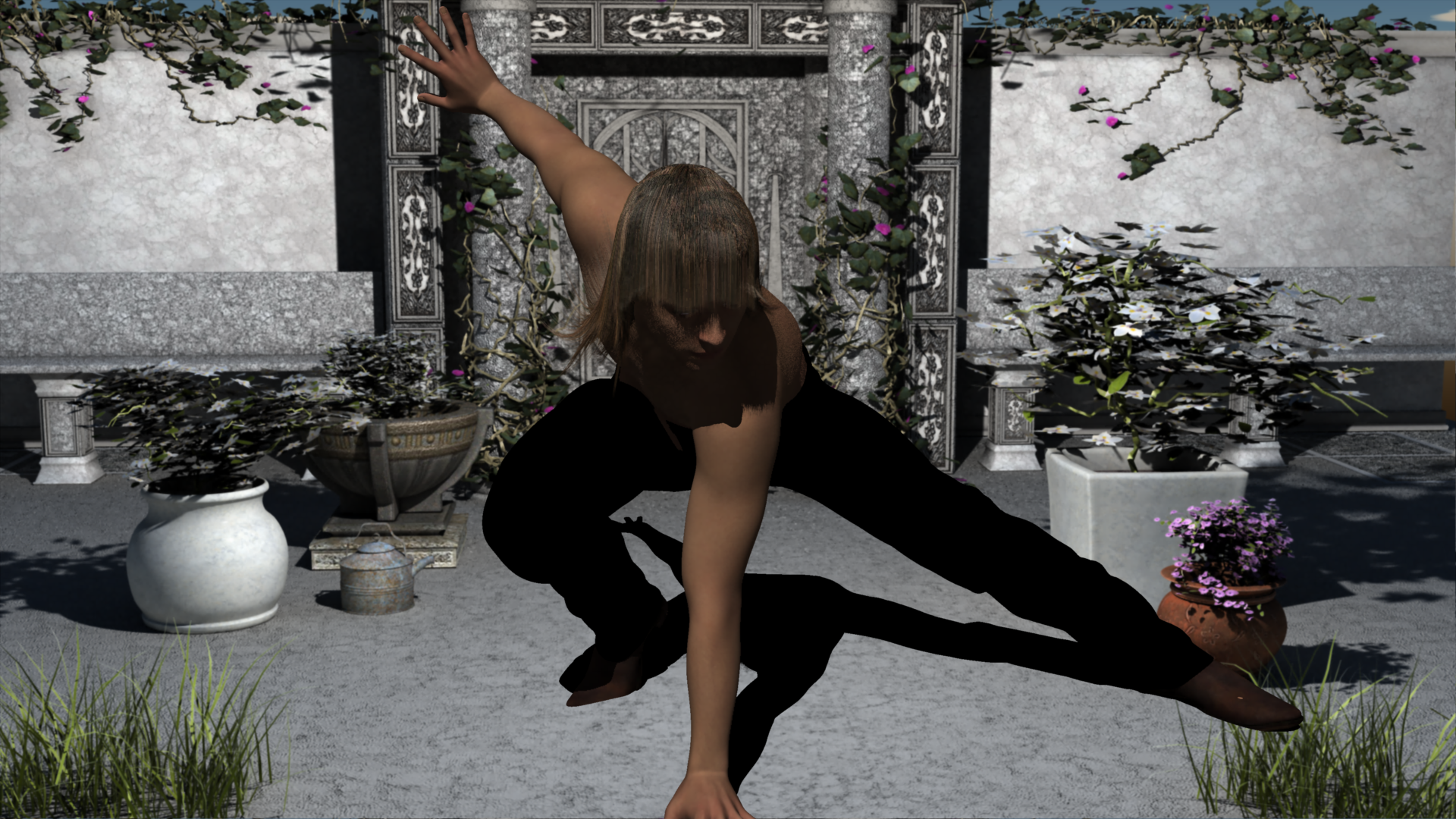
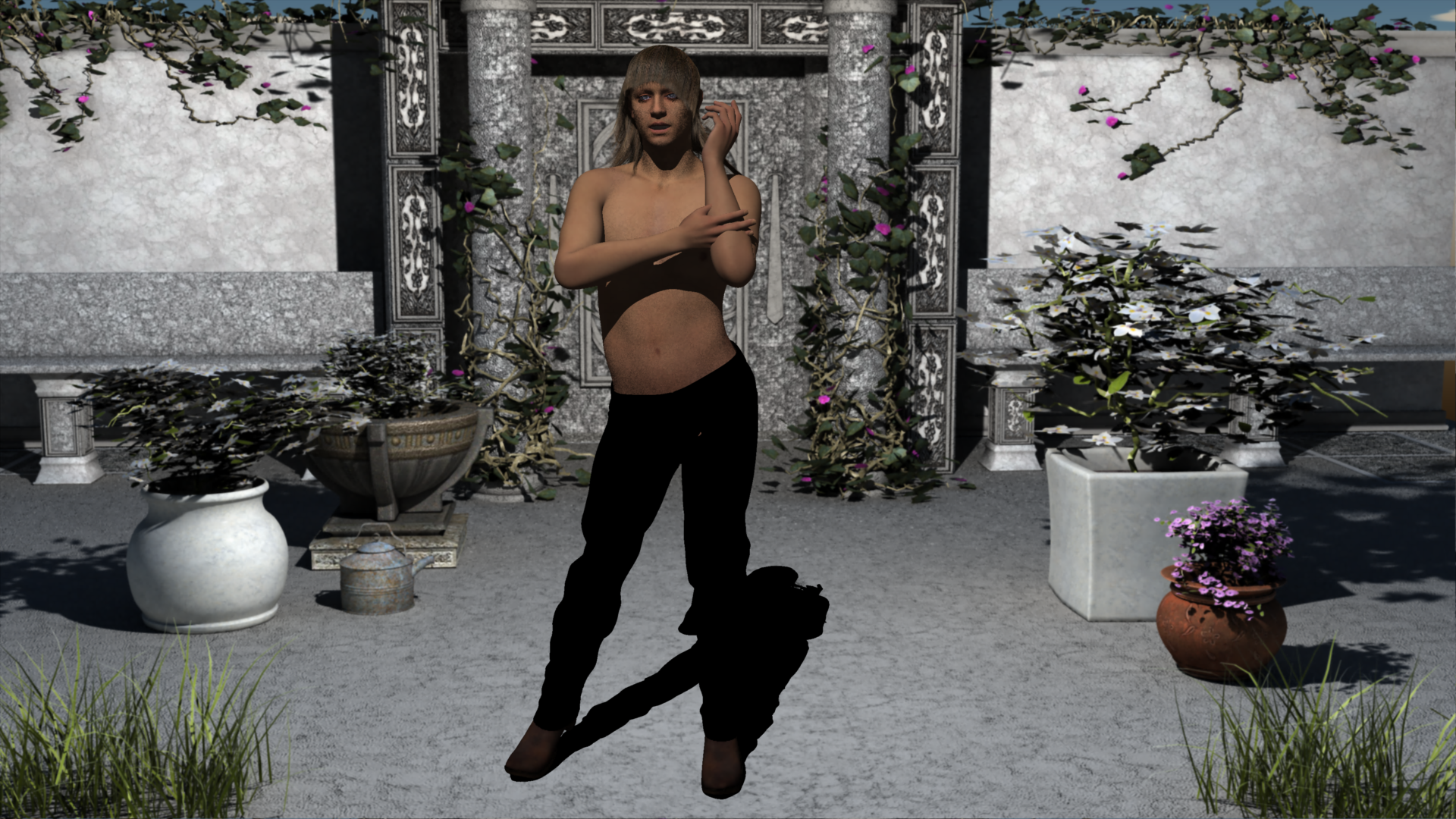
It's Brian!!!
"Are you ready Steve?"
"Andy?"
"Mick?"
"Alright, fellas.... Let's GOOOOO!!!!"
Having to download content twice?Hurray! You may discover that you are missing metadata for things you customized, if you had not saved User Data before the crash. But you should have recovered the Daz metadata at least.
Having to download content twice?To repopulate Smart Content, you could first try reimporting metadata from the Content Library pane. It is an option in Content DB Maintenance.
I need some advice for fixing my eyes for Genesis9 figureOne last question, if I want to adjust eye position using Canary3D's method, could I just simply do it between step4 and step5, like below?
It seems to be working for me, but please do give me advice if I'm doing anything stupid :P4.After the rigging to shape has finished, Load and attach genesis 9 Eyes to your figure
----------------------------------------------------------------
4-1.Adjust eye psition, don't care about rigging here (just like Canary3d did in the youtube video)
4-2.Export the eye parts as a obj
4-3.Restore all the changes you made at step4-1 and load a new genesis 9 eye
4-4.Import the exported eye you made at step4-2 using morph loader pro (seems to work better with Reverse deformation:OFF here)
remember to use the same morph name you made at step2. and overwrite it. This will merge the 2 morphs
----------------------------------------------------------------
5.make sure only the morph dialed up is the one you made so far.
Select that morph and use “Adjust Eye Rigging” from the G9 dev toolDiffeomorphic DAZ Importer version 1.7.0 releasedPadone said:
@dmnmf That depends on the figure proportions, if the armature pivots don't change or change a little, then you can import body morphs without ERCs and they will work fine enough. If the pivots change then you need ERCs otherwise you get the distortions as in your picture, because the armature pivots are not located correctly. Then ERCs can't work with IK, you are limited to the daz rig
Thanks, i will give it another try!
Is there a solution to export multiple object as individual obj instead of one by one?I don't know if the Blender method changes the uvs or not.
There is a trick using Hexagon. In D/S parent all the pieces to one item. Send that one item over the bridge to Hexagon. {clear the scene in D/S but do not close it}
Then in Hexagon, rename "all" the groups [the pieces listed in the scene tree] to be exactly the same. Then select them "all" and export them to the desktop or wherever.
Clear the scene in Hexagon and import back in that one obj. Send it back over the bridge to D/S. Polish the obj [get rid of the default material, etc.] and save it as Figure/Prop.
Reversing pose with morph not workingI'm trying to sculpt morphs to fix anatomical issues that arise with certain poses, but because my sculpts are of the posed figure as their base, i can't just import them and dial them up as is because that would cause the figure to further bend whatever body parts are already rotated. Therefore I need to apply a morph that zeroes out the pose to the anatomical fix morph.
Freebie Challenge JUN/JUL 2023 - Holes, Gaps, Caves, Tunnels - Main ThreadJackyBrown said:
Hylas said:
JackyBrown said:
#01! AMC Matador Police car by Marsupi 3d
https://www.dmi-3d.net/rescue1.html (item 19)Hey @JackyBrown, how did you import this model in DS?
That site seems like a really cool resource but I cant figure out the file format!
I converted it from .lwo to .obj with PoseRay. https://sites.google.com/site/poseray/ This small (8mb) and free utility can also edit the materials (most of the times) in cases that the OBJ file has just one material group. Very handy! :)
Thank you, will check it out!
Having to download content twice?NorthOf45 said:
You can have several installation destinations (Libraries) as long as they are all configured in DIM and Studio (they must match, otherwise some content will not be available in Studio). DIM can only deal with one destination folder at a time, so if you forget to switch, it can get confusing. Some users like to split up their Libraries, but that is a matter of personal choice. There is a way to filter by install path, but it is rather technical, and the documentation warns that it is an old version (Advanced Filtering [Documentation Center]). Look for Path...
You can move content safely if you take the proper steps to re-integrate it into the database. I helped someone recently with a similar situation, the info should be relevant for you: Transferred Files to New Harddrive. The database still has the metadata, but the connection to the content location is broken. Basically, you have to modify the manifests to point to the new locations. Worst case is to re-install from DIM.
The thing is, Studio knows about the products you have bought since you had previously used Connect. That info is stored in the database, and you will always see the Connect icon overlays on the product thumbnails, and those products will show in the Available tab, but just ignore them. If they are in colour, then Studio recognizes the library used by DIM, so it is all good. I do not use Connect, so I am not sure how to clear that information (since it is now of no use to you) without resetting the database and re-importing the metadata. It is kind of a nuclear option.
That's helpful thank you. The weird thing now is I've got files in the correct location but Daz still thinks they're in Connect, so I'm having to uninstall and reinstall one by one in DIM and then they show up correctly in Smart Content without me having to log in..
Having to download content twice?You can have several installation destinations (Libraries) as long as they are all configured in DIM and Studio (they must match, otherwise some content will not be available in Studio). DIM can only deal with one destination folder at a time, so if you forget to switch, it can get confusing. Some users like to split up their Libraries, but that is a matter of personal choice. There is a way to filter by install path, but it is rather technical, and the documentation warns that it is an old version (Advanced Filtering [Documentation Center]). Look for Path...
You can move content safely if you take the proper steps to re-integrate it into the database. I helped someone recently with a similar situation, the info should be relevant for you: Transferred Files to New Harddrive. The database still has the metadata, but the connection to the content location is broken. Basically, you have to modify the manifests to point to the new locations. Worst case is to re-install from DIM.
The thing is, Studio knows about the products you have bought since you had previously used Connect. That info is stored in the database, and you will always see the Connect icon overlays on the product thumbnails, and those products will show in the Available tab, but just ignore them. If they are in colour, then Studio recognizes the library used by DIM, so it is all good. I do not use Connect, so I am not sure how to clear that information (since it is now of no use to you) without resetting the database and re-importing the metadata. It is kind of a nuclear option.
Daz Studio 5 preview release is delayed and that's good news.outrider42 said:
marble said:
outrider42 said:
Heh, I use Hexagon for morphs if at all possible. I have used Blender for some morphs, it depends on what I need to do. But Hexagon can be easier than Blender for some tasks, especially with the real bridge between them (one that goes BOTH ways.) That is a what I consider to be a bridge. IMO a bridge is only a bridge if it goes both ways. If you take a bridge to the outer banks but cannot get back, that's not much of a bridge is it?
That bridge was a major wishlist for Blender but now I hardly notice the export/import routine. As I said, I quite liked Hex but it crashes far too frequently for me and I am not disciplined enough to keep saving every 10 seconds. Also, the sculpting tools in Blender are progressing significantly and are maybe not that far behind ZBrush for the average DAZ Studio user.
Once I remove textures, I never get anymore crashes. I saved a Genesis material preset for Hexagon. If I need to, I'll save a material preset for the character I am working on (for the import back), then apply my Hex Preset.
Its about the speed. With how I have it set up, I can do this faster than I can with Blender. Which would be a given because I am slower in Blender anyway. And I don't have to worry about an accidental incorrect setting on import/export. I have done that because I am doing other things besides just Genesis.
Also, Hexagon seems to handle Genesis topology better at times. Maybe that's just my imagination, but there are times where the brushes in Hex just seem to look smoother than Blender's. I think it is a real shame that Hexagon development went dormant.
I am not a modeller so maybe that's why I find the Blender sculpting brushes feel more natural to me than the edit tools. That's not to say that I found Hex difficult - it was surprisingly easy to make morphs after following a couple of tutorials. But I'm now getting more and more comfortable with the Blender sculpt brushes and I can only see them improving whereas Hex is stuck in limbo.
If DAZ were to follwo their own lead with the bridge plugins, they should probably make one for exporting Obj files to Blender for morphing (much like the Hex and GOZ bridges). Or maybe even USD files!
Daz Studio 5 preview release is delayed and that's good news.marble said:
outrider42 said:
Heh, I use Hexagon for morphs if at all possible. I have used Blender for some morphs, it depends on what I need to do. But Hexagon can be easier than Blender for some tasks, especially with the real bridge between them (one that goes BOTH ways.) That is a what I consider to be a bridge. IMO a bridge is only a bridge if it goes both ways. If you take a bridge to the outer banks but cannot get back, that's not much of a bridge is it?
That bridge was a major wishlist for Blender but now I hardly notice the export/import routine. As I said, I quite liked Hex but it crashes far too frequently for me and I am not disciplined enough to keep saving every 10 seconds. Also, the sculpting tools in Blender are progressing significantly and are maybe not that far behind ZBrush for the average DAZ Studio user.
Once I remove textures, I never get anymore crashes. I saved a Genesis material preset for Hexagon. If I need to, I'll save a material preset for the character I am working on (for the import back), then apply my Hex Preset.
Its about the speed. With how I have it set up, I can do this faster than I can with Blender. Which would be a given because I am slower in Blender anyway. And I don't have to worry about an accidental incorrect setting on import/export. I have done that because I am doing other things besides just Genesis.
Also, Hexagon seems to handle Genesis topology better at times. Maybe that's just my imagination, but there are times where the brushes in Hex just seem to look smoother than Blender's. I think it is a real shame that Hexagon development went dormant.
Freebie Challenge JUN/JUL 2023 - Holes, Gaps, Caves, Tunnels - Main ThreadHylas said:
JackyBrown said:
#01! AMC Matador Police car by Marsupi 3d
https://www.dmi-3d.net/rescue1.html (item 19)Hey @JackyBrown, how did you import this model in DS?
That site seems like a really cool resource but I cant figure out the file format!
I converted it from .lwo to .obj with PoseRay. https://sites.google.com/site/poseray/ This small (8mb) and free utility can also edit the materials (most of the times) in cases that the OBJ file has just one material group. Very handy! :)
Also I do not have any trouble with that site. I don't even allow any scripts (Firefox with NoScript) and can download everything without any warning of my Internet Security software. :)
Freebie Challenge JUN/JUL 2023 - Holes, Gaps, Caves, Tunnels - Main ThreadHylas said:
JackyBrown said:
#01! AMC Matador Police car by Marsupi 3d
https://www.dmi-3d.net/rescue1.html (item 19)Hey @JackyBrown, how did you import this model in DS?
That site seems like a really cool resource but I cant figure out the file format!
lwo is lightwave format, I'm not sure it can be imported to daz but I do know Hexagon and Blender both can import so you can save out as obj. 3ds is an autodesk file and can be imported to Hexagon or Blender, not sure if daz can with the newer versions. Can't remember what .mov is. But at least you have options to convert the files. Oh and a .max file can't be converted unless you ask someone with that program.
Is there a solution to export multiple object as individual obj instead of one by one?If you mean wavefront obj, its format is standardized... For instance, you wanna export multiple objects as one obj file from Ds to Blender -: 1) Ctrl + select multiple root nodes in Scene pane; 2) Export to obj -: in OBJ Export Options dialog box, tick 'Write Separate Objects', tick 'Filter Objects' and choose 'Selected Roots'; 3) Import obj file with Blender -: If you tick 'Split by Object', you'll get multiple objects...otherwise you'll get a single mesh. Such a way is frequently used for fixing various morphs in Blender, i.e. exporting Base figure + multiple wearables as one obj file.
If you use GoZ, you'll easily get multiple objects as separate sub tools. It should be the same with other bridges...
Freebie Challenge JUN/JUL 2023 - Holes, Gaps, Caves, Tunnels - Main ThreadJackyBrown said:
#01! AMC Matador Police car by Marsupi 3d
https://www.dmi-3d.net/rescue1.html (item 19)Hey @JackyBrown, how did you import this model in DS?
That site seems like a really cool resource but I cant figure out the file format!
Cascadeur and DAZ StudioI was using Autoposing, but the hands acted as if they were pinned in world space, only rotating a little while the shoulder went nuts to keep them in position. I'll keep trying, but I don't know if there are any import or export settings I've got set incorrectly that could be causing this. Thanks.
Support for exporting all "options" (ie clothes, skins, textures) a character has.My project already supports the in game customization with different clothing usable for all the Daz G8 characters. Diffeomorphic1.7 can import clothing for any character into Blender and then use the merge rigs option for the clothing to use the same skeleton as the character, then transfer shapekeys from the body to the clothing. I'm using UE5 and the cloth simulation is built in feature of the engine, but I'm not advising to switch to Unreal as it doesn't offer the freedom of custom choices supported by Unity, except that someone can dig deep into the source code of Unreal and make custom builds of the engine
Cascadeur and DAZ StudioI loaded the rig on an exported Genesis 8 male (not 8.1) and while it does work, the hands seem locked in place and the shoulders can bend very oddly. I probably didn't either export or import something correctly, so if you have a moment sometime, could you possibly post the proper FBX export settings (from DAZ Studio) and any settings that should be set or checked when applying your rig in Cascadeur? Thank you very much and I'm sorry to bother you again.
edit: tried to post a small picture three times, guess forums are at it again. sorry!
DAZ to Maya Arnold Rendererpholland1 said:
have you hight the convert to arnold texture button in the import model window. I am ashamed to say i missed that button for a while?
the team working on the brigding tool are still working on update gen 9 models. you can find them and the brigde updated project here: https://github.com/daz3d/DazToMaya/issues
Just see DAZ has Version 2023 v1.0
The Update at github says 2023.1.1.14DAZ has a Version of March, but the 2023.1.1.14 came out 4 Days ago?
So DAZ is not actual?Daz 3D is part of

Connect
DAZ Productions, Inc.
7533 S Center View Ct #4664
West Jordan, UT 84084Licensing Agreement | Terms of Service | Privacy Policy | EULA
© 2026 Daz Productions Inc. All Rights Reserved.