-
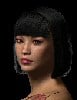
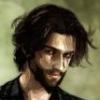
THE 4TH ANNUAL WINTER WONDERLAND contest/challengeZamuelNow said:Two figures with hair and UberEnvrionment? This must be a Christmas miracle. I could nitpick over getting the colors wrong on Belle's dress but with freebies I'd go crazy trying to hit that level of accuracy. May try to re-render at a higher quality.
In a holiday story of days of old
Comes a quaint crossover oft untold
Ebeneezer Scrooge had no joy in his heart
When along walked Belle, that young upstart
Hearing his demeanor, a heart she hoped to lift
And what better way than a brand new gift?
Searching the book store near her home
She stumbled upon the perfect tome
Excitement and adventure should fill him with mirth
(And a first edition certainly had worth)
Rushing to meet him with an exuberant smile
"Merry Christmas, hope this lasts you a while"
Taken aback, he paused on that day
Eagerly she waited to hear what he'd say
Peace and goodwill? Such hopes were dashed
Scrooge's dour reply..."...BUT IT'S NOT CASH"
Daz 4.5DEFAULTS AND UNCOUNTED
GenesisPAID
Genesis Evolution: Expressions
Addition HairStylesFREE
Lighting -- Arah3D Subtly Soft Lights For DS Bonus Freebie -- http://www.sharecg.com/v/64526/browse/21/DAZ-Studio/Arah3D-Subtly-Soft-Lights-For-DS-Bonus-Freebie (requires login)
Morphs -- DieTrying's 182 V4 Morphs for Genesis -- http://www.sharecg.com/v/58198/gallery/21/DAZ-Studio/DieTryings-182-V4-Morphs-for-Genesis -- (requires login)
Morphs (Scrooge) -- AMR’s Proportions for Genesis -- http://www.daz3d.com/forums/discussion/5484/
Belle's body shape -- Biao Pan for Genesis -- http://www.sharecg.com/v/66358/browse/21/DAZ-Studio/Biao-Pan-for-Genesis (requires login)
Belle's skin -- PDChrista -- http://www.renderosity.com/mod/freestuff/details.php?item_id=58554 (requires login)
Scrooge's skin -- Kevin for Michael 4 -- http://www.sharecg.com/v/40121/View/11/Poser/Kevin-for-Michael-4 (requires login)
Belle's dress -- Gwyneth for Genesis -- http://www.sharecg.com/v/56272/View/21/DAZ-Studio/Gwyneth-for-Genesis (requires login)
Dress textures -- Peasant styles for Gwyneth 2 -- http://www.sharecg.com/v/58199/View/11/Poser/Peasant-styles-for-Gwyneth-2 (requires login)
Belle's hair bow -- Spring Hat for Victoria 4 -- http://www.sharecg.com/v/8185/View/11/Poser/Spring-Hat-for-Victoria-4 (requires login)
Scrooge's coat -- Ghastly's Basic Outfit -- http://www.sharecg.com/v/66190/gallery/21/DAZ-Studio/Ghastlys-Basic-Outfit (requires login)
Coat textures -- Fisty's Tweed Shader -- http://www.daz3d.com/forums/viewreply/148092/
Scrooge's hair -- Mitch Hair -- http://shop.aprilsvanity.com/-free-items/mitch-hair/prod_94.html
Scrooge's glasses -- Glasses for V4 Smartprop -- http://www.sharecg.com/v/35527/View/11/Poser/Glasses-for-V4-Smartprop (requires login)
Book -- Old Books Set -- http://www.renderosity.com/mod/freestuff/details.php?item_id=61357 (requires login)
Background -- Village Fountain Background -- http://www.renderosity.com/mod/freestuff/details.php?item_id=68605 (requires login)
great take on the theme ZamuelNow, all links checked and good, you had alot of links from the same places like sharcg and rendo, but that is ok, you have plenty of freebies.
ENTRY ACCEPTEDjust a quick note, keep in mind that free items should come from a variety of places, not just a couple. Some months you will be required to have free items from a set amount of different places. I am NOT doing that this month.
THE 4TH ANNUAL WINTER WONDERLAND contest/challengeTwo figures with hair and UberEnvrionment? This must be a Christmas miracle. I could nitpick over getting the colors wrong on Belle's dress but with freebies I'd go crazy trying to hit that level of accuracy. May try to re-render at a higher quality.
In a holiday story of days of old
Comes a quaint crossover oft untold
Ebeneezer Scrooge had no joy in his heart
When along walked Belle, that young upstart
Hearing his demeanor, a heart she hoped to lift
And what better way than a brand new gift?
Searching the book store near her home
She stumbled upon the perfect tome
Excitement and adventure should fill him with mirth
(And a first edition certainly had worth)
Rushing to meet him with an exuberant smile
"Merry Christmas, hope this lasts you a while"
Taken aback, he paused on that day
Eagerly she waited to hear what he'd say
Peace and goodwill? Such hopes were dashed
Scrooge's dour reply..."...BUT IT'S NOT CASH"
Daz 4.5DEFAULTS AND UNCOUNTED
GenesisPAID
Genesis Evolution: Expressions
Addition HairStylesFREE
Lighting -- Arah3D Subtly Soft Lights For DS Bonus Freebie -- http://www.sharecg.com/v/64526/browse/21/DAZ-Studio/Arah3D-Subtly-Soft-Lights-For-DS-Bonus-Freebie (requires login)
Morphs -- DieTrying's 182 V4 Morphs for Genesis -- http://www.sharecg.com/v/58198/gallery/21/DAZ-Studio/DieTryings-182-V4-Morphs-for-Genesis -- (requires login)
Morphs (Scrooge) -- AMR’s Proportions for Genesis -- http://www.daz3d.com/forums/discussion/5484/
Belle's body shape -- Biao Pan for Genesis -- http://www.sharecg.com/v/66358/browse/21/DAZ-Studio/Biao-Pan-for-Genesis (requires login)
Belle's skin -- PDChrista -- http://www.renderosity.com/mod/freestuff/details.php?item_id=58554 (requires login)
Scrooge's skin -- Kevin for Michael 4 -- http://www.sharecg.com/v/40121/View/11/Poser/Kevin-for-Michael-4 (requires login)
Belle's dress -- Gwyneth for Genesis -- http://www.sharecg.com/v/56272/View/21/DAZ-Studio/Gwyneth-for-Genesis (requires login)
Dress textures -- Peasant styles for Gwyneth 2 -- http://www.sharecg.com/v/58199/View/11/Poser/Peasant-styles-for-Gwyneth-2 (requires login)
Belle's hair bow -- Spring Hat for Victoria 4 -- http://www.sharecg.com/v/8185/View/11/Poser/Spring-Hat-for-Victoria-4 (requires login)
Scrooge's coat -- Ghastly's Basic Outfit -- http://www.sharecg.com/v/66190/gallery/21/DAZ-Studio/Ghastlys-Basic-Outfit (requires login)
Coat textures -- Fisty's Tweed Shader -- http://www.daz3d.com/forums/viewreply/148092/
Scrooge's hair -- Mitch Hair -- http://shop.aprilsvanity.com/-free-items/mitch-hair/prod_94.html
Scrooge's glasses -- Glasses for V4 Smartprop -- http://www.sharecg.com/v/35527/View/11/Poser/Glasses-for-V4-Smartprop (requires login)
Book -- Old Books Set -- http://www.renderosity.com/mod/freestuff/details.php?item_id=61357 (requires login)
Background -- Village Fountain Background -- http://www.renderosity.com/mod/freestuff/details.php?item_id=68605 (requires login)Victoria 4.2/4.5 Question1) you can use the Michael 5 shape with Michael 4 UV mapping, allowing you to use an M4 character map and the wet maps. You can't, at least for now, layer two different UV sets so you couldn't apply the wet maps over an actual m5 texture set.
2) Nipple morphs are in the Genesis Evolution Body Morphs.
3) .yes, ShareCG is a legitimate source of content - as long as the creator follows the rules and EULAs, at least. .duf files are presets, you should just need to apply them from the Content Library pane or by File>Merge with the base figure (or clothing, or whatever) selected in the scene.
hex not saving my model sent from dazDon't want to tear my hair out, so I'm asking for a little help :)
I want to send the standard skin Michael 4++ model to Hexagon. I've been opening the model in Daz Studio, saving it, then "Send to Hexagon" with the bridge. Once Hexagon opens with the Michael model, everything looks good. I save it in native format (.hxn). From here it starts to fall apart. After shutting Hex down and reopening it with my model later on, the model object seems fine, but the skin map is skewed all over the model.
The different ways I've tried saving in Hexagon so far: 1) Save it immediately in .hxn format. 2) Clicking Validate, then saving. 3) Adding a primitive, then saving. Once I'm done saving (.hxn format), I quit and close Hex.
Thanks!
Victoria 4.2/4.5 QuestionOkay, so now that I am more acclimated to the software, I am starting to create, but the basic Genisis tools seem somewhat limited in terms of creating various and realistic people. So I started looking at skin textures, and it seems that the Victoria/Michael 4.5 is probably the most cost efficient in the long run based on everything it offers.
HOWEVER, looking over alot of the offered skin textures, it says things like "Victoria 4.2 Morphs ++/Base" required.
My question is...will these 4.2 stuff work on 4.5? If so, do I still need to download the Victoria 4.2 Base and Morphs++.
Just want to know all the facts before I make a costly purchase.
Thanks alot!
* CLOSED* RRRR Sayings contest ( $150 in Prizes)Sasje said:Tag:Sasje#04RRRR:
- Dystopian Console Station
- Michael 4 Base
- Road Roller
- Hat Hat HatFor the rest:
- City Sewer
- LoREZ Rat
- Sculpting Tools
- Hardcore M4Saying: The right tool for the right job
Love the rats! I like all the detail in this one. You really did a lot of work, and it make it look very real.* CLOSED* RRRR Sayings contest ( $150 in Prizes)Tag:Sasje#04
RRRR:
- Dystopian Console Station
- Michael 4 Base
- Road Roller
- Hat Hat HatFor the rest:
- City Sewer
- LoREZ Rat
- Sculpting Tools
- Hardcore M4Saying: The right tool for the right job
Set the Stage with the Spectacular World of Genesis - Render Thread!A new one.
Callie is NautiCallie on Genesis. Her shirt is actually a Michael 4 shirt.
Like a Phoenix from the Ashes, Who Wants to Render a Superhero?Geminii23 said:Morgan R. Lewis said:Geminii23 said:Does anyone know if it is possible to morph/stretch arms/legs/limbs aka Mr. Fantastic in action?Thanks.
Some of the figures have built-in "Stretch Arms" and "Stretch Legs" morphs; they're meant for just normal human height variations but you can blow out the values and get them really long. It's not quite as fluid as Mr. Fantastic's stretching usually is, and it'll only have the normal human joints, but if it's going behind an object it's an easy way to fake it.Other than that, I haven't tried it, but it's something I've thought about a bit. This might work, depending on your skill with Photoshop (or equivalent graphics software). Position your Mr. Fantastic character, and hide the lower part of his arm. Load another copy of him, position it where you want his lower arm and hand, hiding all but those parts. Render, and fill out the gap in Photoshop.
Do you have any more info on Stretch Arms and how I can get extreme values for them?
They're usually found on the figure when it loads; Michael 3 and David 3, for example, load with them. You can enter any value you like (although it may cause strange effects on conforming clothing as it gets larger).Michael 4 has similar attributes under MorphForms with different names -- LegSize, PalmSize, etc. They have a limit of 1, but you can edit the property settings (at least in DazStudio) to turn off limits. You can also select the limb in question, choose "Show Hidden Properties" (again in DazStudio) and alter the size there -- such as lengthening M4's forearm by increasing the X-scale. I just did a little testing, and this seems to work reasonably well with conforming clothing.
With Genesis, it's pretty much the same deal as Michael 4. Look for the morphs under different bodyparts -- Neck Length, Arms Length, etc. -- and edit the property settings to turn off limits. Show Hidden Properties and select a part to alter its scale individually.
You'll probably have to do some tweaking here and there and some postwork to clean up any poke-through that results or other oddities, but it's a starting point.
How to save eye location when spawning new morphs? (Michael 4/Poser 2012)Looking for some help, please. Hope this is the right area...
So I'm attempting to "re-create" myself with Michael 4. I've loaded up some morphs, spun the dials to shift the eyes, nose, mouth, etc. around, and then afterwards, I select the head and go to "Spawn Morph Target". I give it a name, and then I've got my very own dial for my custom face.
I set all the rest of the dials back to zero, and then set my custom morph to 1. It works great for the actual face itself. But the eyes don't move with the eyeholes, nor do the teeth/inner mouth move with the mouth. How do I get those to move to their correct places as well? I've posted a screenshot of what I mean.
Also, is there a morph to make the jawline/chin less pronounced? I don't have a chiseled jawline or prominent chin, my chin just kinda curves into my neck, and no morph that I can find from the Morphs++ pack seems to have the type of morphs I need. Enclosed a pic to show what I'm talking about.
Intro and newbie questionsI'd recommend watching the Fiery Genesis tutorial and the Dragonslayer tutorial, which will show you where to find the content (skin textures, clothing, lights, etc.) that come with the program.
Here's a thread that may help as well, since they answer some commonly asked questions for when you're first starting out.
Genesis doesn't look like much in its gray form, but it can do so much more than Victoria 4 or Michael 4. (Keep in mind that all of the fifth generation figures, such as Hiro 5, Michael 5, Victoria 5, and Stephanie 5, are shapes for Genesis)
Hair doesn't look real close-upI have tried a few different hairs. First I tried Desir Hair by AlfaSeed available at RunTimeDNA.
http://www.runtimedna.com/DesirHair.html
This is a high polygon count hair, and the render times confirm that. The renders below took about 1 hour 45 min each.
This hair is for V4 and has fits for Aiko 4 and Michael 4. All the other other V4 hair that I have can be auto fit to genesis characters, but this hair cannot. The auto fit item does not appear in the right click menu. If I select the Desir hair and do Edit -> Figure -> Fit to it says "You must select a figure in the scene to perform this action."
In spite of that, the character below is a Genesis based character (Reby Sky for Genesis) and I did manage to manually fit the hair to her. I had to adjust the Y position and I used a puff up morph to cover her ear (this hair does not normally cover the ears as you can see in the promo renders).
This is a messy hair style. It probably looks best in action scenes or when being blown by the wind, rather than this kind of a image.
Blond is probably one of the worst hair colors with this kind of lighting to get to look realistic. The darker areas under the ribbons the hair textures are applied to show more easily. This hair seems to have smaller ribbons and more of them. I think the light brownish color looks more natural than the blond.
Problems loading clothingOk, so I am a bit confused. After watching the tutorial I have tried the following.
1. I loaded up a genesis character
2. I selected the Dark Thorn pants from DAZ Studio Formats/My Library/People/Michael 4/ClothingDo I need to install the Poser versions or Legacy files of this to get this to work? I have only been installing using the DS or DSON installers previously.
I also tried loading up Michael 4 via the Poser tab and trying it that way and still nothing.
M4 Blank CR2 for Content Development working link? Fixed. thank you Dazi tried it from my day job computer, has the same problem and error message.
Difficulty in buying productJimmyC_2009 said:vindazi said:Are there V4/M4/Gn characters that come with the hair already on? Almost all of them are advertised with hair on but it is hard to find characters with head hair than genital hair. Since most healthy people have hair, it would seem that hair would come with the figure. It could be detachable etc. but hair that just worked with a figure would be useful. What am I missing?If you go to the Store page, and use the search term 'Hair' you will find loads of them.
On the Product Description, it will tell you what figure(s) the hair has been designed to fit, like...Compatible 3D Figures
Michael 4, The Kids 4, Hiro 4If hair came as part of a character, it would make the itme very expensive indeed, and if you bought the item with a particular hair, it may not fit to other models as well, which is the whole point. Some hair for example, has fits for V4, A4, M4, H4 K4 and even Genesis too. It is a much better idea to buy the hair that you like, and apply it to a model you also like.
Everyone has hair, it's true (more or less, in my case less), but it does not all look the same. There is nothing to stop you from buying a hair item each time you buy a new character, but it might work out to be very expensive.You make valid points. However, I am not asking that ALL content come with hair. But if you put out a base figure like an Mt with and without Gn. Seems you could just as easy do the same with hair. The hair could be dialed to make longer shorter etc in the parameters tab. If you wanted it to be bald, click the bald check box or instal the hairless version.
The example you give are for the hair. What I need is for the figure. I.e., I need the figure to say "has been tested and works easily with this hair :-). I am finding I spend way to much time "shopping" for content. Then I find something I like and it doesn't work with the figure. Really puts a cramp of creativity when you spend hours try to "buy" something.
I hope this is understood as a discussion rather than a rant.
Difficulty in buying productvindazi said:Are there V4/M4/Gn characters that come with the hair already on? Almost all of them are advertised with hair on but it is hard to find characters with head hair than genital hair. Since most healthy people have hair, it would seem that hair would come with the figure. It could be detachable etc. but hair that just worked with a figure would be useful. What am I missing?If you go to the Store page, and use the search term 'Hair' you will find loads of them.
On the Product Description, it will tell you what figure(s) the hair has been designed to fit, like...Compatible 3D Figures
Michael 4, The Kids 4, Hiro 4If hair came as part of a character, it would make the itme very expensive indeed, and if you bought the item with a particular hair, it may not fit to other models as well, which is the whole point. Some hair for example, has fits for V4, A4, M4, H4 K4 and even Genesis too. It is a much better idea to buy the hair that you like, and apply it to a model you also like.
Everyone has hair, it's true (more or less, in my case less), but it does not all look the same. There is nothing to stop you from buying a hair item each time you buy a new character, but it might work out to be very expensive.Lipsync won't "stick" to M4Hey people!
Something has stopped working!
I lip-synced some dialog to the Michael 4 character using the built in tool in DAZ 4.5 (32-bit).
Everything looks good: mouth moves synced to the .wav file, head nods, eyes blink...
I save the file to come back and work on it later.
I come back later, open the file and...
No mouth movements!
His head still bobs, but his mouth is clamped shut and his voice must be coming out of his ears!I opened some of my old projects with M4 and V4 - same thing no one's mouths are moving anymore!
My Genesis projects still work (knock wood).Does anyone have any ideas what has gone amiss?
Thanks for any clues!Erich
Help with creating clothes for Genesis.... steps involved?Heres an 8 step Tutorial on Adding custom shapes to clothing Ive just written.
1) Morph Genesis into the shape you want to work on and export it to OBJ. (IMPORTANT: Ensure the Scale of genesis is always set to 100%, V5, A3 Reby, the stephanies and other all reduce Genesis's scale, make them 100% before you export)
2) Import the morphed Geneis in to modller and you wantever poly edit tool you have to fit the clothing well to the shape, (but just make sure you do not add or remove a single vert or poly) - when satistfied export it back to Obj and call it FBMshapename.
Example: 'FBMVictoria5' for V5, 'FBMBasicFemale' for Basic Female... etc. This will save you having to rename it in morphloader pro.3) Load Genesis and you rigged item in to the scene and select Genesis
4) Dial in the the shape to Genesis that you have just modified the clothing for, then dial it back out again or Zero genesis (This is so Daz Generates one and gives you access the correct Property Group path in morph loader pro.
5) Now unselect genesis an select your clothing item. Open Morph Loader pro, You might need to bind a keyboard short cut for it in your settings. I bind the 'M' key to it.
6) Click choose morph and browes to your exported OBJ.
7) Expand the item in morphloader pro (click on the little down arrow next to its name) and set the following options in the steps below.
Property Group: here you must choose the correct path, Determine the target characters type is it female or male? Toon or realworld?
Victoria and stephanies etc go under Actor/Female/Realworld,
Aiko and Hitomi would go under Actor/Female/Stylized,
Basic Child would go under Actor/universal/realworld.
Michael 4 Would go under Actor/male/Realworld
Got it?
When you did step 4 ^ above, this will make the correct path avaliable to you in the drop down menu in morph loader pro, So you wont have to fiddle about, finding it ot typing it in.Create Control property: Set to 'NO'.
Reverse Deformations: Set to 'NO'
Overwrite Existing: Set to "Deltas and ERC Links"
8) DONE! Click load and now test, when you dial the shape in genesis, you clothing should morph in to your custom shape.
Trouble shooting: If Morphloader didnt give you an error but it doesnt work, try saving the clothing item and reloading it.
If that fails, re run ML Pro check your property group path and OBJ file names are correct, because those are the only other things that can cause it to fail if you make a mistake.
Lastly - just as an F.Y.I, your Custom morph .DSF's are save to My Library/Data/Your Name/Your Product/Clothing Item name/Morphs.Also Im happy to answer questions too, feel free to PM me.
Good luck.
Why Aren't My M4 Skin Textures Working on Genesis in Poser 9?FSMCDesigns said:Fauvist said:Richard Haseltine said:You could use Texture Converter 2 with the Michael 4 and Victoria 4 plugins to literally convert the maps, of course.Is there a Genesis plugin for Texture Converter 2? I can't find it.
No, but why do you need one. didn't you get the M4 map to work? the MEC4D script doesn't convert the textures, it should only create the texture layout for the figure, which means any M4 texture now works and then in the material room you can apply any of the other M4 textures such as disp, spec, etc..
Well, I'm confused. The M4 map worked, but I want to use a displacement map in addition, and Richard wrote: "The UV set is a setting for the whole material, it isn’t a setting for the texture as it is in Lightwave or modo, so you can’t mix different mapping on the same zone (you can use different maps on different material zones on a single figure). You could use Texture Converter 2 with the Michael 4 and Victoria 4 plugins to literally convert the maps, of course."
He seems to be saying I can't mix different maps for the same zone - and you seem to be saying that it's no problem.
Why Aren't My M4 Skin Textures Working on Genesis in Poser 9?Fauvist said:Richard Haseltine said:You could use Texture Converter 2 with the Michael 4 and Victoria 4 plugins to literally convert the maps, of course.Is there a Genesis plugin for Texture Converter 2? I can't find it.
No, but why do you need one. didn't you get the M4 map to work? the MEC4D script doesn't convert the textures, it should only create the texture layout for the figure, which means any M4 texture now works and then in the material room you can apply any of the other M4 textures such as disp, spec, etc..
Daz 3D is part of

Connect
DAZ Productions, Inc.
7533 S Center View Ct #4664
West Jordan, UT 84084Licensing Agreement | Terms of Service | Privacy Policy | EULA
© 2026 Daz Productions Inc. All Rights Reserved.